To use a double Cupertino switch on a page in Flutter, you can follow these steps:
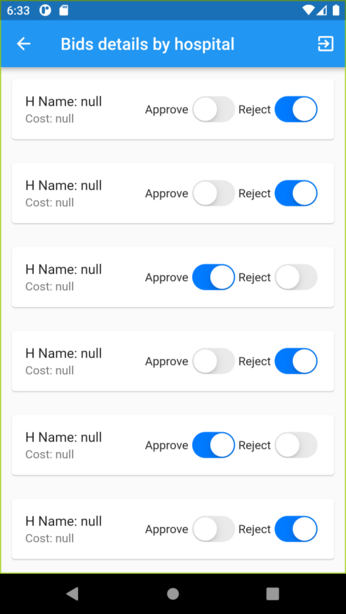
Step 1:
Add the Cupertino package to your pubspec.yaml file:
dependencies:
  flutter:
    sdk: flutter
  cupertino_icons: ^1.0.2
Code language: CSS (css)
Import the necessary packages in your Dart file:
import 'package:flutter/cupertino.dart';
Code language: JavaScript (javascript)
Create a StatefulWidget for your page. This will allow you to maintain the state of the switches:
class MyPage extends StatefulWidget {
  @override
  _MyPageState createState() => _MyPageState();
}
Code language: PHP (php)
Define the state class _MyPageState and implement it:
class _MyPageState extends State<MyPage> {
  bool switchValue1 = false;
  bool switchValue2 = false;

  @override
  Widget build(BuildContext context) {
    return CupertinoPageScaffold(
      navigationBar: CupertinoNavigationBar(
        middle: Text('Double Cupertino Switch'),
      ),
      child: SafeArea(
        child: Column(
          children: [
            CupertinoSwitch(
              value: switchValue1,
              onChanged: (value) {
                setState(() {
                  switchValue1 = value;
                });
              },
            ),
            CupertinoSwitch(
              value: switchValue2,
              onChanged: (value) {
                setState(() {
                  switchValue2 = value;
                });
              },
            ),
          ],
        ),
      ),
    );
  }
}
Code language: JavaScript (javascript)
Use the CupertinoSwitch widget to display the switches. Each switch should have its own boolean value to store the current state (switchValue1 and switchValue2 in this example). The onChanged callback allows you to update the state when the switch is toggled.