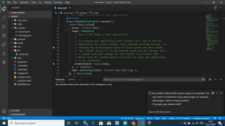
This error message indicates that the Android Virtual Device (AVD) system images required for the emulator to run are not available on your system. To fix this issue, you need to download and install the required system images using the SDK manager command.
Here are the steps to download and install the system images:
- Open the Android SDK Manager by running the command
sdkmanagerin your terminal or command prompt. - Check if the system image for the desired Android version and target architecture is installed. If not, install it using the command:
'sdkmanager "system-images;android-27;google_apis_playstore;x86"'Code language: JavaScript (javascript)Replace android-27 with the version of Android you want to use, and ‘google_apis_playstore’ with the target system image you want to download. ‘x86‘ is the target architecture, but you can choose a different one if needed.
- Once the system image is installed, create a new AVD using the Android Virtual Device Manager in Android Studio or by running the command
avdmanagerin your terminal or command prompt. - Select the newly installed system image for the AVD and run the emulator.
That should resolve the issue and allow you to run the Android emulator with the required system images.
Refreces here-> Cleak here