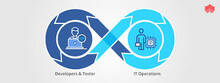
Build automation is a foundational practice in modern software delivery. Whether you are running a small development team or managing CI/CD pipelines across a large enterprise, the tools you choose to automate builds, tests, and deployments have a direct impact on release velocity, reliability, and developer experience. This article breaks down the major build automation platforms on the market, explains what each one does well, and offers practical guidance for evaluating them.
What Is Build Automation Software?
Build automation software orchestrates the steps required to transform source code into a deployable artifact. At a minimum, that means compiling code, resolving dependencies, running unit tests, and packaging the result. More mature pipelines extend automation to integration testing, static analysis, security scanning, artifact publishing, and deployment. The goals are consistency (every build follows the same steps), speed (automation is faster than manual processes), and auditability (every build is logged and reproducible).
Build automation tools are typically categorized along two axes:
- Delivery model: Self-hosted (installed on your own infrastructure) vs. cloud-hosted SaaS
- Scope: Build-focused tools vs. full CI/CD platforms that also handle deployment orchestration
Key Tools in the Build Automation Ecosystem
The following tools represent the most widely adopted options across enterprise and open-source environments. Each has a distinct philosophy, integration footprint, and target user base.
Jenkins
Jenkins is the most widely deployed open-source CI/CD server. It is self-hosted, written in Java, and extensible through a plugin ecosystem of over 1,800 community-maintained plugins. Jenkins pipelines are defined in a Jenkinsfile using a Groovy-based DSL, and the tool supports both declarative and scripted syntax.
Best for: Teams that need maximum flexibility and are comfortable managing their own infrastructure. Jenkins suits complex, custom pipeline requirements where off-the-shelf SaaS tools fall short.
Watch out for: Operational overhead. Jenkins requires maintenance of the server, plugins, and agents. Plugin compatibility issues are a common pain point as the ecosystem ages.
TeamCity
TeamCity is a CI/CD server developed by JetBrains. It is available as a self-hosted installation and as a cloud-hosted offering (TeamCity Cloud). TeamCity provides a rich web UI, excellent out-of-the-box support for .NET, Java, and Kotlin projects, and deep integration with JetBrains IDEs.
Best for: Teams already using JetBrains tools, .NET shops, and organizations that want a polished UI without writing pipeline-as-code from scratch. TeamCity has a free tier for small teams.
CircleCI
CircleCI is a cloud-native CI/CD platform that defines pipelines in a YAML configuration file (.circleci/config.yml). It offers fast build times through parallelism and caching, first-class Docker support, and an orbs system for reusable pipeline components. A self-hosted server option is also available for enterprises.
Best for: Teams that want a managed, scalable CI/CD platform with minimal infrastructure management. CircleCI integrates tightly with GitHub and Bitbucket.
Bamboo
Bamboo is Atlassian’s self-hosted CI/CD server. It integrates natively with Jira, Bitbucket, and Confluence, making it a natural fit for teams already in the Atlassian ecosystem. Bamboo uses a plan-and-stage model to organize builds and deployments.
Best for: Atlassian-heavy shops that want CI/CD tooling consistent with their existing project management and source control stack. Note that Atlassian has been encouraging migration to Bitbucket Pipelines for cloud-based workflows.
Ansible
Ansible is an open-source IT automation tool from Red Hat. It is agentless, uses SSH for communication, and describes automation tasks in human-readable YAML playbooks. While Ansible is not a CI/CD server in the traditional sense, it is widely used as the deployment layer in build pipelines — handling configuration management, application deployment, and infrastructure provisioning.
Best for: Infrastructure automation, configuration management, and deployment orchestration. Ansible is commonly paired with Jenkins or another CI server rather than used as a standalone build tool.
Microsoft Azure DevOps (formerly Team Foundation Server)
Azure DevOps is Microsoft’s end-to-end DevOps platform, encompassing Azure Repos (source control), Azure Pipelines (CI/CD), Azure Boards (work tracking), and Azure Artifacts (package management). Pipelines are defined in YAML and support build, test, and release stages with strong integration across the Azure ecosystem.
Best for: Microsoft-centric organizations (.NET, Azure infrastructure) and enterprises wanting a single platform spanning the entire software delivery lifecycle.
Apache Maven and Gradle
Maven and Gradle are build tools rather than CI servers — they handle dependency resolution, compilation, testing, and packaging at the project level. They are typically invoked by a CI server (Jenkins, CircleCI, etc.) rather than replacing one.
- Maven uses XML (
pom.xml) and a convention-over-configuration model. It is the dominant build tool in the Java enterprise world. - Gradle uses a Groovy or Kotlin DSL (
build.gradle) and offers incremental builds and a flexible task model. It is the default build tool for Android development and is gaining ground in general JVM projects.
Travis CI
Travis CI was one of the first cloud-hosted CI services to gain widespread adoption in the open-source community, largely due to its free tier for public GitHub repositories. Configuration is defined in a .travis.yml file. Travis CI’s open-source offering has changed ownership and pricing models in recent years, leading many projects to migrate to GitHub Actions or CircleCI.
Codeship
Codeship (now part of CloudBees) is a hosted CI/CD platform offering two modes: Codeship Basic (simple, UI-configured pipelines) and Codeship Pro (Docker-based pipelines defined in YAML). It targets teams that want a straightforward setup without deep infrastructure knowledge.
Chef
Like Ansible, Chef is a configuration management tool rather than a CI/CD server. Chef uses Ruby-based recipes and cookbooks to define the desired state of infrastructure. It is agent-based (requiring the Chef client on managed nodes) and is commonly used alongside CI/CD pipelines to manage server configuration and compliance.
Cloud-Based vs. Self-Hosted Build Automation
One of the most consequential decisions when choosing a build automation platform is whether to run it yourself or consume it as a managed service.
| Factor | Self-Hosted | Cloud-Hosted (SaaS) |
|---|---|---|
| Infrastructure control | Full control | Managed by vendor |
| Maintenance burden | High (upgrades, agents, plugins) | Low |
| Cost model | Infrastructure + staff time | Subscription, often usage-based |
| Data residency / compliance | Easier to enforce | Depends on vendor certifications |
| Scalability | Manual scaling of agents | Elastic, often automatic |
| Example tools | Jenkins, TeamCity, Bamboo | CircleCI, GitHub Actions, Travis CI |
Enterprise vs. SME Considerations
Build automation requirements differ significantly between large enterprises and small-to-medium teams.
Large Enterprises
- Typically require on-premises or private-cloud deployment for compliance and data sovereignty reasons
- Need role-based access control, audit logging, and SSO integration
- Often run heterogeneous build environments (multiple languages, platforms, and deployment targets)
- Benefit from tools like Jenkins (flexibility), TeamCity (enterprise features), or Azure DevOps (Microsoft stack integration)
Small and Medium Teams
- Prefer managed services to reduce operational burden
- Value fast setup, good documentation, and transparent pricing
- GitHub Actions, CircleCI, and Bitbucket Pipelines are popular choices due to tight SCM integration and generous free tiers
How to Evaluate Build Automation Tools
When assessing tools for your environment, consider the following criteria:
- Pipeline-as-code support: Does the tool allow you to define pipelines in version-controlled files? YAML and Groovy DSL are common formats. Pipeline-as-code is a best practice for auditability and reproducibility.
- Language and framework support: Does the tool have native support or well-maintained integrations for your primary languages and build tools (Maven, Gradle, npm, Make, etc.)?
- Integration with your SCM: Native GitHub, GitLab, or Bitbucket integration simplifies webhook configuration, pull request status checks, and branch policies.
- Artifact management: Can the tool publish and retrieve build artifacts from repositories like Nexus, Artifactory, or cloud-native artifact stores?
- Scalability: How does the platform handle concurrent builds? Can you add build agents horizontally?
- Security features: Secret management, least-privilege runner permissions, and dependency scanning are table stakes for production pipelines.
- Total cost of ownership: Include licensing, infrastructure, and engineering time for setup and maintenance.
The Broader DevOps Context
Build automation does not exist in isolation. It is one layer in a broader DevOps toolchain that typically includes source control management, artifact repositories, container registries, deployment orchestration (Kubernetes, Helm, Ansible), monitoring, and incident response. The best build automation tool is the one that integrates cleanly with the rest of your stack and that your team will actually maintain and improve over time.
As DevOps practices mature, build pipelines are also incorporating security scanning (the “shift left” security movement), infrastructure-as-code validation, and policy enforcement as automated gates — turning the build pipeline into a quality and compliance checkpoint, not just a compilation step.
Summary: Tool Selection at a Glance
| Tool | Type | Deployment | Best Fit |
|---|---|---|---|
| Jenkins | CI/CD server | Self-hosted | Complex, custom pipelines; large teams |
| TeamCity | CI/CD server | Self-hosted / cloud | JetBrains / .NET shops |
| CircleCI | CI/CD platform | Cloud / self-hosted | Cloud-native teams, Docker workflows |
| Bamboo | CI/CD server | Self-hosted | Atlassian ecosystem users |
| Ansible | Automation / config mgmt | Self-hosted | Deployment orchestration layer |
| Azure DevOps | End-to-end platform | Cloud / self-hosted | Microsoft / Azure-centric teams |
| Maven | Build tool | Local / CI agent | Java/JVM project builds |
| Gradle | Build tool | Local / CI agent | Android, JVM, flexible build graphs |
| Travis CI | CI platform | Cloud | Open-source projects (declining usage) |
| Codeship | CI/CD platform | Cloud | Small teams wanting simple setup |
| Chef | Config mgmt | Self-hosted | Infrastructure configuration at scale |
Build automation is a high-return investment for any engineering team. Starting with a clear understanding of your pipeline requirements, your team’s operational capacity, and your existing toolchain will put you in a much stronger position to choose and implement the right platform.