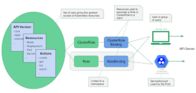
Kubernetes is the de-facto standard for container orchestration, and as organizations adopt a container-first development approach, securely handling sensitive data becomes a critical engineering concern. Hardcoding credentials, API keys, or SSH keys into a Pod definition YAML or a container image is a well-known security anti-pattern. Kubernetes Secrets exist specifically to solve this problem.
Why Use Kubernetes Secrets?
Containers frequently need sensitive data — passwords, OAuth tokens, TLS certificates, SSH keys — to integrate with databases, external APIs, and other services. Storing this data in plaintext inside a container image or a Pod spec creates several risks:
- Credentials are visible to anyone with access to the image registry or the YAML manifest.
- Secrets baked into images are hard to rotate without rebuilding and redeploying.
- Version control systems (Git, etc.) may inadvertently expose plaintext credentials.
Kubernetes Secrets decouple sensitive configuration from application code and container images, making it easier to rotate credentials and control access independently of deployments.
What Is a Kubernetes Secret?
A Kubernetes Secret is an API object that stores sensitive data as key-value pairs. According to the Kubernetes documentation, Secrets let you store and manage sensitive information such as passwords, OAuth tokens, and SSH keys — more safely and flexibly than embedding them verbatim in a Pod definition or container image.
A Secret can be made available to a Pod in two ways:
- Environment variable: The secret value is injected as an environment variable at container startup.
- Mounted volume: The secret is mounted as a file inside the container’s filesystem.
Secrets vs. ConfigMaps
Both ConfigMaps and Secrets store configuration data as key-value pairs, but they serve different purposes:
| Feature | ConfigMap | Secret |
|---|---|---|
| Data encoding | Plain text | Base64-encoded |
| Typical use case | App settings, feature flags, base URLs | Passwords, API keys, TLS certificates |
| Access control | Standard RBAC | Standard RBAC (additional controls recommended) |
| Shown in kubectl output | Yes | Values hidden by default |
Use Secrets for credentials, tokens, and any data that must be kept confidential. Use ConfigMaps for non-sensitive configuration such as application themes, environment names, or base platform URLs.
How Kubernetes Secrets Work
Kubernetes provides two broad categories of secrets:
1. Built-in Secrets (Service Account Tokens)
Kubernetes automatically creates Service Account secrets and attaches them to Pods, giving containers the credentials they need to communicate with the Kubernetes API server. These are created and managed by the cluster and can be disabled or overridden if you manage API credentials manually.
2. Custom Secrets
You define and create custom secrets to store your own application-specific sensitive data. These can be created using kubectl, a YAML/JSON manifest, or a secrets management platform.
Important Security Consideration: etcd Storage
By default, Kubernetes stores Secrets in plaintext inside the cluster’s etcd datastore. Base64 encoding is not encryption — it is trivially reversible. This means:
- Anyone with direct access to
etcdcan read all secret values. - If
etcdcommunication is not secured with TLS, secrets can be exposed in transit during cluster synchronization. - Any user or process with root access to a cluster node can potentially impersonate the kubelet and read secret data.
For production clusters, you should enable encryption at rest for etcd using Kubernetes’ built-in EncryptionConfiguration API, and enforce strict RBAC policies to limit who can read Secret objects.
Creating Custom Secrets
Method 1: Using kubectl
The quickest way to create a secret is with the kubectl create secret command. For example, to create a generic secret:
# Create a generic secret with literal values
kubectl create secret generic my-secret \
  --from-literal=username=admin \
  --from-literal=password='S3cur3P@ss'

# Create a secret from a file
kubectl create secret generic my-tls-secret \
  --from-file=tls.crt=./server.crt \
  --from-file=tls.key=./server.keyCode language: PHP (php)
To create the secret in a specific namespace, add the --namespace flag:
kubectl create secret generic my-secret \
  --from-literal=password='S3cur3P@ss' \
  --namespace=productionCode language: JavaScript (javascript)
To inspect the secret metadata without revealing the values:
kubectl describe secret my-secret
kubectl get secret my-secret -o yamlCode language: JavaScript (javascript)
Note: kubectl get and kubectl describe will not display the raw secret values — they show only the key names and the byte length of each value.
Method 2: Defining a Secret in a YAML Manifest
You can also define a Secret declaratively in a YAML file. The data field requires base64-encoded values, while the stringData field accepts plain strings and Kubernetes handles the encoding automatically.
apiVersion: v1
kind: Secret
metadata:
  name: my-secret
  namespace: production
type: Opaque
stringData:
  username: admin
  password: S3cur3P@ssCode language: CSS (css)
Apply the manifest with:
kubectl apply -f my-secret.yamlCode language: CSS (css)Important: Do not commit Secret YAML files containing actual credentials to version control. Consider using a tool like SOPS or Sealed Secrets to encrypt manifests before committing them.
Using a Secret in a Pod
Here is an example of injecting a secret as environment variables in a Pod spec:
apiVersion: v1
kind: Pod
metadata:
  name: my-app
spec:
  containers:
    - name: my-container
      image: my-app:latest
      env:
        - name: DB_USERNAME
          valueFrom:
            secretKeyRef:
              name: my-secret
              key: username
        - name: DB_PASSWORD
          valueFrom:
            secretKeyRef:
              name: my-secret
              key: passwordCode language: CSS (css)
Cloud-Native Secret Management
If you are running Kubernetes on a managed cloud platform, consider integrating with the provider’s dedicated secrets management service. These services offer centralized secret storage, automatic rotation, fine-grained access control, and full audit logging — capabilities that go beyond what native Kubernetes Secrets provide out of the box.
- AWS Secrets Manager — Integrates with EKS via IAM roles for service accounts (IRSA) and the AWS Secrets and Configuration Provider (ASCP).
- Azure Key Vault — Integrates with AKS via the Secrets Store CSI Driver and Azure Workload Identity.
- Google Cloud Secret Manager — Integrates with GKE via Workload Identity and the Secret Manager add-on.
- HashiCorp Vault — A cloud-agnostic, self-hosted option widely used for dynamic secrets and fine-grained policy enforcement.
Using a dedicated secrets management platform gives your team centralized auditing, secret versioning, and rotation policies that are difficult to replicate with native Kubernetes Secrets alone.
Best Practices for Kubernetes Secrets Management
- Enable encryption at rest for
etcdusing Kubernetes EncryptionConfiguration. - Use RBAC to restrict which service accounts and users can read specific Secrets.
- Avoid environment variables for highly sensitive data where possible — mounted volumes are slightly harder to accidentally expose via process inspection.
- Do not store Secret YAML manifests with real credentials in version control — use Sealed Secrets, SOPS, or a secrets manager instead.
- Rotate secrets regularly and update your Deployments to pick up the new values.
- Audit access to Secrets using Kubernetes audit logs or your cloud provider’s audit trail.
- Prefer cloud or external secrets managers for production workloads where audit, rotation, and access policy requirements are strict.
Summary
Kubernetes Secrets provide a foundational mechanism to decouple sensitive configuration from application code and container images. While they are easy to use, the default storage in etcd without encryption means you must layer on additional controls — RBAC, encryption at rest, and ideally an external secrets manager — to meet production security requirements. Understanding these trade-offs is the first step to building a robust secrets management strategy for your Kubernetes workloads.