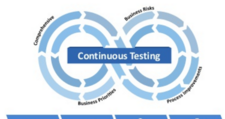
Continuous integration is a well-established part of modern development workflows. Most teams are already familiar with CI services that automatically build code whenever new changes are pushed to a repository. But the real power comes from extending that pipeline further — not just building your code, but also deploying it and testing it automatically within the same workflow. This broader practice is often called continuous development (or a full CI/CD/CT pipeline).

This tutorial walks through each stage of that pipeline using a Node.js example application:
- Continuous integration: Push code to GitHub; CircleCI automatically builds and runs unit tests.
- Continuous deployment: On a successful build, CircleCI deploys the application to Heroku.
- Continuous testing: After deployment, Assertible runs automated post-deployment API tests against the live application.
By the end, you will have a workflow that automatically builds, deploys, and tests your Node.js app after every push to your repository — with no manual steps required.
Continuous Integration with CircleCI
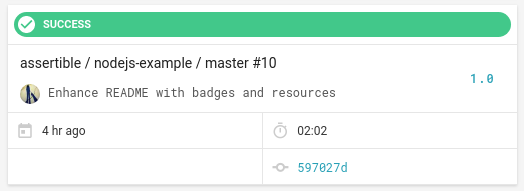
The pipeline starts when code is pushed to a GitHub repository. CircleCI picks up the new changes, installs dependencies, and runs your unit tests. Setting this up requires just two things:
- Add a
circle.ymlconfiguration file to the root of your repository. - Connect the repository to CircleCI by adding it as a project in your CircleCI dashboard.
For a Node.js application, the default CircleCI settings are sufficient. CircleCI automatically detects Node.js projects and runs npm install followed by npm test without requiring any extra configuration in the YAML file.
A minimal circle.yml for a Node.js project looks like this:
machine:
  node:
    version: stable

test:
  post:
    - npm test
Once configured, every push to GitHub triggers a CircleCI build. If any unit test fails, the pipeline stops and the deployment step is never reached — protecting your production environment from broken builds.
Continuous Deployment with Heroku
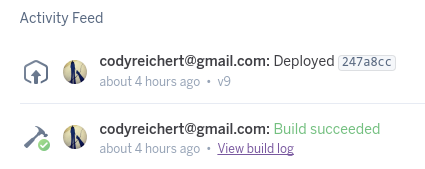
After a successful build, CircleCI executes the deployment block in circle.yml. In this example, the application is deployed to Heroku by pushing directly to the Heroku Git remote using the commit SHA captured in the $CIRCLE_SHA1 environment variable.
deployment:
  production:
    branch: master
    commands:
      # Deploy the app to Heroku
      - git push git@heroku.com:your-app-name.git $CIRCLE_SHA1:refs/heads/masterCode language: PHP (php)
This configuration tells CircleCI to trigger the production deployment only when changes are merged to the master branch. Feature branches will still be built and tested by CircleCI, but they will not be deployed to production.
Key points about this deployment step:
- The Heroku SSH key must be added to CircleCI’s project settings so the
git pushis authenticated. - You can extend the
commandslist to run database migrations, flush caches, or perform any other pre- or post-deploy tasks. - Heroku review apps can be used alongside this pattern to create isolated staging environments for every pull request.
Continuous Testing with Assertible
Unit tests verify your code in isolation, but they cannot tell you whether the live, deployed application is actually working correctly. That is where post-deployment testing comes in. After Heroku finishes the deployment, the pipeline uses Assertible to run a suite of API tests against the running application.
Assertible listens for GitHub Deployment events. When it receives a success deployment status for a repository it is connected to, it automatically runs the API tests you have defined. The github_deploy helper script (provided by Assertible’s open-source assertible/deployments repository) sends these events from within your CircleCI build.
Add the following steps to your circle.yml deployment commands, after the Heroku push:
# Download the github_deploy helper script
- curl https://raw.githubusercontent.com/assertible/deployments/master/github_deploy > github_deploy
- chmod +x github_deploy

# Notify GitHub of the deployment, then mark it successful.
# Assertible listens for the 'success' event and triggers API tests.
- |
  APPROOT=https://your-app-name.herokuapp.com/
  DEPLOY_ID=$(ENVIRONMENT_NAME="production" ./github_deploy $CIRCLE_SHA1 $CIRCLE_PROJECT_USERNAME/$CIRCLE_PROJECT_REPONAME $APPROOT "pending")
  ./github_deploy $CIRCLE_SHA1 $CIRCLE_PROJECT_USERNAME/$CIRCLE_PROJECT_REPONAME $APPROOT "success" $DEPLOY_IDCode language: PHP (php)
The script first creates a deployment record in GitHub with a pending status, capturing the resulting deployment ID. Once the deployment is confirmed live, it updates the status to success. Assertible detects this event and immediately executes the configured API test suite.
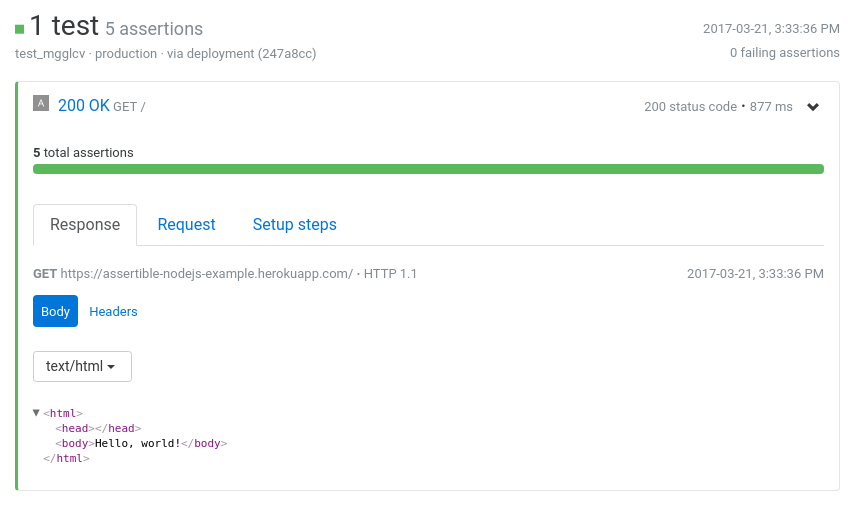
This automated post-deployment testing catches issues that unit tests cannot — such as misconfigured environment variables, broken integrations with external services, or unexpected runtime errors in the deployed environment.
Testing Staging Environments from Pull Requests
The same mechanism works for staging environments and Heroku review apps. When a pull request triggers a deployment to a staging environment, Assertible runs your API tests against that environment and reports the results as a GitHub status check directly on the pull request.
This means reviewers can see at a glance whether the new changes pass API tests before merging — adding an additional quality gate beyond code review alone.

Extending the Pipeline
Additional Automation with Heroku Add-ons
Heroku’s add-on ecosystem provides many ways to extend this workflow. You can automate database migrations, queue background jobs, flush CDN caches, or send deployment notifications to Slack — all as additional commands within the CircleCI deployment block.
Using Other CI Providers
The core pattern described here — build, deploy, emit a GitHub deployment event, trigger automated tests — is not tied to any specific toolchain. The same approach works with other CI providers such as Travis CI, Jenkins, Wercker, or GitHub Actions. The key requirement is the ability to make an authenticated HTTP request (or run a shell script) that creates a GitHub Deployment event with a success status after deployment completes.
Assertible’s open-source assertible/deployments repository contains scripts and documentation for integrating with multiple CI providers.
Summary
A complete continuous development pipeline for a Node.js application can be assembled from three focused tools:
- CircleCI handles building and unit testing on every push, and orchestrates the deployment step.
- Heroku receives the automated deployment and hosts the running application.
- Assertible listens for GitHub deployment events and runs post-deployment API tests to verify the live environment.
The result is a pipeline where every push to master automatically progresses through build, deploy, and test stages — with failures surfaced quickly at each gate, long before users are affected.