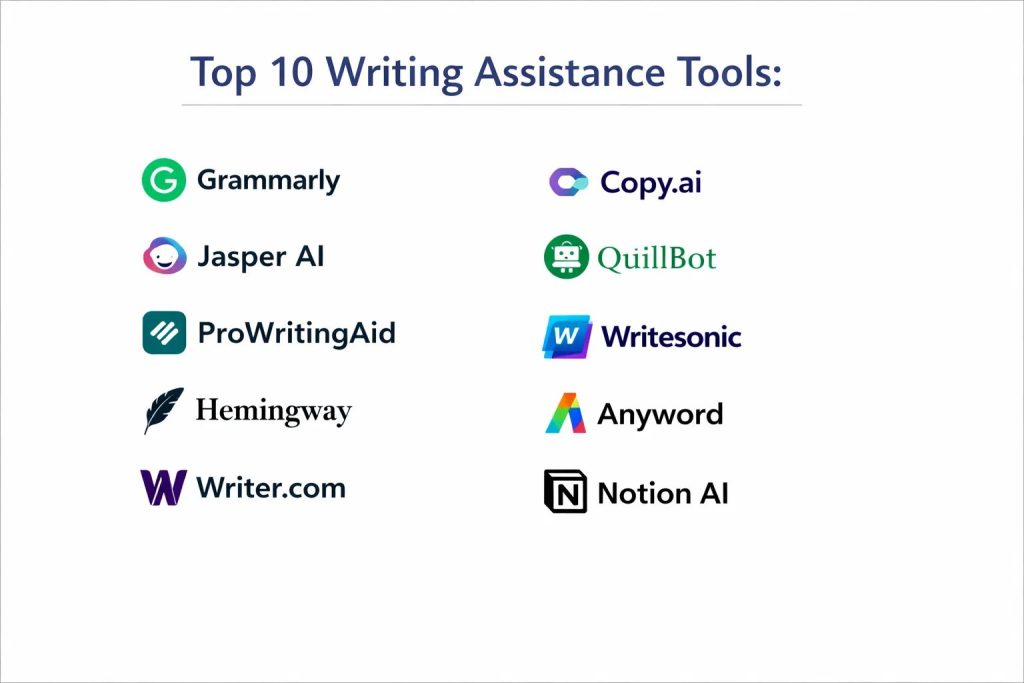
Introduction
Writing assistance software has evolved from simple spell-checkers into sophisticated cognitive partners that enhance clarity, intent, and professional impact. These tools utilize advanced natural language processing to analyze the semantic structure of text, offering suggestions that range from grammatical corrections to high-level stylistic shifts. In an era where digital communication is the primary medium for business, education, and social interaction, the ability to produce polished, error-free content is a non-negotiable skill. These platforms bridge the gap between technical knowledge and communicative fluidly, ensuring that the writer’s core message is never lost to poor syntax or ambiguous phrasing.
The professional landscape now demands a level of precision and speed that manual proofreading can rarely achieve. Organizations across all sectors—from legal and finance to creative marketing—rely on these tools to maintain brand consistency, prevent costly communication errors, and accelerate the content production cycle. When selecting a writing assistant, users must evaluate the tool’s contextual intelligence, its integration with existing workflows, and its ability to adapt to specific domain vocabularies. Furthermore, data privacy and the robustness of the underlying AI models are critical factors for enterprise-level adoption, where protecting intellectual property is as important as the quality of the prose itself.
Best for: Corporate communications teams, content marketers, academic researchers, and legal professionals who require high-precision editing and automated style guide enforcement.
Not ideal for: Users seeking deep creative narrative development or those who require highly specialized technical documentation that falls outside standard linguistic patterns. While these tools assist in refining text, they cannot replace the critical thinking and subjective nuance of a human editor.
Key Trends in Writing Assistance Tools
The integration of generative AI has fundamentally shifted the focus from “fixing” errors to “co-creating” content, allowing users to draft entire documents from brief prompts. Real-time tone adjustment has become a standard feature, enabling writers to pivot between formal, casual, or persuasive styles instantly based on the recipient. There is also a significant trend toward “Brand Voice” synchronization, where software learns an organization’s unique terminology and tone to ensure every employee writes with a unified identity.
Data security is now at the forefront, with more providers offering “zero-retention” modes to ensure that sensitive drafts are not used to train public AI models. Multilingual support has also seen massive improvements, moving beyond simple translation to offer nuanced grammar and style suggestions in dozens of different languages. Finally, accessibility features are becoming more prominent, with tools incorporating readability scores and inclusive language suggestions to ensure content is digestible for diverse global audiences.
How We Selected These Tools
Our selection process focused on tools that demonstrate high linguistic accuracy and cross-platform reliability. We prioritized platforms that offer seamless integration with common workspace applications like Microsoft Word, Google Docs, and various browser-based email clients. Market longevity and the frequency of algorithm updates were key indicators of a tool’s reliability in handling modern language nuances. We also analyzed the depth of the feedback provided, favoring tools that explain “why” a change is suggested rather than just offering a correction.
Scalability was another major factor; we looked for tools that could support both individual freelancers and large-scale enterprises with complex administrative needs. User interface design was assessed to ensure that the assistance remains helpful without becoming intrusive during the creative process. Finally, we considered the cost-to-value ratio, ensuring that each tool on this list provides a unique advantage—whether that be in academic integrity, marketing conversion, or general workplace productivity.
1. Grammarly
Grammarly is the most prominent writing assistant in the market, known for its comprehensive ecosystem that works across almost every digital writing surface. It provides real-time suggestions for grammar, punctuation, and spelling, but its true power lies in its advanced clarity and engagement insights. The platform uses a sophisticated AI engine to detect the tone of a piece and offers suggestions to make the writing more confident, polite, or direct depending on the user’s goals.
Key Features
The tool features a comprehensive plagiarism detector that compares text against billions of web pages. Its generative AI assistant helps users brainstorm ideas or rewrite entire paragraphs for better flow. It offers a dedicated “Brand Voice” feature for enterprises to ensure consistency across teams. The browser extension allows for seamless editing within emails and social media platforms. Additionally, it provides a weekly performance report that tracks your common mistakes and vocabulary improvements.
Pros
The software is incredibly user-friendly and offers the most consistent performance across different web browsers and desktop applications. Its tone detection is highly accurate and helps prevent miscommunication in sensitive emails.
Cons
The premium subscription is relatively expensive compared to basic alternatives. Some users find the real-time pop-ups distracting during the initial drafting phase.
Platforms and Deployment
Windows, macOS, iOS, Android, and all major web browsers. It is deployed as a cloud-based service with local application support.
Security and Compliance
It maintains high-level security certifications including SOC 2 and GDPR compliance. Data encryption is standard for all users, with extra protections for enterprise accounts.
Integrations and Ecosystem
It integrates deeply with Microsoft Office, Google Workspace, Slack, and various CRM platforms. Its API allows developers to embed its features into custom applications.
Support and Community
Grammarly provides a massive knowledge base, 24/7 email support, and dedicated account managers for large corporate clients.
2. Jasper AI
Jasper AI is a high-powered content generation platform designed specifically for marketing teams and business enterprises. It goes beyond simple grammar checking by acting as a creative partner that can generate long-form blog posts, ad copy, and social media content based on specific brand guidelines. It is built to help teams overcome writer’s block and scale their content output without losing quality.
Key Features
The platform includes over 50 specialized templates for various types of content marketing. It features a “Brand Voice” memory that learns your company’s unique style and product details. Its “Everywhere” extension allows users to access Jasper’s generative capabilities directly within their favorite tools. It also includes an AI image generator to complement written content. The collaboration tools allow entire teams to work on campaigns within a unified dashboard.
Pros
It is exceptionally fast at producing high-quality marketing drafts that require minimal editing. The ability to switch between different AI models gives users more control over the output style.
Cons
It lacks a robust native plagiarism checker, often requiring an external integration. The pricing is geared toward professional teams, which may be prohibitive for solo users.
Platforms and Deployment
Web-based platform with browser extensions for Chrome and Edge.
Security and Compliance
It uses enterprise-grade security protocols and offers private instances for large organizations that need strict data isolation.
Integrations and Ecosystem
It integrates with SEO tools like SurferSEO and has a direct connection to various social media management platforms.
Support and Community
Jasper offers an extensive “Academy” for learning AI writing prompts and a very active community of marketing professionals.
3. ProWritingAid
ProWritingAid is a favorite among professional authors and academic writers due to its deep stylistic analysis. It offers over 20 different reports that break down your writing in ways most other tools don’t, covering things like sentence length variety, repetitive words, and “glue” words that slow down reading. It acts more like a writing coach than a simple spell-checker.
Key Features
The software provides a comprehensive “Consistency Check” to ensure spelling and hyphenation are uniform throughout long documents. Its “Contextual Thesaurus” suggests synonyms that actually fit the meaning of the sentence. It features an in-depth readability report based on various academic indices. The “Author Comparison” tool allows users to see how their style stacks up against famous writers. It also includes a “Sparks” feature that uses AI to offer creative rewrites.
Pros
The depth of the reports is unmatched, providing insights that can actually improve the user’s long-term writing skills. It is one of the few professional tools that offers a lifetime subscription option.
Cons
The interface can be overwhelming for casual users who only need basic corrections. It does not currently offer a dedicated mobile application for real-time editing on the go.
Platforms and Deployment
Windows, macOS, and web. It offers extensions for all major browsers and integrations for desktop writing software.
Security and Compliance
It offers standard data encryption and does not use customer data to train its public AI models.
Integrations and Ecosystem
It has the best integration for creative writers, working seamlessly with Scrivener and Final Draft. It also supports Google Docs and Microsoft Word.
Support and Community
Users have access to an extensive library of writing masterclasses and a responsive technical support team.
4. Hemingway Editor
Hemingway Editor focuses on a single goal: making your writing bold and clear. It uses a color-coded system to highlight complex sentences, passive voice, and excessive adverbs. It is less about “correctness” and more about “readability,” helping writers cut the fluff and get straight to the point.
Key Features
The “Readability Grade” score tells you the exact education level required to understand your text. Different colors identify specific problems: yellow for hard sentences, red for very hard, and blue for adverbs. It offers a distraction-free “Write” mode for initial drafting and an “Edit” mode for refinement. The desktop version allows for offline use and direct export to various formats. It also provides a word and character count in real-time.
Pros
The visual interface is incredibly intuitive, allowing writers to see exactly where their prose is getting bogged down. It is extremely fast and requires no learning curve.
Cons
It does not check for spelling or deep grammatical errors. It can be overly prescriptive, sometimes discouraging creative sentence structures that are actually effective.
Platforms and Deployment
Web-based (free) and a paid desktop application for Windows and macOS.
Security and Compliance
The online version does not store your text after you close the browser, providing a level of inherent privacy.
Integrations and Ecosystem
The desktop version can export directly to WordPress and Medium, and it supports Markdown for web developers.
Support and Community
Support is limited to basic technical assistance for the desktop application, as the tool is designed to be self-explanatory.
5. Writer.com
Writer.com is the leading enterprise-grade writing platform that prioritizes security, compliance, and custom AI models. Unlike general-purpose tools, it allows companies to build their own “Large Language Models” based on their specific data. It is designed for large-scale operations where legal and brand compliance are critical.
Key Features
It features a robust “Style Guide” engine that automatically enforces company-specific rules across all departments. The platform offers “snippets” that allow teams to insert approved, pre-written text blocks into any document. Its AI can summarize long reports or generate derivative content while adhering to strict privacy filters. It includes a comprehensive “Terms” database to flag outdated or non-compliant language. The dashboard provides analytics on how consistently teams are using the brand voice.
Pros
It offers the highest level of data privacy in the industry, making it suitable for healthcare and finance. The customizability of its AI models ensures that the suggestions are highly relevant to specific industries.
Cons
The setup process is more involved than consumer-level tools. It is priced for teams and does not offer an affordable tier for individual users.
Platforms and Deployment
Web-based with extensions for browser and desktop office suites.
Security and Compliance
It is SOC 2 Type II, HIPAA, and PCI compliant. It offers “Air-Gapped” deployment options for maximum security.
Integrations and Ecosystem
It integrates with enterprise tools like Adobe Experience Manager, Contentful, and various internal knowledge bases through a powerful API.
Support and Community
It provides dedicated enterprise support, including change management consulting and custom training for large teams.
6. Copy.ai
Copy.ai is an automation-first writing tool that helps teams build scalable content workflows. It is particularly strong at generating short-form copy like product descriptions, email subject lines, and social media captions. It uses a “Chat” interface that allows users to research and write in a single, unified window.
Key Features
The “Workflow” feature allows users to automate complex content tasks, like turning a brief into a blog post and then into three social media updates. It provides a massive library of over 90 templates for every imaginable marketing need. The software includes a “Freestyle” tool that can generate content based on unique, non-standard prompts. It supports bulk generation of content for e-commerce listings. The “Infobase” stores your company facts so the AI always uses accurate information.
Pros
The speed and variety of output are excellent for high-volume content creators. The interface is modern and very easy to navigate even for beginners.
Cons
The quality of the output can sometimes be generic, requiring human oversight to add personality. It lacks deep grammatical analysis compared to tools like ProWritingAid.
Platforms and Deployment
Web-based platform.
Security and Compliance
It maintains SOC 2 compliance and ensures that user data is encrypted and kept private.
Integrations and Ecosystem
It offers integrations with various marketing tools and has a robust API for building custom content automation.
Support and Community
There is an extensive set of video tutorials and a community of “prompt engineers” who share best practices.
7. QuillBot
QuillBot is best known for its world-class paraphrasing tool, making it a favorite for students, researchers, and bloggers who need to rewrite existing text for clarity or tone. It uses a specialized AI to rearrange sentence structures while maintaining the original meaning, offering a variety of modes from “Standard” to “Creative.”
Key Features
The “Paraphraser” offers seven different modes to change the complexity or style of your text. It includes a built-in “Summarizer” that can condense long articles into key bullet points. The “Co-Writer” feature provides a unified workspace with research tools and an AI assistant. It also features a “Citation Generator” that supports APA, MLA, and Chicago styles. The “Grammar Checker” provides a solid second layer of protection against typos and basic errors.
Pros
The paraphrasing engine is the most advanced in its class, offering highly natural-sounding alternatives. The free version is quite generous compared to other premium tools.
Cons
The grammar checker is not as deep as Grammarly or ProWritingAid. The plagiarism checker requires a premium subscription and is limited by word count.
Platforms and Deployment
Web-based with extensions for Chrome, Word, and macOS.
Security and Compliance
It follows standard GDPR guidelines and uses industry-standard encryption for user documents.
Integrations and Ecosystem
It integrates directly into Google Docs and Microsoft Word, making it easy to use during the research and writing phase.
Support and Community
It offers a comprehensive help center and an educational blog focused on writing tips and academic integrity.
8. Writesonic
Writesonic is an all-in-one AI writing platform that balances content generation with deep SEO optimization. It is specifically designed for bloggers and digital marketers who want their content to rank high on search engines. It includes a built-in SEO checker that analyzes keyword density and readability.
Key Features
The “AI Article Writer” can generate 2,500-word blog posts that are factually researched and optimized for search. It features “Chatsonic,” an AI chatbot that can access real-time web data to provide up-to-date information. The platform includes a “Landing Page Generator” that creates full website copy from a few bullet points. It also offers tools for generating high-converting Google and Facebook ads. The “Photosonic” feature allows for the generation of AI art to accompany blog posts.
Pros
The integration of real-time search data makes it much more accurate for current news and technical topics. It offers excellent value for users who need both writing and SEO tools in one place.
Cons
The credit-based system in some plans can be confusing to manage. The long-form content can sometimes require significant editing to find a consistent “human” voice.
Platforms and Deployment
Web-based with a browser extension.
Security and Compliance
It ensures that all generated content is original and offers standard data protection for all user accounts.
Integrations and Ecosystem
It integrates with WordPress, Wix, and various SEO auditing tools to streamline the publishing process.
Support and Community
Writesonic provides 24/7 support and a library of tutorials focused on SEO and AI content strategy.
9. Anyword
Anyword is a “performance writing” platform that uses data to predict how well your copy will perform before you even publish it. It is uniquely focused on conversion rates, making it an essential tool for copywriters who are measured by clicks, sales, and engagement metrics.
Key Features
The “Predictive Performance Score” gives every piece of copy a grade based on its likely effectiveness. It allows users to create “Personas” to tailor content for specific target audiences. The “Data-Driven” editor suggests specific word changes that are statistically more likely to convert. It includes a “Website Copy” feature that can automatically rewrite your site’s headers to improve performance. The platform also offers a “Brand Rules” engine to ensure stylistic consistency.
Pros
It removes the guesswork from copywriting by providing data-backed suggestions. The ability to target specific demographics with unique tones is a major advantage for ad campaigns.
Cons
The pricing is higher than general-purpose AI writers. Its focus on performance means it is less useful for creative or academic writing.
Platforms and Deployment
Web-based platform with enterprise API options.
Security and Compliance
It is SOC 2 compliant and offers secure, private environments for enterprise data.
Integrations and Ecosystem
It integrates with major ad platforms like Meta and Google Ads, allowing for direct performance tracking.
Support and Community
It offers high-level enterprise support and specialized training on data-driven copywriting.
10. Notion AI
Notion AI is a integrated writing assistant built directly into the popular Notion workspace. It is designed to help users manage their thoughts, projects, and documents in one place, allowing them to summarize meeting notes, draft project plans, and fix grammar without ever leaving their workspace.
Key Features
The “Summarize” feature can turn a long page of notes into a concise overview in seconds. It provides an “Action Items” tool that extracts tasks from meeting transcripts. The AI can translate entire pages into over 20 different languages instantly. It features a “Simplify” tool that makes complex technical notes easier for non-specialists to read. Because it is built into the database system, it can even help organize and categorize information within your workspace.
Pros
The main advantage is the lack of friction; you don’t have to switch apps to get AI help. It is very affordable as an add-on for existing Notion users.
Cons
Its writing features are more general and less specialized for marketing or creative writing than standalone tools. It lacks a native plagiarism checker.
Platforms and Deployment
Windows, macOS, iOS, Android, and web.
Security and Compliance
It adheres to Notion’s robust enterprise security standards, including SSO and detailed audit logs.
Integrations and Ecosystem
It works perfectly with everything already in your Notion workspace and can pull data from integrated apps like Slack and Jira.
Support and Community
Notion has one of the largest and most active user communities in the world, with endless templates and tutorials available.
Comparison Table
| Tool Name | Best For | Platform(s) Supported | Deployment | Standout Feature | Public Rating |
| 1. Grammarly | General Productivity | Win, Mac, iOS, Web | Cloud | Real-time Tone Adjuster | 4.8/5 |
| 2. Jasper AI | Marketing Teams | Web, Extension | Cloud | Brand Voice Memory | 4.7/5 |
| 3. ProWritingAid | Professional Authors | Win, Mac, Web | Cloud | 20+ Detailed Reports | 4.6/5 |
| 4. Hemingway | Readability/Clarity | Win, Mac, Web | Local/Web | Color-coded Editing | 4.4/5 |
| 5. Writer.com | Enterprise Compliance | Web, API | Cloud | Custom LLM Models | 4.8/5 |
| 6. Copy.ai | GTM Automation | Web | Cloud | Automated Workflows | 4.5/5 |
| 7. QuillBot | Paraphrasing/Research | Web, Extension | Cloud | Advanced Rewrite Modes | 4.5/5 |
| 8. Writesonic | SEO Content | Web, Extension | Cloud | Real-time Search Integration | 4.6/5 |
| 9. Anyword | Performance Marketing | Web, API | Cloud | Predictive Scoring | 4.7/5 |
| 10. Notion AI | Integrated Workspace | Win, Mac, iOS, Web | Cloud | Workspace Summarization | 4.6/5 |
Evaluation & Scoring of Writing Assistance Tools
The scoring below is a comparative model intended to help shortlisting. Each criterion is scored from 1–10, then a weighted total from 0–10 is calculated using the weights listed. These are analyst estimates based on typical fit and common workflow requirements, not public ratings.
Weights:
- Core features – 25%
- Ease of use – 15%
- Integrations & ecosystem – 15%
- Security & compliance – 10%
- Performance & reliability – 10%
- Support & community – 10%
- Price / value – 15%
| Tool Name | Core (25%) | Ease (15%) | Integrations (15%) | Security (10%) | Performance (10%) | Support (10%) | Value (15%) | Weighted Total |
| 1. Grammarly | 10 | 10 | 10 | 9 | 9 | 9 | 8 | 9.40 |
| 2. Jasper AI | 9 | 8 | 8 | 8 | 9 | 9 | 7 | 8.25 |
| 3. ProWritingAid | 10 | 6 | 9 | 8 | 8 | 9 | 9 | 8.50 |
| 4. Hemingway | 6 | 10 | 5 | 7 | 10 | 5 | 10 | 7.30 |
| 5. Writer.com | 9 | 6 | 9 | 10 | 9 | 10 | 6 | 8.35 |
| 6. Copy.ai | 8 | 9 | 8 | 8 | 8 | 8 | 8 | 8.15 |
| 7. QuillBot | 9 | 9 | 8 | 7 | 9 | 8 | 10 | 8.70 |
| 8. Writesonic | 9 | 8 | 8 | 8 | 9 | 8 | 9 | 8.55 |
| 9. Anyword | 8 | 7 | 7 | 9 | 8 | 9 | 7 | 7.70 |
| 10. Notion AI | 7 | 10 | 10 | 9 | 9 | 9 | 9 | 8.80 |
How to interpret the scores:
- Use the weighted total to shortlist candidates, then validate with a pilot.
- A lower score can mean specialization, not weakness.
- Security and compliance scores reflect controllability and governance fit, because certifications are often not publicly stated.
- Actual outcomes vary with assembly size, team skills, templates, and process maturity.
Which Writing Assistance Tool Is Right for You?
Solo / Freelancer
For the independent professional, tools like Grammarly or QuillBot offer the most immediate value. They provide a high level of protection against errors without a complex setup, allowing you to focus on managing your clients and producing work quickly.
SMB
Small businesses looking to grow their content footprint should consider Writesonic or Copy.ai. These tools provide the necessary speed and SEO focus to help a small team punch above its weight class in digital marketing.
Mid-Market
Mid-sized companies need a balance of creativity and control. Jasper AI is often the best fit here, as it offers sophisticated brand-voice features that can be shared across a marketing department of 10 to 50 people.
Enterprise
For large-scale organizations with strict legal requirements, Writer.com is the definitive choice. Its focus on compliance, custom data security, and the ability to build internal AI models makes it the only viable option for highly regulated industries.
Budget vs Premium
Users on a tight budget will find Hemingway and the free tiers of QuillBot incredibly helpful. For those willing to invest, the deep analytical power of ProWritingAid or the predictive performance of Anyword can provide a significant competitive advantage.
Feature Depth vs Ease of Use
Hemingway and Notion AI sit at the top for ease of use, requiring zero training. On the other end, ProWritingAid and Writer.com offer incredible depth but require a more significant time investment to master their full capabilities.
Integrations & Scalability
If your workflow is centered entirely around a single workspace, Notion AI is unbeatable. If you write across many different platforms—Slack, Email, Word—Grammarly’s ubiquitous presence makes it the most scalable choice.
Security & Compliance Needs
Whenever personal or proprietary data is involved, prioritize tools with SOC 2 compliance. Writer.com and Grammarly lead the pack in this regard, offering the most transparent data handling policies for professional users.
Frequently Asked Questions (FAQs)
1. Can writing assistants replace a human editor?
No, they are designed to handle technical accuracy and consistency. A human editor is still necessary to ensure narrative flow, emotional resonance, and the subtle nuances that AI often misses.
2. Is my data safe with these AI writing tools?
Most professional tools use encryption and follow strict privacy laws like GDPR. However, always check if the tool uses your data to train its public models, as this can be a risk for sensitive information.
3. Do these tools work with non-English languages?
Many of the tools listed, such as QuillBot, Writesonic, and Notion AI, offer support for dozens of languages. Others, like Grammarly, are currently focused primarily on various dialects of English.
4. Will using these tools help me improve my writing over time?
Yes, tools that explain the reasoning behind their suggestions—like ProWritingAid and Grammarly—can help you identify and correct your most common bad habits, effectively acting as a long-term tutor.
5. How do these tools detect plagiarism?
They compare your text against a massive database of billions of websites, academic papers, and books, highlighting any segments that match existing content and providing links to the original source.
6. Can AI tools write an entire blog post for me?
While platforms like Jasper and Writesonic can generate full drafts, they almost always require human fact-checking and editing to ensure they are accurate, engaging, and unique to your brand.
7. Are there free versions available for these tools?
Most offer either a permanent free tier with limited features (like Grammarly and QuillBot) or a free trial period (like Jasper and Writesonic) so you can test the software before committing.
8. What is a “Readability Score”?
This is a mathematical calculation that measures how easy a piece of text is to read. It usually looks at sentence length and the number of syllables in words to determine the approximate grade level of the writing.
9. Do writing assistants work inside Microsoft Word?
Yes, most of the top-tier tools offer dedicated plugins or add-ins that allow their suggestions to appear directly inside the Word interface as you type.
10. What is “Predictive Scoring” in writing?
Used primarily by Anyword, this feature uses historical data from millions of ads and posts to predict how likely your text is to resonate with a specific audience and drive a desired action.
Conclusion
The selection of a writing assistance tool is a strategic choice that directly impacts the clarity and authority of your professional voice. Whether you are an individual author seeking deep stylistic refinement or an enterprise aiming for absolute brand consistency, the modern landscape offers a specialized solution for every communicative need. These tools have matured from mere error-checkers into sophisticated systems that optimize for readability, SEO, and even audience conversion. By integrating the right assistant into your workflow, you not only eliminate the risk of embarrassing errors but also unlock a higher level of creative productivity and technical precision. As natural language technology continues to advance, the synergy between human intent and AI-powered refinement will remain the cornerstone of effective digital communication.