Introduction
Workforce Management (WFM) software refers to a suite of integrated tools used by organizations to optimize the productivity and efficiency of their employees. WFM has transitioned from basic time-clocks into sophisticated “Workforce Intelligence” hubs. These platforms synchronize complex scheduling, global payroll, and labor law compliance, ensuring that the right person is in the right place at the right time—whether they are on a factory floor in Ohio or working remotely from a beach in Bali.
The relevance of WFM is anchored in the “Total Workforce Orchestration” trend. Companies no longer manage just full-time staff; they manage a fluid mix of salaried employees, hourly contractors, and global freelancers. Modern WFM software utilizes AI to predict labor demand based on historical data, automates the “shift marketplace” for frontline workers, and provides real-time visibility into labor costs relative to revenue.
Real-world use cases include:
- Retail & Hospitality: Auto-generating weekly rosters based on foot traffic forecasts and employee availability.
- Healthcare Operations: Managing nursing shifts while adhering to strict legal ratios and qualification requirements.
- Field Service Management: Routing technicians to job sites with GPS-verified check-ins and automated travel time tracking.
- Global Tech Hubs: Handling cross-border compliance, IP protection, and device provisioning for distributed software teams.
- Manufacturing Logistics: Coordinating complex multi-shift cycles with biometric security to prevent “buddy punching” and ensure site safety.
What buyers should evaluate (Criteria):
- Predictive Forecasting: The ability to analyze past sales or ticket volume to suggest future staffing levels.
- Global Compliance Engine: Built-in logic for local labor laws, overtime rules, and tax jurisdictions in multiple countries.
- Employee Self-Service (ESS): A mobile-first experience that allows staff to swap shifts, request leave, and view paystubs autonomously.
- Biometric & Geofence Security: Advanced verification methods (facial recognition, GPS) to ensure attendance accuracy.
- Interoperability: Seamless data flow between the WFM tool and existing HCM, Payroll, and ERP systems.
- Labor Cost Analytics: Dashboards that show real-time “spend-to-revenue” ratios to prevent budget overruns.
- Automated Rostering: One-click scheduling that respects worker preferences, skills, and fatigue management rules.
- Scalability: The platform’s capacity to handle sudden seasonal spikes in headcount without performance lag.
Best for: Businesses with complex shift patterns, high-volume frontline workers, or a geographically distributed workforce requiring automated compliance and labor optimization.
Not ideal for: Very small teams (under 10 people) with fixed 9-to-5 schedules where a simple shared calendar and manual spreadsheet usually suffice.
Key Trends in Workforce Management Software
The WFM environment is defined by “Hyper-Flexibility” and “Algorithmic Fairness.”
- AI-Powered Shift Bidding: Instead of managers assigning shifts, AI creates a pool of work that qualified employees can “bid” on based on their preferred earnings and schedule.
- Real-time Labor Compliance: Systems now flag potential labor law violations (like missing a mandatory break) in real-time before they occur, rather than after an audit.
- Algorithmic Fairness Audits: Software that monitors shift distribution to ensure that “high-value” shifts are shared equitably across the workforce to prevent burnout and bias.
- Biometric Edge Attendance: Fingerprint and facial recognition move to the employee’s own smartphone, using secure enclaves to verify identity without storing raw biometric data centrally.
- The “Liquid” Workforce: Tools now support “EOR” (Employer of Record) integrations directly, allowing managers to hire and schedule workers in countries where they don’t have a legal entity.
- Wellness & Burnout Tracking: Passive monitoring of “work velocity” and communication hours to alert managers when an employee shows early signs of disengagement or exhaustion.
- Zero-Touch Onboarding: Automated workflows that provision software access, ship hardware, and verify identity documents without human intervention.
- Spatial Workforce Mapping: Integration with building IoT sensors to see real-time “heat maps” of where staff are located for safety and efficiency.
How We Selected These Tools (Methodology)
Our selection focuses on “End-to-End Workforce Resilience”:
- Innovation in AI-Forecasting: We looked for tools that don’t just “store” schedules but actually “create” them using predictive models.
- Mobile-First UX: Since a significant portion of the global workforce is deskless, we prioritized tools with the highest-rated mobile applications.
- Compliance Breadth: We evaluated how many jurisdictions the software natively supports without requiring manual “workarounds.”
- Security & Biometric Integrity: We favored platforms that utilize modern, privacy-respecting verification methods (GPS, Facial Recognition, etc.).
- Data Portability: Priority was given to “Open API” platforms that don’t trap workforce data in a silo.
- User Retention & Reliability: Based on market performance data and enterprise feedback for high-uptime environments.
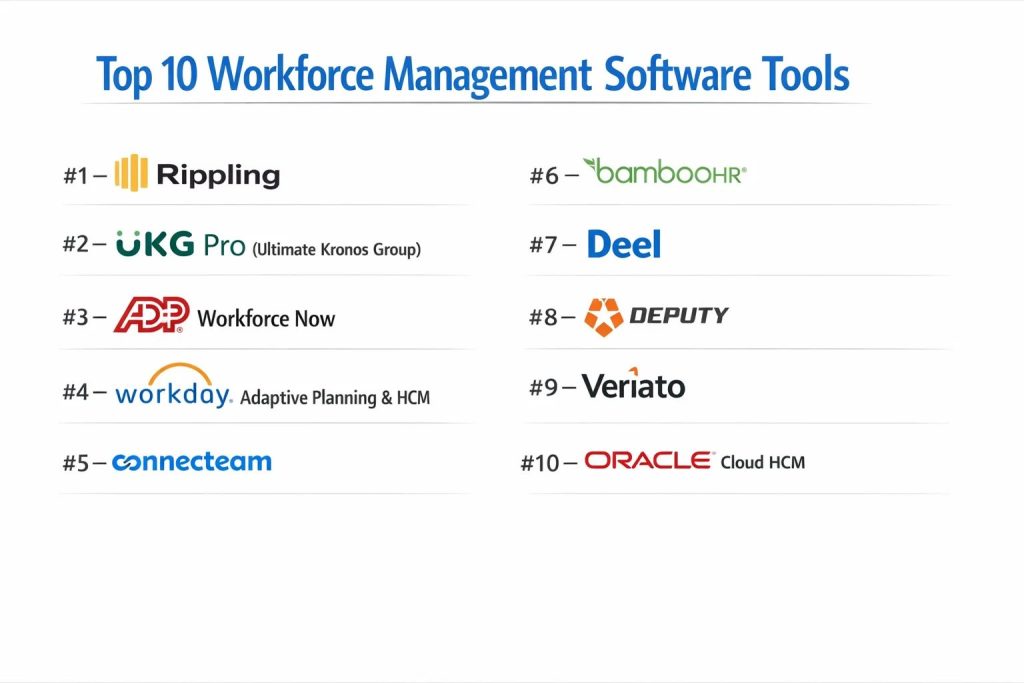
Top 10 Workforce Management Software Tools
#1 — Rippling
A unified platform that connects HR, IT, and Finance. Rippling is the market leader in “Unified Workforce Management,” allowing companies to manage everything from payroll to laptop provisioning in one place.
Key Features
- Unified Data Model: Any change (like a promotion) instantly updates payroll, insurance, and software permissions.
- Global Payroll: Pay employees and contractors in 100+ countries with local compliance built-in.
- Device Management: Automatically ship, track, and secure company laptops for remote staff.
- App Provisioning: One-click access to Slack, GitHub, or Salesforce based on the employee’s role.
- Automated Workflows: Build custom “recipes” (e.g., “If a worker hits 40 hours, send an alert to their manager”).
- Time & Attendance: Integrated time tracking that syncs directly with global payroll cycles.
Pros
- Ultimate Consolidation: Eliminates the need for 5-6 different tools by merging HR and IT.
- User Experience: Considered the most modern and “clean” interface in the enterprise space.
Cons
- Cost: Can be expensive for companies that only need one specific feature (like just time tracking).
- Scope: May be “overkill” for companies that prefer to keep IT and HR completely separate.
Platforms / Deployment
- Web / Windows / macOS / iOS / Android
- Cloud
Security & Compliance
- SSO/SAML, SCIM, SOC 2 Type II, ISO 27001.
- GDPR, HIPAA, and global EOR compliance.
Integrations & Ecosystem
Rippling has one of the largest app stores in the WFM space, connecting with over 500+ apps.
- Slack & Microsoft Teams
- Salesforce & Zendesk
- AWS & Google Cloud
Support & Community
Dedicated implementation managers for larger accounts and 24/7 technical support.
#2 — UKG Pro (Ultimate Kronos Group)
An enterprise-heavyweight designed for complex, high-volume workforce needs. UKG Pro is the go-to for manufacturing, healthcare, and retail sectors requiring deep labor optimization.
Key Features
- AI Labor Forecasting: Uses historical trends to predict exactly how many staff are needed per hour.
- Advanced Scheduling: Handles complex union rules, seniority-based bidding, and multi-site rosters.
- Life-Work Technology: AI-driven insights that suggest schedule changes to improve employee well-being.
- Dimensions Analytics: Real-time data on labor spend, productivity, and turnover risks.
- Compliance Watch: Automatically updates to reflect changes in local, state, and federal labor laws.
- Global Pay: Sophisticated payroll engine for large-scale, multi-national organizations.
Pros
- Enterprise Power: Unmatched in its ability to handle hundreds of thousands of employees across diverse sites.
- Deep Analytics: Offers the most granular data on labor efficiency in the industry.
Cons
- Complexity: Implementation can take months and usually requires a certified consultant.
- Interface: While much improved, it can still feel “corporate” and dense compared to newer SaaS players.
Platforms / Deployment
- Web / iOS / Android
- Cloud
Security & Compliance
- FedRAMP, SOC 2 Type II, ISO 27001, HIPAA.
- Specialized compliance for highly regulated industries (e.g., healthcare).
Integrations & Ecosystem
Extensive marketplace focusing on enterprise-grade software.
- SAP & Oracle
- Microsoft Dynamics 365
- Workplace from Meta
Support & Community
Extensive user groups, massive annual conferences, and professional service teams.
#3 — ADP Workforce Now
A payroll-centric WFM solution that is the industry standard for medium-to-large businesses. It provides a reliable “all-in-one” experience with a heavy focus on compliance.
Key Features
- All-in-One Database: HR, payroll, benefits, and time tracking all live in a single system.
- DataCloud Analytics: Benchmarking data that shows how your company’s pay and turnover compare to the industry.
- Compliance Alerts: Notifies you of tax changes or new labor regulations in real-time.
- Employee Self-Service: A robust mobile app for viewing pay statements and managing benefits.
- Smart Scheduling: Roster management that ensures “best-fit” staffing based on cost and skills.
- Recruitment & Onboarding: Integrated tools for the entire employee lifecycle.
Pros
- Reliability: ADP is the most “trusted” name in payroll, reducing the risk of administrative errors.
- Compliance Support: Best-in-class support for navigating complex tax and labor regulations.
Cons
- Legacy Feel: Some modules can feel disjointed as they were acquired rather than built natively.
- Service Speed: Support can sometimes be slow due to the massive size of the company.
Platforms / Deployment
- Web / iOS / Android
- Cloud
Security & Compliance
- SOC 1 & 2, ISO 27001, GDPR.
- Extensive “Regulatory Management” service for multi-state employers.
Integrations & Ecosystem
The ADP Marketplace allows for hundreds of third-party integrations.
- Slack & Microsoft 365
- Concur & Expensify
- 7shifts & Homebase
Support & Community
Dedicated account managers and a vast library of “ADP Research Institute” data.
#4 — Workday Adaptive Planning & HCM
A high-end ERP and WFM solution that excels in strategic “Workforce Planning.” It is designed for CFOs and CHROs who want to align human capital with financial goals.
Key Features
- Workforce Modeling: Create “What-if” scenarios for mergers, expansions, or department restructures.
- Skills Cloud: Uses AI to identify skill gaps in your current workforce and suggest training or hiring.
- Continuous Performance: Real-time feedback and goal tracking instead of annual reviews.
- Global Inventory: A single view of every worker, contractor, and job opening worldwide.
- Adaptive Staffing: Dynamically adjusts hiring plans based on real-time financial performance.
- Enterprise Security: Highest level of data protection for global conglomerates.
Pros
- Strategic Depth: Better than any other tool for long-term organizational planning.
- Unified UI: Everything across the Workday suite looks and feels identical.
Cons
- High Barrier to Entry: Very expensive and strictly aimed at large enterprises.
- Rigid Implementation: Difficult to change workflows once they are “set” in the system.
Platforms / Deployment
- Web / iOS / Android
- Cloud
Security & Compliance
- SOC 2 Type II, ISO 27001, HIPAA, GDPR.
- Dedicated “Trust Office” for global security transparency.
Integrations & Ecosystem
Focuses on deep, stable integrations with other enterprise software.
- Salesforce
- Adobe
- Microsoft Azure
Support & Community
The “Workday Community” is exclusive and provides high-value peer-to-peer networking.
#5 — Connecteam
The leading WFM app for “Deskless” workers. It is purpose-built for industries like construction, retail, and field services where staff don’t have corporate email.
Key Features
- Mobile-First Time Clock: GPS-verified “punch-in” with geofencing to ensure staff are on-site.
- Digital Forms: Replace paper checklists for safety inspections, incident reports, and supply orders.
- In-App Communication: Secure chat and company-wide announcements without personal phone numbers.
- Shift Scheduling: Drag-and-drop mobile scheduling with instant notifications for employees.
- Mobile Training: Native “Knowledge Hub” for onboarding videos and quizzes.
- Task Management: Assign specific tasks to shifts or individuals with real-time status updates.
Pros
- Engagement: High adoption rates among blue-collar workers due to the intuitive mobile app.
- Value: Very affordable for small-to-midsize businesses compared to enterprise suites.
Cons
- Limited Payroll: While it tracks time, it usually requires an external tool (like Quickbooks) to actually pay staff.
- Analytics: Lacks the deep “strategic modeling” found in Workday or UKG.
Platforms / Deployment
- iOS / Android / Web
- Cloud
Security & Compliance
- 2FA, Data Encryption, SOC 2.
- GDPR Compliance.
Integrations & Ecosystem
Connects easily with common small-business tools.
- Quickbooks Online & Xero
- Gusto
- Paycheque
Support & Community
Excellent live chat support and a large library of pre-built templates for different industries.
#6 — BambooHR
The premier choice for small-to-medium businesses (SMBs) that want a “People-First” experience. It focuses on the employee experience rather than just raw labor data.
Key Features
- Hiring & ATS: An easy-to-use system for tracking applicants and sending offer letters.
- Self-Service Portal: Employees can manage their own PTO, benefits, and personal info.
- Culture Tools: Native “NPS” (Net Promoter Score) surveys to measure employee happiness.
- Time Tracking: Simple, web-based time clocks with project-tracking capabilities.
- Report Library: One-click reports for headcount, turnover, and gender pay equity.
- Onboarding Checklists: Automates the “first day” experience for new hires.
Pros
- User Adoption: Employees actually like using the interface, which is rare for HR software.
- Simplicity: Can be set up and running in days rather than months.
Cons
- Scale: Not designed for large enterprises with complex, multi-union labor rules.
- Scheduling: Its scheduling features are basic compared to specialized tools like UKG.
Platforms / Deployment
- Web / iOS / Android
- Cloud
Security & Compliance
- SOC 2 Type II, 2FA, Data Encryption.
- GDPR.
Integrations & Ecosystem
Has a curated “marketplace” of over 100+ integrations.
- Slack & Teams
- Lattice (Performance)
- Greenhouse (Recruiting)
Support & Community
Friendly, human-focused support and a strong “BambooHR Community” for HR professionals.
#7 — Deel
Originally a payroll tool for global remote teams, Deel has evolved into a full WFM suite for the “Global Workforce.” It is the best for hiring across borders.
Key Features
- EOR (Employer of Record): Hire anyone in 150+ countries without setting up a local legal entity.
- Global Compliance: Automatically generates contracts that are 100% compliant with local labor laws.
- Deel Card: Allows global employees to spend their earnings in multiple currencies instantly.
- Background Checks: Native integration for global criminal and professional verification.
- Global Benefits: Standardizes benefits (health, gym, etc.) across a worldwide team.
- IT Provisioning: Ships laptops and sets up accounts for remote workers globally.
Pros
- Global Speed: Hire an international employee and have them onboarded in under 48 hours.
- Risk Mitigation: Deel takes on the legal liability of compliance in foreign jurisdictions.
Cons
- Cost per Hire: EOR services have a high monthly fee per employee compared to standard SaaS.
- Frontline Features: Not ideal for physical on-site shift management (retail/factories).
Platforms / Deployment
- Web / iOS / Android
- Cloud
Security & Compliance
- ISO 27001, SOC 2 Type II, GDPR.
- Deeply localized legal compliance in 150+ countries.
Integrations & Ecosystem
Focuses on syncing with accounting and HRIS tools.
- NetSuite & Xero
- Hibob & Workday
- Slack
Support & Community
24/7 localized support in multiple languages and dedicated “Compliance Managers.”
#8 — Deputy
A specialized WFM tool focused on “Smart Scheduling” and “Attendance.” It is popular in hospitality and retail for its ease of use and powerful mobile features.
Key Features
- Auto-Scheduling: Builds a roster in seconds by matching staff availability with labor demand.
- Compliance Checks: Alerts managers if a schedule violates “Fair Work” laws or meal break rules.
- Touchless Time Clock: Use facial recognition on a tablet to clock in/out safely.
- Task Lists: Attach specific “opening” or “closing” tasks to a shift.
- Shift Swapping: Employees can swap shifts directly via the app with manager approval.
- Labor Cost Tracking: Real-time visibility into how much a shift is costing versus the budget.
Pros
- Speed: The fastest tool for creating and communicating complex weekly rosters.
- Compliance Native: Extremely strong at handling Australian and US “Fair Work” regulations.
Cons
- Niche Focus: Lacks the broader HR (Performance/LXP) features found in all-in-one suites.
- Payroll: Like Connecteam, it acts as the “source” for payroll data but doesn’t process the payments.
Platforms / Deployment
- Web / iOS / Android / Tablet (Kiosk)
- Cloud
Security & Compliance
- 2FA, Data Encryption, SOC 2.
- GDPR, Fair Work (AU), Predictive Scheduling (US).
Integrations & Ecosystem
Deeply integrated with POS and Payroll systems.
- Square & Clover (POS)
- Gusto & ADP
- Xero
Support & Community
High-quality customer support and a massive library of industry-specific rostering templates.
#9 — Veriato
A “Workforce Intelligence” tool focused on productivity and security monitoring. It is used by organizations that need deep visibility into how digital work is performed.
Key Features
- Activity Tracking: Monitors app and website usage to identify “productivity leaks.”
- Insider Threat Detection: AI flags unusual data movements or behavior that could signal a security breach.
- Workforce Sentiment: Analyzes communication patterns (anonymously) to gauge team morale.
- Screenshots & Video: Captures visual proof of work for high-security or compliance-heavy roles.
- Burnout Alerts: Identifies employees working excessive hours or showing erratic patterns.
- Remote Productivity: Provides “Engagement Scores” for remote teams compared to on-site benchmarks.
Pros
- Visibility: Unmatched for organizations needing strict oversight for compliance or intellectual property.
- Data Granularity: Provides the most detailed “minute-by-minute” logs available.
Cons
- Privacy Concerns: Can damage employee trust if not implemented with transparency.
- Niche Use Case: Not a general HR/Payroll tool; strictly for performance and security monitoring.
Platforms / Deployment
- Windows / macOS / Android / iOS
- Cloud / On-Premise
Security & Compliance
- AES-256 Encryption, Audit Trails.
- Compliance support for HIPAA, PCI-DSS, and GDPR.
Integrations & Ecosystem
Integrates with SIEM and HR systems.
- Splunk & LogRhythm
- Tableau (for data export)
- Active Directory
Support & Community
Professional services for deployment and high-level technical support for security teams.
#10 — Oracle Cloud HCM
A massive, enterprise-grade suite that provides a “Complete Workforce Solution.” It is best for organizations that want WFM embedded within their total ERP ecosystem.
Key Features
- Strategic Workforce Planning: Long-term headcount and budget alignment.
- Global HR: A single system of record for employees across 200+ countries.
- Embedded AI: Uses “Oracle Digital Assistant” to help employees with tasks via natural language.
- Health & Safety: Tools for tracking workplace incidents and safety compliance.
- Learning Cloud: Integrated training and skill-building platforms.
- Self-Service Payroll: Direct access for employees to manage taxes and bank details.
Pros
- Integrated Everything: If you use Oracle for Finance/Supply Chain, the WFM integration is seamless.
- Data Security: Oracle is a global leader in database security and reliability.
Cons
- Learning Curve: Very high; requires dedicated IT specialists to manage.
- Cost: Enterprise-level pricing with complex licensing structures.
Platforms / Deployment
- Web / iOS / Android
- Cloud / Hybrid
Security & Compliance
- FedRAMP, SOC 2 Type II, ISO 27001.
- Extensive global localization for tax and labor laws.
Integrations & Ecosystem
Connects with the entire Oracle Cloud Infrastructure (OCI).
- Oracle ERP & SCM
- LinkedIn (Recruiting)
- Microsoft Teams
Support & Community
Global support network, massive certification programs, and executive user groups.
Comparison Table (Top 10)
| Tool Name | Best For | Platform(s) Supported | Deployment | Standout Feature | Public Rating |
| Rippling | Unified IT/HR | Web, Win, Mac, iOS | Cloud | Unified Data Model | 4.8 / 5 |
| UKG Pro | High-Vol Enterprise | Web, iOS, Android | Cloud | AI Labor Forecasting | 4.2 / 5 |
| ADP Workforce Now | Payroll-Centric | Web, iOS, Android | Cloud | Compliance Guardrails | 4.3 / 5 |
| Workday | Strategic Planning | Web, iOS, Android | Cloud | Skills Cloud AI | 4.5 / 5 |
| Connecteam | Deskless Workers | iOS, Android, Web | Cloud | Mobile Forms/Checklists | 4.7 / 5 |
| BambooHR | SMB Experience | Web, iOS, Android | Cloud | Culture/eNPS Tools | 4.6 / 5 |
| Deel | Global Remote | Web, iOS, Android | Cloud | EOR Compliance | 4.8 / 5 |
| Deputy | Smart Scheduling | Web, iOS, Android | Cloud | Auto-Rostering | 4.7 / 5 |
| Veriato | Productivity Intel | Win, Mac, iOS, Android | Cloud/On-Prem | Insider Threat AI | 4.0 / 5 |
| Oracle Cloud HCM | ERP Integration | Web, iOS, Android | Cloud/Hybrid | Digital Assistant AI | 4.1 / 5 |
Evaluation & Scoring of Workforce Management Software
| Tool Name | Core (25%) | Ease (15%) | Int. (15%) | Sec. (10%) | Perf. (10%) | Supp. (10%) | Value (15%) | Weighted Total |
| Rippling | 10 | 9 | 10 | 10 | 9 | 8 | 7 | 9.15 |
| UKG Pro | 10 | 5 | 9 | 10 | 9 | 9 | 6 | 8.35 |
| ADP Workforce Now | 9 | 7 | 8 | 10 | 9 | 8 | 7 | 8.20 |
| Workday | 9 | 6 | 9 | 10 | 10 | 9 | 6 | 8.35 |
| Connecteam | 7 | 10 | 7 | 8 | 10 | 9 | 10 | 8.45 |
| BambooHR | 7 | 10 | 8 | 8 | 9 | 9 | 9 | 8.35 |
| Deel | 10 | 8 | 9 | 10 | 9 | 9 | 7 | 8.85 |
| Deputy | 8 | 9 | 8 | 8 | 10 | 9 | 9 | 8.60 |
| Veriato | 6 | 7 | 7 | 10 | 9 | 8 | 8 | 7.40 |
| Oracle Cloud HCM | 10 | 4 | 9 | 10 | 9 | 9 | 6 | 8.10 |
Which Workforce Management Software Tool Is Right for You?
Deskless / Frontline (Retail, Food, Construction)
Connecteam or Deputy are the clear winners here. They prioritize the mobile experience and attendance verification (GPS/Biometric) which are critical for workers who don’t sit at a desk.
High-Growth Tech & Remote Startups
Rippling is the gold standard for companies that want to automate the friction of onboarding global employees and shipping hardware. If your focus is strictly on international compliance and EOR, Deel is the superior choice.
Small Business (50–150 employees)
BambooHR provides the best balance of features and user delight for small teams. It makes HR feel modern and approachable rather than purely administrative.
Large Enterprise (1,000+ employees)
UKG Pro or Oracle Cloud HCM are built for this scale. They offer the industrial-strength data processing and complex labor rules that smaller SaaS tools simply cannot handle.
Security & Monitoring Focus
If your primary concern is IP protection or forensic productivity tracking, Veriato is the specialized tool for that specific requirement.
Frequently Asked Questions (FAQs)
What is the difference between HRIS and WFM?
An HRIS (Human Resource Information System) manages employee records, benefits, and hiring. WFM (Workforce Management) focuses on day-to-day operations like scheduling, time tracking, and labor optimization. Most modern platforms (like Rippling) combine both.
How does Geofencing work in WFM software?
It uses the GPS on an employee’s phone to create a virtual “fence” around the job site. The app only allows the employee to clock in if they are physically within that boundary, preventing time theft.
Can WFM software predict my future staffing needs?
Yes, high-tier tools like UKG and Deputy use AI to analyze past sales data, seasonal trends, and even weather patterns to suggest how many employees you will need for a specific shift next week.
What is an “Employer of Record” (EOR)?
An EOR is a service (offered by tools like Deel) that legally employs someone on your behalf in a foreign country. They handle all local taxes, benefits, and labor laws, while you manage the employee’s daily work.
Is biometric clock-in legal?
Yes, but it is highly regulated. In 2026, most tools use “Biometric Templates” where the raw image of a fingerprint or face is never stored; only a mathematical hash is saved to protect privacy.
Can these tools help with “Burnout”?
Yes. Tools like Workday and Veriato track work patterns and velocity. If an employee is consistently working late or has high “intensity” scores, the system can alert managers to intervene and offer support.
What is “Predictive Scheduling”?
Some cities and states have “Fair Work” laws that require employers to give staff 7–14 days’ notice for schedules. WFM software automatically enforces these rules and flags any last-minute changes that might trigger a fine.
Do I need to buy new hardware for biometric clocking?
Not necessarily. Many modern platforms allow employees to use their own smartphones for facial recognition or “QR code” clock-ins. However, some factories still prefer dedicated wall-mounted tablets for durability.
What is a “Shift Marketplace”?
It is a feature where managers post “Open Shifts” and qualified employees can claim them on a first-come, first-served basis, or bid on them. This increases employee autonomy and reduces manager stress.
How does WFM integration with Payroll save money?
It eliminates “human error.” Instead of a manager manually typing hours into a payroll system (where typos occur), the approved time logs flow automatically into the paycheck, ensuring 100% accuracy.
Conclusion
Workforce management is no longer a “back-office” function; it is a strategic advantage. Whether you are using Rippling to automate your global IT and HR or Connecteam to engage your frontline staff, the right tool will reduce administrative overhead by up to 40% and significantly improve employee retention.
The future of work is flexible, data-driven, and global. Choose a platform that doesn’t just “track” your people but empowers them to do their best work.