Introduction
Wellness habit tracking apps have evolved into sophisticated behavioral health platforms that leverage psychology, data science, and artificial intelligence to foster long-term lifestyle changes. Unlike simple checklists, modern habit trackers serve as digital mirrors, reflecting a user’s consistency in areas ranging from sleep hygiene and mindfulness to hydration and physical activity. The global wellness economy has prioritized “preventative maintenance,” making these apps essential tools for individuals seeking to mitigate burnout and for organizations aiming to boost workforce resilience.
For professional users, the value of a wellness tracker lies in its ability to quantify the intangible. By converting daily actions into measurable data points, these platforms provide the “proof of progress” necessary to sustain motivation during the difficult early stages of habit formation. From a technical standpoint, the current generation of apps emphasizes cross-platform synchronization and secure data handling, ensuring that personal health metrics remain private while providing deep insights through integrated wearable technology.
- Best for: Busy professionals, corporate wellness programs, fitness enthusiasts, and individuals managing chronic stress or ADHD.
- Not ideal for: Users who prefer analog journaling or those without access to modern mobile devices and wearable sensors.
Key Trends in Wellness Habit Tracking
- AI Behavioral Forecasting: Algorithms now predict “failure points” based on historical data, sending proactive nudges before a user breaks a streak.
- Identity-Based Tracking: A shift from “what you do” to “who you are,” with apps focusing on habit identity rather than just numerical completion.
- Biometric Integration: Seamless syncing with smart rings and watches to automatically verify habits like sleep duration and heart rate variability.
- Hyper-Personalized Journeys: Moving away from one-size-fits-all routines toward adaptive paths based on real-time mood and energy levels.
- Decentralized Data Privacy: Increased adoption of on-device processing to ensure sensitive behavioral data is never stored on external servers.
- Social Accountability Pods: Secure, private groups within apps that allow for team-based challenges without exposing individual health metrics.
How We Selected These Tools
- Scientific Foundation: We prioritized apps built on proven behavioral frameworks like the Hook Model or Atomic Habits principles.
- Ease of Data Entry: Selected tools require minimal friction—often just a single tap or automated sensor sync—to log a habit.
- Platform Versatility: Evaluation included support for iOS, Android, and web, along with Apple Health and Google Fit integration.
- Security & Compliance: We looked for enterprise-grade security features, including SOC 2 compliance and GDPR-aligned privacy controls.
- Visual Analytics: High scoring for apps that provide clear, actionable data visualizations rather than just raw numbers.
- Longevity and Support: Selection focused on established platforms with a track record of consistent updates and professional support.
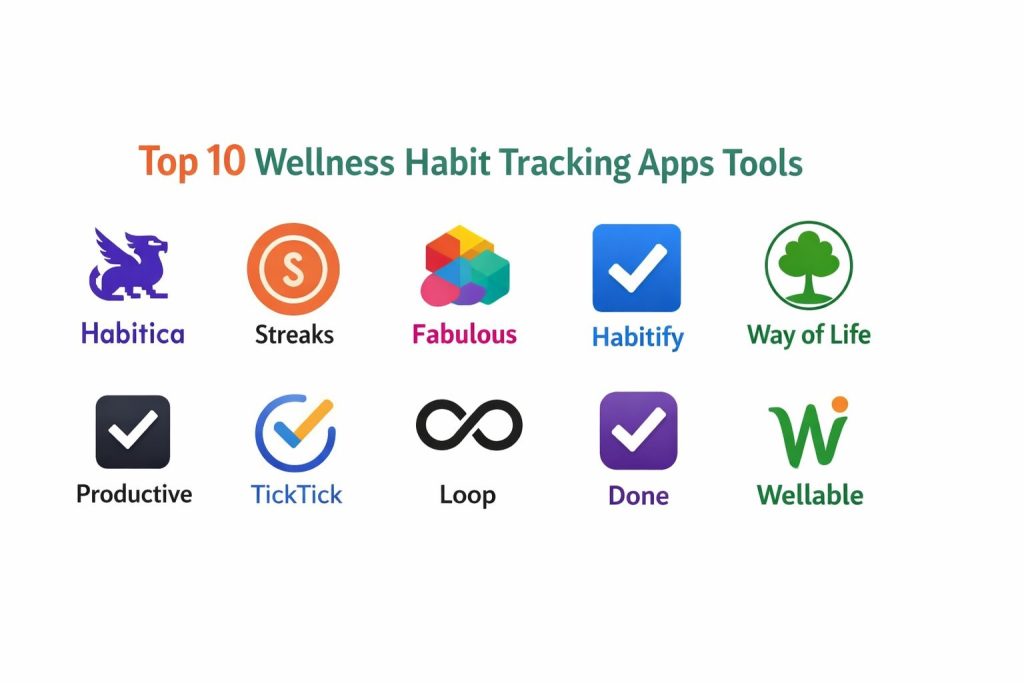
Top 10 Wellness Habit Tracking Apps
1. Habitica
Habitica stands out by transforming your real-life wellness goals into a classic Role-Playing Game (RPG) adventure.
Key Features
- Gamified Progression: Earn experience points and gold for completing habits to level up your character.
- Social Quests: Join “Parties” with friends to defeat digital monsters by staying consistent with your routines.
- In-Game Rewards: Spend earned gold on custom equipment for your avatar or “real-life” rewards you define.
- Flexible Task Categorization: Separate your tasks into Habits, Dailies, and To-Dos for granular tracking.
- Retro 8-bit Aesthetic: A charming, non-corporate interface that reduces the “work-like” feel of self-improvement.
Pros
- Exceptional for those who struggle with traditional productivity tools or find them boring.
- Strong community support and accountability through built-in social features.
Cons
- The RPG elements can feel distracting or “childish” to users wanting a minimalist professional tool.
- Managing character stats and equipment adds an extra layer of complexity to the daily routine.
Platforms / Deployment
- iOS / Android / Web
- Cloud-based
Security & Compliance
- Standard encrypted data transmission and community-moderated social spaces.
Integrations & Ecosystem
Strongest for community engagement, it offers extensions for browser-based productivity tracking and API access for developers.
Support & Community
A massive, active wiki and a vibrant community of “Habiticans” who contribute to the platform’s development.
2. Streaks
Streaks is a minimalist’s dream, designed specifically for Apple users who believe that “not breaking the chain” is the ultimate motivator.
Key Features
- Simplified Interface: Focuses on a maximum of 24 tasks to prevent user overwhelm.
- Automatic Task Completion: Integrates with the Health app to automatically mark off goals like “Walk 10,000 steps.”
- Custom Iconography: Hundreds of icons to visually represent unique wellness habits.
- Highly Configurable Reminders: Set specific days and times for each habit to ensure you never miss a cue.
- Apple Watch Complications: View your current progress and log habits directly from your wrist.
Pros
- Won the Apple Design Award for its intuitive and visually stunning interface.
- Forces focus by limiting the number of habits you can track simultaneously.
Cons
- Only available within the Apple ecosystem, leaving Android and Windows users excluded.
- Lack of deep analytical reporting compared to more data-heavy competitors.
Platforms / Deployment
- iOS / watchOS / macOS
- Local (iCloud Sync)
Security & Compliance
- Leverages Apple’s robust end-to-end encryption for all health-related data.
Integrations & Ecosystem
Perfectly integrated with Apple Health, Siri Shortcuts, and interactive widgets across the Apple device family.
Support & Community
Regular updates and a dedicated support team within the App Store environment.
3. Fabulous
Developed at Duke University’s Behavioral Economics Lab, Fabulous uses a science-based approach to build holistic “journeys.”
Key Features
- Guided Rituals: Morning, afternoon, and evening routines designed to build momentum throughout the day.
- Identity Coaching: Focuses on the “why” behind habits to create a deeper emotional connection to wellness.
- Integrated Coaching Lessons: Audio sessions that explain the science of behavior change while you track.
- Environmental Design: Tools to help you “prime” your physical space for habit success.
- Focus Timer: Built-in Deep Work timers to assist with productivity-related wellness habits.
Pros
- The most psychologically grounded app for building sustainable, long-term lifestyle changes.
- High production value with beautiful art and calming audio guidance.
Cons
- Can feel overly “prescriptive” or rigid for users who just want a simple logger.
- Higher subscription cost compared to basic habit-tracking competitors.
Platforms / Deployment
- iOS / Android
- Mobile-First
Security & Compliance
- GDPR compliant with options to manage and delete personal behavioral data.
Integrations & Ecosystem
Operates as a standalone wellness ecosystem but supports basic data export for health professionals.
Support & Community
Excellent in-app coaching and a dedicated “Fabulous Circle” for peer-to-peer encouragement.
4. Habitify
Habitify is a data-driven tool designed for professionals who want a clean, cross-platform experience without the fluff.
Key Features
- Area-Based Organizing: Group habits into categories like “Health,” “Mindfulness,” or “Finance.”
- Advanced Data Analytics: Detailed reports on completion rates, best times of day, and trend lines.
- Cross-Platform Sync: Flawless transition between mobile, web, and Apple Watch.
- Time-Block Integration: Assign habits to specific “Time of Day” slots (Morning, Afternoon, Evening).
- Notes & Reflections: Add context to your habit logs to track how you felt when completing a task.
Pros
- A distraction-free, professional interface that fits perfectly into a corporate workflow.
- The “Area” system allows for a balanced view of life without everything feeling like one long list.
Cons
- The free version is quite limited, requiring a subscription for unlimited habits.
- Lacks the community or gamification features found in other popular trackers.
Platforms / Deployment
- iOS / Android / Web / macOS
- Hybrid Cloud
Security & Compliance
- Encrypted data storage and strict user-controlled sharing settings.
Integrations & Ecosystem
Strongest for “power users,” offering Zapier and IFTTT integrations to connect with hundreds of other apps.
Support & Community
Comprehensive knowledge base and responsive email support for premium subscribers.
5. Way of Life
Way of Life uses a unique color-coded system to provide an instant “birds-eye view” of your progress over months and years.
Key Features
- Red/Green Journaling: A simple “Yes/No” system for habit logging that takes seconds a day.
- Trend Analysis: Powerful charts that identify exactly when and why you are likely to fail.
- Chain Building: Encourages users to build long “chains” of success, visualizing the cost of breaking a streak.
- Daily Journaling Notes: Add specific reasons for missing a day to identify behavioral patterns.
- Custom Reminders: Flexible alerts that can be set for multiple times per day.
Pros
- The fastest app to use; perfect for people who hate the “work” of tracking.
- Excellent for identifying long-term negative patterns that other apps might miss.
Cons
- The interface can feel a bit dated compared to more modern, minimalist competitors.
- Free version limits the number of habits you can track.
Platforms / Deployment
- iOS / Android
- Local/Cloud Sync
Security & Compliance
- Passcode and FaceID lock options for local device security.
Integrations & Ecosystem
Allows for easy data export to CSV or Excel for those who want to do their own analysis.
Support & Community
A long-standing player in the space with a reliable, veteran development team.
6. Productive
Productive focuses on simplicity and routine-building, offering a polished experience for high-performing individuals.
Key Features
- Life Areas: Pre-defined categories for “Staying Fit,” “Staying Healthy,” and “Being Productive.”
- Smart Reminders: Alerts that intelligently adapt to your schedule and location.
- Personalized Challenges: In-app events to compete against yourself or others in specific wellness goals.
- Intuitive Navigation: Swipe-based logging that makes daily check-ins effortless.
- Dark Mode Support: A sleek, modern aesthetic that is easy on the eyes during evening routines.
Pros
- One of the most beautiful and smooth interfaces in the wellness category.
- The “Challenges” feature provides a nice middle-ground between solo tracking and full social gaming.
Cons
- Many essential features are locked behind a relatively high subscription price.
- Can feel a bit “generic” to users looking for deep behavioral science or extreme minimalism.
Platforms / Deployment
- iOS / Android / watchOS
- Desktop/Mobile Sync
Security & Compliance
- Industry-standard data encryption and user-focused privacy policies.
Integrations & Ecosystem
Features a strong integration with Siri and Apple Widgets for quick-access tracking.
Support & Community
Responsive customer service and a helpful set of “New User” onboarding guides.
7. TickTick
While primarily a task manager, TickTick features a world-class integrated habit tracker, making it the best “all-in-one” solution.
Key Features
- Integrated Ecosystem: Manage your work tasks, calendar, and wellness habits in a single view.
- Pomodoro Timer: Use built-in focus timers to complete habits like “30 Minutes of Reading.”
- Habit Statistics: Simple but effective tracking for streaks and completion frequencies.
- Kanban & Calendar Views: Visualize your habits alongside your professional deadlines.
- White Noise Generator: Integrated soundscapes to help with “Meditation” or “Focus” habits.
Pros
- Eliminates “app fatigue” by combining productivity and wellness into one dashboard.
- Excellent cross-platform performance that keeps habits visible throughout the workday.
Cons
- Habit tracking is a module, not the primary focus, so it lacks niche behavior-science features.
- The interface can become cluttered if you are managing hundreds of tasks and habits.
Platforms / Deployment
- iOS / Android / Web / Win / Mac / Linux
- Full Cloud Sync
Security & Compliance
- Two-factor authentication and SOC 2 aligned data management.
Integrations & Ecosystem
Strongest for professional workflows, integrating with Gmail, Outlook, and specialized calendar apps.
Support & Community
Proactive developer updates and an extensive help center for power users.
8. Loop Habit Tracker
Loop is a free, open-source tool for Android users who value privacy, speed, and complete control over their data.
Key Features
- No-Cost, No-Ads: Completely free with no hidden subscriptions or data-selling.
- Habit Strength Score: An advanced algorithm that calculates the “strength” of a habit over time.
- Offline-First Design: Works perfectly without an internet connection, ensuring total data privacy.
- Customizable Schedules: Supports complex schedules like “Every Monday, Wednesday, and Friday.”
- Detailed Graphs: Provides scatter plots and frequency charts that rival paid software.
Pros
- The absolute best choice for privacy-conscious users who want to own their data.
- Extremely lightweight and fast, with virtually no impact on battery life.
Cons
- Not available for iOS, which is a major limitation for Apple users.
- Minimalist design might feel too “bare-bones” for those who enjoy visual flourishes.
Platforms / Deployment
- Android
- Local Storage (Manual Backup)
Security & Compliance
- Open-source code allows for public auditing; no third-party data tracking.
Integrations & Ecosystem
Focused on being a standalone tool, but allows for easy database exports in SQL or CSV formats.
Support & Community
Community-maintained through GitHub with a loyal following of privacy advocates.
9. Done
Done is designed for the high-speed tracker who wants a colorful, “one-tap” experience to visualize their daily wins.
Key Features
- Progress Rings: Visual indicators that fill up as you reach your daily or weekly goals.
- Multiple Goal Types: Set habits to “Increase” (e.g., Water) or “Decrease” (e.g., Caffeine).
- Weekly/Monthly Snapshots: High-level summaries of how your habits are trending.
- Color-Coded Dashboard: Assign specific colors to different life areas for quick identification.
- iCloud Backup: Simple, automatic data protection for Apple users.
Pros
- Exceptionally low friction; it takes literally one second to log a habit.
- The “Decrease” feature is excellent for users trying to break bad habits rather than just building new ones.
Cons
- Does not offer the same level of deep analytics as Habitify or Way of Life.
- The simplified nature might not be enough for those needing rigorous accountability.
Platforms / Deployment
- iOS / Android
- Mobile-First
Security & Compliance
- Standard mobile security protocols and iCloud encryption.
Integrations & Ecosystem
Maintains a clean, focused ecosystem that avoids “feature creep.”
Support & Community
Quick response times from the development team and regular bug fixes.
10. Wellable
Wellable is an enterprise-grade wellness platform designed specifically for corporate environments and team-based health challenges.
Key Features
- Team-Based Challenges: Compete with colleagues in step-counts, mindfulness minutes, or nutrition goals.
- Wearable Agnostic: Syncs with almost every major device, from Fitbit and Garmin to Apple Watch.
- Educational Content Library: Built-in webinars, articles, and recipes to support habit building.
- Incentive Management: Employers can offer real-world rewards (gift cards, insurance discounts) for consistency.
- Real-Time Dashboards: HR teams can monitor aggregate participation and engagement metrics.
Pros
- The most effective tool for building a healthy “corporate culture” in a hybrid work world.
- Combines habit tracking with professional-grade health coaching and content.
Cons
- Requires an organization-wide subscription; not available for individual purchase.
- The focus is on aggregate data, which can feel less personal for some individual users.
Platforms / Deployment
- iOS / Android / Web
- Enterprise SaaS
Security & Compliance
- HIPAA compliant and SOC 2 certified for handling sensitive employee health data.
Integrations & Ecosystem
Deeply integrated with HRIS systems like Workday and specialized insurance platforms.
Support & Community
Dedicated account managers for enterprise clients and 24/7 technical support.
Comparison Table
| Tool Name | Best For | Platform(s) Supported | Deployment | Standout Feature | Public Rating |
| 1. Habitica | Gamification Fans | Win, Mac, Lin, Web | Cloud | RPG Progression | N/A |
| 2. Streaks | Apple Purists | iOS, Mac, Watch | Local | Design Simplicity | N/A |
| 3. Fabulous | Scientific Habits | iOS, Android | Mobile | Behavioral Coaching | N/A |
| 4. Habitify | Busy Professionals | Win, Mac, Web, Mob | Hybrid | Area-based Analytics | N/A |
| 5. Way of Life | Pattern Identification | iOS, Android | Local | Color-coded Trends | N/A |
| 6. Productive | Routine Building | iOS, Android | Mobile | Smart Reminders | N/A |
| 7. TickTick | All-in-One Users | Win, Mac, Lin, Web | Cloud | Habit-Task Merge | N/A |
| 8. Loop | Privacy Advocates | Android | Local | Open Source / Free | N/A |
| 9. Done | Quick Logging | iOS, Android | Mobile | Progress Rings | N/A |
| 10. Wellable | Corporate Teams | iOS, Android, Web | SaaS | Team Challenges | N/A |
Evaluation & Scoring of Wellness Habit Tracking Apps
The scoring below is a comparative model intended to help shortlisting. Each criterion is scored from 1–10, then a weighted total from 0–10 is calculated using the weights listed. These are analyst estimates based on typical fit and common workflow requirements, not public ratings.
Weights:
- Core features – 25%
- Ease of use – 15%
- Integrations & ecosystem – 15%
- Security & compliance – 10%
- Performance & reliability – 10%
- Support & community – 10%
- Price / value – 15%
| Tool Name | Core (25%) | Ease (15%) | Integrations (15%) | Security (10%) | Performance (10%) | Support (10%) | Value (15%) | Total |
| 1. Habitica | 8 | 7 | 8 | 6 | 9 | 9 | 10 | 8.10 |
| 2. Streaks | 9 | 10 | 10 | 10 | 10 | 8 | 9 | 9.55 |
| 3. Fabulous | 10 | 7 | 6 | 8 | 9 | 9 | 7 | 8.20 |
| 4. Habitify | 9 | 9 | 9 | 8 | 10 | 9 | 7 | 8.75 |
| 5. Way of Life | 8 | 10 | 7 | 8 | 9 | 8 | 8 | 8.35 |
| 6. Productive | 8 | 9 | 8 | 8 | 9 | 8 | 7 | 8.05 |
| 7. TickTick | 9 | 8 | 10 | 9 | 10 | 9 | 9 | 9.15 |
| 8. Loop | 8 | 9 | 5 | 10 | 10 | 6 | 10 | 7.95 |
| 9. Done | 7 | 10 | 7 | 8 | 9 | 7 | 8 | 7.90 |
| 10. Wellable | 9 | 8 | 10 | 10 | 9 | 10 | 8 | 9.15 |
How to interpret the scores:
- Use the weighted total to shortlist candidates, then validate with a pilot.
- A lower score can mean specialization, not weakness.
- Security and compliance scores reflect controllability and governance fit, because certifications are often not publicly stated.
- Actual outcomes vary with assembly size, team skills, templates, and process maturity.
Which Wellness Habit Tracking App Tool Is Right for You?
Solo / Freelancer
For individuals managing their own schedules, Habitify or TickTick provide the best balance of professional aesthetics and robust feature sets to keep wellness habits visible alongside work commitments.
SMB
Small businesses looking to improve team morale without a massive budget should look at Habitica. Creating a shared “Party” to tackle fitness or hydration goals is a low-cost, high-engagement way to foster wellness.
Mid-Market
Organizations with established HR teams should consider Wellable. Its ability to integrate with various wearables and provide engagement analytics makes it a superior choice for data-driven wellness initiatives.
Enterprise
For global organizations, the combined security, scale, and compliance features of Wellable or a highly customized TickTick implementation offer the most reliable path to sustaining a high-performance wellness culture.
Frequently Asked Questions
1. Can these apps actually change my habits?
Yes, but they are tools, not magic. They work by providing cues, reducing friction, and rewarding consistency through psychological principles.
2. Is my health data safe in these apps?
Apps like Streaks and Loop offer the highest privacy by keeping data local. Cloud-based apps like Wellable use enterprise-grade encryption.
3. Do I need a smartwatch to use these?
No, but a smartwatch makes tracking automatic for habits like steps, heart rate, and sleep, which significantly reduces “tracking fatigue.”
4. What is the “streak” method?
It is a behavioral strategy where you aim to complete a task daily to build an unbroken visual chain, making the “cost” of missing a day feel higher.
5. Can I track bad habits I want to quit?
Yes, apps like Done and Way of Life have specific modes for “decreasing” a behavior, such as smoking or excessive screen time.
6. Are these apps better than paper journals?
Apps offer two major advantages: automatic data analysis and proactive reminders that a paper journal simply cannot provide.
7. How many habits should I track at once?
Experts suggest starting with no more than 3 to 5 habits to avoid “decision fatigue” and ensure you can maintain the routine.
8. Do these apps work for ADHD?
Many users with ADHD find gamified apps like Habitica or routine-focused apps like Fabulous extremely helpful for managing executive dysfunction.
9. Can I share my progress with my doctor?
Most of these tools allow you to export your data as a PDF or CSV, which can be a valuable resource during health consultations.
10. What is a “micro-habit”?
A micro-habit is a behavior so small it is impossible to fail (e.g., “floss one tooth”), which apps help you scale up over time.
Conclusion
The selection of a wellness habit tracking app is a deeply personal decision that depends on your psychological triggers and professional environment. We have moved beyond simple checkmarks toward intelligent platforms that act as behavioral coaches, providing the data and motivation needed to thrive in a high-pressure world. Whether you choose the gamified adventure of Habitica or the disciplined data of Habitify, the most successful choice is the one that minimizes the friction between your intention and your action. I recommend selecting one tool that matches your current tech stack and committing to tracking just three core wellness habits for the next thirty days to experience the power of quantified self-improvement.