Introduction
In 2026, where every second of downtime can translate to lost revenue and credibility, website monitoring tools have become non-negotiable for businesses of all sizes. These tools help track your website’s uptime, performance, user experience, and overall functionality in real-time. Whether you’re an eCommerce brand, SaaS company, or a digital marketing agency, ensuring your website is available, fast, and secure is vital.
Website monitoring tools offer automated alerts, performance analytics, server health checks, SSL monitoring, and even synthetic testing from multiple global locations. Choosing the right monitoring solution can depend on your budget, scale, technical requirements, and whether you’re looking for simple uptime checks or full-stack observability.
This blog covers the top 10 website monitoring tools of 2026, detailing their features, advantages, limitations, and who they are best suited for.
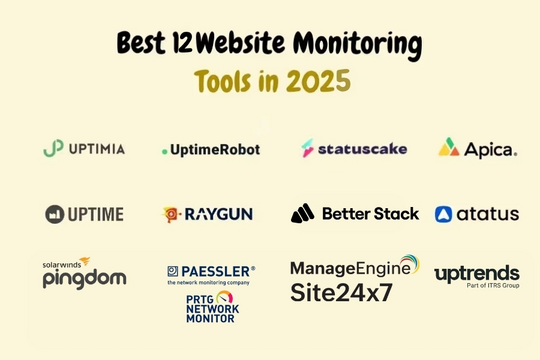
Top 10 Website Monitoring Tools Tools (2026)
1. UptimeRobot
Short Description: A popular and cost-effective uptime monitoring tool ideal for small to medium-sized businesses.
Key Features:
- 1-minute monitoring intervals
- HTTP(s), Ping, Port, Keyword, and SSL checks
- Status pages
- Email, SMS, Slack alerts
- API access
Pros:
- Easy setup and intuitive dashboard
- Free plan available
Cons:
- Limited advanced features
- SMS credits can run out quickly
2. Pingdom (by SolarWinds)
Short Description: A robust monitoring tool with advanced user experience and page performance analysis.
Key Features:
- Synthetic monitoring from 100+ locations
- Real User Monitoring (RUM)
- Page speed monitoring
- Alerts via integrations (Slack, Webhooks)
- Comprehensive reporting dashboard
Pros:
- Powerful page performance insights
- Brandable public status pages
Cons:
- Premium pricing
- RUM limited in lower-tier plans
3. Site24x7 (by Zoho)
Short Description: A full-stack monitoring suite ideal for DevOps and IT teams.
Key Features:
- Website, server, network, and app monitoring
- Synthetic and RUM
- Incident management
- Cloud and container monitoring
- AI-powered anomaly detection
Pros:
- All-in-one monitoring platform
- Highly scalable
Cons:
- Complex setup for non-tech users
- Learning curve for UI
4. Better Uptime
Short Description: Combines uptime monitoring with incident management and on-call scheduling.
Key Features:
- 30s monitoring intervals
- Screenshots of downtime
- Team alerts and escalation policies
- Incident timeline and audit logs
- Integrations with Jira, PagerDuty, etc.
Pros:
- Beautiful interface and reporting
- Useful for team workflows
Cons:
- Limited historical data in free plan
- Some delays in synthetic monitoring
5. StatusCake
Short Description: A feature-rich tool offering both uptime and performance tracking with a user-friendly UI.
Key Features:
- 30s to 5m monitoring intervals
- Page speed and SSL monitoring
- Global testing locations
- Email & SMS alerts
- Virus scan integration
Pros:
- Unlimited tests in higher-tier plans
- Free plan with generous limits
Cons:
- UI can feel slightly outdated
- Advanced analytics limited
6. New Relic Synthetics
Short Description: Enterprise-level tool best for performance engineers and SREs.
Key Features:
- Synthetic browser/API tests
- Multi-step scripted scenarios
- Error analytics and SLA tracking
- Integration with APM and logs
- AI-based anomaly detection
Pros:
- Deep observability across full stack
- Custom scripting for advanced scenarios
Cons:
- Expensive for smaller teams
- Can be overkill for basic monitoring
7. Freshping (by Freshworks)
Short Description: A simple, easy-to-use solution for startups and small teams.
Key Features:
- Uptime checks every 1 minute
- 50 monitors on free plan
- Email and Slack alerts
- Custom branded status pages
- Public dashboards
Pros:
- Great free tier
- Fast and lightweight
Cons:
- No advanced features like RUM
- No multi-user support in free plan
8. Dynatrace
Short Description: AI-driven performance monitoring tool for large-scale applications.
Key Features:
- Synthetic and RUM monitoring
- Full-stack observability
- Session replay and user journey analysis
- Davis AI engine for root-cause analysis
- Automated anomaly detection
Pros:
- Unparalleled insights into performance issues
- Enterprise-ready scalability
Cons:
- High learning curve
- Premium cost
9. Sematext
Short Description: Offers integrated logs, metrics, and synthetic monitoring in one platform.
Key Features:
- Website/API monitoring
- Global test locations
- Error tracking and performance metrics
- Real-time alerts
- Reports & uptime SLA tracking
Pros:
- Affordable pricing tiers
- Good combination of logs + uptime
Cons:
- UI takes time to get used to
- Some alerts lack depth
10. Uptrends
Short Description: Reliable website performance and availability checker with synthetic checks.
Key Features:
- Browser-based synthetic monitoring
- Waterfall performance charts
- Mobile & desktop user simulation
- Uptime, SSL, and DNS monitoring
- Custom dashboards
Pros:
- Strong visual performance tools
- Easy customization
Cons:
- Occasional dashboard lag
- Alerts need fine-tuning
Comparison Table
| Tool Name | Best For | Platform(s) Supported | Standout Feature | Pricing | Rating (G2/Capterra) |
|---|---|---|---|---|---|
| UptimeRobot | SMBs & Freelancers | Web, API | 1-min checks, free plan | Free / Starts $8/mo | 4.6 |
| Pingdom | Enterprises & Agencies | Web, Mobile, API | RUM + Synthetic combo | Starts $15/mo | 4.4 |
| Site24x7 | DevOps & IT Teams | Full-stack | AI anomaly detection | Starts $9/mo | 4.5 |
| Better Uptime | Teams with on-call needs | Web, Mobile | Incident timeline + screenshots | Free / Starts $24/mo | 4.7 |
| StatusCake | Mid-sized businesses | Web, API | Virus scanning + SSL monitor | Free / Starts $20/mo | 4.3 |
| New Relic | Enterprises & SREs | Full-stack | Custom script synthetic checks | Free / Custom pricing | 4.5 |
| Freshping | Startups | Web | Generous free tier | Free / Starts $11/mo | 4.4 |
| Dynatrace | Large enterprises | Full-stack | AI root-cause analysis | Custom pricing | 4.6 |
| Sematext | Developers & DevOps | Web, API | Logs + synthetic monitoring | Starts $19/mo | 4.4 |
| Uptrends | Performance testers | Web | Waterfall page speed analysis | Starts $12/mo | 4.3 |
Which Website Monitoring Tools Tool is Right for You?
Startups & Small Businesses:
- Freshping, UptimeRobot, or StatusCake offer generous free tiers and intuitive UIs.
Mid-sized Teams:
- Better Uptime or Sematext are great choices for scaling teams that need alerting + basic observability.
Enterprises or SaaS Platforms:
- Site24x7, Dynatrace, or New Relic offer full-stack observability and deep integrations for DevOps workflows.
Agencies or Performance Teams:
- Pingdom and Uptrends provide visual insights and white-labeled reports for clients.
Security-conscious Sites:
- StatusCake (virus scanning) or Site24x7 (SSL/DNS checks) are solid picks.
Conclusion
Website monitoring tools in 2026 have evolved into intelligent, AI-powered platforms that go beyond simple uptime checks. From free tools like UptimeRobot and Freshping to advanced observability solutions like Dynatrace and Site24x7, there’s a fit for every need and budget.
Choosing the right tool depends on your technical sophistication, budget, and organizational needs. Many tools offer free trials, so take advantage of them to explore dashboards, alerting systems, and integrations before making a long-term decision.
Stay proactive. Let your website work 24/7, even when you’re asleep.
FAQs
Q1: What is a website monitoring tool?
A website monitoring tool checks your website’s uptime, performance, and availability in real time to alert you of any downtime or slowdowns.
Q2: Why do I need website monitoring software?
It helps maintain optimal website performance, avoids revenue loss from downtime, ensures user experience, and helps diagnose backend issues.
Q3: What is the difference between synthetic and RUM monitoring?
Synthetic monitoring uses scripted tests from various locations; RUM (Real User Monitoring) collects data from real user interactions.
Q4: Which is the best free website monitoring tool?
UptimeRobot and Freshping are among the best free tools offering generous features for startups and small teams.
Q5: Can website monitoring tools help with SEO?
Yes, consistent uptime and fast page loading help maintain or improve SEO rankings.
Outstanding comprehensive guide to the top 10 website monitoring tools for 2025! The comparison table excels—highlighting best-for scenarios like UptimeRobot for SMBs/freelancers with 1-min checks on Web/API (Free/$8/mo, 4.6/5), Pingdom for enterprises with RUM/synthetic from 100+ locations ($15/mo, 4.4/5), Site24x7 for DevOps with AI anomaly detection (Full-stack, $9/mo, 4.5/5), Better Uptime for teams with incident timelines/screenshots (Free/$24/mo, 4.7/5), or StatusCake for mid-size with virus/SSL scans (Free/$20/mo, 4.3/5)—as an SEO specialist and technical content creator, I appreciate the breakdowns for New Relic SREs (Custom scripting, Free/Custom, 4.5/5), Freshping startups (Generous free, Free/$11/mo, 4.4/5), Dynatrace enterprises (AI root-cause, Custom, 4.6/5), Sematext devs (Logs+synthetics, $19/mo, 4.4/5), and Uptrends performance testers (Waterfall analysis, $12/mo, 4.3/5) with platform details, pros/cons like alerting/SLA tracking, plus recs by size (startups/Freshping enterprises/Dynatrace). Thanks for pricing transparency, FAQs on synthetic vs RUM/free picks/SEO impact, and decision guide—this equips DevOps teams to ensure 99.99% uptime, integrate alerts into PagerDuty/Slack, diagnose outages fast, and maintain site reliability in 2025’s always-on landscape!
Outstanding comprehensive guide to the top 10 website monitoring tools for 2025! The comparison table excels—highlighting best-for scenarios like UptimeRobot for SMBs/freelancers with 1-min checks on Web/API (Free/$8/mo, 4.6/5), Pingdom for enterprises with RUM/synthetic from 100+ locations ($15/mo, 4.4/5), Site24x7 for DevOps with AI anomaly detection (Full-stack, $9/mo, 4.5/5), Better Uptime for teams with incident timelines/screenshots (Free/$24/mo, 4.7/5), or StatusCake for mid-size with virus/SSL scans (Free/$20/mo, 4.3/5)—as an SEO specialist and technical content creator, I appreciate the breakdowns for New Relic SREs (Custom scripting, Free/Custom, 4.5/5), Freshping startups (Generous free, Free/$11/mo, 4.4/5), Dynatrace enterprises (AI root-cause, Custom, 4.6/5), Sematext devs (Logs+synthetics, $19/mo, 4.4/5), and Uptrends performance testers (Waterfall analysis, $12/mo, 4.3/5) with platform details, pros/cons like alerting/SLA tracking, plus recs by size (startups/Freshping enterprises/Dynatrace). Thanks for pricing transparency, FAQs on synthetic vs RUM/free picks/SEO impact, and decision guide—this equips DevOps teams to ensure 99.99% uptime, integrate alerts into PagerDuty/Slack, diagnose outages fast, and maintain site reliability in 2025’s always-on landscape!