Introduction
Web application scanners, fundamentally categorized as Dynamic Application Security Testing (DAST) tools, are essential components of a modern security posture. Unlike static analysis which examines source code, these scanners interact with a running application from the “outside-in,” mimicking the behavior of a real-world attacker to identify vulnerabilities like SQL Injection, Cross-Site Scripting (XSS), and insecure configurations. As web architectures shift toward complex Single Page Applications (SPAs), microservices, and heavy API reliance, the role of the scanner has evolved from a simple “crawl and audit” tool into a sophisticated engine capable of navigating authenticated sessions and executing client-side JavaScript.
For leadership and technical practitioners, the strategic deployment of a scanner within the CI/CD pipeline ensures that security is not a final hurdle but a continuous feedback loop. These tools provide a “black-box” perspective that is critical for verifying how an application handles malformed data and unauthorized access attempts in a live or staging environment. Selecting the right scanner requires a nuanced understanding of your organization’s risk profile, the technical stack of your applications, and the level of automation required to keep pace with rapid deployment cycles. A mature scanning strategy combines automated breadth with deep-dive manual testing to protect the digital perimeter.
Best for: Security engineers, penetration testers, DevSecOps teams, and compliance officers who need to identify and remediate exploitable vulnerabilities in web-facing assets.
Not ideal for: Purely internal, non-web-based desktop software or low-level firmware where static analysis (SAST) or binary analysis tools are more appropriate for identifying architectural flaws.
Key Trends in Web Application Scanners
The most significant trend is the transition toward “Proof-based Scanning,” where tools automatically attempt a harmless exploit to confirm a vulnerability’s existence, virtually eliminating the noise of false positives. Artificial Intelligence is also playing a larger role, particularly in “intelligent crawling,” where AI agents learn the navigation flow of complex applications to ensure 100% coverage of hidden pages. There is also a deepening focus on API-first security, with scanners now natively supporting GraphQL, OpenAPI (Swagger), and SOAP definitions to test backend logic that traditional web crawlers might miss.
Furthermore, we are seeing the rise of “Contextual Correlation,” where DAST results are mapped back to SAST (Static) or SCA (Software Composition Analysis) findings. This “Interactive” approach (IAST) provides developers with the exact line of code responsible for the vulnerability found by the scanner. Lastly, there is an increased emphasis on “Attack Surface Management,” where scanners automatically discover orphaned or forgotten web assets across a company’s global IP space, ensuring no “shadow IT” remains un-scanned.
How We Selected These Tools
The selection process for this list involved a rigorous evaluation of technical depth, reliability, and market reputation. We prioritized tools that offer high accuracy in modern JavaScript environments (React, Angular, Vue) and those that provide robust authenticated scanning capabilities. Mindshare among the penetration testing community was a primary factor, as tools with large ecosystems often have the best support and third-party extensions. We also looked for platforms that provide actionable remediation guidance rather than just raw vulnerability data.
Integration capability was another critical metric; we selected tools that can seamlessly “shift left” by plugging into Jenkins, GitHub Actions, or GitLab CI. Security and compliance certifications, such as the ability to generate PCI DSS or OWASP Top 10 reports, were also weighted heavily. Finally, we balanced the list between enterprise-grade “all-in-one” platforms and specialized “best-of-breed” tools to ensure options for organizations of all sizes and technical maturity levels.
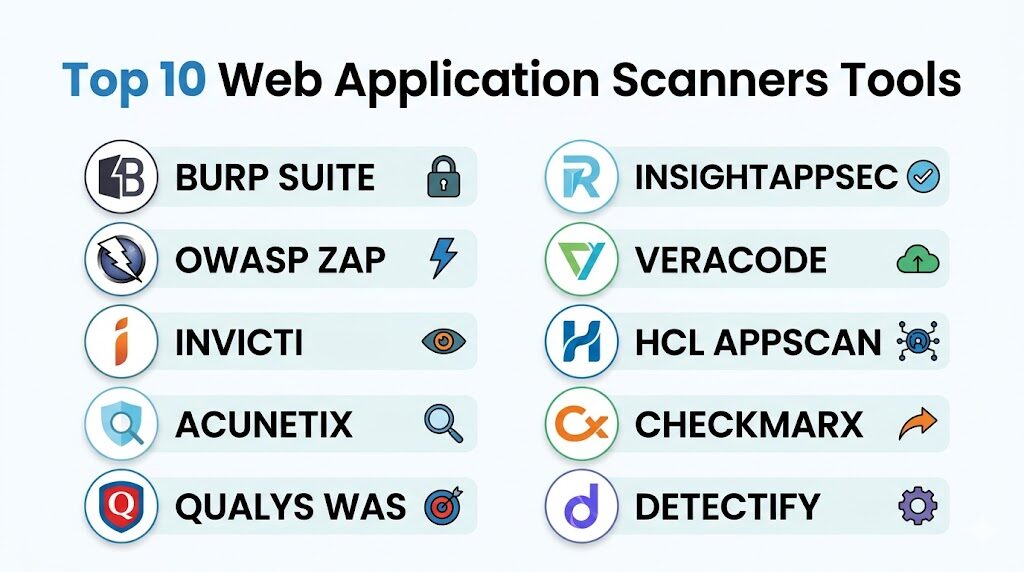
1. Burp Suite
Burp Suite remains the undisputed industry standard for web security professionals. It combines a powerful automated scanner with an extensive suite of manual testing tools, such as the Interceptor Proxy, Repeater, and Intruder. It is the primary tool used by bug bounty hunters and professional penetration testers worldwide.
Key Features
The platform features an advanced web spider that can handle complex navigation and stateful applications. Its automated vulnerability scanner is highly customizable, allowing users to define specific attack insertion points. The “BApp Store” provides hundreds of community-contributed extensions to enhance functionality. It includes a sophisticated “Collaborator” tool to detect out-of-band vulnerabilities like SSRF. The Enterprise Edition offers scheduled, agent-based scanning across thousands of applications with a centralized management dashboard and CI/CD integration.
Pros
The manual testing capabilities are the best in class, offering unparalleled control over HTTP requests. Its extensive plugin ecosystem allows it to adapt to any niche security requirement.
Cons
The learning curve is steep for non-security professionals. The Professional edition is primarily a desktop-based tool, which can be difficult to scale without the more expensive Enterprise version.
Platforms and Deployment
Windows, macOS, and Linux desktop app; Enterprise version available as a self-hosted or cloud-based server.
Security and Compliance
Supports role-based access control (RBAC) and provides detailed audit logs for all testing activities.
Integrations and Ecosystem
Extensive integrations via the Burp Extender API; Enterprise version connects with Jira, Jenkins, and Azure DevOps.
Support and Community
Massive global community and comprehensive documentation; PortSwigger Academy provides world-class training.
2. OWASP ZAP (Zed Attack Proxy)
OWASP ZAP is the world’s most popular free, open-source web application scanner. Maintained by a dedicated global community, it is designed to be accessible to developers and functional testers while remaining powerful enough for security experts.
Key Features
ZAP includes a “Heads Up Display” (HUD) that overlays security information directly onto the browser during testing. It offers a powerful “Automation Framework” that uses YAML files to define complex scan jobs for CI/CD pipelines. The tool supports “Passive Scanning” to identify issues without sending malicious payloads. It features a robust Fuzzer for discovering edge-case vulnerabilities. Recently, it has improved its browser-based authentication, making it easier to scan modern applications that require multi-step logins or TOTP.
Pros
Completely free and open-source with no licensing restrictions. It is highly scriptable in multiple languages (Python, JavaScript, Zest), making it ideal for custom automation.
Cons
The user interface can feel cluttered compared to commercial alternatives. Documentation for some advanced features can be inconsistent or outdated.
Platforms and Deployment
Cross-platform (Java-based) desktop app; Docker images available for headless/cloud deployment.
Security and Compliance
Community-vetted code; allows for local data storage to ensure scan results never leave the internal network.
Integrations and Ecosystem
Native integrations with most CI/CD tools and supports a wide range of community-developed add-ons.
Support and Community
Extremely active community on GitHub and specialized forums; excellent for those who want to contribute to the tool itself.
3. Invicti (formerly Netsparker)
Invicti is an enterprise-grade platform known for its “Proof-Based Scanning” technology. It is designed to scale across thousands of applications while providing highly accurate results that developers can trust without manual verification.
Key Features
The standout feature is the “Proof of Concept” generation, where the scanner provides a safe exploit to prove a vulnerability is real. It includes a dedicated “Asset Discovery” module to find lost or forgotten web applications. The platform supports a hybrid DAST+IAST approach to provide deeper insights into the code-level cause of vulnerabilities. It features a built-in workflow system for assigning vulnerabilities to developers and re-testing fixes automatically. The “Trend Matrix” report allows executives to track the security posture of the entire portfolio over time.
Pros
Virtually eliminates false positives, saving security teams hundreds of hours in manual triage. It scales exceptionally well for large organizations with hundreds of web assets.
Cons
The premium pricing makes it less accessible for small teams or individual researchers. The advanced configuration for complex SPAs can be time-consuming initially.
Platforms and Deployment
Available as a fully managed SaaS platform or a self-hosted on-premises solution.
Security and Compliance
SOC 2 Type II compliant; provides ready-to-use reports for PCI DSS, HIPAA, and ISO 27001.
Integrations and Ecosystem
Deep native integrations with Jira, GitHub, GitLab, Slack, and various vulnerability management platforms.
Support and Community
Provides dedicated account management and 24/7 technical support for enterprise customers.
4. Acunetix
Acunetix is a fast and accurate automated scanner that specializes in speed and ease of use. It is particularly effective at identifying vulnerabilities in complex web applications and modern APIs, making it a favorite for DevSecOps teams.
Key Features
It utilizes the “AcuSensor” technology (IAST) to provide more accurate results by monitoring the application from the inside during a scan. The tool includes a high-speed crawler that can handle massive sites with ease. It features a specialized “DeepScan” engine for interpreting JavaScript-heavy applications. The platform also includes a network security scanner (powered by OpenVAS) to identify server-level misconfigurations. It provides a “Login Sequence Recorder” that makes it simple to automate authenticated scans through complex login forms.
Pros
Very intuitive user interface that allows non-experts to start scanning in minutes. The scanning speed is among the fastest in the commercial market.
Cons
Reporting customization is somewhat limited compared to its larger competitors. Some users report challenges with the licensing model when scaling rapidly.
Platforms and Deployment
Available as a Windows or Linux on-premises installation and as a cloud-based service.
Security and Compliance
Includes comprehensive compliance reporting for GDPR, NIST, and OWASP Top 10.
Integrations and Ecosystem
Integrates with popular issue trackers like Jira and Bugzilla, as well as CI tools like Jenkins.
Support and Community
Solid technical support and a wealth of online tutorials and webinars for users.
5. Qualys WAS (Web Application Scanning)
Qualys WAS is a cloud-native scanning solution that is part of the broader Qualys Cloud Platform. It is designed for continuous monitoring and massive scalability, making it ideal for organizations that already use Qualys for vulnerability management.
Key Features
The platform provides “Continuous Monitoring,” which alerts users the moment a new vulnerability appears on their perimeter. It uses a “Malware Detection” service to find if a web application has been compromised and is serving malicious code. It features a powerful “Tagging” system to organize thousands of assets by business unit or criticality. The API scanning capabilities are robust, with support for Swagger and Postman collections. It also offers a “Progressive Scanning” feature that allows large sites to be scanned in segments over multiple windows.
Pros
Seamlessly integrates with the rest of the Qualys security suite for a unified view of risk. Being cloud-native means there is no infrastructure for the user to maintain.
Cons
The user interface can be slow and complex due to the sheer amount of data in the Qualys platform. It is less suited for “point-and-shoot” manual testing.
Platforms and Deployment
100% cloud-based SaaS; uses “Virtual Scanner Appliances” for scanning internal/private networks.
Security and Compliance
Highly secure platform with extensive certifications; excels at generating high-level executive and compliance reports.
Integrations and Ecosystem
Robust API for custom integrations; native connectors for major cloud providers like AWS and Azure.
Support and Community
Offers 24/7 support and a large library of training videos and certification programs.
6. Rapid7 InsightAppSec
InsightAppSec is Rapid7’s modern DAST offering, built on the “Insight” platform. It focuses on providing a user-friendly experience and actionable data for developers, with a heavy emphasis on reducing the friction between security and engineering.
Key Features
It includes “Universal Translator” technology that can understand and crawl modern web protocols and formats. The “Attack Replay” feature provides developers with a local file they can use to reproduce and verify a vulnerability themselves. It features a “Centralized Dashboard” that provides a clear view of risk across all web applications. The platform allows for “Blackout Windows” to ensure scans don’t run during critical business hours. It also supports “Cloud Engines” to scan external sites and “On-Premise Engines” for internal networks.
Pros
The “Attack Replay” feature is a major win for developer relations and remediation speed. The initial setup is straightforward and requires very little technical tuning.
Cons
Integration with some third-party tools like ServiceNow or Jira can be more complex than expected. Historical reporting features are not as deep as some competitors.
Platforms and Deployment
Cloud-based SaaS with optional on-premises scanning engines.
Security and Compliance
Standard enterprise security controls; provides clear mapping to OWASP and SANS vulnerability lists.
Integrations and Ecosystem
Part of the Rapid7 Insight ecosystem; integrates well with InsightConnect for security orchestration.
Support and Community
Highly rated customer support and a very active user community forum.
7. Veracode Dynamic Analysis
Veracode is a leader in the “Application Security as a Service” market. Their Dynamic Analysis tool is designed for high-volume, automated scanning with a focus on governance and policy enforcement for large enterprises.
Key Features
The tool provides a “Production Monitoring” mode that performs low-impact scans on live applications to identify issues without causing downtime. It features a “Policy Manager” that allows organizations to define security standards and block deployments that don’t meet them. It provides “Remediation Coaching,” where users can speak with security experts to understand how to fix complex vulnerabilities. The platform supports “Internal Scanning” via a secure gateway. It also features a “Discovery” tool to find all public-facing web assets automatically.
Pros
Excellent for large organizations that need a “hands-off” managed service approach. The ability to consult with security experts is a unique and valuable feature.
Cons
The scan times can be longer than other platforms due to the depth of analysis. The pricing model is complex and can be expensive for smaller portfolios.
Platforms and Deployment
Fully managed SaaS platform.
Security and Compliance
FedRAMP authorized; provides the most comprehensive governance and audit features in the industry.
Integrations and Ecosystem
Integrates with the entire SDLC, from IDE to CI/CD; strong support for major ticketing and ALM tools.
Support and Community
Premium support includes security consultations and dedicated program managers for large accounts.
8. HCL AppScan
HCL AppScan (formerly IBM AppScan) is one of the most established names in application security. It offers a comprehensive suite of DAST, SAST, and IAST tools with a focus on deep technical analysis and enterprise-wide visibility.
Key Features
The “AppScan Standard” desktop tool provides one of the most powerful scanning engines for technical users. “AppScan Enterprise” allows for centralized management and distribution of scans across multiple servers. It includes “Intelligent Finding Analytics” (IFA) which uses machine learning to group and prioritize vulnerabilities. The tool supports over 30 different languages and frameworks. It also features a “Glass Box” testing mode (IAST) for improved accuracy and code-level visibility.
Pros
The technical depth of the scanning engine is exceptional, often finding vulnerabilities that lighter tools miss. It offers extremely flexible deployment options (Cloud, On-Prem, Desktop).
Cons
The interface can feel legacy and “heavy” compared to modern SaaS-first competitors. It requires significant expertise to configure and operate effectively.
Platforms and Deployment
Available as a Windows desktop application, on-premises server, or a cloud-based service.
Security and Compliance
Enterprise-grade security; excels at regulatory compliance reporting for a variety of global standards.
Integrations and Ecosystem
Strong integrations with HCL’s own development tools and common third-party CI/CD and issue tracking platforms.
Support and Community
Professional enterprise support and a large global user base, particularly in the financial and government sectors.
9. Checkmarx DAST
Checkmarx, traditionally known for its market-leading SAST, has built a powerful DAST engine into its “Checkmarx One” platform. It is designed for developers who want a unified view of security across the entire development lifecycle.
Key Features
The platform focuses on “Vulnerability Correlation,” which automatically matches DAST findings with SAST results to find the “root cause” in the code. It features a “Developer Portal” that provides interactive training on how to fix the specific vulnerabilities found. The scanner is designed to handle modern microservices and API-centric architectures natively. It includes “Predictive Risk Scoring” to help teams focus on the most critical assets first. The system is built to be “API-first,” allowing for complete automation of every platform feature.
Pros
The correlation between static and dynamic findings is a “holy grail” for DevSecOps efficiency. It offers a very modern, developer-centric user experience.
Cons
The DAST component is best utilized as part of the full Checkmarx suite, which can be a significant investment. It is less mature as a standalone DAST tool than some others on this list.
Platforms and Deployment
Cloud-native platform with support for hybrid and on-premises scanning.
Security and Compliance
Highly secure platform architecture; provides detailed compliance mapping for modern DevOps environments.
Integrations and Ecosystem
Exceptional integration with modern developer tools, including IDEs, SCMs, and CI/CD pipelines.
Support and Community
Good technical support and a growing community of DevSecOps practitioners.
10. Detectify
Detectify takes a unique “crowdsourced” approach to web scanning. It automates the latest findings from an elite community of ethical hackers, ensuring that your scanner is always up to date with the newest attack techniques.
Key Features
The platform features “Asset Monitoring,” which continuously scans your entire external attack surface for subdomains and abandoned services. It includes “Fuzzing” capabilities that are updated daily based on real-world exploits found by bug bounty hunters. It provides “Remediation Advice” that is written by the hackers who discovered the vulnerability. The tool is designed to be “set and forget,” with automated scheduled scans and instant alerts. It also offers an API for integrating scan data into security operations center (SOC) workflows.
Pros
Provides access to “cutting-edge” vulnerability detections that traditional vendors might take months to add. It is extremely easy to use and requires almost zero configuration.
Cons
It lacks the deep manual testing tools found in Burp Suite or OWASP ZAP. The focus is primarily on external assets, making it less suited for internal-only application testing.
Platforms and Deployment
Fully cloud-based SaaS platform.
Security and Compliance
Focuses heavily on identifying real-world risk; provides clear evidence and remediation steps for every finding.
Integrations and Ecosystem
Native integrations with Slack, Jira, Splunk, and PagerDuty for real-time alerting and response.
Support and Community
Offers a unique connection to the ethical hacking community and a responsive customer success team.
Comparison Table
| Tool Name | Best For | Platform(s) Supported | Deployment | Standout Feature | Public Rating |
| 1. Burp Suite | Pentesting Pros | Windows, Mac, Linux | Hybrid | Manual + Auto Hybrid | 4.8/5 |
| 2. OWASP ZAP | Free Automation | Cross-platform | Open Source | HUD & Free Core | 4.5/5 |
| 3. Invicti | Zero False Positives | Web-based | SaaS/On-Prem | Proof-Based Scanning | 4.7/5 |
| 4. Acunetix | Fast Scanning | Windows, Linux | SaaS/On-Prem | AcuSensor (IAST) | 4.6/5 |
| 5. Qualys WAS | Global Monitoring | Web-based | Cloud-native | Malware Detection | 4.3/5 |
| 6. InsightAppSec | Dev-Friendly Ops | Web-based | SaaS | Attack Replay | 4.4/5 |
| 7. Veracode | Enterprise Policy | Web-based | SaaS | Managed Security Coaching | 4.2/5 |
| 8. HCL AppScan | Technical Depth | Windows, Web | Hybrid | Intelligent Analytics | 4.1/5 |
| 9. Checkmarx | Unified AppSec | Web-based | Cloud-native | SAST/DAST Correlation | 4.5/5 |
| 10. Detectify | Surface Discovery | Web-based | SaaS | Crowdsourced Exploits | 4.6/5 |
Evaluation & Scoring of Web Application Scanners
The scoring below is a comparative model intended to help shortlisting. Each criterion is scored from 1–10, then a weighted total from 0–10 is calculated using the weights listed. These are analyst estimates based on typical fit and common workflow requirements, not public ratings.
Weights:
- Core features – 25%
- Ease of use – 15%
- Integrations & ecosystem – 15%
- Security & compliance – 10%
- Performance & reliability – 10%
- Support & community – 10%
- Price / value – 15%
| Tool Name | Core (25%) | Ease (15%) | Integrations (15%) | Security (10%) | Performance (10%) | Support (10%) | Value (15%) | Weighted Total |
| 1. Burp Suite | 10 | 6 | 9 | 10 | 9 | 10 | 9 | 9.05 |
| 2. OWASP ZAP | 8 | 7 | 9 | 9 | 8 | 7 | 10 | 8.30 |
| 3. Invicti | 9 | 9 | 10 | 9 | 9 | 9 | 7 | 8.85 |
| 4. Acunetix | 9 | 10 | 9 | 8 | 10 | 8 | 8 | 8.95 |
| 5. Qualys WAS | 8 | 7 | 10 | 10 | 8 | 9 | 7 | 8.35 |
| 6. InsightAppSec | 8 | 9 | 8 | 9 | 9 | 9 | 8 | 8.55 |
| 7. Veracode | 9 | 7 | 9 | 10 | 7 | 10 | 6 | 8.35 |
| 8. HCL AppScan | 10 | 6 | 8 | 9 | 8 | 8 | 7 | 8.15 |
| 9. Checkmarx | 8 | 8 | 10 | 9 | 8 | 9 | 7 | 8.35 |
| 10. Detectify | 7 | 10 | 9 | 8 | 9 | 8 | 9 | 8.45 |
How to interpret the scores:
- Use the weighted total to shortlist candidates, then validate with a pilot.
- A lower score can mean specialization, not weakness.
- Security and compliance scores reflect controllability and governance fit, because certifications are often not publicly stated.
- Actual outcomes vary with assembly size, team skills, templates, and process maturity.
Which Web Application Scanner Tool Is Right for You?
Solo / Freelancer
For the individual security researcher or developer, OWASP ZAP and Burp Suite Professional are the clear choices. They provide the most control and the most power for manual exploration without the overhead of enterprise management features.
SMB
Small and medium businesses should look for tools that offer high automation and low maintenance. Acunetix and Detectify are excellent here because they provide deep scanning without requiring a full-time security engineer to manage the tool.
Mid-Market
Organizations with a growing application portfolio will benefit from Invicti or Rapid7 InsightAppSec. These platforms offer the scalability and integration capabilities needed to manage security across multiple teams without drowning in false positives.
Enterprise
For large corporations with strict compliance and governance needs, Qualys WAS, Veracode, and HCL AppScan are the standards. They offer the centralized visibility, policy enforcement, and audit-ready reporting required for global operations.
Budget vs Premium
If the budget is zero, OWASP ZAP is a world-class tool that can go toe-to-toe with many commercial rivals. On the premium end, Invicti and Burp Enterprise offer the highest return on investment through massive time savings in vulnerability verification and triage.
Feature Depth vs Ease of Use
HCL AppScan and Burp Suite offer the most technical depth but require high expertise. Conversely, Detectify and Acunetix offer a “point-and-shoot” experience that is much easier for beginners to master while still providing high-quality results.
Integrations & Scalability
Checkmarx and Invicti lead the pack in CI/CD integration. If your goal is to fully automate security within a high-speed development pipeline, these platforms offer the best APIs and native connectors to make that happen.
Security & Compliance Needs
Veracode and Qualys are the strongest in the compliance space. If your primary goal is to satisfy auditors for PCI DSS or SOC 2, their platforms provide the most structured and reliable evidence-gathering capabilities.
Frequently Asked Questions (FAQs)
1. What is the difference between DAST and SAST?
DAST (Dynamic Analysis) tests the application while it is running, simulating an external attack. SAST (Static Analysis) examines the source code without executing it. DAST finds runtime and configuration issues, while SAST finds architectural and logic flaws.
2. Can a scanner find all vulnerabilities?
No tool can find 100% of vulnerabilities. Automated scanners are excellent at finding “low-hanging fruit” like SQLi and XSS, but they often struggle with complex business logic flaws that require human intuition.
3. Are web application scanners safe to run on production sites?
Most modern scanners have “safe” modes, but there is always a risk. Scanners can submit forms, delete data, or trigger thousands of emails. It is always best to scan a staging or UAT environment that mirrors production.
4. How often should I run a web application scan?
Ideally, you should scan every time code is changed (via CI/CD integration). For static applications, a weekly or monthly scheduled scan is recommended to catch new vulnerabilities (zero-days) that may have been discovered in your tech stack.
5. Do scanners work on mobile applications?
Web application scanners test the backend web services and APIs that mobile apps use. To test the mobile app package itself (iOS/Android), you need a specialized Mobile Application Security Testing (MAST) tool.
6. What is a “false positive” in web scanning?
A false positive occurs when the scanner flags something as a vulnerability that is actually harmless. High-quality tools like Invicti use proof-based scanning to confirm findings and reduce these errors.
7. Can scanners handle applications behind a login?
Yes, most commercial scanners include a “Login Sequence Recorder” or support for “Authenticated Scanning” via cookies or header tokens. This allows the scanner to test pages that are only accessible to logged-in users.
8. Is OWASP ZAP as good as commercial tools?
In terms of pure detection capabilities, ZAP is very competitive. However, commercial tools often provide better reporting, team collaboration features, technical support, and fewer false positives.
9. What is API scanning?
API scanning involves testing the endpoints of a web service (REST, SOAP, GraphQL). Instead of crawling links, the scanner uses a definition file (like a Swagger/OpenAPI doc) to understand what inputs to test.
10. How do I choose between a SaaS and On-Premises scanner?
SaaS is easier to manage and always up to date, but it requires you to allow the vendor to access your network. On-Premises gives you total control over your data but requires you to manage the infrastructure and updates yourself.
Conclusion
In the modern threat landscape, a web application scanner is no longer a luxury but a fundamental requirement for any organization with a digital presence. The transition from manual, periodic audits to automated, continuous scanning represents a critical maturation of the DevSecOps lifecycle. As we have explored, the current market offers a diverse array of solutions, from the open-source flexibility of OWASP ZAP to the enterprise-grade accuracy of Invicti and the deep manual power of Burp Suite. The ideal choice depends on your specific balance of technical expertise, budget, and the complexity of your application stack. By integrating these tools into your development workflow, you empower your team to discover and fix vulnerabilities before they can be exploited, ultimately protecting both your company’s data and its reputation.