Introduction
Virtual machine management tools help teams create, run, monitor, secure, and optimize virtual machines across servers, clusters, and data centers. In simple terms, they let you manage compute resources like CPU, memory, storage, and networking in a controlled way, while keeping workloads stable and easy to operate. As virtualization environments grow, day-to-day tasks like provisioning, patching, backups, capacity planning, and troubleshooting become complex without a central control plane.
Real-world use cases:
- Managing VM lifecycles for dev/test, staging, and production
- Running private cloud workloads with standardized VM templates
- Monitoring performance and preventing resource contention
- Automating VM provisioning and configuration for faster delivery
- Improving uptime using clustering, HA, and migration capabilities
What buyers should evaluate:
- VM lifecycle workflows (templates, cloning, snapshots, policies)
- Cluster and high availability capabilities
- Live migration and workload mobility support
- Monitoring, alerting, and performance analytics
- Role-based access, auditing, and operational governance
- Integrations with storage, networking, backup, and automation tools
- Scalability for multi-cluster and multi-site environments
- API support and automation friendliness
- Upgrade and patch management complexity
- Total cost including licensing, operational time, and training
Mandatory guidance
Best for: infrastructure teams, virtualization admins, SRE/ops teams, IT managers, and platform engineers managing on-prem or hybrid VM estates who need reliable provisioning, monitoring, automation, and governance.
Not ideal for: teams running only a few VMs without growth plans, organizations using mostly managed cloud services with limited VM control requirements, or environments where containers/serverless fully replace most VM use cases.
Key Trends in Virtual Machine Management Tools
- More focus on automation-first operations, reducing manual provisioning and drift.
- Increased expectation for policy-based governance (roles, quotas, templates, approvals).
- Deeper observability integration, linking VM performance to application impact.
- Growth in hybrid operations, where on-prem VMs and cloud workloads need consistent control patterns.
- Higher demand for ransomware resilience, immutable backups, and fast restore readiness (implementation varies).
- Strong emphasis on security hardening, segmentation, and least-privilege operations.
- More usage of Infrastructure as Code patterns for repeatable VM environments.
- Push toward simplified upgrades, safer patching, and reduced downtime during maintenance.
- Rising interest in resource efficiency, right-sizing, and cost controls as hardware costs increase.
- Continued mixing of VMs and containers, requiring cleaner integration with modern delivery pipelines.
How We Selected These Tools
- Selected based on broad adoption in enterprise, mid-market, and lab environments.
- Included both commercial and open platforms to reflect real-world choices.
- Prioritized tools with strong VM lifecycle management, clustering, and monitoring.
- Considered integration options for storage, networking, backup, and automation workflows.
- Factored in scalability across clusters and multi-team governance needs.
- Kept security/compliance claims conservative; used “Not publicly stated” if uncertain.
- Balanced options for enterprises, SMBs, and technical teams building private cloud patterns.
- Preferred tools with proven operations, documentation, and active communities.
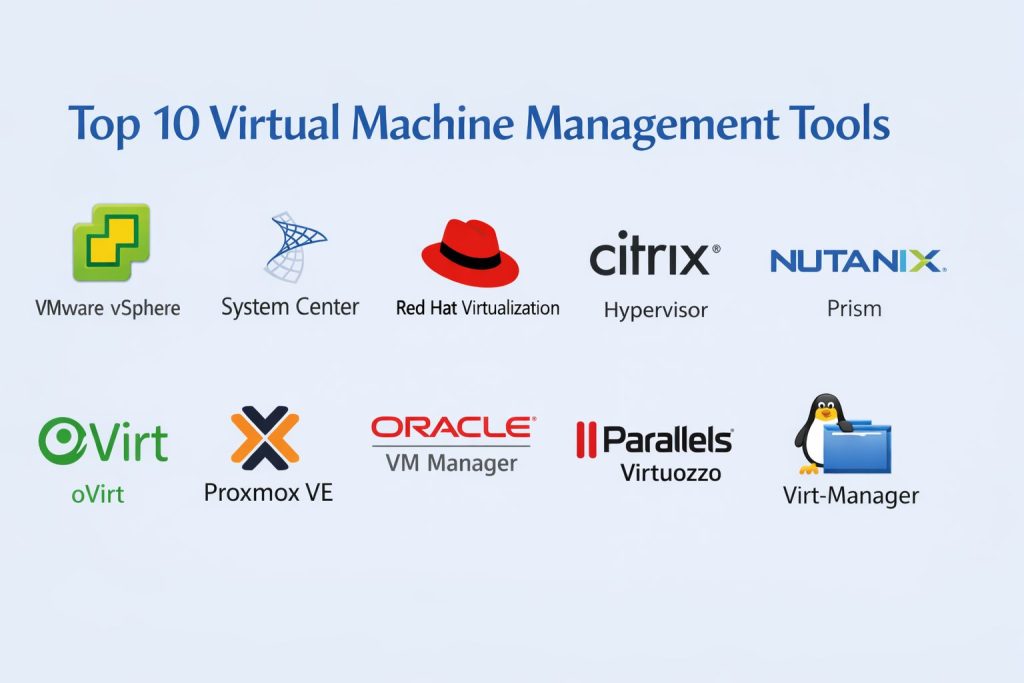
Top 10 Virtual Machine Management Tools
Tool 1 — VMware vCenter
Overview: VMware vCenter is a central management platform for VMware virtualization environments. It is commonly used to manage clusters, VM lifecycles, resource pools, and operational workflows at enterprise scale.
Key Features
- Centralized VM and cluster management across hosts
- Templates, cloning, and lifecycle workflows for standardization
- Live migration and workload mobility patterns (environment dependent)
- Resource management with pools, quotas, and policies (setup dependent)
- Monitoring, alerting, and operational reporting workflows
- Role-based access and admin separation patterns (varies)
- Integration-friendly control plane for VMware-based environments
Pros
- Strong operational maturity for enterprise virtualization
- Large ecosystem and widespread talent availability
- Reliable for large clusters when properly maintained
Cons
- Licensing and ecosystem costs can be high
- Works best when aligned with VMware-centric stacks
- Upgrade and lifecycle management require careful planning
Platforms / Deployment
Varies / N/A
Security & Compliance
Not publicly stated
Integrations & Ecosystem
Often sits at the center of VMware-based operations and connects with storage, backup, and automation practices.
- Backup ecosystem integrations (varies)
- Storage and network integrations (environment dependent)
- Automation and scripting workflows (varies)
- Monitoring tool integrations (varies)
- Operational workflows via templates and policies
Support & Community
Large community and strong enterprise support options. Many proven best practices exist; success depends on disciplined operations.
Tool 2 — Microsoft System Center Virtual Machine Manager
Overview: Microsoft System Center Virtual Machine Manager helps manage virtualized workloads in Microsoft-centric environments. It is commonly used to provision VMs, manage clusters, and standardize VM operations.
Key Features
- VM provisioning and template-based deployment workflows
- Cluster management and resource optimization patterns (setup dependent)
- Centralized inventory, reporting, and operational management
- Policy-driven VM placement and resource usage controls (varies)
- Integration with Microsoft ecosystem operations (environment dependent)
- Supports standardization for VM lifecycle and maintenance tasks
- Useful for organizations with structured Windows infrastructure management
Pros
- Strong fit for Microsoft-centric infrastructure environments
- Helps standardize VM provisioning and operational governance
- Works well when integrated into existing System Center workflows
Cons
- Best value depends on Microsoft ecosystem alignment
- Some advanced hybrid workflows may need additional tools
- Operational complexity can rise in heterogeneous environments
Platforms / Deployment
Varies / N/A
Security & Compliance
Not publicly stated
Integrations & Ecosystem
Typically used in Microsoft infrastructure operations and connected to monitoring, identity, and management tooling.
- Integration with Microsoft management ecosystem (varies)
- Automation hooks and scripting patterns (environment dependent)
- Monitoring and reporting workflows (varies)
- Backup and recovery ecosystem coordination (setup dependent)
- Policy-driven governance patterns (varies)
Support & Community
Strong enterprise support and documentation. Community is solid, especially among Microsoft infrastructure teams.
Tool 3 — Proxmox Virtual Environment
Overview: Proxmox Virtual Environment is a widely used platform for managing virtual machines and containers in on-prem environments. It is popular for labs, SMBs, and teams that want a cost-effective virtualization control plane.
Key Features
- Central management for VMs and clusters
- VM templates and cloning for faster provisioning
- High availability clustering patterns (setup dependent)
- Web-based management UI for operational tasks
- Backup workflows and scheduling patterns (environment dependent)
- Networking and storage configuration options (varies)
- Good fit for small-to-mid environments needing practical control
Pros
- Strong value for teams building on-prem virtualization stacks
- Practical management UI with clustering support
- Good fit for homelabs and SMB production use cases
Cons
- Enterprise-scale governance may require extra process discipline
- Some advanced integrations depend on environment and tooling choices
- Support model depends on subscription choice and internal expertise
Platforms / Deployment
Varies / N/A
Security & Compliance
Not publicly stated
Integrations & Ecosystem
Often integrated into SMB and lab-style infrastructure workflows, with flexibility depending on chosen storage and network stack.
- Backup tool integrations (varies)
- Storage integrations (environment dependent)
- Automation and scripting patterns (varies)
- Monitoring integrations (varies)
- Practical ecosystem for common virtualization operations
Support & Community
Active community with strong peer knowledge. Paid support options vary; many teams succeed with good documentation and internal runbooks.
Tool 4 — Red Hat Virtualization
Overview: Red Hat Virtualization is used for managing virtual machines in Linux-centric enterprise environments. It is often selected by organizations that standardize around Red Hat ecosystems and want structured VM governance.
Key Features
- Central management for VM lifecycle operations
- Template-based provisioning and resource controls
- Cluster and HA-style operations (environment dependent)
- Operational workflows aligned to enterprise needs
- Integrations with Linux-centric infrastructure tooling (varies)
- Role separation and governance patterns (setup dependent)
- Useful for teams standardizing VM operations in Linux environments
Pros
- Strong fit for Red Hat-aligned enterprise infrastructure
- Governance and standardization patterns support repeatability
- Integrates well with Linux operations practices
Cons
- Ecosystem value depends on Red Hat alignment
- Heterogeneous environments may need extra integration work
- Some features and lifecycle patterns depend on deployment choices
Platforms / Deployment
Varies / N/A
Security & Compliance
Not publicly stated
Integrations & Ecosystem
Often used with enterprise Linux operations, automation, and infrastructure tooling.
- Automation integrations (varies)
- Monitoring and reporting workflows (varies)
- Storage and network integrations (environment dependent)
- Works with structured enterprise governance practices
- Complements Linux-based operational standards
Support & Community
Enterprise support is a key strength. Community resources exist, but many deployments rely on vendor-backed guidance.
Tool 5 — Nutanix Prism
Overview: Nutanix Prism is a management platform commonly used in hyperconverged infrastructure environments. It provides centralized control for VM operations, resource planning, and operational visibility.
Key Features
- Centralized VM management and cluster operations
- Resource planning and performance visibility workflows
- Simplified administration for hyperconverged stacks
- Policy-style governance patterns (environment dependent)
- Monitoring, alerting, and operational insights
- Automation-friendly operational workflows (varies)
- Useful for scaling VM operations across clusters
Pros
- Simplifies operations in hyperconverged environments
- Strong visibility for planning and performance troubleshooting
- Practical for teams scaling VM operations with fewer admins
Cons
- Best outcomes depend on ecosystem alignment
- Cross-vendor environments may need additional tools
- Some advanced use cases require careful design and governance
Platforms / Deployment
Varies / N/A
Security & Compliance
Not publicly stated
Integrations & Ecosystem
Often integrated into enterprise operations where HCI is the foundational platform.
- Backup and DR coordination patterns (setup dependent)
- Monitoring integrations (varies)
- Automation and API patterns (varies)
- Infrastructure ecosystem integrations (environment dependent)
- Works best in standardized HCI architectures
Support & Community
Strong vendor support and a growing community. Most teams benefit from clear operational standards and lifecycle planning.
Tool 6 — Citrix Hypervisor
Overview: Citrix Hypervisor is used for virtualization management, often in environments where Citrix ecosystems are present. It supports VM provisioning and operational control with a focus on stable infrastructure delivery.
Key Features
- VM provisioning and lifecycle operations
- Host and resource management workflows
- Templates and standardization patterns (environment dependent)
- Monitoring and operational visibility options (varies)
- Cluster operations and workload mobility patterns (setup dependent)
- Administration workflows for virtualization operations
- Useful for organizations with Citrix-aligned infrastructure needs
Pros
- Practical option for certain enterprise virtualization deployments
- Works well when aligned with related ecosystem tooling
- Supports stable operations with proper standardization
Cons
- Ecosystem fit matters; not always ideal for all environments
- Integration depth varies based on architecture choices
- Community footprint may be smaller than the largest platforms
Platforms / Deployment
Varies / N/A
Security & Compliance
Not publicly stated
Integrations & Ecosystem
Often used with virtualization operations and aligned tooling depending on environment.
- Integration with related ecosystem tools (varies)
- Backup and recovery integrations (setup dependent)
- Monitoring and alerting workflows (varies)
- Automation patterns (environment dependent)
- Fits structured VM governance practices
Support & Community
Vendor support options are typical. Community is present but varies by region and deployment popularity.
Tool 7 — OpenStack
Overview: OpenStack is an open infrastructure platform used to build private cloud environments, including VM provisioning and management. It is often chosen by technical teams that want multi-tenant governance, scale, and control.
Key Features
- Private cloud-style VM provisioning and lifecycle workflows
- Multi-tenant governance and quota management patterns
- API-driven infrastructure operations for automation
- Network and storage integration flexibility (environment dependent)
- Scales across large clusters when well designed
- Supports self-service workflows for internal customers
- Strong fit for organizations building cloud-like operations
Pros
- Strong for building large-scale private cloud capabilities
- API-first design supports automation and self-service patterns
- Reduces reliance on a single vendor stack for some teams
Cons
- Operational complexity is higher than simpler virtualization stacks
- Requires strong skills, design discipline, and ownership
- Implementation time can be significant for full production readiness
Platforms / Deployment
Varies / N/A
Security & Compliance
Not publicly stated
Integrations & Ecosystem
OpenStack integrates with many infrastructure components, but integration success depends on architecture and operational maturity.
- API-driven automation and provisioning (varies)
- Networking and storage integrations (environment dependent)
- Monitoring and logging integrations (varies)
- Identity and governance patterns (setup dependent)
- Fits organizations building internal cloud platforms
Support & Community
Large open community and ecosystem. Production success often depends on experienced operators and strong runbooks.
Tool 8 — Oracle VM VirtualBox
Overview: Oracle VM VirtualBox is a widely used desktop virtualization tool for running VMs on developer machines and labs. It’s commonly used for testing, training, and lightweight VM needs rather than large data center operations.
Key Features
- Desktop VM creation and lifecycle workflows
- Snapshot and rollback patterns for testing
- Useful for dev/test labs and training environments
- Supports multiple guest OS types (environment dependent)
- Networking modes for local testing workflows
- Practical for running isolated environments on a workstation
- Easy setup for individuals and small teams
Pros
- Very useful for developers and training scenarios
- Quick setup and simple VM lifecycle control
- Strong option for local labs and testing environments
Cons
- Not designed for enterprise cluster-scale VM management
- Limited for HA, large-scale governance, and multi-site operations
- Performance depends on workstation hardware and configuration
Platforms / Deployment
Windows / macOS / Linux
Self-hosted (local desktop)
Security & Compliance
Not publicly stated
Integrations & Ecosystem
Often used in developer workflows and lab environments where quick VM setup matters.
- Works with common OS images and lab templates (varies)
- Integrates into local dev/test practices (environment dependent)
- Snapshot-based testing patterns
- Automation via scripts (workflow-dependent)
- Complements enterprise tooling rather than replacing it
Support & Community
Large user base and lots of tutorials. Support expectations vary; many users rely on community guidance for troubleshooting.
Tool 9 — oVirt
Overview: oVirt is an open virtualization management platform often used for managing VM environments in Linux-heavy infrastructure stacks. It supports centralized VM management and governance patterns.
Key Features
- Centralized VM lifecycle management and provisioning
- Template-based deployment workflows
- Cluster operations and resource management patterns
- Governance and role separation options (setup dependent)
- Monitoring and reporting workflows (varies)
- Integrates with Linux infrastructure environments (environment dependent)
- Useful for teams preferring open ecosystem virtualization management
Pros
- Good option for Linux-centric virtualization management
- Useful for teams wanting open ecosystem governance patterns
- Supports structured VM management without heavy licensing overhead
Cons
- Ecosystem maturity depends on internal expertise and deployment scope
- Some advanced integrations require careful setup
- Talent pool may be smaller compared to mainstream commercial platforms
Platforms / Deployment
Varies / N/A
Security & Compliance
Not publicly stated
Integrations & Ecosystem
Often used with Linux infrastructure stacks and operational tooling.
- Integrations with monitoring and automation (varies)
- Storage and network integrations (environment dependent)
- Role-based governance patterns (setup dependent)
- API and automation usage (varies)
- Fits teams building standardized Linux virtualization operations
Support & Community
Community support is present; enterprise support depends on deployment choices and service providers. Strong runbooks improve operational stability.
Tool 10 — XCP-ng
Overview: XCP-ng is an open-source virtualization platform used to run and manage VMs, often with a focus on practical deployment and control. It is commonly chosen by teams seeking an open alternative for virtualization operations.
Key Features
- VM lifecycle operations with templates and management workflows
- Host and resource management patterns
- Snapshot and backup style workflows (environment dependent)
- Supports cluster-style operations depending on tooling choices
- Practical for SMB and lab environments needing control
- Integrates with operational tooling depending on setup
- Useful for teams wanting an open ecosystem alternative
Pros
- Practical open option for virtualization management needs
- Useful for SMBs and labs building cost-conscious VM estates
- Can support standardized VM operations with proper discipline
Cons
- Enterprise-scale features may depend on ecosystem tooling choices
- Integration depth varies by environment and architecture
- Requires internal skills for stable, repeatable operations
Platforms / Deployment
Varies / N/A
Security & Compliance
Not publicly stated
Integrations & Ecosystem
Typically used as part of open virtualization stacks where integration depends on chosen operational tooling.
- Backup and monitoring integrations (varies)
- Automation and scripting patterns (workflow dependent)
- Storage integration choices (environment dependent)
- Operational workflows depend on deployment design
- Complements open infrastructure strategies
Support & Community
Active community with growing ecosystem. Support options vary; best results come from clear operational ownership and tested backup practices.
Comparison Table
| Tool Name | Best For | Platform(s) Supported | Deployment | Standout Feature | Public Rating |
|---|---|---|---|---|---|
| VMware vCenter | Enterprise VMware VM and cluster management | Varies / N/A | Varies / N/A | Mature cluster operations and governance | N/A |
| Microsoft System Center Virtual Machine Manager | Microsoft-centric VM provisioning and management | Varies / N/A | Varies / N/A | Windows ecosystem alignment | N/A |
| Proxmox Virtual Environment | SMB and lab virtualization with practical management | Varies / N/A | Varies / N/A | Cost-effective clustering and management | N/A |
| Red Hat Virtualization | Linux-centric enterprise VM governance | Varies / N/A | Varies / N/A | Enterprise governance patterns | N/A |
| Nutanix Prism | Hyperconverged VM operations and visibility | Varies / N/A | Varies / N/A | Simplified HCI administration | N/A |
| Citrix Hypervisor | VM management aligned to Citrix ecosystems | Varies / N/A | Varies / N/A | Practical virtualization operations | N/A |
| OpenStack | Private cloud VM management and self-service | Varies / N/A | Varies / N/A | Multi-tenant private cloud patterns | N/A |
| Oracle VM VirtualBox | Desktop dev/test VM management | Windows / macOS / Linux | Self-hosted | Quick local VM setup and snapshots | N/A |
| oVirt | Open virtualization management for Linux stacks | Varies / N/A | Varies / N/A | Open ecosystem VM governance | N/A |
| XCP-ng | Open alternative for VM operations | Varies / N/A | Varies / N/A | Open-source virtualization choice | N/A |
Evaluation & Scoring of Virtual Machine Management Tools
Weights:
- Core features – 25%
- Ease of use – 15%
- Integrations & ecosystem – 15%
- Security & compliance – 10%
- Performance & reliability – 10%
- Support & community – 10%
- Price / value – 15%
| Tool Name | Core (25%) | Ease (15%) | Integrations (15%) | Security (10%) | Performance (10%) | Support (10%) | Value (15%) | Weighted Total (0–10) |
|---|---|---|---|---|---|---|---|---|
| VMware vCenter | 9.0 | 7.5 | 9.0 | 6.5 | 8.5 | 8.5 | 6.5 | 8.17 |
| Microsoft System Center Virtual Machine Manager | 8.0 | 7.5 | 8.0 | 6.5 | 7.8 | 7.5 | 6.8 | 7.55 |
| Proxmox Virtual Environment | 7.8 | 8.0 | 7.0 | 6.0 | 7.5 | 7.5 | 8.5 | 7.71 |
| Red Hat Virtualization | 7.8 | 7.0 | 7.5 | 6.0 | 7.5 | 7.0 | 7.0 | 7.28 |
| Nutanix Prism | 8.0 | 8.2 | 7.8 | 6.5 | 8.0 | 7.8 | 6.8 | 7.79 |
| Citrix Hypervisor | 7.0 | 7.2 | 6.8 | 6.0 | 7.0 | 6.8 | 7.2 | 6.95 |
| OpenStack | 8.5 | 5.8 | 8.5 | 6.5 | 8.0 | 7.5 | 7.2 | 7.55 |
| Oracle VM VirtualBox | 6.0 | 8.5 | 6.0 | 6.0 | 6.5 | 7.5 | 9.0 | 7.05 |
| oVirt | 7.0 | 6.8 | 6.8 | 6.0 | 7.0 | 6.5 | 7.5 | 6.93 |
| XCP-ng | 7.0 | 7.0 | 6.8 | 6.0 | 7.0 | 6.5 | 8.0 | 7.13 |
How to use the scores:
- Use the totals to shortlist, then validate with a pilot on your real workload.
- If you need enterprise governance, prioritize Core and Integrations over Ease.
- If your team is small, Ease and Value typically matter more day-to-day.
- Open platforms can score well but may require stronger in-house skills.
- Tools with close totals should be compared using your most critical criteria first.
Which Tool Is Right for You?
Solo / Freelancer
- Oracle VM VirtualBox is often enough for local labs, training, and dev/test VM workflows.
- Proxmox Virtual Environment can be a practical step up if you run a small home server or lab cluster.
- Avoid complex platforms unless you need multi-tenant governance or private cloud patterns.
SMB
- Proxmox Virtual Environment is a strong choice for cost-conscious VM clusters with practical management.
- Nutanix Prism fits well if you run hyperconverged infrastructure and want simplified operations.
- VMware vCenter can be valuable if you already standardize on VMware and need mature governance.
Mid-Market
- VMware vCenter is often selected for mature operations, clustering, and broad ecosystem support.
- Microsoft System Center Virtual Machine Manager works well in Microsoft-centric environments needing standardized provisioning.
- OpenStack can be a strategic choice if you want private cloud patterns and have the skills to operate it reliably.
Enterprise
- VMware vCenter is a common enterprise anchor for large-scale VM operations and governance.
- OpenStack is suitable for organizations building internal cloud platforms with multi-tenant self-service.
- Nutanix Prism is strong for HCI environments that want streamlined operations without a large admin burden.
- Red Hat Virtualization and oVirt can fit Linux-centric enterprise strategies depending on internal standards.
Budget vs Premium
- For budget-focused environments: Proxmox Virtual Environment, Oracle VM VirtualBox, and XCP-ng can offer practical value, with the trade-off of needing more internal skills.
- For premium enterprise needs: VMware vCenter and Nutanix Prism often justify cost when uptime, governance, and ecosystem maturity matter most.
Feature Depth vs Ease of Use
- If you want deep enterprise-grade governance and mature ecosystems: VMware vCenter is a strong contender.
- If you want simpler operations and faster onboarding: Proxmox Virtual Environment and Nutanix Prism can feel more approachable.
- If you want cloud-like self-service and multi-tenancy: OpenStack provides depth but requires stronger operational maturity.
Integrations & Scalability
- VMware vCenter integrates widely with storage, backup, monitoring, and automation tooling in many environments.
- OpenStack supports API-first automation and scalable architectures when designed correctly.
- Microsoft System Center Virtual Machine Manager fits strongly where Microsoft management stacks are already standard.
Security & Compliance Needs
Compliance claims are often not clearly published for many VM management products. For strict environments, focus on operational controls:
- Identity management, least-privilege roles, and audited administration
- Secure segmentation and controlled access to management interfaces
- Backup, restore testing, and recovery workflows for resilience
- Patch management discipline and standardized templates to reduce drift
Frequently Asked Questions
What is a virtual machine management tool?
It is a platform that helps you create, operate, monitor, and control virtual machines and clusters. It typically includes templates, resource controls, lifecycle management, and governance features to keep operations stable.
Do I still need VM tools if I use containers?
Often yes. Many organizations run a mix of VMs and containers, and VMs remain useful for legacy apps, isolation needs, and certain enterprise workloads. VM tools keep those workloads manageable and reliable.
What is the difference between a hypervisor and a management tool?
A hypervisor runs the virtual machines on a host. A management tool provides centralized control across hosts and clusters, including provisioning, monitoring, policies, and operational workflows.
How do I choose between VMware vCenter and open platforms?
VMware vCenter is often chosen for mature enterprise operations and ecosystem support. Open platforms can reduce vendor lock-in and licensing costs, but may require stronger in-house skills and operational discipline.
How important is live migration and high availability?
Very important for production systems where downtime is costly. Live migration and HA help you perform maintenance, handle hardware issues, and reduce service interruptions with less risk.
What are common mistakes teams make with VM environments?
Overprovisioning, ignoring capacity planning, letting templates drift, and failing to test backups. Another major issue is weak ownership: alerts trigger, but no one is accountable for remediation.
How do these tools integrate with backup and disaster recovery?
Most environments integrate VM platforms with backup tools using snapshots, agents, or API-based workflows. The key is to test restore and failover regularly so recovery is predictable under pressure.
How long does it take to implement a VM management platform?
Small environments can be set up quickly, while multi-cluster and multi-site environments take longer. Implementation time depends on networking, storage design, governance rules, and team experience.
What should I include in a pilot before choosing a tool?
Test provisioning from templates, live migration, monitoring accuracy, role separation, upgrade paths, backup/restore workflows, and performance under load. Use real workloads, not only sample VMs.
How do I reduce VM sprawl and cost overruns?
Use approval workflows, quotas, lifecycle rules, and standardized templates. Regularly review idle VMs, right-size resources, and enforce naming and ownership so every VM has a clear business purpose.
Conclusion
Virtual machine management tools are most valuable when they make operations predictable: faster provisioning, stable clusters, clear performance visibility, and controlled governance across teams. The best choice depends on your environment maturity and goals. If you need a proven enterprise ecosystem and strong governance patterns, VMware vCenter is often a safe anchor, while Microsoft System Center Virtual Machine Manager fits well in Microsoft-heavy infrastructure. If cost and flexibility matter most, Proxmox Virtual Environment, XCP-ng, or oVirt can be practical options with the trade-off of needing stronger internal skills. If your organization wants cloud-like self-service and multi-tenancy, OpenStack can deliver powerful private cloud patterns when designed carefully. The smartest next step is to shortlist two or three tools, run a pilot using real workloads, validate monitoring and automation needs, and then standardize on the tool that best fits your operational reality.