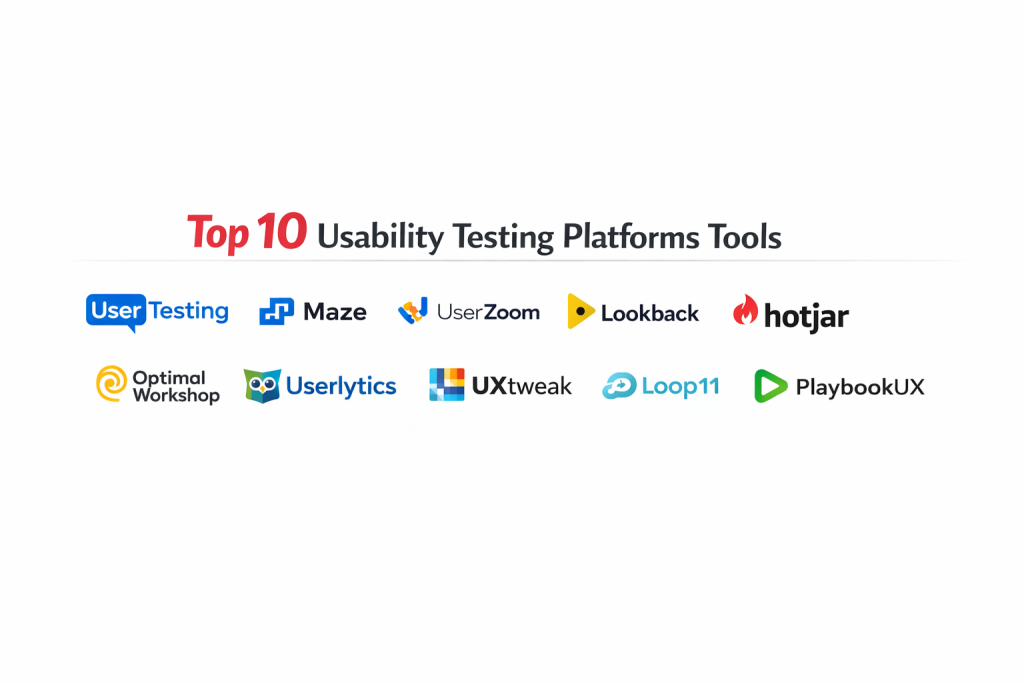
Introduction
Usability testing platforms have become the strategic nerve center for modern product development, enabling teams to bridge the gap between design intent and actual user behavior. These platforms facilitate various research methodologies—ranging from moderated live interviews to unmoderated task-based studies—allowing organizations to validate prototypes and live environments with high precision. By capturing the “why” behind user actions, these tools transform subjective design opinions into objective, actionable data. In a competitive digital economy, the ability to rapidly iterate based on authentic human feedback is no longer a luxury but a fundamental requirement for maintaining market relevance and ensuring long-term product viability.
The necessity of these tools is underscored by the increasing complexity of cross-platform user journeys and the high cost of post-launch technical debt. Professional research platforms offer sophisticated recruitment engines that grant access to specific demographic segments, ensuring that testing is conducted with participants who mirror the actual target audience. Beyond simple screen recording, modern platforms leverage artificial intelligence to synthesize hours of video into concise insight summaries, highlighting points of friction, emotional shifts, and task success rates. For the enterprise, these tools provide a centralized repository of user knowledge, fostering a culture of empathy and data-driven decision-making across engineering, product, and design departments.
Best for: UX researchers, product managers, and design teams at enterprises and high-growth startups who need to validate user interfaces and optimize conversion paths.
Not ideal for: Basic website performance monitoring, simple server uptime tracking, or automated functional QA testing that does not require human subjective feedback.
Key Trends in Usability Testing Platforms
The integration of artificial intelligence for automated sentiment analysis and transcript tagging is significantly reducing the time required to synthesize qualitative data. There is also a notable shift toward “continuous discovery,” where testing is embedded into every stage of the agile sprint rather than being a final gate before release. Real-time collaboration features are becoming more robust, allowing distributed stakeholders to observe live sessions and leave timestamped notes simultaneously.
Accessibility testing has moved to the forefront, with platforms introducing specialized tools to ensure digital products meet international standards for inclusive design. Additionally, the rise of “unmoderated” testing capabilities allows for massive, asynchronous data collection, enabling teams to gather quantitative usability metrics globally in a matter of hours. Hybrid research models, which combine longitudinal diary studies with rapid first-click tests, are also becoming the standard for gaining a 360-degree view of the customer experience.
How We Selected These Tools
Our selection process focused on platforms that provide a reliable balance between participant quality and analytical depth. We prioritized tools that offer high-fidelity recording capabilities across mobile, tablet, and desktop environments to ensure a comprehensive view of the user experience. The robustness of the participant recruitment pool was a primary criterion, as the value of usability testing is directly proportional to the relevance of the testers.
We also evaluated the sophistication of the analysis suites, looking for features like automated heatmaps, click-path visualizations, and AI-driven highlight reels. Security and compliance were non-negotiable, specifically for enterprise users handling sensitive prototype data. Finally, we considered the integration ecosystem of each tool, ensuring they connect seamlessly with popular design software and project management systems to facilitate a smooth flow of insights into the development cycle.
1. UserTesting
UserTesting is widely regarded as the industry titan, providing an end-to-end human insight platform that serves the world’s largest brands. It offers unparalleled access to a global participant panel and sophisticated tools for both moderated and unmoderated research. The platform is designed to scale across entire organizations, providing consistent workflows for gathering and sharing user feedback.
Key Features
The platform features a massive, diverse participant pool with advanced demographic targeting. It includes a proprietary AI engine that automatically surfaces key moments from video sessions, saving researchers hours of manual review. The “Live Conversation” feature enables high-quality remote interviews with instant scheduling. It also provides detailed quantitative metrics, such as task completion times and System Usability Scale (SUS) scores. Interactive path flows allow teams to visualize exactly where users clicked and where they dropped off during a study.
Pros
It offers the fastest turnaround time for high-quality participant feedback in the industry. The depth of its analytical tools and enterprise-grade reporting is unmatched for large-scale research programs.
Cons
The pricing structure is at the highest end of the market and often requires a long-term contract. The interface can be complex for occasional users who only need simple feedback.
Platforms and Deployment
Web-based platform with support for testing native iOS, Android, and desktop applications.
Security and Compliance
Fully compliant with SOC 2 Type II, GDPR, HIPAA, and ISO 27001, making it suitable for highly regulated industries.
Integrations and Ecosystem
Integrates deeply with Slack, Jira, Trello, and Adobe XD, allowing insights to be pushed directly into product workflows.
Support and Community
Provides dedicated account managers for enterprise clients and a comprehensive university for user training.
2. Maze
Maze is a continuous discovery platform that has gained massive popularity among agile product teams. It specializes in rapid, unmoderated prototype testing, turning design files into interactive “missions” that generate quantitative usability data almost instantly. It is particularly effective for teams that prioritize speed and data-backed iteration.
Key Features
The platform features a native integration with leading design tools, allowing for one-click prototype importing. It generates automated usability reports that include heatmaps, misclick rates, and path analysis. It offers a specialized “Reach” feature for managing and recruiting your own database of testers. The software includes templates for five-second tests, card sorting, and tree testing. Its “Maze Report” provides a consolidated usability score that helps teams benchmark different design versions.
Pros
The speed of setup and result generation is exceptional, making it perfect for rapid design sprints. Its focus on quantitative data makes it easy to present findings to stakeholders who prefer numbers over anecdotes.
Cons
It is primarily focused on unmoderated testing, so it lacks the depth of live, moderated interview features found in other tools. The participant panel is smaller compared to top-tier competitors.
Platforms and Deployment
Cloud-based web application with support for browser-based mobile and desktop testing.
Security and Compliance
Adheres to GDPR standards and provides secure data encryption for all stored prototype information.
Integrations and Ecosystem
Offers seamless live-link integrations with Figma, Sketch, Adobe XD, and InVision.
Support and Community
Features an active online community and a library of research templates designed by industry experts.
3. UserZoom
UserZoom (now part of the UserTesting family) focuses on providing the sophisticated governance and multi-methodology tools required for enterprise-level UX research. It excels at large-scale quantitative studies and competitive benchmarking, helping organizations measure their digital experience against the market.
Key Features
It supports a wide range of methodologies, including tree testing, card sorting, and longitudinal studies. The “Quality Score” feature provides a standardized way to measure the user experience across different digital properties. It includes advanced survey logic and the ability to intercept real users on your live website. The platform provides detailed click-stream analysis and heatmaps for both prototypes and live sites. It also features a dedicated dashboard for tracking UX KPIs over time.
Pros
It is the most powerful tool for “Research Ops,” providing the structure needed to manage multiple researchers and hundreds of studies. Its benchmarking capabilities are the industry standard for competitive analysis.
Cons
The learning curve is significant, and the platform can feel overly technical for non-researchers. Setup for complex studies can be time-consuming compared to leaner tools.
Platforms and Deployment
Web-based cloud platform supporting web and mobile application testing.
Security and Compliance
Enterprise-ready with SOC 2, GDPR, and localized data hosting options for sensitive information.
Integrations and Ecosystem
Connects with major analytics platforms and project management tools, including Jira and Slack.
Support and Community
Offers high-touch professional services and a dedicated customer success team for enterprise accounts.
4. Lookback
Lookback is built with a focus on the human connection, making remote moderated sessions feel as natural as possible. It is favored by researchers who prioritize qualitative depth and want a simple, reliable way to conduct live interviews and observe users in their natural environment.
Key Features
The platform offers a “Live” feature that allows an unlimited number of observers to watch a session and chat behind a virtual one-way mirror. It supports “Self-Test” unmoderated sessions with high-definition face and screen recording. The software includes a centralized dashboard for managing highlight reels and timestamped notes. It provides a unique “Broadcast” mode for sharing research sessions in real-time with the broader team. The interface is intentionally minimal to keep the focus on the participant.
Pros
The collaborative features are excellent, making it easy to involve stakeholders in the research process. It offers a very straightforward pricing model that is accessible for smaller teams.
Cons
It does not have a built-in participant panel, meaning users must recruit their own testers or use a third-party service. It lacks the advanced quantitative analysis tools found in Maze or UserZoom.
Platforms and Deployment
Supports iOS, Android, and web testing via a cloud-based management console.
Security and Compliance
GDPR and SOC 2 compliant, with secure, encrypted video storage.
Integrations and Ecosystem
Integrates with Slack for session notifications and various research repositories for data storage.
Support and Community
Provides a helpful technical blog and direct support for troubleshooting connection issues during live sessions.
5. Hotjar
Hotjar (by Contentsquare) takes a different approach by focusing on behavioral analytics of real visitors on live websites. While it is often classified as a CRO tool, its session recordings and feedback widgets make it an essential platform for unmoderated usability research in the wild.
Key Features
It provides visual heatmaps that show where users move, click, and scroll on every page. Session recordings allow researchers to watch exactly how real people navigate the site, revealing bugs and UX friction points. On-page surveys and feedback widgets enable “in-the-moment” qualitative feedback. The “Funnel” feature identifies where users drop off in the conversion process. It also includes an “Interviews” feature that allows you to recruit and speak with real users who are currently on your site.
Pros
It captures behavior from real users in their natural setting, which is often more accurate than lab-based testing. It is incredibly easy to install and provides value almost immediately.
Cons
It cannot be used for testing pre-release prototypes or designs that are not yet live. The sheer volume of data can be overwhelming without a clear research plan.
Platforms and Deployment
Web-based SaaS that requires a small script installation on the target website.
Security and Compliance
Strong focus on privacy with automated PII (Personally Identifiable Information) masking and GDPR/CCPA compliance.
Integrations and Ecosystem
Integrates with Google Analytics, Slack, Hubspot, and Zapier to automate feedback workflows.
Support and Community
Boasts a massive user base and a highly respected blog focused on conversion rate optimization and UX.
6. Optimal Workshop
Optimal Workshop is the specialized leader for information architecture (IA) research. It provides a specific suite of tools designed to help teams organize content and navigation so that users can actually find what they are looking for.
Key Features
The suite includes “Treejack” for tree testing to validate site hierarchy without the distraction of visual design. “OptimalSort” is a world-class card sorting tool for understanding how users categorize information. It features “Chalkmark” for first-click testing on wireframes and screenshots. The platform provides detailed statistical analysis, including similarity matrices and dendrograms. It also includes a tool for conducting online surveys and qualitative interviews.
Pros
It is the most robust tool for solving complex navigation and labeling problems. The data visualizations make it easy to explain IA decisions to stakeholders with scientific backing.
Cons
It is a specialized toolset, so it is not a complete solution for full-video usability testing or high-fidelity prototype interaction. The interface can feel a bit academic.
Platforms and Deployment
Cloud-based web application.
Security and Compliance
ISO 27001 certified and GDPR compliant, ensuring high standards for data protection.
Integrations and Ecosystem
Supports data exports in various formats and integrates with research repositories and recruitment panels.
Support and Community
Offers an industry-leading blog on research methods and extensive documentation for IA specialists.
7. Userlytics
Userlytics is a versatile platform that offers a wide array of testing methodologies across any device. It is particularly known for its flexible “Picture-in-Picture” recording and its ability to handle complex testing logic for global studies.
Key Features
The platform supports unmoderated and moderated testing for websites, mobile apps, and even VR environments. It features an automated transcription engine in dozens of languages. It includes advanced branching logic that changes the test flow based on user answers. Researchers can capture the participant’s face, screen, and audio simultaneously. The platform also offers card sorting and tree testing integrated directly into the video study workflow.
Pros
The “no-download” recorder makes it very easy for participants to join studies without technical friction. It offers a great balance of qualitative video and quantitative metrics in a single study.
Cons
The user interface for researchers can feel a bit dated compared to modern competitors like Maze. Setting up complex branching logic can be time-consuming.
Platforms and Deployment
Web-based platform supporting testing on iOS, Android, and all major desktop browsers.
Security and Compliance
GDPR, CCPA, and HIPAA compliant, with robust data protection protocols.
Integrations and Ecosystem
Connects with major prototyping tools and project management systems like Jira.
Support and Community
Provides high-quality customer support and a dedicated research team to help with study design.
8. UXtweak
UXtweak is an all-in-one UX research platform that offers one of the most comprehensive toolkits on the market. It is designed to support the entire research lifecycle, from initial information architecture to final usability validation of live products.
Key Features
The platform includes tools for card sorting, tree testing, and first-click analysis. It features a unique “Website Recruiter” widget that turns your actual site visitors into test participants. It offers a session recording tool with heatmaps and advanced filtering. The unmoderated usability testing tool provides “Think-Aloud” video and audio feedback. It also includes a massive participant panel with over 150 million people for rapid recruitment.
Pros
It offers incredible value by combining nearly every major research methodology into a single subscription. The recruitment widget is a game-changer for teams without their own tester database.
Cons
Because it does so many things, the interface can feel crowded with options. Some features may not have the same level of depth as dedicated specialized tools like Optimal Workshop.
Platforms and Deployment
Cloud-based web application.
Security and Compliance
Fully GDPR compliant with all data hosted on secure servers.
Integrations and Ecosystem
Integrates with Figma for prototype testing and Slack for real-time team notifications.
Support and Community
Provides extensive tutorials and a helpful knowledge base for each of its many tools.
9. Loop11
Loop11 focuses on “browser-based” unmoderated testing, allowing teams to run massive usability studies without requiring participants to install any software. It is a favorite for competitive benchmarking and large-scale quantitative validation.
Key Features
The platform allows you to test any live website, including your competitors’, to gather comparative data. It captures a wide range of quantitative metrics, including time-on-task, success rates, and click paths. It supports accessibility testing with specific features to identify WCAG compliance issues. The tool integrates video, audio, and screen recording for a full qualitative view. It also features a simplified task creation process that is very beginner-friendly.
Pros
The ability to run studies on any URL makes it the best choice for competitive UX research. It is one of the few platforms that truly focuses on combining quantitative benchmarking with qualitative video.
Cons
The participant recruitment must often be handled externally or via their partner panels. The video recording quality can sometimes be affected by the participant’s browser performance.
Platforms and Deployment
Web-based cloud platform.
Security and Compliance
Adheres to GDPR standards and standard enterprise data encryption protocols.
Integrations and Ecosystem
Integrates with UserInterviews.com for recruitment and various analytics tools for data synthesis.
Support and Community
Provides direct email support and a variety of case studies focused on enterprise UX strategy.
10. PlaybookUX
PlaybookUX is an AI-powered research platform that focuses on streamlining the recruitment and analysis process. It is designed for modern teams that need to conduct research frequently without the administrative burden of manual scheduling and tagging.
Key Features
The platform includes an automated scheduling system that syncs with your calendar for moderated interviews. It features “Sentiment Clustering” which uses AI to automatically group user feedback into positive, neutral, and negative themes. It offers a high-quality global participant panel with a transparent verified-participant system. The unmoderated testing tool includes automated transcripts and highlight reel creation. It also supports specialized testing for mobile apps and physical product concepts.
Pros
The AI-driven analysis features are a massive time-saver for small teams who don’t have time to watch hours of video. The recruitment process is exceptionally smooth and reliable.
Cons
Some of the advanced AI features are locked behind higher-tier plans. The platform is newer than the established giants, so some legacy enterprise features are still evolving.
Platforms and Deployment
Cloud-based web application with support for mobile and desktop testing.
Security and Compliance
SOC 2 Type II and GDPR compliant, ensuring enterprise-level data security.
Integrations and Ecosystem
Connects with Slack, Trello, and various CRM tools to manage participant data and insights.
Support and Community
Offers personalized customer success support and a suite of training videos for new researchers.
Comparison Table
| Tool Name | Best For | Platform(s) Supported | Deployment | Standout Feature | Public Rating |
| 1. UserTesting | Enterprise Research | Web, iOS, Android | Cloud | AI-Insight Core | 4.8/5 |
| 2. Maze | Agile Design Teams | Web (Prototypes) | Cloud | Automated UX Score | 4.7/5 |
| 3. UserZoom | UX Benchmarking | Web, iOS, Android | Cloud | Competitive Analytics | 4.6/5 |
| 4. Lookback | Live Collaboration | Web, iOS, Android | Cloud | Virtual One-Way Mirror | 4.5/5 |
| 5. Hotjar | Behavioral Analytics | Web (Live Site) | Cloud | Heatmaps & Feedback | 4.7/5 |
| 6. Optimal Workshop | IA & Navigation | Web | Cloud | Treejack Testing | 4.6/5 |
| 7. Userlytics | Cross-Device Logic | Web, Mobile, VR | Cloud | Advanced Branching | 4.4/5 |
| 8. UXtweak | All-in-One Toolkit | Web | Cloud | Website Recruiter | 4.6/5 |
| 9. Loop11 | Competitive Research | Web | Cloud | URL-Based Testing | 4.2/5 |
| 10. PlaybookUX | AI-Driven Analysis | Web, Mobile | Cloud | Sentiment Clustering | 4.5/5 |
Evaluation & Scoring of Usability Testing Platforms
The scoring below is a comparative model intended to help shortlisting. Each criterion is scored from 1–10, then a weighted total from 0–10 is calculated using the weights listed. These are analyst estimates based on typical fit and common workflow requirements, not public ratings.
Weights:
- Core features – 25%
- Ease of use – 15%
- Integrations & ecosystem – 15%
- Security & compliance – 10%
- Performance & reliability – 10%
- Support & community – 10%
- Price / value – 15%
| Tool Name | Core (25%) | Ease (15%) | Integrations (15%) | Security (10%) | Performance (10%) | Support (10%) | Value (15%) | Weighted Total |
| 1. UserTesting | 10 | 7 | 9 | 10 | 9 | 10 | 6 | 8.80 |
| 2. Maze | 8 | 10 | 10 | 8 | 9 | 8 | 9 | 8.85 |
| 3. UserZoom | 10 | 6 | 8 | 10 | 8 | 9 | 5 | 8.00 |
| 4. Lookback | 7 | 9 | 7 | 9 | 10 | 8 | 8 | 8.10 |
| 5. Hotjar | 8 | 10 | 9 | 9 | 9 | 9 | 10 | 9.10 |
| 6. Optimal Workshop | 9 | 7 | 7 | 9 | 8 | 9 | 7 | 8.00 |
| 7. Userlytics | 9 | 7 | 8 | 9 | 8 | 8 | 8 | 8.25 |
| 8. UXtweak | 9 | 8 | 8 | 8 | 8 | 9 | 10 | 8.70 |
| 9. Loop11 | 7 | 8 | 7 | 8 | 7 | 7 | 8 | 7.35 |
| 10. PlaybookUX | 8 | 9 | 8 | 9 | 9 | 9 | 9 | 8.65 |
How to interpret the scores:
- Use the weighted total to shortlist candidates, then validate with a pilot.
- A lower score can mean specialization, not weakness.
- Security and compliance scores reflect controllability and governance fit, because certifications are often not publicly stated.
- Actual outcomes vary with assembly size, team skills, templates, and process maturity.
Which Usability Testing Platform Tool Is Right for You?
Solo / Freelancer
For individual researchers, cost and setup speed are the primary drivers. A tool that offers a generous free tier or pay-as-you-go pricing for unmoderated tests allows for high-quality work without the burden of an enterprise subscription.
SMB
Small businesses should prioritize all-in-one platforms that provide multiple methodologies under a single license. This reduces the complexity of managing multiple vendors while ensuring the team has access to card sorting, surveys, and video testing tools.
Mid-Market
Growing teams need to balance feature depth with collaboration. Platforms that offer unlimited observer seats and integrated highlight reel creation help bring the voice of the customer into departmental meetings without additional cost.
Enterprise
At the enterprise level, security, compliance, and governance are the most critical factors. These organizations require single sign-on (SSO), advanced audit logs, and the ability to standardize research templates across global teams.
Budget vs Premium
Budget options focus on providing the core recording and recruitment tools at a lower price point. Premium platforms justify their cost through advanced AI analysis, higher participant attendance rates, and dedicated customer success support.
Feature Depth vs Ease of Use
Highly specialized tools offer incredible depth for specific tasks like navigation testing but may be too complex for a generalist. Conversely, all-in-one tools are easy to pick up but may lack the granular statistical analysis needed for academic-level research.
Integrations & Scalability
The ability to push research insights directly into Jira or Slack is essential for ensuring that findings actually lead to product changes. Scalability is measured by how easily a platform can handle an increasing volume of studies and researchers.
Security & Compliance Needs
For teams working in healthcare, finance, or government, HIPAA and GDPR compliance are mandatory. These users must select platforms that offer secure data silos and automated PII masking for video recordings.
Frequently Asked Questions (FAQs)
1. What is the difference between moderated and unmoderated testing?
Moderated testing involves a live session where a facilitator guides the participant through tasks, whereas unmoderated testing allows participants to complete the tasks on their own time while being recorded.
2. How many participants do I need for a usability study?
Industry standards suggest that testing with five participants will uncover approximately 85% of usability issues. However, quantitative studies or benchmarking may require 20 to 50 participants for statistical significance.
3. Can I test mobile apps that are still in development?
Yes, most professional platforms support prototype testing by linking to Figma or Adobe XD, and many offer SDKs for testing private “beta” versions of native mobile applications.
4. What is a “Think-Aloud” protocol?
This is a research method where participants are asked to verbalize their thoughts, feelings, and actions as they navigate a product, providing vital qualitative context for their behavior.
5. How do these platforms ensure participant quality?
Leading platforms use a combination of automated screening, manual identity verification, and post-session rating systems to ensure that testers are providing high-quality, honest feedback.
6. Is AI analysis accurate enough to replace human researchers?
AI is excellent at transcribing, identifying emotional peaks, and summarizing long videos, but it cannot yet replace the nuanced cultural context and strategic thinking provided by a human researcher.
7. Can I use my own customers for testing?
Most platforms provide a “Recruit Your Own” link that you can send to your existing users via email or social media, often at a lower cost than using the platform’s panel.
8. Do these tools support accessibility testing?
Several top-tier platforms have introduced specific modules for screen-reader compatibility and WCAG compliance testing, often with specialized panels of participants with disabilities.
9. What is tree testing?
Tree testing is a text-based method for evaluating the hierarchy of a website or app to see if users can find information without being influenced by visual design or navigation menus.
10. How long does a typical unmoderated usability study take?
Most unmoderated sessions are designed to be completed in 15 to 20 minutes, which is long enough to cover key tasks without causing participant fatigue.
Conclusion
Selecting a usability testing platform is a pivotal investment in your product’s user-centric future. The right tool acts as a bridge between technical requirements and human needs, ensuring that every feature developed serves a verified purpose. Whether you are an agile startup needing the rapid prototyping speed of Maze or an enterprise requiring the deep governance of UserTesting, the objective remains the same: reducing risk through authentic human feedback. In the current digital landscape, the organizations that win are those that treat user research not as a one-time event, but as a continuous, integrated part of their DNA. By leveraging these sophisticated platforms, you empower your team to build experiences that are not just functional, but truly resonant with the people who use them every day.