Introduction
Unified Communications as a Service (UCaaS) is a cloud-delivered model that conglomerates multiple communication channels—including enterprise telephony, video conferencing, team messaging, and omnichannel contact centers—into a single, cohesive interface. UCaaS has transitioned from a utility to a strategic “Intelligence Hub,” where every conversation is captured, transcribed, and analyzed by integrated AI to drive business outcomes.
The relevance of UCaaS is anchored in the “Work-from-Anywhere” reality. Organizations no longer maintain physical PBX hardware; instead, they deploy software-defined communication stacks that follow the employee across devices. The integration of 5G and edge computing ensures that high-definition video and real-time voice translation are seamless, even for field workers or international teams. In a $120 billion market, UCaaS is the primary bridge between internal collaboration and external customer engagement.
Real-world use cases include:
- Global Sales Coordination: Using real-time AI sentiment analysis during calls to coach reps and auto-log meeting summaries into CRMs.
- Hybrid Healthcare (Telehealth): Secure, HIPAA-compliant video consultations integrated with electronic health records (EHR).
- Distributed Customer Support: Seamlessly escalating a website chat to a voice call or video screen-share without losing context.
- Frontline Connectivity: Providing manufacturing or retail staff with “Push-to-Talk” capabilities on mobile devices linked to the corporate directory.
- Crisis Management: Rapidly deploying mass notification alerts across phone, SMS, and desktop apps during emergency events.
What buyers should evaluate (Criteria):
- Voice Quality & Reliability: “Five-nines” (99.999%) uptime and global PSTN (Public Switched Telephone Network) connectivity.
- AI Feature Maturity: Depth of native AI tools for transcription, action item extraction, and noise cancellation.
- Mobile-First Experience: The performance and feature parity of the mobile app compared to the desktop client.
- Interoperability: How easily the platform integrates with Microsoft 365, Google Workspace, and vertical-specific tools.
- Security & Sovereign Cloud: Availability of end-to-end encryption (E2EE) and regional data residency for compliance.
- Admin UX & Analytics: The ease of managing thousands of users and interpreting call volume/quality data.
- International Reach: Support for local numbers and emergency services in multiple global regions.
- UC-CC Convergence: The ability to natively add Contact Center (CCaaS) features without switching vendors.
Best for: Businesses looking to eliminate “app sprawl” and move their entire communication infrastructure to a secure, AI-powered cloud environment.
Not ideal for: Very small businesses with zero growth plans that only require a basic single-line landline or a free personal chat app.
Key Trends in Unified Communications (UCaaS)
The UCaaS landscape is defined by “Agentic Communication” and “Immersive Integration.”
- Agentic AI Participants: AI “agents” now join meetings autonomously to take notes, check schedules, and even answer basic queries based on company data.
- 5G-Native Calling: Built-in logic for seamless handoffs between Wi-Fi and 5G, ensuring zero dropped calls for mobile-first workforces.
- Multimodal Translation: Real-time, low-latency voice-to-voice translation allowing teams to collaborate in their native languages.
- Biometric Identity: Replacing traditional PINs with voice and facial biometrics for joining sensitive conference calls.
- Spatial Audio & 4K Video: Standardized high-fidelity environments that reduce “Zoom fatigue” by mimicking natural human hearing.
- Zero-Trust Voice: Advanced “Quantum-Resistant” encryption protecting voice data from sophisticated decryption threats.
- UCaaS-CCaaS Fusion: The total blurring of lines between internal team tools and external customer support platforms.
- IoT Awareness: Communication hubs that connect to smart office sensors to auto-join rooms or adjust lighting for video quality.
How We Selected These Tools (Methodology)
Our selection of the top 10 UCaaS providers for follows a weighted evaluation of enterprise readiness:
- Core Telephony Strength: We assessed the stability of the global carrier-grade network and PSTN access.
- AI Innovation Score: Priority was given to platforms with proprietary, integrated AI (like RingSense or Zoom AI Companion).
- Ecosystem Penetration: We looked at how deeply these tools embed into the “Big Tech” stacks (Microsoft, Google, Salesforce).
- Security Frameworks: Evaluation of SOC 2 Type II, ISO 27001, and industry-specific certifications like HIPAA.
- Global Footprint: Ability to provide localized service and numbers in 50+ countries.
- User Sentiment: Aggregated data from professional review platforms (G2, Gartner Peer Insights) for real-world reliability.
- Administrative Granularity: The depth of control provided to IT departments for policy enforcement and security.
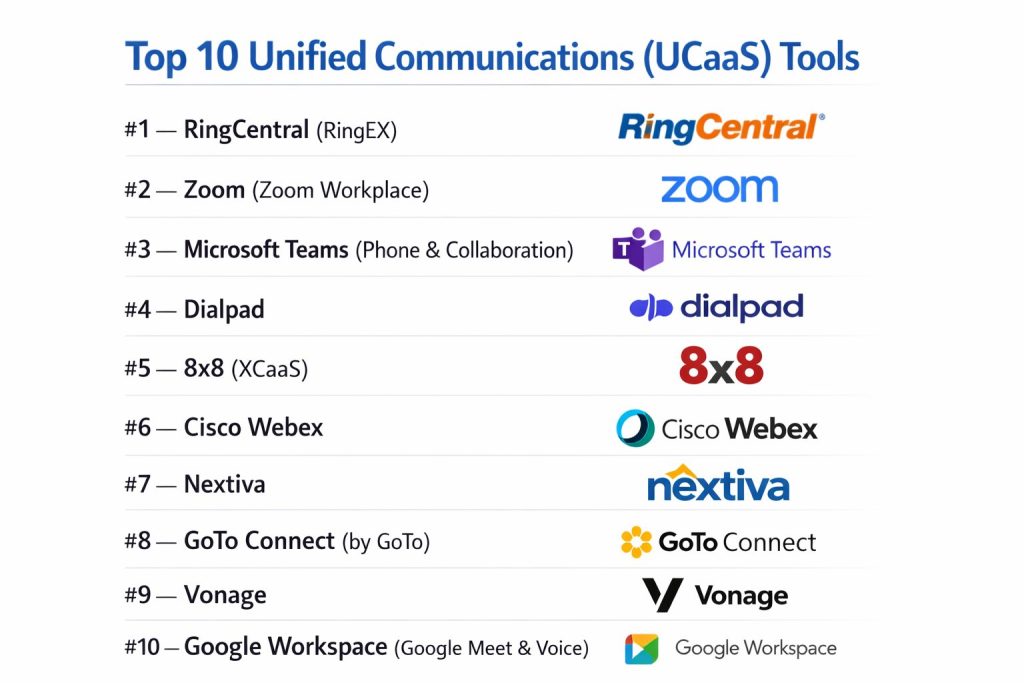
Top 10 Unified Communications (UCaaS) Tools
#1 — RingCentral (RingEX)
A long-time industry leader that has evolved into “RingEX,” an AI-first platform that unifies phone, SMS, and video with deep CRM integrations.
Key Features
- RingSense AI: Native AI that provides real-time coaching, automated summaries, and sentiment analysis for every call.
- Global MVP: Reliable cloud PBX service in over 45 countries with local number support.
- Unified Inbox: A single view for all voicemails, SMS, and team messages.
- Advanced Call Routing: Visual IVR builder and multi-level auto-attendant for complex business needs.
- HD Video & Webinars: Supports up to 200 participants with integrated whiteboard and breakout rooms.
- Analytics Portal: Granular insights into call quality, team adoption, and service levels.
Pros
- Unmatched Reliability: Consistent 99.999% uptime and carrier-grade voice quality.
- Integration Hub: One of the largest app galleries in the UCaaS space, including deep Salesforce and HubSpot sync.
Cons
- UI Complexity: The breadth of features can make the administrative portal feel intimidating.
- Premium Pricing: Higher cost of entry compared to “video-first” competitors.
Platforms / Deployment
- Web / Windows / macOS / iOS / Android / IP Phones
- Cloud
Security & Compliance
- E2EE, SSO, MFA, Audit Trails.
- SOC 2/3, ISO 27001/27017/27018, HIPAA, GDPR, FINRA.
Integrations & Ecosystem
RingCentral thrives on its open platform and 300+ native integrations.
- Salesforce & Microsoft Dynamics
- Microsoft Teams & Slack
- Google Workspace
- ServiceNow & Zendesk
Support & Community
24/7 global support, dedicated account managers for enterprise, and a comprehensive developer portal.
#2 — Zoom (Zoom Workplace)
Formerly a video tool, Zoom is now a comprehensive UCaaS platform known for its “AI Companion” and extreme ease of use across video, phone, and chat.
Key Features
- AI Companion: Included at no extra cost, providing meeting summaries, chat threading, and email drafting.
- Zoom Phone: A feature-rich cloud VoIP system that allows one-click elevation from a call to a video meeting.
- Continuous Collaboration: Persistent chat threads that follow a project before, during, and after a meeting.
- Zoom Rooms: Seamless hybrid office setups with “Smart Gallery” to ensure remote workers have a front-row seat.
- Virtual Office: “Huddles” for spontaneous, informal video chats to recreate the office watercooler.
- App Marketplace: Embeds 1,000+ apps directly into the meeting or chat window.
Pros
- User Adoption: The most intuitive interface, leading to rapid employee buy-in.
- Performance: Exceptional video and audio quality even in low-bandwidth environments.
Cons
- Phone Feature Depth: While growing, its PBX features aren’t as exhaustive as legacy-rooted tools like RingCentral.
- Privacy Reputation: Still works to overcome legacy security concerns, though significantly improved.
Platforms / Deployment
- Web / Windows / macOS / Linux / iOS / Android
- Cloud
Security & Compliance
- 256-bit AES Encryption, E2EE (Optional), SSO.
- SOC 2 Type II, ISO 27001, HIPAA, FedRAMP (Zoom for Government).
Integrations & Ecosystem
Zoom integrates with virtually all major business applications.
- Slack & Microsoft Teams
- Salesforce
- Google Calendar & Outlook
- Box & Dropbox
Support & Community
Extensive online help center, community forums, and 24/7 technical support for paid tiers.
#3 — Microsoft Teams (Phone & Collaboration)
The centerpiece of the Microsoft 365 ecosystem. Teams is the default UCaaS choice for organizations heavily invested in Microsoft’s productivity suite.
Key Features
- Copilot for Teams: Advanced AI that answers questions about meetings in real-time and summarizes missed chats.
- Operator Connect: Simplifies the process of bringing your existing PSTN carrier into the Teams interface.
- Native 365 Integration: Seamless document collaboration in Word, Excel, and PowerPoint within the app.
- Frontline Worker Tools: Walkie Talkie mode and shift management directly in the mobile app.
- Shared Channels: Enables secure collaboration with external partners without switching tenants.
- Intelligent Speakers: Identifies individual voices in a meeting room for accurate transcription.
Pros
- Consolidation: No extra cost for messaging and video if you already have Microsoft 365.
- Ecosystem Synergy: One platform for files, chat, voice, and internal wikis.
Cons
- Complexity: Can be resource-heavy on older hardware; “notification fatigue” is a common user complaint.
- Telephony Cost: Reliable external calling requires additional licenses and configuration.
Platforms / Deployment
- Web / Windows / macOS / iOS / Android
- Cloud / Hybrid
Security & Compliance
- Multi-factor Authentication, Intune Device Management.
- SOC 2, HIPAA, GDPR, ISO 27001, FedRAMP (High).
Integrations & Ecosystem
Deeply embedded in the Microsoft stack but also supports 700+ third-party apps.
- Outlook, SharePoint, OneDrive
- Salesforce & Jira
- Trello & Adobe
- Workday
Support & Community
Global enterprise support network and a massive ecosystem of certified third-party integrators.
#4 — Dialpad
The “AI-first” UCaaS provider. Dialpad is built on a proprietary AI engine designed to transcribe and analyze every interaction in real-time.
Key Features
- Dialpad AI: Proprietary voice intelligence for live coaching, sentiment tracking, and task extraction.
- Call Flip: Seamlessly move a live call from your desktop to your mobile device without interruption.
- Digital Internal Workspace: Combines team messaging, file sharing, and video in a clean, modern UI.
- AI CSAT: Automatically predicts customer satisfaction scores on every call without needing a survey.
- No-Hardware Required: Fully softphone-optimized with 100% browser-based capabilities.
- Real-time Transcripts: Transcribes calls as they happen, allowing you to search past conversations instantly.
Pros
- AI Innovation: Often brings advanced AI features to market faster than larger competitors.
- Ease of Setup: One of the fastest platforms to deploy for remote teams.
Cons
- Global Footprint: Fewer native international calling options compared to RingCentral or 8×8.
- Video Limitations: Video conferencing capacity is lower than Zoom or Webex on standard plans.
Platforms / Deployment
- Web / Windows / macOS / iOS / Android / Chrome Extension
- Cloud
Security & Compliance
- AES-256 Encryption, TLS, SSO/SAML.
- SOC 2 Type II, ISO 27001, HIPAA, GDPR.
Integrations & Ecosystem
Strong focus on CRM and sales productivity tools.
- Salesforce & HubSpot
- Zendesk & ServiceNow
- Google Workspace & Microsoft 365
- Slack
Support & Community
24/7 support for all paid users and a helpful knowledge base centered on “AI best practices.”
#5 — 8×8 (XCaaS)
Known for its “Experience Communications as a Service” (XCaaS) approach, 8×8 specializes in global connectivity and unified UCaaS/CCaaS on one platform.
Key Features
- Global Reach: Unlimited calling to up to 48 countries on a single flat-rate plan.
- Single Platform for UC & CC: One admin portal and one data set for both internal teams and contact centers.
- Supervisor Workspace: Advanced monitoring tools for managers to listen in or “whisper” to agents.
- 8×8 Intelligent Wave: AI summaries for meetings and calls that identify action items and follow-ups.
- Cross-Channel Analytics: Unified reporting across voice, chat, and video interactions.
- High-Volume SMS: Secure, enterprise-grade business messaging for marketing and support.
Pros
- Cost Efficiency: Best-in-class value for companies needing international calling.
- Data Integration: Strong native analytics that bridge employee and customer experience.
Cons
- Mobile UI: The mobile application is often rated slightly lower in user experience than Zoom or Dialpad.
- Integration Depth: Fewer third-party app connections than the market leaders.
Platforms / Deployment
- Web / Windows / macOS / iOS / Android
- Cloud
Security & Compliance
- End-to-end encryption for meetings, SSO.
- SOC 2 Type II, ISO 27001, HIPAA, FISMA/FedRAMP.
Integrations & Ecosystem
Focuses on major CRM and productivity hubs.
- Salesforce & Microsoft Dynamics
- Microsoft Teams (Direct Routing)
- NetSuite
- Zendesk
Support & Community
Global support centers and a dedicated customer success program for mid-market and enterprise clients.
#6 — Cisco Webex
The security-focused choice for the Fortune 500. Webex excels in enterprise governance and high-end conference room hardware integration.
Key Features
- Webex AI Assistant: Powerful noise removal, real-time translation, and automated meeting highlights.
- Enterprise-Grade Security: “Zero-trust” security for meetings and advanced administrative controls.
- Hardware Synergy: Seamless integration with Cisco’s range of desks, boards, and room kits.
- Slido Integration: Built-in advanced polling and Q&A to drive meeting engagement.
- Sovereign Cloud: Dedicated instances for regions with strict data residency laws (like the EU).
- Control Hub: A single pane of glass for managing users, devices, and security policies globally.
Pros
- Security: Widely considered the most secure and “IT-friendly” platform for regulated industries.
- Hybrid Work: Best-in-class hardware that makes remote and in-person participants feel equal.
Cons
- Cost: High-end features and hardware require a significant investment.
- User Experience: Can feel more formal and less “social” than platforms like Slack or Zoom.
Platforms / Deployment
- Web / Windows / macOS / Linux / iOS / Android
- Cloud / Hybrid
Security & Compliance
- E2EE by default, FedRAMP authorized, data sovereignty.
- SOC 2 Type II, ISO 27001, GDPR, HIPAA, FIPS.
Integrations & Ecosystem
Deeply integrated with other Cisco networking and security products.
- Salesforce
- Microsoft Teams & Google Workspace
- ServiceNow
- Appspace
Support & Community
Industry-leading enterprise support, global training centers, and the “Webex Community” for IT pros.
#7 — Nextiva
A UCaaS provider that emphasizes “Customer Experience Management,” combining communication tools with native CRM and automation features.
Key Features
- NextivaONE: A unified workspace that pulls in email, SMS, and calls into a single thread per customer.
- Automated Surveys: Send post-call or post-chat surveys automatically to gauge satisfaction.
- Team Collaboration: Built-in video conferencing and internal chat for small to mid-sized teams.
- Customer Journey Tracking: View the entire history of a customer’s interactions across all channels.
- Call Pop: Displays caller information and previous notes as the phone rings.
- Simple IVR: Easy-to-build phone menus for directing customers to the right department.
Pros
- Customer Support: Consistently rated as having the best 24/7 “Amazing Service” in the industry.
- All-in-One Value: Replaces the need for a separate CRM for many small and medium businesses.
Cons
- Scalability: Less specialized for massive global enterprises compared to Cisco or RingCentral.
- AI Depth: AI features are solid but less “agentic” than those found in Dialpad or Microsoft.
Platforms / Deployment
- Web / Windows / macOS / iOS / Android
- Cloud
Security & Compliance
- TLS/SRTP Encryption, SSO.
- SOC 2 Type II, HIPAA, ISO 27001.
Integrations & Ecosystem
Integrates with popular tools while pushing its own native CRM ecosystem.
- Salesforce & HubSpot
- Microsoft Outlook & Google Calendar
- Zendesk
- NetSuite
Support & Community
Famous for their “Amazing Service” culture with 24/7 phone, chat, and email support.
#8 — GoTo Connect (by GoTo)
An affordable, simplified UCaaS solution from the makers of LogMeIn, focusing on reliability and ease of use for SMBs.
Key Features
- Visual Dial Plan Editor: A drag-and-drop tool for designing complex call flows and schedules.
- GoTo Meeting Integration: Reliable video conferencing included with every phone seat.
- Mobile Freedom: A highly-rated mobile app that allows employees to use their business line anywhere.
- Call Queues: Sophisticated queue management to handle high inbound call volumes for support or sales.
- Voice-to-Text: Accurate voicemail transcription delivered to email or chat.
- Hot Desking: Allows employees to sign into any physical phone in the office with their profile.
Pros
- Ease of Management: The administrative interface is one of the easiest to master without IT help.
- Value for Money: Competitive pricing that includes a full suite of features even on lower tiers.
Cons
- Feature Innovation: Lacks some of the “futuristic” AI and AR features of market leaders.
- Unified Messaging: The chat and file-sharing experience is basic compared to Teams or Slack.
Platforms / Deployment
- Web / Windows / macOS / iOS / Android
- Cloud
Security & Compliance
- 256-bit AES, 2FA, SSO.
- SOC 2 Type II, GDPR, HIPAA.
Integrations & Ecosystem
Connects with the most common business applications.
- Salesforce
- Google Workspace & Microsoft 365
- Slack
- Zendesk
Support & Community
24/7 phone support and a robust library of video tutorials and webinars.
#9 — Vonage
A flexible UCaaS platform that stands out for its deep customization via communication APIs, ideal for businesses that want to build custom workflows.
Key Features
- Vonage Meetings: High-quality video conferencing that supports up to 100 participants.
- App Center: A unique marketplace to add specific functionalities like “Call Recording” or “VBC for Salesforce.”
- Smart Numbers: Allows businesses to program custom logic into their phone numbers (e.g., auto-SMS).
- Omnichannel Messaging: Native support for WhatsApp, Facebook Messenger, and SMS within the UC app.
- AI Virtual Assistant: Intelligent IVR that can handle common customer queries via voice command.
- Dynamic Routing: Routes calls based on CRM data (e.g., sending high-value clients to VIP agents).
Pros
- Customizability: The best choice for developers and companies that want a “programmable” phone system.
- Omnichannel: Stronger-than-average support for social messaging channels.
Cons
- Cost Sprawl: Adding multiple “apps” and API features can lead to a complicated monthly bill.
- Consistency: The user interface can feel fragmented as different features are added.
Platforms / Deployment
- Web / Windows / macOS / iOS / Android
- Cloud
Security & Compliance
- TLS, SRTP, SSO.
- SOC 2 Type II, ISO 27001, HIPAA, GDPR.
Integrations & Ecosystem
Vonage leverages its API background to offer deep custom integrations.
- Salesforce & Microsoft Dynamics
- Microsoft Teams & Slack
- Google Workspace
- Oracle
Support & Community
Global support footprint and extensive documentation for its API and developer community.
#10 — Google Workspace (Google Meet & Voice)
A “browser-first” communication suite that is perfect for startups and small businesses already using Gmail and Google Drive.
Key Features
- Gemini for Workspace: AI that summarizes meetings, writes follow-up emails, and enhances video quality.
- Google Voice for Business: Simple, scalable cloud telephony integrated directly into Gmail.
- Meet Integration: High-speed video meetings that require no downloads and run natively in Chrome.
- Real-Time Captions: Highly accurate live captioning in multiple languages during calls.
- Jamboard Integration: Collaborative digital whiteboarding for brainstorming during video sessions.
- Mobile Integration: Deep integration with Android, allowing for a native “work profile” experience.
Pros
- Simplicity: Zero software to install; it all runs through the web browser.
- Cost: Extremely affordable for teams already paying for Google Workspace.
Cons
- Enterprise Depth: Lacks some of the advanced telephony features (like complex IVRs) found in RingCentral.
- Isolation: Best used within its own ecosystem; can be clunky when interacting with heavy Microsoft environments.
Platforms / Deployment
- Web / iOS / Android
- Cloud
Security & Compliance
- 2FA, Security Keys, Advanced Encryption.
- SOC 2/3, ISO 27001, HIPAA, GDPR, FedRAMP.
Integrations & Ecosystem
Naturally integrated with the entire Google stack.
- Gmail, Drive, Docs, Calendar
- Salesforce & HubSpot
- Slack
- Lucidchart
Support & Community
24/7 admin support for Workspace users and a vast library of public help documents.
Comparison Table (Top 10)
| Tool Name | Best For | Platform(s) Supported | Deployment | Standout Feature | Public Rating |
| RingCentral | Enterprise PBX | Web, Win, Mac, iOS, Android | Cloud | RingSense AI | 4.6 / 5 |
| Zoom | Video-First Teams | Web, Win, Mac, Linux, iOS | Cloud | AI Companion | 4.7 / 5 |
| Microsoft Teams | Microsoft Users | Web, Win, Mac, iOS, Android | Cloud/Hybrid | Copilot Integration | 4.5 / 5 |
| Dialpad | AI Enthusiasts | Web, Win, Mac, iOS, Android | Cloud | Real-time Coaching | 4.4 / 5 |
| 8×8 | Global Calling | Web, Win, Mac, iOS, Android | Cloud | Unlimited Int’l Calls | 4.3 / 5 |
| Cisco Webex | High Security | Web, Win, Mac, Linux, iOS | Cloud/Hybrid | Zero-Trust Meetings | 4.4 / 5 |
| Nextiva | SMB Customer Exp | Web, Win, Mac, iOS, Android | Cloud | NextivaONE Threading | 4.6 / 5 |
| GoTo Connect | Simplified VoIP | Web, Win, Mac, iOS, Android | Cloud | Visual Dial Plan | 4.2 / 5 |
| Vonage | API Customization | Web, Win, Mac, iOS, Android | Cloud | Programmable Logic | 4.3 / 5 |
| Google Workspace | Google Users | Web, iOS, Android | Cloud | Gemini AI Integration | 4.5 / 5 |
Evaluation & Scoring of UCaaS Software
| Tool Name | Core (25%) | Ease (15%) | Int. (15%) | Sec. (10%) | Perf. (10%) | Supp. (10%) | Value (15%) | Weighted Total |
| RingCentral | 10 | 7 | 10 | 9 | 10 | 8 | 7 | 8.80 |
| Zoom | 8 | 10 | 9 | 8 | 10 | 9 | 9 | 8.85 |
| Microsoft Teams | 8 | 6 | 10 | 10 | 8 | 9 | 10 | 8.45 |
| Dialpad | 8 | 9 | 8 | 8 | 9 | 8 | 9 | 8.35 |
| 8×8 | 9 | 7 | 8 | 9 | 9 | 8 | 9 | 8.35 |
| Cisco Webex | 9 | 6 | 8 | 10 | 10 | 9 | 6 | 8.15 |
| Nextiva | 8 | 8 | 8 | 8 | 9 | 10 | 8 | 8.30 |
| GoTo Connect | 8 | 9 | 7 | 8 | 9 | 8 | 8 | 7.95 |
| Vonage | 8 | 7 | 9 | 8 | 9 | 8 | 7 | 7.95 |
| Google Workspace | 7 | 10 | 9 | 9 | 9 | 8 | 10 | 8.60 |
How to interpret these scores:
- Core (25%): Telephony reliability and feature set.
- Value (15%): Features included at the entry-level price point.
- Security (10%): A 10/10 indicates the highest level of government-approved encryption and sovereignty.
Which UCaaS Tool Is Right for You?
Startups & Lean Teams
Google Workspace or Zoom are the most logical starting points. Their “no-download” browser experiences and low-friction onboarding allow small teams to look professional instantly without a heavy IT investment.
Large Global Enterprises
RingCentral and Cisco Webex are built for this scale. They offer the global carrier relationships, deep administrative security, and complex call routing required for organizations spanning multiple continents and thousands of employees.
Microsoft-First Organizations
If your staff already lives in Outlook and Word, Microsoft Teams is essentially unavoidable. Its integration with Copilot makes it the most efficient way to summarize internal work, though you may still need a dedicated telephony provider for external customer service.
Sales & High-Volume Call Centers
Dialpad and 8×8 are the frontrunners here. Dialpad’s real-time AI coaching helps sales reps close deals faster, while 8×8’s unlimited international calling plans significantly reduce the overhead for global outreach.
Regulated Industries (Healthcare, Legal, Finance)
Cisco Webex and Smartsheet (for project management) often pair well due to their focus on high-end compliance. For UCaaS, Webex’s “Sovereign Cloud” and zero-trust capabilities are the gold standard for protecting sensitive communications.
Frequently Asked Questions (FAQs)
What exactly is the “Service” in UCaaS?
It means the provider hosts all the infrastructure (servers, phone lines, software) in the cloud. You simply log in via an app or browser, paying a monthly subscription instead of buying expensive office hardware.
Can I keep my existing business phone numbers?
Yes. All major providers offer “Number Porting,” a legal process where they take over the management of your current numbers so your customers never notice a change.
Do I need to buy special desk phones?
No. Most workers use “Softphones” (apps on their computer or mobile). However, if you prefer physical phones, all these providers support “SIP-compatible” hardware from brands like Poly, Yealink, and Cisco.
Is AI transcription accurate for non-native speakers?
AI models have improved significantly. Most top-tier tools (Zoom, Microsoft, Dialpad) support dozens of languages and can distinguish between accents with over 95% accuracy.
What is “Direct Routing” for Microsoft Teams?
Teams is great for internal chat, but it doesn’t always have the best phone rates or features. Direct Routing allows you to “plug in” a specialized phone provider (like RingCentral or 8×8) into the Teams interface.
Will UCaaS work if my office internet goes out?
Since the system is in the cloud, calls will still go to your auto-attendant or voicemail. Employees can simply switch to their mobile data on their smartphones to keep making and receiving calls.
What is a “UCaaS-CCaaS” bundle?
It is a package that combines internal tools (messaging/meetings) with advanced call center features (call queuing, agent monitoring, CRM syncing) for a lower combined price.
Does UCaaS support SMS/MMS messaging?
Yes, most professional plans include “Business SMS,” allowing you to send and receive texts using your professional business number rather than your personal cell phone.
What are “Five-Nines” of reliability?
It refers to 99.999% uptime, which equates to less than 6 minutes of total downtime per year. This is the industry benchmark for “Enterprise-Grade” communication.
Is my data stored in my home country?
This depends on the provider. “Data Sovereignty” features (offered by Webex, Microsoft, and RingCentral) allow you to choose which region your data resides in to comply with laws like GDPR.
Conclusion
The evolution of UCaaS has made communication invisible and intelligent. Whether you prioritize the AI coaching of Dialpad, the global reach of RingCentral, or the ecosystem convenience of Microsoft Teams, the goal remains the same: a single, secure environment for every interaction.
As AI agents become standard participants in our daily huddles, the choice of platform will determine how much administrative burden your team can shed.