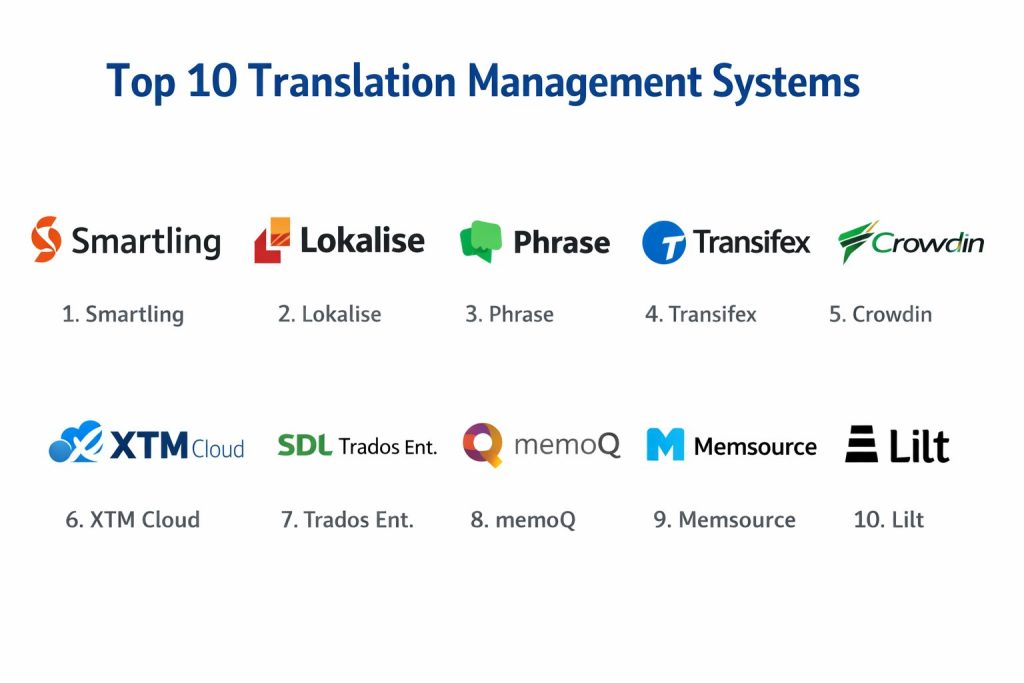
Introduction
A Translation Management System (TMS) acts as the operational nerve center for global organizations, orchestrating the complex lifecycle of multilingual content across websites, applications, and enterprise documentation. These platforms facilitate the movement of strings from source repositories to linguistic professionals, ensuring that brand voice and technical accuracy remain intact across hundreds of locales. By centralizing assets like translation memories and glossaries, a TMS eliminates the fragmented, manual workflows of the past, replacing spreadsheets and email chains with automated pipelines. In an era of continuous delivery, these systems are no longer optional utilities but critical infrastructure for any business operating beyond a single border.
The strategic value of a TMS lies in its ability to balance speed, cost, and quality through technical automation. For developers and product managers, the primary objective is to achieve “continuous localization,” where code updates are instantly identified and routed for translation without manual intervention. This requires deep integration with version control systems and content management stacks. Furthermore, as artificial intelligence evolves, modern systems are increasingly functioning as orchestration layers that determine when to utilize machine translation, when to trigger human post-editing, and how to enforce linguistic quality assurance. Choosing the right platform requires a deep understanding of your organization’s specific volume, technical maturity, and regulatory requirements.
Best for: Agile software development teams, global marketing departments, e-commerce giants, and regulated industries like life sciences or legal services that require high-precision localization at scale.
Not ideal for: One-time, small-scale document translations or personal use where a simple web-based translator would suffice. These enterprise-grade tools are designed for high-frequency updates and complex team hierarchies.
Key Trends in Translation Management Systems
The integration of Large Language Models (LLMs) is fundamentally shifting the industry from reactive translation to proactive multilingual content generation. Rather than just swapping words, AI now provides cultural adaptation and tone-of-voice adjustments in real-time. Another significant trend is the rise of design-stage localization, where plugins for tools like Figma allow designers to see how translated text impacts the user interface before a single line of code is written. This “shift-left” approach prevents costly layout breaks and ensures that internationalization is a foundational part of the product development lifecycle.
Real-time collaboration and “file-less” workflows are also becoming standard, allowing translators to work directly on the live application or website via proxy technology. This provides vital visual context that was previously missing in traditional text-grid editors. Additionally, there is a heightened focus on data security and “clean” translation memories, as organizations seek to prevent their proprietary data from being used to train public AI models. Automated Quality Estimation (QE) is now being used to flag potentially problematic translations instantly, allowing human linguists to focus their expertise on high-risk or creative content.
How We Selected These Tools
Our selection process for these top platforms centered on their ability to handle modern, high-velocity localization pipelines. We prioritized tools that offer robust API ecosystems and native integrations with common developer and marketing stacks, as manual file handling is the single greatest bottleneck in global expansion. Reliability and uptime were critical factors, especially for platforms that serve as the live delivery mechanism for localized websites through proxy services.
We also evaluated the depth of their Computer-Assisted Translation (CAT) features, ensuring that translators have the necessary tools for terminology management and translation memory leverage. The flexibility of user roles and permissioning was scrutinized to ensure the platforms can support complex workflows involving internal teams, external agencies, and freelance vendors. Finally, we looked at the innovation trajectory of each company, favoring those that are actively integrating AI-driven orchestration and quality assessment to help users navigate the changing landscape of global communication.
1. Smartling
Smartling is a premier enterprise-grade platform known for its “Global Delivery Network” (GDN), which allows for website translation through a sophisticated proxy service. It is designed to remove the technical burden from developers by automatically detecting and ingesting new content as it appears on the live site. The platform provides a highly visual environment where translators can see exactly where their work will appear in the final UI.
Key Features
The platform features an automated content ingestion system that “listens” for changes across various connectors. It offers a robust visual context editor that supports web, mobile, and design files. Its data-driven reporting provides deep insights into cost savings and quality scores. It also includes an AI-powered translation hub that intelligently routes content to the most efficient translation method. Additionally, it provides built-in linguistic quality assurance tools to ensure brand consistency across all global markets.
Pros
The visual context features are among the best in the industry, significantly reducing errors caused by a lack of situational awareness. Its proxy technology allows for incredibly fast website localization without the need for complex back-end work.
Cons
The pricing structure is geared toward large enterprises and may be prohibitive for smaller startups. The platform’s extensive feature set can also lead to a steeper learning curve for non-technical users.
Platforms and Deployment
Cloud-based SaaS with support for local connectors.
Security and Compliance
SOC 2 Type II, HIPAA compliant, and GDPR ready, featuring enterprise-grade encryption and single sign-on.
Integrations and Ecosystem
Deep integrations with Adobe Experience Manager, Contentful, GitHub, and major e-commerce platforms like Shopify and Salesforce.
Support and Community
Offers 24/7 premium support, a dedicated success manager for enterprise accounts, and a comprehensive knowledge base.
2. Lokalise
Lokalise has built its reputation as the most developer-friendly and intuitive localization platform on the market. It focuses heavily on automation and eliminating the repetitive manual tasks associated with software and mobile app localization. Its clean, modern interface makes it a favorite among agile teams who need to move quickly without being bogged down by legacy software design.
Key Features
It features a powerful CLI tool and API for complete workflow automation within CI/CD pipelines. The platform provides auto-screenshots that automatically link uploaded images to the correct translation keys. It offers a unique design-to-production workflow with plugins for Figma and Adobe XD. Its built-in AI helps generate translations and refine existing ones for better cultural fit. It also supports over-the-air (OTA) updates for mobile applications, allowing for instant text changes without a new app store release.
Pros
The user interface is exceptionally fast and user-friendly, making it easy to onboard new team members. It excels at managing software strings and developer-centric workflows.
Cons
It may lack some of the deep document-management features required by industries that deal with massive amounts of offline content. Costs can scale quickly as the number of keys or users grows.
Platforms and Deployment
Cloud-based SaaS.
Security and Compliance
ISO 27001 certified, SOC 2 compliant, and fully aligned with GDPR requirements.
Integrations and Ecosystem
Seamless connections to GitHub, GitLab, Bitbucket, Jira, Slack, and Zendesk.
Support and Community
Highly responsive chat support and an active community of developers and localization managers.
3. Phrase (Strings & TMS)
Phrase offers a comprehensive localization suite that combines a developer-focused string management tool with an enterprise-grade translation management system. This dual approach allows organizations to manage both their technical software assets and their marketing or legal documentation within a single, unified ecosystem. It is particularly strong in its ability to handle complex file structures.
Key Features
The suite includes a high-performance CAT tool with advanced translation memory and terminology management. It features an “Orchestrator” that allows for the visual creation of complex automated workflows. Its AI-driven “Quality Score” provides an objective assessment of machine-translated content. It supports a vast range of file formats, from simple JSON to complex DITA XML. The platform also offers advanced analytics to track project performance and vendor efficiency across the entire organization.
Pros
The combination of developer tools and traditional translation management makes it a versatile “all-in-one” solution. Its flat-rate pricing for certain tiers is very attractive for growing teams.
Cons
Navigating the transition between the “Strings” and “TMS” modules can sometimes feel slightly disjointed. The feature density can be overwhelming for teams with very simple requirements.
Platforms and Deployment
Cloud-based SaaS with a desktop editor option for professional linguists.
Security and Compliance
TISAX certified, SOC 2 compliant, and GDPR aligned, with data residency options in multiple regions.
Integrations and Ecosystem
Extensive integrations including WordPress, Drupal, HubSpot, and all major version control systems.
Support and Community
Professional enterprise support and a large repository of technical documentation and webinars.
4. Transifex
Transifex is a “tech-first” localization platform that prioritizes continuous localization for web and mobile applications. It is known for its “Transifex Native” technology, which allows for file-less localization by delivering translations directly into the code via an SDK. This approach is designed to keep developers in their code and out of translation files.
Key Features
The platform features a “Live” mode for translating websites directly in the browser with real-time preview. It offers an AI-powered translation memory that suggests the most contextually relevant segments. Its SDKs allow for dynamic content updates without requiring a full code deployment. It includes a comprehensive project management dashboard for tracking progress across different language teams. Additionally, it features a collaborative environment where translators can communicate directly with developers about specific strings.
Pros
The “file-less” approach significantly reduces the risk of broken builds caused by corrupted translation files. It is highly effective for teams working in rapid, continuous release cycles.
Cons
Setting up the more advanced SDK-based workflows requires initial developer investment. Some users find the interface for traditional document translation to be less robust than specialized competitors.
Platforms and Deployment
Cloud-based SaaS.
Security and Compliance
SOC 2 Type II compliant and GDPR adherent, with secure data handling protocols.
Integrations and Ecosystem
Deeply integrated with the modern dev stack, including GitHub, Bitbucket, GitLab, and various marketing tools.
Support and Community
Offers dedicated technical support and a strong community forum focused on localization engineering.
5. Crowdin
Crowdin is a highly flexible localization management platform that is famous for its extensive marketplace of apps and integrations. It caters to a wide range of users, from open-source projects using its crowdsourcing features to large enterprises managing complex, multi-tiered translation pipelines. Its “App Store” approach allows users to build a custom toolset tailored to their specific needs.
Key Features
The platform features a marketplace with over 400 apps for connecting to various tools like VS Code, Jira, and Slack. It offers an in-context editor that works for web, Android, and iOS. Its task-based management system allows for granular control over the progress of each language and vendor. It includes powerful tools for managing community and volunteer translation projects. It also features a “pseudo-localization” tool to help developers spot UI issues before the actual translation process begins.
Pros
The modular nature of the platform makes it incredibly adaptable to almost any workflow. It offers some of the best features for community-driven localization.
Cons
Managing a large number of third-party apps can sometimes become complex. The interface can feel a bit cluttered due to the sheer number of available options and settings.
Platforms and Deployment
Cloud-based SaaS and self-hosted Enterprise versions.
Security and Compliance
SOC 2 compliant, GDPR ready, and offers specialized security features for enterprise deployments.
Integrations and Ecosystem
Arguably the largest integration ecosystem in the industry, covering everything from design to development and support.
Support and Community
Extensive online documentation, a highly active user community, and professional support services.
6. XTM Cloud
XTM Cloud is a robust, enterprise-centric translation management system that is widely respected for its scalability and its high-performance CAT tools. It is designed for large global organizations that need to manage massive volumes of content across diverse departments while maintaining strict vendor independence.
Key Features
It features a unified AI-powered engine that handles everything from terminology harvesting to quality estimation. The platform offers one of the most powerful web-based CAT tools available, mimicking the depth of desktop software. It includes sophisticated vendor management modules for tracking performance and costs. Its “Inter-Cloud” feature allows different organizations to connect their XTM instances for seamless collaboration. It also provides advanced workflow automation that can trigger actions based on file metadata or project status.
Pros
Its scalability is world-class, making it suitable for the world’s largest enterprises. It offers excellent flexibility for companies that want to use their own chosen translation vendors.
Cons
The user interface, while highly functional, can feel more “corporate” and less modern than some of the newer, agile-focused tools. The initial setup can be quite complex.
Platforms and Deployment
Cloud-based SaaS.
Security and Compliance
ISO 27001 certified, SOC 2 compliant, and adheres to strict international data protection standards.
Integrations and Ecosystem
Strong connectors for major CMS platforms like Sitecore, Drupal, and Adobe Experience Manager.
Support and Community
Provides high-level enterprise support with dedicated account management and technical consulting.
7. RWS Trados Enterprise
Trados Enterprise is the cloud evolution of the industry-standard Trados Studio. It brings decades of linguistic expertise and technical power into a modern, centralized management environment. It is the preferred choice for organizations in highly regulated industries that require the most advanced linguistic assets and project management features available.
Key Features
The platform offers the industry’s most powerful translation memory and terminology management system. It features an advanced project management dashboard with real-time visibility into every stage of the lifecycle. Its “PerfectMatch” technology allows for the reuse of previously reviewed translations with 100% accuracy. It includes a native AI assistant that helps linguists with terminology and stylistic suggestions. Additionally, it offers specialized modules for managing the complex requirements of medical and legal translation.
Pros
It is built on the most established technical foundation in the translation industry, offering unparalleled linguistic precision. It is the gold standard for data security and regulatory compliance.
Cons
The platform is feature-dense and carries a significant learning curve, even for experienced users. It is one of the more expensive solutions on the market.
Platforms and Deployment
Cloud-based SaaS with seamless integration to Trados Studio desktop.
Security and Compliance
Complies with the highest international security standards, including ISO 27001 and specialized industry certifications.
Integrations and Ecosystem
Connects to a vast array of enterprise content systems and has a long-standing marketplace for specialized plugins.
Support and Community
Unmatched global support network with local offices in dozens of countries and an extensive professional user base.
8. MemoQ
MemoQ is a favorite among professional linguists and small-to-medium enterprises that require a deep, feature-rich environment without the complexity of the larger enterprise suites. It is known for its “translator-first” philosophy, providing tools that are designed to maximize the productivity and quality of individual human experts.
Key Features
It features a highly flexible translation memory system that can handle even the most complex project requirements. The platform offers “LiveDocs,” which allows for the use of bilingual documents as reference material without the need for formal alignment. It includes a robust quality assurance module that can be customized to catch industry-specific errors. It features a unique “template” system that automates the setup of recurring projects. It also offers both cloud and on-premise server options for maximum data control.
Pros
The software is widely loved by translators, which ensures a high level of quality and engagement. It offers an excellent balance between professional depth and user accessibility.
Cons
The cloud-based management interface is functional but lacks some of the modern “SaaS-native” feel of competitors like Lokalise. It is less focused on the purely developer-driven part of the market.
Platforms and Deployment
Cloud-based SaaS, On-premise server, and Desktop client.
Security and Compliance
Provides high levels of data security and is a preferred choice for companies with strict data residency needs.
Integrations and Ecosystem
Strong support for industry-standard file formats and growing connectivity with major content platforms.
Support and Community
Highly regarded for its personal, high-quality technical support and its active, professional user community.
9. Memsource (Now Phrase TMS)
Memsource, which has now been integrated into the Phrase Localization Suite as Phrase TMS, is a cloud-native platform that revolutionized the industry with its focus on AI and machine learning. It is designed to maximize the efficiency of the translation process by leveraging technology at every possible step, from analysis to final delivery.
Key Features
The platform features an AI-powered “Machine Translation Quality Estimation” (MTQE) that tells you when a machine translation is good enough to use without human review. It offers a streamlined, web-based editor that is fast and easy for freelancers to pick up. Its automated project creation can handle massive volumes of small, frequent updates. It includes a comprehensive vendor portal for managing external translation teams. Additionally, it features a unique “patented” technology for optimizing translation memory matches.
Pros
The focus on AI and automation provides significant cost savings and faster turnaround times. Its interface is clean and highly efficient for high-volume project management.
Cons
Some long-term users have noted that the integration into the Phrase suite has changed the focus of the development roadmap. It can sometimes feel less specialized for highly complex manual engineering tasks.
Platforms and Deployment
Cloud-based SaaS with a lightweight desktop editor.
Security and Compliance
ISO 27001 certified and SOC 2 compliant, providing a secure environment for enterprise assets.
Integrations and Ecosystem
Dozens of pre-built connectors for CMS, marketing automation, and customer support tools.
Support and Community
Solid professional support backed by the larger Phrase organization and a wealth of online learning resources.
10. Lilt
Lilt is a unique platform that differentiates itself through “Adaptive AI.” Unlike traditional systems that treat machine translation as a static starting point, Lilt’s AI learns from human translators in real-time. As a linguist types, the AI instantly adapts its suggestions based on the specific style and terminology of the current project.
Key Features
The platform features a proprietary Contextual AI engine that learns with every keystroke. It offers a “human-in-the-loop” workflow designed to deliver enterprise-level quality at machine speed. It features a simplified, distraction-free editor that maximizes translator focus. Its built-in project management tools provide real-time visibility into quality and cost performance. It also offers a managed services option, where Lilt handles the entire translation process using its own platform and talent pool.
Pros
The real-time adaptive AI can lead to significantly higher productivity for translators and more consistent results. It is ideal for organizations looking for a modern, tech-driven approach to localization.
Cons
It is less of a “pure” management system and more of an integrated service-and-technology platform. It may offer less control for organizations that want to use very specific external CAT tools.
Platforms and Deployment
Cloud-based SaaS.
Security and Compliance
Strong focus on data privacy with enterprise-grade security protocols and SOC 2 compliance.
Integrations and Ecosystem
Growing list of connectors for major enterprise systems, including Zendesk and various CMS platforms.
Support and Community
Professional support with a heavy focus on helping customers optimize their AI-driven localization workflows.
Comparison Table
| Tool Name | Best For | Platform(s) Supported | Deployment | Standout Feature | Public Rating |
| 1. Smartling | High-End Enterprise Web | Cloud | Hybrid | Global Delivery Network | 4.7/5 |
| 2. Lokalise | Agile SaaS & Mobile | Cloud | SaaS | Figma-to-Code Workflow | 4.8/5 |
| 3. Phrase | Mixed Content Assets | Cloud, Desktop | SaaS | Phrase Orchestrator | 4.6/5 |
| 4. Transifex | Continuous Development | Cloud | SaaS | File-less Native SDKs | 4.5/5 |
| 5. Crowdin | Collaborative Teams | Cloud, On-Prem | Hybrid | 400+ Marketplace Apps | 4.7/5 |
| 6. XTM Cloud | Global Scalability | Cloud | SaaS | Inter-Cloud Connectivity | 4.4/5 |
| 7. Trados Ent. | Regulated Industries | Cloud, Desktop | Hybrid | PerfectMatch Technology | 4.8/5 |
| 8. MemoQ | Professional Linguists | Cloud, On-Prem | Hybrid | LiveDocs References | 4.6/5 |
| 9. Memsource | AI-Driven Efficiency | Cloud, Desktop | SaaS | AI Quality Estimation | 4.5/5 |
| 10. Lilt | Adaptive AI Workflows | Cloud | SaaS | Real-time AI Learning | 4.4/5 |
Evaluation & Scoring of Translation Management Systems
The scoring below is a comparative model intended to help shortlisting. Each criterion is scored from 1–10, then a weighted total from 0–10 is calculated using the weights listed. These are analyst estimates based on typical fit and common workflow requirements, not public ratings.
Weights:
- Core features – 25%
- Ease of use – 15%
- Integrations & ecosystem – 15%
- Security & compliance – 10%
- Performance & reliability – 10%
- Support & community – 10%
- Price / value – 15%
| Tool Name | Core (25%) | Ease (15%) | Integrations (15%) | Security (10%) | Performance (10%) | Support (10%) | Value (15%) | Weighted Total |
| 1. Smartling | 10 | 6 | 10 | 10 | 9 | 10 | 6 | 8.65 |
| 2. Lokalise | 8 | 10 | 10 | 8 | 10 | 9 | 8 | 8.95 |
| 3. Phrase | 9 | 7 | 9 | 9 | 8 | 9 | 8 | 8.55 |
| 4. Transifex | 8 | 8 | 9 | 8 | 9 | 8 | 8 | 8.20 |
| 5. Crowdin | 8 | 7 | 10 | 8 | 9 | 9 | 9 | 8.55 |
| 6. XTM Cloud | 10 | 5 | 8 | 10 | 8 | 9 | 7 | 8.15 |
| 7. Trados Ent. | 10 | 4 | 9 | 10 | 8 | 10 | 6 | 8.20 |
| 8. MemoQ | 9 | 7 | 7 | 9 | 8 | 9 | 8 | 8.10 |
| 9. Memsource | 9 | 8 | 9 | 9 | 9 | 8 | 8 | 8.60 |
| 10. Lilt | 8 | 8 | 7 | 8 | 9 | 8 | 7 | 7.75 |
How to interpret the scores:
- Use the weighted total to shortlist candidates, then validate with a pilot.
- A lower score can mean specialization, not weakness.
- Security and compliance scores reflect controllability and governance fit, because certifications are often not publicly stated.
- Actual outcomes vary with assembly size, team skills, templates, and process maturity.
Which Translation Management System Is Right for You?
Solo / Freelancer
For independent contractors, a tool that is either free or very low-cost and allows you to work with multiple file formats is essential. Look for platforms that are popular with agencies so you can easily accept work and move it through your own chosen CAT environment.
SMB
Small businesses should prioritize speed and ease of use. A tool that connects directly to your website builder or e-commerce platform will save you from hiring a dedicated localization manager. Focus on platforms that offer transparent, pay-as-you-go pricing.
Mid-Market
At this scale, the ability to automate developer workflows becomes critical. You need a system that integrates with your Jira and GitHub instances to ensure that product updates are localized in parallel with development, preventing a bottleneck at release.
Enterprise
Large organizations must prioritize security, scalability, and vendor management. You need a system that can handle millions of words across dozens of departments while providing detailed reports on cost, quality, and time-to-market performance.
Budget vs Premium
While many modern tools offer affordable entry points, premium systems provide the specialized security certifications and high-touch support that regulated industries require. If your content volume is high, the automation in a premium tool will often pay for itself in labor savings.
Feature Depth vs Ease of Use
If your team is non-technical, a platform like Lokalise or Smartling with a visual interface is better. If you have a team of technical linguists and developers, the depth and customization of XTM or Trados might be more valuable despite the steeper learning curve.
Integrations & Scalability
Always evaluate the quality of a tool’s API and its native connectors. A platform that can’t grow with your tech stack will eventually become a liability. Ensure the tool can handle the increased volume as you move from five languages to fifty.
Security & Compliance Needs
For life sciences, finance, or legal firms, data residency and compliance are non-negotiable. Ensure the platform you choose offers the specific certifications required by your industry and has a clear policy on how your data is used in relation to AI training.
Frequently Asked Questions (FAQs)
1. What is the difference between a CAT tool and a TMS?
A Computer-Assisted Translation (CAT) tool is software used by a translator to assist in the actual translation process, while a Translation Management System (TMS) is the overarching platform that manages the entire project workflow, team, and assets.
2. Does a TMS include machine translation?
Most modern systems integrate with multiple machine translation engines like Google, DeepL, or Amazon. Many also now include Large Language Models (LLMs) to provide even more contextually accurate first drafts.
3. Can I use my own translation agency with these tools?
Yes, most enterprise-grade platforms are vendor-neutral, allowing you to invite your chosen language service providers (LSPs) or freelance translators to work within the platform.
4. How does translation memory save money?
Translation memory stores every sentence you have ever translated. When a similar sentence appears in a new project, the system suggests the previous translation, allowing you to pay a lower rate for “fuzzy matches” or nothing at all for “perfect matches.”
5. Is website localization different from app localization?
Yes, website localization often involves managing larger blocks of text and SEO metadata, while app localization usually focuses on small “strings” of text and ensuring they fit within the limited space of a mobile UI.
6. What is “In-Context” editing?
In-context editing allows the translator to see the live website or app screen while they are translating. This prevents errors where a word might have multiple meanings depending on its location or the button it is on.
7. Do I need a developer to set up a TMS?
While simple document translation doesn’t require technical skills, integrating a TMS into a software product or a complex CMS usually requires a developer to set up the API or the version control connectors.
8. Can these tools handle video localization?
Some platforms have specialized modules for subtitling and voiceover management, while others require you to export the text for translation and then manually re-integrate it into your video editing software.
9. How secure is my data in a cloud-based TMS?
Most reputable providers use high-level encryption and follow strict international standards like ISO 27001. However, you should always check the provider’s specific security certifications and data residency options.
10. What is “Continuous Localization”?
This is a workflow where the translation process is fully integrated into the development cycle. As soon as a developer pushes new code, the text is automatically sent for translation, ensuring the localized versions are ready at the same time as the original.
Conclusion
Implementing a Translation Management System is a transformative step that shifts localization from a reactive hurdle to a strategic business advantage. By centralizing linguistic assets and automating the technical handoffs between departments, organizations can drastically reduce their time-to-market and ensure a consistent brand experience globally. As the industry moves toward AI-native workflows, the ability to orchestrate human and machine effort with precision will define the winners in the global marketplace. The right platform not only solves today’s efficiency problems but also provides the scalable foundation needed to navigate the cultural and technical complexities of tomorrow’s global audience. Successful localization is no longer just about translating words; it is about building an intelligent, integrated pipeline that respects both the speed of business and the nuance of human language.