Introduction
In the modern event ecosystem, the entry point is the first and most critical touchpoint for attendee experience. Ticket scanning and access control tools have evolved from simple barcode readers into sophisticated identity management systems that safeguard revenue and ensure venue security. These tools utilize a combination of high-speed optical scanning, Near Field Communication (NFC), and Radio Frequency Identification (RFID) to process thousands of entries per hour with minimal latency. For event organizers, the priority has shifted from merely “checking a box” to gathering real-time data on attendee flow, session popularity, and peak arrival times.
The strategic implementation of these tools is vital for preventing ticket fraud, which remains a multi-billion dollar challenge globally. Modern access solutions use encrypted, rotating tokens and biometric verification to ensure that one ticket equals one unique entry. Furthermore, the integration of these tools into a broader “onsite” infrastructure allows for dynamic capacity management, ensuring that venues stay within fire code limits while optimizing staff allocation. Whether managing a niche corporate workshop or a stadium-level concert, the right access tool acts as a silent sentry, protecting the integrity of the event while providing a frictionless start for every guest.
Best for: Professional event organizers, venue managers, festival directors, and corporate marketing teams who require secure, high-speed validation of credentials and real-time attendance analytics.
Not ideal for: Small, informal social gatherings or private residential parties where the cost of specialized hardware and software outweighs the need for formal attendance tracking.
Key Trends in Ticket Scanning & Access Tools
The industry is currently witnessing a massive shift toward “NFC-first” entry, where attendees simply tap their smartphones or wearable devices against a reader. This method is significantly faster than traditional QR scanning and works even when device screens are damaged or batteries are low. Another major trend is the rise of encrypted digital identity, such as Ticketmaster’s SafeTix, which uses a barcode that refreshes every few seconds to prevent screenshots from being shared or resold on the secondary market.
Additionally, “passive tracking” using long-range RFID is becoming a standard for high-end corporate conferences. This allows organizers to track session attendance without requiring the attendee to physically stop and scan, providing a “walk-through” experience that generates rich heatmaps of venue movement. We are also seeing the integration of AI-driven facial recognition at premium VIP check-in points, offering a “touchless” and highly personalized greeting for high-profile guests while simultaneously enhancing security protocols.
How We Selected These Tools
Our selection process focused on the reliability of the scanning engine and the ability of the software to operate under “disconnected” conditions. In high-density environments like festivals or underground convention centers, WiFi often fails; therefore, we prioritized tools with robust offline synchronization capabilities. We also evaluated the diversity of hardware support, looking for platforms that can run on standard consumer smartphones while also supporting industrial-grade, ruggedized scanners for all-weather environments.
Security was a primary pillar of our evaluation. We looked for SOC 2 compliance and end-to-end encryption of attendee data. Furthermore, we considered the “ecosystem” value—how easily these tools integrate with existing CRMs, marketing automation suites, and on-demand badge printing hardware. Finally, we assessed the user interface for staff; a tool is only as good as the volunteer or seasonal employee’s ability to use it with 30 seconds of training during a high-pressure entry rush.
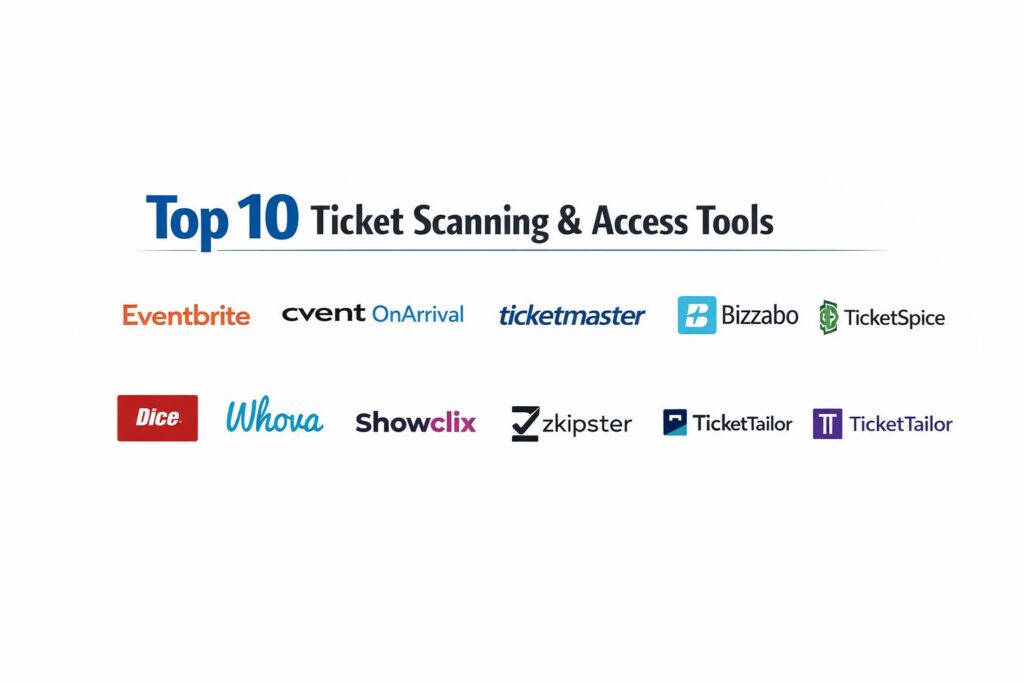
1. Eventbrite Organizer
Eventbrite Organizer is the mobile fulfillment arm of the global Eventbrite ecosystem. It is designed for rapid-fire scanning at public-facing events, ranging from local workshops to mid-sized festivals. Its primary strength lies in its ubiquity and the seamless sync between the ticket sales platform and the entry gate.
Key Features
The app turns any smartphone into a high-powered scanner with a built-in “Auto-Scan” mode that processes codes as fast as the camera can focus. It supports a “Team Access” feature, allowing organizers to set up multiple scanning stations with restricted permissions. Real-time data syncing ensures that if a ticket is scanned at Gate A, it is instantly invalidated at Gate B. It also provides a manual guest list search for attendees who forget their tickets. The dashboard offers a live “Capacity Meter” to help staff manage venue occupancy in real time.
Pros
Extremely low barrier to entry and works natively with the world’s most popular ticketing platform. The interface is intuitive enough for volunteers to use with zero training.
Cons
It is heavily tied to the Eventbrite ecosystem, making it less ideal for those using third-party ticketing sites. Advanced hardware support (like RFID) is limited.
Platforms and Deployment
Available as a native application for iOS and Android devices.
Security and Compliance
Utilizes secure API tokens for data sync and is fully GDPR compliant for handling attendee information.
Integrations and Ecosystem
Deeply integrated with the Eventbrite marketplace and supports various third-party marketing tools via the Eventbrite App Store.
Support and Community
Offers a massive online help center, community forums, and 24/7 email support for most tiers.
2. Cvent OnArrival
Cvent OnArrival is an enterprise-grade solution built for complex corporate conferences and trade shows. It excels in environments where “access control” means more than just entering the building; it tracks session-level attendance and manages restricted VIP zones.
Key Features
The platform supports on-demand badge printing, allowing staff to print a professional attendee badge the moment a ticket is scanned. It features “Session Scanning” to track credits for professional development or certification. The software integrates with Bluetooth and RFID hardware for passive tracking and “tap-to-enter” functionality. It includes a “VIP Alert” system that sends SMS or push notifications to organizers when a high-profile guest arrives. The tool also handles onsite payments for walk-in registrations and merchandise sales.
Pros
Unrivaled for large-scale corporate logistics and deep data reporting. The ability to manage thousands of attendees across dozens of sub-sessions is best-in-class.
Cons
The setup is complex and often requires professional services or extensive training. The cost is high, making it unsuitable for smaller, budget-conscious events.
Platforms and Deployment
Web-based management dashboard with a dedicated iOS and Android application for staff.
Security and Compliance
SOC 2 Type II compliant and offers enterprise-grade SSO and multi-factor authentication for staff.
Integrations and Ecosystem
Native integrations with Salesforce, HubSpot, and Marketo, making it a powerful tool for lead generation.
Support and Community
Provides 24/7 global phone support and dedicated account managers for enterprise clients.
3. Ticketmaster Presence
Ticketmaster Presence is the gold standard for stadium and arena-level access control. It is built to handle the extreme throughput requirements of professional sports and global concert tours while providing the industry’s most advanced anti-fraud technology.
Key Features
The standout feature is SafeTix technology, which employs a dynamically refreshing barcode that prevents ticket duplication via screenshots. It supports “Tap and Go” entry via Apple Wallet and Google Pay, utilizing NFC for the fastest possible ingress. The TM1 backend provides venue managers with a “Live Ingress” dashboard, showing exactly which gates are bottlenecked. It also allows for “Zonal Access Control,” where staff can restrict entry to specific levels or lounges within a massive venue. The system is designed to handle millions of simultaneous data requests without lag.
Pros
The most secure digital ticketing technology in the world, virtually eliminating the secondary market fraud problem. Built for the highest possible attendee volume.
Cons
Strictly limited to venues and events using Ticketmaster for their primary ticketing. The hardware requirements often involve proprietary scanning pedestals.
Platforms and Deployment
Cloud-based enterprise platform with proprietary handheld and pedestal hardware.
Security and Compliance
Industry-leading encryption and PCI DSS compliance for all financial and identity transactions.
Integrations and Ecosystem
Seamlessly connects with venue management software and team-specific mobile applications.
Support and Community
Enterprise-level support with onsite technical teams available for major event days.
4. Bizzabo (Klik & SmartBadge)
Bizzabo has reinvented access control through its acquisition of Klik, focusing on “SmartBadges” that use wearable technology to facilitate both entry and networking. It is a favorite for high-tech conferences and B2B expos.
Key Features
The “SmartBadge” uses Bluetooth Low Energy (BLE) to allow for passive check-in and session tracking without the need for manual scanning. It includes a “Light-up” feature that can be triggered for gamification or to indicate a person’s role (e.g., speaker or sponsor). The scanning app handles traditional QR codes as a backup and provides real-time heatmaps of attendee concentration. It also facilitates “Lead Retrieval” for exhibitors, allowing them to scan attendee badges to exchange digital contact information instantly.
Pros
Creates a futuristic and interactive attendee experience that goes beyond simple entry. Excellent for gathering deep behavioral data during an event.
Cons
The cost of physical SmartBadges is significant compared to paper tickets or mobile apps. Requires more onsite infrastructure (hubs/receivers) to work effectively.
Platforms and Deployment
Cloud-based platform with specialized hardware for wearable interaction and mobile apps.
Security and Compliance
ISO 27001 certified and GDPR compliant, with strong data privacy controls for wearable tracking.
Integrations and Ecosystem
Strong links to Slack, Salesforce, and other productivity tools to bridge onsite and online data.
Support and Community
Offers a dedicated “Knowledge Center” and high-touch support for onsite technology deployment.
5. TicketSpice
TicketSpice is a “builder-first” platform known for its extreme flexibility and low cost. It is particularly popular for outdoor festivals, fairs, and attractions that need a rugged, reliable scanning solution that doesn’t rely on a constant internet connection.
Key Features
The platform’s scanning app includes a “Super-Fast” mode that can process up to 40 scans per minute on a single device. It features a robust “Offline Sync” capability that allows devices to scan locally and sync data whenever a connection is re-established. It supports “Conditional Logic” for entry, where a ticket can be set to only work during specific time slots or on specific days. The tool also provides “Face-Value” branding, allowing organizers to keep 100% of their branding without the ticketing platform’s logo appearing.
Pros
One of the most cost-effective solutions for high-volume scanning. The flexibility of the conditional access rules is perfect for timed-entry attractions.
Cons
Does not offer the same level of session-tracking depth as Cvent or Bizzabo. The UI is functional but lacks the high-end polish of more expensive competitors.
Platforms and Deployment
Web-based admin portal with a dedicated mobile scanning app for iOS and Android.
Security and Compliance
PCI Level 1 compliant and uses secure, encrypted tokens for all ticket validation.
Integrations and Ecosystem
Integrates with Zapier, allowing for connections to thousands of other apps and services.
Support and Community
Renowned for its “Live Chat” support and a very helpful library of video tutorials.
6. Dice (for Venues)
Dice is a mobile-only ticketing platform that has gained a cult following in the music and nightlife industry. Its access tools are built specifically to combat ticket scalping and ensure a “fan-first” entry experience.
Key Features
The platform utilizes “Activated Barcodes” that only appear in the user’s app a few hours before the event starts, making it nearly impossible to sell fake tickets. The barcodes are “Moving QR Codes” that prevent static screenshots from being used. For venues, the “M-Cloud” dashboard provides real-time speed-of-entry metrics and attendee demographics. It supports “Waitlist” management, where fans can return tickets they can no longer use, which are then instantly offered to the next person in line.
Pros
Virtually eliminates the problem of fraudulent tickets and scalpers. Highly favored by younger demographics for its slick, mobile-native interface.
Cons
The “Mobile-Only” requirement can be a barrier for older audiences or those without reliable smartphones. Limited support for physical badge printing.
Platforms and Deployment
Mobile-first application for fans and a cloud-based dashboard for venue operators.
Security and Compliance
Employs proprietary anti-fraud technology and is fully compliant with modern data protection standards.
Integrations and Ecosystem
Deep integrations with music discovery platforms like Spotify and Apple Music.
Support and Community
Strong focus on partner support for venue owners and music promoters.
7. Whova
Whova is the dominant player in the academic and professional conference space. Its access tools are designed to be “all-in-one,” combining ticket scanning with session management and attendee networking.
Key Features
The app features a “Self-Check-In” option using geofencing, allowing attendees to check themselves into sessions when they are physically present. The scanning tool for staff is optimized for rapid badge scanning and includes an instant “Identity Verification” screen that displays the attendee’s photo and affiliation. It also supports “Certificate of Attendance” generation based on scan data. The platform provides a “Sponsor Lead Retrieval” tool that allows exhibitors to scan attendee badges to capture marketing leads directly into the app.
Pros
Incredible value for conferences where attendee engagement and networking are as important as entry. The “Self-Check-In” feature significantly reduces gate congestion.
Cons
The interface can feel cluttered due to the sheer number of networking features. Not ideal for high-speed music or sporting events.
Platforms and Deployment
Web-based platform with a highly-rated mobile app for both organizers and attendees.
Security and Compliance
SOC 2 Type II compliant and offers robust data encryption for all attendee interactions.
Integrations and Ecosystem
Integrates with popular registration tools like Eventbrite, Cvent, and RegFox.
Support and Community
Offers a dedicated “Customer Success Manager” for every event and extensive online training resources.
8. Showclix (Axess)
Showclix, part of the Leap Event Technology ecosystem, offers the “Axess” scanning suite. It is the preferred choice for massive fandom conventions (like Comic-Cons) and ticketed attractions that require “heavy-duty” durability.
Key Features
The Axess app is designed for “Industrial-Grade” scanning, supporting rugged handheld devices that can withstand drops and long shifts. It features “Visual Validation,” where the screen changes color based on the ticket type (e.g., Green for GA, Gold for VIP) for quick visual cues. It supports “Merchandise Fulfillment” scanning, allowing staff to verify if a guest has a pre-paid T-shirt or poster to pick up. The platform also handles “Timed Entry” management for high-capacity museums and tours.
Pros
Extremely reliable for multi-day events with complex ticket tiers and merchandise add-ons. The hardware support is the best for high-pressure environments.
Cons
The backend reporting can be less intuitive than modern SaaS competitors. It requires a more significant initial setup time for complex events.
Platforms and Deployment
Cloud-based system with native apps and support for specialized scanning hardware.
Security and Compliance
PCI DSS compliant and uses secure data protocols to protect high-volume ticket data.
Integrations and Ecosystem
Part of a larger suite that includes marketing and patron management tools.
Support and Community
Provides dedicated onsite support for major conventions and 24/7 technical assistance.
9. Zkipster
Zkipster is a boutique solution designed for the “high-stakes” world of PR events, fashion shows, and gala dinners. It focuses on the “Guest List” experience rather than mass-market ticketing.
Key Features
The platform features an “Instant VIP Alert” that notifies specific staff members via SMS the second a key guest is scanned at the door. It includes a “Seating Chart” manager that allows for real-time seat assignments and changes directly from the check-in app. It supports “Photo Check-In” to ensure that the person entering matches the guest list profile. The app is optimized for “Offline Mode,” ensuring that a breakdown in venue WiFi won’t stall a high-profile red carpet entry.
Pros
The most elegant and professional interface for high-end events where first impressions are everything. The seating management tool is uniquely powerful.
Cons
Not designed for large-scale public ticket sales or stadium-level volume. It is a premium product with a price point to match.
Platforms and Deployment
Cloud-based web application with a sleek native app for iOS and Android tablets.
Security and Compliance
GDPR compliant and offers enterprise-level data privacy controls for sensitive guest lists.
Integrations and Ecosystem
Integrates with luxury-focused CRM systems and professional email marketing tools.
Support and Community
Provides “White-Glove” support with high responsiveness for high-profile event organizers.
10. TicketTailor
TicketTailor is the leading independent ticketing platform that prioritizes “Flat-Fee” pricing and ease of use. It is a favorite for non-profits, independent festivals, and community organizers who want professional scanning without the high commissions.
Key Features
The “Check-In” app is a lightweight, high-speed scanner that works on any smartphone. It supports “Check-In by Name” for guests who lost their tickets and provides a simple “Attendance Stats” dashboard that shows the percentage of guests arrived. The platform allows for “Multi-Device Syncing” without any extra fees, making it easy to scale up entry gates. It also supports “Check-In Notes,” where staff can leave internal comments on a guest’s record during entry.
Pros
The most transparent and affordable pricing model in the industry. It is incredibly fast to set up, making it perfect for organizers on a tight schedule.
Cons
Lacks the enterprise “bells and whistles” like passive RFID tracking or complex seating charts. The reporting is basic compared to Cvent.
Platforms and Deployment
Web-based platform with a free native check-in app for iOS and Android.
Security and Compliance
Strong commitment to data privacy; they do not sell attendee data and are fully GDPR compliant.
Integrations and Ecosystem
Native integrations with Mailchimp, Zapier, and Canva for a streamlined workflow.
Support and Community
Features a highly-rated customer support team that responds in minutes via live chat.
Comparison Table
| Tool Name | Best For | Platform(s) Supported | Deployment | Standout Feature | Public Rating |
| 1. Eventbrite | Public SMB Events | iOS, Android, Web | Cloud | Auto-Scan Mode | 4.6/5 |
| 2. Cvent OnArrival | Corporate Confs | iOS, Android, Web | Cloud | On-Demand Badging | 4.5/5 |
| 3. Ticketmaster | Stadiums & Arenas | Proprietary Hardware | Hybrid | SafeTix Fraud Tech | 4.3/5 |
| 4. Bizzabo | Tech Conferences | iOS, Android, Web | Cloud | SmartBadge Wearables | 4.7/5 |
| 5. TicketSpice | Outdoor Festivals | iOS, Android, Web | Cloud | Conditional Logic | 4.8/5 |
| 6. Dice | Music & Nightlife | iOS, Android | Mobile | Scalper-Proof Tech | 4.4/5 |
| 7. Whova | Academic Events | iOS, Android, Web | Cloud | Geofenced Check-in | 4.8/5 |
| 8. Showclix | Fandom Conventions | iOS, Android, Rugged | Hybrid | Merchandise Tracking | 4.2/5 |
| 9. Zkipster | Exclusive Galas | iOS, Android, Web | Cloud | VIP Arrival Alerts | 4.9/5 |
| 10. TicketTailor | Independent Events | iOS, Android, Web | Cloud | Flat-Fee Pricing | 4.8/5 |
Evaluation & Scoring of Ticket Scanning & Access Tools
The scoring below is a comparative model intended to help shortlisting. Each criterion is scored from 1–10, then a weighted total from 0–10 is calculated using the weights listed. These are analyst estimates based on typical fit and common workflow requirements, not public ratings.
Weights:
- Core features – 25%
- Ease of use – 15%
- Integrations & ecosystem – 15%
- Security & compliance – 10%
- Performance & reliability – 10%
- Support & community – 10%
- Price / value – 15%
| Tool Name | Core (25%) | Ease (15%) | Integrations (15%) | Security (10%) | Performance (10%) | Support (10%) | Value (15%) | Weighted Total |
| 1. Eventbrite | 9 | 10 | 9 | 8 | 9 | 8 | 9 | 8.90 |
| 2. Cvent OnArrival | 10 | 6 | 10 | 10 | 9 | 10 | 6 | 8.65 |
| 3. Ticketmaster | 10 | 7 | 8 | 10 | 10 | 9 | 6 | 8.60 |
| 4. Bizzabo | 9 | 8 | 9 | 9 | 8 | 9 | 7 | 8.45 |
| 5. TicketSpice | 8 | 9 | 8 | 9 | 10 | 9 | 10 | 8.90 |
| 6. Dice | 8 | 9 | 7 | 10 | 9 | 8 | 8 | 8.35 |
| 7. Whova | 9 | 8 | 8 | 9 | 8 | 10 | 9 | 8.75 |
| 8. Showclix | 9 | 7 | 8 | 9 | 10 | 8 | 8 | 8.50 |
| 9. Zkipster | 8 | 9 | 7 | 9 | 9 | 10 | 6 | 8.20 |
| 10. TicketTailor | 8 | 10 | 8 | 9 | 9 | 9 | 10 | 9.00 |
How to interpret the scores:
- Use the weighted total to shortlist candidates, then validate with a pilot.
- A lower score can mean specialization, not weakness.
- Security and compliance scores reflect controllability and governance fit, because certifications are often not publicly stated.
- Actual outcomes vary with assembly size, team skills, templates, and process maturity.
Which Ticket Scanning & Access Tool Is Right for You?
Solo / Freelancer
If you are running a community workshop or a small local event, TicketTailor is the champion of value. Its flat-fee model ensures you aren’t penalized for your success, and the scanning app is as simple as it gets.
SMB
For the typical small business or event organizer, Eventbrite Organizer remains the go-to. The ecosystem’s reach and the simplicity of the “plug and play” scanning app make it the path of least resistance for professional results.
Mid-Market
Organizations running multi-day conferences or fandom conventions should look toward Whova or Showclix. These tools provide the necessary depth for session tracking and merchandise fulfillment that general-purpose apps lack.
Enterprise
Large-scale corporations and stadium operators require the heavy lifting of Cvent or Ticketmaster Presence. These platforms offer the security, compliance, and custom hardware integration necessary to manage tens of thousands of people safely and efficiently.
Budget vs Premium
TicketSpice offers incredible performance and logic features at a “budget” price point. Conversely, Zkipster represents the premium end of the market, focusing on the high-touch experience and exclusivity required for luxury brand events.
Feature Depth vs Ease of Use
Bizzabo offers incredible feature depth with its wearable technology, but it requires significant onsite prep. On the other end, TicketTailor can be mastered in five minutes and deployed immediately for any event.
Integrations & Scalability
If your event data needs to feed into a CRM for sales follow-ups, Cvent and Bizzabo are the clear winners. For those who just need to get people through the door without a complex tech stack, TicketTailor and Eventbrite are more appropriate.
Security & Compliance Needs
For events where fraud and scalping are major threats, Dice and Ticketmaster Presence provide the most advanced encrypted barcode technology available. For corporate data privacy, Cvent’s SOC 2 compliance is the industry gold standard.
Frequently Asked Questions (FAQs)
1. Can these tools scan tickets without an internet connection?
Yes, most professional tools like TicketSpice and Showclix offer an “offline mode.” They download the guest list locally to the device and sync with the cloud once the connection is restored, preventing any entry delays.
2. Is a dedicated hardware scanner better than a smartphone?
For high-volume events or outdoor environments, dedicated rugged scanners are superior due to their battery life and faster scanning optics. However, for most events, a modern smartphone is more than sufficient.
3. How do I prevent people from using the same ticket twice?
All these tools use real-time syncing. Once a barcode is scanned, it is marked as “checked in” on the central database. If the same code is scanned again at any other gate, the system will instantly flag it as a duplicate.
4. Do these platforms support RFID or NFC entry?
Enterprise solutions like Cvent, Bizzabo, and Ticketmaster support RFID/NFC. This requires specialized hardware but allows for much faster “tap-and-go” entry compared to traditional visual scanning.
5. Can I scan tickets directly from a customer’s phone screen?
Yes, all modern scanning apps are optimized to read QR and barcodes from mobile screens. They often include a “brightness boost” feature to ensure the scanner can read the code even on dim screens.
6. What happens if an attendee loses their ticket?
Almost all these platforms allow staff to search for an attendee by name, email, or phone number within the app. Staff can then manually check the person in after verifying their ID.
7. Can these tools track when someone leaves the event?
Yes, “Check-Out” mode is a common feature. This is particularly useful for events with limited capacity where organizers need to know exactly how many people are currently inside the building at any moment.
8. Is attendee data secure on these apps?
Leading providers use end-to-end encryption and are GDPR/SOC 2 compliant. However, it is the organizer’s responsibility to ensure that staff devices are password-protected and that access permissions are properly managed.
9. Can I print name badges instantly upon scanning?
Platforms like Cvent and Bizzabo offer “On-Demand Badge Printing.” When the ticket is scanned, a signal is sent to a nearby wireless printer to produce a personalized badge in seconds.
10. How many scanning stations do I need?
As a general rule, one scanning station can process 300–400 people per hour. For a high-speed event with 1,000 guests arriving in a short window, you should plan for at least 3 to 4 scanning stations to avoid long lines.
Conclusion
The transition from manual guest lists to automated access control has fundamentally changed the logistics of live events. The choice of a ticket scanning tool is no longer just about entry—it is about data integrity, venue security, and attendee satisfaction. From the rugged reliability of industrial scanners to the “frictionless” tap of an NFC-enabled smartphone, the technology now exists to make long lines a thing of the past. By selecting a tool that aligns with your event’s scale and security requirements, you ensure a professional and secure environment that allows the focus to remain where it belongs: on the event itself. Ultimately, a successful access strategy is invisible to the attendee but invaluable to the organizer.