Introduction
Threat hunting platforms represent the proactive frontier of cybersecurity, moving beyond traditional reactive defenses like firewalls and antivirus software. While standard security tools are designed to flag known signatures of “malware,” threat hunting is a human-led, tool-supported process of searching through networks to detect and isolate advanced persistent threats that have already bypassed existing security controls. These platforms serve as a centralized investigation hub where security analysts can pivot across massive datasets—including endpoint telemetry, network traffic, and cloud logs—to identify subtle indicators of compromise that often remain dormant for months. For modern organizations, a dedicated threat hunting capability is the primary defense against sophisticated state-sponsored actors and industrial espionage.
The necessity for these platforms is driven by the increasing “dwell time” of modern cyberattacks, where attackers move laterally through a network long before they execute their final payload. Relying solely on automated alerts often leads to alert fatigue and missed detections. A robust threat hunting platform enables security teams to form hypotheses about potential adversary behavior and test them against historical data using advanced query languages and behavioral analytics. When evaluating these platforms, cybersecurity leaders must consider the depth of data retention, the speed of query execution across petabytes of logs, the quality of integrated threat intelligence, and the seamlessness of the transition from detection to automated response.
Best for: Security Operations Centers (SOCs), Managed Security Service Providers (MSSPs), government agencies, and enterprise-level organizations that face high-frequency, sophisticated cyber threats.
Not ideal for: Small businesses with minimal digital footprints, organizations without a dedicated security analyst team, or firms looking for a “set it and forget it” automated firewall solution.
Key Trends in Threat Hunting Platforms
The integration of Artificial Intelligence and Machine Learning has transformed threat hunting from a manual “needle in a haystack” search into a prioritized, guided investigation. Modern platforms now use AI to baseline normal network behavior and automatically surface anomalies, allowing hunters to focus their time on the highest-risk deviations. We are also seeing a major shift toward “Identity-Centric” threat hunting, where the focus moves from tracking IP addresses to monitoring user behavior and credential usage across hybrid cloud environments. This is particularly critical in an era of remote work, where the traditional network perimeter has effectively disappeared.
Cloud-native architecture is another dominant trend, with platforms now capable of ingesting and analyzing telemetry from multiple cloud providers simultaneously. This “Multi-Cloud Visibility” ensures that hunters can follow an attacker as they move from an on-premises server to a cloud storage bucket. There is also a significant move toward “Detection as Code,” where threat hunting queries and behavioral rules are treated like software development assets, allowing for version control, peer review, and rapid deployment across global infrastructures. Furthermore, the adoption of the MITRE ATT&CK framework as a common language has enabled platforms to provide “Coverage Maps,” visually showing which adversary techniques the organization is currently prepared to hunt for.
How We Selected These Tools
Our selection process involved a rigorous assessment of platform performance and the breadth of data telemetry they can ingest. We prioritized platforms that have demonstrated the ability to process massive amounts of raw data without significant latency, as speed is a critical factor during an active investigation. A key criterion was the “Hypothesis Support,” evaluating how well the platform allows analysts to build and test complex queries based on real-world adversary behavior. We looked for a balance between highly technical command-line interfaces for senior hunters and visual link-analysis tools for more junior analysts.
Scalability was also a major factor; we selected tools that can handle global deployments spanning hundreds of thousands of endpoints and diverse cloud environments. We scrutinized the depth of the integrated threat intelligence feeds, favoring those that provide context rather than just a list of suspicious IP addresses. Security certifications were checked to ensure the platforms themselves are resilient against the very actors they are designed to hunt. Finally, we assessed the community ecosystem, specifically looking for platforms that allow users to share hunting “playbooks” and custom detection logic to stay ahead of the rapidly evolving threat landscape.
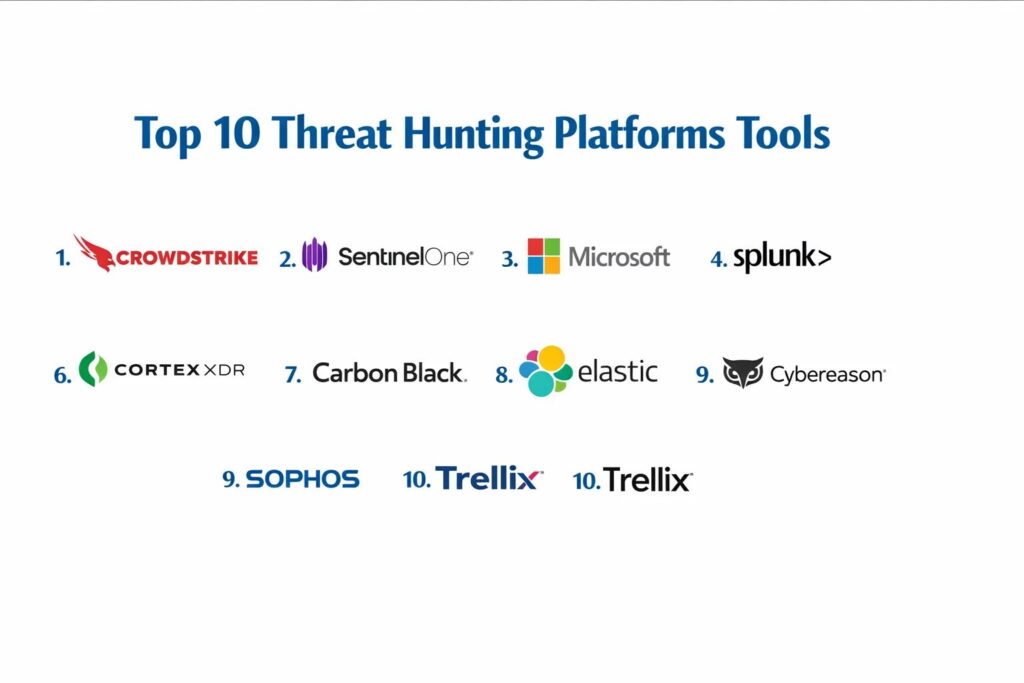
1. CrowdStrike Falcon Insight
CrowdStrike Falcon Insight is a cloud-native Endpoint Detection and Response platform that pioneered the use of “indicator of attack” behavior-based hunting. It is designed for organizations that require a high degree of visibility into endpoint activity with minimal impact on system performance.
Key Features
The platform features “Threat Graph,” a massive graph database that maps trillions of events in real-time to identify patterns of adversary behavior. It includes a powerful query language that allows hunters to search through years of historical telemetry in seconds. The system features “Managed Threat Hunting” as an optional layer, where CrowdStrike’s own experts hunt on behalf of the client. It offers a visual “Incident Workbench” that reconstructs the entire lifecycle of an attack. It also provides deep visibility into “Living off the Land” techniques where attackers use legitimate administrative tools for malicious purposes.
Pros
The cloud-native architecture means there is no infrastructure to manage and deployment is incredibly fast. The lightweight agent has a negligible impact on end-user productivity.
Cons
The cost is at the premium end of the market, which may be prohibitive for mid-sized firms. Some advanced hunting features require higher-tier licensing.
Platforms and Deployment
Cloud-native (SaaS) with support for Windows, macOS, Linux, and mobile endpoints.
Security and Compliance
Maintains the highest security standards including SOC 2 Type II, FedRAMP, and HIPAA compliance.
Integrations and Ecosystem
Extensive integrations through the CrowdStrike Store and a robust API for custom security orchestration.
Support and Community
Offers a dedicated customer success manager and access to the “CrowdStrike University” for analyst training.
2. SentinelOne Singularity
SentinelOne Singularity is an AI-driven platform that emphasizes the automation of threat hunting through “Storyline” technology. It is built for teams that want to reduce the manual effort involved in reconstructing attack paths during an investigation.
Key Features
The platform features “Storyline,” which automatically links every process and event into a single visual narrative, eliminating the need for manual log correlation. It includes “Deep Visibility,” allowing hunters to query raw data across the entire enterprise. The system offers “One-Click Remediation,” enabling an analyst to roll back a Windows device to its pre-infected state instantly. It features a robust “Watchlist” capability for monitoring specific high-risk behaviors or files. It also provides automated “Binary Analysis” to understand the capabilities of unknown files encountered during a hunt.
Pros
The automated correlation of events into “Storylines” saves analysts a massive amount of time during the investigation phase. The platform works effectively even when an endpoint is offline.
Cons
While the automation is powerful, highly technical hunters may find it more difficult to perform extremely niche, low-level queries compared to some competitors.
Platforms and Deployment
Available as a Cloud SaaS, on-premises, or in hybrid environments.
Security and Compliance
Maintains ISO 27001 and SOC 2 certifications and is a participant in the MITRE Engenuity evaluations.
Integrations and Ecosystem
Strong marketplace for integrations with firewall, email, and identity providers.
Support and Community
Known for responsive technical support and a growing community of security practitioners.
3. Microsoft Defender for Endpoint
Microsoft Defender for Endpoint is a comprehensive hunting platform that is deeply integrated into the Windows ecosystem. It is an ideal choice for organizations that are already committed to the Microsoft 365 stack and want to leverage their existing infrastructure for security.
Key Features
The platform features “Advanced Hunting,” a Kusto Query Language (KQL) based environment for proactive searching. It includes “Threat Analytics,” which provides detailed reports on the latest global threat actors and their techniques. The system offers “Automated Investigation and Response” (AIR) to handle routine threats, freeing up hunters for complex tasks. It features “Device Inventory” that provides a real-time view of every asset in the network. It also provides deep integration with Microsoft Sentinel for a full-scale SIEM and XDR experience.
Pros
The integration with Windows is seamless, requiring no additional agents for most modern devices. It offers an incredible depth of data from the OS level that other tools cannot easily access.
Cons
The platform is primarily optimized for Windows environments, though support for Linux and macOS is improving. The licensing structure can be complex for large organizations.
Platforms and Deployment
Cloud-native SaaS integrated into the Microsoft 365 Defender portal.
Security and Compliance
Adheres to Microsoft’s global compliance standards including GDPR, FedRAMP, and HIPAA.
Integrations and Ecosystem
Deeply integrated with the entire Microsoft security and productivity ecosystem.
Support and Community
Backed by Microsoft’s global support network and a massive volume of community-shared KQL queries.
4. Splunk Enterprise Security
Splunk is the industry-leading data platform that has become a staple in threat hunting due to its unparalleled ability to ingest and search virtually any type of data. It is the platform of choice for hunters who need to correlate data from disparate sources.
Key Features
The platform features the “Search Processing Language” (SPL), which is widely considered the most powerful query language in cybersecurity. It includes “Security Essentials,” a free app that provides a library of pre-built hunting queries. The system offers “Risk-Based Alerting,” which prioritizes investigations based on the cumulative risk score of a user or asset. It features a highly customizable “Dashboard” system for visualizing complex data trends. It also provides a “Common Information Model” (CIM) to ensure data from different vendors can be searched consistently.
Pros
There is virtually no limit to the types of data you can ingest and correlate. The “Splunkbase” app store offers thousands of pre-built integrations and hunting playbooks.
Cons
The cost of data ingestion can be very high, making it expensive for organizations with massive log volumes. It requires a high level of expertise to manage and optimize.
Platforms and Deployment
Available as Splunk Cloud (SaaS), on-premises, or in a hybrid model.
Security and Compliance
Maintains a wide range of certifications including SOC 3, PCI DSS, and HIPAA.
Integrations and Ecosystem
The largest ecosystem in the industry, with integrations for almost every enterprise hardware and software vendor.
Support and Community
Features a legendary community of “Splunkers” and a comprehensive training and certification path.
5. Elastic Security
Elastic Security is a powerful hunting platform built on the ELK stack (Elasticsearch, Logstash, Kibana). It is favored by organizations that want an open, flexible platform with high-speed search capabilities across distributed datasets.
Key Features
The platform features the “Event Query Language” (EQL), designed specifically for threat hunting and behavioral analysis. It includes “Prebuilt Detection Rules” mapped to the MITRE ATT&CK framework. The system offers a “Timeline” view for dragging and dropping events into a visual workspace for correlation. It features a “Unified Agent” for endpoint protection and data collection across multiple operating systems. It also provides “Machine Learning Jobs” that automatically detect anomalies in log data without manual configuration.
Pros
The search speed is exceptional, even when dealing with billions of records. Its open-source heritage means it is highly customizable and has a transparent development process.
Cons
Setting up and maintaining a large-scale Elastic cluster on-premises can be complex for smaller teams. The free version lacks many of the advanced enterprise security features.
Platforms and Deployment
Available as a managed cloud service, self-hosted, or in hybrid environments.
Security and Compliance
Maintains SOC 2 and GDPR compliance with robust features for role-based access control.
Integrations and Ecosystem
Excellent integrations through the Elastic Agent and a strong community of developers.
Support and Community
Offers professional support tiers and has a vast global community that contributes to its open-source core.
6. Palo Alto Networks Cortex XDR
Cortex XDR is a pioneer in the “Extended Detection and Response” category, designed to break down silos between network, endpoint, and cloud data. It is a favorite for teams that want a unified hunting experience across the entire infrastructure.
Key Features
The platform features “Stellar Enforce,” which provides deep network traffic analysis alongside endpoint data. It includes a “Query Builder” that allows analysts to create complex cross-data-source hunts without deep coding knowledge. The system offers automated “Root Cause Analysis” for every alert. It features “Managed Threat Hunting” services to augment internal teams. It also provides a unique “Data Lake” architecture that centralizes telemetry for long-term retention and high-speed searching.
Pros
The ability to correlate network traffic with endpoint activity provides a level of context that “endpoint-only” tools cannot match. It offers excellent automation for incident triage.
Cons
It is most powerful when used within the broader Palo Alto Networks ecosystem. The licensing can be expensive and complex.
Platforms and Deployment
Cloud-native SaaS deployment.
Security and Compliance
Adheres to strict security standards including SOC 2 and FedRAMP.
Integrations and Ecosystem
Deeply integrated with Palo Alto firewalls and Prisma Cloud, with a robust API for third-party tools.
Support and Community
Provides high-touch professional support and a well-structured training curriculum.
7. Carbon Black Cloud (VMware)
Carbon Black is a veteran in the threat hunting space, known for its “unfiltered data” approach. It is built for hunters who believe that seeing every single event—not just the suspicious ones—is critical for a successful investigation.
Key Features
The platform features “Enterprise Hunter,” which provides a specialized interface for deep, proactive searching. It includes “Live Response,” allowing analysts to open a secure shell on a remote device to perform manual forensic tasks. The system offers “Custom Watchlists” based on threat intelligence feeds. It features “Reputation Scores” for files and applications to help prioritize investigations. It also provides “Attack Chain” visualizations that show exactly how a process was executed.
Pros
The “unfiltered” data collection ensures that you have the historical record needed for forensic investigations after a breach. It has one of the most respected research teams in the industry.
Cons
The volume of data collected can lead to high storage costs and requires a skilled analyst to interpret. The UI has been criticized for being less intuitive than newer competitors.
Platforms and Deployment
Primarily Cloud SaaS, with some support for on-premises deployments.
Security and Compliance
SOC 2 Type II compliant and meets many international data privacy standards.
Integrations and Ecosystem
Strong integration with the VMware ecosystem and a solid API for custom scripts.
Support and Community
Offers the “User Exchange” community and a wide array of professional support services.
8. Cybereason Defense Platform
Cybereason is a hunting platform that focuses on “Malop” (Malicious Operation) visualization. It is designed to help analysts see the “forest for the trees” by grouping individual events into a larger offensive narrative.
Key Features
The platform features a “Cross-Machine Correlation” engine that automatically links events across the entire network. It includes an “Active Hunting” module that suggests hypotheses based on the current global threat environment. The system offers “Interactive Investigation” screens that show the flow of data between machines. It features a “Timeline View” for tracking the progression of an incident. It also provides “Automated Remediation” steps that can be triggered directly from the hunting interface.
Pros
The visualization of “Malops” is highly effective for explaining complex threats to non-technical stakeholders. It is designed for high-speed response in large, complex environments.
Cons
Some users find the interface can be cluttered when dealing with very large numbers of machines. The reporting features are not as customizable as Splunk or Elastic.
Platforms and Deployment
Available as a Cloud SaaS or as a hybrid deployment.
Security and Compliance
Maintains ISO 27001 and SOC 2 Type II certifications.
Integrations and Ecosystem
Solid integrations with major SIEM and SOAR providers.
Support and Community
Offers a dedicated “Nocturnus” research team that provides daily threat intelligence updates.
9. Sophos Intercept X
Sophos Intercept X with EDR is a hunting platform designed to bring enterprise-level capabilities to mid-market organizations. It emphasizes “Guided Hunting” to help less experienced analysts perform like seasoned professionals.
Key Features
The platform features “Live Discover,” which allows for real-time SQL-like queries across all endpoints. It includes “Guided Investigations” that provide step-by-step instructions for a hunt. The system offers “Deep Learning” malware analysis to identify unknown threats. It features “Synchronized Security” which shares intelligence between the endpoint and the firewall. It also provides a “Threat Analysis Center” that consolidates data from cloud, mobile, and endpoint sources.
Pros
It is exceptionally easy to use, making it ideal for teams without a specialized threat hunting department. The integration between firewall and endpoint is a major strategic advantage.
Cons
It lacks the extreme “power user” features found in platforms like Houdini or Carbon Black. The data retention period is often shorter than enterprise-grade competitors.
Platforms and Deployment
Cloud-native SaaS managed via Sophos Central.
Security and Compliance
Standard SOC 2 and GDPR compliance protocols are in place.
Integrations and Ecosystem
Works best within the Sophos ecosystem but provides standard APIs for external tools.
Support and Community
Offers a robust partner network and a very helpful online support community.
10. Trellix (FireEye + McAfee)
Trellix, formed from the merger of FireEye and McAfee, offers a high-end hunting platform that leverages one of the world’s most powerful threat intelligence networks. It is built for high-stakes environments that require deep forensic capabilities.
Key Features
The platform features “Helix,” a security operations platform that integrates diverse data sources for hunting. It includes “Detection On Demand” for analyzing suspicious files in a secure cloud sandbox. The system offers “Endpoint Forensics” that can capture memory and disk images remotely. It features “Advanced Threat Intelligence” that is curated by a global team of researchers. It also provides a “Search and Investigation” interface that allows for rapid pivoting between network and endpoint logs.
Pros
The quality of the threat intelligence is world-class, providing context that few other vendors can match. It is highly effective for investigating complex, nation-state level attacks.
Cons
The transition following the merger has led to some complexity in the product lineup. It requires significant expertise and time to manage effectively.
Platforms and Deployment
Available in Cloud, on-premises, and hybrid configurations.
Security and Compliance
Meets the highest global standards including FedRAMP and various ISO certifications.
Integrations and Ecosystem
Extensive integrations across the Trellix XDR ecosystem and many third-party vendors.
Support and Community
Backed by a massive global support infrastructure and a highly specialized professional services group.
Comparison Table
| Tool Name | Best For | Platform(s) Supported | Deployment | Standout Feature | Public Rating |
| 1. CrowdStrike | Cloud-Native EDR | Win, Mac, Linux | Cloud SaaS | Threat Graph | 4.8/5 |
| 2. SentinelOne | Automated Storytelling | Win, Mac, Linux | Hybrid | Storyline AI | 4.7/5 |
| 3. Microsoft | Windows Ecosystem | Win, Mac, Linux | Cloud SaaS | KQL Advanced Hunting | 4.6/5 |
| 4. Splunk | Multi-Source Correlation | Multi-Platform | Hybrid | SPL Query Language | 4.8/5 |
| 5. Elastic | Search Performance | Multi-Platform | Hybrid | Open-Source Core | 4.7/5 |
| 6. Cortex XDR | Network + Endpoint | Win, Mac, Linux | Cloud SaaS | Stellar Network Analysis | 4.6/5 |
| 7. Carbon Black | Forensic Depth | Win, Mac, Linux | Hybrid | Unfiltered Telemetry | 4.4/5 |
| 8. Cybereason | Visual Malops | Win, Mac, Linux | Hybrid | Attack Narratives | 4.7/5 |
| 9. Sophos | Mid-Market / Guided | Win, Mac, Linux | Cloud SaaS | Synchronized Security | 4.5/5 |
| 10. Trellix | Intelligence / Forensic | Win, Mac, Linux | Hybrid | Global Threat Intel | 4.3/5 |
Evaluation & Scoring of Threat Hunting Platforms
The scoring below is a comparative model intended to help shortlisting. Each criterion is scored from 1–10, then a weighted total from 0–10 is calculated using the weights listed. These are analyst estimates based on typical fit and common workflow requirements, not public ratings.
Weights:
- Core features – 25%
- Ease of use – 15%
- Integrations & ecosystem – 15%
- Security & compliance – 10%
- Performance & reliability – 10%
- Support & community – 10%
- Price / value – 15%
| Tool Name | Core (25%) | Ease (15%) | Integrations (15%) | Security (10%) | Performance (10%) | Support (10%) | Value (15%) | Weighted Total |
| 1. CrowdStrike | 10 | 7 | 9 | 10 | 10 | 9 | 7 | 8.85 |
| 2. SentinelOne | 9 | 9 | 8 | 9 | 9 | 8 | 8 | 8.65 |
| 3. Microsoft | 9 | 8 | 10 | 9 | 8 | 8 | 9 | 8.70 |
| 4. Splunk | 10 | 4 | 10 | 10 | 8 | 9 | 6 | 8.20 |
| 5. Elastic | 9 | 6 | 9 | 8 | 10 | 8 | 10 | 8.65 |
| 6. Cortex XDR | 9 | 7 | 9 | 9 | 9 | 8 | 7 | 8.25 |
| 7. Carbon Black | 9 | 5 | 8 | 9 | 7 | 8 | 7 | 7.60 |
| 8. Cybereason | 8 | 8 | 8 | 9 | 9 | 8 | 8 | 8.20 |
| 9. Sophos | 7 | 9 | 7 | 8 | 7 | 8 | 9 | 7.80 |
| 10. Trellix | 9 | 5 | 8 | 10 | 8 | 8 | 6 | 7.75 |
How to interpret the scores:
- Use the weighted total to shortlist candidates, then validate with a pilot.
- A lower score can mean specialization, not weakness.
- Security and compliance scores reflect controllability and governance fit, because certifications are often not publicly stated.
- Actual outcomes vary with assembly size, team skills, templates, and process maturity.
Which Threat Hunting Platform Tool Is Right for You?
Solo / Freelancer
For a technical founder or solo practitioner, a tool that offers the most “out-of-the-box” automation is essential. You need a platform that provides a managed detection layer so that you are only alerted to the most critical threats, allowing you to focus on your core business without a 24/7 security watch.
SMB
Small organizations should prioritize visibility and cost-efficiency. A platform that offers a free tier or a low-cost entry point with strong basic endpoint protection is the best choice. Look for “guided” hunting features that help a generalist IT staff identify threats without needing specialized cybersecurity training.
Mid-Market
Mid-sized firms should look for “Synchronized Security” where the firewall and endpoint share data. This provides a force-multiplier effect for a small security team. You need a platform that offers a clear “remediation” path, allowing you to fix a compromised machine with a single click.
Enterprise
For large, complex organizations, the priority is data correlation and scalability. You need a platform that can ingest data from every part of your global infrastructure and allow for complex, high-speed querying. Integration with your existing SOC and SOAR workflows is a non-negotiable requirement.
Budget vs Premium
If budget is the primary constraint, open-source-based platforms offer incredible power for zero licensing fees, provided you have the internal expertise to manage them. Premium platforms, however, provideproprietary threat intelligence and automated “Storylines” that can significantly reduce the dwell time of an attacker.
Feature Depth vs Ease of Use
Highly specialized tools offer the deepest forensic data but can be overwhelming for most users. If your team is composed of seasoned hunters, go for depth. If your team is growing, choose a platform with a high degree of visualization and guided investigation steps.
Integrations & Scalability
Your hunting platform must be able to scale as you move more workloads to the cloud. The ability to pull in data from identity providers and cloud logs is as important as the endpoint agent itself. Ensure the tool you choose has a robust API for future-proofing your security stack.
Security & Compliance Needs
Organizations in highly regulated sectors like finance or government must ensure their hunting platform meets specific residency and sovereignty requirements. The platform must also provide immutable audit logs of all hunter activity to prevent an attacker from hiding their tracks by manipulating the security tool itself.
Frequently Asked Questions (FAQs)
1. What is the difference between EDR and Threat Hunting?
EDR (Endpoint Detection and Response) is a category of tools that collect data and provide automated alerts. Threat Hunting is the human-led process that uses the data from those tools to proactively find threats that the automation missed.
2. How much data should a threat hunter collect?
While more data is generally better, it can lead to high costs and noise. The best approach is “Smart Collection,” prioritizing high-value data like process execution, network connections, and identity changes over voluminous low-risk logs.
3. Do I need to be a coder to perform threat hunting?
While you don’t need to be a software developer, being comfortable with query languages like SQL, KQL, or SPL is a major advantage. Many modern platforms now offer “visual builders” for those who are less comfortable with coding.
4. What is a “Living off the Land” attack?
This is a technique where an attacker uses legitimate system tools (like PowerShell or WMI) to carry out their mission. These are difficult to detect because they do not involve traditional malware files.
5. How often should an organization perform a threat hunt?
Threat hunting should be a continuous process. For organizations with limited resources, a “Hunt of the Month” focusing on a specific technique or high-value asset is a common and effective starting point.
6. Can I hunt for threats in the cloud?
Yes, modern platforms can ingest telemetry from AWS, Azure, and GCP. Hunting in the cloud often focuses on IAM (Identity and Access Management) misconfigurations and suspicious API calls.
7. What is the MITRE ATT&CK framework?
It is a globally accessible database of adversary tactics and techniques based on real-world observations. It serves as a “periodic table” of attacker behavior that helps hunters organize their work.
8. Is threat hunting only for large enterprises?
No, while enterprises have larger teams, even a small organization can perform effective hunting by focusing on their most critical assets and using guided hunting tools that simplify the process.
9. What is an “Indicator of Compromise” (IOC)?
An IOC is a piece of evidence that a system has been breached, such as a known malicious file hash, IP address, or domain name. These are the “signatures” that hunters search for.
10. How do I measure the success of a threat hunting program?
Success is measured by the reduction in “Mean Time to Detect” (MTTD) and the number of gaps in automated detection that are identified and closed by the hunting team.
Conclusion
In a modern security landscape where breaches are often considered “when, not if,” a dedicated threat hunting platform is the key to minimizing organizational damage. These platforms empower security professionals to stop waiting for alerts and start actively seeking out the adversaries hiding in the shadows of their infrastructure. By combining high-speed data processing with human intuition and AI-driven insights, organizations can transform their security posture from passive defense to proactive offense. The ideal platform is one that scales with your growth, integrates with your entire stack, and provides the clarity needed to act decisively during a crisis.