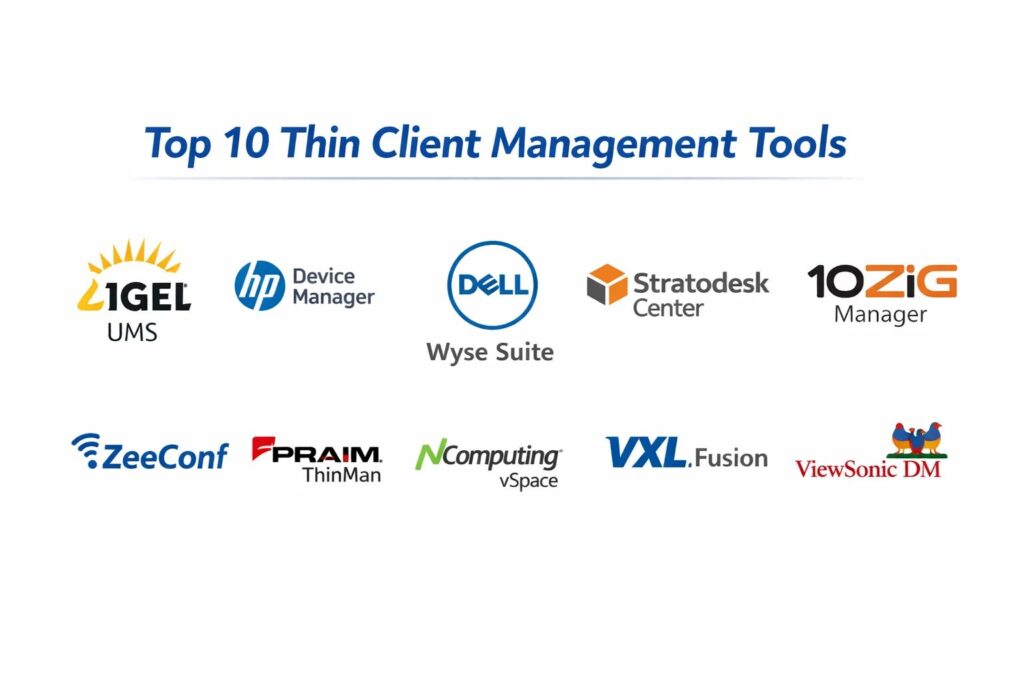
Introduction
Thin client management tools are centralized software platforms designed to configure, monitor, and maintain lean computing endpoints within a Virtual Desktop Infrastructure or cloud environment. Unlike traditional PCs that handle processing locally, thin clients rely on a central server, making the management software the critical “command center” for the entire fleet. These tools allow administrators to push firmware updates, enforce security policies, and shadow user sessions across thousands of devices from a single console. By abstracting the hardware management into a streamlined digital interface, organizations can ensure that every endpoint—regardless of its physical location—remains compliant with corporate standards.
In the current era of hybrid work and decentralized data centers, the importance of robust thin client management cannot be overstated. Organizations are increasingly moving away from high-maintenance thick clients toward agile, secure, and cost-effective thin or zero clients. This shift is driven by the need for better data security, as no information is stored locally on the device, and the desire to reduce the carbon footprint of IT operations. When evaluating management tools, IT leaders should prioritize features such as zero-touch provisioning, protocol support for various cloud environments, and the ability to repurpose existing legacy hardware into secure thin clients. A high-quality management platform reduces the operational overhead of the IT department while providing a seamless, high-performance experience for the end-user.
Best for: IT managers and system administrators in healthcare, finance, education, and government sectors who need to manage large-scale endpoint deployments with high security and minimal on-site maintenance.
Not ideal for: Very small businesses with fewer than ten workstations or organizations that require high-performance local processing for tasks like heavy video editing or 3D rendering outside of a virtualized environment.
Key Trends in Thin Client Management Tools
The industry is moving rapidly toward “cloud-native” management, where the control plane resides in the cloud, allowing administrators to manage devices across different networks without complex VPN setups. There is a significant trend toward hardware agnosticism, with software providers creating “converter” tools that transform old laptops or PCs into specialized thin clients, extending the lifecycle of existing assets. Security has evolved to include automated compliance checks and “identity-centric” access, where the management tool verifies the health of the device before allowing a connection to the virtual desktop.
Another major trend is the integration of telemetry and AIOps, which provides real-time insights into endpoint performance and network latency, allowing IT teams to troubleshoot issues before the user even reports them. We are also seeing a shift toward unified management, where a single pane of glass handles both physical thin clients and virtualized browser-based endpoints. Furthermore, sustainability is becoming a key metric, with tools now offering power management features that automatically put thousands of devices into low-energy modes during off-hours to meet corporate green initiatives.
How We Selected These Tools
The selection of these top ten tools was based on a rigorous analysis of their enterprise-grade capabilities and their ability to integrate with leading virtualization platforms. We prioritized tools that offer high levels of automation, particularly zero-touch deployment, which is essential for modern distributed workforces. Market mindshare was a significant factor, as platforms with large installed bases tend to have more mature feature sets and better-vetted security protocols. We also evaluated the flexibility of each tool in supporting multiple connection protocols, such as those used by major cloud desktop providers.
Performance reliability was measured by the software’s ability to handle massive scaling—from a few hundred to tens of thousands of devices—without degradation in console responsiveness. Security features were scrutinized, specifically looking for multi-factor authentication and granular role-based access control for administrators. Finally, we considered the “conversion” capability of each tool, assessing how effectively they can repurpose legacy hardware into secure, managed endpoints, which is a major factor in reducing the total cost of ownership for modern IT departments.
1. IGEL Universal Management Suite
IGEL Universal Management Suite is widely regarded as one of the most powerful and flexible endpoint management platforms in the market. It is designed to manage any device running the IGEL OS, which can be installed on almost any x86-64 hardware. The tool is known for its “drag-and-drop” profiling system, which makes it incredibly simple to push complex configurations to groups of devices based on their location or department.
Key Features
The platform features a highly intuitive hierarchical tree structure for organizing thousands of endpoints into manageable groups. It provides a shadowing feature that allows IT support to view and control user screens for troubleshooting without additional software. The tool includes a “zero-touch” deployment system where new devices automatically receive their configuration upon first boot. It supports a vast array of virtualization protocols and peripheral devices natively. Additionally, it offers a secure shadow-mode that ensures privacy by requiring user consent before an administrator can view a session.
Pros
Exceptional hardware agnosticism allows organizations to turn old PCs from any manufacturer into managed thin clients. The management console is highly stable and capable of scaling to over 100,000 devices.
Cons
The software requires a dedicated server infrastructure which can be complex to set up initially. The licensing model can be expensive for smaller deployments compared to basic cloud-only tools.
Platforms and Deployment
Windows Server or Linux for the management console; endpoints run IGEL OS. Deployment can be on-premises or in a private cloud.
Security and Compliance
Supports multi-factor authentication, granular RBAC, and is used extensively in high-security environments like healthcare and defense.
Integrations and Ecosystem
Deeply integrated with Citrix, VMware, and Microsoft Azure Virtual Desktop, with a vast ecosystem of hardware partners.
Support and Community
Offers professional enterprise support and a very active community forum where scripts and configuration profiles are shared.
2. HP Device Manager
HP Device Manager is a comprehensive, enterprise-class tool provided for the management of HP’s extensive line of thin clients. It is particularly strong in environments that rely on Windows-based thin clients, offering deep integration with the operating system for advanced task scheduling and image capturing.
Key Features
The tool provides a centralized console that allows for easy task-based management, such as pushing software updates or changing system settings. It includes an automated device discovery feature that finds new thin clients as soon as they are connected to the network. The software allows for the capturing and deploying of full system images, which is useful for maintaining a “gold standard” configuration. It features a robust reporting engine that provides detailed inventory and health status of all managed hardware. The system also supports localized “gateways” to manage devices across different subnets and branch offices efficiently.
Pros
Included at no additional cost with HP thin client hardware, providing high value for HP-centric shops. It offers very granular control over Windows-based thin client features and registry settings.
Cons
Primarily optimized for HP hardware, which can limit flexibility in a mixed-vendor environment. The user interface can feel dated and more complex than newer web-based platforms.
Platforms and Deployment
Windows Server-based management console; manages HP thin clients running ThinPro or Windows IoT.
Security and Compliance
Features secure transmission of management data and supports standard Windows-based security protocols and MFA.
Integrations and Ecosystem
Strong ties to HP’s hardware ecosystem and certified for all major virtualization protocols including Teradici and VMware.
Support and Community
Professional support is handled through HP enterprise channels, with extensive documentation available for large-scale deployments.
3. Dell Wyse Management Suite
Dell Wyse Management Suite is a modern, high-performance management solution that offers both on-premises and cloud-based deployment options. It is designed specifically to manage Dell’s Wyse thin clients, providing a highly streamlined and automated experience from the moment a device is taken out of the box.
Key Features
The suite offers a web-based management console that is accessible from any modern browser. It features “dynamic grouping” which automatically assigns policies to devices based on their attributes, such as location or hardware type. The tool provides a unified view of all endpoints, whether they are in the corporate office or working remotely via the cloud. It includes a simplified wizard-based setup for common tasks like wireless configuration and desktop connections. The system also supports high-availability configurations to ensure that management services are never interrupted in large environments.
Pros
The cloud-based version allows for effortless management of remote workers without requiring complex on-site infrastructure. It offers a very modern, “user-friendly” interface that reduces the learning curve for new administrators.
Cons
While highly efficient for Dell hardware, it offers limited support for non-Dell endpoints. Some advanced features are only available in the paid “Pro” version of the suite.
Platforms and Deployment
Cloud-hosted or on-premises Windows Server; manages Wyse ThinOS and Windows-based thin clients.
Security and Compliance
Offers Two-Factor Authentication, Active Directory integration, and secure communication via HTTPS.
Integrations and Ecosystem
Seamlessly integrated with Dell’s hardware and optimized for VMware Horizon and Microsoft environments.
Support and Community
Extensive enterprise support through Dell Technologies and a well-established user base for community knowledge sharing.
4. Stratodesk NoTouch Center
Stratodesk NoTouch Center is a hardware-agnostic management tool that is built for speed and simplicity. It is often paired with NoTouch OS to repurpose any PC, laptop, or thin client into a modern, managed endpoint. It is highly valued for its ability to run as a virtual appliance, making deployment extremely rapid.
Key Features
The platform features a web-based console that manages all endpoints regardless of their underlying hardware. It supports a unique “Cloud Extension” that allows for the management of remote devices over the public internet without a VPN. The tool includes an automated firmware update system that can be scheduled to run during off-peak hours. It provides detailed hardware asset management, tracking everything from CPU type to monitor serial numbers. The system also allows for the creation of “multi-user” thin clients where settings change based on who logs in.
Pros
Extremely lightweight and easy to deploy as a virtual appliance in minutes. It offers total hardware flexibility, allowing organizations to mix and match hardware from any vendor.
Cons
The interface is very functional but lacks the visual polish of some of its larger competitors. Advanced scripting may be required for highly non-standard configurations.
Platforms and Deployment
Virtual Appliance (Linux-based) or Cloud-hosted; manages devices running NoTouch OS.
Security and Compliance
Supports secure certificates, MFA, and is widely used in sectors with strict compliance needs like the US government.
Integrations and Ecosystem
Supports all major protocols including Citrix, VMware, Nutanix, and Amazon WorkSpaces.
Support and Community
Responsive direct support and a solid knowledge base that focuses on technical implementation.
5. 10ZIG Manager
The 10ZiG Manager is a free, enterprise-class management utility designed to support 10ZiG’s line of thin and zero clients. It is known for its simplicity and the fact that it provides high-end features—like automated grouping and cloud management—without a per-seat license fee.
Key Features
The tool provides a centralized dashboard for managing both Windows-based and Linux-based thin clients. It features a “Cloud Manager” component that allows for secure management of endpoints over the internet. The software allows for automated firmware updates and task scheduling to ensure all devices are up to date. It includes a “template” system where a single “master” device’s configuration can be captured and pushed to thousands of others. The reporting tool provides real-time data on device uptime, user sessions, and hardware health.
Pros
Completely free to use with 10ZiG hardware, offering one of the best values in the industry. The setup process is straightforward, often requiring less infrastructure than its competitors.
Cons
Strictly limited to 10ZiG hardware, which makes it unsuitable for mixed-device fleets. The feature set is robust but may lack some of the deeper “AIOps” features found in paid platforms.
Platforms and Deployment
Windows-based management console; manages 10ZiG Linux and Windows-based endpoints.
Security and Compliance
Includes secure communication between the console and endpoints and supports standard enterprise authentication methods.
Integrations and Ecosystem
Highly optimized for the latest versions of VMware Horizon and Citrix, with specific focus on high-performance multimedia.
Support and Community
Offers excellent direct support and “no-hassle” troubleshooting for their hardware and software combination.
6. ZeeConf (ZeeTerm)
ZeeConf is the management platform for ZeeTerm thin clients, focusing on providing a highly secure and simplified management experience. It is particularly popular in European markets and industries that prioritize data sovereignty and “lean” IT operations.
Key Features
The tool offers a centralized web console that allows for the simultaneous configuration of thousands of units. It features a “security-first” architecture where the thin client OS is read-only, preventing any local changes. The software includes an automated deployment system that uses MAC addresses to assign specific profiles to hardware. It provides real-time monitoring of all endpoint connections and hardware performance. The system is designed to work efficiently even over low-bandwidth connections, making it ideal for remote branch offices.
Pros
Extremely high focus on security, with a read-only OS that virtually eliminates the risk of malware. The management interface is clean and avoids the complexity found in some older enterprise tools.
Cons
Limited awareness and support network in North American markets compared to brands like Dell or HP. It is primarily designed to manage ZeeTerm hardware.
Platforms and Deployment
Linux-based management server; manages ZeeTerm endpoints.
Security and Compliance
High-security focus with read-only filesystems and secure management protocols; compliant with GDPR standards.
Integrations and Ecosystem
Strong support for major virtualization stacks and a growing list of cloud-based desktop providers.
Support and Community
Offers personalized support for its customers and a growing library of technical documentation.
7. Praim ThinMan
Praim ThinMan is a sophisticated management console that excels in complex, multi-site environments. It is designed to manage Praim thin clients as well as other devices running Praim’s software, offering a high degree of automation and a unique “User Assistant” feature for remote support.
Key Features
The platform features an automated “policy-based” management system that applies settings to devices as soon as they appear on the network. It includes a built-in “Wake-on-LAN” scheduler to ensure updates can be pushed to devices even when they are powered off. The tool offers a unique remote assistance feature that allows IT to help users directly through the thin client interface. It supports the management of mobile devices and converted PCs through the same console. The system also includes a reporting module that tracks energy consumption across the entire endpoint fleet.
Pros
Excellent for multi-site organizations that need to manage hundreds of remote offices from a central location. It provides very high-quality remote support tools that are built directly into the management flow.
Cons
The advanced “Platinum” features require a paid license, which can add up for large deployments. The initial configuration of the database and server can be time-consuming.
Platforms and Deployment
Windows Server-based; manages Praim thin clients and devices running Praim Agile or ThinOX.
Security and Compliance
Supports secure HTTPS communication, certificate management, and granular admin permissions.
Integrations and Ecosystem
Deeply integrated with the Praim hardware line and certified for Citrix and VMware environments.
Support and Community
Professional enterprise support and a dedicated “Praim Academy” for training IT administrators.
8. NComputing vSpace Console
NComputing vSpace Console is a specialized management tool designed for the vSpace virtualization platform. It is known for its extreme efficiency and its ability to manage large numbers of users on a very small hardware footprint, often used in education and small business environments.
Key Features
The tool provides a unified dashboard for managing NComputing thin clients and the vSpace server software. It features a simplified “session management” view that shows exactly which users are logged in and what resources they are using. The software allows for the automated deployment of firmware updates to all connected NComputing devices. It includes a “classroom management” feature that lets teachers monitor and control student screens. The system is optimized for high-density environments where many thin clients share a single host server.
Pros
Incredible cost-efficiency, especially for educational settings where budget is a primary concern. The management tool is very simple and does not require a highly technical background to operate.
Cons
Limited to the NComputing ecosystem and may not scale as well for broad, multi-protocol enterprise needs. It lacks some of the advanced hardware agnosticism of IGEL or Stratodesk.
Platforms and Deployment
Windows-based console; manages NComputing thin clients (like the RX-series).
Security and Compliance
Provides standard encryption and session security but is generally less focused on high-end enterprise compliance than competitors.
Integrations and Ecosystem
Tightly coupled with NComputing’s own virtualization platform, though it does support Microsoft RDP.
Support and Community
Good documentation and a dedicated support portal, with a strong presence in the global education market.
9. VXL Fusion
VXL Fusion is a universal management console that is designed to be both powerful and easy to use. It manages VXL’s line of thin clients but also offers versions that can manage Windows PCs and mobile devices, making it a “unified” endpoint management contender.
Key Features
The tool offers a browser-based management console that allows for configuration from any device. It features a “one-click” deployment system that can push updates or configuration changes to thousands of devices simultaneously. The software includes detailed reporting on hardware assets, including software versions and peripheral details. It supports both on-premises and cloud-based management of endpoints. The system also includes a remote desktop tool for direct user support and troubleshooting.
Pros
The management console is very responsive and can handle mixed environments of Windows and Linux thin clients effectively. It offers a good balance of features and affordability.
Cons
The documentation can be less detailed than some of the larger market leaders. It primarily focuses on VXL hardware for its deepest management features.
Platforms and Deployment
Windows Server-based; manages VXL thin clients and other Windows-based endpoints.
Security and Compliance
Supports secure management protocols and role-based access for different levels of IT support.
Integrations and Ecosystem
Certified for use with Citrix, VMware, and Microsoft virtualization platforms.
Support and Community
Offers global support and has a strong history of serving the corporate and education markets in the UK and Asia.
10. ViewSonic Device Manager
ViewSonic Device Manager is a streamlined management tool for ViewSonic’s thin and zero client endpoints. It is designed for simplicity and focuses on providing the essential tools for managing a fleet of devices without the complexity of a full enterprise suite.
Key Features
The platform features a centralized dashboard that provides a quick overview of all online and offline devices. It allows for the group-based deployment of settings and firmware updates. The software includes a device discovery tool that simplifies the onboarding of new thin clients. It provides basic reporting on device health and connection status. The system is designed to be lightweight, requiring minimal server resources to manage several hundred endpoints.
Pros
Very easy to set up and use, making it ideal for smaller deployments that don’t need a complex management infrastructure. It is provided as a free utility for ViewSonic hardware owners.
Cons
Lacks the advanced automation, “shadowing,” and hardware conversion features of the top-tier enterprise platforms. Scalability is more limited compared to IGEL or Dell.
Platforms and Deployment
Windows-based management utility; manages ViewSonic thin clients.
Security and Compliance
Standard security features for management communication and basic admin password protection.
Integrations and Ecosystem
Primarily focused on RDP and basic virtualization protocols used in standard office environments.
Support and Community
Standard hardware-based support through ViewSonic’s professional service channels.
Comparison Table
| Tool Name | Best For | Platform(s) Supported | Deployment | Standout Feature | Public Rating |
| 1. IGEL UMS | Any Hardware/Enterprise | Windows, Linux | Hybrid | Hardware Agnostic Conversion | 4.8/5 |
| 2. HP Device Manager | HP Hardware Shops | Windows Server | On-Premises | Deep Windows IoT Control | 4.4/5 |
| 3. Dell Wyse Suite | Dell Hardware/Cloud | Windows, Cloud | Cloud/Local | Cloud-Native Management | 4.6/5 |
| 4. Stratodesk Center | Mixed Hardware Fleets | Virtual Appliance | Cloud/Local | VPN-less Remote Mgmt | 4.7/5 |
| 5. 10ZiG Manager | 10ZiG Hardware | Windows | Local/Cloud | Free Enterprise Features | 4.5/5 |
| 6. ZeeConf | High Security/EU | Linux | Local | Read-Only OS Security | 4.2/5 |
| 7. Praim ThinMan | Multi-site Support | Windows Server | Local | Advanced Remote Assist | 4.3/5 |
| 8. NComputing vSpace | Education/High Density | Windows | Local | Classroom Monitoring | 4.1/5 |
| 9. VXL Fusion | Unified Mgmt | Windows Server | Local/Cloud | Browser-based Console | 4.0/5 |
| 10. ViewSonic DM | Small Deployments | Windows | Local | Lightweight Discovery | N/A |
Evaluation & Scoring of Thin Client Management Tools
The scoring below is a comparative model intended to help shortlisting. Each criterion is scored from 1–10, then a weighted total from 0–10 is calculated using the weights listed. These are analyst estimates based on typical fit and common workflow requirements, not public ratings.
Weights:
- Core features – 25%
- Ease of use – 15%
- Integrations & ecosystem – 15%
- Security & compliance – 10%
- Performance & reliability – 10%
- Support & community – 10%
- Price / value – 15%
| Tool Name | Core (25%) | Ease (15%) | Integrations (15%) | Security (10%) | Performance (10%) | Support (10%) | Value (15%) | Weighted Total |
| 1. IGEL UMS | 10 | 8 | 10 | 10 | 9 | 9 | 8 | 9.15 |
| 2. HP Device Manager | 9 | 6 | 9 | 8 | 8 | 9 | 9 | 8.25 |
| 3. Dell Wyse Suite | 9 | 9 | 9 | 9 | 10 | 9 | 8 | 9.05 |
| 4. Stratodesk Center | 9 | 8 | 10 | 9 | 9 | 8 | 9 | 8.85 |
| 5. 10ZiG Manager | 8 | 8 | 9 | 8 | 8 | 9 | 10 | 8.55 |
| 6. ZeeConf | 7 | 8 | 8 | 10 | 8 | 7 | 7 | 7.60 |
| 7. Praim ThinMan | 8 | 8 | 9 | 9 | 8 | 9 | 7 | 8.15 |
| 8. NComputing vSpace | 6 | 9 | 6 | 6 | 8 | 8 | 9 | 7.15 |
| 9. VXL Fusion | 7 | 8 | 8 | 8 | 8 | 7 | 8 | 7.65 |
| 10. ViewSonic DM | 5 | 9 | 6 | 6 | 7 | 7 | 8 | 6.55 |
How to interpret the scores:
- Use the weighted total to shortlist candidates, then validate with a pilot.
- A lower score can mean specialization, not weakness.
- Security and compliance scores reflect controllability and governance fit, because certifications are often not publicly stated.
- Actual outcomes vary with assembly size, team skills, templates, and process maturity.
Which Thin Client Management Tool Is Right for You?
Solo / Freelancer
Management tools are typically not necessary for a single user. However, if a freelancer is repurposing an old laptop for high security, using a free tool like IGEL OS with its basic management features can provide a locked-down environment for sensitive client work.
SMB
For small to medium businesses, 10ZiG Manager or Dell Wyse Management Suite (Free version) offer the best balance. They provide professional-grade management for a small fleet of devices without the high overhead of per-seat licensing.
Mid-Market
Organizations in this tier should look toward Stratodesk NoTouch Center. Its ability to run as a virtual appliance and manage a mix of repurposed legacy hardware and new thin clients provides the flexibility needed for a growing IT environment.
Enterprise
For massive, global deployments, IGEL Universal Management Suite is the gold standard. Its ability to manage over 100,000 devices, combined with its powerful “shadowing” and profiling system, ensures that even the most complex IT environments remain organized and secure.
Budget vs Premium
Budget: 10ZiG Manager and HP Device Manager are excellent because they are included for free with their respective hardware.
Premium: IGEL and Stratodesk are premium options that require licensing but offer the most advanced hardware agnosticism and remote management features.
Feature Depth vs Ease of Use
Depth: IGEL and HP Device Manager offer the deepest “under-the-hood” control, especially for Windows-based endpoints.
Ease of Use: Dell Wyse Management Suite and NComputing vSpace offer the most intuitive, modern interfaces for administrators who want a “set it and forget it” experience.
Integrations & Scalability
If your organization is heavily invested in a specific cloud provider like Azure or Citrix, choose a tool with verified “Ready” status for those protocols. IGEL and Dell currently lead the market in verified integrations with modern cloud desktop platforms.
Security & Compliance Needs
For healthcare or government sectors, ZeeConf and IGEL provide the highest security posture due to their read-only operating systems and robust certificate-based management, which significantly reduces the attack surface of the endpoint.
Frequently Asked Questions (FAQs)
1. What is the difference between a thin client and a zero client?
A thin client is a computer with a lean operating system that can support multiple connection protocols, while a zero client is a highly specialized hardware device with no local OS, designed for a single protocol like VMware PCoIP.
2. Can I manage thin clients from different manufacturers with one tool?
Only if you use a “hardware-agnostic” tool like IGEL UMS or Stratodesk NoTouch Center. Manufacturer-specific tools like HP Device Manager or Dell Wyse Suite are generally restricted to their own hardware.
3. Do these tools work for remote employees working from home?
Yes, most modern tools now offer a “Cloud Gateway” or “Cloud Extension” feature that allows the management console to communicate with the thin client over the public internet without a VPN.
4. How does “Zero-Touch Provisioning” work?
When a new thin client is plugged in, it reaches out to a pre-configured management address. The management tool identifies the device and automatically pushes the correct firmware and settings based on its location or serial number.
5. Can I turn my old Windows laptops into thin clients?
Yes, software like IGEL OS or Stratodesk NoTouch OS can be installed on old laptops, effectively wiping the old Windows OS and replacing it with a secure, managed thin client operating system.
6. Is a dedicated server required to run the management console?
Many enterprise tools require a Windows or Linux server, but more providers are now offering cloud-hosted management options where the manufacturer handles the server infrastructure for you.
7. How much bandwidth does the management software use?
Management traffic is usually very light, consisting only of small configuration files and status heartbeats. It does not impact the performance of the actual virtual desktop session.
8. Can I shadow a user’s session for support?
Yes, most enterprise-grade management tools include a “shadowing” or “VNC” feature that allows IT staff to see exactly what the user sees to provide remote assistance.
9. Are firmware updates automatic?
They can be. Most tools allow you to schedule updates for groups of devices, ensuring they happen at 2:00 AM or other times when users are not active.
10. What happens if the management server goes offline?
The thin clients will continue to function normally and connect to their virtual desktops. However, you will not be able to change settings or push updates until the management server is back online.
Conclusion
Selecting a thin client management tool is not merely an administrative choice but a foundational decision for the security and efficiency of your modern workspace. As organizations move toward decentralized, cloud-first environments, the ability to manage thousands of endpoints with automation and precision becomes a significant competitive advantage. Whether you choose a manufacturer-specific tool for its tight hardware integration or a hardware-agnostic platform for its total flexibility, the goal remains the same: reducing the complexity of the endpoint while increasing the security of the data. By prioritizing zero-touch deployment, cloud connectivity, and robust support tools, IT departments can transform from reactive troubleshooters into proactive enablers of a global workforce. The right tool ensures that the technology remains transparent to the user, allowing them to focus on productivity while IT maintains total control over the environment.