Introduction
Test case management tools help teams design, organize, execute, and track software testing activities in a structured and repeatable way. Instead of managing test scenarios in spreadsheets or scattered documents, these platforms centralize test planning, execution results, defect linkage, and reporting so quality assurance becomes measurable and predictable.
Modern software delivery depends on rapid releases, automation pipelines, and cross-team collaboration. As development cycles accelerate, structured testing becomes essential to maintain reliability, security, and user experience. These tools support manual and automated testing workflows, integrate with development ecosystems, and provide visibility into release readiness across teams and stakeholders.
Common real-world uses include regression testing for applications, quality tracking in agile projects, compliance validation in regulated industries, user acceptance coordination, and continuous testing within delivery pipelines. Buyers typically evaluate usability, automation support, integrations, scalability, reporting depth, security controls, collaboration features, customization flexibility, and long-term cost efficiency.
Best for quality assurance teams, developers, project managers, product owners, and organizations seeking reliable release governance across projects of any size.
Not ideal for very small projects with minimal testing needs or teams relying solely on informal manual validation without structured tracking.
Key Trends in Test Case Management Tools
- Increasing alignment with agile and continuous delivery workflows
- Stronger integration with automation frameworks and pipelines
- AI-assisted test generation, prioritization, and impact analysis
- Real-time dashboards for release readiness and risk visibility
- Cloud-based collaboration for distributed testing teams
- Deeper linkage between requirements, defects, and test coverage
- Scalable permission controls for enterprise governance
- Expansion of API-driven extensibility and reporting automation
- Focus on traceability for audit and compliance scenarios
- Consolidation of manual and automated testing visibility
How These Tools Were Selected
- Broad industry adoption and recognition across QA communities
- Coverage of planning, execution, tracking, and reporting capabilities
- Reliability in real production environments
- Indicators of security awareness and enterprise suitability
- Integration depth with development and automation ecosystems
- Flexibility for small teams through large organizations
- Strength of documentation, onboarding, and support resources
- Balanced mix of specialized and platform-integrated solutions
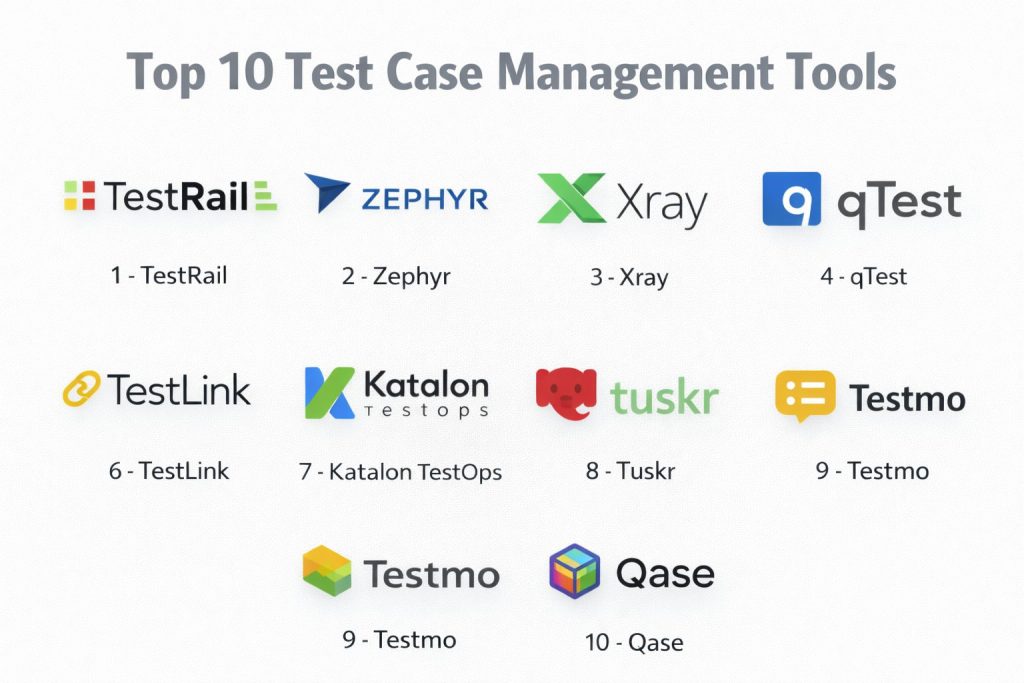
Top 10 Test Case Management Tools
1 — TestRail
Comprehensive platform designed to manage manual and automated testing with structured reporting.
Key Features
- Centralized test repository and execution tracking
- Customizable test runs and milestones
- Detailed reporting and analytics
- Integration with defect tracking and automation tools
- Role-based access control
Pros
- Strong reporting clarity
- Mature ecosystem
Cons
- Interface complexity for new users
- Licensing cost for larger teams
Platforms / Deployment
Web — Cloud or Self-hosted
Security & Compliance
Not publicly stated
Integrations & Ecosystem
- Issue tracking integrations
- Automation framework connectivity
- API access for customization
Support & Community
Established documentation and active professional user base.
2 — Zephyr
Testing solution closely aligned with agile project tracking environments.
Key Features
- Native linkage with project workflows
- Real-time execution tracking
- Custom reporting dashboards
- Test cycle management
- Scalable team collaboration
Pros
- Strong agile alignment
- Flexible deployment options
Cons
- Configuration learning curve
- Reporting customization effort
Platforms / Deployment
Web — Cloud or Self-hosted
Security & Compliance
Not publicly stated
Integrations & Ecosystem
- Agile project integrations
- Automation connectivity
- Marketplace extensions
Support & Community
Wide enterprise adoption with structured support resources.
3 — Xray
Quality management platform embedded within development lifecycle tracking.
Key Features
- Requirement-to-test traceability
- Manual and automated test execution
- Coverage analysis dashboards
- Scalable permission controls
- Continuous integration connectivity
Pros
- Deep lifecycle visibility
- Strong automation linkage
Cons
- Setup complexity
- Advanced configuration required
Platforms / Deployment
Web — Cloud or Self-hosted
Security & Compliance
Not publicly stated
Integrations & Ecosystem
- Pipeline integrations
- Reporting extensions
- API-based customization
Support & Community
Growing enterprise and agile community adoption.
4 — qTest
Enterprise-focused testing platform supporting large-scale quality operations.
Key Features
- Centralized test planning and execution
- Automation orchestration visibility
- Advanced reporting and analytics
- Requirement and defect traceability
- Scalable governance controls
Pros
- Enterprise scalability
- Strong analytics capability
Cons
- Higher implementation effort
- Premium pricing structure
Platforms / Deployment
Web — Cloud
Security & Compliance
Not publicly stated
Integrations & Ecosystem
- Automation tool connectivity
- Development lifecycle integrations
- Reporting APIs
Support & Community
Enterprise onboarding and structured support programs.
5 — PractiTest
Flexible test management system emphasizing customization and traceability.
Key Features
- End-to-end test lifecycle management
- Custom fields and workflows
- Real-time dashboards
- Requirement and defect linkage
- API-driven automation support
Pros
- Highly configurable
- Clear traceability
Cons
- Interface learning time
- Limited offline capability
Platforms / Deployment
Web — Cloud
Security & Compliance
Not publicly stated
Integrations & Ecosystem
- Issue tracking integrations
- Automation connectivity
- Reporting exports
Support & Community
Responsive vendor support and detailed knowledge resources.
6 — TestLink
Open platform for managing manual test cases and execution tracking.
Key Features
- Test case repository management
- Execution tracking and reporting
- Requirement linkage
- User role management
- Customization through extensions
Pros
- No licensing cost
- Community-driven flexibility
Cons
- Limited modern interface
- Manual maintenance effort
Platforms / Deployment
Web — Self-hosted
Security & Compliance
Not publicly stated
Integrations & Ecosystem
- Community plugins
- API extensions
- Custom scripting
Support & Community
Open community forums and shared documentation.
7 — Katalon TestOps
Quality orchestration environment connecting automated testing insights with reporting.
Key Features
- Centralized test analytics
- Automation result aggregation
- Quality trend dashboards
- CI pipeline visibility
- Team collaboration controls
Pros
- Strong automation insights
- Unified reporting
Cons
- Best suited to specific ecosystems
- Learning curve for analytics setup
Platforms / Deployment
Web — Cloud
Security & Compliance
Not publicly stated
Integrations & Ecosystem
- Automation integrations
- Pipeline connectivity
- API reporting
Support & Community
Vendor documentation and growing automation community.
8 — Tuskr
Lightweight cloud solution focused on usability and quick adoption.
Key Features
- Simple test case organization
- Execution tracking and reporting
- Role-based permissions
- Custom fields and workflows
- Integration support
Pros
- Easy onboarding
- Clean interface
Cons
- Limited advanced analytics
- Smaller ecosystem
Platforms / Deployment
Web — Cloud
Security & Compliance
Not publicly stated
Integrations & Ecosystem
- Issue tracking integrations
- API connectivity
- Export capabilities
Support & Community
Responsive support with emerging user base.
9 — Testmo
Modern unified testing workspace combining manual, exploratory, and automated results.
Key Features
- Unified test result tracking
- Session-based exploratory testing
- Automation integration
- Rich reporting dashboards
- Scalable permissions
Pros
- Modern interface
- Broad testing visibility
Cons
- Newer platform maturity
- Feature depth evolving
Platforms / Deployment
Web — Cloud or Self-hosted
Security & Compliance
Not publicly stated
Integrations & Ecosystem
- CI integrations
- Issue tracking connectivity
- API extensibility
Support & Community
Active product updates and responsive support.
10 — Qase
Collaborative test management platform designed for fast-moving teams.
Key Features
- Structured test case repository
- Real-time execution tracking
- Custom workflows and fields
- Automation result imports
- Reporting dashboards
Pros
- User-friendly design
- Quick team collaboration
Cons
- Limited deep analytics
- Enterprise features evolving
Platforms / Deployment
Web — Cloud
Security & Compliance
Not publicly stated
Integrations & Ecosystem
- Issue tracking integrations
- Automation connectivity
- Public API support
Support & Community
Growing community and helpful onboarding resources.
Comparison Table
| Tool Name | Best For | Platforms | Deployment | Standout Feature | Public Rating |
|---|---|---|---|---|---|
| TestRail | Structured QA teams | Web | Cloud or Self-hosted | Detailed reporting | N/A |
| Zephyr | Agile environments | Web | Cloud or Self-hosted | Native workflow linkage | N/A |
| Xray | Lifecycle traceability | Web | Cloud or Self-hosted | Requirement coverage | N/A |
| qTest | Enterprise scale | Web | Cloud | Advanced analytics | N/A |
| PractiTest | Custom workflows | Web | Cloud | Full traceability | N/A |
| TestLink | Open projects | Web | Self-hosted | Free usage | N/A |
| Katalon TestOps | Automation insight | Web | Cloud | Unified analytics | N/A |
| Tuskr | Small teams | Web | Cloud | Ease of use | N/A |
| Testmo | Unified testing | Web | Cloud or Self-hosted | Modern reporting | N/A |
| Qase | Collaborative QA | Web | Cloud | Fast onboarding | N/A |
Evaluation & Scoring
| Tool | Core | Ease | Integrations | Security | Performance | Support | Value | Total |
|---|---|---|---|---|---|---|---|---|
| TestRail | 9 | 7 | 8 | 5 | 8 | 8 | 7 | 7.9 |
| Zephyr | 8 | 7 | 9 | 5 | 8 | 8 | 7 | 7.8 |
| Xray | 9 | 6 | 9 | 5 | 8 | 8 | 7 | 7.9 |
| qTest | 9 | 6 | 8 | 6 | 8 | 8 | 6 | 7.6 |
| PractiTest | 8 | 7 | 8 | 5 | 8 | 8 | 7 | 7.6 |
| TestLink | 7 | 6 | 6 | 4 | 6 | 6 | 9 | 6.7 |
| Katalon TestOps | 8 | 7 | 8 | 5 | 8 | 8 | 7 | 7.6 |
| Tuskr | 7 | 9 | 6 | 5 | 7 | 7 | 8 | 7.4 |
| Testmo | 8 | 8 | 8 | 5 | 8 | 8 | 7 | 7.8 |
| Qase | 8 | 8 | 7 | 5 | 8 | 7 | 8 | 7.7 |
Scores are comparative indicators rather than guarantees.
Higher totals suggest balanced capability across criteria.
Selection should match workflow complexity and team maturity.
Security and integration depth matter more for enterprise environments.
Which Test Case Management Tool Is Right for You
Solo testers benefit from lightweight and affordable solutions.
Small teams often prioritize usability and quick collaboration.
Mid-size organizations need integration depth and reporting clarity.
Large enterprises require governance, scalability, and traceability.
Budget considerations influence long-term sustainability.
Ease of use must balance with advanced capability.
Integration readiness supports automation and delivery pipelines.
Security validation becomes critical in regulated environments.
Frequently Asked Questions
1. What is the purpose of a test case management tool?
It organizes testing activities, tracks execution results, and provides visibility into product quality and release readiness.
2. Are these tools only for manual testing?
No, many platforms integrate automated testing results alongside manual execution for unified reporting.
3. How long does implementation usually take?
Setup time varies from a few days for small teams to several weeks for enterprise environments.
4. Do these tools support agile development?
Most modern solutions align closely with agile workflows and continuous delivery practices.
5. Is cloud deployment common?
Cloud deployment is widely adopted due to easier collaboration and maintenance.
6. What integrations are most important?
Connections with issue tracking, automation frameworks, and delivery pipelines are typically essential.
7. Are open solutions reliable?
Open platforms can be effective but may require more maintenance and customization effort.
8. How should teams choose the right tool?
They should evaluate workflow fit, scalability, usability, and reporting depth before deciding.
9. Can teams migrate between tools later?
Migration is possible but may involve data mapping and retraining considerations.
10. Do these tools improve software quality directly?
They improve visibility, consistency, and governance, which collectively lead to higher quality outcomes.
Conclusion
Selecting the right test case management tool is a strategic decision that influences software quality, release confidence, and team productivity. Different platforms serve different maturity levels, from lightweight collaboration tools for small teams to highly governed enterprise solutions built for traceability and compliance. The most effective approach is to evaluate real workflow needs, confirm integration compatibility with development and automation systems, and validate usability through a controlled pilot. Careful comparison ensures the chosen solution supports long-term scalability, reliable reporting, and continuous improvement across the entire testing lifecycle without adding unnecessary operational complexity.