Introduction
Tax filing consumer apps have transitioned from simple digital calculators into sophisticated financial ecosystems driven by artificial intelligence and real-time data synchronization. The primary value proposition of these platforms is the reduction of “tax anxiety” through automated document ingestion and proactive error detection. These apps serve as a bridge between the taxpayer and the Internal Revenue Service (IRS), ensuring that filings are compliant with the most recent legislative changes, including new credits for the green energy and gig economy sectors.
For the modern consumer, choosing a tax app is no longer just about the price of the federal return. The evaluation must consider data portability (the ease of switching providers), security infrastructure (protection against identity theft), and expert access (the ability to consult a human professional). As the IRS modernizes its own intake systems, these consumer apps are evolving to provide year-round tax planning rather than remaining dormant until the April deadline.
- Best for: Salaried employees, freelancers, gig workers, small business owners, and active retail investors.
- Not ideal for: Large corporations requiring complex international tax provision or high-volume multi-entity accounting.
Key Trends in Tax Filing Consumer Apps
- Agentic AI Assistants: Moving beyond simple chatbots, AI agents now analyze bank transactions in real-time to suggest missed business deductions and optimize tax-loss harvesting.
- Direct Financial Institution Linking: Real-time APIs allow for the instant import of W-2s, 1099s, and brokerage statements from thousands of banks, minimizing manual entry.
- Embedded Expert Review: A shift toward “Hybrid DIY” where users complete their own returns but have a CPA perform a final video-link review before submission.
- Crypto and Digital Asset Reporting: Enhanced modules that automatically calculate cost-basis and capital gains for thousands of different tokens and NFTs across multiple wallets.
- IRS Direct File Competition: The growth of government-provided filing options is pushing private apps to offer more “value-add” services like identity theft insurance and audit defense.
- Mobile-First Biometric Security: Adoption of passkeys and advanced biometrics to replace traditional passwords for sensitive financial data.
How We Selected These Tools
- Accuracy Guarantees: We prioritized apps that offer 100% calculation accuracy and provide financial reimbursement for IRS penalties.
- User Interface Fluidity: Analysis of “interview-style” workflows that simplify complex tax jargon into plain English.
- Security & Compliance: Only apps with SOC 2 Type II compliance and high-level encryption standards were considered.
- Integration Maturity: Evaluation of how well the app connects with payroll providers (like Workday or ADP) and investment platforms.
- Pricing Transparency: Preference for tools that do not hide “add-on” fees for state filings or specific forms until the very end.
- Support Accessibility: Assessment of the quality and speed of both automated and human-led technical support.
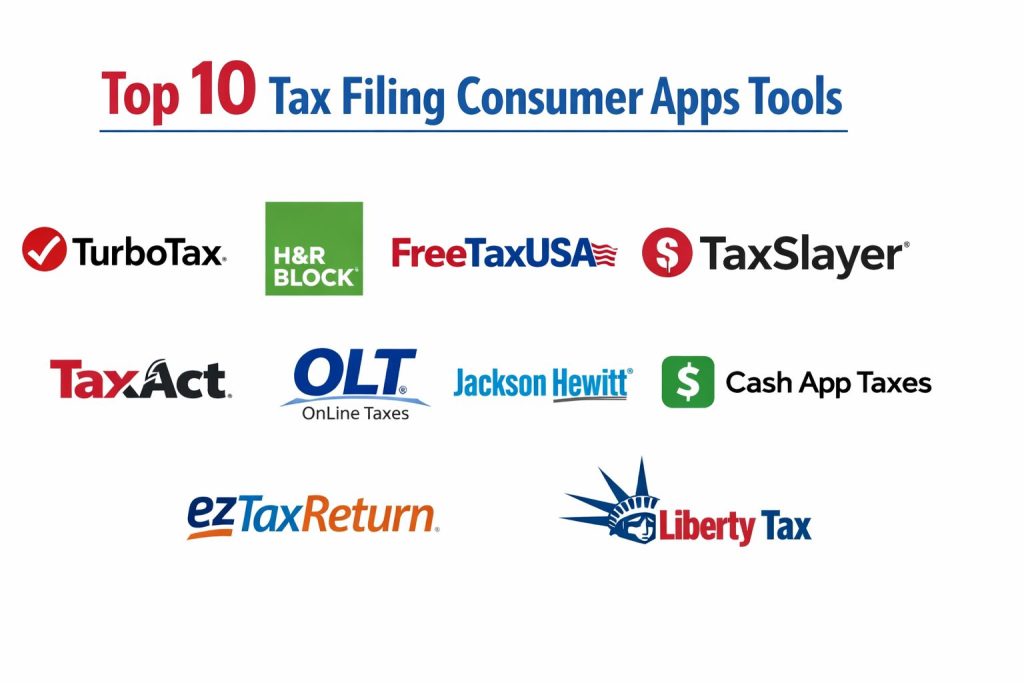
Top 10 Tax Filing Consumer Apps
1. TurboTax (by Intuit)
TurboTax remains the market leader, known for its highly polished user interface and “Intuit Assist” AI guidance.
Key Features
- Intuit Assist: Generative AI that provides personalized tax advice based on your specific life events.
- SmartLook Video Support: On-demand access to tax professionals who can see your screen and guide you.
- Automatic Data Import: Connects to over 400 financial institutions to pull in W-2 and 1099 data.
- Audit Support Guarantee: Provides professional guidance and representation in the event of an IRS audit.
- Cryptocurrency Integration: Specialized tools for high-volume crypto traders to calculate gains/losses.
Pros
- Most intuitive user journey in the industry; ideal for non-experts.
- Massive ecosystem that integrates perfectly with QuickBooks and Mint data.
Cons
- Often the most expensive consumer option on the market.
- Aggressive upselling for “Live” services and additional features.
Platforms / Deployment
- iOS / Android / Web
- Cloud-native
Security & Compliance
- SOC 2 Type II, multi-layered encryption, and IRS-authorized e-file provider.
Integrations & Ecosystem
Part of the Intuit ecosystem, it syncs seamlessly with QuickBooks for self-employed users.
Support & Community
Extensive help articles, a massive user forum, and premium access to live CPAs.
2. H&R Block
H&R Block offers a unique hybrid model, combining a powerful digital app with the option for in-person support at thousands of offices.
Key Features
- Tax Pro Review: An optional service where a professional checks your work before you file.
- Spruce Integration: Direct link to H&R Block’s mobile banking platform for faster refund access.
- AI Tax Assistant: Real-time help with complex credits and deductions for 2026.
- Prior-Year Import: Easily pulls data from competitors’ PDF files (like TurboTax or TaxAct).
- Refund Advance: Options for interest-free loans on your expected tax refund for qualified users.
Pros
- Peace of mind from having physical brick-and-mortar locations available.
- Competitive pricing that often undercuts TurboTax for similar feature sets.
Cons
- The mobile app interface can sometimes feel slightly cluttered compared to competitors.
- Some advanced features are only available in the higher-priced tiers.
Platforms / Deployment
- iOS / Android / Web
- Hybrid (Digital + Physical)
Security & Compliance
- Regulated financial institution standards with robust data encryption.
Integrations & Ecosystem
Strong links to major payroll providers and its own Spruce banking app.
Support & Community
High-level support via chat, phone, and in-person at over 12,000 offices.
3. FreeTaxUSA
FreeTaxUSA is the premier choice for budget-conscious filers who want to file complex returns without the high price tag.
Key Features
- Free Federal Filing: Includes all major forms (even for self-employment) at no cost.
- Audit Assist: An affordable add-on that provides expert help if the IRS contacts you.
- Prior Year Data Transfer: Free import of data from your previous year’s FreeTaxUSA return.
- Itemized Deduction Finder: Specifically looks for often-overlooked credits like EITC.
- Simple Interface: No flashy graphics, just a fast and efficient questionnaire.
Pros
- Exceptional value; federal filing is truly free regardless of complexity.
- Very transparent pricing model with no hidden checkout surprises.
Cons
- Lacks the high-end AI assistants found in premium competitors.
- State filing requires a small fee (though significantly lower than others).
Platforms / Deployment
- Web (Mobile-responsive)
- Desktop
Security & Compliance
- IRS-authorized e-file provider with standard SSL encryption.
Integrations & Ecosystem
Supports standard PDF imports from other tax providers for easy switching.
Support & Community
Primarily email-based support with an optional paid “Pro” support tier for chat.
4. TaxSlayer
TaxSlayer is a highly efficient tool particularly favored by freelancers, contractors, and active military members.
Key Features
- Military Edition: Free federal filing for all active-duty military members.
- Self-Employed Tier: Specific guidance for 1099-NEC and 1099-K income.
- Fast Fill: Quickly import your W-2 data using a smartphone camera.
- Refund Calculator: Real-time updates on your tax liability as you enter data.
- Deduction Finder: Scans for industry-specific expenses for gig workers.
Pros
- One of the fastest interfaces in the market with very low latency.
- Highly affordable for self-employed individuals compared to “Big Tax” brands.
Cons
- Less educational content for first-time filers than TurboTax.
- Audit protection is an add-on rather than a built-in feature.
Platforms / Deployment
- iOS / Android / Web
- Cloud-native
Security & Compliance
- MFA and standard industry encryption protocols.
Integrations & Ecosystem
Integrates with popular gig-economy apps to import earnings data.
Support & Community
Standard phone and email support with a knowledge base for DIYers.
5. Cash App Taxes (Formerly Credit Karma Tax)
A completely free filing service that is unique for charging zero for both federal and state returns.
Key Features
- 100% Free Guarantee: No fees for federal or state, including for those with investment income.
- Mobile-First Design: Optimized for filing the entire return directly on a smartphone.
- Audit Defense: Includes free identity theft monitoring and audit assistance.
- Smart Import: Capability to pull in data from previous returns easily via PDF.
- Crypto Integration: Specialized tools for Bitcoin transactions made within the Cash App.
Pros
- The only major player that is truly free for both state and federal filing.
- Extremely clean and modern user interface designed for younger generations.
Cons
- Does not support certain complex tax situations like multi-state income or some farm forms.
- You must have a Cash App account to use the service.
Platforms / Deployment
- iOS / Android / Web
- Mobile-centric
Security & Compliance
- SOC 2 compliant via parent company Block, Inc. (formerly Square).
Integrations & Ecosystem
Deeply integrated with the Cash App financial ecosystem.
Support & Community
Digital help center and email support; lacks live human tax pro options.
6. TaxAct
TaxAct focuses on accuracy and value, positioning itself as the smart choice for meticulous filers and small business owners.
Key Features
- Xpert Assist: Connects users with CPAs and Enrolled Agents for real-time professional help.
- $100k Accuracy Guarantee: Promises to pay up to $100k in legal fees and penalties for any software errors.
- Deduction Maximizer: A tool that compares standard vs. itemized deductions for your specific situation.
- Multi-Device Sync: Start on a computer and finish on a tablet without losing progress.
- HSA & Healthcare Support: Deep guidance for health-related tax credits and deductions.
Pros
- Excellent for users with rental properties or small business structures like S-Corps.
- Very strong legal guarantees regarding the accuracy of their calculations.
Cons
- The user interface feels slightly dated compared to 2026 industry standards.
- Pricing has increased recently, making it less of a “budget” option than it once was.
Platforms / Deployment
- iOS / Android / Web
- Cloud-native
Security & Compliance
- HIPAA compliant for health data and standard IRS security protocols.
Integrations & Ecosystem
Supports data import from most financial institutions and major accounting software.
Support & Community
Professional support network with access to tax attorneys and CPAs.
7. OLT (OnLine Taxes)
OLT provides a no-frills, high-reliability platform that is often the go-to for participants in the IRS Free File program.
Key Features
- Flat-Rate Pricing: A simple one-price model for all federal forms.
- Comprehensive Form Support: Handles almost all IRS forms and schedules at a low cost.
- Prior-Year Backup: Stores your returns for up to seven years securely.
- Guided Interview: A straightforward linear path through the tax filing process.
- Customer Portal: A simplified dashboard for tracking the status of your e-filed returns.
Pros
- One of the most affordable ways to file complex returns (like K-1s) professionally.
- Very stable performance even during high-traffic “Tax Day” surges.
Cons
- The interface is utilitarian and lacks the visual polish of modern apps.
- Very few automated import features; requires more manual data entry.
Platforms / Deployment
- Web (Responsive)
- Desktop
Security & Compliance
- Standard SSL encryption and IRS e-file authorization.
Integrations & Ecosystem
Limited integrations; primarily focused on direct manual filing.
Support & Community
Support is mainly via email and ticket-based systems.
8. Jackson Hewitt Online
Known for its “Lifetime Accuracy Guarantee,” this app is ideal for those who value long-term security and error prevention.
Key Features
- Lifetime Accuracy Guarantee: They pay any IRS penalties and interest for as long as your return is active.
- Document Cloud: A secure vault to store tax-related receipts and forms year-round.
- Simplified Small Business: An easy path for freelancers with basic 1099-NEC income.
- Switch-and-Save: Often provides discounts for users migrating from TurboTax.
- Refund Tracker: Granular updates on the status of your federal and state refunds.
Pros
- Extremely strong financial guarantees that offer peace of mind.
- Simplified for users who find other tax software overwhelming.
Cons
- Lacks the high-end automation of tools like Intuit Assist.
- The feature set for high-volume investors is less robust than competitors.
Platforms / Deployment
- iOS / Android / Web
- Hybrid (Digital + Physical)
Security & Compliance
- Industry-standard encryption and compliance with all major IRS security mandates.
Integrations & Ecosystem
Strongest when used alongside Jackson Hewitt’s in-person advisory services.
Support & Community
Available via phone, chat, and at thousands of retail locations (often inside Walmarts).
9. ezTaxReturn
ezTaxReturn targets W-2 filers who want to finish their taxes in under 30 minutes with zero distractions.
Key Features
- Express Filing Path: Optimized for simple returns with no dependents or complex investments.
- Mobile-Optimized: Works remarkably well on smartphone browsers without needing a separate app.
- Progress Tracker: A clear visual indicator showing exactly how much of the return is left.
- Error Detection: Automated scans that flag potential red flags before you submit.
- Free Chat Support: Real-time help for technical issues during the filing process.
Pros
- Extremely fast; arguably the quickest path from “Start” to “E-filed” for simple situations.
- Very low learning curve; anyone can use it without prior tax knowledge.
Cons
- Not suitable for users with complex business entities or foreign assets.
- Lacks the deep “expert review” options found in H&R Block or TurboTax.
Platforms / Deployment
- Web (Mobile-responsive)
- Desktop
Security & Compliance
- Standard SSL encryption and IRS e-file authorization.
Integrations & Ecosystem
Limited; designed as a standalone tool for simple filers.
Support & Community
Reliable email support and a basic online helpdesk.
10. Liberty Tax
Liberty Tax combines a straightforward online experience with a massive network of local franchise support.
Key Features
- Double-Check Accuracy: A feature that scans every entry for common human errors.
- Spanish Language Support: Robust options for Spanish-speaking taxpayers.
- Virtual Tax Pro: Allows you to upload documents and have a professional do the work for you remotely.
- Price Lock: Guarantees the price you started with won’t increase as you add more forms.
- Refund Tracking: Real-time updates via text and email on refund status.
Pros
- Excellent for non-native English speakers due to strong multi-lingual support.
- Flexible model that lets you switch between DIY and “Full Service” easily.
Cons
- The online interface feels a bit less modern than Cash App or TurboTax.
- Marketing can be quite heavy during the tax season.
Platforms / Deployment
- iOS / Android / Web
- Hybrid (Digital + Physical)
Security & Compliance
- Industry-standard encryption and compliance with IRS security protocols.
Integrations & Ecosystem
Integrated with its own franchise-based financial services.
Support & Community
Wide network of physical franchises and a robust online help center.
Comparison Table
| Tool Name | Best For | Platform(s) Supported | Deployment | Standout Feature | Public Rating |
| 1. TurboTax | Complex DIY | iOS, Android, Web | Cloud | Intuit Assist AI | N/A |
| 2. H&R Block | Hybrid Support | iOS, Android, Web | Hybrid | Physical Office Access | N/A |
| 3. FreeTaxUSA | Self-Employed Value | Web (Responsive) | Desktop | Free Federal Filing | N/A |
| 4. TaxSlayer | Budget Filers | iOS, Android, Web | Cloud | Fast-Fill W-2 Import | N/A |
| 5. Cash App Taxes | Truly Free Filing | iOS, Android, Web | Mobile | 100% Free State/Fed | N/A |
| 6. TaxAct | Rental Properties | iOS, Android, Web | Cloud | $100k Accuracy Gnt | N/A |
| 7. OLT | Budget Stalwart | Web (Responsive) | Desktop | Flat-Rate Pricing | N/A |
| 8. Jackson Hewitt | Long-term Security | iOS, Android, Web | Hybrid | Lifetime Accuracy Gnt | N/A |
| 9. ezTaxReturn | Speed & Simplicity | Web (Responsive) | Desktop | Express Filing Path | N/A |
| 10. Liberty Tax | Multi-lingual | iOS, Android, Web | Hybrid | Spanish Language UI | N/A |
Evaluation & Scoring of Tax Filing Consumer Apps
The scoring below is a comparative model intended to help shortlisting. Each criterion is scored from 1–10, then a weighted total from 0–10 is calculated using the weights listed. These are analyst estimates based on typical fit and common workflow requirements, not public ratings.
Weights:
- Core features – 25%
- Ease of use – 15%
- Integrations & ecosystem – 15%
- Security & compliance – 10%
- Performance & reliability – 10%
- Support & community – 10%
- Price / value – 15%
| Tool Name | Core (25%) | Ease (15%) | Integrations (15%) | Security (10%) | Performance (10%) | Support (10%) | Value (15%) | Total |
| 1. TurboTax | 10 | 10 | 10 | 9 | 9 | 10 | 5 | 9.00 |
| 2. H&R Block | 9 | 9 | 9 | 9 | 9 | 10 | 7 | 8.70 |
| 3. FreeTaxUSA | 8 | 7 | 6 | 7 | 8 | 6 | 10 | 7.45 |
| 4. TaxSlayer | 8 | 8 | 8 | 8 | 10 | 7 | 9 | 8.20 |
| 5. Cash App | 7 | 10 | 7 | 7 | 9 | 5 | 10 | 7.90 |
| 6. TaxAct | 9 | 7 | 8 | 8 | 8 | 9 | 7 | 8.10 |
| 7. OLT | 7 | 5 | 5 | 7 | 8 | 6 | 9 | 6.65 |
| 8. Jackson Hewitt | 8 | 8 | 7 | 8 | 8 | 9 | 7 | 7.80 |
| 9. ezTaxReturn | 6 | 9 | 5 | 7 | 9 | 7 | 8 | 7.15 |
| 10. Liberty Tax | 8 | 7 | 7 | 8 | 8 | 9 | 7 | 7.75 |
How to interpret the scores:
- Use the weighted total to shortlist candidates, then validate with a pilot.
- A lower score can mean specialization, not weakness.
- Security and compliance scores reflect controllability and governance fit, because certifications are often not publicly stated.
- Actual outcomes vary with assembly size, team skills, templates, and process maturity.
Which Tax Filing Consumer App Is Right for You?
Solo Filers (W-2)
If your situation is simple (one job, no dependents), Cash App Taxes or ezTaxReturn are your best options. They offer the path of least resistance and, in the case of Cash App, zero cost for both federal and state filing.
SMB / Self-Employed
Freelancers and small business owners should look toward FreeTaxUSA for maximum value or TurboTax if they want the most automated expense tracking. TaxSlayer is also an excellent middle-ground for the 1099 crowd.
Mid-Market / Complex Investors
For those with rental properties, K-1s, or thousands of stock trades, TurboTax and TaxAct offer the technical depth required to ensure no credits are missed and that capital gains are calculated with absolute precision.
Enterprise (Professional Use)
For individuals with high-net-worth complexity requiring year-round advisory, the hybrid model of H&R Block or Liberty Tax is ideal, as it allows for digital convenience backed by the accountability of a professional accountant.
Frequently Asked Questions
1. Are tax filing apps really as accurate as an accountant?
Yes, for 95% of taxpayers, these apps use the same IRS tax logic as professional software. Many even offer financial guarantees for their calculations.
2. Is it safe to upload my Social Security Number to these apps?
Leading apps use bank-level encryption and SOC 2 compliance. However, you should always ensure you are using the official app and have multi-factor authentication (MFA) enabled.
3. Can I switch from TurboTax to a cheaper app without losing my data?
Most modern apps (like H&R Block or FreeTaxUSA) allow you to upload your prior year’s PDF, which automatically populates your basic information and carry-over data.
4. Why do some “free” apps charge me at the very end?
Often, “Free” only applies to simple 1040 returns. If you have business income, student loan interest, or itemized deductions, you are usually moved into a paid tier.
5. How fast will I get my refund using an app?
E-filing with direct deposit is the fastest method. Most users receive their refunds within 21 days, though some apps offer “Refund Advances” for immediate funds.
6. Can these apps handle cryptocurrency?
Yes, premium versions of TurboTax, H&R Block, and TaxAct have specialized modules that import data from exchanges like Coinbase and Kraken.
7. Do I need to keep my physical receipts?
While you don’t send them to the IRS, you should keep them. Many apps like Jackson Hewitt offer a “Document Cloud” to store digital copies for you.
8. Can I file state taxes for free?
Cash App Taxes is currently the only major provider offering free state filing for all. Most others charge between $15 and $50 per state.
9. What if I get audited?
Apps like TurboTax and H&R Block offer “Audit Defense” packages where they provide a professional to represent you and handle correspondence with the IRS.
10. Do I have to pay before I see my refund amount?
Almost all modern tax apps let you go through the entire process and see your final refund or liability for free, only requiring payment when you are ready to file.
Conclusion
The evolution of tax filing consumer apps has successfully transformed a once-dreaded annual chore into a streamlined, high-tech experience. The integration of Agentic AI and real-time financial linking means that the “data entry” phase of taxes is rapidly disappearing, allowing users to focus more on strategic tax planning and maximizing their refunds. While the choice between a premium giant like TurboTax and a value leader like FreeTaxUSA ultimately depends on your financial complexity and budget, the standard of security and accuracy across the board has never been higher. I suggest reviewing your investment portfolio for the past year and starting a draft return on two different platforms to see which interface feels most intuitive for your specific needs.