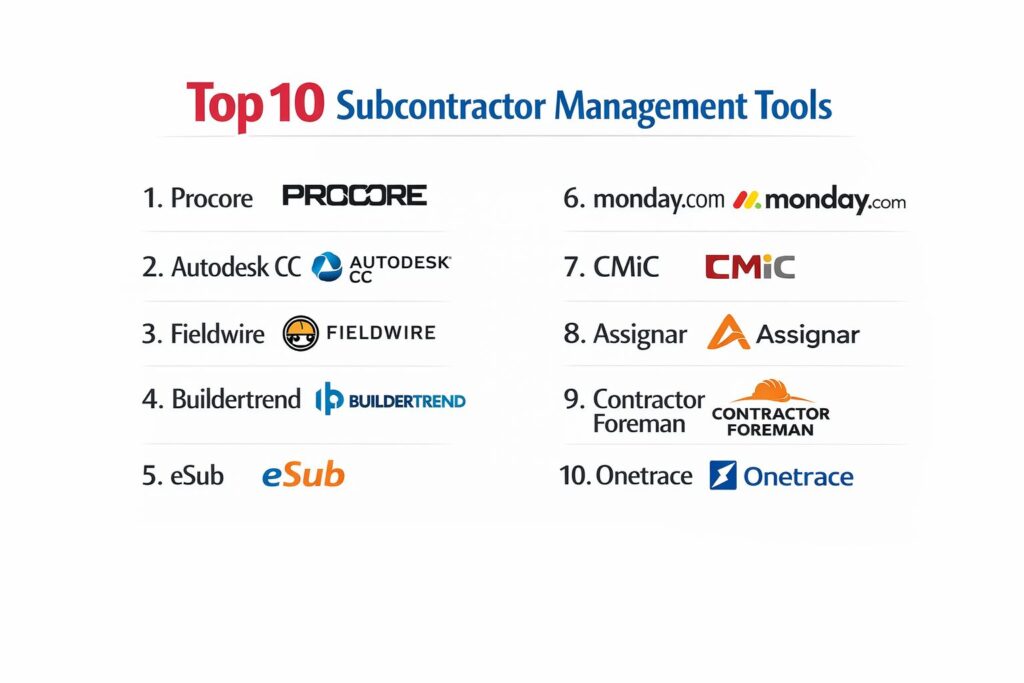
Introduction
Subcontractor management has evolved from simple spreadsheet tracking into a critical component of the modern construction and project management ecosystem. For organizations overseeing complex multi-tier projects, the ability to coordinate diverse teams while maintaining strict compliance, safety, and financial standards is no longer optional. Subcontractor management tools provide the digital infrastructure necessary to bridge the gap between the primary contractor’s office and the laborers in the field. These platforms centralize everything from pre-qualification and bidding to real-time site reporting and automated payment processing, ensuring that project schedules remain intact and legal risks are mitigated.
The strategic implementation of these tools allows for a “single source of truth,” where every drawing update, change order, and safety inspection is visible to the relevant stakeholders instantly. This transparency is vital in an industry where communication silos often lead to costly rework and litigation. By automating the administrative burden of tracking insurance certifications and daily logs, project managers can shift their focus toward high-level resource optimization and quality assurance. Selecting the right platform requires a deep understanding of your operational scale, the technical proficiency of your field crews, and the specific regulatory requirements of your region.
Best for: General contractors, project owners, and heavy infrastructure firms who need to manage large-scale, multi-party labor forces with high-stakes compliance and financial tracking.
Not ideal for: Solo trade contractors or very small residential teams whose primary need is simple task management rather than comprehensive vendor governance and multi-entity financial oversight.
Key Trends in Subcontractor Management Tools
The industry is currently witnessing a massive surge in AI-powered predictive scheduling, where tools analyze historical subcontractor performance to forecast potential project delays before they occur. There is also a significant move toward “unified data environments” where BIM (Building Information Modeling) data is linked directly to subcontractor tasks, allowing workers to view 3D models of their specific work area on mobile devices.
Furthermore, sustainability tracking is becoming a standard feature, with platforms now including modules to track the carbon footprint and waste management practices of every subcontractor on a job site. Financial technology (FinTech) integration is another major shift, with platforms offering “instant pay” features that allow subcontractors to receive funding immediately upon milestone approval, improving their cash flow and strengthening the prime contractor’s supply chain relationships.
How We Selected These Tools
Our selection process focused on tools that demonstrate high operational reliability and a clear “field-first” philosophy. We prioritized platforms that offer robust mobile capabilities, as the majority of subcontractor interactions happen away from a desktop. Market mindshare was heavily weighted, as established tools like Procore and Autodesk offer the most extensive integration ecosystems, which is crucial when syncing data with accounting and ERP systems.
We also evaluated these tools based on their “compliance-as-a-service” features. A top-tier tool must proactively flag expired insurance or missing safety certifications to prevent unauthorized personnel from entering a site. Finally, we looked for scalability; the chosen tools range from mid-market solutions for growing builders to enterprise-grade platforms capable of managing multi-billion dollar infrastructure projects.
1. Procore
Procore is the dominant force in construction management, offering a comprehensive suite that connects the entire project lifecycle. Its subcontractor management features are built around a robust financial and document control system, ensuring that every contract and change order is tracked with surgical precision.
Key Features
The platform includes a dedicated “Tender Management” module that simplifies the bidding process by centralizing all subcontractor communications. It features a sophisticated “Insurance Tracking” system that automatically alerts managers when a subcontractor’s coverage is about to expire. The mobile app allows field teams to access the most current drawings and log daily reports even when offline. It also offers “Commitment” tools that link project milestones directly to financial payouts, reducing billing disputes.
Pros
Extremely high market adoption means most subcontractors are already familiar with the interface. The integration marketplace is the most extensive in the industry, connecting to hundreds of third-party apps.
Cons
The pricing model is based on construction volume, which can become prohibitively expensive for firms with high-value, low-complexity projects.
Platforms and Deployment
Cloud-based web platform with native iOS and Android applications.
Security and Compliance
SOC 2 Type II compliant with enterprise-grade encryption and granular role-based access controls.
Integrations and Ecosystem
Native integrations with Sage, QuickBooks, Microsoft Project, and Oracle Primavera.
Support and Community
Offers 24/7 live support, a massive “Procore Certification” training library, and an active user community.
2. Autodesk Construction Cloud
Formerly known as BIM 360 and PlanGrid, Autodesk Construction Cloud is the premier choice for projects that are drawing-centric. It excels at connecting the design phase directly to the subcontractors responsible for installation.
Key Features
The platform’s standout feature is its “Model Coordination” tool, which allows subcontractors to identify design clashes in 3D before arriving on site. It includes “Build” features for tracking issues, RFIs, and submittals in a unified workflow. The “Schedule” tool allows for real-time updates that are pushed to all subcontractors simultaneously. It also offers advanced “Assets” tracking for equipment and materials being managed by various trades.
Pros
Seamlessly integrates with Revit and AutoCAD, making it the best choice for complex architectural projects. Its sheet-based pricing can be more predictable than volume-based models.
Cons
The interface can be overwhelming for subcontractors who are not used to working with complex 3D models.
Platforms and Deployment
Web-based dashboard with a highly-rated mobile app for field use.
Security and Compliance
Adheres to global standards including ISO 27001 and GDPR.
Integrations and Ecosystem
Deeply integrated within the Autodesk suite and supports various ERP connectors.
Support and Community
Extensive documentation and a global network of implementation partners.
3. Fieldwire
Fieldwire focuses on the “last mile” of construction—the communication between the project manager and the subcontractor on the ground. It is widely praised for its simplicity and speed, making it a favorite for task management and punch lists.
Key Features
It uses a “Task-Based” system where every job is pinned directly to a location on a digital blueprint. Subcontractors can take photos, add comments, and mark tasks as complete in real-time. It features an automated “Schedules” report that summarizes all active work for the week. The “Forms” module allows for the digital creation of safety audits and timesheets.
Pros
The learning curve is virtually non-existent, leading to high adoption rates among field crews. It is exceptionally fast at loading large, complex drawing files on mobile devices.
Cons
Lacks the deep financial and contract management features found in enterprise suites like Procore.
Platforms and Deployment
Cloud-based with highly optimized apps for iOS and Android.
Security and Compliance
Standard SSL encryption and secure data hosting on AWS.
Integrations and Ecosystem
Connects with Box, Dropbox, and Google Drive for document syncing.
Support and Community
Provides responsive email support and a library of self-service tutorials.
4. Buildertrend
Buildertrend is the go-to solution for residential builders and remodelers. It provides a user-friendly way for small-to-mid-sized general contractors to manage their specialty subcontractors and client communications in one place.
Key Features
The platform features a “Subcontractor Portal” where trades can view their schedules, accept bids, and submit invoices. It includes a “Daily Logs” feature with voice-to-text capabilities for field updates. The “Change Order” management system ensures that every modification is signed and paid for before work begins. It also offers integrated lead management and a client-facing portal.
Pros
Flat-rate pricing for unlimited users makes it very cost-effective for growing teams. The focus on residential workflows makes it very intuitive for home builders.
Cons
It is not designed for the complexity of heavy civil or large-scale commercial projects.
Platforms and Deployment
Web-based platform with a robust mobile application.
Security and Compliance
Encrypted data storage and standard financial security for payment processing.
Integrations and Ecosystem
Strong links to QuickBooks and Xero for seamless accounting.
Support and Community
Known for excellent customer success managers and one-on-one training sessions.
5. eSub
eSub is unique because it is built specifically from the subcontractor’s perspective. While most tools serve the general contractor, eSub helps trade contractors manage their own labor, documents, and profitability across multiple projects.
Key Features
It features a “Labor Tracking” module that compares actual field hours against the original estimate in real-time. The “Document Control” system manages RFIs and submittals specifically to protect the subcontractor’s margins. It includes a mobile “Field Works” app for capturing site photos and signatures. The platform also automates the creation of “Pay Applications” according to industry standards.
Pros
Tailored specifically for the needs of mechanical, electrical, and plumbing (MEP) trades. Excellent for tracking “extra work” to ensure subcontractors get paid for every change.
Cons
The interface is more utilitarian and less “modern” than some of its newer competitors.
Platforms and Deployment
Cloud-based web portal and mobile app.
Security and Compliance
Standard industry encryption and secure user authentication.
Integrations and Ecosystem
Integrates with major construction accounting software like Sage and Viewpoint.
Support and Community
Offers dedicated implementation specialists and trade-specific training.
6. monday.com (Work Management)
While a general-purpose tool, monday.com has become a powerhouse for subcontractor management due to its extreme customizability. It is ideal for teams that want to build their own bespoke tracking pipelines without writing code.
Key Features
The “Automations” engine can trigger notifications to subcontractors when a predecessor task is finished. It uses “Status Columns” that provide an instant visual overview of where every subcontractor stands on their deliverables. It features “Workload View” to prevent over-scheduling specific teams. The “Forms” feature allows subcontractors to submit data that populates directly into the main project board.
Pros
Incredibly flexible; you can build exactly the workflow you need. The visual design is highly engaging and easy to understand.
Cons
Requires significant setup time to build out a construction-specific environment from scratch.
Platforms and Deployment
Web, Mac, Windows, iOS, and Android.
Security and Compliance
Offers HIPAA and SOC 2 compliance for enterprise-tier users.
Integrations and Ecosystem
Integrates with thousands of apps via Zapier and a native marketplace.
Support and Community
Huge global community and 24/7 customer support.
7. CMiC
CMiC is an enterprise-grade ERP and project management solution designed for the largest contractors in the world. It provides a level of financial depth and subcontractor governance that is unmatched by lighter tools.
Key Features
The platform features a “Unified Database” where every subcontractor’s financial data is linked to the project’s ledger. It includes a “Subcontractor Management” module that handles multi-tier lien waivers and compliance documents. The “Drawing Management” system is fully integrated with the financial modules. It also offers advanced “Forecasting” tools that use real-time field data to predict project outcomes.
Pros
Offers the most robust financial controls and audit trails available. Perfect for organizations that require a single system for both accounting and project management.
Cons
The implementation process is long and requires a dedicated internal team to manage.
Platforms and Deployment
Cloud or on-premise deployment options are available.
Security and Compliance
Built for high-security environments with extensive audit logging and compliance features.
Integrations and Ecosystem
Strong internal ecosystem; fewer third-party integrations because it aims to be an all-in-one solution.
Support and Community
Provides professional services for custom implementations and ongoing support.
8. Assignar
Assignar is a specialized tool focused on the operational side of subcontractor management, particularly for heavy civil and self-performing contractors who need to manage labor and equipment.
Key Features
It features a “Scheduling” engine that matches the right crew and equipment to the right job site based on certifications. The “Compliance” module tracks worker tickets, inductions, and safety licenses. It includes a “Field App” for digital dockets, timesheets, and pre-start safety checks. The platform also provides “Real-time Field Visibility” into equipment utilization and labor costs.
Pros
The best tool for managing “dynamic” workforces where crews move between sites frequently. Excellent for tracking specialized certifications.
Cons
Not a full project management suite; it needs to be paired with a document management tool.
Platforms and Deployment
Cloud-based with a focus on mobile-first field workers.
Security and Compliance
Encrypted data transmission and secure cloud storage.
Integrations and Ecosystem
Integrates with accounting tools like Xero, MYOB, and QuickBooks.
Support and Community
Responsive customer success team with a focus on civil construction workflows.
9. Contractor Foreman
Contractor Foreman is a high-value, all-in-one solution designed for small-to-medium contractors. It provides a surprisingly deep feature set at a fraction of the cost of enterprise systems.
Key Features
Includes over 35 modules, including “Bid Management,” “Daily Logs,” and “Scheduling.” It features a “Subcontractor Portal” that allows trades to view tasks and submit invoices. The “Safety” module includes a library of Toolbox Talks and incident reports. It also offers “Time Tracking” with GPS geofencing to ensure crews are actually on-site.
Pros
One of the most affordable options that still includes a full suite of construction features. It offers a 100-day money-back guarantee.
Cons
The sheer number of modules can make the interface feel cluttered for users who only need basic features.
Platforms and Deployment
Web-based and mobile app.
Security and Compliance
Standard cloud security protocols and data backups.
Integrations and Ecosystem
Integrates with QuickBooks, Gusto, and WePay.
Support and Community
Offers free training and weekly webinars for all users.
10. Onetrace
Onetrace is a niche, purpose-built tool specifically for subcontractors in the “passive fire protection” and “specialist trades” industry. It focuses on providing “proof of work” and strict compliance documentation.
Key Features
The platform features a “Digital Site Structure” that allows users to pin photos and forms to exact locations on a floor plan. It focuses heavily on “Photographic Evidence,” requiring workers to take “before and after” photos of every task. It includes a “Compliance Dashboard” that shows the real-time status of all inspections. The system also generates “Branded Reports” for clients with a single click.
Pros
The best tool for trades that require high-fidelity proof of installation for insurance and safety purposes. Extremely simple for field workers to use.
Cons
Very specialized; may not have the broad project management features required by a general contractor.
Platforms and Deployment
Cloud-based web and mobile app.
Security and Compliance
Focuses on creating a permanent, unalterable audit trail for fire safety compliance.
Integrations and Ecosystem
Limited integrations, as it is designed to be a standalone tool for specialist trades.
Support and Community
Dedicated support for the fire protection and specialist contractor community.
Comparison Table
| Tool Name | Best For | Platform(s) Supported | Deployment | Standout Feature | Public Rating |
| 1. Procore | Enterprise GC | Web, iOS, Android | Cloud | Financial & Compliance Hub | 4.5/5 |
| 2. Autodesk CC | Design-Heavy Projects | Web, iOS, Android | Cloud | 3D Model Integration | 4.3/5 |
| 3. Fieldwire | Task Coordination | Web, iOS, Android | Cloud | Drawing-Centric Tasks | 4.6/5 |
| 4. Buildertrend | Residential Builders | Web, iOS, Android | Cloud | Subcontractor Portal | 4.5/5 |
| 5. eSub | Trade Contractors | Web, iOS, Android | Cloud | Profitability Tracking | 4.2/5 |
| 6. monday.com | Custom Workflows | Web, Desktop, Mobile | Cloud | Automation Engine | 4.7/5 |
| 7. CMiC | Large Enterprise ERP | Web, Windows | Hybrid | Unified Financial Data | 4.0/5 |
| 8. Assignar | Self-Performing Crews | Web, iOS, Android | Cloud | Labor/Equipment Scheduling | 4.4/5 |
| 9. Contractor Foreman | SMB/Value Seekers | Web, iOS, Android | Cloud | 35+ Built-in Modules | 4.5/5 |
| 10. Onetrace | Specialist Trades | Web, iOS, Android | Cloud | Proof of Installation | 4.6/5 |
Evaluation & Scoring of Subcontractor Management Tools
The scoring below is a comparative model intended to help shortlisting. Each criterion is scored from 1–10, then a weighted total from 0–10 is calculated using the weights listed. These are analyst estimates based on typical fit and common workflow requirements, not public ratings.
Weights:
- Core features – 25%
- Ease of use – 15%
- Integrations & ecosystem – 15%
- Security & compliance – 10%
- Performance & reliability – 10%
- Support & community – 10%
- Price / value – 15%
| Tool Name | Core (25%) | Ease (15%) | Integrations (15%) | Security (10%) | Performance (10%) | Support (10%) | Value (15%) | Weighted Total |
| 1. Procore | 10 | 7 | 10 | 9 | 9 | 10 | 6 | 8.85 |
| 2. Autodesk CC | 9 | 7 | 9 | 9 | 8 | 8 | 7 | 8.15 |
| 3. Fieldwire | 8 | 10 | 7 | 8 | 10 | 8 | 9 | 8.55 |
| 4. Buildertrend | 8 | 9 | 8 | 8 | 8 | 10 | 9 | 8.65 |
| 5. eSub | 9 | 7 | 8 | 8 | 8 | 8 | 8 | 8.10 |
| 6. monday.com | 7 | 10 | 9 | 9 | 9 | 9 | 9 | 8.55 |
| 7. CMiC | 10 | 5 | 6 | 10 | 8 | 8 | 7 | 7.95 |
| 8. Assignar | 8 | 8 | 8 | 8 | 9 | 8 | 8 | 8.10 |
| 9. Contractor Foreman | 8 | 8 | 8 | 8 | 8 | 9 | 10 | 8.40 |
| 10. Onetrace | 7 | 9 | 5 | 9 | 9 | 8 | 8 | 7.65 |
How to interpret the scores:
- Use the weighted total to shortlist candidates, then validate with a pilot.
- A lower score can mean specialization, not weakness.
- Security and compliance scores reflect controllability and governance fit, because certifications are often not publicly stated.
- Actual outcomes vary with assembly size, team skills, templates, and process maturity.
Which Subcontractor Management Tool Is Right for You?
Solo / Freelancer
For the independent project consultant or small-scale subcontractor, a flexible and affordable tool like monday.com or Contractor Foreman is the ideal starting point. These allow for professional organization without the high entry costs of enterprise software.
SMB
Small-to-mid-sized general contractors will find the most value in Buildertrend or Fieldwire. These platforms balance a robust feature set with ease of use, ensuring that field crews will actually adopt the technology without extensive training.
Mid-Market
For growing firms managing several multi-million dollar projects, Procore (at an entry-level tier) or eSub offers the necessary depth in financial tracking and document control to protect margins as complexity increases.
Enterprise
Large-scale infrastructure and industrial firms should look toward CMiC or Autodesk Construction Cloud. These tools provide the high-level data integration and security required for projects involving hundreds of subcontractors and strict regulatory oversight.
Budget vs Premium
Contractor Foreman is the undisputed leader for those on a tight budget who still need a comprehensive feature set. Conversely, Procore is the premium choice for those who view “industry-standard software” as a necessary investment for winning larger bids.
Field-First vs Office-First
If your biggest challenge is site communication, Fieldwire and Assignar are the top contenders. If your bottlenecks are in the accounting and contract phase, the unified financial databases of CMiC or Procore are the better solutions.
Integrations & Scalability
General contractors who plan on significant growth should prioritize Procore or Autodesk due to their massive integration marketplaces. These platforms ensure that as your tech stack grows, your subcontractor management data remains the central hub of information.
Security & Compliance Needs
For projects with high security requirements or government oversight, CMiC and the enterprise tiers of Procore offer the most robust audit logs and data protection certifications in the market today.
Frequently Asked Questions (FAQs)
1. Why should I use a specialized tool instead of Excel?
Excel lacks real-time updates, automated compliance tracking, and an audit trail. A specialized tool ensures that everyone is looking at the same version of a drawing and that insurance certificates are automatically verified.
2. How do subcontractors access these tools?
Most platforms offer a “Subcontractor Portal” or a mobile app. In many cases, the general contractor pays for the license, and the subcontractors can join and use the tool for free to submit logs and photos.
3. Can these tools help with lien waivers?
Yes, enterprise tools like Procore and CMiC have built-in workflows for lien waivers, ensuring that payments are only released once the proper legal documents are signed and collected.
4. Do these tools work offline on job sites?
Yes, the best field tools like Fieldwire and Autodesk Construction Cloud allow workers to view drawings and input data offline; the information syncs automatically once a connection is restored.
5. How long does it take to set up these systems?
Setup can range from a few hours for a tool like Fieldwire to several months for an enterprise ERP like CMiC. Most SMB tools can be operational within one to two weeks.
6. Will these tools integrate with my current accounting software?
Most leading tools have native integrations with QuickBooks, Sage, and Xero. It is critical to verify the specific version of your accounting software before committing to a platform.
7. Can I track subcontractor safety certifications?
Yes, this is a core feature of platforms like Assignar and Procore. The system can be set up to prevent a subcontractor from being assigned a task if their safety credentials have expired.
8. How do these tools handle change orders?
They provide a digital trail where a change can be requested in the field, approved by the office, and updated in the contract and budget instantly, preventing unapproved work.
9. Is training provided for my subcontractors?
Most platforms offer extensive online help centers and video tutorials. Some, like Procore and Buildertrend, provide dedicated customer success managers to help with the onboarding process.
10. What happens to my data if I stop using the tool?
Most cloud providers allow you to export your data in PDF or CSV format. However, you should check the specific data retention policy in your contract before signing up.
Conclusion
Navigating the complexities of modern construction requires a technical infrastructure that can match the pace of the field. Selecting a subcontractor management tool is not merely a software purchase; it is a commitment to a specific operational philosophy. The convergence of AI-driven insights and real-time field data is making these platforms indispensable for maintaining profitability and compliance. The right tool will act as a force multiplier for your project managers, reducing administrative friction and allowing your subcontractors to focus on what they do best: building. By centralizing your workflows and eliminating data silos, you ensure that every stakeholder is aligned toward the same goal of project excellence and safety.