Introduction
Stock media libraries function as centralized digital repositories that provide licensed access to high-quality visual and auditory assets, including photography, video footage, vector illustrations, and music. These platforms serve as a critical resource for creative professionals, marketing agencies, and corporate communications departments by offering a cost-effective alternative to custom production. By utilizing these libraries, organizations can maintain high aesthetic standards across their digital and print media without the logistical overhead of organizing global photoshoots or video productions. In the modern enterprise environment, these tools have evolved from simple galleries into sophisticated ecosystems that utilize artificial intelligence for advanced metadata tagging and visual search capabilities.
The strategic importance of stock media lies in its ability to facilitate rapid content iteration and brand consistency. As the demand for high-frequency social media updates and personalized marketing continues to grow, having immediate access to millions of legally cleared assets is a competitive necessity. For enterprises, these platforms provide essential legal indemnification and rights management, ensuring that global campaigns are compliant with regional intellectual property laws. When evaluating a stock media provider, key considerations include the breadth and exclusivity of the collection, the transparency of licensing tiers, and the ease of integration into existing creative workflows.
Best for: Corporate marketing teams, digital agencies, social media managers, video editors, and architectural visualization firms requiring high-resolution, legally-compliant creative assets.
Not ideal for: Brands seeking highly specific or unique proprietary imagery that cannot be found elsewhere, or projects requiring hyper-local, niche-specific content that hasn’t been captured by global contributors.
Key Trends in Stock Media Libraries
There is a significant industry shift toward authentic, “non-stock” aesthetics, with users moving away from staged, overly-polished imagery in favor of candid, lifestyle-oriented content. Artificial intelligence is now being integrated directly into these platforms, not only to improve search accuracy but also to generate custom variations of existing assets or create entirely new visuals from text prompts. Real-time collaboration features are becoming a standard requirement, allowing multiple team members to organize lightboxes and approve assets within a shared corporate account.
Licensing models are also evolving toward more flexible, unlimited-download subscriptions, which cater to the high-volume needs of modern content creators. We are also seeing a rise in specialized libraries that focus exclusively on high-end cinematic footage or niche editorial content for news and sports. Additionally, many platforms are expanding their offerings to include 3D models and motion graphics templates, providing a more comprehensive toolkit for immersive media development.
How We Selected These Tools
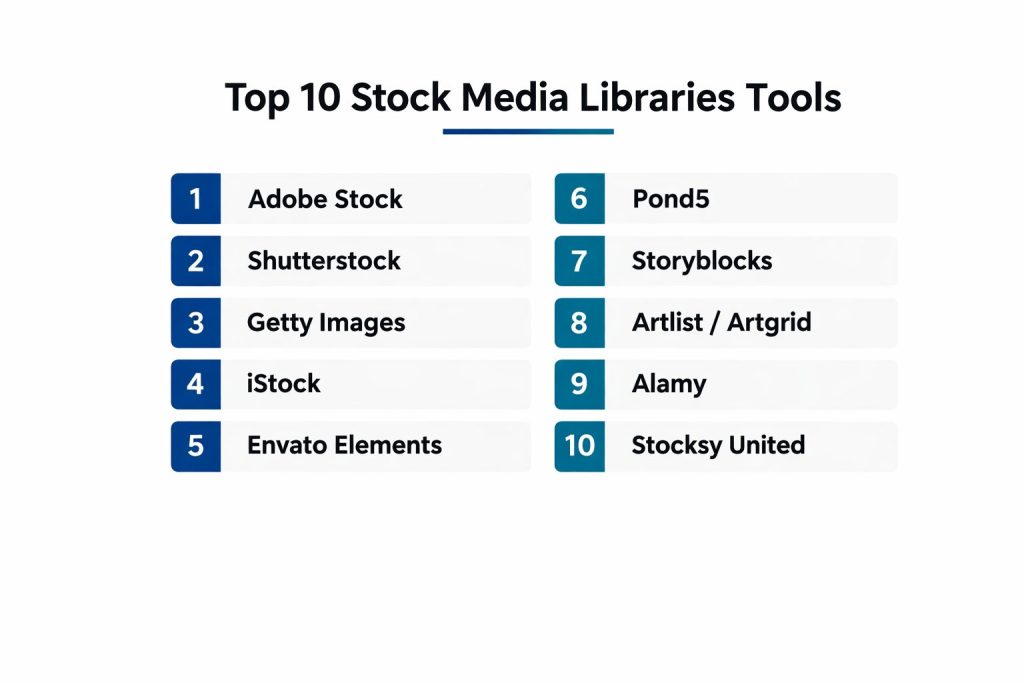
The selection of these top ten platforms was based on an extensive analysis of library depth, licensing reliability, and professional adoption. We prioritized libraries that offer a diverse range of media types to ensure they can serve as a one-stop solution for complex projects. Legal safety was a non-negotiable criterion; only platforms with robust contributor verification and clear commercial indemnification were included.
User experience was another major factor, specifically focusing on the efficiency of search algorithms and the ability to filter results by technical specifications like color, orientation, and resolution. We also examined the availability of enterprise-grade features such as multi-user seat management and single sign-on integration. Finally, the value proposition of each service was assessed relative to the quality of its exclusive collections, ensuring that both budget-conscious freelancers and high-end studios are represented.
1. Adobe Stock
Adobe Stock is a premier media library that is uniquely positioned due to its deep integration with the Creative Cloud ecosystem. It allows designers to search, preview, and license assets directly within applications like Photoshop and Premiere Pro, significantly reducing project lead times.
Key Features
The platform features a massive collection of hundreds of millions of photos, vectors, and 4K videos. It uses advanced AI to allow users to search for images by uploading a reference file or filtering by specific aesthetic qualities. Users can download watermarked previews to test within their designs before committing to a license. It also offers a dedicated collection of templates for motion graphics and print design. Furthermore, the platform provides high-level editorial content through partnerships with global news agencies.
Pros
The native integration with professional design software is an unmatched efficiency booster. The quality of the curated “Premium” and “Editorial” collections is consistently high.
Cons
The pricing can be higher than competitors, especially for high-volume users. It does not offer an unlimited download subscription model.
Platforms and Deployment
Web-based with deep native plugins for Adobe Creative Cloud applications.
Security and Compliance
Offers robust enterprise security, including administrative controls for managing licenses across large teams and standard commercial indemnification.
Integrations and Ecosystem
Seamlessly works with the entire Adobe suite and integrates with Microsoft PowerPoint and Google Slides via extensions.
Support and Community
Provides extensive corporate support, documentation, and a large contributor community that keeps the library updated with current trends.
2. Shutterstock
Shutterstock is one of the most well-known names in the industry, offering one of the largest and most diverse collections of royalty-free assets in the world. It is a go-to choice for agencies that need a high volume of varied content across different industries.
Key Features
The library includes over 400 million images and a vast selection of video and music tracks. It provides built-in editing tools that allow users to resize or add filters to images before downloading. The platform features an AI-powered search engine that understands complex queries and visual similarities. It also offers a specialized “Creative Flow” suite that helps teams plan and schedule their visual content. Additionally, it has a robust editorial section covering world events and entertainment.
Pros
The sheer volume of content ensures that you can find an asset for almost any niche or specific keyword. Its subscription plans are highly flexible for different business sizes.
Cons
Some of the most popular images can feel “overused” across the web due to the platform’s high traffic. The licensing for certain editorial assets can be complex.
Platforms and Deployment
Web-based platform with mobile applications for iOS and Android.
Security and Compliance
Provides industry-standard legal protection and various enterprise tiers that include higher levels of financial indemnification.
Integrations and Ecosystem
Integrates with popular workflow tools like Slack and various content management systems through its API.
Support and Community
Offers global support in multiple languages and a massive knowledge base for both buyers and contributors.
3. Getty Images
Getty Images is the gold standard for high-end creative and editorial photography. It is primarily used by major media corporations and global brands that require exclusive, world-class imagery and historical archives.
Key Features
The platform is famous for its unmatched editorial coverage of sports, news, and celebrity events. It provides rights-managed licensing, which allows brands to buy exclusive use of an image for a specific period. The library contains a vast archive of historical photographs dating back to the beginning of the medium. It also offers high-quality cinematic footage and 4K video clips. Its “Custom Content” service allows enterprises to commission photographers to shoot specific assets for their brand.
Pros
The quality and exclusivity of the content are superior to almost any other library. It is the best choice for high-profile editorial and commercial use where prestige is key.
Cons
It is the most expensive option on the market, with some individual images costing hundreds of dollars. The licensing process can be more time-consuming due to the complexity of rights management.
Platforms and Deployment
Web-based platform with professional-grade search and management tools.
Security and Compliance
Provides the highest level of legal protection and indemnification in the industry, tailored for enterprise-level risks.
Integrations and Ecosystem
Integrates with professional media management systems used by large news and marketing organizations.
Support and Community
Direct account management is available for enterprise clients, alongside a global network of award-winning photographers.
4. iStock
iStock, owned by Getty Images, is a more accessible version of its parent company, offering a mix of affordable everyday assets and high-end exclusive content. It is designed to meet the needs of small businesses and individual creators.
Key Features
The platform divides its library into “Essentials” for budget-friendly assets and “Signature” for higher-quality, exclusive content. It features a powerful search tool that allows users to filter by the number of people in a photo or the ethnicity of the subjects. The library includes photos, illustrations, and videos that are curated to maintain a professional standard. It also offers a free editor for basic image customization. Users can choose between monthly subscriptions or credit packs that never expire.
Pros
The “Signature” collection offers high-end quality that isn’t available on other mid-range sites. The pricing is very competitive for the quality provided.
Cons
The credit-based system can sometimes be confusing for calculating the exact cost of a project. There is no unlimited download option.
Platforms and Deployment
Web-based platform with a dedicated mobile app for browsing.
Security and Compliance
Offers standard royalty-free licensing with the option to purchase extended legal protection if needed.
Integrations and Ecosystem
Features plugins for Adobe Creative Cloud and various productivity tools.
Support and Community
Provides reliable customer support and a wealth of tutorials on visual storytelling.
5. Envato Elements
Envato Elements is a subscription-based service that offers unlimited downloads across a massive range of digital assets. It is particularly popular among video editors and web developers who need a constant stream of diverse resources.
Key Features
A single subscription gives users access to photos, video templates, music, sound effects, and even WordPress themes. The library is incredibly diverse, focusing on creative assets like motion graphics and 3D renders. It includes a simple, unified license that covers all assets for commercial use. The platform frequently updates its collection with trending design styles and templates. It also offers free access to a learning platform with courses on design and video production.
Pros
The unlimited download model provides incredible value for money for high-volume creators. The inclusion of fonts and web templates makes it a versatile all-in-one resource.
Cons
The quality of individual assets can vary more than on premium sites like Adobe Stock. The library is less focused on high-end editorial or news content.
Platforms and Deployment
Web-based platform.
Security and Compliance
Features a straightforward commercial license that is easy for freelancers and small teams to understand.
Integrations and Ecosystem
While it lacks deep software plugins, its assets are designed for easy use in all major creative applications.
Support and Community
Offers a helpful community forum and a robust help center for technical and licensing questions.
6. Pond5
Pond5 is widely considered the world’s leading marketplace for stock video and footage. It is the preferred choice for filmmakers and television producers who need specific, high-quality clips ranging from drone shots to historical archives.
Key Features
The platform hosts one of the largest video libraries in existence, featuring millions of 4K and 8K clips. It allows contributors to set their own prices, which creates a highly competitive and diverse marketplace. Users can search for music, sound effects, and After Effects templates alongside video content. It features a visual search tool where users can upload a clip to find similar footage. The library also includes a massive collection of public domain and archival media.
Pros
It offers the best variety of specialized and cinematic video footage available. The pay-per-item model is ideal for users who only need a single specific clip.
Cons
Because contributors set the prices, some premium clips can be very expensive. The interface is more focused on video, which can make searching for still photos less intuitive.
Platforms and Deployment
Web-based marketplace.
Security and Compliance
Provides clear royalty-free licensing and offers enterprise solutions for companies requiring additional legal safeguards.
Integrations and Ecosystem
Features a dedicated plugin for Adobe Premiere Pro, allowing editors to import footage directly into their timelines.
Support and Community
Known for its strong relationship with the filmmaking community and excellent contributor support.
7. Storyblocks
Storyblocks offers an unlimited download subscription focused primarily on video and audio assets. It is designed for rapid content creation, helping businesses produce video at scale without worrying about individual asset costs.
Key Features
The platform provides unlimited access to a library of over a million HD and 4K video clips, music tracks, and sound effects. It includes a built-in web-based video editor called “Maker,” which allows non-pros to create professional-looking videos quickly. The library features a wide range of motion backgrounds and After Effects templates. It offers a simplified licensing structure that covers all commercial use cases. The platform also includes a growing collection of stock photos and vectors.
Pros
The unlimited download model is highly cost-effective for companies producing high volumes of video content. The “Maker” tool is excellent for teams without dedicated video editors.
Cons
The total library size is smaller than giants like Shutterstock or Adobe Stock. The focus is heavily on video, so the still image collection is less comprehensive.
Platforms and Deployment
Web-based platform with an integrated online video editor.
Security and Compliance
Offers enterprise plans with team sharing features and comprehensive legal protection for all downloaded content.
Integrations and Ecosystem
Provides plugins for major video editing software to streamline the import process.
Support and Community
Provides dedicated support for business accounts and a library of educational content for creators.
8. Artlist / Artgrid
Artlist and its sister site Artgrid are highly curated platforms that focus on cinematic music, sound effects, and footage. They are designed for creators who prioritize a modern, high-end aesthetic over traditional corporate stock styles.
Key Features
The platform offers an all-in-one subscription that covers music, SFX, and high-quality cinematic footage. The music is curated from independent artists, ensuring a “non-stock” sound that is perfect for modern commercials. The footage on Artgrid is organized by “stories,” allowing editors to find multiple clips from the same shoot for visual consistency. It features a simple, universal license that covers everything from YouTube to worldwide broadcast. The platform also recently added AI-driven search and categorization tools.
Pros
The quality of the music and footage is exceptional and feels like custom-produced content. The flat-rate subscription with unlimited downloads is very attractive for professional filmmakers.
Cons
The library is smaller and more specialized, so it may not have as much variety for generic corporate needs. There is no option to purchase individual tracks or clips without a subscription.
Platforms and Deployment
Web-based platform.
Security and Compliance
The “Personal” and “Pro” licenses are some of the most straightforward and comprehensive in the industry.
Integrations and Ecosystem
Designed to be used alongside professional editing software like DaVinci Resolve and Final Cut Pro.
Support and Community
Actively supports the independent filmmaking and music communities through various initiatives and high-quality training.
9. Alamy
Alamy is an independent stock photo agency known for its massive and diverse collection of over 300 million assets. It is favored by publishers and designers who need unique, editorial, or niche imagery that isn’t found on the more mainstream sites.
Key Features
The platform prides itself on having a non-exclusive relationship with its contributors, leading to a highly diverse and eclectic library. It features an extensive collection of live news, historical archives, and specialty travel photography. The search engine is highly detailed, allowing users to find specific locations or events with ease. It offers both royalty-free and rights-managed licensing. The platform also provides a “Stockimo” app that allows contributors to upload high-quality mobile photography.
Pros
It is one of the best sources for editorial and niche content that other platforms might reject for being “too artistic.” The library is updated with thousands of new images every day.
Cons
The quality can be less consistent than curated premium sites, requiring more time to sift through results. The pricing for rights-managed images can be high for small projects.
Platforms and Deployment
Web-based platform.
Security and Compliance
Provides clear licensing terms and robust protection for editorial and commercial use.
Integrations and Ecosystem
Standard web-based workflow that integrates easily into publishing and design pipelines.
Support and Community
Offers excellent customer service and is well-respected in the professional photography community.
10. Stocksy United
Stocksy is an artist-owned cooperative that focuses exclusively on highly curated, artistic, and authentic imagery. It is the top choice for brands that want a premium, high-fashion, or boutique aesthetic for their campaigns.
Key Features
Every image and video in the Stocksy library is hand-picked for its artistic value and authenticity. The platform operates as a cooperative, meaning the artists own the company and receive a higher percentage of the sales. The collection is 100% exclusive, so you won’t find these assets on any other stock site. The search tools are designed to help users find content based on mood, lighting, and composition. It also offers a growing collection of cinematic video clips.
Pros
The content is the most “non-stock” looking in the industry, offering a unique and high-end feel. It supports the creative community more directly than any other major platform.
Cons
The library is much smaller than the major players, focusing on quality over quantity. The pricing is premium, and there are no unlimited download subscription options.
Platforms and Deployment
Web-based boutique marketplace.
Security and Compliance
Offers high-quality royalty-free licenses with clear terms and commercial indemnification.
Integrations and Ecosystem
Primarily used as a source for high-end campaign visuals rather than a high-volume production tool.
Support and Community
Provides a very personal and supportive experience for both buyers and its exclusive group of artists.
Comparison Table
| Tool Name | Best For | Platform(s) Supported | Deployment | Standout Feature | Public Rating |
| 1. Adobe Stock | Creative Cloud Users | Web, Adobe CC | SaaS | Native In-App Search | 4.7/5 |
| 2. Shutterstock | High Volume/Diversity | Web, Mobile | SaaS | Massive 400M+ Library | 4.5/5 |
| 3. Getty Images | Premium Editorial | Web | SaaS | Rights-Managed Archives | 4.8/5 |
| 4. iStock | SMBs/Balanced Quality | Web, Mobile | SaaS | Signature Collection | 4.4/5 |
| 5. Envato Elements | Unlimited/Multi-Asset | Web | SaaS | Unlimited Download Model | 4.6/5 |
| 6. Pond5 | Video/Filmmakers | Web | SaaS | Footage Marketplace | 4.7/5 |
| 7. Storyblocks | Rapid Video Creation | Web | SaaS | Maker Video Editor | 4.3/5 |
| 8. Artlist / Artgrid | Cinematic Creators | Web | SaaS | Curated Stories/Music | 4.8/5 |
| 9. Alamy | Editorial/Niche | Web | SaaS | 300M+ Diverse Assets | 4.2/5 |
| 10. Stocksy United | Boutique/Artistic | Web | SaaS | Artist-Owned Co-op | 4.9/5 |
Evaluation & Scoring of Stock Media Libraries
The scoring below is a comparative model intended to help shortlisting. Each criterion is scored from 1–10, then a weighted total from 0–10 is calculated using the weights listed. These are analyst estimates based on typical fit and common workflow requirements, not public ratings.
Weights:
- Core features – 25%
- Ease of use – 15%
- Integrations & ecosystem – 15%
- Security & compliance – 10%
- Performance & reliability – 10%
- Support & community – 10%
- Price / value – 15%
| Tool Name | Content (25%) | Licensing (15%) | Search (15%) | Security (10%) | Performance (10%) | Support (10%) | Value (15%) | Weighted Total |
| 1. Adobe Stock | 10 | 9 | 10 | 9 | 9 | 9 | 7 | 9.00 |
| 2. Shutterstock | 10 | 8 | 9 | 8 | 9 | 8 | 8 | 8.70 |
| 3. Getty Images | 10 | 10 | 8 | 10 | 8 | 10 | 5 | 8.80 |
| 4. iStock | 8 | 9 | 9 | 8 | 9 | 8 | 8 | 8.35 |
| 5. Envato Elements | 7 | 8 | 7 | 7 | 8 | 7 | 10 | 7.70 |
| 6. Pond5 | 9 | 9 | 8 | 8 | 9 | 9 | 7 | 8.55 |
| 7. Storyblocks | 7 | 9 | 7 | 8 | 8 | 8 | 9 | 7.85 |
| 8. Artlist | 9 | 10 | 8 | 8 | 9 | 9 | 9 | 8.95 |
| 9. Alamy | 9 | 8 | 8 | 8 | 8 | 8 | 7 | 8.15 |
| 10. Stocksy | 10 | 9 | 7 | 8 | 9 | 9 | 6 | 8.45 |
How to interpret the scores:
- Use the weighted total to shortlist candidates, then validate with a pilot.
- A lower score can mean specialization, not weakness.
- Security and compliance scores reflect controllability and governance fit, because certifications are often not publicly stated.
- Actual outcomes vary with assembly size, team skills, templates, and process maturity.
Which Stock Media Libraries Tool Is Right for You?
Solo / Freelancer
For individuals, a platform that offers the most diverse range of assets under a single, affordable subscription is usually the best choice. This minimizes administrative tasks like tracking multiple licenses and allows for more creative experimentation without additional costs.
SMB
Small businesses should look for a balance between high-quality “Signature” assets and budget-friendly options. A platform that provides an easy-to-use search interface and reliable royalty-free licensing ensures that small teams can produce professional results quickly and safely.
Mid-Market
In the mid-market segment, the ability to manage team access and share collections is vital. Choosing a library with robust collaboration tools and a large enough collection to avoid visual overlap with competitors is a key strategic move.
Enterprise
Enterprises require global licensing rights and high levels of legal indemnification to protect against copyright claims. They also benefit from dedicated account management and custom content solutions that align with their specific brand guidelines and high-security requirements.
Budget vs Premium
Budget-conscious users will find the best value in unlimited download models, while those with larger budgets should prioritize curated, exclusive collections that offer a more unique visual identity and higher production values.
Feature Depth vs Ease of Use
Some platforms offer built-in editors and AI generation tools that add depth to the workflow, while others focus on a simple, lightning-fast search-and-download experience. The right choice depends on whether you need a full creative workstation or just a source for assets.
Integrations & Scalability
For professional designers, native software integrations are a major time-saver. As your organization grows, the ability of a stock platform to integrate with your digital asset management (DAM) system through an API becomes increasingly important.
Security & Compliance Needs
High-stakes commercial projects must prioritize platforms that offer enhanced legal protection. Always ensure the library provides a clear audit trail for licenses and has a proven track record of standing behind its contributors’ rights.
Frequently Asked Questions (FAQs)
1. What is the difference between Royalty-Free and Rights-Managed?
Royalty-Free allows for a one-time payment for multiple uses without extra fees, while Rights-Managed is a specific license for a single use or a set period, often offering exclusivity for that specific time and location.
2. Can I use stock media for a company logo?
Generally, no. Most standard licenses explicitly forbid the use of stock images or vectors as part of a trademarked logo, as the original artist still retains the underlying copyright to the asset.
3. Is AI-generated content in these libraries safe to use?
Major professional libraries have implemented specific policies for AI content, often providing the same legal indemnification as traditional photos to ensure they are safe for commercial and enterprise use.
4. Do I need to give credit to the photographer?
For commercial use, credit is usually not required under a standard royalty-free license. However, for editorial use in news or magazines, providing a credit line is a standard requirement and often a legal obligation.
5. What happens to my licensed assets if I cancel my subscription?
For most reputable platforms, any asset you licensed and used in a project while your subscription was active remains legally covered forever. However, you typically cannot use those assets for new projects after the subscription ends.
6. Can I use stock music on YouTube without getting a copyright strike?
Yes, if you use a professional library, they often provide tools to “clear” your YouTube channel or specific videos. This tells YouTube’s automated systems that you have a valid license to use that specific track.
7. Are “free” stock sites safe for commercial business?
While many free sites are popular, they often lack the rigorous contributor verification and legal indemnification found in paid professional libraries, which can lead to significant legal risks for a business.
8. What resolution do I need for print vs web?
For web and digital use, 72 DPI is standard, but for high-quality print, you should look for assets that are at least 300 DPI at the final intended size to ensure the image remains sharp and professional.
9. Can I modify a stock image after downloading it?
Yes, standard licenses almost always allow you to crop, edit, and manipulate an image to fit your creative needs, as long as the final use doesn’t violate other terms like sensitive use restrictions.
10. What is “Editorial” content?
Editorial content is intended for news, educational, or documentary purposes. It often features recognizable people or brands without a model release, meaning it cannot be used to sell or promote a product.
Conclusion
Navigating the landscape of stock media libraries requires a strategic assessment of your creative volume, legal risk tolerance, and aesthetic requirements. In today’s digital economy, the quality of your visual assets is a direct reflection of your brand’s authority and professionalism. While budget-friendly unlimited models offer an excellent solution for high-frequency content, the exclusivity and prestige of premium curated collections remain indispensable for high-stakes commercial campaigns. Ultimately, the most successful creative pipelines are those that treat stock media not just as a commodity, but as a flexible extension of their internal production capabilities. By selecting a platform that aligns with your technical workflow and offers robust legal protection, you ensure that your creative vision is supported by a foundation of reliability and excellence.