Introduction
A Secure Shell (SSH) client is a software application that utilizes the SSH protocol to establish a secure, encrypted connection to a remote computer or server. In the technical landscape, SSH clients have evolved from simple command-line interfaces into sophisticated session management hubs. These tools are essential for system administrators, DevOps engineers, and developers to manage cloud infrastructure, execute remote commands, and transfer files securely over unsecured networks.
Choosing the right SSH client is a strategic decision that impacts operational security and workflow efficiency. Modern enterprises now prioritize tools that offer robust identity management, multi-factor authentication (MFA) integration, and seamless session synchronization across distributed teams. As infrastructure grows in complexity, the ability of an SSH client to handle high volumes of concurrent sessions and automate repetitive tasks through scripting becomes a critical performance multiplier.
- Best for: Network administrators, SREs, cloud architects, and security professionals.
- Not ideal for: General users who do not require remote server access or command-line interaction.
Key Trends in SSH Clients
- Post-Quantum Cryptography: Integration of new encryption algorithms designed to resist potential quantum computing threats.
- Cloud-Native Sync: Secure, end-to-end encrypted synchronization of connection profiles and snippets across multiple devices.
- Zero Trust Integration: Transitioning from static SSH keys to short-lived certificates and identity-aware proxies.
- AI-Assisted Command Suggestion: Embedded intelligence that suggests commands based on historical usage and context.
- Native OpenUSD & Multiplexing: Enhanced support for managing complex, multi-layered visual and data environments through SSH tunnels.
- Unified Protocol Access: Convergence of SSH, RDP, and VNC into a single “pane of glass” for comprehensive remote management.
How We Selected These Tools
- Security Standards: Prioritized clients with support for the latest encryption protocols and MFA.
- User Experience: Evaluated the efficiency of session management and the quality of terminal emulation.
- Cross-Platform Availability: Assessed the tool’s presence across Windows, macOS, Linux, and mobile OS.
- Automation Capabilities: Analyzed support for scripting, macros, and command snippets.
- Enterprise Features: Looked for role-based access control (RBAC) and team collaboration functionalities.
- Reliability: Screened for stability in high-latency environments and during long-duration sessions.
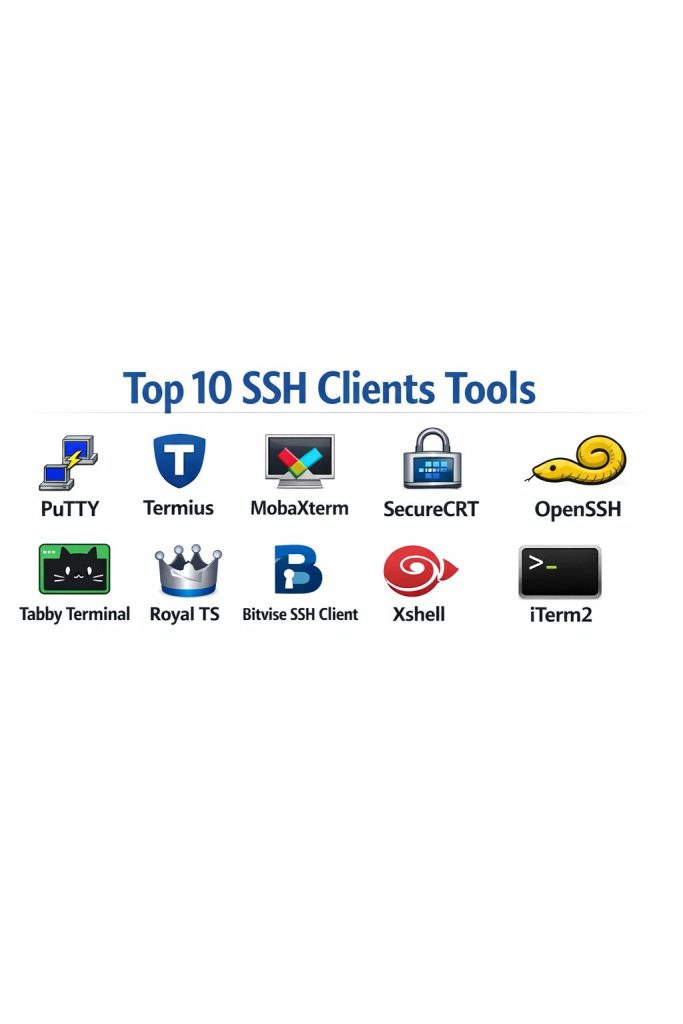
Top 10 SSH Client Tools
1. PuTTY
The most iconic and widely used free SSH client for Windows, known for its extreme portability and reliability.
Key Features
- Support for SSH, Telnet, Rlogin, and raw socket connections.
- Portable executable requiring no formal installation.
- Comprehensive public-key authentication via the Pageant agent.
- Advanced terminal emulation including xterm and VT100.
- Companion tools for SCP (PSCP) and SFTP (PSFTP) file transfers.
Pros
- Extremely lightweight with a minimal system resource footprint.
- Decades of community testing ensure maximum stability and trust.
Cons
- Lacks a modern tabbed interface, requiring multiple windows for multiple sessions.
- Configuration is managed through a dated registry-based system.
Platforms / Deployment
- Windows / Linux
- Desktop
Security & Compliance
- Supports standard SSH-2 encryption; security is managed locally.
Integrations & Ecosystem
PuTTY remains a fundamental building block, often integrated into larger management suites and automated scripts.
Support & Community
Vast historical documentation and active volunteer-based maintenance and development.
2. Termius
A modern, cloud-first SSH client designed for teams that need to sync data across desktop and mobile devices.
Key Features
- Encrypted cloud vault for syncing hosts, keys, and credentials.
- Integrated SFTP client for graphical file management.
- Snippets library for saving and executing frequently used commands.
- Support for “Jump Hosts” to navigate complex network topologies.
- Mobile-optimized interface for iOS and Android.
Pros
- Exceptional user interface that feels modern and intuitive.
- Simplifies team collaboration through shared folders and credential access.
Cons
- The best features, including sync, are locked behind a subscription.
- Heavy reliance on cloud services may not suit offline-only environments.
Platforms / Deployment
- Windows / macOS / Linux / iOS / Android
- Cloud-Native / Hybrid
Security & Compliance
- End-to-end encryption for synced data and 2FA support.
Integrations & Ecosystem
Strongest in cloud-native environments, integrating with modern developer workflows and mobile devices.
Support & Community
Dedicated professional support for paid tiers and a high-quality knowledge base.
3. MobaXterm
The ultimate “all-in-one” toolbox for Windows power users, combining a terminal with an X11 server and various network tools.
Key Features
- Embedded X11 server for running remote graphical applications.
- Tabbed terminal interface with a split-screen view.
- Automatic SFTP browser that opens alongside the SSH session.
- Multi-execution mode to send one command to all open tabs.
- Native Windows support for Unix commands like bash, grep, and rsync.
Pros
- Comprehensive suite that replaces several separate networking utilities.
- Portable version allows for a full toolkit on a USB drive without admin rights.
Cons
- The interface can be overwhelming for users who only need basic SSH.
- Free version limits the number of saved sessions and macros.
Platforms / Deployment
- Windows
- Desktop / Portable
Security & Compliance
- Master password protection for stored credentials.
Integrations & Ecosystem
Acts as a central management hub for RDP, VNC, SSH, and FTP connections.
Support & Community
Professional edition includes dedicated technical support and customization tools.
4. SecureCRT
An enterprise-grade terminal emulator focused on high-security environments and advanced automation.
Key Features
- Extensive scripting support using Python, VBScript, and JScript.
- Tabbed session management with organizational folders.
- Support for FIPS 140-2 validated cryptography.
- Integrated “Button Bar” for one-click command execution.
- Multi-factor authentication including smart cards (PIV/CAC).
Pros
- Rock-solid reliability for mission-critical infrastructure management.
- Superior session management for users handling hundreds of servers.
Cons
- Commercial software with a high price point per license.
- The interface, while functional, lacks the visual polish of modern competitors.
Platforms / Deployment
- Windows / macOS / Linux
- Desktop
Security & Compliance
- Industry-leading compliance features including FIPS and strong auditing.
Integrations & Ecosystem
Frequently used in government and financial sectors where strict security protocols are mandatory.
Support & Community
High-tier technical support and regular maintenance updates from VanDyke Software.
5. OpenSSH
The foundational, open-source standard for SSH connectivity, built natively into almost every Unix-like operating system.
Key Features
- Command-line primary interface for maximum automation potential.
- Includes
scpandsftpfor secure file movements. - Powerful SSH tunneling and port forwarding capabilities.
- Configuration-driven management via
~/.ssh/configfiles. - Regular security audits by the OpenBSD community.
Pros
- Completely free and available by default on Linux and macOS.
- The “cleanest” implementation with no unnecessary overhead or bloat.
Cons
- Requires comfort with the command line; lacks a native GUI.
- No built-in session synchronization across different machines.
Platforms / Deployment
- Windows / macOS / Linux
- Local CLI
Security & Compliance
- The benchmark for SSH security, often the first to implement new standards.
Integrations & Ecosystem
The core engine behind many GUI-based clients and the standard for server-side SSH.
Support & Community
Global open-source community support and extensive documentation on every Linux wiki.
6. Tabby Terminal
A highly customizable, modern terminal emulator that serves as a beautiful alternative to standard clients.
Key Features
- Fully themeable interface with CSS-based styling support.
- Integrated SSH client with a robust profile manager.
- Support for serial ports, Telnet, and local shells (PowerShell, CMD).
- Persistent tabs that remember the working directory across restarts.
- Built-in SFTP and Zmodem support for file transfers.
Pros
- One of the most visually pleasing and customizable terminal experiences.
- Completely free and open-source under the MIT license.
Cons
- Higher memory usage compared to lightweight clients like PuTTY.
- Some users may find the extensive customization options distracting.
Platforms / Deployment
- Windows / macOS / Linux
- Desktop / Web-based version
Security & Compliance
- Supports standard SSH authentication; settings can be encrypted.
Integrations & Ecosystem
Great for developers who want a unified terminal for both local and remote work.
Support & Community
Active GitHub-based community with frequent updates and plugin development.
7. Royal TS
A powerful remote connection manager that handles SSH, RDP, and VNC through a centralized credential vault.
Key Features
- Centralized credential management with external vault integration.
- Team collaboration through shared, password-protected documents.
- Dynamic folders that automatically populate based on scripts.
- Role-based access control for team environments.
- Integrated “Command Tasks” for automated server maintenance.
Pros
- Perfect for IT teams that manage mixed environments (Windows and Linux).
- Highly scalable for managing thousands of unique connection profiles.
Cons
- Requires a paid license for full functionality.
- Steep learning curve to set up complex team-sharing workflows.
Platforms / Deployment
- Windows / macOS (as Royal TSX)
- Desktop / Mobile Viewer
Security & Compliance
- Strong encryption for stored documents and integrated MFA.
Integrations & Ecosystem
Deeply integrated with password managers and enterprise directory services.
Support & Community
Professional corporate support and a library of video tutorials.
8. Bitvise SSH Client
A specialized Windows client known for its advanced tunneling features and graphical SFTP integration.
Key Features
- Advanced graphical SFTP client with auto-resume capability.
- Dynamic port forwarding via an integrated SOCKS/HTTP proxy.
- Support for “Post-Quantum” key exchange algorithms.
- One-click remote desktop (RDP) tunneling over SSH.
- Scriptable command-line parameters for unattended automation.
Pros
- Exceptional performance for file transfers and complex tunneling.
- Free for personal use and highly stable in professional settings.
Cons
- Interface is functional but can be difficult to navigate for beginners.
- Windows-only, limiting its use in multi-OS environments.
Platforms / Deployment
- Windows
- Desktop
Security & Compliance
- Strong focus on cryptographic standards and secure key management.
Integrations & Ecosystem
Pairs perfectly with the Bitvise SSH Server for a complete end-to-end secure environment.
Support & Community
Responsive technical support and a wealth of detailed technical documentation.
9. Xshell
A high-performance terminal emulator designed for professional power users who require extensive customization.
Key Features
- Tabbed interface with detachable tabs for multi-monitor setups.
- Highlight Sets to visually identify specific keywords or errors.
- Compose Bar for drafting long commands before sending them.
- Scripting support using VB, Python, and JavaScript.
- PKCS#11 support for hardware security tokens and smart cards.
Pros
- Extremely fast and responsive terminal rendering.
- Superior “Search and Replace” functionality within the terminal output.
Cons
- Higher price point compared to some other commercial alternatives.
- The Free-for-Home/School version has limitations on the number of tabs.
Platforms / Deployment
- Windows
- Desktop
Security & Compliance
- Support for hardware tokens and enterprise-grade encryption.
Integrations & Ecosystem
Often utilized in large-scale network operations centers (NOCs) for its reliability.
Support & Community
Quality technical support and an active user forum for troubleshooting.
10. iTerm2
The definitive terminal replacement for macOS users, offering advanced features that the standard terminal lacks.
Key Features
- Split panes to view multiple sessions side-by-side in one window.
- “Hotkey Window” for an always-available terminal via a keyboard shortcut.
- Robust “Find” feature with regular expression support.
- Shell Integration that allows for drag-and-drop file uploads/downloads.
- Python API for creating custom terminal extensions and tools.
Pros
- Enhances the native macOS experience with powerful productivity features.
- Deeply customizable with themes, colors, and key mappings.
Cons
- Limited to the macOS ecosystem; not available for Windows or Linux.
- Can be resource-heavy if many panes and high-resolution buffers are open.
Platforms / Deployment
- macOS
- Desktop
Security & Compliance
- Inherits security from the underlying OpenSSH system.
Integrations & Ecosystem
The standard for Mac-based developers and power users worldwide.
Support & Community
Extensive documentation and a huge community of Mac enthusiasts.
Comparison Table
| Tool Name | Best For | Platform(s) Supported | Deployment | Standout Feature | Public Rating |
| 1. PuTTY | Simplicity | Win, Lin | Desktop | Lightweight / Portable | N/A |
| 2. Termius | Team Sync | Win, Mac, Lin, Mob | Cloud-Native | Cross-Device Sync | N/A |
| 3. MobaXterm | Windows Power Users | Windows | Desktop | Integrated X11 Server | N/A |
| 4. SecureCRT | Enterprise Security | Win, Mac, Lin | Desktop | FIPS 140-2 Support | N/A |
| 5. OpenSSH | Automation | Win, Mac, Lin | Local CLI | Native Security Standard | N/A |
| 6. Tabby | Customization | Win, Mac, Lin | Desktop | CSS-Based Themes | N/A |
| 7. Royal TS | Managed Teams | Win, Mac | Desktop | Shared Connection Docs | N/A |
| 8. Bitvise | Tunneling / SFTP | Windows | Desktop | Advanced RDP Tunneling | N/A |
| 9. Xshell | Professional NOCs | Windows | Desktop | Search & Highlight Sets | N/A |
| 10. iTerm2 | macOS Users | macOS | Desktop | Split Panes / Hotkey | N/A |
Evaluation & Scoring of SSH Clients
The scoring below is a comparative model intended to help shortlisting. Each criterion is scored from 1–10, then a weighted total from 0–10 is calculated using the weights listed. These are analyst estimates based on typical fit and common workflow requirements, not public ratings.
Weights:
- Core features – 25%
- Ease of use – 15%
- Integrations & ecosystem – 15%
- Security & compliance – 10%
- Performance & reliability – 10%
- Support & community – 10%
- Price / value – 15%
| Tool Name | Core (25%) | Ease (15%) | Integrations (15%) | Security (10%) | Performance (10%) | Support (10%) | Value (15%) | Total |
| 1. PuTTY | 7 | 8 | 5 | 7 | 10 | 6 | 10 | 7.50 |
| 2. Termius | 9 | 9 | 8 | 9 | 8 | 8 | 7 | 8.35 |
| 3. MobaXterm | 10 | 7 | 9 | 8 | 8 | 8 | 8 | 8.40 |
| 4. SecureCRT | 9 | 6 | 8 | 10 | 9 | 10 | 5 | 8.05 |
| 5. OpenSSH | 10 | 3 | 10 | 10 | 10 | 6 | 10 | 8.45 |
| 6. Tabby | 8 | 9 | 7 | 7 | 7 | 7 | 10 | 8.05 |
| 7. Royal TS | 8 | 6 | 9 | 9 | 8 | 9 | 6 | 7.60 |
| 8. Bitvise | 9 | 6 | 7 | 9 | 9 | 8 | 9 | 8.05 |
| 9. Xshell | 9 | 7 | 8 | 9 | 10 | 8 | 6 | 7.95 |
| 10. iTerm2 | 8 | 9 | 8 | 7 | 9 | 7 | 10 | 8.35 |
How to interpret the scores:
- Use the weighted total to shortlist candidates, then validate with a pilot.
- A lower score can mean specialization, not weakness.
- Security and compliance scores reflect controllability and governance fit, because certifications are often not publicly stated.
- Actual outcomes vary with assembly size, team skills, templates, and process maturity.
Which SSH Client Tool Is Right for You?
Solo / Freelancer
If you are a solo developer, Blender is often the most cost-effective solution. However, for SSH, PuTTY or Tabby provide the best balance of speed and functionality without recurring costs.
SMB
Small businesses should look at Termius. The ability to sync credentials and hosts across a small team’s devices ensures that everyone has access to the right servers without manual data entry.
Mid-Market
For mid-sized IT departments managing diverse protocols (SSH, RDP, VNC), MobaXterm or Royal TS provide the necessary management layers and session organization to maintain order.
Enterprise
In high-security enterprise settings, SecureCRT is the strategic choice. Its support for FIPS 140-2 and advanced scripting allows for automated, compliant management of massive infrastructure footprints.
Frequently Asked Questions
1. Is an SSH client different from a terminal?
Yes, a terminal is the interface where you type, while an SSH client is the specific software that handles the secure connection to a remote machine.
2. Is SSH more secure than RDP?
SSH is generally considered more secure for command-line tasks because it has a smaller attack surface, though both can be secured with MFA.
3. Do I need an SSH client on macOS?
No, macOS comes with OpenSSH pre-installed in the “Terminal” app, though tools like iTerm2 offer many more features.
4. Can SSH clients be used to transfer files?
Most modern clients like MobaXterm and Termius have built-in SFTP or SCP functionality for graphical file transfers.
5. Are all SSH clients free?
Many are free (OpenSSH, PuTTY, Tabby), but commercial versions (SecureCRT, Xshell) offer specialized support and enterprise features.
6. What is a “Jump Host” in SSH?
A Jump Host is an intermediary server used to access a second, more secure server that is not directly reachable from the internet.
7. Can I use an SSH client on a smartphone?
Yes, tools like Termius and JuiceSSH are specifically designed for secure mobile remote management.
8. What is SSH Key-based authentication?
It is a more secure alternative to passwords that uses a pair of cryptographic keys (public and private) to verify your identity.
9. Can I automate SSH tasks?
Yes, using tools with Python scripting (SecureCRT) or by writing bash scripts that utilize the OpenSSH command-line tool.
10. What does “X11 Forwarding” mean?
It is a feature that allows you to run a graphical program on a remote Linux server and see its window on your local computer.
Conclusion
In conclusion, selecting the appropriate SSH client is a vital step in building a secure and efficient technical workflow. Whether you are an individual developer needing the lightweight simplicity of PuTTY or an enterprise professional requiring the rigorous security standards of SecureCRT, the right tool acts as a transparent bridge to your infrastructure. The transition toward cloud-native synchronization and AI-assisted commands suggests that future SSH clients will continue to focus on reducing friction for distributed teams. Ultimately, the best software is one that balances robust encryption with a user-friendly interface that fits your specific operational needs. I recommend testing a free tool like Tabby and a pro-level tool like MobaXterm to see which workflow enhances your productivity the most.