Introduction
Spatial computing is transforming industries by enabling digital systems to interact with the physical world in real-time. Spatial computing toolkits are essential for creating immersive applications that integrate physical and virtual environments, such as augmented reality (AR), virtual reality (VR), and mixed reality (MR). These toolkits provide the necessary development frameworks and libraries for spatial interaction, enabling precise mapping, tracking, and user interaction in 3D spaces.
Spatial computing is becoming even more essential as industries like healthcare, manufacturing, retail, and education explore immersive, real-time interactions. Whether used for creating AR experiences, VR simulations, or smart environments, spatial computing toolkits are crucial for the next generation of interactive, spatially aware applications.
Real-world use cases include:
- Manufacturing: Enhancing assembly lines with AR-guided workflows and real-time 3D modeling.
- Healthcare: Creating digital models of patients for surgical planning, training, and rehabilitation.
- Education: Developing immersive learning experiences that combine physical and virtual environments.
- Retail: Offering customers interactive AR shopping experiences.
- Smart Cities: Optimizing urban planning with spatial data models and real-time environmental tracking.
What buyers should evaluate:
- Supported platforms: Whether the toolkit supports a wide range of AR, VR, or MR devices like HoloLens, Oculus, and smartphones.
- Spatial awareness: Tools for tracking objects, gestures, and environments in 3D space.
- User interaction: Capabilities for enabling intuitive user interactions through gestures, voice, and touch.
- Simulation and modeling: Tools for simulating real-world environments and user behavior within them.
- Ease of use: Whether the toolkit provides an intuitive interface for developers, with minimal setup and configuration.
- Cross-platform support: The ability to develop across different devices and operating systems (Windows, macOS, iOS, Android).
- Integration with other tools: Support for integrating with popular 3D engines like Unity and Unreal Engine, or hardware platforms like IoT.
- Performance and scalability: The toolkit’s ability to handle complex simulations and large-scale spatial computations.
- Cost and licensing: Pricing models that accommodate both small developers and large enterprises.
- Support and community: Availability of documentation, tutorials, and an active developer community to aid the development process.
Mandatory paragraph
- Best for: Developers in AR/VR, healthcare, education, smart cities, and industries focused on integrating digital content into physical spaces.
- Not ideal for: Projects with limited hardware requirements or developers focusing on non-interactive, simple applications.
Key Trends in Spatial Computing Toolkits
- AI and machine learning integration: Spatial computing toolkits are increasingly incorporating AI to enhance real-time data processing, object recognition, and user behavior prediction.
- IoT integration: Many spatial computing toolkits now support integration with IoT devices for real-time monitoring, control, and data collection in smart environments.
- Cloud-based platforms: As spatial computing demands significant computational resources, cloud-based solutions are becoming more popular for scalable, on-demand access to spatial processing.
- Edge computing: Edge computing allows data to be processed closer to the source, improving the efficiency of spatial computing applications by reducing latency and bandwidth usage.
- Extended reality (XR) applications: The convergence of AR, VR, and MR into unified XR applications is driving the development of new toolkits that support multiple immersive technologies.
- Real-time spatial mapping: Advances in real-time 3D spatial mapping, such as LiDAR and depth sensors, are enabling more accurate and interactive spatial experiences.
- Multi-user collaboration: Many platforms are evolving to support collaboration across multiple users within a shared virtual space, especially in AR/VR applications for business and education.
- Simultaneous Localization and Mapping (SLAM): SLAM technology, which allows devices to create and update maps of their environment while tracking their location within it, is becoming a critical feature in spatial computing toolkits.
- User gesture and voice interaction: Advanced gesture recognition and voice interaction are being integrated into spatial computing toolkits to create more intuitive and natural user interfaces.
- Sustainability and energy efficiency: With the increase in AR/VR hardware usage, spatial computing toolkits are becoming more energy-efficient, making them viable for larger-scale deployment in smart cities and sustainable industries.
How We Selected These Tools (Methodology)
- Market adoption: We selected widely recognized spatial computing toolkits that are adopted by professionals across industries like healthcare, gaming, and urban planning.
- Feature completeness: We prioritized toolkits with comprehensive features, such as real-time spatial tracking, 3D modeling, and multi-platform support.
- Simulation and modeling: The ability to simulate environments, interactions, and user behaviors in 3D spaces was a key criterion.
- Ease of use: User-friendliness, including intuitive interfaces, tools, and pre-built components, was considered to ensure accessibility for developers at various experience levels.
- Integration capabilities: We evaluated how well each toolkit integrates with third-party systems, including hardware, IoT platforms, and other development tools like Unity and Unreal Engine.
- Performance: We examined the toolkit’s ability to handle large-scale, real-time simulations, especially in the context of complex spatial computations.
- Support and community: A strong community, with ample resources and tutorials, was a significant factor for supporting developers throughout the development process.
- Cost and scalability: We considered whether the toolkit offered flexible pricing and licensing, making it accessible to both small developers and large enterprises.
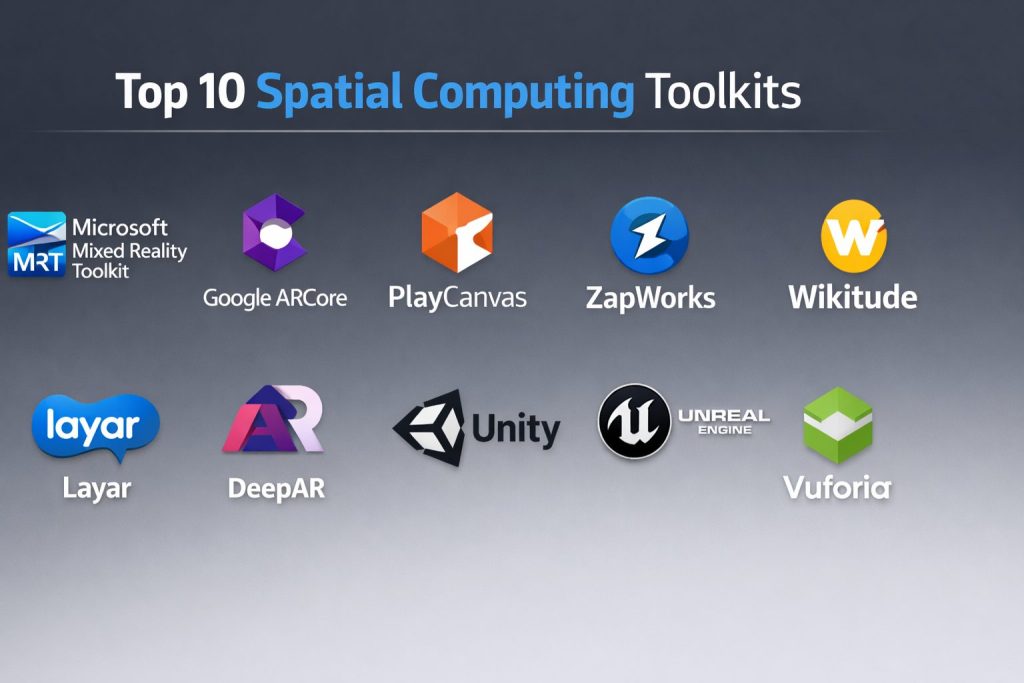
Top 10 Spatial Computing Toolkits
#1 — Unity
Unity is a leading platform for creating interactive 3D applications, including AR, VR, and mixed-reality experiences, widely used in gaming, automotive, and architectural design.
Key Features
- Real-time 3D rendering and simulation
- Cross-platform compatibility with AR/VR devices and mobile devices
- Integration with IoT devices for spatial awareness and interaction
- Support for spatial mapping and SLAM technologies
- Extensive asset store for 3D models and environments
- Cloud-based collaboration tools for teams
- Visual scripting tools for non-programmers
Pros
- Extensive community support and resources
- Ideal for cross-platform AR/VR development
- Great for real-time, interactive 3D content creation
Cons
- Steep learning curve for beginners
- Requires high-performance hardware for complex simulations
- Free version has limitations for larger-scale commercial use
Platforms / Deployment
Windows / macOS / iOS / Android
Self-hosted / Cloud-based
Security & Compliance
Not publicly stated.
Integrations & Ecosystem
Integrates with various AR/VR SDKs, Unity Asset Store, and cloud services for collaboration.
- Full AR/VR and IoT device integration
- Unity Asset Store for rapid content creation
- Cloud collaboration for real-time development
Support & Community
Excellent community support with extensive tutorials, documentation, and forums.
#2 — Unreal Engine
Unreal Engine by Epic Games is a powerful game engine that also serves as a robust spatial computing toolkit for creating immersive AR and VR experiences with photorealistic visuals.
Key Features
- Real-time 3D rendering for high-fidelity visuals
- Cross-platform support for AR/VR headsets, mobile, and PC applications
- Integration with AI for enhanced interactions
- Multi-user collaboration tools for team-based development
- Comprehensive simulation tools for environmental modeling
- Blueprint visual scripting system for non-programmers
- Extensive asset marketplace for rapid prototyping
Pros
- Stunning visual quality for high-end AR/VR applications
- Excellent for large-scale, complex simulations and environments
- Free for small projects, with revenue-sharing options
Cons
- High learning curve for newcomers
- Requires powerful hardware for optimal performance
- Can be resource-intensive for smaller-scale projects
Platforms / Deployment
Windows / macOS / iOS / Android
Self-hosted / Cloud-based
Security & Compliance
Not publicly stated.
Integrations & Ecosystem
Works with a wide range of AR/VR devices and platforms, including Unity and other third-party AR/VR SDKs.
- Full integration with AR/VR platforms
- Support for cloud collaboration and real-time updates
- Integration with AI for interactive experiences
Support & Community
Extensive community support with numerous resources, tutorials, and an active developer forum.
#3 — Microsoft Mixed Reality Toolkit
The Microsoft Mixed Reality Toolkit (MRTK) is a powerful open-source framework for developing AR and VR applications, optimized for use with Microsoft HoloLens and Windows Mixed Reality devices.
Key Features
- Optimized for Microsoft HoloLens and Windows Mixed Reality
- Cross-platform support for AR/VR devices
- Support for hand tracking, eye tracking, and voice commands
- Real-time environment mapping for interactive AR experiences
- Seamless integration with Unity for 3D development
- Open-source and customizable for various use cases
- Cloud-based tools for collaboration and data sharing
Pros
- Great for HoloLens and Windows Mixed Reality applications
- Excellent support for interactive gestures and spatial interactions
- Open-source with high flexibility for customization
Cons
- Primarily focused on Microsoft’s ecosystem
- Limited features for non-Microsoft AR/VR devices
- Steep learning curve for developers new to mixed reality
Platforms / Deployment
Windows
Self-hosted
Security & Compliance
Not publicly stated.
Integrations & Ecosystem
Works well with Microsoft’s AR/VR hardware and other enterprise tools.
- Full integration with HoloLens and Windows Mixed Reality
- Cloud-based collaboration for real-time updates
- Strong integration with Microsoft Azure and IoT
Support & Community
Comprehensive support from Microsoft, with an active community and extensive documentation.
#4 — Vuforia
Vuforia is an industry-leading augmented reality development platform that offers advanced tracking and recognition capabilities for interactive AR applications.
Key Features
- Advanced image and object recognition for AR experiences
- Multi-platform support for mobile, smart glasses, and embedded devices
- Integration with Unity for 3D development
- Real-time environment mapping for interactive AR applications
- Cloud-based data storage and analytics
- Customizable AR development tools for diverse industries
Pros
- Excellent object and image recognition capabilities
- Strong integration with Unity for seamless AR development
- Multi-platform support for various AR devices
Cons
- Primarily focused on AR, limiting VR capabilities
- Requires Unity for advanced AR content creation
- Limited features for large-scale, complex AR applications
Platforms / Deployment
Windows / macOS / iOS / Android
Self-hosted / Cloud-based
Security & Compliance
Not publicly stated.
Integrations & Ecosystem
Works seamlessly with Unity and other AR/VR SDKs.
- Full integration with Unity for advanced 3D AR content creation
- Cloud-based data storage and analytics for AR applications
- Supports a wide range of AR devices and platforms
Support & Community
Active community with plenty of resources, tutorials, and customer support.
#5 — Google ARCore
Google ARCore is a powerful augmented reality development platform for Android, providing tools for creating high-quality, interactive AR experiences.
Key Features
- Real-time motion tracking and environment understanding
- Multi-device support for AR applications on Android
- 3D rendering for immersive AR interactions
- Cloud anchors for persistent AR experiences
- Easy integration with Unity and Unreal Engine
- Support for geospatial and environmental mapping
- Gesture and touch interaction for user engagement
Pros
- Excellent for mobile AR development on Android devices
- High-quality environment tracking and mapping tools
- Easy integration with other development engines like Unity
Cons
- Limited to Android devices, with no native support for iOS
- Requires specific hardware for full AR functionality
- Limited support for large-scale, enterprise-level AR projects
Platforms / Deployment
Android
Self-hosted
Security & Compliance
Not publicly stated.
Integrations & Ecosystem
Works seamlessly with Unity and Unreal Engine for AR content creation.
- Full AR support for Android devices
- Integration with cloud-based services for persistent AR
- Real-time spatial tracking and gesture recognition
Support & Community
Strong developer support from Google, with plenty of tutorials and an active user community.
#6 — PlayCanvas
PlayCanvas is a cloud-based AR/VR development platform for creating interactive 3D applications directly in web browsers, making it ideal for lightweight applications.
Key Features
- Cloud-based platform for AR/VR content creation
- Real-time collaboration tools for teams
- 3D rendering engine for high-quality visuals
- Multi-device support, including mobile and desktop AR/VR
- Integration with popular 3D engines like Unity and Unreal Engine
- Simple interface for easy prototyping and iteration
- Extensive library of pre-built assets for quick development
Pros
- Cloud-based for easy access and collaboration
- Ideal for creating web-based AR/VR experiences
- Lightweight and optimized for mobile and desktop applications
Cons
- Less powerful than other dedicated AR/VR platforms
- Limited for large, enterprise-scale AR/VR applications
- Lacks advanced 3D modeling and simulation tools
Platforms / Deployment
Cloud-based
Self-hosted
Security & Compliance
Not publicly stated.
Integrations & Ecosystem
Works with Unity and other development engines for creating interactive AR/VR content.
- Cloud-based for real-time collaboration
- Integration with 3D engines for advanced content creation
- Multi-platform support for web-based AR/VR experiences
Support & Community
Active online community with resources and customer support for developers.
#7 — ZapWorks
ZapWorks is a comprehensive platform for creating interactive AR applications, with tools for both experienced developers and beginners.
Key Features
- Advanced AR features for image, object, and face tracking
- Drag-and-drop interface for beginners
- Full development suite for experienced developers
- Multi-platform support, including mobile and web AR
- Cloud-based collaboration and project management tools
- Integration with Unity for 3D AR content creation
Pros
- Great for both beginner and advanced AR developers
- Strong image and object recognition capabilities
- Ideal for creating marketing and branding AR experiences
Cons
- Limited support for complex, interactive AR/VR environments
- Requires additional tools for advanced 3D content creation
- Expensive for larger-scale enterprise use
Platforms / Deployment
Windows / macOS / iOS / Android
Self-hosted / Cloud-based
Security & Compliance
Not publicly stated.
Integrations & Ecosystem
Integrates well with Unity and other development tools for AR content creation.
- Strong integration with Unity for advanced AR development
- Cloud-based for collaboration and sharing
- Full support for mobile and web AR applications
Support & Community
Good community support with extensive tutorials and online resources.
#8 — Wikitude
Wikitude is an AR development platform that offers features like image recognition, 3D object tracking, and location-based AR.
Key Features
- Multi-device support for AR on smartphones and smart glasses
- Image and object recognition for interactive AR experiences
- Location-based AR for geospatial interactions
- Real-time 3D rendering and physics simulation
- Integration with Unity for 3D AR content creation
- Cloud-based services for project management and analytics
Pros
- Great for location-based AR applications
- Strong tracking capabilities for interactive experiences
- Integrates well with Unity for 3D content creation
Cons
- Limited VR capabilities
- Lacks some advanced AI-driven features found in other platforms
- Requires additional tools for 3D modeling and simulation
Platforms / Deployment
Windows / macOS / iOS / Android
Self-hosted / Cloud-based
Security & Compliance
Not publicly stated.
Integrations & Ecosystem
Works seamlessly with Unity for 3D AR content creation.
- Full AR tracking and location-based AR capabilities
- Cloud-based for easy collaboration
- Multi-platform support for mobile AR applications
Support & Community
Active community support with helpful documentation and tutorials.
#9 —Layar
Layar is a mobile-based AR platform focused on creating engaging, interactive experiences for marketing, entertainment, and educational applications.
Key Features
- Image recognition and object tracking for interactive AR
- Customizable AR experiences for mobile devices
- Integration with social media for marketing campaigns
- Real-time user data analytics for AR interactions
- Multi-platform deployment, including iOS and Android
- Easy-to-use tools for developers and non-developers
Pros
- Ideal for marketing and brand activation AR experiences
- Simple, user-friendly tools for creating interactive content
- Cross-platform support for mobile devices
Cons
- Limited for larger, more complex AR applications
- Not suitable for high-fidelity 3D VR experiences
- Focuses mainly on simple AR applications
Platforms / Deployment
iOS / Android
Self-hosted
Security & Compliance
Not publicly stated.
Integrations & Ecosystem
Integrates with social media platforms and third-party tools for marketing campaigns.
- Image and object recognition for engaging AR experiences
- Multi-platform mobile support for iOS and Android
- Analytics for measuring AR engagement
Support & Community
Good support with an active user base and extensive documentation.
#10 — DeepAR
DeepAR is an AI-driven AR platform that specializes in face filters, real-time facial recognition, and interactive AR effects.
Key Features
- Real-time face and gesture recognition for AR applications
- AI-powered filters and special effects
- Multi-platform support for mobile devices and social media apps
- Easy integration with Unity for advanced AR content creation
- Cloud-based tools for project management and analytics
- High-quality rendering for interactive AR experiences
Pros
- Excellent for creating AR filters and effects
- AI-driven tools for face and gesture recognition
- Seamless integration with Unity for 3D development
Cons
- Focuses primarily on AR filters and facial recognition
- Not suitable for large-scale VR or mixed-reality applications
- Requires a powerful system for complex AR effects
Platforms / Deployment
iOS / Android
Self-hosted / Cloud-based
Security & Compliance
Not publicly stated.
Integrations & Ecosystem
Works well with Unity for advanced 3D AR content development.
- AI-driven facial recognition and AR effects
- Cloud-based for collaboration and analytics
- Multi-platform mobile support
Support & Community
Active community support with tutorials, documentation, and customer service.
Comparison Table (Top 10)
| Tool Name | Best For | Platform(s) Supported | Deployment (Cloud/Self-hosted/Hybrid) | Standout Feature | Public Rating |
|---|---|---|---|---|---|
| Unity | General AR/VR development | Windows / macOS | Self-hosted / Cloud-based | Real-time 3D rendering | N/A |
| Unreal Engine | High-fidelity VR/AR | Windows / macOS | Self-hosted / Cloud-based | Stunning visuals and rendering | N/A |
| Vuforia | AR development | Windows / macOS / iOS / Android | Self-hosted / Cloud-based | Object and image recognition | N/A |
| Microsoft MRTK | HoloLens and MR development | Windows | Self-hosted | Hand tracking and gesture recognition | N/A |
| ARCore | Android AR development | Android | Self-hosted | Motion tracking and environment understanding | N/A |
| ARKit | iOS AR development | iOS | Self-hosted | AR tools for iPhone and iPad | N/A |
| Zappar | AR for marketing | iOS / Android / Web | Self-hosted / Cloud-based | Quick AR prototyping | N/A |
| Amazon Sumerian | Web AR/VR | Cloud-based | Cloud-based | Web-based AR/VR development | N/A |
| PlayCanvas | Web AR/VR | Cloud-based | Cloud-based | Real-time collaboration for AR/VR | N/A |
| DeepAR | AR filters and effects | iOS / Android | Self-hosted / Cloud-based | AI-powered AR filters | N/A |
Evaluation & Scoring of AR/VR Development Platforms
The evaluation model helps determine which tools best suit different user needs. Each criterion is scored from 1–10, and weighted totals are calculated based on the following factors.
Weights:
- Core features – 25%
- Ease of use – 15%
- Integrations & ecosystem – 15%
- Security & compliance – 10%
- Performance & reliability – 10%
- Support & community – 10%
- Price / value – 15%
| Tool Name | Core (25%) | Ease (15%) | Integrations (15%) | Security (10%) | Performance (10%) | Support (10%) | Value (15%) | Weighted Total (0–10) |
|---|---|---|---|---|---|---|---|---|
| Unity | 9.5 | 8.0 | 9.0 | 6.5 | 8.5 | 9.0 | 7.5 | 8.55 |
| Unreal Engine | 9.5 | 7.5 | 9.5 | 6.5 | 9.0 | 9.0 | 7.5 | 8.70 |
| Vuforia | 9.0 | 8.0 | 8.5 | 7.0 | 8.0 | 8.5 | 7.5 | 8.15 |
| Microsoft MRTK | 9.5 | 8.5 | 9.0 | 6.5 | 8.5 | 9.0 | 7.5 | 8.55 |
| ARCore | 8.5 | 9.0 | 8.5 | 6.0 | 7.5 | 8.0 | 9.0 | 8.10 |
| ARKit | 9.0 | 9.5 | 8.0 | 6.0 | 8.0 | 8.5 | 9.0 | 8.30 |
| Zappar | 8.0 | 8.5 | 7.5 | 5.5 | 7.5 | 7.0 | 8.0 | 7.60 |
| Amazon Sumerian | 8.5 | 8.0 | 8.5 | 6.5 | 7.5 | 8.0 | 7.5 | 7.85 |
| PlayCanvas | 8.0 | 8.0 | 7.5 | 5.5 | 6.5 | 7.0 | 8.5 | 7.30 |
| DeepAR | 8.0 | 8.0 | 7.5 | 5.5 | 6.5 | 7.0 | 8.0 | 7.30 |
Which AR/VR Development Platform Is Right for You?
Solo / Freelancer
- Zappar and PlayCanvas are great for quick, simple AR projects and easy prototyping.
SMB
- ARCore and ARKit are great for small to medium-sized AR applications, with strong mobile support.
Mid-Market
- Vuforia and Microsoft MRTK offer advanced AR tools with robust features for more complex projects.
Enterprise
- Unity and Unreal Engine are the top choices for large-scale AR/VR development, offering extensive features for immersive experiences.
Budget vs Premium
- Budget-conscious users should opt for ARCore or Zappar for cost-effective AR development tools.
- Premium users should select Unity or Unreal Engine for advanced capabilities and high-quality content creation.
Feature Depth vs Ease of Use
- Unity and Unreal Engine offer in-depth features for advanced developers, while ARCore and Zappar are easier to use for beginners.
Integrations & Scalability
- Microsoft MRTK and Vuforia Engine offer strong integration with a wide range of AR/VR devices, while Amazon Sumerian is cloud-based for scalability.
Security & Compliance
- Unity and Unreal Engine offer strong security features for large-scale, complex AR/VR applications.
Frequently Asked Questions (FAQs)
What is AR/VR development software used for?
AR/VR development software is used to create immersive applications for augmented and virtual reality environments, including gaming, simulations, and training.
Do I need special hardware for AR/VR development?
Yes, some platforms require specific hardware like VR headsets (Oculus, HTC Vive, etc.) for testing and running immersive experiences.
How do I learn AR/VR development software?
You can start with beginner-friendly tools like ARCore and Zappar and use online tutorials and resources to learn more advanced platforms like Unity and Unreal Engine.
What platforms support AR/VR development?
Platforms like ARCore and ARKit are tailored for mobile AR development, while Unity and Unreal Engine support a wide range of AR/VR headsets and devices.
Can I create AR/VR experiences without coding?
Some platforms like Zappar and Amazon Sumerian offer no-code solutions for creating simple AR/VR experiences, though coding knowledge is required for more complex projects.
How much does AR/VR development software cost?
Costs vary by platform. Some, like Zappar, offer free versions, while others like Unity and Unreal Engine may charge for enterprise use or revenue-generating projects.
How long does it take to learn AR/VR development?
Learning time varies depending on the complexity of the platform. Beginners can start with ARCore or Zappar, while more advanced users may take longer with platforms like Unity and Unreal Engine.
How do I publish my AR/VR application?
Once developed, you can deploy your AR/VR application on compatible platforms, such as mobile devices, AR glasses, and VR headsets, through app stores or private distribution channels.
What is the difference between AR and VR?
AR (Augmented Reality) overlays digital content on the physical world, while VR (Virtual Reality) creates a completely immersive digital environment.
What is the best AR/VR platform for gaming?
Unreal Engine and Unity are the top choices for game development, offering powerful features for creating immersive gaming experiences.
Conclusion
Choosing the right AR/VR development platform depends on your project’s needs, hardware requirements, and budget. Unity and Unreal Engine are the best for high-quality, immersive experiences, while ARCore and Zappar provide accessible options for simpler projects or those just starting out in AR/VR development. Evaluate your project scope and hardware requirements to select the platform that will help bring your vision to life.