Introduction
Software Asset Management (SAM) tools are specialized business solutions designed to help organizations manage and optimize their entire software lifecycle. In plain English, these tools track what software you own, where it is installed, and how often it is actually being used. The complexity of SaaS sprawl and hybrid cloud environments has made SAM essential for financial hygiene and security. Instead of just tracking license keys, modern SAM platforms now use AI to identify redundant subscriptions and ensure compliance with complex vendor contracts.
In the current landscape, SAM is no longer a back-office administrative task; it is a critical pillar of “FinOps” and IT governance. Organizations use these tools to prepare for vendor audits, reclaim unused licenses from departed employees, and ensure that every dollar spent on software provides a measurable return on investment. Buyers should evaluate these tools based on their discovery depth, SaaS integration capabilities, automated renewal alerts, license entitlement mapping, audit readiness, and cost-optimization engines.
Mandatory Paragraph
- Best for: IT Procurement managers, FinOps teams, and enterprise CIOs who need to control sprawling software costs and mitigate the legal risks of non-compliance.
- Not ideal for: Very small businesses with fewer than 10 total software subscriptions or teams looking for a simple password manager rather than a compliance engine.
Key Trends in Software Asset Management (SAM) Tools
- Automated SaaS Discovery: Using browser extensions and SSO logs to find “shadow IT” that employees bought without approval.
- FinOps Alignment: Integration with cloud billing data to provide a unified view of SaaS and infrastructure spending.
- AI-Driven Reclamation: Predictive algorithms that suggest which licenses to cancel based on low engagement patterns.
- Vendor Audit Simulation: Tools that run mock audits to find compliance gaps before a vendor like Microsoft or Oracle requests a formal review.
- Sustainability Reporting: Measuring the carbon footprint associated with underutilized data center software.
- Hyper-Automation of Renewals: Workflows that automatically notify stakeholders 90 days before a contract expires.
- Security Vulnerability Mapping: Linking software versions to known CVE databases to identify unpatched assets.
- Usage Sentiment Analysis: Surveying users within the tool to see if they actually like the software they are assigned.
How We Selected These Tools (Methodology)
- Market Adoption: We focused on tools with significant footprints in the enterprise and mid-market sectors.
- Discovery Capabilities: Prioritizing tools that can see both on-premises hardware and cloud-based SaaS.
- Reliability Signals: Evaluation of the platform’s uptime and data accuracy in complex license mapping.
- Security Posture: Looking for enterprise-grade features like RBAC and SSO.
- Ecosystem Integration: The ability to pull data from HRIS, ERP, and ITSM platforms.
- Customer Feedback: Analyzing common praise and complaints regarding the ease of implementation.
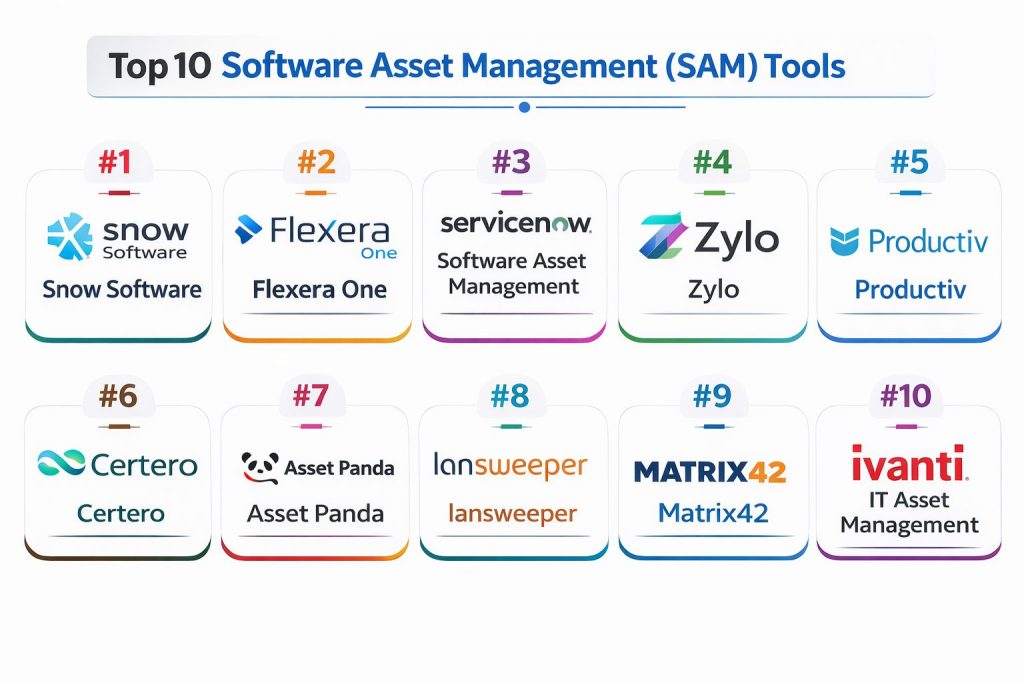
Top 10 Software Asset Management (SAM) Tools
#1 — Snow Software
A comprehensive platform known for its deep inventory capabilities across mobile, desktop, and data center environments.
Key Features
- Snow Device Manager: Full visibility into mobile and hardware assets.
- License Manager: Automates the calculation of license positions.
- SaaS Management: Specific modules for tracking web-based application usage.
- Audit Readiness: Pre-configured reports for major vendors like Oracle and SAP.
- Spend Optimizer: Identifies over-licensed areas for cost cutting.
Pros
- Exceptional depth in data center and complex server licensing.
- Strong reporting for audit defense.
Cons
- High complexity requires significant training for administrators.
- Pricing is at the enterprise premium level.
Platforms / Deployment
- Windows / Linux / Web
- Cloud / Hybrid
Security & Compliance
- SSO/SAML, MFA, RBAC
- SOC 2, ISO 27001
Integrations & Ecosystem
Snow integrates with virtually all major IT service management platforms to ensure asset data is consistent across the organization.
- ServiceNow
- Microsoft Endpoint Manager
- BMC Helix
- Jira Service Management
Support & Community
Professional enterprise support with a dedicated global user community and extensive technical documentation.
#2 — Flexera One
A powerful tool focused on the intersection of SAM and FinOps, helping large firms manage hybrid IT estates.
Key Features
- SaaS Management: Granular visibility into thousands of SaaS applications.
- IT Asset Inventory: Normalization of data from various discovery sources.
- Cloud Cost Optimization: Merges software spend with cloud infrastructure spend.
- Automated Workflows: Triggers for license reclamation based on usage.
- Vendor Benchmarking: Compares your spending against industry averages.
Pros
- Best-in-class for managing complex hybrid environments.
- Excellent data normalization engine.
Cons
- The interface can be overwhelming for non-technical users.
- Implementation can take several months.
Platforms / Deployment
- Web / Windows / macOS
- Cloud
Security & Compliance
- SSO, MFA, Encryption
- GDPR, SOC 2
Integrations & Ecosystem
Flexera is designed to be the central brain of an IT ecosystem, pulling data from diverse sources.
- AWS / Azure / GCP
- Salesforce
- Adobe Creative Cloud
- Okta
Support & Community
High-tier professional services and a robust online training academy.
#3 — ServiceNow Software Asset Management
An integrated module within the ServiceNow platform that connects SAM directly to IT workflows.
Key Features
- Software Reclamation: Automatically removes software from a machine if it’s unused.
- Publisher Packs: Built-in logic for complex vendors like IBM and VMware.
- Content Library: Millions of software titles pre-categorized for easy tracking.
- Workspace Dashboards: Real-time views of compliance and spending.
- Overlap Analysis: Identifies different tools that perform the same function.
Pros
- Native integration with the world’s leading ITSM platform.
- Eliminates data silos between IT and Procurement.
Cons
- Requires a ServiceNow base subscription, which is expensive.
- Can be resource-heavy for smaller IT teams.
Platforms / Deployment
- Web / iOS / Android
- Cloud
Security & Compliance
- SSO/SAML, MFA, RBAC, Encryption
- FedRAMP, SOC 2, ISO 27001
Integrations & Ecosystem
Leverages the massive ServiceNow store for nearly infinite extensibility.
- Microsoft 365
- Workday
- Splunk
- SAP
Support & Community
Unrivaled community support and a massive network of implementation partners.
#4 — ZyloA SaaS-first management platform focused exclusively on optimizing cloud application spending and discovery.
Key Features
- Discovery Engine: Scans accounting and expense systems for hidden SaaS.
- App Catalog: A branded internal store for employees to request software.
- Renewal Calendar: Visual timeline of all upcoming contract dates.
- Usage Tracking: Direct integrations with apps to see feature-level usage.
- Benchmarks: Data-driven insights on what you should be paying per seat.
Pros
- Fastest setup for companies that are 100% in the cloud.
- Very intuitive and user-friendly dashboard.
Cons
- Does not track on-premises or hardware assets.
- Less effective for heavy industrial or traditional server environments.
Platforms / Deployment
- Web
- Cloud
Security & Compliance
- SSO/SAML, MFA
- SOC 2 Type II
Integrations & Ecosystem
Focuses on deep API connections with the world’s most popular SaaS tools.
- Slack
- Zoom
- NetSuite
- Expensify
Support & Community
Excellent customer success management and a focus on community knowledge sharing.
#5 — Productiv
A SaaS Intelligence platform that emphasizes employee engagement and feature-level usage data.
Key Features
- SaaS Intelligence: Goes beyond “login” data to see actual clicks/activity.
- App Adoption: Measures how well new tools are being embraced by staff.
- Automated Renewal: Workflows that gather stakeholder feedback automatically.
- App Governance: Sets policies for which apps are permitted in the stack.
- Compliance Dashboard: Tracks SOC 2 status for all third-party vendors.
Pros
- Deepest insights into how employees actually use software.
- Highly automated “low-touch” renewal processes.
Cons
- Purely SaaS focused; no legacy software support.
- Pricing can scale quickly based on the number of apps tracked.
Platforms / Deployment
- Web
- Cloud
Security & Compliance
- SSO/SAML, MFA
- SOC 2, GDPR
Integrations & Ecosystem
Strongest in the modern tech stack, connecting to identity providers and productivity suites.
- Okta / Azure AD
- Google Workspace
- Jira
- Salesforce
Support & Community
High-quality documentation and a growing network of SaaS operations professionals.
#6 — Certero
A unified platform that offers “SAM-as-a-Service” alongside its core software management tools.
Key Features
- Unified Inventory: Single pane of glass for all devices and software.
- Mobile Asset Management: Integrated tracking for corporate smartphones.
- App Store: Self-service portal for software requests.
- Vendor Management: Centralized repository for all software contracts.
- Compliance Alerts: Real-time warnings when you exceed license counts.
Pros
- Truly unified architecture—no modular “bolt-ons” required.
- Available as a managed service for companies with small IT teams.
Cons
- The brand has lower market recognition than Flexera or Snow.
- Interface feels slightly more traditional/utilitarian.
Platforms / Deployment
- Windows / macOS / Web
- Cloud / Self-hosted / Hybrid
Security & Compliance
- SSO/SAML, MFA, RBAC
- Not publicly stated
Integrations & Ecosystem
Strong core connectors for standard enterprise infrastructure.
- Active Directory
- SCCM
- vCenter
Support & Community
Strong direct support from the vendor, often cited for high responsiveness.
#7 — Asset Panda
A highly configurable asset tracking tool that is popular for its mobile-first approach to SAM and hardware.
Key Features
- Custom Fields: Allows tracking of any data point related to a software asset.
- Barcode Scanning: Useful for tracking physical license keys or media.
- Role-Based Access: Precise control over who can view or edit asset data.
- Mobile App: Full functionality on iOS and Android for on-the-go tracking.
- Reporting Engine: Simple drag-and-drop report builder.
Pros
- Extremely easy to customize without technical help.
- Affordable for mid-market companies.
Cons
- Lacks the automated discovery depth of Snow or Flexera.
- Manual data entry is more common here than in AI-driven tools.
Platforms / Deployment
- Web / iOS / Android
- Cloud
Security & Compliance
- SSO, MFA
- Not publicly stated
Integrations & Ecosystem
Growing list of integrations focused on small-to-midsize IT management.
- Zendesk
- Microsoft Teams
- Google Workspace
Support & Community
Excellent customer support and a library of video tutorials.
#8 — Lansweeper
An IT asset management tool famous for its agentless discovery of every asset on a network.
Key Features
- Agentless Scanning: Finds software without needing to install anything on devices.
- License Compliance: Compares scanned software against your purchase records.
- Software Deployment: Can push updates or uninstall software remotely.
- Risk Insights: Identifies end-of-life software that poses a security risk.
- Cross-Platform Discovery: Scans Windows, Linux, Mac, and IoT devices.
Pros
- Best-in-class discovery of “unmanaged” assets on the network.
- Very fast time-to-value.
Cons
- SaaS tracking is less robust than specialized SaaS tools.
- Reports can be technical and less “executive-friendly.”
Platforms / Deployment
- Windows / Web
- Self-hosted / Cloud
Security & Compliance
- RBAC, Encryption
- Not publicly stated
Integrations & Ecosystem
Works well with various IT security and management platforms.
- Splunk
- ServiceNow
- Freshservice
Support & Community
Very active technical community and a massive online knowledge base.
#9 — Matrix42
A European leader in SAM that combines asset management with digital workspace management.
Key Features
- Automated Audits: Continuous monitoring of license positions.
- Cost Simulation: Shows the financial impact of moving to the cloud.
- Contract Management: Tracks lifecycle and payment schedules.
- Self-Service Portal: Integrated workflow for software provisioning.
- Mobile SAM: Dedicated tracking for mobile-specific licenses.
Pros
- Exceptional compliance with European data privacy standards.
- Strong combination of SAM and service desk features.
Cons
- Less market presence in North America.
- Requires a bit of configuration to match US-specific vendor habits.
Platforms / Deployment
- Windows / Web
- Cloud / Hybrid
Security & Compliance
- SSO/SAML, MFA, RBAC
- GDPR, ISO 27001
Integrations & Ecosystem
Well-connected to European and global enterprise IT stacks.
- SAP
- Microsoft 365
- Oracle Database
Support & Community
High-quality European-based support and professional training.
#10 — Ivanti IT Asset Management
A robust platform that provides full lifecycle management from software procurement to retirement.
Key Features
- License Optimizer: Specifically strong for SQL Server and Oracle environments.
- Automatic Discovery: Multi-source discovery across cloud and on-prem.
- Barcoding & Tagging: For hardware assets associated with software.
- Financial Management: Tracks depreciation and vendor contracts.
- Self-Service Catalog: Reduces IT ticket volume for software requests.
Pros
- Excellent for managing traditional, high-stakes server licenses.
- Very strong security focus (integrated with Ivanti Security).
Cons
- Interface can feel a bit dated compared to modern SaaS platforms.
- Implementation often requires professional consultants.
Platforms / Deployment
- Windows / Web
- Cloud / Hybrid
Security & Compliance
- SSO/SAML, MFA, RBAC
- SOC 2, ISO 27001
Integrations & Ecosystem
Integrates deeply with the broader Ivanti Neurons automation platform.
- SCCM
- Active Directory
- MobileIron
Support & Community
Vast global support network and comprehensive training certifications.
Comparison Table (Top 10)
| Tool Name | Best For | Platform(s) Supported | Deployment | Standout Feature | Public Rating |
| Snow Software | Enterprise Audit Defense | Win, Linux, Web | Hybrid | Data Center Depth | 4.6 |
| Flexera One | Hybrid Cloud FinOps | Win, Mac, Web | Cloud | Normalization Engine | 4.7 |
| ServiceNow SAM | Integrated ITSM | Web, Mobile | Cloud | Automated Workflow | 4.8 |
| Zylo | Pure SaaS Management | Web | Cloud | Discovery via Expenses | 4.5 |
| Productiv | Employee Engagement | Web | Cloud | Feature-level Usage | 4.7 |
| Certero | Managed Services | Win, Mac, Web | Hybrid | Unified Architecture | 4.4 |
| Asset Panda | Mid-Market Hardware/SAM | Web, Mobile | Cloud | Mobile Flexibility | 4.3 |
| Lansweeper | Agentless Discovery | Win, Web | Self-hosted | Unmanaged Asset Scan | 4.6 |
| Matrix42 | European Compliance | Win, Web | Hybrid | Privacy First | 4.5 |
| Ivanti ITAM | Legacy Server Licensing | Win, Web | Hybrid | License Optimizer | 4.2 |
Evaluation & Scoring of Software Asset Management (SAM) Tools
| Tool Name | Core (25%) | Ease (15%) | Integrations (15%) | Security (10%) | Performance (10%) | Support (10%) | Value (15%) | Weighted Total |
| Snow Software | 10 | 5 | 9 | 9 | 9 | 8 | 6 | 8.10 |
| Flexera One | 10 | 6 | 10 | 9 | 10 | 8 | 6 | 8.35 |
| ServiceNow SAM | 9 | 7 | 10 | 10 | 9 | 10 | 5 | 8.35 |
| Zylo | 7 | 10 | 8 | 8 | 9 | 9 | 8 | 8.10 |
| Productiv | 8 | 9 | 9 | 8 | 9 | 9 | 7 | 8.25 |
| Certero | 8 | 7 | 7 | 8 | 8 | 9 | 9 | 7.85 |
| Asset Panda | 6 | 10 | 7 | 7 | 8 | 8 | 10 | 7.65 |
| Lansweeper | 9 | 8 | 8 | 7 | 10 | 7 | 9 | 8.40 |
| Matrix42 | 8 | 7 | 8 | 10 | 8 | 8 | 7 | 7.85 |
| Ivanti ITAM | 9 | 6 | 8 | 9 | 8 | 8 | 7 | 7.85 |
The scoring provided is comparative. A high “Core” score indicates the ability to handle complex, multi-layered licenses, while “Ease” measures how quickly a non-expert can navigate the system.
Which Software Asset Management (SAM) Tool Is Right for You?
Solo / Freelancer
Asset Panda is the most accessible for a solo entrepreneur who simply needs to track a few dozen keys and devices without a massive price tag.
SMB
Lansweeper offers incredible value for SMBs by finding everything on the network without expensive setup. For SaaS-heavy startups, Zylo is a better fit.
Mid-Market
Certero or Matrix42 provide a balanced suite that covers both hardware and software without the extreme administrative overhead of the “Big 3” enterprise tools.
Enterprise
Snow Software and Flexera One are the industry standards for companies with thousands of employees and complex data centers.
Budget vs Premium
Lansweeper is the best “Budget” option for technical teams. ServiceNow is the “Premium” choice that offers the highest level of automation for those already in their ecosystem.
Feature Depth vs Ease of Use
Productiv wins on ease of use and modern UI, while Snow Software wins on absolute feature depth for high-stakes audits.
Integrations & Scalability
Flexera One and ServiceNow offer the most scalable integration engines for a global, evolving tech stack.
Security & Compliance Needs
Matrix42 is the top choice for European firms with strict GDPR needs, while ServiceNow offers the highest level of government-grade security certifications.
Frequently Asked Questions (FAQs)
What is the difference between ITAM and SAM?
ITAM (IT Asset Management) is the broad category covering hardware and software. SAM (Software Asset Management) is a specific subset focused exclusively on software licenses and usage.
Can SAM tools find “Shadow IT”?
Yes, modern tools like Zylo and Productiv scan expense reports and SSO logs to find software that employees bought without IT’s knowledge.
How much money can a SAM tool save?
Most organizations save between 15% and 30% of their software budget within the first year by eliminating unused licenses and preventing audit fines.
Are SAM tools hard to implement?
Enterprise tools can take months to configure properly, whereas SaaS-focused tools like Zylo can be operational within a few days.
Do I still need a SAM tool if I’m 100% in the Cloud?
Yes, because “SaaS sprawl” is often more expensive and harder to track than traditional software, leading to massive waste on unused seats.
How do SAM tools handle vendor audits?
They provide a “Effective License Position” (ELP) report which proves what you own versus what you are using, essentially acting as your defense document.
What is a “reclamation” workflow?
It is an automated process where the tool identifies an unused license, emails the user to ask if they still need it, and automatically removes it if they don’t respond.
Do these tools track software on employee-owned devices?
Yes, if the tool uses a browser extension or a lightweight agent, it can track work-related software usage on BYOD devices.
What is the role of AI in SAM?
AI is used to “normalize” messy data (e.g., recognizing that “MSFT Office” and “Office 365” are the same thing) and to predict future spending patterns.
Can SAM tools help with cybersecurity?
Yes, they provide an inventory of all software versions, helping security teams identify which machines are running outdated, vulnerable applications.
Conclusion
Software Asset Management has evolved from a simple inventory list into a high-stakes financial and security discipline. Whether you are a small business looking to cut SaaS waste with Zylo or a massive enterprise defending an audit with Snow Software, the “best” tool depends entirely on your infrastructure. We recommend starting with a discovery pilot using a tool like Lansweeper to see what is actually on your network before committing to a full enterprise suite.