Introduction
Social services case management software is a specialized category of enterprise resource planning designed to centralize the complex workflows of human services organizations, non-profits, and government agencies. These platforms serve as a unified digital environment for tracking the lifecycle of client care, from initial intake and eligibility assessment to service delivery and long-term outcome tracking. By moving beyond manual spreadsheets and fragmented paper files, these systems provide a “single source of truth” for case workers, ensuring that sensitive data is managed with the highest degree of integrity and privacy. The primary objective is to reduce administrative friction, allowing practitioners to dedicate more time to direct client intervention and less to the technicalities of documentation.
In the current landscape of human services, the ability to demonstrate measurable impact is no longer optional. Funding bodies and regulatory agencies demand granular reporting on social outcomes and fiscal responsibility. Modern case management tools address this through advanced data analytics, automated compliance auditing, and secure interoperability between different service providers. When selecting a platform, leadership must evaluate the software’s capability to handle complex relational data, its adherence to strict data protection standards, and its flexibility in adapting to evolving programmatic requirements. A robust system does more than store data; it provides the insights necessary to refine service strategies and improve the lives of the populations being served.
Best for: Large-scale non-profits, state and local government agencies, foster care and adoption services, and community health organizations that manage high volumes of client data and multi-stage service workflows.
Not ideal for: Private clinical practices that focus solely on billable therapy hours without social service coordination, or small volunteer groups with minimal reporting requirements and very simple client interactions.
Key Trends in Social Services Case Management
The shift toward “whole-person care” is the most significant trend, where platforms are designed to integrate data from across different sectors—such as housing, healthcare, and employment—to provide a holistic view of a client’s needs. Mobile-first design has become a standard requirement, enabling case workers to securely document interactions and upload evidence directly from the field, which improves data accuracy and reduces lag. Artificial intelligence is increasingly used to flag high-risk cases and suggest intervention paths based on historical outcome data, helping agencies prioritize their most urgent needs.
There is also a growing emphasis on client-facing portals, which empower individuals to manage their own applications, upload documents, and communicate with their case workers, fostering transparency and agency. Data privacy expectations have reached a peak, with organizations requiring advanced encryption and granular access controls to protect vulnerable populations. Furthermore, the move toward cloud-native architectures has simplified the deployment of updates and enhanced the ability for different agencies to collaborate on shared cases while maintaining strict “need-to-know” data boundaries.
How We Selected These Tools
The evaluation of these platforms was based on their ability to meet the rigorous demands of the public and social sectors. We prioritized tools that offer deep “out-of-the-box” functionality specifically tailored for social work, rather than generic project management software. A critical factor was the platform’s ability to support complex reporting for government grants and private funding, ensuring that organizations can maintain compliance without manual data manipulation.
We also analyzed the security posture of each provider, looking for features such as multi-factor authentication, audit logging, and data residency options. User experience was scrutinized from the perspective of the front-line worker, favoring interfaces that minimize “click fatigue” and offer intuitive navigation. Finally, we considered the scalability of each solution, focusing on platforms that can support both small community-based teams and large, multi-departmental government agencies with tens of thousands of records.
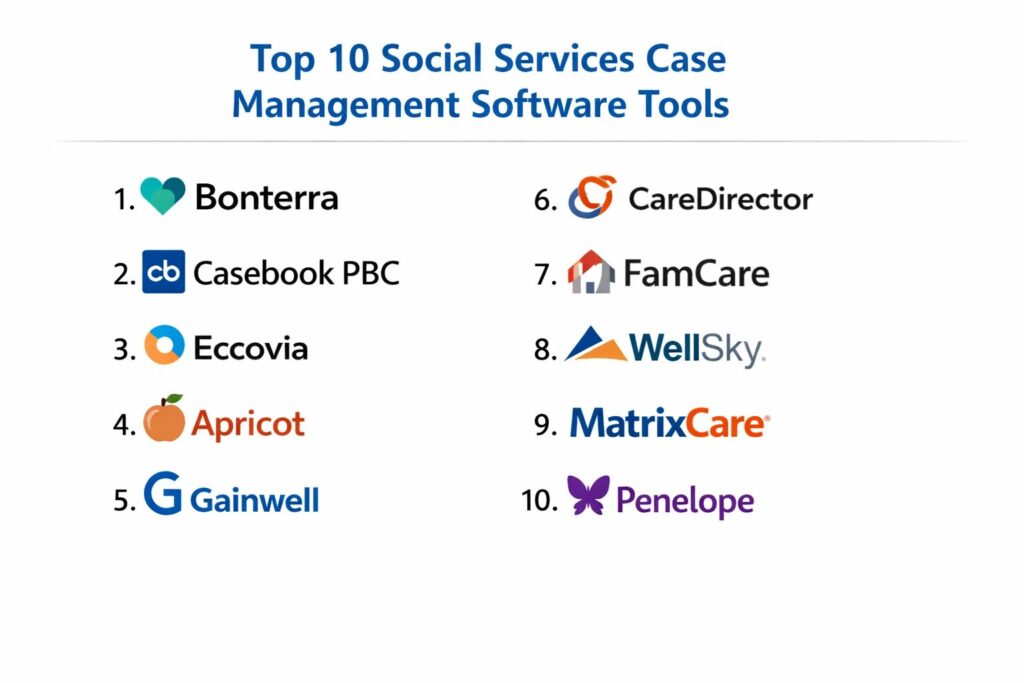
1. Bonterra (formerly Social Solutions)
Bonterra offers a high-performance ecosystem designed for evidence-based social work. It is particularly well-regarded for its sophisticated reporting capabilities that help organizations link their daily activities directly to long-term social impact. It serves a wide range of human services, from workforce development to victim services.
Key Features
The platform features a highly customizable intake engine that can be tailored to various program types. It provides robust tools for tracking attendance, service units, and client milestones over time. A built-in logic model helps agencies align their workflows with desired outcomes. It includes advanced data visualization dashboards that allow leaders to spot trends in real-time. The system also supports secure document storage and electronic signatures to streamline the application process.
Pros
It offers some of the most advanced impact-reporting tools in the industry. The software is designed with a deep understanding of social work theory, making it highly relevant for outcome-driven organizations.
Cons
The high level of customization can lead to a complex setup phase that requires significant time and technical expertise. It is generally positioned at a higher price point than basic alternatives.
Platforms and Deployment
Web-based platform accessible via any modern browser.
Security and Compliance
Features advanced encryption, role-based access control, and is built to support organizations with high compliance needs like HIPAA.
Integrations and Ecosystem
Offers a robust API and integrates with common productivity tools and third-party data visualization platforms.
Support and Community
Provides extensive professional services for implementation, a dedicated support portal, and an active user community focused on best practices in human services.
2. Casebook PBC
Casebook PBC is a modern, cloud-native platform that prioritizes a user-friendly experience for social workers. It was originally incubated by a major foundation specifically to address the technological gaps in the foster care and child welfare sectors, but it has since expanded to serve the broader human services market.
Key Features
The platform is built on a modular architecture, allowing agencies to subscribe only to the features they need, such as intake, provider management, or financial tracking. It features a clean, intuitive interface that significantly reduces the training time for new staff. The system supports automated workflows that prompt case workers for their next steps. It includes a powerful global search function that makes finding historical client data instantaneous. Additionally, it offers a mobile-responsive design for field-based documentation.
Pros
The modern interface is widely considered one of the most accessible for non-technical staff. It provides high-level flexibility for agencies that need to scale their digital infrastructure incrementally.
Cons
As a newer platform, it may lack some of the deeper legacy reporting features required by very specific, niche government grants. The modular pricing can become expensive as more features are added.
Platforms and Deployment
Cloud-based SaaS (Software as a Service) accessible on desktop and mobile devices.
Security and Compliance
Maintains high standards for data protection and is designed to meet the privacy requirements of sensitive social service work.
Integrations and Ecosystem
Provides a modern API for connecting with external data sources and common office software.
Support and Community
Offers dedicated onboarding support and a growing knowledge base focused on modern social work management.
3. Eccovia (ClientTrack)
Eccovia’s ClientTrack platform is a robust solution known for its strength in managing coordinated entry and homelessness services. It excels at handling data for large continuums of care where multiple organizations must share information to provide comprehensive support.
Key Features
The platform features a powerful “coordinated entry” module that manages waitlists and service prioritization for housing. It includes comprehensive health integration capabilities, allowing for the tracking of social determinants of health. A flexible form builder allows agencies to digitize any paper process without custom coding. The system provides deep support for federal reporting standards, particularly for housing and urban development programs. It also includes tools for managing referrals and tracking follow-up actions across different partner agencies.
Pros
It is one of the most reliable choices for multi-agency collaborations and large-scale community initiatives. The platform’s ability to handle complex relational data is exceptional.
Cons
The interface can feel more technical and less “modern” than some of the newer cloud-first competitors. The reporting tools, while powerful, have a steep learning curve for average users.
Platforms and Deployment
Web-based application with hybrid deployment options for certain large-scale government contracts.
Security and Compliance
Fully compliant with HIPAA and other federal data privacy standards required for sensitive client tracking.
Integrations and Ecosystem
Strong capabilities for integrating with healthcare systems and state-level databases.
Support and Community
Offers a structured implementation process and professional support tiers for large organizations.
4. Apricot (by Bonterra)
Apricot is a versatile, mid-market case management tool that balances ease of use with professional-grade reporting. It is designed for small to medium-sized non-profits that need to move away from spreadsheets and start proving their impact to donors.
Key Features
The software includes a drag-and-drop form builder that makes it easy for staff to create custom intake and assessment tools. It features automated alerts that notify staff when a client reaches a specific threshold or is overdue for a follow-up. The reporting engine allows for the creation of visual charts and graphs for board presentations. It includes a secure participant portal for self-service interactions. The system also supports bulk data imports to simplify the transition from legacy systems.
Pros
The balance of features and price makes it a very attractive option for growing non-profits. The ease of creating custom forms allows agencies to be highly agile in their programming.
Cons
Large agencies with highly complex, multi-layered workflows may find the system lacks the “deep-stack” customization of the enterprise Bonterra version.
Platforms and Deployment
Web-based SaaS platform.
Security and Compliance
Provides standard security features including encryption and audit trails; HIPAA-compliant versions are available.
Integrations and Ecosystem
Integrates with popular email marketing and accounting software to bridge the gap between service delivery and development.
Support and Community
Offers a comprehensive online help center and various levels of customer success management.
5. Gainwell (Case Management)
Gainwell specializes in large-scale government health and human services solutions. Their case management platform is designed to handle the immense data volume and complex regulatory requirements of state-level social programs and Medicaid management.
Key Features
The system is built for high-volume eligibility determination and benefit management. It includes sophisticated fraud detection and prevention tools that use automated data cross-referencing. The platform features a unified worker portal that brings together data from multiple state systems. It provides deep integration with financial systems for tracking benefit disbursements. Additionally, it offers powerful analytics for population health and social service trends at a jurisdictional scale.
Pros
It is built specifically for the scale of state and local government agencies. The focus on compliance and fraud prevention is unmatched by smaller commercial tools.
Cons
The software is generally too large and complex for traditional non-profit organizations. Implementation is a major multi-year project requiring significant governmental resources.
Platforms and Deployment
Enterprise cloud and hybrid environments.
Security and Compliance
Meets the highest level of government security standards, including FedRAMP and other federal data mandates.
Integrations and Ecosystem
Designed to integrate with vast government databases and external healthcare provider systems.
Support and Community
Offers dedicated government-tier support and specialized consulting for large-scale digital transformation.
6. CareDirector
CareDirector is a specialized case management solution that focuses on the integration of social care and health services. It is widely used in environments where social workers must collaborate closely with medical professionals to manage long-term care for the elderly or people with disabilities.
Key Features
The platform features a person-centered planning tool that allows for the creation of individualized care paths. It includes advanced scheduling tools for managing home visits and clinical appointments. The system provides a unified record that can be accessed by both social and healthcare practitioners. It includes tools for managing self-directed care budgets and financial tracking. The mobile application allows workers to update care plans in real-time while in the community.
Pros
The focus on the intersection of health and social care makes it the best choice for integrated care models. It excels at managing long-term, multi-disciplinary interventions.
Cons
The feature set may be overkill for organizations that focus purely on short-term social interventions like crisis housing or food pantries.
Platforms and Deployment
Built on the Microsoft Dynamics platform, offering a familiar interface and deep cloud integration.
Security and Compliance
Leverages the robust security infrastructure of the Microsoft cloud, including comprehensive HIPAA and GDPR compliance.
Integrations and Ecosystem
Native integration with the Microsoft 365 suite and powerful connectivity with other healthcare systems.
Support and Community
Professional implementation support with a focus on large health and social care partnerships.
7. FamCare (by Global Vision)
FamCare is a veteran platform in the social services space, specifically designed for agencies working in child welfare, juvenile justice, and family services. It is known for its “workflow-centric” approach that ensures staff follow best practices and legal mandates.
Key Features
The system includes specialized modules for foster care, including home studies and licensing tracking. It features a robust “Rules Engine” that can trigger specific actions based on the age of a client or the type of incident reported. The software provides comprehensive court-reporting tools that automate the creation of legal documents. It includes a unique incident-tracking module for high-risk environments. The system also offers advanced demographic reporting to help agencies identify gaps in their service delivery.
Pros
The deep focus on child welfare and juvenile justice makes it a “turn-key” solution for these specific niches. The automated rule-based triggers provide a strong safety net for overworked staff.
Cons
The user interface feels traditional and may not be as sleek as modern, general-purpose SaaS tools. Customizing the core “Rules Engine” can be complex for average users.
Platforms and Deployment
Available as both a secure cloud-hosted solution and a self-hosted option for organizations with strict local data control needs.
Security and Compliance
Strong focus on privacy and security, particularly regarding the high-level protections required for juvenile records.
Integrations and Ecosystem
Offers standard data import/export capabilities and specialized links to state-level reporting databases.
Support and Community
Provides direct professional support and specialized training for organizations transitioning from manual processes.
8. WellSky (Human Services)
WellSky offers a broad range of technology solutions for health and human services, with a specific focus on community-based organizations and aging services. Their platform is designed to connect social services with the broader healthcare continuum.
Key Features
The platform features a sophisticated referral management system that tracks a client’s journey across different community partners. It includes specialized tools for “Aging and Disability Resource Centers” (ADRCs). The system provide robust data analytics that show how social interventions reduce healthcare costs. It includes a comprehensive assessment toolset that supports a wide range of standardized social service surveys. The software also features tools for managing volunteer programs and donor relationships in a single system.
Pros
The ability to link social services to healthcare outcomes is a major advantage for organizations seeking modern health-funding streams. It is a very stable and well-supported enterprise platform.
Cons
The breadth of the WellSky ecosystem can be confusing, and navigating the different modules requires careful planning during the procurement process.
Platforms and Deployment
Cloud-based web platform.
Security and Compliance
Maintains rigorous security standards, including full HIPAA compliance and secure data-sharing protocols.
Integrations and Ecosystem
One of the strongest ecosystems for connecting social services with electronic health records (EHRs).
Support and Community
Offers extensive enterprise-grade support, a dedicated learning management system, and national user conferences.
9. MatrixCare (Life Plan)
While MatrixCare is a leader in senior living software, its case management and “Life Plan” modules are essential for organizations providing holistic, long-term social and residential support for the elderly.
Key Features
The system features a comprehensive “Life Plan” module that tracks everything from social engagement to clinical needs. It includes a secure family portal that allows relatives to stay informed about a client’s status. The platform provides detailed medication management and task-tracking for caregivers. It includes advanced financial modules for managing complex billing and subsidized care contracts. The software also features mobile tools for staff to record social interactions and daily living activities.
Pros
It is the gold standard for organizations that operate at the intersection of senior housing and social services. The financial and billing modules are exceptionally robust.
Cons
It is highly specialized for the elderly population and is not suitable for general social services like youth work or refugee resettlement.
Platforms and Deployment
Cloud-based enterprise solution.
Security and Compliance
Adheres to the highest medical and social care data privacy standards in North America.
Integrations and Ecosystem
Integrates deeply with pharmacy services, medical billing systems, and healthcare provider networks.
Support and Community
Offers professional 24/7 support and specialized training for large-scale residential social service providers.
10. Penelope (by Athena Software)
Penelope is an integrated case management system that focuses on multi-disciplinary human service agencies. It is built to handle everything from counseling and family services to disability support and employment programs within a single, unified database.
Key Features
The system features a unique “Smart Forms” tool that adapts its questions based on the previous answers given. It includes a comprehensive clinical documentation suite for organizations that offer counseling as part of their social services. The platform provides advanced scheduling for groups, individuals, and families. It includes a built-in collaboration tool that allows different staff members to leave secure notes on a shared case. The system also offers powerful automated data-validation tools to ensure reporting accuracy.
Pros
The flexibility to handle both clinical and social service workflows makes it ideal for multi-service non-profits. The system is highly praised for its data structure and reporting logic.
Cons
The system requires a dedicated administrator to manage the high level of configuration options. Some users find the interface to be data-heavy and demanding of high attention to detail.
Platforms and Deployment
Web-based SaaS platform.
Security and Compliance
Designed to meet international standards for data privacy, including HIPAA and Australian/Canadian privacy mandates.
Integrations and Ecosystem
Offers a robust API and standard integrations with accounting and human resources software.
Support and Community
Provides a structured deployment methodology and a global support network for international organizations.
Comparison Table
| Tool Name | Best For | Platform(s) Supported | Deployment | Standout Feature | Public Rating |
| 1. Bonterra | Outcome Tracking | Web | Cloud | Impact-Reporting Engine | 4.6/5 |
| 2. Casebook PBC | Modern User Experience | Web, Mobile | Cloud | Modular Architecture | 4.7/5 |
| 3. Eccovia | Coordinated Entry | Web | Cloud | HUD-compliant Housing | 4.4/5 |
| 4. Apricot | Growing Non-profits | Web | Cloud | Drag-and-Drop Forms | 4.3/5 |
| 5. Gainwell | State Government | Web | Enterprise Cloud | Eligibility Automation | N/A |
| 6. CareDirector | Integrated Health/Social | Web, Mobile | Microsoft Cloud | Person-Centered Plans | 4.5/5 |
| 7. FamCare | Child Welfare/Juvenile | Web | Hybrid | Rules-based Workflow | 4.4/5 |
| 8. WellSky | Community Health | Web | Cloud | Healthcare Connectivity | 4.5/5 |
| 9. MatrixCare | Senior Social Care | Web, Mobile | Cloud | Life Plan Management | 4.6/5 |
| 10. Penelope | Multi-service Agencies | Web | Cloud | Adaptive Smart Forms | 4.5/5 |
Evaluation & Scoring of Social Services Case Management Tools
The scoring below is a comparative model intended to help shortlisting. Each criterion is scored from 1–10, then a weighted total from 0–10 is calculated using the weights listed. These are analyst estimates based on typical fit and common workflow requirements, not public ratings.
Weights:
- Core features – 25%
- Ease of use – 15%
- Integrations & ecosystem – 15%
- Security & compliance – 10%
- Performance & reliability – 10%
- Support & community – 10%
- Price / value – 15%
| Tool Name | Core (25%) | Ease (15%) | Integrations (15%) | Security (10%) | Performance (10%) | Support (10%) | Value (15%) | Weighted Total |
| 1. Bonterra | 10 | 6 | 9 | 10 | 9 | 9 | 7 | 8.65 |
| 2. Casebook PBC | 8 | 10 | 8 | 9 | 9 | 9 | 8 | 8.60 |
| 3. Eccovia | 9 | 6 | 9 | 10 | 8 | 8 | 8 | 8.35 |
| 4. Apricot | 8 | 9 | 8 | 9 | 8 | 9 | 9 | 8.40 |
| 5. Gainwell | 10 | 4 | 10 | 10 | 10 | 9 | 6 | 8.30 |
| 6. CareDirector | 9 | 7 | 10 | 10 | 9 | 8 | 7 | 8.55 |
| 7. FamCare | 9 | 7 | 7 | 9 | 9 | 9 | 8 | 8.30 |
| 8. WellSky | 9 | 7 | 10 | 10 | 9 | 9 | 7 | 8.65 |
| 9. MatrixCare | 9 | 7 | 9 | 10 | 9 | 9 | 7 | 8.50 |
| 10. Penelope | 9 | 7 | 8 | 9 | 9 | 8 | 8 | 8.35 |
How to interpret the scores:
- Use the weighted total to shortlist candidates, then validate with a pilot.
- A lower score can mean specialization, not weakness.
- Security and compliance scores reflect controllability and governance fit, because certifications are often not publicly stated.
- Actual outcomes vary with assembly size, team skills, templates, and process maturity.
Which Social Services Case Management Tool Is Right for You?
Solo / Freelancer
For independent contractors or solo consultants in the social services space, Apricot provides the best balance of structure and affordability. It allows a single user to maintain professional-grade client records and report on outcomes without the overhead of an enterprise-level system.
SMB
Small to medium non-profits should look closely at Casebook PBC. Its modern design reduces the “tech-debt” often associated with older systems, and its modular pricing allows a growing organization to pay only for the features they are currently using.
Mid-Market
Organizations operating across several programs or cities will benefit from Penelope or Apricot. These systems are designed to handle the increased data complexity of mid-sized agencies while providing the reporting tools needed to secure larger government and private grants.
Enterprise
For large, multi-disciplinary agencies or regional authorities, Bonterra or WellSky are the gold standards. These platforms offer the technical depth and high-level support necessary to manage thousands of clients across diverse service types.
Budget vs Premium
If the primary concern is the initial investment, Apricot offers the most robust feature-to-cost ratio. On the premium end, Bonterra and Gainwell represent high-investment, high-return solutions that transform an agency’s entire digital culture.
Feature Depth vs Ease of Use
Casebook PBC wins on ease of use, making it ideal for teams with limited technical staff. For organizations that need extreme technical depth—such as custom rules engines and automated state reporting—FamCare and Bonterra are the superior choices.
Integrations & Scalability
CareDirector and WellSky lead the market in integration, particularly regarding the healthcare sector. For agencies that anticipate rapid growth and need to connect with external medical systems, these platforms provide the most future-proof infrastructure.
Security & Compliance Needs
All tools listed maintain high standards, but Gainwell and Eccovia are specifically built for the extreme compliance environments of state government and HUD-funded housing programs, making them the safest choices for these specific mandates.
Frequently Asked Questions (FAQs)
1. What is the primary benefit of moving to a digital case management system?
The most significant benefit is the centralization of client data, which eliminates the risk of fragmented or lost paper files. This allows for real-time collaboration between staff and provides the structured data needed to prove the effectiveness of your programs to funders.
2. How long does a typical implementation take?
For a mid-sized non-profit, implementation usually ranges from 3 to 6 months. This include data migration, workflow configuration, and staff training. Large-scale government implementations can take a year or more depending on the complexity of the existing data systems.
3. Is staff resistance common when introducing new software?
Yes, it is a frequent challenge in social services where staff are often overextended. Successful agencies overcome this by involving front-line workers in the selection process and choosing tools like Casebook PBC that prioritize a simple, intuitive user experience.
4. Can these systems help with HIPAA compliance?
Most professional-grade tools offer HIPAA-compliant versions that include data encryption, secure login protocols, and comprehensive audit logs. However, compliance also requires internal organizational policies on how staff access and share that data.
5. How do these tools handle reporting for government grants?
Top-tier tools include pre-built report templates for common federal and state grants. They allow you to export data in specific formats required by funding bodies, significantly reducing the manual labor involved in quarterly or annual reporting.
6. Can clients access their own records?
Many modern systems like Bonterra and Apricot offer secure participant portals. These allow clients to view their progress, upload necessary documents, and communicate with their case worker in a secure, encrypted environment.
7. What is the difference between case management and an EHR?
An Electronic Health Record (EHR) focuses primarily on medical history and clinical treatments. Social services case management software focuses on the “social determinants” of a person’s life, such as housing, family stability, and employment.
8. Can I migrate data from my old spreadsheets into these systems?
Most platforms offer bulk import tools that can ingest data from CSV or Excel files. However, data “cleansing” is usually required before the move to ensure that the information matches the new system’s structure.
9. Do these platforms work without an internet connection?
While most are cloud-based, some offer mobile apps with “offline mode” capabilities. This allows workers to take notes in areas with poor connectivity and sync them once they return to an area with internet access.
10. How much does social service case management software cost?
Pricing is highly variable, often based on the number of users or the volume of clients. It can range from a few thousand dollars a year for small non-profits to six-figure annual contracts for large government agencies.
Conclusion
The transition to a sophisticated case management platform is a defining moment for any social service organization. As we look toward the technical requirements, the ability to manage data with precision, security, and a focus on human outcomes is the hallmark of a high-performing agency. Selecting the right tool is not merely a technical purchase; it is a strategic investment in the quality of care provided to the community. The ideal platform should not only simplify the daily tasks of the case worker but also provide the strategic data needed to advocate for more resources and better policies. Organizations must prioritize tools that offer a balance of technical reliability and human-centered design to ensure long-term adoption and measurable social impact.