Introduction
Social media management software refers to digital platforms that allow individuals and businesses to monitor, schedule, and analyze their activity across multiple social networks from a single dashboard. Instead of logging into five different apps to post a single update, these tools centralize everything into one “cockpit.” This technology has moved from being a simple post-scheduling luxury to a fundamental business requirement for maintaining a cohesive digital identity.
In the current digital landscape, social media is no longer just about “likes” or “shares.” It has become a primary channel for customer service, real-time feedback, and high-velocity commerce. With the rise of short-form video and decentralized social platforms, managing a brand’s presence manually is nearly impossible. Modern software now uses advanced automation to ensure that content reaches the right audience at the perfect moment, allowing marketing teams to focus on strategy rather than the mechanics of clicking “post.”
Real-world use cases include:
- Global Brand Management: Ensuring that a brand’s voice remains consistent across different regions and languages simultaneously.
- Crisis Communication: Using social listening to detect a negative trend before it goes viral and responding instantly from a unified inbox.
- Influencer Coordination: Managing and tracking the performance of multiple content creators within a single campaign framework.
- E-commerce Growth: Directly linking social posts to product catalogs to allow for “one-click” purchases from a mobile feed.
What buyers should evaluate:
- Unified Inbox Capabilities: Can it handle DMs, comments, and mentions from all platforms in one view?
- AI Integration: Does it offer smart caption generation and predictive engagement timing?
- Platform Support: Does it support emerging networks alongside the giants like LinkedIn and Instagram?
- Collaboration Tools: Are there clear approval workflows for teams to prevent accidental or unauthorized posts?
- Analytics Depth: Can it provide custom reports that show clear ROI on social spend?
- User Interface (UI): Is the dashboard clean and intuitive enough for a team to use daily without frustration?
- Scalability: Can you add more accounts and users as your business grows without a massive price hike?
- Security Features: Does it offer multi-factor authentication and role-based access to protect your account credentials?
Best for: Digital marketing agencies, corporate communications teams, e-commerce brands, and solopreneurs looking to reclaim their time.
Not ideal for: Personal users with only one account or businesses that do not plan to use social media for active engagement or growth.
Key Trends in Social Media Management
- AI-Generated Content Streams: Tools now feature native AI assistants that can draft multiple versions of a caption for different platforms in seconds.
- Hyper-Personalized Social Listening: Modern software doesn’t just track hashtags; it analyzes the sentiment and intent behind conversations to find sales leads.
- Short-Form Video Specialization: There is a massive shift toward specialized tools for planning and auto-publishing TikToks, Reels, and Shorts.
- Predictive Engagement Scoring: Algorithms now predict which posts will go viral based on historical data before you even hit the publish button.
- Decentralized Network Support: Software is expanding to include support for emerging and decentralized social spaces to help brands find early-adopter audiences.
- One-Click E-commerce Sync: Management tools are integrating deeper with Shopify and Amazon to turn social feeds into storefronts instantly.
- Automated Community Moderation: AI bots are now capable of handling basic customer service queries and hiding spam comments automatically.
- Privacy-First Analytics: With the decline of traditional tracking cookies, management tools are building proprietary ways to measure social impact.
How We Selected These Tools (Methodology)
To select the top 10 tools in this category, we applied a comprehensive evaluation model focused on real-world utility:
- Market Adoption: We prioritized tools that have a high “mindshare” and are trusted by leading global brands.
- Feature Completeness: We looked for platforms that offer a true “all-in-one” experience, from discovery to reporting.
- Technological Innovation: Priority was given to software that has successfully integrated AI and automation into the core workflow.
- Platform Breadth: The ability to manage a diverse range of social networks was a key requirement.
- Security Posture: We evaluated the strength of the administrative controls and data protection measures.
- User Experience (UX): We focused on tools that reduce the “cognitive load” on social media managers.
- Ecosystem Connectivity: The ability to link with CRMs, Slack, and other business apps was heavily weighted.
- Customer Feedback: We analyzed thousands of reviews to verify the reliability and support quality of each platform.
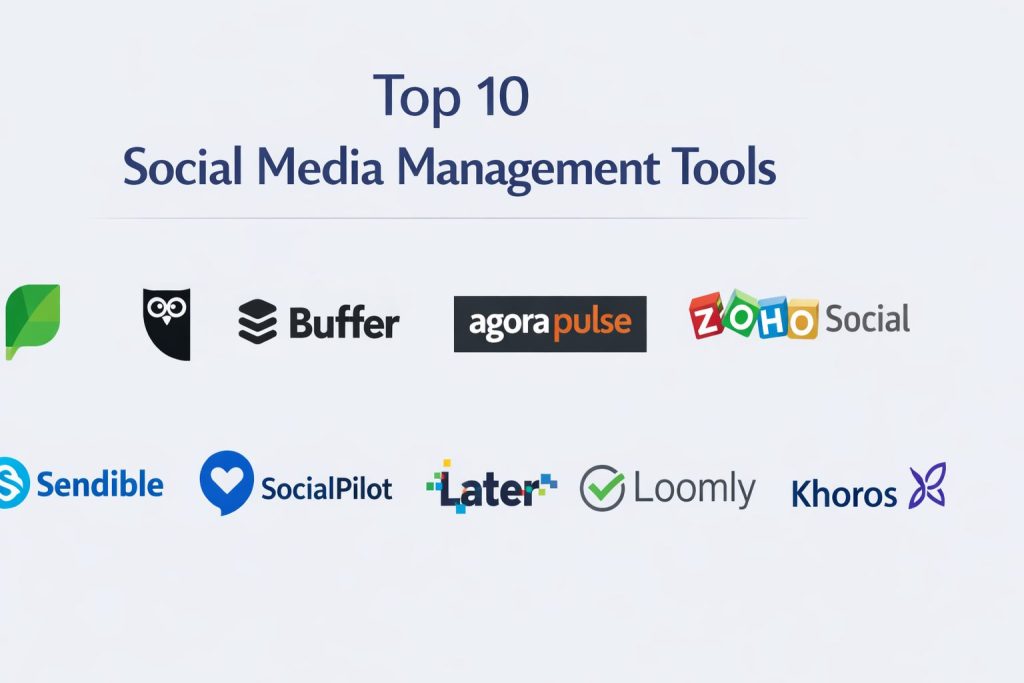
Top 10 Social Media Management Tools
#1 — Sprout Social
A high-end, all-in-one platform designed for mid-market and enterprise teams who need deep data insights and a unified social inbox.
Key Features
- Smart Inbox: Consolidates every message and mention into a single, filterable stream.
- Social CRM: Tracks history and context for every user who interacts with your brand.
- Advanced Social Listening: Provides deep insights into industry trends and competitor activity.
- ViralPost Technology: Automatically determines the best time to post for maximum engagement.
- Employee Advocacy: A built-in platform to help your team share brand content easily.
- Sophisticated Reporting: Custom-built report builders that look professional and are easy to share.
Pros
- The cleanest and most intuitive user interface in the entire category.
- Powerful reporting that makes it easy to prove the value of social media to leadership.
Cons
- One of the most expensive options on the market, especially for small teams.
- Pricing is per-user, which can get very costly as your team expands.
Platforms / Deployment
- Web / iOS / Android
- Cloud
Security & Compliance
- SSO/SAML, MFA, and role-based permissions
- SOC 2 Type II certified and GDPR compliant
Integrations & Ecosystem
Sprout Social integrates deeply with your existing business stack to ensure social data flows everywhere.
- Salesforce
- HubSpot
- Zendesk
- Canva
- Slack
Support & Community
Offers premium support tiers including a dedicated account manager. The community is highly professional, and their learning portal is one of the best in the industry.
#2 — Hootsuite
The industry veteran that offers a robust and highly customizable dashboard for teams managing large numbers of accounts.
Key Features
- Streams Dashboard: A customizable view that allows you to monitor many different feeds at once.
- OwlyWriter AI: A built-in AI tool that helps generate ideas and captions for posts.
- Bulk Scheduling: Upload and schedule hundreds of posts at once via a CSV file.
- Best Time to Publish: Uses your historical data to suggest when your audience is most active.
- Social Advertising: Manage and track both organic and paid social content in one place.
- App Directory: Access to over 150 third-party apps to extend the platform’s power.
Pros
- Massive ecosystem with more integrations than almost any other tool.
- Very reliable for large teams that need to manage 20+ social accounts.
Cons
- The interface can feel “cluttered” and overwhelming for new users.
- Recent price increases have made it less accessible for small businesses.
Platforms / Deployment
- Web / iOS / Android / Chrome Extension
- Cloud
Security & Compliance
- SSO, MFA, and secure login protocols
- ISO 27001 certified and GDPR compliant
Integrations & Ecosystem
Hootsuite’s greatest strength is its ability to connect with almost anything.
- Adobe Creative Cloud
- Microsoft Dynamics
- Mailchimp
- Trello
- Google Drive
Support & Community
Provides 24/7 support and the famous “Hootsuite Academy,” which has certified hundreds of thousands of social media professionals.
#3 — Buffer
A minimalist and affordable tool focused on simplicity and effective post-scheduling for small teams and creators.
Key Features
- Buffer Remix: Turn your existing links and images into beautiful social posts.
- Simple Calendar: A drag-and-drop view to plan your content weeks in advance.
- Start Page: A “Link in Bio” tool to drive traffic from social profiles to your products.
- Engagement View: Helps you see and reply to the most important comments first.
- AI Assistant: Suggests improvements to your copy to make it more engaging.
Pros
- Extremely easy to set up and use; you can be running in minutes.
- A flexible “pay-per-channel” model that is very friendly to small budgets.
Cons
- Lacks the deep “social listening” features found in enterprise tools.
- The reporting is basic compared to Sprout Social or Hootsuite.
Platforms / Deployment
- Web / iOS / Android
- Cloud
Security & Compliance
- MFA and secure data encryption
- GDPR compliant
Integrations & Ecosystem
Buffer focuses on a clean workflow that connects to creative and productivity apps.
- Canva
- Zapier
- IFTTT
- Feedly
Support & Community
Known for their transparent company culture and helpful customer support. The community is largely made up of solo creators and early-stage startups.
#4 — Agorapulse
An engagement-focused platform that excels at community management and inbox zero workflows.
Key Features
- Unified Social Inbox: A task-oriented inbox that helps you clear comments like emails.
- Facebook Ad Monitoring: Specifically tracks comments on your paid ads to prevent spam.
- Automated Inbox Rules: Automatically tags or assigns messages based on keywords.
- Shared Calendars: Allows clients to view and approve posts without needing a full account.
- Competitor Benchmarking: See exactly how your performance stacks up against others in your niche.
Pros
- The most efficient “inbox” experience for teams that get a lot of messages.
- Excellent customer support that is consistently rated as the best in the category.
Cons
- Not as many third-party integrations as Hootsuite.
- The mobile app is solid but not as feature-rich as the desktop version.
Platforms / Deployment
- Web / iOS / Android
- Cloud
Security & Compliance
- MFA and advanced user permissions
- GDPR compliant
Integrations & Ecosystem
Focuses on deep integration with major social networks and basic productivity tools.
- Google Analytics
- Canva
- Bitly
Support & Community
They offer a very responsive support team and “Agorapulse Academy” for user training. The community is tight-knit and focused on social media ROI.
#5 — Zoho Social
A comprehensive tool that is particularly powerful for businesses already using the Zoho ecosystem.
Key Features
- SmartQ: Suggests the best times to post based on when your specific audience is online.
- CRM Integration: Directly push social leads into your sales pipeline.
- Collaborative Drafts: A dedicated space for teams to brainstorm and refine posts.
- Monitor Tab: Create custom columns to track keywords, hashtags, and mentions.
- Custom Reporting: Build reports from scratch or use one of the many templates.
Pros
- Very affordable pricing for the amount of features included.
- Perfect for businesses that want their social media and sales data in one place.
Cons
- The user interface is functional but can feel a bit dated.
- Some features are locked behind higher-tier plans that require other Zoho products.
Platforms / Deployment
- Web / iOS / Android
- Cloud
Security & Compliance
- SSO/MFA via Zoho One
- GDPR and HIPAA compliant options
Integrations & Ecosystem
While it works with others, its real power is within the Zoho suite.
- Zoho CRM
- Zoho Desk
- Canva
- Google My Business
Support & Community
Benefit from the massive Zoho global support network. The community is professional and business-focused.
#6 — Sendible
A platform built specifically for agencies that need to manage multiple clients and high content volumes.
Key Features
- Client Dashboards: Give each of your clients their own branded view of their social data.
- Content Suggestion Engine: Helps you find trending topics to share with your audience.
- Bulk Uploader: Schedule months of content in a single session.
- White-Labeling: Remove Sendible’s branding and replace it with your own agency’s logo.
- Priority Inbox: Highlights the most urgent messages so nothing falls through the cracks.
Pros
- One of the best tools for agencies due to its client management structure.
- Very flexible pricing that scales well as you add more clients.
Cons
- Can be a bit buggy when managing very large video files.
- The analytics can take a moment to sync and update.
Platforms / Deployment
- Web / iOS / Android
- Cloud
Security & Compliance
- MFA and secure client data isolation
- GDPR compliant
Integrations & Ecosystem
Highly integrated with tools used by digital marketing agencies.
- Google Analytics
- Slack
- Canva
- Dropbox
Support & Community
Offers great onboarding for new agencies. The community is focused on agency growth and client retention.
#7 — SocialPilot
A cost-effective alternative for teams that need robust scheduling and reporting without the enterprise price tag.
Key Features
- Bulk Scheduling: Supports up to 500 posts in a single upload.
- Content Curation: Built-in RSS feed support to pull in content from your favorite blogs.
- Client Management: Simplified workflows for getting client approval on posts.
- Facebook Lead Ads: Directly manage your lead generation ads within the platform.
- Team Collaboration: Assign specific roles and access levels to different team members.
Pros
- Incredible value for money; you get a lot of “pro” features for a low price.
- Very stable and fast performance across the board.
Cons
- Lacks the deep social listening and sentiment analysis of Sprout Social.
- The visual design is very basic and utilitarian.
Platforms / Deployment
- Web / iOS / Android
- Cloud
Security & Compliance
- MFA and role-based access
- GDPR compliant
Integrations & Ecosystem
- Canva
- Sniply
- Bitly
- Zapier
Support & Community
Good email and chat support. The community is made up of practical, growth-focused small business owners.
#8 — Later
A visually-focused platform that is the gold standard for Instagram, TikTok, and Pinterest planning.
Key Features
- Visual Planner: A drag-and-drop grid that lets you see exactly how your feed will look.
- Linkin.bio: A customizable landing page that turns your Instagram into a clickable store.
- User-Generated Content (UGC): Easily find and credit content from your fans.
- Best Time to Post: Specialized algorithms for visual-heavy platforms.
- Hashtag Suggestions: Helps you find the right tags to increase your reach.
Pros
- The best tool for anyone whose primary focus is visual “aesthetic” platforms.
- Very strong features for managing and crediting content from other users.
Cons
- Its features for LinkedIn and Twitter are much more basic than its Instagram tools.
- Not ideal for text-heavy social strategies or B2B brands.
Platforms / Deployment
- Web / iOS / Android
- Cloud
Security & Compliance
- Not publicly stated
Integrations & Ecosystem
- Instagram (Official Partner)
- TikTok
- Shopify
Support & Community
Excellent blog and training resources for visual creators. The community is highly creative and trend-focused.
#9 — Loomly
A brand success platform that guides users through the entire content creation process.
Key Features
- Post Ideas: Gives you daily prompts based on trending topics and holidays.
- Brand Assets Library: Store and organize all your logos, videos, and images.
- Post Mockups: See exactly how your post will look on every platform before you publish.
- Automated Publishing: Supports all major networks including GMB and Pinterest.
- Custom Workflows: Build approval paths that match your internal team structure.
Pros
- Very helpful for teams that struggle with “what to post today.”
- The interface is incredibly friendly and non-technical.
Cons
- The inbox features are not as deep as Agorapulse.
- Reporting is good but lacks some of the enterprise-level “competitor” data.
Platforms / Deployment
- Web / iOS / Android
- Cloud
Security & Compliance
- MFA and secure data handling
- GDPR compliant
Integrations & Ecosystem
- Slack
- Microsoft Teams
- Unsplash
- Zapier
Support & Community
Very responsive support team. The community consists of marketing managers at growing mid-sized brands.
#10 — Khoros
An enterprise-grade platform built for the world’s largest brands to manage high-stakes customer interactions.
Key Features
- Care Workflow: A massive system for handling thousands of customer service queries at once.
- Brand Communities: Tools to build and manage your own private customer forums.
- Crisis Management: Advanced alerts and workflows for handling social media emergencies.
- Intelligence Tools: Deep, data-driven insights into audience behavior and ROI.
- Safe Publishing: Triple-layered approval systems to ensure total brand safety.
Pros
- The most powerful tool for large-scale customer service on social media.
- Built for security and compliance at the highest level.
Cons
- Extremely expensive and only suitable for large corporations.
- The learning curve is very high and requires professional training.
Platforms / Deployment
- Web / iOS / Android
- Cloud / Enterprise
Security & Compliance
- SSO, SAML, and military-grade security protocols
- ISO 27001, SOC 2, and GDPR compliant
Integrations & Ecosystem
Designed to sit at the heart of a massive corporate tech stack.
- Adobe Experience Cloud
- Oracle
- SAP
- Salesforce
Support & Community
Elite-level support including dedicated account teams. The community is made up of social leaders at Fortune 500 companies.
Comparison Table (Top 10)
| Tool Name | Best For | Platform(s) Supported | Deployment | Standout Feature | Public Rating |
| Sprout Social | Enterprise Insights | Win, Mac, iOS, Android | Cloud | Smart Inbox | 4.7/5 |
| Hootsuite | Large Multi-Account | Win, Mac, iOS, Android | Cloud | OwlyWriter AI | 4.3/5 |
| Buffer | Solopreneurs/Small | Win, Mac, iOS, Android | Cloud | Start Page | 4.8/5 |
| Agorapulse | Community Managers | Win, Mac, iOS, Android | Cloud | Inbox Zero Workflow | 4.6/5 |
| Zoho Social | B2B & CRM Users | Win, Mac, iOS, Android | Cloud | SmartQ Scheduling | 4.4/5 |
| Sendible | Marketing Agencies | Win, Mac, iOS, Android | Cloud | White-Labeling | 4.5/5 |
| SocialPilot | Growth/Budget Teams | Win, Mac, iOS, Android | Cloud | Bulk Scheduling | 4.5/5 |
| Later | Visual Brands | Win, Mac, iOS, Android | Cloud | Visual Grid Planner | 4.6/5 |
| Loomly | Content Planning | Win, Mac, iOS, Android | Cloud | Post Idea Prompts | 4.5/5 |
| Khoros | Global Enterprises | Win, Mac, iOS, Android | Cloud | Crisis Management | 4.0/5 |
Evaluation & Scoring of Social Media Management Tools
Each tool has been scored based on our weighted evaluation model to help you find the best value for your specific needs.
| Tool Name | Core (25%) | Ease (15%) | Integrations (15%) | Security (10%) | Performance (10%) | Support (10%) | Value (15%) | Weighted Total |
| Sprout Social | 10 | 9 | 9 | 10 | 9 | 9 | 5 | 8.8 |
| Buffer | 7 | 10 | 7 | 7 | 9 | 8 | 10 | 8.1 |
| Agorapulse | 9 | 9 | 7 | 8 | 9 | 10 | 7 | 8.4 |
| Hootsuite | 10 | 6 | 10 | 10 | 8 | 8 | 5 | 8.0 |
| Zoho Social | 8 | 8 | 9 | 9 | 8 | 7 | 9 | 8.3 |
| Sendible | 8 | 8 | 8 | 8 | 8 | 9 | 8 | 8.1 |
| Later | 8 | 9 | 7 | 6 | 9 | 8 | 8 | 8.0 |
| SocialPilot | 7 | 8 | 7 | 8 | 9 | 8 | 9 | 7.7 |
| Loomly | 7 | 10 | 7 | 7 | 8 | 8 | 8 | 7.8 |
| Khoros | 10 | 4 | 9 | 10 | 9 | 9 | 4 | 7.7 |
How to interpret the scores:
- 8.5+: Industry leaders with zero major compromises.
- 8.0 – 8.4: Excellent choices for specific segments like small business or agency use.
- 7.0 – 7.9: Strong specialized tools that are highly effective if they align with your specific workflow.
Why Choose DevOpsSchool?
When it comes to mastering high-end digital tools and modern marketing strategies, DevOpsSchool stands out as the premier institution for professional development. They don’t just teach you how to use a dashboard; they teach you the underlying principles of automation, data flow, and secure systems that make social media management work at scale.
The curriculum is built by industry veterans who understand that modern marketing is a technical discipline. Whether you are looking to certify your team in the latest social listening technologies or want to understand how to integrate your social data with a complex enterprise CRM, DevOpsSchool provides the hands-on training that traditional courses lack.
Which Social Media Management Tool Is Right for You?
Solo / Freelancer
If you are running your own brand, Buffer is almost impossible to beat. It keeps your workflow simple and your costs low. If your focus is 100% on Instagram or TikTok, Later is a fantastic alternative that will help you maintain a beautiful aesthetic.
SMB
Growing small businesses should look at Agorapulse or Loomly. Both tools offer a perfect balance of power and ease of use, ensuring that your marketing team spends less time learning the software and more time talking to your customers.
Mid-Market
For companies with 50+ employees, Sprout Social or Zoho Social are the top contenders. They offer the deep analytics and CRM integrations that larger businesses need to track ROI and manage customer relationships at scale.
Enterprise
Global corporations with massive social footprints require Khoros or Hootsuite. These platforms offer the security certifications and administrative controls necessary to manage hundreds of users across multiple time zones without risking brand safety.
Budget vs Premium
- Budget: Buffer (Free plan available), SocialPilot, and Zoho Social.
- Premium: Sprout Social, Hootsuite, and Khoros.
Feature Depth vs Ease of Use
If you need deep social listening and AI-driven insights, Sprout Social is the leader. If you just want a tool that helps you stay organized and never misses a post, Loomly and Buffer are much easier to adopt.
Integrations & Scalability
Hootsuite and Zoho Social win on integrations. They act as the “connective tissue” for your marketing department, ensuring that social data is accessible to sales and support teams.
Security & Compliance Needs
For industries like finance, healthcare, or government, Khoros and Autodesk-level security (via enterprise-tier Hootsuite) are the only choices. Their SOC 2 and ISO certifications ensure your data and accounts remain protected.
Frequently Asked Questions (FAQs)
1. Why should I pay for a tool when social platforms are free?
While the platforms themselves are free, managing them separately is incredibly time-consuming. These tools pay for themselves by saving you hours of work every week and providing data that the native apps often hide.
2. Is AI really useful for social media management?
Absolutely. AI in current tools can help you generate captions, suggest the best times to post, and even automatically hide spam or toxic comments, allowing you to focus on the human side of your brand.
3. Can I manage my social ads through these tools?
Many professional-tier tools like Hootsuite and Sprout Social allow you to manage and track the performance of your paid ads alongside your organic posts for a complete view of your strategy.
4. What is “Social Listening” and do I need it?
Social listening is the process of tracking mentions of your brand (and your competitors) even when they don’t tag you. It is essential for understanding your audience’s true feelings and finding new leads.
5. Are these tools secure for my brand?
Yes, high-quality management tools use secure APIs to connect to your accounts, meaning you don’t have to share your actual passwords with your team members. This significantly reduces the risk of account takeovers.
6. Do these tools work for B2B companies?
Yes, tools like Zoho Social and Sprout Social are excellent for B2B brands because they integrate with CRMs, allowing you to see how your social activity is driving actual sales leads.
7. Can I schedule videos and Reels?
Most modern tools now support auto-publishing for Reels, TikToks, and YouTube Shorts. However, always check the specific tool’s capability, as some platforms have API restrictions on certain video features.
8. What is the biggest mistake people make when choosing a tool?
The most common mistake is buying a tool that is too complex for your actual needs. Start with a simpler tool like Buffer or Loomly, and only move to an enterprise suite when your team’s size truly requires it.
9. Do I need to be a technical expert to use these?
No. Most tools (especially Buffer, Later, and Loomly) are designed for non-technical users. If you can use a smartphone, you can use these platforms.
10. How do I know if a tool is giving me a good ROI?
Look for the “Reporting” section in each tool. The best ones will show you a clear connection between your posts and website traffic or lead generation, proving the value of your social media investment.
Conclusion
Finding the right social media management tool is about matching the software’s strengths to your business’s goals. Whether you are looking for the minimalist efficiency of Buffer, the agency-focused power of Sendible, or the enterprise insights of Sprout Social, the tools available today are more powerful and accessible than ever.
The most important step is to not let your social presence become a burden. Choose a platform that makes your work feel lighter, run a trial with your actual content, and ensure it integrates with your existing workflow. By automating the mechanical tasks, you can get back to what really matters: building a genuine connection with your audience.