Introduction
A Single Pane of Glass (SPoG) IT dashboard is a unified management console that aggregates data from disparate monitoring tools, infrastructure layers, and application stacks into a single, cohesive interface. In the modern era of hybrid cloud and microservices, IT environments have become increasingly fragmented, often forcing engineers to toggle between dozens of disconnected tabs to identify the root cause of a single failure. A true SPoG solution solves this “tool sprawl” by normalizing raw data—metrics, logs, and traces—into actionable insights. By providing a centralized source of truth, these dashboards enable IT Operations (ITOps), Site Reliability Engineering (SRE), and DevOps teams to maintain a holistic view of system health, security posture, and business performance without the cognitive overhead of context switching.
The strategic value of an integrated dashboard extends beyond mere visibility; it is the fundamental enabler of cross-functional collaboration. When a performance bottleneck occurs, a unified dashboard ensures that network engineers, developers, and database administrators are all looking at the same synchronized data. This alignment drastically reduces Mean Time to Recovery (MTTR) and prevents the “blame game” that often plagues siloed organizations. Furthermore, as IT matures into AIOps, these dashboards serve as the visualization layer for machine learning models that predict outages before they impact the end user. Selecting the right platform requires a deep understanding of your organization’s technical debt, the complexity of your multi-cloud footprint, and the specific governance requirements of your industry.
Best for: Managed Service Providers (MSPs), large-scale enterprises with hybrid-cloud architectures, and high-growth DevOps teams seeking to consolidate monitoring costs and improve operational response times.
Not ideal for: Small organizations with a single, static monolithic application or teams that lack the internal resources to configure and maintain a centralized observability pipeline.
Key Trends in Single Pane of Glass IT Dashboards
The current trend in unified dashboards is the shift from “passive observation” to “active intelligence.” Modern platforms are moving away from simply displaying graphs and are instead using Causal AI to provide deterministic root cause analysis. Rather than just alerting that a server is down, these dashboards now visually map the entire dependency chain to explain why it failed—for instance, linking a botched code deployment to a downstream database latency spike. This “entity-centric” approach treats every component not as a line item in a list, but as a living part of a complex topology map.
Another major movement is the convergence of security and observability into a “single pane of truth.” Often referred to as DevSecOps visibility, these dashboards now overlay security vulnerabilities and threat intelligence directly onto performance metrics. This allows teams to see if a sudden spike in CPU usage is a performance bug or an active DDoS attack. Additionally, there is a growing emphasis on FinOps integration, where dashboards include real-time cost-to-performance ratios, enabling IT leaders to see the direct financial impact of their infrastructure decisions in the same view as their system uptime.
How We Selected These Tools
The selection process for these IT dashboards involved a rigorous evaluation of their ability to ingest, normalize, and visualize high-cardinality data from a vast range of sources. We prioritized “vendor-agnostic” platforms that can pull data from legacy on-premises hardware as easily as from modern serverless functions. High weight was given to tools that support OpenTelemetry (OTel) standards, ensuring that users are not locked into a proprietary data format and can maintain flexibility in their monitoring strategy.
Operational scalability was also a primary criterion; we focused on dashboards that can handle millions of events per second without sacrificing UI responsiveness. We looked for advanced features such as automated topology discovery, which removes the manual labor of mapping service dependencies. Finally, we assessed the quality of “executive-level” reporting versus “engineer-level” drilling capabilities, ensuring that the selected tools can serve both the C-suite’s need for high-level KPIs and the SRE’s need for granular debugging.
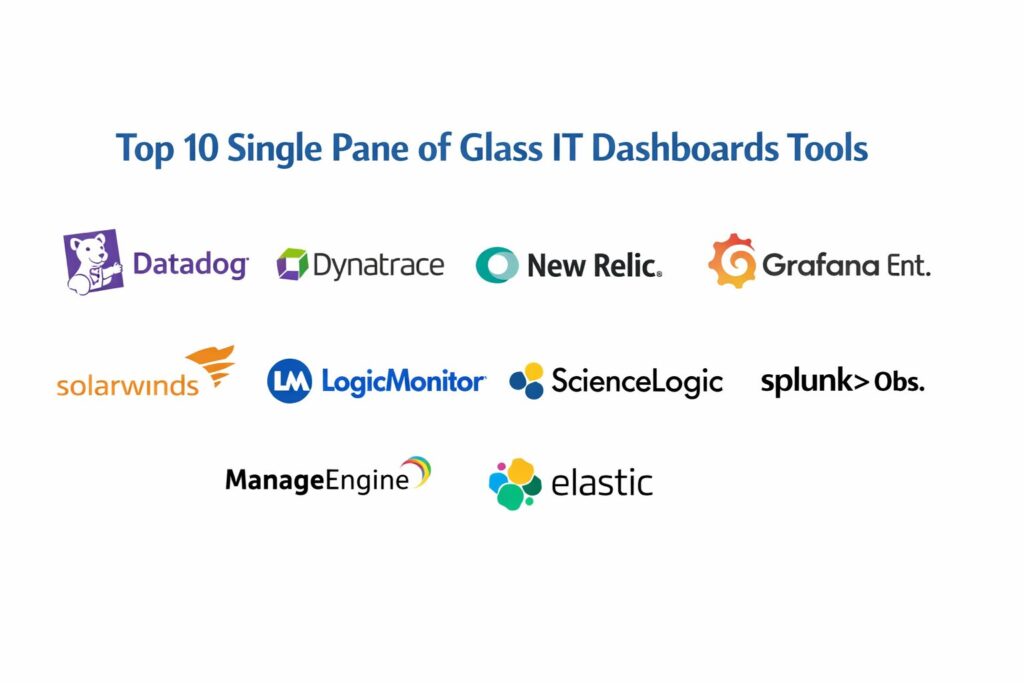
1. Datadog
Datadog is a cloud-native observability and security platform that has become the benchmark for modern IT dashboards. It offers a seamless, unified view of metrics, traces, and logs across the entire technology stack. Its strength lies in its “Watchdog” AI, which automatically surfaces anomalies and correlates signals from disparate silos into a single incident story.
Key Features
The platform provides over 600 vendor-supported integrations that can be enabled with a single click. It features a sophisticated “Service Map” that visualizes the dependencies between microservices in real-time. The “Bits AI” assistant allows users to query their entire infrastructure using natural language. It also includes Real User Monitoring (RUM) and synthetic testing to provide a complete picture of the user experience. The dashboard builder is highly intuitive, allowing for the creation of complex, multi-source visualizations without requiring custom code.
Pros
Extremely fast time-to-value with pre-configured dashboards for almost every modern cloud service. The unified interface for logs, metrics, and security is industry-leading.
Cons
The pricing model is modular and can become very expensive as more features (like profiling or security) are added. The high data ingestion volume can lead to unpredictable monthly bills.
Platforms and Deployment
SaaS-only platform with a web-based console and native mobile apps for monitoring on the go.
Security and Compliance
SOC 2 Type II, HIPAA, and GDPR compliant with robust Role-Based Access Control (RBAC) and SAML support.
Integrations and Ecosystem
Massive ecosystem including AWS, Azure, GCP, Kubernetes, and popular DevOps tools like Slack, Jira, and PagerDuty.
Support and Community
Offers 24/7 technical support and a vast library of “Datadog Learning Center” resources and community-contributed templates.
2. Dynatrace
Dynatrace is an enterprise-grade observability platform known for its sophisticated “Davis” AI engine. It is designed for massive, complex environments where manual configuration is no longer feasible. It focuses on “causal” AI, which goes beyond correlation to provide precise, deterministic answers about system health and performance.
Key Features
The “OneAgent” technology automatically discovers and monitors every component in the environment with zero manual configuration. It features “PurePath” technology, which provides end-to-end distributed tracing across all tiers of an application. The platform includes a built-in “Grail” data lakehouse that allows for petabyte-scale log and metric analysis. It also offers automated cloud automation and remediation triggers. The dashboarding system is optimized for “Management Zones,” allowing different teams to see only the data relevant to their specific business unit.
Pros
The degree of automation is unmatched, making it ideal for large organizations with thousands of hosts. Its root cause analysis is highly accurate, significantly reducing “noise” and alert fatigue.
Cons
The platform is a premium solution with a high entry cost. The automation can sometimes feel like a “black box,” giving power users less control over custom query logic.
Platforms and Deployment
Available as a SaaS offering or as a self-managed “Managed” deployment for strict data residency needs.
Security and Compliance
FIPS 140-2, FedRAMP authorized, and compliant with all major international data privacy standards.
Integrations and Ecosystem
Deep integrations with SAP, Oracle, and enterprise-scale cloud platforms like OpenShift and VMware.
Support and Community
Provides dedicated account management for large customers and a highly professional “Dynatrace University” training program.
3. New Relic
New Relic is a pioneer in the Application Performance Monitoring (APM) space and has evolved into a “Full Stack Observability” platform. It is built on a single, unified database (NRDB) that allows for ultra-fast querying of all telemetry data in one place. Its “all-in-one” pricing model is designed to make SPoG visibility accessible to teams of all sizes.
Key Features
The platform features an “Errors Inbox” that centralizes error tracking across the entire stack. It provides a “NerdGraph” GraphQL API, which allows for highly customized data extraction and dashboarding. It includes “Applied Intelligence” for automated anomaly detection and alert correlation. The “Service Levels” feature helps teams define and track SLOs/SLIs directly within their operational dashboards. It also offers a dedicated “Vulnerability Management” module that maps security risks to running applications.
Pros
The simplified “per-user” pricing and a generous free tier make it very predictable for budgeting. The UI is clean and focuses on helping developers find code-level issues quickly.
Cons
Some users find the recent UI overhaul difficult to navigate compared to the classic version. Ingesting very large volumes of logs can still become costly under the usage-based model.
Platforms and Deployment
SaaS platform with a web interface and robust CLI tools for “monitoring as code.”
Security and Compliance
ISO 27001, SOC 2 Type II, and HIPAA compliant with sophisticated data masking features.
Integrations and Ecosystem
Supports over 500 integrations and is a lead contributor to the OpenTelemetry project.
Support and Community
Active community forum and a “New Relic University” for technical certification.
4. Grafana Enterprise
Grafana is the world’s most popular open-source visualization tool, and its Enterprise version provides the ultimate “Single Pane” for organizations with highly fragmented data. Unlike other tools that require you to move your data to their cloud, Grafana allows you to visualize data exactly where it lives, whether in a SQL database, a legacy monitor, or a cloud API.
Key Features
The platform features “Enterprise Data Sources” for tools like Splunk, ServiceNow, and Oracle. It includes “Grafana OnCall” for integrated incident response within the dashboard. The “Synthetic Monitoring” module allows for global uptime checks. It provides advanced reporting that can automatically email PDF snapshots of dashboards to stakeholders. The “Fine-grained Access Control” allows for complex permission structures in large organizations. It also supports “Canvas,” a new way to create custom, schematic-style representations of IT infrastructure.
Pros
Truly vendor-agnostic; it can aggregate data from almost any source without requiring expensive data migration. The customization and visualization options are the best in the market.
Cons
It is primarily a visualization layer, so you often still need to manage the underlying data storage (like Prometheus or Loki). Setting up complex dashboards requires a higher level of technical skill.
Platforms and Deployment
Available as Grafana Cloud (SaaS) or as a self-hosted Enterprise edition.
Security and Compliance
Enterprise version includes RBAC, team-level permissions, and integration with LDAP/Active Directory.
Integrations and Ecosystem
Unrivaled plugin ecosystem with hundreds of community and commercial data source connectors.
Support and Community
Massive global community and professional support from Grafana Labs for Enterprise customers.
5. Splunk Observability Cloud
Splunk is the industry leader in log analytics, and its Observability Cloud brings that power to real-time metrics and tracing. It is designed for organizations that need “high-fidelity” monitoring, capturing every single transaction without sampling to ensure that no intermittent issue is missed.
Key Features
The platform includes “No-Sample” distributed tracing, meaning every single trace is analyzed for anomalies. It features “Log Observer,” which allows for near-instant correlation between a metric spike and the relevant log files. “Splunk IT Service Intelligence (ITSI)” provides a high-level “Service Health” view that maps IT performance to business KPIs. It uses sophisticated “Stream Analytics” to provide alerts in seconds rather than minutes. It also includes “Splunk On-Call” for a unified alert-to-incident workflow.
Pros
Unbeatable for security-conscious organizations that already use Splunk for SIEM. The ability to search and correlate logs at massive scale is still the gold standard.
Cons
The cost remains a significant barrier for many, especially for high-volume data ingestion. The learning curve for its query language (SPL) is steeper than other platforms.
Platforms and Deployment
Available as a cloud service or in hybrid configurations alongside on-premises Splunk Enterprise.
Security and Compliance
Highly secure with FIPS 140-2 compliance, SOC 2, and advanced encryption at rest and in transit.
Integrations and Ecosystem
Deeply integrated with the broader Splunk ecosystem and heavily invested in OpenTelemetry.
Support and Community
Offers premium “Splunk Expert” services and a vast network of certified partners and user groups.
6. SolarWinds Hybrid Cloud Observability
SolarWinds has transformed its classic monitoring suite into a unified platform designed for the hybrid era. It excels at bridging the gap between traditional data centers (switches, SANs, physical servers) and modern cloud-native environments, providing a single view for the “old” and the “new” IT.
Key Features
The platform includes “PerfStack,” which allows users to drag and drop different metrics onto a single timeline for instant correlation. “AppStack” provides a visual map of how an application relates to its servers, storage, and network. It features automated topology mapping and network path analysis (NetPath). The “Secure by Design” architecture ensures that the platform itself is a highly hardened environment. It also provides deep database performance monitoring for SQL Server, Oracle, and open-source DBs.
Pros
The best choice for network-heavy environments and organizations with a large physical hardware footprint. The interface is familiar to a generation of IT administrators.
Cons
The on-premises deployment can require a significant amount of server infrastructure. It still feels slightly more “infrastructure-focused” than “app-focused.”
Platforms and Deployment
Available as a self-managed hybrid platform or as a cloud-hosted SaaS.
Security and Compliance
Aggressive security posture following recent industry events, with comprehensive audit trails and secure development lifecycles.
Integrations and Ecosystem
Strongest for Cisco, Dell, HP, and VMware environments, with growing cloud support for AWS and Azure.
Support and Community
The “THWACK” community is one of the largest and most active user groups in IT management.
7. LogicMonitor
LogicMonitor is a fully automated, cloud-based infrastructure monitoring platform that is particularly popular with Managed Service Providers (MSPs). It provides an “agentless” approach to monitoring, making it incredibly fast to deploy across diverse client environments.
Key Features
The platform features a “Collector” that automatically discovers devices on a network and applies the correct monitoring templates. It includes “Envision” dashboards that are designed for both technical deep-dives and executive reporting. The “LM Envision” AIOps engine provides forecasting and anomaly detection. It offers “Log Analysis” that automatically groups related log events to surface patterns. It also features a robust “Service Insight” module that groups resources into logical business services for easier tracking.
Pros
One of the easiest enterprise-grade platforms to set up and maintain. The reporting features are specifically built to prove value to business stakeholders.
Cons
Customizing complex alert logic can be more challenging than in a code-centric tool like Grafana. The cost can be high for very small deployments.
Platforms and Deployment
Fully SaaS-based platform with a lightweight “Collector” installed on the local network.
Security and Compliance
SOC 2 Type II, ISO 27001, HIPAA, and GDPR compliant with built-in credential vaulting.
Integrations and Ecosystem
Excellent integrations with Autotask, ConnectWise, and other MSP-focused business tools.
Support and Community
Offers 24/7 support and a dedicated Customer Success program for enterprise accounts.
8. ScienceLogic SL1
ScienceLogic SL1 is an AIOps platform that focuses on “Contextual Intelligence.” It is designed to act as the “Manager of Managers,” ingesting data from other monitoring tools and CMDBs to create a definitive, real-time map of the entire IT estate and its business services.
Key Features
The platform features “PowerMap,” which provides real-time relationship mapping between any IT asset and the business service it supports. It includes “PowerFlow” for automating incident remediation and data synchronization between IT tools. The “Behavioral Correlation” engine uses machine learning to identify the root cause of complex outages. It provides a “Global View” dashboard that can aggregate data from multiple distributed SL1 instances. It also features deep integration with ServiceNow to keep the CMDB perfectly accurate.
Pros
The strongest choice for organizations that want to automate the “remediation” of issues rather than just the detection. Excellent at maintaining an accurate, real-time CMDB.
Cons
The platform is highly technical and requires a significant investment in training and configuration to unlock its full potential.
Platforms and Deployment
Available as a SaaS, on-premises, or hybrid deployment.
Security and Compliance
Holds high-level government certifications including UC APL and FIPS 140-2.
Integrations and Ecosystem
Designed to integrate with “everything,” with a focus on enterprise ITSM and cloud platforms.
Support and Community
Provides extensive professional services for complex global deployments and a dedicated support portal.
9. ManageEngine OpManager Plus
ManageEngine offers a comprehensive, integrated IT management suite that provides a single pane of glass for networks, servers, IP addresses, and switch ports at a very competitive price point. It is a “workhorse” tool that is ideal for mid-market companies that need broad coverage without the complexity of an AIOps platform.
Key Features
The “Plus” version integrates network monitoring, server monitoring, bandwidth analysis, and configuration management into one console. It features a “3D Floor Map” and “Rack View” to visually represent physical data centers. It includes “NetFlow” analysis to identify which applications are consuming the most bandwidth. The platform provides automated “Workflows” to restart services or run scripts when an alert is triggered. It also includes a built-in “Network Configuration Manager” to track changes and ensure compliance.
Pros
Excellent value for the price; it offers many features that are usually only found in much more expensive tools. The interface is straightforward and easy to navigate for generalist IT staff.
Cons
The AIOps and machine learning capabilities are not as advanced as those in Dynatrace or ScienceLogic. The UI can feel cluttered due to the sheer number of modules.
Platforms and Deployment
Primarily an on-premises installation for Windows and Linux, with cloud-hosted options available.
Security and Compliance
Includes robust RBAC, audit logs, and supports secure communication protocols for all device monitoring.
Integrations and Ecosystem
Integrates deeply with other ManageEngine products (like ServiceDesk Plus) and major third-party vendors.
Support and Community
Offers a large library of “how-to” videos, a user forum, and 24/5 technical support.
10. Elastic Observability
Elastic (the company behind Elasticsearch) has turned its powerful search engine into a world-class observability platform. It is the “Single Pane” for organizations that are data-heavy and need the ability to perform complex, free-text searches across billions of rows of telemetry data in milliseconds.
Key Features
The platform features “Kibana,” the industry standard for custom data visualization. it includes “Elastic Agent,” a single unified agent for logs, metrics, and security data. The “APM” module supports distributed tracing with native OpenTelemetry support. It features “AIOps” tools for log spike analysis and pattern detection. The “Vector Search” capability allows for AI-driven semantic search across internal documentation and operational data. It also includes a built-in “SIEM” for security analysts.
Pros
The search performance is unrivaled; if you can think of a query, Elastic can run it. It is highly flexible and can be used for far more than just IT monitoring.
Cons
Managing a large Elastic cluster on-premises can be operationally complex. The licensing transition to the ELK stack in recent years has made budgeting more complicated for some.
Platforms and Deployment
Available as Elastic Cloud (SaaS on AWS/Azure/GCP) or as a self-managed “Elastic Stack” deployment.
Security and Compliance
Provides comprehensive security features including field-level security, encryption, and SOC 2 compliance.
Integrations and Ecosystem
Vast ecosystem of “Integrations” available through the Elastic Fleet manager.
Support and Community
One of the largest open-source communities in the world with extensive documentation and commercial support plans.
Comparison Table
| Tool Name | Best For | Platform(s) Supported | Deployment | Standout Feature | Public Rating |
| 1. Datadog | Cloud-Native DevOps | SaaS | Cloud | 600+ Integrations | 4.6/5 |
| 2. Dynatrace | Enterprise AIOps | SaaS, Managed | Hybrid | Causal AI (Davis) | 4.6/5 |
| 3. New Relic | App Developers | SaaS | Cloud | NRDB Unified Data | 4.5/5 |
| 4. Grafana Ent. | Visualizing Any Source | SaaS, Self-Managed | Hybrid | Vendor-Agnostic UI | 4.7/5 |
| 5. Splunk Obs. | Security & Logs | SaaS, Hybrid | Hybrid | No-Sample Tracing | 4.5/5 |
| 6. SolarWinds | Hybrid Infrastructure | SaaS, Self-Managed | Hybrid | NetPath Analysis | 4.4/5 |
| 7. LogicMonitor | MSPs & Hybrid IT | SaaS | Cloud | Agentless Discovery | 4.6/5 |
| 8. ScienceLogic | Contextual AIOps | SaaS, Self-Managed | Hybrid | Relationship Mapping | 4.4/5 |
| 9. ManageEngine | Budget-Conscious IT | Self-Managed, Cloud | Hybrid | Integrated Network/Server | 4.3/5 |
| 10. Elastic | Search-Driven Obs. | SaaS, Self-Managed | Hybrid | Ultra-Fast Search | 4.5/5 |
Evaluation & Scoring of Single Pane of Glass IT Dashboards
The scoring below is a comparative model intended to help shortlisting. Each criterion is scored from 1–10, then a weighted total from 0–10 is calculated using the weights listed. These are analyst estimates based on typical fit and common workflow requirements, not public ratings.
Weights:
- Core features – 25%
- Ease of use – 15%
- Integrations & ecosystem – 15%
- Security & compliance – 10%
- Performance & reliability – 10%
- Support & community – 10%
- Price / value – 15%
| Tool Name | Core (25%) | Ease (15%) | Integrations (15%) | Security (10%) | Performance (10%) | Support (10%) | Value (15%) | Weighted Total |
| 1. Datadog | 10 | 9 | 10 | 9 | 9 | 9 | 7 | 9.05 |
| 2. Dynatrace | 10 | 7 | 9 | 10 | 10 | 9 | 6 | 8.65 |
| 3. New Relic | 9 | 9 | 9 | 9 | 9 | 8 | 10 | 9.00 |
| 4. Grafana Ent. | 9 | 7 | 10 | 9 | 10 | 9 | 9 | 8.85 |
| 5. Splunk Obs. | 10 | 6 | 9 | 10 | 10 | 9 | 6 | 8.40 |
| 6. SolarWinds | 8 | 8 | 8 | 9 | 8 | 10 | 8 | 8.25 |
| 7. LogicMonitor | 9 | 10 | 8 | 9 | 9 | 9 | 8 | 8.90 |
| 8. ScienceLogic | 9 | 6 | 9 | 9 | 9 | 8 | 7 | 8.05 |
| 9. ManageEngine | 8 | 9 | 7 | 8 | 8 | 8 | 10 | 8.15 |
| 10. Elastic | 9 | 7 | 9 | 9 | 10 | 9 | 8 | 8.65 |
How to interpret the scores:
- Use the weighted total to shortlist candidates, then validate with a pilot.
- A lower score can mean specialization, not weakness.
- Security and compliance scores reflect controllability and governance fit, because certifications are often not publicly stated.
- Actual outcomes vary with assembly size, team skills, templates, and process maturity.
Which Single Pane of Glass IT Dashboard Is Right for You?
Solo / Freelancer
For the independent consultant or a tiny startup, New Relic is often the winner. Their generous free tier and straightforward per-user pricing allow you to get enterprise-grade visibility without a massive financial commitment.
SMB
ManageEngine OpManager Plus is the go-to for the “IT Generalist.” It provides a robust, easy-to-manage dashboard that covers the basics—servers, networks, and bandwidth—without the overwhelming complexity of a pure-play AIOps platform.
Mid-Market
Datadog is the gold standard here. Its ability to scale alongside a rapidly expanding cloud footprint and its vast library of “out-of-the-box” dashboards means your engineers can spend their time building features rather than configuring monitoring tools.
Enterprise
Dynatrace or ScienceLogic SL1 are built for this scale. Dynatrace is best if you want the highest degree of automated, AI-driven root cause analysis. ScienceLogic is superior if your goal is to automate the business service relationships and incident remediation workflows.
Budget vs Premium
If licensing costs are the primary concern but you still need deep visibility, the open-source ELK stack (Elastic) or Grafana (OSS version) are the best choices. However, remember that the “savings” in license fees are often offset by the engineering time required to manage the infrastructure.
Feature Depth vs Ease of Use
Splunk Observability Cloud is the logical choice for teams where IT Ops and Security Ops are one and the same. The ability to correlate a performance anomaly with a security log in the same “pane of glass” is a powerful defense mechanism.
Integrations & Scalability
SolarWinds is the most comfortable fit for organizations that still have significant investment in physical data centers. It speaks the language of network engineers and hardware admins while still providing a bridge to modern cloud metrics.
Security & Compliance Needs
LogicMonitor is specifically designed to handle “multi-tenancy,” allowing an MSP to manage hundreds of different client environments from a single, high-level dashboard with ease.
Frequently Asked Questions (FAQs)
1. What is the main benefit of a “Single Pane of Glass”?
The primary benefit is the reduction of Mean Time to Recovery (MTTR). By having all data in one place, teams can identify the root cause of an issue much faster than by manually correlating data across different tools.
2. Does a unified dashboard replace all other monitoring tools?
Not necessarily. It often acts as a visualization layer that pulls data from specialized tools. While some platforms like Datadog try to do everything, most organizations use a SPoG to aggregate their existing “best-of-breed” monitors.
3. Is AIOps a requirement for a modern IT dashboard?
For small environments, no. However, for large-scale microservices, the volume of data is too high for a human to process manually. AIOps helps by filtering out “noise” and highlighting only the anomalies that matter.
4. How does OpenTelemetry (OTel) fit into this?
OTel is a vendor-neutral standard for collecting telemetry data. Choosing a dashboard that supports OTel ensures that if you decide to switch providers in the future, you won’t have to rewrite all your instrumentation code.
5. Can these dashboards monitor on-premises servers?
Yes, most of these tools provide “agents” or “collectors” that can be installed on local servers to send data back to the central dashboard, providing a true hybrid view.
6. What is “High Cardinality” data?
It refers to data with many unique variables, like user IDs or container IDs. Modern dashboards must be able to handle high cardinality to allow for “drilling down” into specific, individual errors.
7. How much does a typical enterprise IT dashboard cost?
Pricing varies wildly based on data volume and the number of hosts. It can range from a few hundred dollars a month for an SMB to several million dollars a year for a global enterprise.
8. Is a Single Pane of Glass dashboard secure?
These platforms are highly regulated and typically hold SOC 2, ISO, and HIPAA certifications. They use advanced encryption and RBAC to ensure that sensitive operational data is only visible to authorized personnel.
9. Can I build my own Single Pane of Glass using open source?
Yes, the “LGTM” stack (Loki, Grafana, Tempo, Mimir) is the most popular way to build a custom, open-source SPoG. It offers extreme flexibility but requires significant expertise to maintain.
10. Do these dashboards support business metrics?
Most modern platforms allow you to ingest “business events,” such as “Order Completed” or “Revenue per Minute,” and overlay them on IT health metrics to show the real-world impact of technical issues.
Conclusion
Achieving a true “Single Pane of Glass” is not merely a technical configuration task; it is a cultural transformation that aligns your IT operations with your business goals. In a world where minutes of downtime can translate to millions in lost revenue, the ability to see through the “fog of data” is a critical competitive advantage. The transition from fragmented toolsets to a unified observability platform reduces friction between teams, empowers engineers with actionable intelligence, and provides leadership with the transparency needed to make informed strategic decisions. As you evaluate these top ten platforms, consider not just the features they offer today, but how their vision for AIOps and cloud-native management will support your organization’s growth for the next decade. The right dashboard does more than just show you what is broken; it illuminates the path toward a more resilient and predictable digital future.