Introduction
Security Orchestration Automation and Response, often called SOAR, is a category of tools that helps security teams handle alerts and incidents faster and more consistently. In simple terms, SOAR connects your security data sources, ticketing systems, and response actions into one workflow, then uses automation to reduce manual work. Instead of analysts copying details between dashboards and running the same steps again and again, SOAR can collect context, enrich alerts, route tasks, and trigger approved response actions.
Real-world use cases include phishing triage and takedown, suspicious login investigation, endpoint isolation with approvals, automated malware enrichment, cloud misconfiguration response, and standardized incident handling for compliance. When evaluating SOAR tools, look at workflow flexibility, playbook depth, integration coverage, scalability, case management, evidence tracking, role-based controls, audit readiness, human approval steps, error handling, and the real effort needed to build and maintain automations.
Best for: security operations teams, incident response teams, MSSPs, and organizations with high alert volume and repeatable processes.
Not ideal for: very small teams with low alert volume, or teams without stable processes and ownership, because automation without clear standards can create confusion and risk.
Key Trends in SOAR
- More focus on “guided automation” where analysts approve high-risk steps instead of full hands-off response
- Stronger emphasis on reusable playbook components to reduce maintenance and speed up deployment
- Increased demand for out-of-the-box integrations across cloud, identity, endpoint, email, and collaboration tools
- Better case management and evidence capture to support audits, post-incident reviews, and compliance needs
- Automation quality becoming more important than automation quantity, with clear guardrails and fail-safe design
- More API-first workflows to integrate with internal platforms, data lakes, and custom response systems
- Growing adoption in MSSPs for multi-tenant operations, standardized delivery, and predictable SLAs
- Higher expectations for access control, approval workflows, and audit trails around response actions
How We Selected These Tools (Methodology)
- Included tools with strong adoption across enterprise security operations and service providers
- Prioritized breadth and depth of automation and orchestration capabilities, not just ticketing features
- Considered integration ecosystem maturity and real-world ability to connect to common security stacks
- Looked at operational fit across different sizes, from lean teams to large multi-team security operations
- Weighted case management, evidence handling, and workflow governance as critical buying factors
- Considered maintainability of automations, including playbook design, testing, and change management support
- Balanced platforms that excel in heavy enterprise environments with tools that enable fast build and iteration
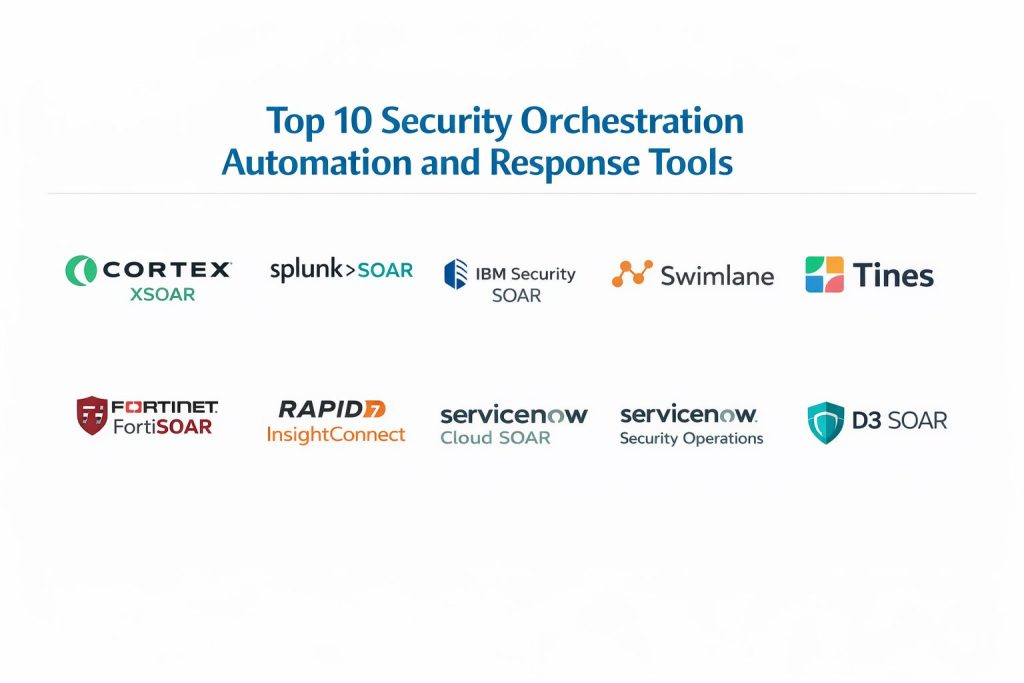
Top 10 SOAR Tools
1 — Cortex XSOAR
Cortex XSOAR is built for security operations teams that need robust orchestration, deep playbooks, and strong incident handling. It is often selected when teams want a structured approach to incident response with extensive enrichment and automation options.
Key Features
- Playbook-driven orchestration for alert triage and incident response
- Strong incident case management with structured fields and workflows
- Broad integration coverage across security and IT ecosystems
- Enrichment and correlation workflows to add context quickly
- Approval steps and role controls for risky response actions
Pros
- Strong fit for mature teams standardizing response workflows
- Deep orchestration capability for complex incidents
Cons
- Setup and tuning can take time if processes are not well defined
- Automation maintenance requires clear ownership and standards
Platforms / Deployment
Varies / N/A
Security and Compliance
Not publicly stated
Integrations and Ecosystem
Works best when your team commits to standard playbook patterns and connector governance.
- Large catalog of common security integrations
- API and automation hooks for custom workflows
- Designed to orchestrate across endpoint, identity, email, and network tools
Support and Community
Varies / Not publicly stated
2 — Splunk SOAR
Splunk SOAR is designed to help analysts reduce repetitive work by automating enrichment, triage, and response actions. It is commonly used where teams want automation tied closely to alert pipelines and incident workflows.
Key Features
- Playbook automation for triage and response sequences
- Case management and workflow routing for analyst tasks
- Integration framework for security and IT tools
- Event enrichment and context collection automations
- Flexible actions with human approval checkpoints
Pros
- Strong automation for repetitive analyst workflows
- Good fit for teams scaling incident handling consistency
Cons
- Full value depends on disciplined playbook development
- Complex environments may need deeper integration planning
Platforms / Deployment
Varies / N/A
Security and Compliance
Not publicly stated
Integrations and Ecosystem
Usually adopted as a workflow layer connecting detections to response execution.
- Connectors for many common security systems
- API-driven patterns for custom actions and orchestration
- Practical for alert enrichment and standardized response steps
Support and Community
Varies / Not publicly stated
3 — IBM Security SOAR
IBM Security SOAR is often chosen for structured incident management with strong workflow controls. It suits organizations that prioritize consistent processes, evidence tracking, and cross-team coordination.
Key Features
- Incident workflows with structured tasks and assignments
- Playbooks and automation for enrichment and response steps
- Evidence tracking features for investigation documentation
- Collaboration and escalation workflows across teams
- Reporting and metrics support for operational reviews
Pros
- Strong process control and case structure for mature operations
- Useful for organizations prioritizing documentation discipline
Cons
- Implementation success depends on strong process design
- Automation depth may require more configuration effort
Platforms / Deployment
Varies / N/A
Security and Compliance
Not publicly stated
Integrations and Ecosystem
Most effective when connected to a stable set of detection sources and response systems.
- Supports orchestration through integrations and APIs
- Works well with defined incident types and standard playbooks
- Can support complex, multi-step response workflows
Support and Community
Varies / Not publicly stated
4 — Swimlane
Swimlane is known for flexible security automation and strong case management options. It is typically selected by teams that want to tailor workflows heavily and build automations around their unique operations.
Key Features
- Flexible workflow builder for incident and alert processes
- Automation components designed for repeatable tasks
- Case management focused on operational control and tracking
- Integration coverage for security and IT ecosystems
- Support for approvals and controlled response actions
Pros
- Strong customization for teams with unique workflows
- Scales well when processes evolve over time
Cons
- Requires governance to prevent workflow sprawl
- Automation success depends on clear standards and testing
Platforms / Deployment
Varies / N/A
Security and Compliance
Not publicly stated
Integrations and Ecosystem
Often used as a “workflow backbone” across multiple response domains.
- Integrations and API patterns for orchestration
- Common use in multi-team operations and service workflows
- Works best with consistent naming and incident taxonomy
Support and Community
Varies / Not publicly stated
5 — Tines
Tines is often used by lean security teams that want to build automations quickly and keep workflows understandable. It is widely appreciated for enabling fast iteration without requiring heavy engineering effort.
Key Features
- Visual automation builder for security workflows
- Strong emphasis on readable, maintainable automations
- Rapid integration setup for common security tools
- Human approval steps built into automation flows
- Useful for enrichment, ticketing, and notification routing
Pros
- Fast time to value for teams starting automation
- Clear workflows that help reduce operational confusion
Cons
- Very complex enterprise orchestration may need additional planning
- Scaling automation requires disciplined component reuse
Platforms / Deployment
Varies / N/A
Security and Compliance
Not publicly stated
Integrations and Ecosystem
Best for teams that want an automation fabric connecting tools and processes.
- Integrates broadly via APIs and common connectors
- Good for alert enrichment, routing, and structured response flows
- Works well when teams document automation intent and ownership
Support and Community
Varies / Not publicly stated
6 — Fortinet FortiSOAR
Fortinet FortiSOAR is designed to orchestrate response actions and standardize processes, especially in environments with mixed security tooling. It is commonly adopted where teams want structured playbooks and a consistent response layer.
Key Features
- Playbook orchestration for multi-step incident response
- Case management and workflow routing for analyst operations
- Integration support for security tools and IT workflows
- Enrichment and response automation patterns
- Approval-based response actions and audit-friendly tracking
Pros
- Good option for teams building repeatable response programs
- Helps reduce manual steps and improve consistency
Cons
- Requires setup effort to design useful playbooks
- Integration results depend on connector availability and configuration
Platforms / Deployment
Varies / N/A
Security and Compliance
Not publicly stated
Integrations and Ecosystem
Typically used to connect detections to actions across multiple security domains.
- Integrations and API-based orchestration
- Works well when incident categories and response steps are standardized
- Useful for multi-tool response coordination
Support and Community
Varies / Not publicly stated
7 — Rapid7 InsightConnect
Rapid7 InsightConnect focuses on security automation and workflow orchestration, often used to connect alerts to consistent response actions. It is typically adopted by teams that want practical automations and broad integration capability.
Key Features
- Automation workflows to reduce repetitive response tasks
- Integration approach designed for common security operations tools
- Useful for enrichment, ticketing, and structured response actions
- Supports approvals and controlled execution of actions
- Helps standardize response patterns across teams
Pros
- Practical automation for common incident workflows
- Good fit for teams that want predictable response playbooks
Cons
- Some advanced orchestration needs may require deeper customization
- Long-term success depends on automation governance
Platforms / Deployment
Varies / N/A
Security and Compliance
Not publicly stated
Integrations and Ecosystem
Often used to automate the “glue work” between detections, IT workflows, and response tools.
- Integrations and API-based action patterns
- Useful for structured escalation and response execution
- Works best with documented playbook ownership
Support and Community
Varies / Not publicly stated
8 — ServiceNow Security Operations
ServiceNow Security Operations is often selected by organizations that already run ServiceNow for IT workflows and want security incident response to align with enterprise service management practices. It can be a strong fit for governance, coordination, and cross-team execution.
Key Features
- Security incident workflows aligned with enterprise service management
- Strong routing, assignment, and task management capabilities
- Evidence capture and structured incident documentation patterns
- Integration options across IT and security operations ecosystems
- Reporting support for operational visibility and process performance
Pros
- Strong coordination across security and IT teams
- Great fit when workflows must follow enterprise governance
Cons
- Best results depend on enterprise-level configuration discipline
- May be heavy for small teams needing lightweight automation
Platforms / Deployment
Varies / N/A
Security and Compliance
Not publicly stated
Integrations and Ecosystem
Often used as a governance and workflow layer that connects security response into broader enterprise execution.
- Works well with standardized ticketing and change processes
- Integrates with many enterprise systems through connectors and APIs
- Useful when security response must align with IT service workflows
Support and Community
Varies / Not publicly stated
9 — Sumo Logic Cloud SOAR
Sumo Logic Cloud SOAR is built to help teams orchestrate response and standardize incident handling, often with a cloud-first mindset. It can suit teams looking for automation and workflow consistency without overcomplicating the operational model.
Key Features
- Workflow automation for triage and response steps
- Case management and incident handling patterns
- Integrations across common security tools and services
- Enrichment workflows to collect context quickly
- Structured response actions with operational tracking
Pros
- Solid fit for teams building standardized response routines
- Useful for reducing manual enrichment and routing steps
Cons
- Integration depth depends on your stack and connector needs
- Best outcomes require playbook discipline and maintenance plans
Platforms / Deployment
Varies / N/A
Security and Compliance
Not publicly stated
Integrations and Ecosystem
Usually adopted to connect signals to repeatable response flows and consistent task management.
- Integrations and API-based patterns for orchestration
- Helps unify enrichment and response across common security domains
- Works best with stable incident categories and defined response steps
Support and Community
Varies / Not publicly stated
10 — D3 SOAR
D3 SOAR is often used by teams that want strong incident workflow control and structured automation. It can fit organizations that care about consistent handling, approvals, and disciplined case management across different incident types.
Key Features
- Playbook orchestration for structured incident response
- Case management with workflow controls and tracking
- Integrations designed for common security operations needs
- Approval checkpoints for sensitive response actions
- Reporting and metrics support for operational improvement
Pros
- Strong fit for teams that want structured response governance
- Useful for building repeatable processes across incident types
Cons
- Implementation quality depends on process readiness
- Automation maintenance requires ownership and review practices
Platforms / Deployment
Varies / N/A
Security and Compliance
Not publicly stated
Integrations and Ecosystem
Commonly used as an orchestration layer that standardizes response across multiple tools and workflows.
- Connectors and API patterns for automation actions
- Works well when teams standardize incident fields and response steps
- Useful for audit-friendly incident execution and review
Support and Community
Varies / Not publicly stated
Comparison Table
| Tool Name | Best For | Platforms Supported | Deployment | Standout Feature | Public Rating |
|---|---|---|---|---|---|
| Cortex XSOAR | Mature SOC orchestration and deep playbooks | Varies / N/A | Varies / N/A | Deep playbook and incident handling depth | N/A |
| Splunk SOAR | Automation for alert triage and response workflows | Varies / N/A | Varies / N/A | Strong playbook-driven response workflows | N/A |
| IBM Security SOAR | Structured incident management and evidence discipline | Varies / N/A | Varies / N/A | Strong process control and case structure | N/A |
| Swimlane | Highly customizable security automation programs | Varies / N/A | Varies / N/A | Flexible workflows and operational tailoring | N/A |
| Tines | Fast automation build for lean teams | Varies / N/A | Varies / N/A | Readable automation and quick iteration | N/A |
| Fortinet FortiSOAR | Standardized orchestration across multi-tool stacks | Varies / N/A | Varies / N/A | Playbook orchestration with governance focus | N/A |
| Rapid7 InsightConnect | Practical automation for common SOC tasks | Varies / N/A | Varies / N/A | Workflow automation for repetitive response steps | N/A |
| ServiceNow Security Operations | Enterprise governance and cross-team execution | Varies / N/A | Varies / N/A | Security workflow alignment with IT operations | N/A |
| Sumo Logic Cloud SOAR | Cloud-first response orchestration routines | Varies / N/A | Varies / N/A | Streamlined orchestration for consistent handling | N/A |
| D3 SOAR | Structured response governance and approvals | Varies / N/A | Varies / N/A | Strong case workflow control and repeatability | N/A |
Evaluation and Scoring
Weights used
Core features 25 percent
Ease of use 15 percent
Integrations and ecosystem 15 percent
Security and compliance 10 percent
Performance and reliability 10 percent
Support and community 10 percent
Price and value 15 percent
| Tool Name | Core | Ease | Integrations | Security | Performance | Support | Value | Weighted Total |
|---|---|---|---|---|---|---|---|---|
| Cortex XSOAR | 9.5 | 7.5 | 9.5 | 8.0 | 8.5 | 8.0 | 6.5 | 8.35 |
| Splunk SOAR | 9.0 | 7.5 | 9.0 | 7.5 | 8.0 | 8.0 | 6.5 | 8.05 |
| IBM Security SOAR | 8.5 | 7.0 | 8.5 | 8.0 | 7.5 | 7.5 | 6.5 | 7.72 |
| Swimlane | 8.5 | 7.5 | 8.5 | 7.5 | 8.0 | 7.5 | 7.0 | 7.88 |
| Tines | 8.0 | 9.0 | 8.0 | 7.0 | 8.0 | 7.5 | 8.0 | 8.00 |
| Fortinet FortiSOAR | 8.5 | 7.0 | 8.0 | 7.5 | 7.5 | 7.0 | 7.0 | 7.63 |
| Rapid7 InsightConnect | 8.0 | 8.0 | 8.5 | 7.0 | 7.5 | 7.5 | 7.5 | 7.80 |
| ServiceNow Security Operations | 8.5 | 7.5 | 9.0 | 8.0 | 7.5 | 8.0 | 6.5 | 7.93 |
| Sumo Logic Cloud SOAR | 7.5 | 7.5 | 8.0 | 7.0 | 7.5 | 7.0 | 7.5 | 7.48 |
| D3 SOAR | 8.0 | 7.0 | 8.0 | 7.5 | 7.5 | 7.0 | 7.0 | 7.50 |
How to interpret the scores
These scores are comparative and designed to help you shortlist tools based on typical SOAR priorities. A higher total usually indicates broader capability and better fit across more scenarios, but the right choice can differ based on your stack and processes. Core and integrations often drive long-term success because they determine how much you can automate and how easily you connect systems. Ease impacts adoption speed, while security and governance matter most when response actions can create business risk.
Which SOAR Tool Is Right for You
Solo or Freelancer
SOAR is usually unnecessary for individuals unless you are supporting multiple clients or handling many repetitive security tasks. If you do need automation, a tool like Tines can help you build practical workflows quickly, but only if you have stable processes and clear approvals.
SMB
Small teams should prioritize fast setup, readable workflows, and strong integrations with the tools they already use. Tines is often a strong fit for speed and clarity. Rapid7 InsightConnect can work well for repeatable response tasks. If you already use an enterprise workflow platform heavily, ServiceNow Security Operations may be too heavy unless you truly need that governance layer.
Mid-Market
Mid-market teams often need a balance between depth and maintainability. Swimlane is attractive when you want customization and growth over time. Splunk SOAR works well when you want structured playbooks that handle triage and response consistently. Cortex XSOAR can fit well when you need deeper orchestration and a more mature incident handling approach.
Enterprise
Large organizations usually need governance, auditability, and cross-team coordination. ServiceNow Security Operations is compelling when security response must align with enterprise workflows and approvals. Cortex XSOAR is a strong choice when deep orchestration and structured incident workflows are central. IBM Security SOAR and D3 SOAR are often considered when evidence discipline and controlled response execution are high priorities.
Budget vs Premium
If budget is tight, focus on tools that reduce build time and maintenance effort rather than chasing maximum feature depth. If budget allows, deeper orchestration platforms may deliver higher long-term value, especially when incident volumes are high and response needs are complex.
Feature Depth vs Ease of Use
Cortex XSOAR and Splunk SOAR tend to shine when you need deep playbooks and more structured incident handling. Tines often stands out when you want workflows to stay readable and easy to change. Choose based on how often your processes change and how much governance you require.
Integrations and Scalability
If your environment has many tools and data sources, prioritize integration breadth and API reliability. Swimlane and Cortex XSOAR can fit complex environments well, while ServiceNow Security Operations may be best when the organization already standardizes on ServiceNow workflows.
Security and Compliance Needs
In SOAR, the largest risk is not just data access, but action execution. Ensure approval steps for high-risk actions, strict role-based access, clear audit logs, and well-defined change control for playbooks. If compliance details are unclear publicly, treat them as not publicly stated and validate through vendor documentation and your internal security review.
Frequently Asked Questions
1. What problem does SOAR solve first in a security team
SOAR usually delivers the fastest value by reducing repetitive triage steps like enrichment, alert grouping, and ticket creation. It also improves consistency by standardizing how incidents are handled across analysts.
2. Does SOAR replace SIEM or EDR
No. SIEM and EDR generate or manage detections and endpoint actions, while SOAR coordinates workflows across tools. SOAR connects systems together and ensures response steps are consistent and auditable.
3. How long does it take to implement SOAR properly
It varies widely based on process maturity and integration needs. A practical approach is to start with a few high-volume use cases, prove value, then expand with reusable playbook components.
4. What are the biggest mistakes when rolling out SOAR
Automating too much too early, skipping approvals for risky actions, and building playbooks without ownership are common mistakes. Another issue is failing to document workflows, which makes maintenance painful.
5. How do we choose which playbooks to build first
Start with repeatable, high-volume incidents such as phishing triage, suspicious logins, endpoint malware alerts, and user access investigations. Choose workflows where enrichment and routing steps are consistent.
6. How do approvals work in SOAR without slowing response
Use tiered approvals: low-risk actions can be automatic, medium-risk actions can be analyst-approved, and high-risk actions can require a lead or manager approval. This keeps speed while reducing business risk.
7. What integration capability matters most when comparing tools
Depth matters more than raw connector count. Validate that integrations support the actions you need, handle errors gracefully, and work reliably with your exact systems and authentication methods.
8. Can SOAR help with compliance and audits
Yes, when it captures evidence, timestamps, approvals, and consistent workflows. It can make incident reviews easier and improve audit readiness, but only if your team uses it consistently.
9. How do we measure SOAR success
Track reduction in mean time to respond, reduction in manual steps per incident, improved closure quality, fewer handoff errors, and better consistency across analysts. Also measure playbook maintenance effort.
10. Is SOAR useful for MSSPs and multi-client environments
Yes, especially when you need standardized service delivery and consistent workflows across clients. However, multi-tenant operations require strong governance, segregation, and careful playbook management.
Conclusion
SOAR can be one of the most practical investments for a security team that is drowning in repetitive alerts and inconsistent response steps. The best tool depends on your current stack, your process maturity, and how strongly you need governance around response actions. Cortex XSOAR and Splunk SOAR often fit teams that want deeper playbooks and structured incident handling. Tines and Rapid7 InsightConnect can work well when you want faster workflow building and clear automations. ServiceNow Security Operations is a strong option when security must align with enterprise workflow controls. The next step is to shortlist two or three tools, pilot a few high-volume playbooks, validate integrations and approvals, and confirm that your team can maintain the automations over time.