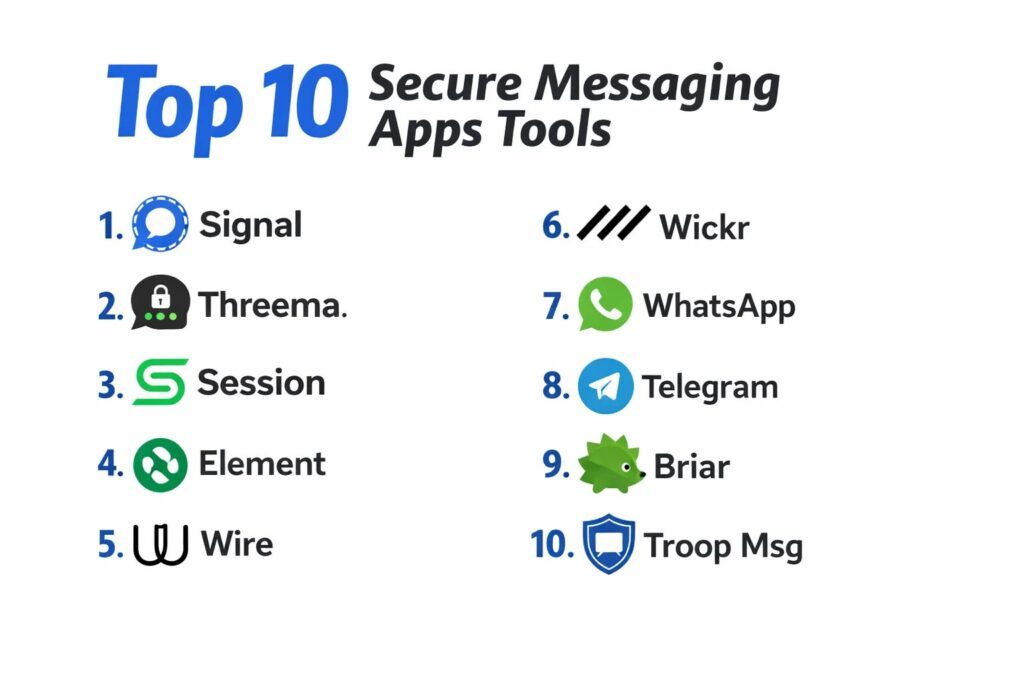
Introduction
Secure messaging apps have become the primary defense mechanism against the pervasive threat of digital surveillance, data mining, and unauthorized interception of private communication. At the technical core of these platforms is end-to-end encryption (E2EE), a cryptographic standard that ensures only the intended recipients possess the keys necessary to decrypt and read a message. By converting data into unreadable ciphertext at the source and only reconstituting it at the destination, these apps prevent third parties—including internet service providers and the platform owners themselves—from accessing the content of conversations. In a landscape where digital identities are increasingly commodified, secure messaging is no longer a niche requirement for activists or journalists; it is a fundamental utility for anyone seeking to preserve their right to private association and confidential exchange.
The modern necessity for these tools is driven by the sophisticated nature of contemporary cyber threats and the shifting legal frameworks surrounding data sovereignty. Organizations now utilize secure messaging to protect intellectual property and maintain attorney-client privilege, while individuals use them to shield personal financial information and private lives from algorithmic profiling. When evaluating a secure communication tool, it is essential to look beyond marketing claims and scrutinize the underlying cryptographic protocols, the transparency of the source code, and the platform’s policy on metadata retention. A truly secure app does not just hide the content of a message; it minimizes the “digital footprint” of the interaction itself, ensuring that even the fact that a conversation took place remains as private as possible.
Best for: Journalists, legal professionals, corporate executives, privacy advocates, and everyday users who prioritize the confidentiality and integrity of their personal and professional digital communications.
Not ideal for: Users who prioritize social media-style features like public discovery, massive open-group marketing, or integrated gaming over strict privacy and data security protocols.
Key Trends in Secure Messaging Apps
The industry is currently witnessing a massive shift toward post-quantum cryptography, as developers prepare for a future where quantum computers could potentially break standard encryption algorithms. This proactive approach ensures that today’s intercepted data cannot be decrypted in the future. Another significant trend is the rise of decentralized and federated architectures, which move away from central servers that could serve as single points of failure or government seizure. By spreading data across a network of independent nodes, these platforms offer higher resilience against censorship and systemic shutdowns.
Metadata minimization has also become a critical focus, with top-tier apps now implementing “sealed sender” technology and onion-routing to hide the IP addresses and identities of both the sender and the receiver. We are also seeing the integration of self-destructing media and “burn-on-read” messages as default settings rather than hidden options. Furthermore, the move toward “zero-knowledge” backups allows users to save their chat histories to the cloud without giving the cloud provider the ability to see what is inside those backups, providing a perfect balance between convenience and absolute privacy.
How We Selected These Tools
The selection of these top ten apps was based on a rigorous evaluation of their cryptographic foundations and real-world performance under scrutiny. We prioritized platforms that utilize open-source protocols, allowing the global security community to independently audit and verify the code for “backdoors” or vulnerabilities. The history of the developing organization was also considered, favoring non-profits or independent entities over large conglomerates whose business models rely on data monetization. We specifically looked for apps that have been battle-tested in high-stakes environments and have a proven track record of resisting legal subpoenas for user data.
Usability was another key factor, as a security tool is only effective if it is intuitive enough for consistent use by non-technical people. We assessed the reliability of voice and video calls, the speed of message delivery, and the cross-platform synchronization capabilities. Additionally, we examined the friction of the onboarding process, specifically looking at whether the app requires personal identifiers like phone numbers or email addresses. Finally, we considered the robustness of the integration ecosystem for business users, ensuring that security does not come at the cost of professional productivity and team collaboration.
1. Signal
Signal is widely regarded as the gold standard for secure personal communication. Developed by a non-profit foundation, it uses the peer-reviewed Signal Protocol to provide end-to-end encryption for every message, call, and file by default. It is the tool most frequently recommended by cybersecurity experts due to its uncompromising stance on data collection and its simple, familiar user interface.
Key Features
The app features state-of-the-art encryption that provides forward secrecy, meaning each message has a unique key. It includes a “Sealed Sender” technology that hides the identity of the sender from the Signal servers themselves. Users can set disappearing messages with custom timers and utilize a “Screen Security” feature to block screenshots. It supports high-quality encrypted group video calls for up to 50 participants. The platform also offers encrypted cloud backups that are protected by a user-defined PIN, ensuring that even the server host cannot access the data.
Pros
It is completely free, open-source, and funded entirely by donations, which eliminates the incentive to track users. The encryption is so robust that many other major apps have adopted its protocol.
Cons
It still requires a phone number for registration, which can be a barrier for those seeking total anonymity. The user base, while growing, is still smaller than massive social messaging platforms.
Platforms and Deployment
Available on Windows, macOS, Linux, Android, and iOS.
Security and Compliance
Fully open-source and regularly audited by third-party security firms. It complies with the highest standards of data privacy by simply not collecting any data to begin with.
Integrations and Ecosystem
Primarily a standalone app, though it offers a desktop client that syncs securely with the mobile version.
Support and Community
Strong community-driven support and extensive documentation provided by the Signal Foundation.
2. Threema
Threema is a Swiss-based messaging app that prioritizes absolute anonymity. Unlike most of its competitors, it does not require a phone number or email address to sign up, instead assigning each user a unique, random ID. This makes it a top choice for those who want to separate their digital communications from their real-world identity.
Key Features
The software uses a proprietary but open-source library for its encryption, ensuring that all communications remain private. It offers a unique “Contact Verification” system where users can scan a QR code on a friend’s phone to confirm their identity physically. It includes a polling feature for groups and the ability to hide private chats behind a PIN or biometric lock. Threema Work provides an enterprise version with centralized user management and deployment options. It also ensures that all servers are located in highly secure data centers within Switzerland.
Pros
The lack of a phone number requirement provides a level of anonymity that is hard to find in other mainstream apps. Being under Swiss jurisdiction offers significant legal protections for user privacy.
Cons
It is a paid app, which can be a deterrent for users accustomed to free services. The user interface, while functional, is not as visually polished as some modern alternatives.
Platforms and Deployment
Windows, macOS, Linux, Android, and iOS.
Security and Compliance
Complies with GDPR and Swiss data protection laws. It is fully auditable and features reproducible builds for transparency.
Integrations and Ecosystem
Offers “Threema Gateway” for integrating the service into existing corporate applications and workflows.
Support and Community
Professional support is available for the enterprise version, with a dedicated help center for individual users.
3. Session
Session is a decentralized messaging app that focuses on minimizing metadata and maximizing untraceability. It uses a unique “onion-routing” network, similar to the Tor browser, to bounce messages through multiple nodes so that no single server knows the origin and destination of a message.
Key Features
The app requires no phone number or email, using a decentralized session ID for all communication. It features default end-to-end encryption and a decentralized server network that is resistant to censorship and shutdowns. It automatically strips metadata from files and images before they are sent. It includes a “File Shredder” feature that permanently deletes data from the device. The platform also supports encrypted group chats that do not rely on a central server for management.
Pros
It offers the highest level of IP address protection of any mainstream secure messenger. The decentralized nature means the service cannot be “turned off” by a single entity.
Cons
The onion-routing process can sometimes lead to slight delays in message delivery compared to centralized apps. It currently lacks a built-in voice and video calling system in its stable version.
Platforms and Deployment
Windows, macOS, Linux, Android, and iOS.
Security and Compliance
Open-source and independently audited. Because it is decentralized, it does not fall under traditional centralized data compliance mandates.
Integrations and Ecosystem
Standalone decentralized ecosystem with no third-party integrations to preserve its security model.
Support and Community
Active community on decentralized forums and a transparent development roadmap on GitHub.
4. Element (Matrix)
Element is the primary client for the Matrix protocol, a decentralized and federated communication standard. It is designed for users and organizations that want to “own” their communication infrastructure by hosting their own servers while still being able to talk to users on other servers.
Key Features
The platform supports end-to-end encryption for all messages, files, and voice/video calls. It features a “Cross-Signing” system that allows users to verify their own devices to ensure that no unauthorized person has logged into their account. It provides powerful “Bridges” that allow users to communicate with people on other apps like Slack, Discord, and Telegram from within Element. It supports large, decentralized “Spaces” for community organization. Organizations can choose to self-host the server for total data sovereignty.
Pros
The federated model offers the best balance between decentralization and enterprise-grade control. It is highly customizable and can be tailored to the specific needs of a large organization.
Cons
Setting up a private server requires technical knowledge, though public servers are available for casual users. The interface can be complex due to the sheer number of features.
Platforms and Deployment
Web, Windows, macOS, Linux, Android, and iOS.
Security and Compliance
Matrix is an open standard, and Element is fully open-source. It is used by government agencies (like the French government) due to its high compliance potential.
Integrations and Ecosystem
Massive ecosystem of bridges and widgets that allow it to integrate with almost any existing digital workspace.
Support and Community
Large, global community of developers and professional support options through Matrix-hosting companies.
5. Wire
Wire is a secure collaboration suite specifically designed for enterprises that need to replace unsecure tools like Slack or Microsoft Teams. It offers a professional environment with strong encryption for all types of communication, including screen sharing and file transfers.
Key Features
The software utilizes the Proteus protocol (based on Signal) for messaging and high-definition voice and video calls. It provides a “Secure Guest Rooms” feature that allows organizations to collaborate with external partners without compromising the main network. Admins have centralized control over user accounts and can remotely wipe data from lost devices. It supports multi-profile management, allowing users to separate their work and personal lives within the same app. The platform also offers on-premise deployment for organizations with the highest security requirements.
Pros
It is one of the few platforms that offers enterprise-level administration tools without sacrificing end-to-end encryption. The focus on high-fidelity audio and video makes it great for remote meetings.
Cons
The free tier is very limited, and the professional version requires a monthly subscription. Some metadata is retained for administrative purposes, unlike privacy-only apps like Signal.
Platforms and Deployment
Web, Windows, macOS, Linux, Android, and iOS.
Security and Compliance
GDPR compliant and ISO 27001 certified. The code is open-source and undergoes regular security audits.
Integrations and Ecosystem
Integrates with professional productivity tools and offers an API for custom enterprise connections.
Support and Community
Full enterprise support with service level agreements (SLAs) for paying customers.
6. Wickr (AWS Wickr)
Now part of Amazon Web Services, Wickr is an enterprise-grade secure messaging tool known for its “military-grade” encryption and its focus on ephemeral (disappearing) communication. It is a staple in the legal, financial, and government sectors where record-keeping policies are strictly managed.
Key Features
The platform features an “Expiration Timer” that automatically deletes messages after a set period, and a “Burn-on-Read” timer that starts once a message is opened. It includes a “Shredder” that overwrites deleted data multiple times to ensure it cannot be recovered. It provides encrypted voice and video conferencing for up to 100 participants. Admins can enforce global security policies, such as disabling screenshots or requiring complex passwords. It also features a “Network Federation” that allows secure communication between different Wickr-using organizations.
Pros
The administrative controls are the most granular in the market, allowing for perfect alignment with corporate compliance policies. It is backed by the global infrastructure of AWS.
Cons
Since the acquisition by Amazon, some privacy purists have expressed concerns about the “Big Tech” ownership. It is no longer marketed toward individual personal use.
Platforms and Deployment
Windows, macOS, Linux, Android, and iOS.
Security and Compliance
FedRAMP authorized and SOC 2 compliant. It is designed to meet the strict requirements of highly regulated industries.
Integrations and Ecosystem
Deeply integrated with the AWS ecosystem, making it easy to deploy alongside other Amazon cloud services.
Support and Community
Enterprise-level support through the AWS platform, including dedicated account management for large firms.
7. WhatsApp
While owned by Meta, WhatsApp remains one of the most important secure messaging tools due to its massive global adoption and its use of the Signal Protocol for default end-to-end encryption. It brought high-level security to billions of people who might not have otherwise sought it out.
Key Features
Every personal message, call, and status update is encrypted by default. It includes a “Chat Lock” feature that allows users to hide specific conversations behind a password-protected folder. It supports “View Once” media that disappears after being opened. The platform offers end-to-end encrypted cloud backups, though users must manually enable this feature. It also includes “Silence Unknown Callers” and a “Privacy Checkup” tool to help users manage their security settings.
Pros
The massive user base means you can communicate securely with almost anyone without asking them to install a new app. The call quality and stability are world-class.
Cons
As a Meta-owned product, the app collects a significant amount of metadata (who you talk to and when), which is used for advertising across the Meta ecosystem. It is not open-source.
Platforms and Deployment
Windows, macOS, Android, iOS, and Web.
Security and Compliance
Utilizes the Signal Protocol for encryption, which is technically robust, though the lack of open-source server code prevents full verification.
Integrations and Ecosystem
Deeply integrated with Facebook and Instagram, and offers a specialized “Business” app for small companies to interact with customers.
Support and Community
Standard automated support and a massive help center, but lacks direct human support for individual users.
8. Telegram (Secret Chats)
Telegram is a hybrid platform that functions as both a mass-communication tool and a secure messenger. While standard chats are cloud-based (not end-to-end encrypted), its “Secret Chats” feature provides a highly secure environment with advanced privacy tools.
Key Features
“Secret Chats” use the MTProto 2.0 protocol to provide end-to-end encryption and are device-specific, meaning they cannot be accessed from the cloud. It features a “Self-Destruct Timer” for messages and media. The app is famous for its “Channels” and “Groups,” which can host up to 200,000 members. It includes a powerful photo and video editor and a vast library of animated stickers. Users can also utilize “Passcode Locks” and “Two-Step Verification” to protect their accounts from unauthorized access.
Pros
It is incredibly fast and feature-rich, making it the most enjoyable user experience for many. It is the best tool for managing large, public communities.
Cons
The fact that encryption is not “on by default” for all chats is a major security drawback. The company uses a custom encryption protocol that has faced criticism from academic cryptographers.
Platforms and Deployment
Windows, macOS, Linux, Android, iOS, and Web.
Security and Compliance
The client-side code is open-source, but the server-side remains proprietary. It is known for its resistance to government data requests.
Integrations and Ecosystem
Features a massive bot ecosystem that allows for everything from automated moderation to complex interactive services.
Support and Community
One of the most active and loyal communities in the tech world, with a dedicated volunteer support system.
9. Briar
Briar is a unique, highly specialized messenger designed for people who need to communicate in environments with no internet access or under heavy government censorship. It connects directly between devices via Bluetooth or Wi-Fi when possible, and uses the Tor network when internet is available.
Key Features
The app is entirely peer-to-peer, meaning there are no central servers to shut down or hack. It uses the Tor network to hide your location and your contacts from anyone monitoring the internet. It includes a private blog and forum feature for groups to share information securely. The software is designed to resist “man-in-the-middle” attacks by requiring users to add each other in person via QR codes. It also features a “Panic Button” that can wipe all data from the app in an emergency.
Pros
It is the most resilient tool for activists and people in conflict zones where the internet might be cut off. It provides the highest level of metadata protection available.
Cons
It is currently only available for Android. Because it runs Tor in the background and searches for peer connections, it can be a significant drain on battery life.
Platforms and Deployment
Android only.
Security and Compliance
Completely open-source and independently audited. It is built for survival in the most hostile digital environments.
Integrations and Ecosystem
Standalone tool with no external integrations to maintain its strict security boundary.
Support and Community
Small but highly dedicated community focused on digital rights and human rights technology.
10. Troop Messenger
Troop Messenger is a modern enterprise tool that focuses on providing a secure alternative to consumer chat apps for the corporate world. It emphasizes data ownership and offers various deployment models for businesses that cannot use public cloud services.
Key Features
The platform offers end-to-end encryption for one-on-one and group messaging. It features “Burnout” messages that disappear after a set time and “Recall” features for accidental sends. It provides a unique “Forkout” feature that allows a single message to be sent to multiple individuals or groups simultaneously. It includes high-quality voice and video calls with screen sharing. Organizations can choose to deploy the software on-premise, in a private cloud, or in an “air-gapped” environment for maximum security.
Pros
The “on-premise” option is a major advantage for government and military organizations that must keep data within their own physical borders. It offers a very clean and productive user interface.
Cons
It is primarily a business tool and lacks the community and “fun” features found in consumer-focused apps. It is a paid service for full functionality.
Platforms and Deployment
Windows, macOS, Linux, Android, and iOS.
Security and Compliance
GDPR compliant and ISO 27001 aligned. It is designed for businesses with strict regulatory requirements.
Integrations and Ecosystem
Integrates with major corporate tools like Google Drive, Dropbox, and various LDAP systems for user management.
Support and Community
Professional support for enterprise clients, including 24/7 technical assistance for on-premise deployments.
Comparison Table
| Tool Name | Best For | Platform(s) Supported | Deployment | Standout Feature | Public Rating |
| 1. Signal | Personal Privacy | Win, Mac, Lin, Mob | Cloud | Sealed Sender Tech | 4.8/5 |
| 2. Threema | Anonymity | Win, Mac, Lin, Mob | Hybrid | No Phone # Needed | 4.6/5 |
| 3. Session | Untraceability | Win, Mac, Lin, Mob | Decentralized | Onion-Routed Network | 4.5/5 |
| 4. Element | Federated Teams | Web, Win, Mac, Mob | Federated | Matrix Protocol | 4.4/5 |
| 5. Wire | Secure Collab | Web, Win, Mac, Mob | Hybrid | Secure Guest Rooms | 4.3/5 |
| 6. Wickr | Enterprise Compliance | Win, Mac, Lin, Mob | Cloud (AWS) | Shredder/Expiration | 4.2/5 |
| 7. WhatsApp | Global Reach | Web, Win, Mac, Mob | Cloud | Default Signal E2EE | 4.7/5 |
| 8. Telegram | Social/Communities | Web, Win, Mac, Mob | Cloud | Secret Chat Mode | 4.5/5 |
| 9. Briar | Offline/Conflict | Android only | P2P | Tor & Offline Sync | 4.4/5 |
| 10. Troop Messenger | On-Premise Business | Win, Mac, Lin, Mob | Private/On-Prem | Forkout Feature | 4.1/5 |
Evaluation & Scoring of Secure Messaging Apps
The scoring below is a comparative model intended to help shortlisting. Each criterion is scored from 1–10, then a weighted total from 0–10 is calculated using the weights listed. These are analyst estimates based on typical fit and common workflow requirements, not public ratings.
Weights:
- Core features – 25%
- Ease of use – 15%
- Integrations & ecosystem – 15%
- Security & compliance – 10%
- Performance & reliability – 10%
- Support & community – 10%
- Price / value – 15%
| Tool Name | Core (25%) | Ease (15%) | Integrations (15%) | Security (10%) | Performance (10%) | Support (10%) | Value (15%) | Weighted Total |
| 1. Signal | 10 | 10 | 6 | 10 | 9 | 8 | 10 | 9.15 |
| 2. Threema | 9 | 8 | 7 | 10 | 8 | 9 | 7 | 8.25 |
| 3. Session | 10 | 7 | 2 | 10 | 7 | 7 | 9 | 7.60 |
| 4. Element | 9 | 6 | 10 | 9 | 7 | 8 | 8 | 8.10 |
| 5. Wire | 8 | 8 | 9 | 8 | 9 | 9 | 7 | 8.25 |
| 6. Wickr | 8 | 7 | 8 | 9 | 9 | 9 | 7 | 7.95 |
| 7. WhatsApp | 7 | 10 | 8 | 7 | 10 | 6 | 10 | 8.15 |
| 8. Telegram | 6 | 10 | 9 | 7 | 10 | 9 | 9 | 8.35 |
| 9. Briar | 10 | 4 | 2 | 10 | 5 | 7 | 9 | 6.85 |
| 10. Troop Msg | 8 | 8 | 9 | 8 | 9 | 9 | 7 | 8.25 |
How to interpret the scores:
- Use the weighted total to shortlist candidates, then validate with a pilot.
- A lower score can mean specialization, not weakness.
- Security and compliance scores reflect controllability and governance fit, because certifications are often not publicly stated.
- Actual outcomes vary with assembly size, team skills, templates, and process maturity.
Which Secure Messaging App Tool Is Right for You?
Solo / Freelancer
For individuals who want to protect their personal privacy without complicated setup, Signal is the undisputed winner. It offers the best security-to-usability ratio and ensures that your personal data is never monetized.
SMB
Small businesses that need more structure than a simple group chat should look at Wire or Element. These provide the necessary administration tools while ensuring that the company’s internal discussions remain private and encrypted.
Mid-Market
For medium-sized organizations that require tight integration with other corporate software, Element’s federated model or Wire’s professional suite offer the scalability and productivity features needed for a growing team.
Enterprise
Large enterprises and government bodies with strict data sovereignty requirements should consider Troop Messenger or Wickr. The ability to host data on-premise and enforce granular security policies is critical for meeting international compliance standards.
Budget vs Premium
If budget is the primary concern, Signal and WhatsApp provide world-class encryption for free. However, for organizations that need a “zero-trust” environment and professional support, the monthly subscription for a premium tool like Wire is a necessary expense.
Feature Depth vs Ease of Use
Telegram offers the most features and the best user experience but requires users to manually enable security for each chat. Signal, while less feature-rich, is “secure by default,” making it safer for people who aren’t tech-savvy.
Integrations & Scalability
Element (Matrix) is the king of integration, allowing you to bridge into other networks and build a unified communication hub. If your workflow requires multiple apps to talk to each other, this is the only logical choice.
Security & Compliance Needs
For the highest level of security in conflict zones or under intense surveillance, Briar and Session offer technical protections that go far beyond what mainstream apps can provide. They are the only choices when “failure” is not an option.
Frequently Asked Questions (FAQs)
1. Is “end-to-end encryption” really unbreakable?
Current E2EE standards like those used in Signal are virtually impossible to break using brute force with today’s technology. However, security can still be compromised if the physical device is stolen or if it is infected with malware that can read the screen.
2. Why do most secure apps ask for my phone number?
A phone number acts as a unique ID that helps you find your friends and prevents “spam” bots from creating millions of fake accounts. Apps like Threema and Session avoid this to provide more anonymity, but they are harder for casual users to set up.
3. Does WhatsApp share my messages with Facebook?
No, Meta cannot read the content of your messages or listen to your calls due to end-to-end encryption. However, they do collect metadata, which means they know when you are active and who your most frequent contacts are.
4. Can I recover my messages if I lose my phone?
Only if you have enabled encrypted backups and remember your master PIN or recovery key. Because these apps are “zero-knowledge,” the companies themselves cannot reset your password or recover your data for you.
5. What is “metadata” and why does it matter?
Metadata is the data about your messages (time, date, IP address, and participants). Even if the content is hidden, metadata can reveal a lot about your habits and relationships, which is why apps like Signal and Session work so hard to minimize it.
6. Are cloud-based apps like standard Telegram safe?
Standard Telegram chats are encrypted between your device and their server, but Telegram itself holds the keys. This means they could technically be forced to hand over data to a government, which is why “Secret Chats” should be used for sensitive info.
7. Do secure messaging apps work on Wi-Fi?
Yes, all of these apps work over any data connection, including Wi-Fi, cellular data, and in some cases (like Briar), even direct Bluetooth or local Wi-Fi without an internet connection.
8. Can I see if my message has been read?
Most secure apps offer “read receipts,” but unlike social apps, they usually give you the option to turn this off for maximum privacy. This prevents people from knowing exactly when you have seen a message.
9. Why are some secure apps open-source?
Open-source means the “blueprint” of the app is public. This allows independent security experts to verify that the app is actually doing what it says it is and hasn’t included any secret “backdoors” for surveillance.
10. What is “Forward Secrecy”?
Forward Secrecy ensures that even if a hacker manages to steal the encryption key for one of your messages today, they cannot use it to unlock any of your past or future messages. It is a critical layer of modern cryptographic defense.
Conclusion
Choosing a secure messaging app is a decision that impacts the very boundaries of your digital privacy. The distinction between “convenience” and “security” is disappearing, with platforms like Signal and Element proving that you don’t have to be a technical expert to protect your data. However, the “right” tool depends entirely on your specific threat model: are you hiding from targeted surveillance, or just protecting your personal life from corporate advertising? By understanding the technical trade-offs between anonymity, metadata protection, and ease of use, you can select a tool that provides the peace of mind necessary for modern digital life. In an age of total connectivity, the most powerful tool you own is the one that allows you to choose when you want to be heard—and by whom.