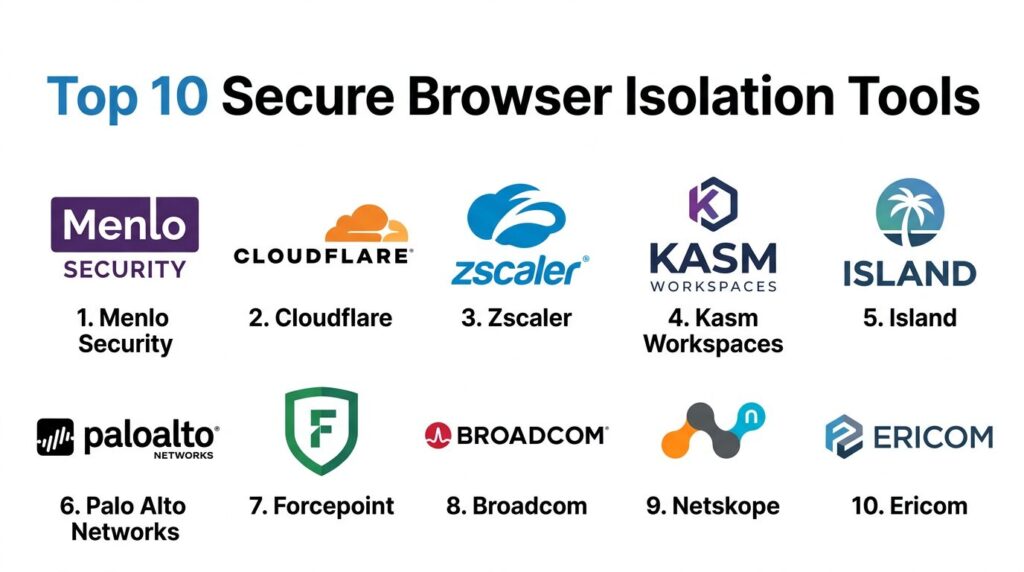
Introduction
Secure Browser Isolation (SBI), often referred to as Remote Browser Isolation (RBI), is a foundational security architecture designed to neutralize web-based threats by physically decoupling the browsing activity from the local endpoint. In a traditional browsing session, the local device executes active code—such as JavaScript and CSS—directly within the browser’s memory space, creating a significant attack surface for zero-day exploits and drive-by downloads. SBI transforms this model by executing all web content in a hardened, disposable container hosted in a remote environment (cloud or on-premises). Only a safe, visual representation of the web page—typically a stream of pixels or sanitized DOM commands—is sent to the user’s local device, ensuring that no malicious code ever reaches the corporate network.
The strategic deployment of isolation tools is critical for organizations operating under Zero Trust mandates. By assuming that all web content is inherently untrusted, SBI provides a “bulletproof” layer of protection that signature-based tools like Secure Web Gateways (SWG) cannot match. This approach is particularly effective against Highly Evasive Adaptive Threats (HEAT) that bypass traditional sandboxing and reputation-based filters. For the modern enterprise, these tools are no longer niche luxuries; they are essential infrastructure for securing remote workforces, protecting privileged administrative sessions, and enabling safe internet access on unmanaged or BYOD devices without compromising the user experience or corporate data integrity.
Best for: Security-conscious enterprises, government agencies, financial institutions, and organizations with high-risk user groups (e.g., HR, Finance, IT Admins) who require 100% protection from web-borne malware.
Not ideal for: Small teams with limited budgets or organizations where users require extreme high-performance video editing or real-time 3D rendering within the browser, as isolation can occasionally introduce minor latency or bandwidth overhead.
Key Trends in Secure Browser Isolation Tools
The industry is currently shifting from “bulk isolation” to “targeted, risk-aware isolation.” Modern platforms use AI-driven engines to analyze the risk profile of a URL in real-time; if a site is unknown or newly registered, the session is automatically isolated, while trusted SaaS applications run natively to preserve performance. Another significant trend is the rise of the “Enterprise Browser,” where isolation capabilities are embedded directly into a managed Chromium-based application. This eliminates the latency associated with remote pixel streaming while providing the same granular control over data actions like copy-pasting, printing, and file uploads.
Furthermore, we are seeing deep convergence between SBI and the broader Security Service Edge (SSE) stack. Isolation is no longer a standalone product but a core feature of unified platforms that include ZTNA, CASB, and DLP. Enhanced rendering technologies, such as Network Vector Rendering (NVR), have largely solved the “pixelation” and latency issues of the past, making the isolated experience virtually indistinguishable from local browsing. Finally, there is an increased focus on “Session Recording” and forensic auditing within isolated environments, providing security teams with a complete visual record of user activity during sensitive administrative sessions.
How We Selected These Tools
Our selection process focused on identifying tools that represent the “gold standard” in architectural robustness and enterprise-grade scalability. We prioritized vendors that offer diverse rendering modes—specifically those that can balance high security (pixel streaming) with high performance (DOM reconstruction). Market mindshare and the ability to integrate into a wider SASE (Secure Access Service Edge) framework were weighted heavily, as most modern organizations prefer a unified security policy across all web and cloud traffic.
Technical evaluation criteria included the platform’s ability to handle “highly evasive” threats, the granularity of their Data Loss Prevention (DLP) controls, and their support for both managed and unmanaged devices. We also assessed the maturity of each vendor’s global edge network, as the proximity of the isolation “disposable container” to the end-user is the primary factor in determining latency. Finally, security certifications such as FedRAMP, SOC 2, and GDPR compliance were mandatory for inclusion, ensuring these tools meet the rigorous data protection standards required by global enterprises.
1. Menlo Security
Menlo Security is a pioneer in the “Isolation-Core” architecture, built on the principle that detection is fundamentally flawed. Their platform executes all web and email content in the cloud, delivering only safe, transparent information to the user’s browser. This approach effectively eliminates the possibility of malware ever reaching the endpoint, regardless of the site’s reputation.
Key Features
The platform utilizes an “Elastic Isolation Core” that scales dynamically based on user demand. It features “HEAT Shield,” a specialized technology designed to detect and block highly evasive adaptive threats in real-time. It provides deep integration with DLP tools to prevent sensitive data from being uploaded or pasted into unapproved sites. The “Adaptive Clientless Rendering” ensures a native-like experience by choosing the best rendering method for each specific website. Additionally, it offers specialized isolation for email links and attachments, neutralizing the most common vector for ransomware.
Pros
Total elimination of web-based malware with zero reliance on threat detection. Excellent performance for a cloud-based isolation tool, with minimal impact on web page functionality.
Cons
Can be more expensive than traditional web gateways due to the heavy compute requirements of full isolation. Requires careful policy tuning to avoid isolating trusted internal applications unnecessarily.
Platforms and Deployment
Cloud-native platform; clientless deployment that works on any modern HTML5-compliant browser.
Security and Compliance
FedRAMP Authorized, SOC 2 Type II, ISO 27001, and HIPAA compliant.
Integrations and Ecosystem
Deeply integrated with major CASB and SIEM providers; part of a broader SSE platform.
Support and Community
Offers 24/7 global enterprise support and maintains a robust library of technical documentation and threat research.
2. Cloudflare Browser Isolation
Cloudflare Browser Isolation is built on their massive global edge network, leveraging “Network Vector Rendering” (NVR) to provide a lightning-fast, secure browsing experience. By using NVR instead of traditional pixel streaming, Cloudflare minimizes bandwidth consumption while keeping the code execution entirely off the local device.
Key Features
Uses NVR technology to send draw commands rather than video streams, preserving page responsiveness. It is natively integrated into “Cloudflare One,” their comprehensive SASE platform. The service is “clientless,” meaning users do not need to install any software or extensions to be protected. It offers granular control over user actions, such as disabling the ability to copy, paste, or print on specific sites. The platform also includes automated “Identity-Aware” policies that can trigger isolation based on user groups or device health.
Pros
Extremely low latency due to Cloudflare’s widespread global presence. Easy to manage through a unified dashboard alongside DNS and WAF settings.
Cons
Primarily optimized for organizations already using the Cloudflare ecosystem. Some very complex or legacy websites may experience minor rendering issues with NVR.
Platforms and Deployment
Web-based; cloud-delivered via Cloudflare’s global edge.
Security and Compliance
PCI DSS, SOC 2, and GDPR compliant; provides high-level data encryption in transit.
Integrations and Ecosystem
Seamless integration with Cloudflare’s Zero Trust, Gateway, and CASB services.
Support and Community
Features an extensive developer community and tiered enterprise support options with dedicated account management.
3. Zscaler Cloud Browser Isolation
Zscaler, a leader in the Security Service Edge (SSE) space, offers browser isolation as a high-security extension of its Zero Trust Exchange. It is designed to secure access to both the public web and sensitive internal applications for employees and third-party contractors alike.
Key Features
The tool provides “Pixel-to-the-Edge” rendering, ensuring that absolutely no active content reaches the user. It integrates directly with Zscaler Internet Access (ZIA) and Zscaler Private Access (ZPA) for a unified security posture. It offers “Session Recording” for high-risk users, providing a visual audit trail for compliance purposes. The platform includes advanced DLP features that can redact sensitive information (like credit card numbers) in real-time before it is displayed. It also features automated “risk-based” isolation triggers.
Pros
Strongest possible security with a “zero-trust” approach to every web element. Ideal for securing unmanaged BYOD devices without requiring an agent.
Cons
Pixel streaming can be bandwidth-intensive for users on very slow or capped internet connections. The management interface can be complex due to the vast number of features.
Platforms and Deployment
Cloud-delivered through the Zscaler Zero Trust Exchange; requires no endpoint installation.
Security and Compliance
FedRAMP High, ISO 27001, SOC 2, and HIPAA certified.
Integrations and Ecosystem
Part of a fully integrated SASE/SSE suite with wide-ranging API support.
Support and Community
World-class enterprise support with a dedicated Technical Account Manager (TAM) available for larger deployments.
4. Kasm Workspaces
Kasm Workspaces takes a containerized approach to isolation, streaming “Disposable Desktops” and browsers to the user. It is highly favored by DevOps and security research teams due to its open-source foundations and extreme customizability.
Key Features
Uses “Containerized Desktop Infrastructure” (CDI) to spin up a fresh, isolated environment for every session. It supports a wide variety of browsers (Chrome, Firefox, Brave) and even full Linux desktops. The platform can be deployed on-premises, in the cloud, or in air-gapped environments. It features a robust API that allows for automated provisioning and orchestration of isolated workspaces. It also supports “Web-Native” VDI, allowing users to access powerful remote resources through a simple browser tab.
Pros
Extremely flexible and customizable; ideal for specialized research or developer workflows. Offers a free Community Edition for small-scale use and testing.
Cons
Requires more manual configuration and infrastructure management than “turnkey” cloud solutions. The user interface is more technical and may require training for non-technical staff.
Platforms and Deployment
Supports Docker-based deployment; cloud, on-prem, or hybrid configurations.
Security and Compliance
Supports MFA, SSO, and provides detailed audit logs; widely used in secure government and military labs.
Integrations and Ecosystem
Offers a developer-friendly API and integrates with standard identity providers like Okta and Active Directory.
Support and Community
Highly active community on Discord and GitHub, with professional enterprise support available for paid tiers.
5. Island (The Enterprise Browser)
Island represents the “Enterprise Browser” category, where security and isolation are built directly into a managed version of Chromium. Rather than streaming pixels from a remote server, Island enforces security policies and local sandboxing within the browser application itself.
Key Features
Includes a full-featured Chromium browser with built-in governance and data protection. It offers granular control over every browser interaction, including the ability to disable “Inspect Element” or screen captures. It features an integrated “Safe Browsing” engine that stops phishing and malware at the point of click. The browser allows for “Smart Isolation” where only untrusted tabs are routed through a remote environment. It also provides deep visibility into SaaS application usage and data movements.
Pros
Zero latency for most web tasks since the primary security is local to the browser. Much easier for users to adopt, as it looks and feels exactly like Chrome.
Cons
Requires users to switch their primary browser, which can be a hurdle for some workflows. Since it is an application, it must be managed and updated on the endpoint.
Platforms and Deployment
Installed application for Windows, macOS, and mobile platforms.
Security and Compliance
SOC 2 compliant; provides centralized management and auditing for all browsing activity.
Integrations and Ecosystem
Integrates with major IAM and SIEM platforms; offers a wide array of built-in security “extensions.”
Support and Community
Provides dedicated enterprise onboarding and a professional support team for large-scale rollouts.
6. Palo Alto Networks (Prisma Access Browser)
Palo Alto Networks has integrated high-performance browser isolation directly into its Prisma Access (SASE) solution. It is designed to provide seamless protection for users accessing the web from any location while maintaining the strict security standards of the Palo Alto ecosystem.
Key Features
The platform features “Native-Feeling” isolation that leverages the global Prisma Access backbone. It integrates with “WildFire,” Palo Alto’s industry-leading malware analysis engine, to scan any files downloaded within the isolated session. It provides a unified policy framework, allowing admins to manage network firewalls and browser isolation from a single console. The tool supports “Targeted Isolation,” where only high-risk URLs or uncategorized sites are isolated. It also includes comprehensive DLP and URL filtering.
Pros
Perfect for organizations already invested in the Palo Alto Networks security stack. Provides world-class threat intelligence and zero-day protection.
Cons
Can be complex to set up if you are not already using Prisma Access. The pricing is geared toward large enterprise customers.
Platforms and Deployment
Cloud-delivered as part of the Prisma Access SASE platform.
Security and Compliance
FedRAMP, SOC 2, and ISO 27001 certified.
Integrations and Ecosystem
Deeply integrated with the entire Palo Alto Networks portfolio, including Cortex XDR.
Support and Community
Extensive enterprise support network with professional services available for complex implementations.
7. Forcepoint Remote Browser Isolation
Forcepoint RBI (built on the acquisition of Cyberinc) focuses on “Smart Isolation.” It uses a risk-adaptive approach to decide when to isolate a page, ensuring that productivity is never sacrificed for security on trusted sites.
Key Features
The platform features “Smart Rendering” which dynamically chooses between pixel and DOM-based isolation. It integrates with Forcepoint’s “Behavioral Analytics” to increase security levels if a user’s behavior becomes suspicious. It offers a “Read-Only” mode for potentially risky sites, preventing users from entering credentials or uploading files. The tool is designed to be completely transparent to the user, with no noticeable lag on most modern sites. It also includes integrated file sanitization (CDR) for all downloads.
Pros
The risk-adaptive nature reduces bandwidth and compute costs. Excellent integration with Forcepoint’s market-leading DLP solutions.
Cons
The management console can feel fragmented if you are using multiple Forcepoint products. The rendering engine may occasionally struggle with highly non-standard web scripts.
Platforms and Deployment
Cloud-delivered; supports any modern web browser without a client.
Security and Compliance
Standard enterprise certifications including SOC 2 and GDPR compliance.
Integrations and Ecosystem
Part of the Forcepoint ONE SASE platform; integrates with major email and web gateways.
Support and Community
Provides solid enterprise support and a comprehensive knowledge base for administrators.
8. Broadcom (Symantec Web Isolation)
Symantec Web Isolation is a mature, enterprise-grade solution that integrates deeply with the Symantec Secure Web Gateway (ProxySG). It is particularly effective for large organizations with complex, hybrid network environments.
Key Features
Offers flexible deployment options, including cloud, on-premises, or hybrid. It features “Selective Isolation,” which allows admins to isolate specific categories like “Personal Email” or “Social Media” while letting business sites run natively. It provides “Universal Policy Enforcement,” ensuring the same security rules apply regardless of where the user is. The platform includes integrated DLP and advanced threat protection. It also features a “Video Optimization” mode to handle streaming content within isolated sessions more efficiently.
Pros
Extremely stable and proven in the most demanding global enterprise environments. Offers the best “On-Premises” isolation option for highly regulated industries.
Cons
The user interface can feel dated compared to newer, cloud-native competitors. Integration is best achieved within the existing Symantec/Broadcom ecosystem.
Platforms and Deployment
Cloud, Virtual Appliance, or Hardware Appliance (On-Prem).
Security and Compliance
Meets the highest global security standards, including FIPS 140-2 and Common Criteria.
Integrations and Ecosystem
Designed to work seamlessly with Symantec’s legacy and modern security tools.
Support and Community
Extensive global support infrastructure with deep expertise in large-scale network security.
9. Netskope Remote Browser Isolation
Netskope, a major player in the SSE market, focuses on “Targeted Isolation.” Their tool is designed to isolate only the sites that represent a real risk, keeping the rest of the web experience native and fast.
Key Features
The platform is integrated into the “Netskope Security Cloud,” providing a single policy engine for web, SaaS, and isolation. It uses “Advanced DLP” to monitor and control data movement within the isolated browser tab. It offers a “One-Click” isolation policy, making it incredibly easy for admins to protect specific user groups. The system includes “Context-Aware” triggers, such as isolating a session only when a user is on an unmanaged device. It also provides high-definition rendering for a seamless user experience.
Pros
Very easy to deploy and manage for teams already using Netskope SSE. Minimal impact on user productivity due to the “Targeted” approach.
Cons
Less effective as a standalone product; best purchased as part of the Netskope suite. Does not offer a purely on-premises deployment option.
Platforms and Deployment
100% cloud-delivered via the Netskope NewEdge network.
Security and Compliance
SOC 2 Type II, ISO 27001, and HIPAA compliant.
Integrations and Ecosystem
Native integration with Netskope SWG, CASB, and ZTNA solutions.
Support and Community
Provides proactive enterprise support and a well-regarded training certification program.
10. Ericom (ZTEdge)
Ericom (now part of Cradlepoint/Ericsson) provides a highly flexible isolation solution called Ericom Shield. It is known for its “Air-Gapped” security philosophy and its ability to provide secure browsing for high-security environments.
Key Features
Utilizes a “Multi-Stage” isolation process where each web element is rendered in a separate Linux container. It features “Document Reconstruction,” which sanitizes files by stripping active content before they are downloaded. It offers a unique “Secure Virtual Meeting” feature, allowing users to attend web-based meetings in an isolated environment. The platform supports “Policy-Driven Filtering” based on user risk profiles. It can be deployed as a cloud service or as a private cloud instance for maximum data sovereignty.
Pros
Very strong security posture; effectively creates a digital air-gap for the browser. Flexible deployment models make it suitable for both cloud-first and on-prem organizations.
Cons
The management interface is less “polished” than competitors like Cloudflare or Zscaler. Performance can vary depending on the complexity of the “reconstruction” policies.
Platforms and Deployment
Cloud, Private Cloud, or On-Premises deployment options.
Security and Compliance
Fully compliant with GDPR and various international data privacy mandates.
Integrations and Ecosystem
Integrates with standard web gateways and provides an API for third-party security orchestration.
Support and Community
Offers dedicated technical support and a library of best-practice guides for secure isolation.
Comparison Table
| Tool Name | Best For | Platform(s) Supported | Deployment | Standout Feature | Public Rating |
| 1. Menlo Security | Zero-Day Protection | Web (Clientless) | Cloud | HEAT Shield Technology | 4.8/5 |
| 2. Cloudflare | Performance/Speed | Web (Clientless) | Cloud | Network Vector Rendering | 4.7/5 |
| 3. Zscaler | Full SSE Integration | Web (Clientless) | Cloud | Session Recording/DLP | 4.6/5 |
| 4. Kasm Workspaces | Research/DevOps | Docker, Web | Hybrid | Containerized Desktops | 4.8/5 |
| 5. Island | Managed Browsing | Windows, macOS | App | Enterprise Browser UI | 4.9/5 |
| 6. Palo Alto | SASE Ecosystem | Web (Clientless) | Cloud | WildFire Malware Analysis | 4.5/5 |
| 7. Forcepoint | Risk-Adaptive Security | Web (Clientless) | Cloud | Smart Rendering Modes | 4.3/5 |
| 8. Broadcom | On-Prem/Legacy | Web, Appliance | Hybrid | Selective Isolation | 4.2/5 |
| 9. Netskope | Ease of Use | Web (Clientless) | Cloud | Targeted Isolation Policy | 4.6/5 |
| 10. Ericom | Air-Gapped Security | Web, VM | Hybrid | Secure Virtual Meetings | 4.4/5 |
Evaluation & Scoring of Secure Browser Isolation Tools
The scoring below is a comparative model intended to help shortlisting. Each criterion is scored from 1–10, then a weighted total from 0–10 is calculated using the weights listed. These are analyst estimates based on typical fit and common workflow requirements, not public ratings.
Weights:
- Core features – 25%
- Ease of use – 15%
- Integrations & ecosystem – 15%
- Security & compliance – 10%
- Performance & reliability – 10%
- Support & community – 10%
- Price / value – 15%
| Tool Name | Core (25%) | Ease (15%) | Integrations (15%) | Security (10%) | Performance (10%) | Support (10%) | Value (15%) | Weighted Total |
| 1. Menlo Security | 10 | 9 | 8 | 10 | 9 | 9 | 8 | 9.05 |
| 2. Cloudflare | 8 | 10 | 9 | 9 | 10 | 9 | 9 | 9.00 |
| 3. Zscaler | 9 | 8 | 10 | 10 | 8 | 10 | 7 | 8.85 |
| 4. Kasm Workspaces | 10 | 6 | 8 | 10 | 9 | 8 | 10 | 8.65 |
| 5. Island | 8 | 10 | 7 | 9 | 10 | 9 | 8 | 8.70 |
| 6. Palo Alto | 9 | 7 | 10 | 10 | 8 | 9 | 7 | 8.60 |
| 7. Forcepoint | 8 | 8 | 8 | 9 | 9 | 8 | 8 | 8.25 |
| 8. Broadcom | 9 | 6 | 7 | 10 | 7 | 8 | 7 | 7.75 |
| 9. Netskope | 8 | 9 | 9 | 9 | 9 | 9 | 8 | 8.65 |
| 10. Ericom | 9 | 7 | 7 | 10 | 8 | 8 | 8 | 8.20 |
How to interpret the scores:
- Use the weighted total to shortlist candidates, then validate with a pilot.
- A lower score can mean specialization, not weakness.
- Security and compliance scores reflect controllability and governance fit, because certifications are often not publicly stated.
- Actual outcomes vary with assembly size, team skills, templates, and process maturity.
Which Secure Browser Isolation Tool Is Right for You?
Solo / Freelancer
Individual users typically do not need heavy enterprise isolation tools. However, if you are a security researcher, Kasm Workspaces (Community Edition) is an excellent free choice to run risky browsers in disposable containers. For everyday privacy, a hardened browser like Brave or Firefox is sufficient.
SMB
Small businesses should look for ease of deployment and predictable costs. Cloudflare Browser Isolation or Netskope are ideal because they are cloud-native, require no hardware, and can be set up in minutes. They offer a “set it and forget it” security layer that doesn’t burden a small IT team.
Mid-Market
Organizations with a growing remote workforce should consider Island or Menlo Security. Island provides a familiar browser experience that users love, while Menlo offers superior protection against the types of phishing attacks that often target growing mid-sized firms.
Enterprise
Large global enterprises with complex compliance requirements (like FedRAMP or HIPAA) should prioritize Zscaler or Palo Alto Networks. These platforms offer the “Session Recording” and deep “DLP” features necessary for auditing administrative access to critical infrastructure and financial systems.
Budget vs Premium
If budget is the primary concern, Kasm Workspaces offers the best value for technical teams. If security is the primary concern and budget is secondary, Menlo Security and Zscaler provide the most comprehensive, battle-tested isolation engines on the market.
Feature Depth vs Ease of Use
Island is the easiest tool for end-users to adopt, as it replaces their existing browser with a familiar-looking managed one. Zscaler and Broadcom offer the deepest feature sets for network administrators but require a more significant investment in configuration and policy management.
Integrations & Scalability
For organizations already using a specific security stack, the choice is clear: Palo Alto users should stick with Prisma, and Broadcom shops should use Symantec. For everyone else, Cloudflare and Netskope offer the most modern, open integration ecosystems for the multi-cloud era.
Security & Compliance Needs
In highly regulated sectors like Defense or Banking, Ericom and Broadcom are standout choices because they offer on-premises or private cloud deployment models, ensuring that sensitive browsing data never leaves the organization’s controlled environment.
Frequently Asked Questions (FAQs)
1. Does browser isolation slow down the internet?
It can, but modern tools like Cloudflare (using NVR) and Menlo Security (using DOM-reconstruction) have minimized this lag. Users typically experience a “native-like” speed, though there may be a fraction of a second delay when first loading complex, high-bandwidth sites.
2. Can I still copy and paste when using an isolated browser?
Yes, but the administrator can control it. You can allow copy-pasting between isolated tabs while blocking it from the isolated tab to your local computer, which prevents sensitive corporate data from leaking into personal web pages.
3. Is “Enterprise Browser” the same as “Remote Browser Isolation”?
Not exactly. Remote Browser Isolation executes code on a remote server. An Enterprise Browser like Island executes code locally but within a managed, hardened application. Some Enterprise Browsers can “trigger” remote isolation for specific high-risk sites.
4. Will my existing browser extensions work?
In a remote isolated session, your local extensions usually won’t work because the code is running elsewhere. However, tools like Island allow admins to centrally manage and deploy extensions to all users within the enterprise browser.
5. How does isolation stop phishing?
Isolation can render a phishing site in “Read-Only” mode. This means the user can see the page but cannot type into any text fields (like password boxes), making it impossible for them to accidentally hand over their credentials to a fake site.
6. Do I need a VPN if I have browser isolation?
Browser isolation secures your web traffic, but it doesn’t necessarily secure other types of traffic (like email clients or custom apps). For a complete Zero Trust architecture, many organizations use isolation alongside a ZTNA (Zero Trust Network Access) solution.
7. Can isolation handle video calls like Zoom or Teams?
Yes, though video performance depends on the rendering mode. Some tools like Ericom have specialized “Secure Virtual Meeting” features, but for the best experience, most companies bypass isolation for trusted communication apps.
8. Is browser isolation better than an Antivirus?
They serve different purposes. Antivirus looks for malware that is already on your computer. Browser isolation prevents the malware from ever getting there in the first place. Isolation is “proactive,” while Antivirus is often “reactive.”
9. Can isolation protect me from malicious downloads?
Yes. Most isolation tools scan every download in a cloud sandbox or use Content Disarm and Reconstruction (CDR) to strip active scripts from PDFs and Office files before they are allowed to be downloaded to your device.
10. How much bandwidth does an isolated session use?
Pixel-streaming isolation can use significant bandwidth (similar to a Netflix stream). However, modern “vector” or “DOM-based” isolation uses very little additional bandwidth, making it suitable for users on standard home or mobile connections.
Conclusion
The landscape of web security has shifted from a defensive “detect-and-block” posture to a proactive “isolate-and-render” philosophy. As cyber-attacks become more sophisticated—leveraging AI to generate zero-day exploits—traditional security layers are no longer sufficient to protect the enterprise endpoint. Secure Browser Isolation provides a definitive solution by ensuring that the local device is never exposed to untrusted code execution. While the choice between remote pixel streaming, DOM reconstruction, or an enterprise browser depends on your specific balance of security and performance, the implementation of some form of isolation is now a mandatory requirement for any robust Zero Trust framework. By choosing one of the top-tier partners listed above, organizations can empower their workforce to browse the internet freely and productively, with the peace of mind that their core infrastructure remains physically disconnected from the dangers of the open web.