Introduction
Search Engine Optimization (SEO) software is a suite of digital tools designed to help website owners, marketers, and developers improve their visibility in search results. In the simplest terms, these tools act like a GPS for the internet; they show you where your website stands, where your competitors are going, and what roads you need to take to get ahead. Instead of guessing what people are searching for, you use this software to see the exact words they type into engines like Google or Bing.
In the current landscape, SEO has evolved from simple keyword matching into a complex science of “entity recognition” and “user intent.” With the rise of artificial intelligence and generative search, these tools are now essential for ensuring your content isn’t just indexed, but actually cited as a trusted source by AI engines. Without these insights, a business is essentially invisible to a massive portion of the digital world.
Real-world use cases include:
- Competitor Intelligence: Seeing exactly which keywords your rivals are ranking for and how much traffic they get.
- Content Optimization: Getting real-time suggestions on how to write articles so that both humans and AI bots understand them.
- Technical Audits: Finding and fixing “broken” parts of a website that stop search engines from reading your pages.
- Backlink Tracking: Monitoring who is talking about your brand online and making sure those “digital votes of confidence” are high-quality.
What buyers should evaluate:
- Data Accuracy: How fresh is the keyword and backlink information?
- AI Visibility Features: Does the tool track your performance in AI-generated answers (GEO)?
- User Interface: Is the dashboard clean and easy to navigate for a non-technical user?
- Integration Support: Does it connect with Google Search Console and Analytics?
- Reporting Automation: Can it send professional-looking PDFs to clients or managers automatically?
- Database Size: How many billions of keywords and links does the platform monitor?
- Support Quality: Is there a human ready to help if you hit a technical snag?
- Cost-to-Value Ratio: Does the feature set justify the monthly subscription fee?
Best for: Digital marketing agencies, e-commerce brands, content creators, and enterprise SEO teams who need to protect their digital market share.
Not ideal for: Local brick-and-mortar shops with a single-page site or individuals who do not plan on publishing new content regularly.
Key Trends in Search Engine Optimization (SEO) Software
- Generative Engine Optimization (GEO): Tools are shifting focus from “blue links” to “citations” in AI summaries from models like Gemini, ChatGPT, and Perplexity.
- Zero-Click Search Monitoring: New features help track how many users get their answers directly on the search page without ever clicking on a website.
- E-E-A-T Scoring: Advanced algorithms now evaluate content based on Experience, Expertise, Authoritativeness, and Trustworthiness to mimic Google’s quality raters.
- Agentic Search Protocols: Software is preparing for a world where AI agents, not just humans, perform searches to make purchasing decisions on behalf of users.
- Predictive Ranking Analytics: Using historical data to forecast which topics will trend before they actually peak in search volume.
- NLP-Driven Content Grading: Natural Language Processing (NLP) is used to ensure content covers all sub-topics relevant to a “semantic entity.”
- Privacy-First Data Collection: As third-party cookies disappear, SEO tools are relying more on first-party data and anonymized clickstream signals.
- Automated Internal Linking: AI agents within the software can now suggest (or even implement) the best internal links to distribute authority across a site.
How We Selected These Tools (Methodology)
To find the top 10 SEO tools for this guide, we used a strict evaluation process designed to highlight the most reliable and future-proof platforms:
- Database Depth: We prioritized tools with the largest and most frequently updated indexes of global and local keywords.
- AI Integration: We looked for platforms that have successfully added AI features that actually solve problems rather than just adding “hype.”
- Cross-Platform Utility: The chosen tools must perform well across different search engines, including Bing and various AI search platforms.
- User Feedback & Market Share: We considered the “industry standard” status of tools used by the world’s most successful marketing agencies.
- Technical Health Signals: Priority was given to software that can crawl complex Javascript-heavy websites without crashing.
- Value for Segment: We ensured the list includes options for solo freelancers, growing SMBs, and massive enterprises.
- Security Standards: We evaluated the presence of enterprise-grade security features like single sign-on (SSO) and data encryption.
- Innovation Velocity: We tracked how quickly each company releases updates to match the changing landscape of search.
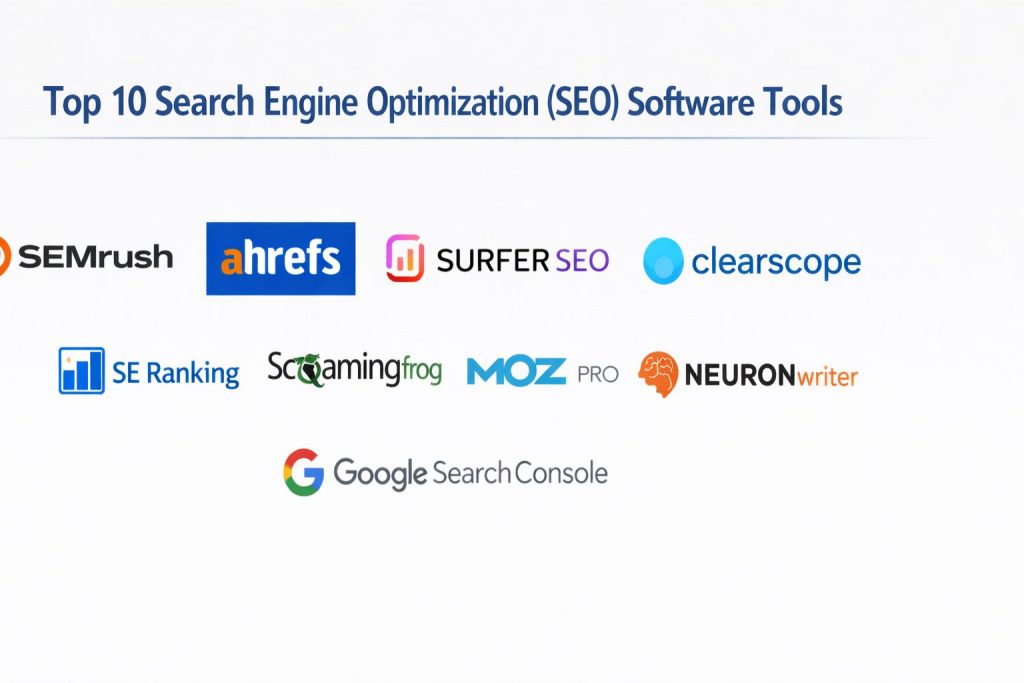
Top 10 Search Engine Optimization (SEO) Software Tools
#1 — Semrush
A massive, all-in-one marketing suite that covers SEO, PPC, social media, and competitive research. It is widely considered the most complete tool on the market.
Key Features
- Keyword Magic Tool: Access to a database of over 25 billion keywords with intent classification.
- Site Audit: A high-speed crawler that identifies over 140 technical and on-page SEO issues.
- Position Tracking: Monitor your rankings daily across different devices and locations down to the zip code.
- Content Analyzer: Real-time feedback on how to optimize your writing for search engines and AI.
- AI Visibility Toolkit: A specialized set of features to track how your brand is cited in AI Overviews and LLMs.
Pros
- The most comprehensive set of features available in a single subscription.
- Excellent competitor intelligence data for both organic and paid search.
Cons
- The sheer number of tools can be overwhelming for beginners.
- Additional “add-on” costs for some premium features can add up quickly.
Platforms / Deployment
- Web / Windows / macOS / iOS / Android
- Cloud
Security & Compliance
- SSO/SAML, MFA, and Audit Logs for Enterprise plans.
- SOC 2 Type II, ISO 27001, GDPR compliant.
Integrations & Ecosystem
Semrush integrates with almost every major marketing tool to streamline your workflow.
- Google Search Console & Analytics
- Looker Studio
- WordPress
- Trello & Monday.com
Support & Community
Industry-leading support with live chat, email, and a massive academy offering free certifications. The community is one of the largest in the marketing world.
#2 — Ahrefs
Known for having the most powerful backlink index in the world. It is the go-to tool for link builders and data-driven SEO professionals.
Key Features
- Site Explorer: Deep-dive into any website’s backlink profile and organic traffic data.
- Keywords Explorer: Provides unique metrics like “Return Rate” and “Clicks per Search.”
- Content Gap: Shows you the exact keywords your competitors rank for but you do not.
- Rank Tracker: Visualize your ranking progress over time with high-fidelity charts.
- Ahrefs Webmaster Tools: A free version for site owners to monitor their own SEO health.
Pros
- Unmatched accuracy in backlink data and domain authority metrics.
- Clean, intuitive user interface that makes complex data easy to understand.
Cons
- The pricing model for “credits” can be restrictive for high-volume users.
- Does not offer as many “all-in-one” features (like social media) as Semrush.
Platforms / Deployment
- Web
- Cloud
Security & Compliance
- SSO/SAML, encryption at rest.
- ISO 27001, GDPR compliant.
Integrations & Ecosystem
Ahrefs focuses on deep data access through its robust API and direct integrations.
- Google Search Console
- Looker Studio
- Adobe Analytics
- WordPress
Support & Community
Excellent documentation and a very high-quality private Facebook group where top SEO experts share strategies.
#3 — Surfer SEO
A content-first SEO tool that uses NLP (Natural Language Processing) to help writers create perfectly optimized articles.
Key Features
- Content Editor: Provides a real-time “score” as you write, suggesting which words to include.
- Keyword Research: Groups keywords into clusters so you can build topical authority.
- Audit Tool: Compares your existing page to the current top-ranking results to find missing elements.
- Surfer AI: Can write a search-ready article from scratch in just a few minutes.
- SERP Analyzer: Visualizes the correlation between page elements and high rankings.
Pros
- Makes the “writing for SEO” process incredibly simple and scientific.
- Great for teams that prioritize content production over technical tinkering.
Cons
- Can lead to “over-optimization” if you follow the suggestions too strictly.
- Not a full technical SEO or backlink tool; it is a specialist tool.
Platforms / Deployment
- Web / Google Docs Extension / Jasper Integration
- Cloud
Security & Compliance
- SSO for enterprise tiers.
- GDPR compliant.
Integrations & Ecosystem
Surfer is designed to fit directly into the writer’s workflow.
- Google Docs
- WordPress
- Jasper AI
- Contentful
Support & Community
Very responsive support and a vibrant community of “Surfers” who share templates and workflows.
#4 — Clearscope
An enterprise-grade content optimization platform favored by large media companies and high-end agencies.
Key Features
- Optimize: An editor that grades your content based on semantic relevance and coverage.
- Keyword Discovery: Identifies high-value themes and questions being asked by your audience.
- Inventory: Monitors your existing content to tell you when a page needs an update.
- Draft Sharing: Allows you to send optimization links to external writers without them needing an account.
- Google Docs & WordPress Plugins: Seamlessly integrates with the tools your writers already use.
Pros
- Known for having the most accurate and high-quality NLP suggestions.
- Extremely clean and focused interface with no “clutter.”
Cons
- Significantly more expensive than other content optimization tools.
- Fewer “bells and whistles” compared to all-in-one suites.
Platforms / Deployment
- Web
- Cloud
Security & Compliance
- SSO/SAML, Enterprise-grade security reviews.
- SOC 2 Type II, GDPR compliant.
Integrations & Ecosystem
Clearscope focuses on doing one thing perfectly and integrating into the content stack.
- Google Docs
- WordPress
- Contentful
Support & Community
Highly personal support with dedicated account managers for higher tiers.
#5 — Frase.io
An AI-powered tool that excels at creating content briefs and optimizing for modern AI-driven search queries.
Key Features
- Automated Content Briefs: Generates a full outline based on the top 20 search results in seconds.
- Topic Scoring: Compares your content against competitors to ensure all key themes are covered.
- AI Writing Tools: Assists in expanding paragraphs, rephrasing, and creating intros.
- Question Research: Pulls questions directly from Google, Quora, and Reddit.
- SEO Add-on: Provides deeper keyword data and backlink insights for an extra fee.
Pros
- One of the fastest tools for researching and outlining new articles.
- Very affordable compared to enterprise content tools.
Cons
- The AI writing can sometimes feel generic and requires human editing.
- Navigation between different projects can sometimes feel a bit clunky.
Platforms / Deployment
- Web
- Cloud
Security & Compliance
- Not publicly stated
Integrations & Ecosystem
- WordPress
- Google Search Console
- HubSpot
Support & Community
Good documentation and an active community of content marketers who share custom AI templates.
#6 — SE Ranking
A highly accurate and affordable all-in-one SEO platform that is perfect for SMBs and mid-sized agencies.
Key Features
- Keyword Rank Tracker: Provides 100% accurate data on where your site stands.
- Competitive Research: Shows the history of a competitor’s organic and paid growth.
- On-Page SEO Checker: Evaluates individual pages against 94 different parameters.
- Backlink Monitor: Tracks your links and alerts you if any are lost or changed.
- Report Builder: Drag-and-drop tool for creating branded client reports.
Pros
- Exceptional value for the price; offers features usually reserved for enterprise tools.
- Very intuitive and modern user interface that is easy to navigate.
Cons
- The database, while large, is not quite as massive as Semrush or Ahrefs.
- Some deeper technical audit features are a bit less granular.
Platforms / Deployment
- Web / iOS / Android
- Cloud
Security & Compliance
- 2FA, SSO support.
- GDPR compliant.
Integrations & Ecosystem
- Google Search Console & Analytics
- Looker Studio
- Zapier
Support & Community
Known for very fast and friendly customer support. They offer a strong library of webinars and tutorials.
#7 — Screaming Frog SEO Spider
A powerful desktop-based website crawler used by technical SEOs to find errors and audit site structure.
Key Features
- Broken Link Finder: Instantly identifies 404 errors and redirect chains.
- Audit Redirects: Maps out temporary and permanent redirects across the site.
- Extract Data: Uses XPath and regex to pull specific data from any webpage.
- XML Sitemap Generation: Creates clean sitemaps that you can submit to Google.
- Visual Site Architecture: Creates tree diagrams of how your pages are linked.
Pros
- The most powerful and detailed technical SEO tool available.
- Very affordable annual license with a capable free version.
Cons
- Requires installation on your computer; not a “cloud” app.
- The interface looks like a spreadsheet and can be intimidating for beginners.
Platforms / Deployment
- Windows / macOS / Linux
- Self-hosted (Local Install)
Security & Compliance
- Runs locally, so data security depends on your machine.
- GDPR compliant (Data processing).
Integrations & Ecosystem
- Google Search Console & Analytics
- PageSpeed Insights API
- Ahrefs & Semrush APIs
Support & Community
Technical support is excellent. The community is full of advanced SEO professionals and developers.
#8 — Moz Pro
One of the original SEO tools, known for inventing metrics like “Domain Authority” (DA) and “Page Authority” (PA).
Key Features
- Keyword Explorer: Uses a unique “Priority” score to help you pick the best targets.
- Link Explorer: Provides a clean look at your backlink health and “Spam Score.”
- On-Page Grader: Gives actionable tips to improve your content for specific keywords.
- Moz Local: Specialized tools for helping brick-and-mortar businesses rank in local results.
- Custom Reports: Easy-to-build reports that focus on the metrics that matter to stakeholders.
Pros
- The metrics (DA/PA) are recognized industry-wide and easy to explain to clients.
- Excellent educational resources and “Beginner’s Guide to SEO.”
Cons
- The backlink index is smaller than Ahrefs and updates less frequently.
- The tool can feel a bit dated compared to newer, faster competitors.
Platforms / Deployment
- Web
- Cloud
Security & Compliance
- 2FA, SSO for Enterprise.
- GDPR compliant.
Integrations & Ecosystem
- Google Analytics
- HubSpot
- Rank Ranger
Support & Community
Home to “The Moz Blog” and one of the most respected educational communities in SEO history.
#9 — NEURONwriter
A high-value content optimization tool that uses semantic SEO to help smaller teams compete with bigger brands.
Key Features
- Semantic Recommendations: Suggests keywords based on high-ranking competitors.
- Content Planning: Helps you build a calendar based on keyword clusters.
- AI Writing Assistant: Uses GPT models to help draft or rewrite sections of your text.
- Internal Link Suggestions: Analyzes your site to find the best places for internal links.
- Multilingual Support: Works across over 170 different languages.
Pros
- Incredible value-to-price ratio; often available with a one-time purchase on some platforms.
- Very focus-driven UI that gets writers straight into the work.
Cons
- Not a full technical or backlink analysis suite.
- The AI writing sometimes needs heavy fact-checking.
Platforms / Deployment
- Web
- Cloud
Security & Compliance
- GDPR compliant.
- Varies / Not publicly stated.
Integrations & Ecosystem
- WordPress
- Google Search Console
- Chrome Extension
Support & Community
Growing community of “Growth Hackers” and niche site owners who value cost-efficiency.
#10 — Google Search Console
A free, mandatory tool provided by Google that shows you exactly how the search engine sees and ranks your site.
Key Features
- Performance Reports: See which queries bring you traffic and your exact click-through rate (CTR).
- URL Inspection: Check if a specific page is indexed and see if there are any mobile issues.
- Index Coverage: Tells you if Google has found and processed all your pages.
- Sitemap Submission: Directly tell Google where your new content is located.
- Manual Actions: Notifies you if your site has been penalized for breaking Google’s rules.
Pros
- The most accurate data available because it comes directly from the source.
- Completely free for any number of websites.
Cons
- Only provides data for your own sites (no competitor research).
- Data is often delayed by 48 hours.
Platforms / Deployment
- Web
- Cloud (Google Hosted)
Security & Compliance
- Google Account security (SSO, MFA, Advanced Protection).
- ISO 27001, SOC 3, GDPR compliant.
Integrations & Ecosystem
The foundation for almost every other SEO tool on this list.
- Google Analytics 4
- Google Ads
- BigQuery
Support & Community
Extensive documentation and help forums. Every professional SEO in the world uses this tool.
Comparison Table (Top 10)
| Tool Name | Best For | Platform(s) Supported | Deployment | Standout Feature | Public Rating |
| Semrush | All-in-One Marketing | Web, Mobile | Cloud | 25B+ Keyword Database | 4.7/5 |
| Ahrefs | Backlink Analysis | Web | Cloud | Unmatched Link Index | 4.6/5 |
| Surfer SEO | Content Writing | Web | Cloud | NLP Content Score | 4.8/5 |
| Clearscope | Enterprise Quality | Web | Cloud | Editorial-Grade NLP | 4.9/5 |
| Frase.io | AI Content Briefs | Web | Cloud | Automated Outline Gen | 4.5/5 |
| SE Ranking | SMB / Agency Value | Web, Mobile | Cloud | 100% Rank Accuracy | 4.8/5 |
| Screaming Frog | Technical Audits | Win, Mac, Linux | Self-hosted | Deep Desktop Crawling | 4.9/5 |
| Moz Pro | Beginner SEO / DA | Web | Cloud | Domain Authority Score | 4.4/5 |
| NEURONwriter | Value Optimization | Web | Cloud | Semantic Clustering | 4.7/5 |
| Search Console | First-Party Data | Web | Cloud | Official Google Signals | N/A |
Evaluation & Scoring of Search Engine Optimization (SEO) Software
The following scoring reflects how these tools perform in the current year, with a heavy emphasis on their ability to handle the shift toward AI-driven search.
| Tool Name | Core (25%) | Ease (15%) | Integrations (15%) | Security (10%) | Performance (10%) | Support (10%) | Value (15%) | Weighted Total |
| Semrush | 10 | 7 | 10 | 9 | 9 | 9 | 7 | 8.8 |
| Ahrefs | 9 | 8 | 9 | 8 | 10 | 8 | 6 | 8.1 |
| Surfer SEO | 8 | 9 | 8 | 7 | 9 | 8 | 8 | 8.1 |
| Clearscope | 8 | 9 | 7 | 9 | 9 | 9 | 5 | 7.6 |
| SE Ranking | 8 | 8 | 8 | 7 | 8 | 9 | 10 | 8.1 |
| Screaming Frog | 10 | 4 | 7 | 5 | 10 | 8 | 9 | 7.7 |
| Moz Pro | 7 | 8 | 7 | 8 | 7 | 8 | 6 | 7.1 |
| Frase.io | 7 | 8 | 7 | 5 | 8 | 7 | 9 | 7.3 |
| NEURONwriter | 7 | 8 | 6 | 5 | 8 | 7 | 10 | 7.3 |
| Search Console | 6 | 7 | 10 | 10 | 9 | 6 | 10 | 7.8 |
How to interpret these scores:
- 8.5+: The “Powerhouse” category. These tools can handle every aspect of a global marketing strategy.
- 7.5 – 8.4: The “Specialist” or “Value” category. Exceptional at what they do, or offer amazing bang-for-your-buck.
- 7.0 – 7.4: The “Foundational” category. Reliable tools that are great for beginners or specific niche tasks.
Which Search Engine Optimization (SEO) Software Tool Is Right for You?
Solo / Freelancer
If you are running a single site or a few client sites on a budget, SE Ranking or NEURONwriter are your best friends. They provide almost all the power of the “big” tools without the three-figure monthly price tag. Don’t forget that Google Search Console is a free must-have for everyone in this category.
SMB
For a growing business with a dedicated marketing person, Surfer SEO combined with a basic Ahrefs plan is a powerful duo. This setup allows you to create high-ranking content while keeping an eye on your competitors’ backlink moves.
Mid-Market
Agencies and companies with multiple departments should look at Semrush. Its ability to manage SEO, PPC, and Social Media in one dashboard saves hours of jumping between tabs and allows for unified reporting that executives love.
Enterprise
Large-scale operations with thousands of pages need Clearscope for content quality control and Screaming Frog for technical maintenance. These tools provide the precision and security (SSO/SOC 2) required by corporate IT and legal teams.
Budget vs Premium
- Budget: Google Search Console (Free), NEURONwriter, and SE Ranking.
- Premium: Semrush, Clearscope, and Ahrefs.
Feature Depth vs Ease of Use
If you want deep, data-heavy “nerdy” insights, go with Screaming Frog or Houdini (for DevOps/automation). If you want a beautiful interface that guides you step-by-step, Surfer SEO and SE Ranking are the winners.
Integrations & Scalability
Semrush and Ahrefs are the most scalable because their APIs allow you to build custom dashboards in Looker Studio or connect your own internal proprietary software.
Security & Compliance Needs
For businesses in finance or healthcare, Semrush and Clearscope are the leaders. They provide the necessary compliance documentation (SOC 2, ISO 27001) that ensures your company’s data remains safe and private.
Frequently Asked Questions (FAQs)
1. How long does it take to see results with these tools?
Most tools will give you data instantly, but the actual ranking improvements usually take 3 to 6 months. SEO is a long-term game that rewards consistency and quality over quick fixes.
2. Do I need more than one SEO tool?
Usually, yes. Most professionals use a “stack.” For example, you might use Semrush for overall strategy, Surfer SEO for writing, and Google Search Console for monitoring your actual performance.
3. Are these tools worth the cost for a small business?
If your business gets leads from the internet, yes. One high-value customer often pays for the entire year’s subscription to an SEO tool. Think of it as an investment in a digital salesperson who never sleeps.
4. Can I just use free tools?
You can start with Google Search Console and various free browser extensions, but they won’t show you what your competitors are doing. To win in a competitive market, you eventually need “paid” intelligence.
5. How does AI affect which tool I should choose?
Look for tools that focus on “intent” and “entities” rather than just keyword density. The best modern tools help you get cited in AI summaries, not just ranked as a blue link on page one.
6. Is technical SEO still important ?
More than ever. If an AI bot cannot easily “crawl” and “understand” your site structure, it will never recommend your content in its answers. Tools like Screaming Frog are essential for this “bot-friendliness.”
7. What is the most important metric to track?
While “rankings” are fun, “organic conversions” are what pay the bills. Look for tools that show you which keywords are actually driving leads and sales, not just clicks.
8. How often should I run a site audit?
For most sites, a monthly audit is perfect. If you have a large site with thousands of pages or multiple people making updates, a weekly automated audit is highly recommended to catch errors early.
9. Which tool is best for local SEO?
Moz Local and SE Ranking have specialized features for managing local business listings and tracking “map pack” rankings, which is critical for local service businesses.
10. Do these tools work for languages other than English?
Most of the top tools (especially Semrush, Ahrefs, and NEURONwriter) have massive global databases and support dozens of different languages and regional search engines.
Conclusion
The “best” SEO tool is simply the one that your team will actually use every day. Whether you are a solo blogger using NEURONwriter to find your niche or an enterprise lead using Semrush to dominate a global market, the goal remains the same: provide the best possible answer to the user’s question.
As search engines become more conversational and AI-driven, the focus is shifting from “tricking the system” to “becoming the authority.” Your next step should be to choose one all-in-one suite (like SE Ranking or Semrush) and start by running a full audit of your current site. Once you fix the technical holes, use a content tool to make sure your voice is the most helpful one in the room.