Introduction
A School Management System (SMS) is an integrated software platform designed to automate the diverse administrative, academic, and financial operations of educational institutions. In the current landscape, these systems serve as the digital backbone of schools, moving beyond simple record-keeping to provide a unified ecosystem for student information, learning management, and parent-teacher communication. Modern platforms now prioritize cloud-native architectures and real-time data synchronization, allowing stakeholders to access critical information from any device at any time.
The primary goal of implementing an SMS is to eliminate the inefficiencies of manual paperwork while enhancing the accuracy of data across departments. By centralizing everything from enrollment and attendance to fee collection and grading, schools can redirect their resources toward student success rather than administrative overhead. As digital transformation becomes a necessity for institutions of all sizes, selecting a system that balances technical robustness with ease of use is essential for long-term operational excellence and community engagement.
Best for: K-12 public and private schools, higher education institutions, charter schools, and multi-campus educational groups seeking a centralized digital hub.
Not ideal for: Individual tutors with few students, small hobbyist workshops, or organizations that lack the basic digital infrastructure to support a cloud-based environment.
Key Trends in School Management Systems
- AI-Driven Predictive Analytics: Modern systems use machine learning to identify students at risk of falling behind or dropping out, allowing for proactive intervention.
- Biometric & RFID Attendance: Integration with facial recognition and RFID tags allows for touchless, automated attendance that instantly notifies parents of a student’s arrival.
- Unified LMS-SMS Ecosystems: The boundary between administrative management and classroom learning has blurred, with platforms now offering built-in learning modules.
- Mobile-First Portals: Dedicated apps for parents, students, and teachers have become the standard, providing push notifications for grades, fees, and urgent school notices.
- Blockchain for Credentials: Secure, tamper-proof digital certificates and transcripts are increasingly being stored on blockchain to ensure lifelong portability for students.
- Contactless Fee Management: Integration with global payment gateways and UPI allows for instantaneous, paperless tuition collection with automated receipt generation.
- Automated Scheduling Engines: Sophisticated algorithms now handle the complex task of master timetable creation, resolving teacher and room conflicts in seconds.
How We Selected These Tools (Methodology)
The methodology for selecting the top 10 school management systems involved a rigorous evaluation of technical capabilities, market reputation, and user experience. We prioritized platforms that demonstrate high scalability, ensuring they can serve both small private academies and massive public districts without performance degradation. Security was a paramount factor, with a focus on systems that provide enterprise-grade encryption and comply with global data protection standards such as GDPR and FERPA.
We also analyzed the depth of integration, favoring tools that play well with existing ecosystems like Google Workspace for Education and Microsoft 365. User adoption rates and the quality of customer support were heavily weighted, as the success of an SMS depends on how easily staff and parents can navigate the interface. Finally, we looked for innovation—specifically how well these tools have integrated emerging technologies like AI and automated workflows to solve real-world administrative bottlenecks.
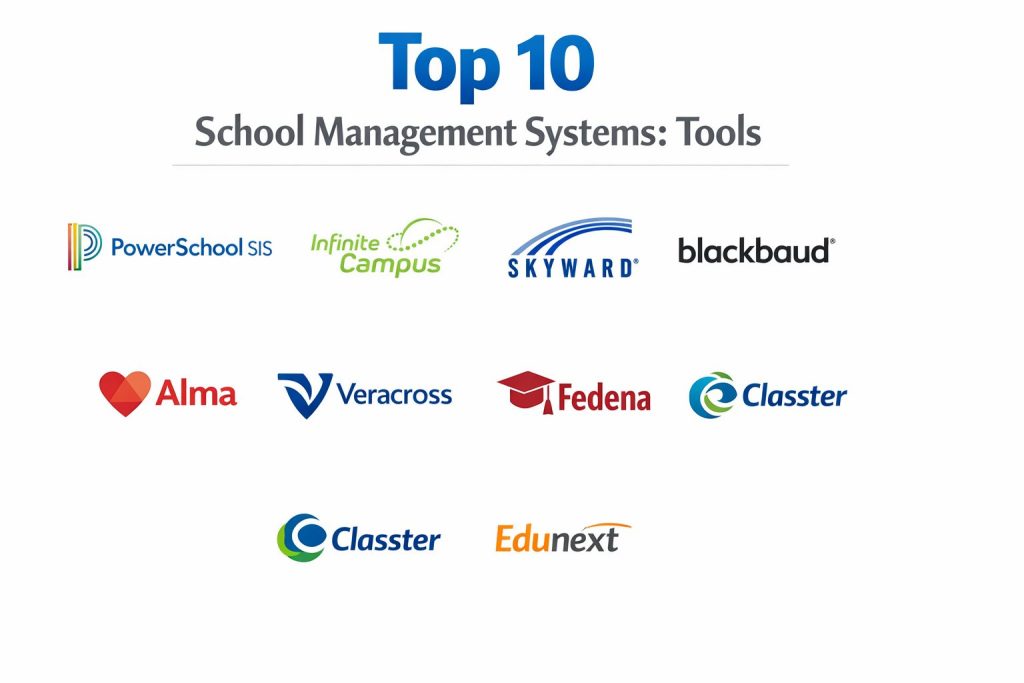
Top 10 School Management Software Tools
1. PowerSchool SIS
PowerSchool SIS is a dominant force in the education technology market, known for its massive ecosystem and powerful reporting capabilities. It provides a comprehensive suite that covers everything from student records and grading to complex state-level compliance reporting.
Key Features
- PowerNavigatoAI: A predictive analytics engine that analyzes student data to forecast academic performance and behavioral risks.
- Enterprise Reporting: Customizable data dashboards that allow administrators to track district-wide trends in real-time.
- Unified Classroom: Integrates the student information system directly with professional learning and assessment tools.
- Parent & Student Portals: Robust mobile applications that provide instant access to grades, attendance, and school announcements.
- Compliance Tracking: Automated tools specifically designed to meet complex government and state-level data reporting requirements.
- Scalable Architecture: Designed to handle the data needs of small schools up to the largest multi-state school districts.
Pros
- Unmatched feature depth and customization options for large-scale institutional needs.
- Extensive library of third-party integrations and a massive community of professional users.
Cons
- The sheer complexity of the system often requires dedicated IT staff for management.
- Implementation can be a lengthy and expensive process compared to more agile competitors.
Platforms / Deployment
- Windows / macOS / Linux (Web-based)
- Cloud (SaaS) / Mobile (iOS & Android)
Security & Compliance
- Features: Multi-factor authentication, advanced role-based access control, and data encryption at rest.
- Compliance: FERPA, COPPA, and SOC 2 Type II compliant.
Integrations & Ecosystem
PowerSchool features a vast “ISV” partner program, allowing it to integrate with hundreds of third-party apps, including Schoology, Microsoft Teams, and various library management systems.
Support & Community
Autodesk offers professional enterprise support and a vast library of documentation. The community is one of the oldest and largest in the world, with decades of collective knowledge available.
2. Infinite Campus
Infinite Campus is a comprehensive, “single-source” student information system that manages the entire lifecycle of a student. It is highly regarded for its data integrity and its ability to act as a one-stop-shop for districts.
Key Features
- Single Database Design: Ensures that data entered once is instantly available across all modules without synchronization errors.
- Campus Learning: A built-in LMS that allows teachers to manage assignments and assessments within the core SIS.
- Food Service Management: Integrated point-of-sale system for school cafeterias with real-time balance tracking for parents.
- Online Registration: A paperless enrollment system that allows parents to submit documents and sign forms digitally.
- Behavior Management: Detailed tracking of student conduct with automated notification triggers for administrators and guardians.
- Health & Immunization: Secure storage for student medical records and compliance tracking for required vaccinations.
Pros
- Exceptional data consistency due to its centralized database architecture.
- Eliminates the need for multiple third-party vendors by offering modules for almost every school department.
Cons
- The user interface can feel more technical and less “design-forward” than newer competitors.
- Customizing the system often requires a high level of technical expertise.
Platforms / Deployment
- Web-based (All browsers)
- Cloud (SaaS) / Mobile Apps
Security & Compliance
- Features: SSAE 18 audited data centers, 256-bit SSL encryption, and automated backups.
- Compliance: FERPA and HIPAA compliant.
Integrations & Ecosystem
Focuses on a “core-first” approach but offers an Open API for essential integrations with state reporting agencies and major ed-tech tools.
Support & Community
Provides a robust “Campus Community” portal where users can share custom reports and best practices. Dedicated training is available through Campus University.
3. Skyward
Skyward provides a powerful, integrated ERP and SIS solution that excels in managing both student data and school business operations. It is a favorite for districts that want to sync their HR and finance with student records.
Key Features
- Qmlativ Platform: A modern, web-based interface that simplifies navigation and data entry for all staff members.
- Integrated Finance & HR: Allows schools to manage payroll, budgeting, and employee records in the same system as student data.
- Career & Technical Education (CTE): Specialized tracking for vocational programs and professional certifications.
- Family Access Portal: A unified hub for parents to manage fees, see grades, and communicate with teachers.
- Automated Workflows: Enables the creation of custom paths for processes like teacher hiring or student transfers.
- Adaptive Scheduling: A powerful engine that handles complex high school schedules with numerous electives and room constraints.
Pros
- Best-in-class integration between academic records and administrative business functions.
- Highly responsive and modern user interface that works well on mobile and tablet devices.
Cons
- Migrating from older versions of Skyward to the newer Qmlativ platform can be time-consuming.
- Some users find the deep financial modules to have a steeper learning curve than expected.
Platforms / Deployment
- Web-based
- Cloud-hosted / Mobile
Security & Compliance
- Features: Role-based security, audit trails for financial transactions, and secure document storage.
- Compliance: GDPR and FERPA compliant.
Integrations & Ecosystem
Skyward offers strong integrations with Google Workspace and specialized educational software like Canvas and various assessment tools.
Support & Community
Known for a strong regional user group network and an annual conference that focuses on user-driven product improvements.
4. Blackbaud Education Management
Blackbaud is the premiere choice for private and independent schools, offering a premium experience that focuses on the entire constituent lifecycle—from prospective student to alumni donor.
Key Features
- Whole-School Solution: Connects enrollment, student information, learning management, and fundraising in one brand-consistent platform.
- Tuition Management: A sophisticated billing engine that handles flexible payment plans and financial aid distribution.
- Alumni & Donor Tracking: Powerful CRM tools to maintain relationships with graduates and manage capital campaigns.
- Health & Wellness: Comprehensive student medical records and wellness tracking designed for boarding and day schools.
- Modern Portals: High-end, customizable portals that reflect the school’s branding and prestige.
- Admissions CRM: A full funnel for managing recruitment, including automated follow-ups and event registration.
Pros
- Unrivaled for fundraising and financial aid management in the private school sector.
- Provides a seamless, “high-touch” experience for parents and donors.
Cons
- Generally the most expensive option on the list, which may not fit the budget of smaller schools.
- The system’s depth can be overwhelming for institutions that don’t need the fundraising or alumni modules.
Platforms / Deployment
- Web-based (SaaS)
- Cloud / Mobile
Security & Compliance
- Features: Advanced encryption, threat monitoring, and SOC 2 Type II certification.
- Compliance: GDPR, HIPAA, and PCI-DSS compliant.
Integrations & Ecosystem
Features the Blackbaud Marketplace, allowing for integrations with hundreds of niche applications for private schools and nonprofits.
Support & Community
Offers a premium, consultative support model and access to a massive global network of independent school leaders.
5. Gradelink
Gradelink is a cloud-based school management system tailored for small to medium-sized private and charter schools. It is widely praised for being exceptionally easy to implement and use.
Key Features
- Smart Reporting: Generates professional report cards and transcripts with a few clicks, including customized grading scales.
- Attendance Tracking: Simple, teacher-friendly attendance module that syncs instantly with the parent mobile app.
- Communication Suite: Includes built-in email, text messaging, and a voice broadcast system for school-wide alerts.
- Google Classroom Integration: Two-way sync that allows grades and assignments to flow between Google and Gradelink.
- Enrollment Management: Streamlined online application process with digital document uploading and fee payment.
- Teacher Gradebook: An intuitive digital gradebook that supports standards-based and traditional grading models.
Pros
- One of the fastest implementation cycles in the industry, often taking only a few days to set up.
- Highly affordable with a transparent pricing model that appeals to budget-conscious schools.
Cons
- May lack some of the advanced enterprise features required by large public school districts.
- Customization is more limited compared to heavyweights like PowerSchool or Skyward.
Platforms / Deployment
- Web-based
- Cloud (SaaS) / Mobile App
Security & Compliance
- Features: SSL encryption, automated data backups, and secure server hosting.
- Compliance: FERPA and COPPA compliant.
Integrations & Ecosystem
Offers essential integrations with Google Classroom, Microsoft 365, and various tuition payment processors.
Support & Community
Includes unlimited technical support and personalized training as part of the standard subscription.
6. Alma
Alma is a modern, design-focused student information system that prioritizes a “student-centered” approach. It is built to be fast, intuitive, and highly visual for teachers and administrators.
Key Features
- Intuitive UI: A clean, uncluttered interface that requires minimal training for new staff members.
- Holistic Student Profiles: View academic, behavioral, and demographic data in a single, comprehensive dashboard.
- Custom Report Cards: Powerful drag-and-drop tool for creating unique, branded report cards and progress reports.
- Advanced Scheduling: A flexible tool for managing complex rotations, block schedules, and multi-track calendars.
- Standard-Based Grading: Native support for measuring student progress against specific learning standards and objectives.
- Automated Attendance: Real-time tracking with instant push notifications for parents regarding absences or tardies.
Pros
- Exceptional user experience that teachers and parents genuinely enjoy using daily.
- Very fast and responsive, even when handling large datasets and complex reports.
Cons
- The partner ecosystem is slightly smaller than the massive legacy players.
- While it has financial tools, they are not as deep as a full ERP like Skyward.
Platforms / Deployment
- Web-based (SaaS)
- Cloud / Mobile
Security & Compliance
- Features: Secure data transit via TLS, encrypted databases, and proactive security monitoring.
- Compliance: FERPA and COPPA compliant.
Integrations & Ecosystem
Strong native integrations with Google Classroom, Clever, and various assessment platforms.
Support & Community
Offers a highly-rated “Implementation Specialist” program to guide schools through the transition process.
7. Veracross
Veracross is a “one-record” system designed for high-end independent schools. It treats every person in the system as a single entity, providing 360-degree visibility across their lifetime.
Key Features
- Unified Database: A single record for every student, parent, and alumni, eliminating the need for data syncing.
- CRM for Admissions: Advanced tools for managing the applicant pipeline and tracking family engagement.
- Tuition & Billing: Integrated financial system that handles complex family billing and online payments.
- Portal Management: Highly customizable portals for faculty, students, parents, and trustees.
- Event Management: Tools for organizing school events, managing registrations, and tracking attendance.
- Development & Fundraising: Built-in module for managing donor relationships and school-wide giving campaigns.
Pros
- Provides unparalleled data visibility across different departments of an independent school.
- Extremely flexible, allowing for complex configurations without requiring custom code.
Cons
- The high level of flexibility means that initial setup and configuration can be time-consuming.
- Pricing is positioned at the premium end of the market.
Platforms / Deployment
- Web-based (SaaS)
- Cloud / Mobile
Security & Compliance
- Features: Multi-factor authentication, end-to-end encryption, and daily security audits.
- Compliance: GDPR and SOC 2 Type II compliant.
Integrations & Ecosystem
Offers a robust API and a wide range of connectors for common independent school applications and LMS platforms.
Support & Community
Features a consultative support team and an active user community focused on the needs of elite private institutions.
8. Fedena
Fedena is an open-source school management system that offers incredible flexibility and a modular approach. It is highly popular globally due to its scalability and the ability to customize it for unique needs.
Key Features
- Modular Architecture: Schools can choose only the plugins they need, from hostel management to library and transport tracking.
- Hostel Management: Dedicated tools for managing dormitories, room assignments, and boarding fees.
- Transport Tracking: GPS-integrated system for managing school bus routes and student transit safety.
- Fee Collection: Automated system for generating invoices, collecting payments, and sending reminders.
- Library Management: Complete system for cataloging books, issuing cards, and tracking late returns.
- Exam Management: Tools for creating exam schedules, managing invigilators, and generating marks sheets.
Pros
- Highly cost-effective, especially for schools that want to host and manage the software themselves.
- One of the most flexible systems available, with the ability to build custom modules.
Cons
- Requires more technical knowledge to manage and update, especially for the self-hosted version.
- The standard interface can feel a bit dated compared to modern SaaS competitors.
Platforms / Deployment
- Web-based
- Cloud / On-Premise (Self-hosted)
Security & Compliance
- Features: Role-based permissions, automated backups, and data encryption.
- Compliance: GDPR compliant.
Integrations & Ecosystem
Fedena offers its own “Marketplace” for plugins and has strong integrations with common payment gateways and SMS providers.
Support & Community
Provides a range of support plans from community-based forums to dedicated enterprise-level technical assistance.
9. Classter
Classter is an all-in-one, cloud-based platform that combines SIS, SMS, and CRM functionalities. It is built on a modular, Microsoft Azure-powered infrastructure, making it highly secure and reliable.
Key Features
- Unified SIS & LMS: A single platform that handles administrative tasks and academic delivery without external plugins.
- Adaptive Portals: Different interfaces for students, parents, teachers, and alumni, all accessible via a single login.
- CRM & Admissions: Sophisticated lead management and enrollment workflows for modern schools.
- Academic Reporting: Automated GPA calculation and professional report card generation with customizable templates.
- Financial Management: Tools for managing tuition fees, scholarships, and automated payment reminders.
- Online Registration: A fully digital application portal that supports document uploads and electronic signatures.
Pros
- Excellent for schools that want a single, cohesive platform for every aspect of their operations.
- Leverages Microsoft Azure for industry-leading security and global scalability.
Cons
- The depth of the system can make the initial configuration phase complex for small teams.
- Some users find the mobile app interface to be less intuitive than the web version.
Platforms / Deployment
- Web-based (SaaS)
- Cloud (Azure) / Mobile
Security & Compliance
- Features: Azure-backed security, encrypted data storage, and role-based access control.
- Compliance: GDPR and ISO 27001 compliant.
Integrations & Ecosystem
Offers deep integration with Microsoft 365, Google Workspace, and Moodle, making it ideal for schools already in those ecosystems.
Support & Community
Provides a comprehensive online knowledge base and dedicated implementation managers for enterprise clients.
10. Edunext
Edunext is a comprehensive, cloud-based school ERP known for its innovation, including being one of the first to offer voice-assistant integration for school management.
Key Features
- Voice Integration: Allows administrators and parents to get school updates and fee info via Alexa-integrated systems.
- RFID Attendance: Real-time tracking of student entry and exit with automatic SMS notifications to parents.
- E-Learning Module: Built-in platform for sharing study materials, conducting quizzes, and hosting online classes.
- Bus Tracking: GPS-enabled system that allows parents to track their child’s school bus in real-time.
- Inventory & Asset Management: Tools for tracking school furniture, lab equipment, and sports supplies.
- Payroll & HR: Integrated system for managing staff attendance, leave applications, and salary disbursements.
Pros
- Feature-rich with a focus on cutting-edge technology like voice assistants and real-time tracking.
- Excellent mobile app experience for parents and staff with very low latency for notifications.
Cons
- Primarily focused on the Indian and South Asian education markets, which may affect regional support.
- The user interface can feel densely packed due to the massive number of available modules.
Platforms / Deployment
- Web-based
- Cloud (SaaS) / Mobile (iOS & Android)
Security & Compliance
- Features: Secure cloud storage, SSL encryption, and multi-user role permissions.
- Compliance: Not publicly stated.
Integrations & Ecosystem
Seamlessly integrates with Google Meet for online classes and supports multiple localized payment gateways.
Support & Community
Provides live technical support and regular webinars for training school administrators on new features.
Comparison Table (Top 10)
| Tool Name | Best For | Platform(s) Supported | Deployment | Standout Feature | Public Rating |
| PowerSchool SIS | Large Districts | Web, iOS, Android | Cloud (SaaS) | Predictive AI Analytics | 4.4/5 |
| Infinite Campus | Data Integrity | Web, iOS, Android | Cloud (SaaS) | Single Database Sync | 4.5/5 |
| Skyward | SIS + Finance/HR | Web, iOS, Android | Cloud/Mobile | Integrated ERP Engine | 4.7/5 |
| Blackbaud | Private Schools | Web, iOS, Android | Cloud (SaaS) | Donor & Alumni CRM | 4.6/5 |
| Gradelink | SMB / Charter | Web, iOS, Android | Cloud (SaaS) | Fast Implementation | 4.8/5 |
| Alma | Ease of Use | Web, iOS, Android | Cloud (SaaS) | Student-Centered UI | 4.6/5 |
| Veracross | Premium Private | Web, iOS, Android | Cloud (SaaS) | One-Record Lifecycle | 4.7/5 |
| Fedena | Customization | Web, iOS, Android | Cloud/On-Prem | Open-Source Core | 4.5/5 |
| Classter | All-in-One Hub | Web, iOS, Android | Cloud (Azure) | Unified SIS/LMS/CRM | 4.5/5 |
| Edunext | Innovation | Web, iOS, Android | Cloud (SaaS) | Alexa Voice Support | 4.3/5 |
Evaluation & Scoring of School Management Systems
The scoring below is a comparative model intended to help shortlisting. Each criterion is scored from 1–10, then a weighted total from 0–10 is calculated using the weights listed. These are analyst estimates based on typical fit and common workflow requirements, not public ratings.
Weights:
Core features – 25%
Ease of use – 15%
Integrations & ecosystem – 15%
Security & compliance – 10%
Performance & reliability – 10%
Support & community – 10%
Price / value – 15%
| Tool Name | Core (25%) | Ease (15%) | Integrations (15%) | Security (10%) | Performance (10%) | Support (10%) | Value (15%) | Weighted Total |
| PowerSchool SIS | 10 | 5 | 10 | 9 | 8 | 9 | 6 | 8.20 |
| Infinite Campus | 10 | 6 | 8 | 9 | 9 | 8 | 7 | 8.05 |
| Skyward | 9 | 7 | 9 | 9 | 8 | 8 | 7 | 8.05 |
| Blackbaud | 10 | 7 | 9 | 10 | 9 | 9 | 5 | 8.35 |
| Gradelink | 7 | 10 | 8 | 8 | 8 | 10 | 10 | 8.45 |
| Alma | 8 | 10 | 8 | 9 | 10 | 8 | 8 | 8.55 |
| Veracross | 10 | 7 | 9 | 9 | 9 | 9 | 6 | 8.30 |
| Fedena | 8 | 6 | 7 | 8 | 7 | 7 | 10 | 7.60 |
| Classter | 9 | 7 | 9 | 10 | 9 | 8 | 7 | 8.20 |
| Edunext | 8 | 7 | 8 | 8 | 8 | 8 | 8 | 7.85 |
How to interpret the scores:
- Use the weighted total to shortlist candidates, then validate with a pilot.
- A lower score can mean specialization, not weakness.
- Security and compliance scores reflect controllability and governance fit, because certifications are often not publicly stated.
- Actual outcomes vary with assembly size, team skills, templates, and process maturity.
Which School Management System Tool Is Right for You?
Small Private or Charter School
For institutions with limited administrative staff, Gradelink is often the best choice. Its ease of use and rapid setup allow schools to digitize their operations without the need for a dedicated IT department.
Large Public School District
For complex districts with massive amounts of student data and state reporting needs, PowerSchool SIS or Infinite Campus are the industry standards. They provide the necessary scale, reliability, and detailed analytics required for public-sector compliance.
Premium Independent School
Independent and international schools that rely on donor funding and brand prestige should choose Blackbaud or Veracross. These systems provide the high-end parent experience and powerful CRM tools needed for fundraising and alumni engagement.
Specialized or Vocational School
If your school focuses on vocational training or has complex scheduling needs, Skyward is the strongest contender. Its integrated ERP ensures that program budgets and specialized certifications are managed in a single, cohesive workflow.
Budget-Conscious / DIY
For schools that have in-house technical talent and a limited budget, Fedena provides an open-source framework that can be self-hosted and customized indefinitely to meet specific local requirements.
Innovation-First Schools
Schools that want to be at the cutting edge of student safety and parent communication should look at Edunext. Its focus on real-time tracking, biometric attendance, and voice-integrated updates provides a distinct advantage for tech-forward institutions.
Collaborative Learning Focus
If your school values a seamless transition between administrative tasks and daily classroom instruction, Classter or Alma provide the most unified experience between the SIS and LMS functions.
Security-Focused Enterprise
For institutions where data security and cloud reliability are the absolute priority, Classter (built on Azure) or Blackbaud offer the most robust enterprise-grade security certifications available in the 2026 market.
Frequently Asked Questions (FAQs)
What is the difference between an SMS and an LMS?
A School Management System (SMS) handles administrative tasks like enrollment, attendance, and fees. A Learning Management System (LMS) is focused on the educational side, such as delivering course content, hosting quizzes, and managing teacher-student collaboration.
How long does it usually take to implement a new school system?
Implementation can vary from a few days for streamlined tools like Gradelink to six months or more for enterprise-level systems like PowerSchool SIS or Skyward, depending on the amount of data being migrated.
Are these systems secure enough to store student medical records?
Yes, top-tier systems are designed to be HIPAA and GDPR compliant, using high-level encryption and strict role-based access to ensure that only authorized medical or administrative staff can view sensitive health data.
Can parents pay tuition fees through these systems?
Most modern systems, including Blackbaud, Classter, and Edunext, integrate with payment gateways like Stripe or localized systems like UPI, allowing parents to pay fees and receive instant receipts via a mobile app.
Do these tools support hybrid and remote learning?
Yes, many systems now include built-in LMS modules or integrate deeply with tools like Google Meet and Zoom, allowing schools to manage both on-site and remote students within the same digital environment.
Can a school manage multiple campuses from one account?
Platforms like PowerSchool, Infinite Campus, and Veracross are specifically designed for “multi-tenant” or district-wide use, allowing central administrators to see data across all campuses while giving individual schools their own local controls.
Is it possible to migrate data from spreadsheets into an SMS?
Most providers offer data migration tools or dedicated implementation teams that can import CSV or Excel files from your legacy spreadsheets into the new structured database.
Do teachers need special training to use these systems?
While modern systems like Alma and Gradelink are designed to be intuitive, most enterprise systems provide structured training sessions, webinars, and certification programs to help teachers master the toolset.
What happens if the school’s internet goes down?
Since most of these tools are cloud-based, you won’t be able to access the live database without internet. However, many systems offer mobile apps with limited offline caching or local backup options for essential data.
Is there a free version of these tools available?
While Fedena offers an open-source core, most professional systems operate on a subscription basis. However, almost all providers offer a free demo or a trial period to ensure the tool fits your school’s specific needs before you commit.
Conclusion
Selecting the right school management system is one of the most significant digital decisions an educational institution can make. As we navigate the current educational landscape, the move toward cloud-native, AI-enhanced, and mobile-first platforms is no longer a luxury but a requirement for institutional growth and student safety. Whether you prioritize the administrative depth of PowerSchool, the financial integration of Skyward, or the user-friendly design of Alma, the ultimate goal remains the same: to create a frictionless environment where educators can focus on teaching and students can focus on learning.
By centralizing data and automating routine tasks, schools can achieve a level of transparency and efficiency that was previously impossible. We recommend starting your search by identifying your three most significant administrative pain points and choosing the system that scores highest in those specific areas during a live demonstration.