Introduction
Runbook automation tools help teams turn repeatable operational tasks into safe, consistent, and auditable workflows. Instead of relying on memory, manual commands, or scattered documents, you can define “what to do” during incidents, routine maintenance, and common operational changes, then run those actions in a controlled way. The result is fewer mistakes, faster recovery, and more predictable operations across environments.
These tools matter because modern systems are complex and always changing. When something breaks, teams need a reliable way to diagnose, mitigate, and restore services without guessing or depending on one person’s expertise. Runbook automation also reduces fatigue by offloading routine actions to automated workflows that follow approved steps, enforce guardrails, and capture evidence of what happened.
Typical use cases include restarting or scaling services safely, clearing stuck queues, rotating credentials, rolling back a release, running database maintenance, remediating alerts automatically, executing patching or compliance checks, and standardizing incident response steps across teams. When evaluating a tool, focus on workflow flexibility, access controls, approvals, audit trails, integrations with monitoring and ticketing, environment support, error handling, secrets management approach, and how easy it is to create and maintain runbooks over time.
Best for: SRE teams, platform engineering, operations, DevOps, on-call responders, and IT service management teams that want faster incident response and consistent operational procedures.
Not ideal for: teams that only need basic scheduling or simple scripts with no approvals, no audit requirements, and no multi-team collaboration needs.
Key Trends in Runbook Automation Tools
Runbook automation is moving from “manual scripts” to “safe automation with guardrails.” Teams increasingly expect approvals, role-based access, and clear audit logs because operational automation touches sensitive systems. Another trend is event-driven execution, where alerts and signals can trigger guided actions that still allow human oversight when needed. There is also a steady shift toward reusable automation patterns, where runbooks become modular building blocks shared across teams, not one-off documents.
Integration expectations are also rising. Many teams want runbooks to connect naturally to monitoring, incident management, chat tools, ITSM, and cloud control planes. Finally, more organizations are aligning runbook automation with reliability engineering practices, so automated actions are tested, versioned, reviewed, and treated like production code rather than ad-hoc operational knowledge.
How We Selected These Tools
This list focuses on tools that are credible in operational automation, support repeatable workflows, and can reduce incident response time. We prioritized solutions that can execute real operational actions across infrastructure and applications, with practical safety controls such as permissions, approvals, and logging. We also looked for ecosystem strength, including integrations with common enterprise tools and cloud platforms, because runbooks are most valuable when they connect to the systems you already rely on.
We included a balanced mix across open source, enterprise automation platforms, cloud-native automation services, and ITSM-centric workflow tools. The goal is not to crown one universal winner, but to present strong options for different environments, budgets, and team structures.
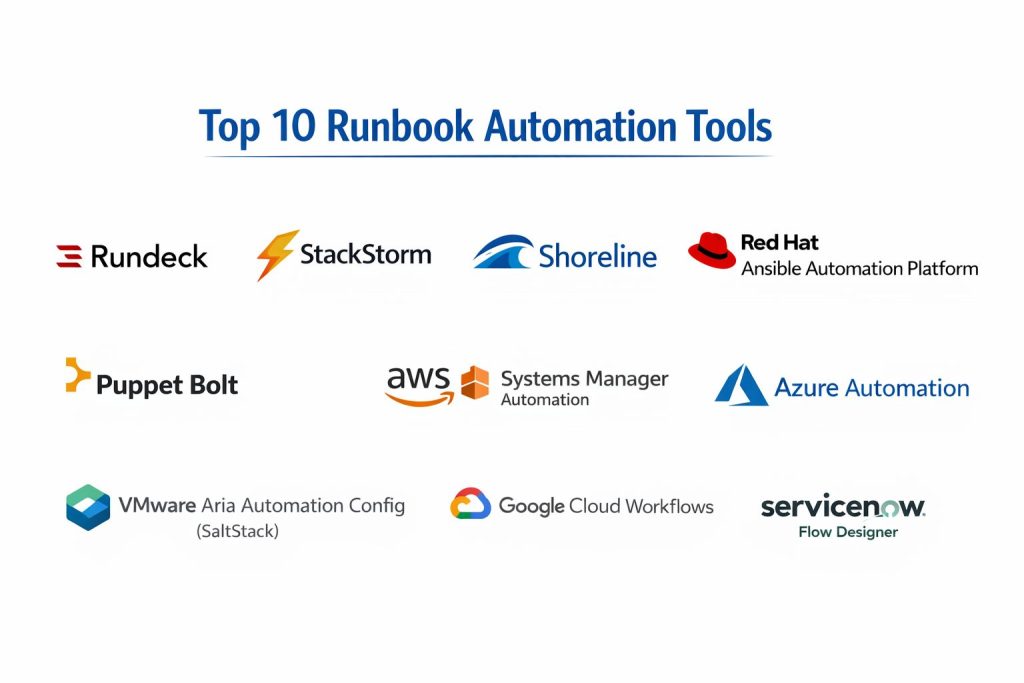
Top 10 Runbook Automation Tools
Tool 1 — Rundeck
Rundeck is a runbook automation and job orchestration platform used to standardize operational tasks and execute them safely. It is often chosen when teams want self-service operations with permissions, approvals, and consistent run execution across environments.
Key strengths
- Centralized runbooks with controlled access and repeatable execution
- Strong fit for “human-in-the-loop” operations where on-call teams trigger guided actions
- Useful scheduling and parameterized job runs for recurring operations
Practical advantages
Rundeck helps reduce operational tribal knowledge by turning common tasks into shared runbooks. Teams can define who can run what, add prompts and inputs, and standardize steps that previously lived in chat messages or personal notes. It is also helpful for repeatable remediation actions that must be executed carefully and consistently.
Trade-offs
Rundeck works best when teams invest in structuring runbooks well. If runbooks are created without standards, they can become messy over time. Some organizations may also need extra planning to align it with secrets management and environment access policies.
Platforms and deployment
Web-based UI with Windows, macOS, Linux server deployment; self-hosted is common; hybrid usage depends on setup.
Security and compliance
Not publicly stated.
Integrations and ecosystem
Rundeck is typically used alongside monitoring, incident response, and configuration tools. It often connects to shell scripts, APIs, and infrastructure control planes, letting you trigger actions from a consistent interface. Integration depth depends on how your team designs runbooks and plugins.
Support and community
Community usage is strong, and enterprise support options vary by plan. Documentation quality is generally good, and many teams share patterns for common operational tasks.
Tool 2 — StackStorm
StackStorm is event-driven automation designed to connect signals, rules, and actions across systems. It is often used when teams want automation that reacts to events and can trigger structured workflows as part of incident response or routine operations.
Key strengths
- Event-driven automation that can respond quickly to operational signals
- Strong for multi-system orchestration where one action triggers many dependent steps
- Useful approach for building reusable “automation packs” for common operations
Practical advantages
StackStorm can reduce manual toil by connecting alerts to guided actions, while still allowing controls and approvals where needed. It is useful when teams operate many tools and want automation to coordinate steps across them. Over time, it can become a shared automation layer for operations.
Trade-offs
It can require more engineering investment than simpler job schedulers. Teams need to maintain action definitions and workflows carefully, and governance becomes important as automation expands.
Platforms and deployment
Linux-based deployments are common; self-hosted; hybrid depends on environment design.
Security and compliance
Not publicly stated.
Integrations and ecosystem
StackStorm commonly connects to monitoring systems, chat tools, ticketing systems, and infrastructure automation. It can orchestrate API calls, scripts, and workflows across systems, which helps in incident remediation and operational consistency.
Support and community
Community support exists and can be strong for technical teams. Formal enterprise support varies by vendor options and deployment approach.
Tool 3 — Shoreline
Shoreline focuses on incident automation and guided remediation, aiming to shorten the time between detecting an issue and taking safe corrective action. It is often positioned for teams that want structured runbooks tied closely to operational signals and fast mitigation workflows.
Key strengths
- Strong incident-focused remediation approach with guided automation patterns
- Useful for creating consistent actions for recurring production issues
- Emphasis on reducing mean time to recovery through repeatable workflows
Practical advantages
Shoreline can help teams formalize “what we do during incidents” into repeatable actions. This is valuable when incidents recur and responders waste time re-discovering the same steps. It can also support controlled automation where humans still confirm execution.
Trade-offs
Fit depends on your incident workflow maturity. Teams that do not have stable runbook practices may need to define standard responses first. Integration and coverage depend on the environment and adoption approach.
Platforms and deployment
Varies / N/A.
Security and compliance
Not publicly stated.
Integrations and ecosystem
Shoreline is typically used with monitoring and incident workflows, linking operational signals to runbook execution. Integration breadth depends on how it is connected into your environment and which systems your runbooks target.
Support and community
Support expectations and tiers vary by plan. Community visibility is smaller than older general-purpose automation platforms, but the focus is more specialized.
Tool 4 — Red Hat Ansible Automation Platform
Red Hat Ansible Automation Platform is widely used for infrastructure and operational automation. It becomes a runbook automation solution when teams package operational procedures into playbooks, then execute them through controlled job runs and automation services.
Key strengths
- Strong for infrastructure-wide runbooks that touch servers, networks, and services
- Good for repeatable, version-controlled operational procedures
- Large ecosystem of modules and automation content for common platforms
Practical advantages
Ansible-based runbooks work well when operations require consistent configuration changes or controlled remediations across many systems. Teams can build playbooks that represent approved operational actions and then execute them consistently. This helps standardize operations and reduce drift between environments.
Trade-offs
It can feel heavy for simple runbooks if your team only needs a basic “click and run” interface. Teams also need to manage inventory, credentials, and playbook quality to keep automation reliable and safe.
Platforms and deployment
Windows, macOS, Linux for control tooling; server deployment depends on setup; self-hosted and hybrid approaches are common.
Security and compliance
Not publicly stated.
Integrations and ecosystem
Ansible integrates broadly across infrastructure platforms and common enterprise systems. Many organizations connect it with monitoring, ITSM, and CI pipelines to trigger runbooks and manage approvals, but integration depth depends on how you implement the workflow.
Support and community
Large community, strong training ecosystem, and enterprise support options depending on plan. Documentation is extensive, with many reusable automation examples.
Tool 5 — Puppet Bolt
Puppet Bolt provides task-based automation that can be used for operational runbooks, especially when you want to run targeted actions across nodes without building a full configuration management pipeline. It is often used for ad-hoc remediation and controlled operational tasks.
Key strengths
- Task-driven approach that fits common operational actions well
- Useful for running scripts and actions across fleets in a controlled way
- Practical bridge between manual operations and repeatable automation
Practical advantages
Bolt can help teams convert “run this command on these hosts” into repeatable tasks with consistent execution. It can reduce mistakes when multiple responders perform the same action during incidents. It is also useful when teams want a lighter approach than full platform orchestration.
Trade-offs
It may not provide the same orchestration depth as workflow-first systems. Teams may need to design additional structure if they want complex multi-step runbooks with branching logic.
Platforms and deployment
Varies / N/A.
Security and compliance
Not publicly stated.
Integrations and ecosystem
Bolt is often paired with broader infrastructure automation and operational workflows. It commonly integrates through scripts, tasks, and existing node access methods, with ecosystem strength depending on the environment.
Support and community
Community and vendor support vary by plan. Documentation is practical for task-driven automation, and the learning curve is manageable for many operations teams.
Tool 6 — VMware Aria Automation Config (SaltStack)
This platform is commonly associated with configuration automation and fleet-level management. As a runbook automation tool, it can help standardize operational actions across large groups of systems, especially where policy-driven or state-driven automation is needed.
Key strengths
- Strong for fleet-wide operational actions and consistent system state control
- Useful for repeatable remediation at scale across many nodes
- Often fits organizations managing large infrastructure footprints
Practical advantages
When incidents involve many machines or services, scaling remediation safely becomes critical. This tool can help enforce repeatable operational actions across fleets, reducing manual effort and improving consistency. It is also useful for day-to-day operational procedures where reliable execution matters.
Trade-offs
Setup and governance can be complex. Teams need clear operational standards to avoid automation sprawl. The best outcomes happen when runbooks are treated as managed operational products, not scattered scripts.
Platforms and deployment
Varies / N/A.
Security and compliance
Not publicly stated.
Integrations and ecosystem
Integration typically focuses on infrastructure systems and operational control layers. The value increases when it is connected into monitoring and incident workflows so runbooks can be triggered reliably based on signals.
Support and community
Support and community strength vary by plan and environment. Documentation and learning resources depend on the organization’s chosen implementation path.
Tool 7 — AWS Systems Manager Automation
AWS Systems Manager Automation is a cloud-native way to define and run operational actions in AWS environments. It is often used for standardized runbooks such as patching, remediation, compliance actions, and controlled operational changes.
Key strengths
- Strong fit for AWS-native runbooks tied to cloud operations
- Useful for repeatable remediation and maintenance tasks with consistency
- Good for combining automation with access controls and logging in cloud workflows
Practical advantages
For teams operating mainly in AWS, this tool can standardize common operational procedures without introducing another major platform. It supports controlled operational changes, repeatable remediation, and consistent execution across environments. It can be especially useful for routine maintenance and compliance-driven tasks.
Trade-offs
It is best when your operational footprint is primarily AWS. If you need deep automation across many non-AWS systems, you may need additional tooling or a hybrid approach.
Platforms and deployment
Cloud service; controlled through AWS console and APIs; hybrid depends on environment reach.
Security and compliance
Not publicly stated.
Integrations and ecosystem
It naturally connects with AWS services and operational tooling, making it practical for cloud runbooks. Integration with external incident management and ticketing depends on how your organization wires the workflow together.
Support and community
Strong documentation and broad usage. Support depends on cloud support plan and organizational practices.
Tool 8 — Azure Automation
Azure Automation provides workflow automation and operational runbooks for Azure environments. It is commonly used for routine IT operations, remediation tasks, and scheduled maintenance actions.
Key strengths
- Useful for Azure-centric operational runbooks and maintenance workflows
- Helps standardize routine tasks like scaling, restarts, and governance actions
- Practical scheduling and automation for recurring operational needs
Practical advantages
Azure Automation can reduce manual effort for routine operations and give teams a consistent place to run common actions. It works well when your services and operational controls are largely in Azure and you want a managed solution rather than running your own orchestration platform.
Trade-offs
Organizations with multi-cloud or heavy on-prem workloads may need to supplement it. Workflow structure and maintainability depend on how carefully runbooks are authored and governed.
Platforms and deployment
Cloud service; hybrid depends on environment design.
Security and compliance
Not publicly stated.
Integrations and ecosystem
It integrates naturally with Azure services and operational management workflows. Integration into incident response systems depends on your process and which tools your team uses for alerting and ticketing.
Support and community
Strong ecosystem and documentation for cloud operations. Support depends on cloud support plan and organizational adoption.
Tool 9 — Google Cloud Workflows
Google Cloud Workflows can be used to coordinate operational steps across services using managed workflows. In runbook automation terms, it can represent operational procedures as structured workflows that execute API-driven steps in a consistent and controlled way.
Key strengths
- Useful for API-first operational runbooks in Google Cloud environments
- Strong for coordinating multi-step processes with clear sequencing
- Practical for integrating cloud services into consistent operational workflows
Practical advantages
This approach is helpful when your runbooks are mostly API-driven actions and you want a managed workflow engine to coordinate steps. It can standardize procedures such as service adjustments, data pipeline resets, or cloud resource remediation when those actions are exposed through APIs.
Trade-offs
It is not a full DCC-style operations platform and may not cover every “host-level” action by itself. For deep infrastructure automation, teams often pair it with other tooling that can execute actions on hosts and clusters.
Platforms and deployment
Cloud service; hybrid depends on implementation.
Security and compliance
Not publicly stated.
Integrations and ecosystem
Integration is strongest across cloud services and APIs. The practical value increases when workflows are connected to monitoring signals and incident processes, creating consistent response actions.
Support and community
Managed service documentation is generally clear. Community examples exist, and support depends on cloud plan and organizational practices.
Tool 10 — ServiceNow Flow Designer
ServiceNow Flow Designer is a workflow automation capability commonly used in IT operations and service management processes. It becomes a runbook automation tool when teams convert operational procedures into governed workflows with approvals, tickets, and audit trails.
Key strengths
- Strong governance with approvals, tracking, and audit-friendly workflows
- Useful for standardizing operational procedures across teams and departments
- Good fit when ITSM and change management are central requirements
Practical advantages
ServiceNow-centered runbooks are valuable when operational actions must be tightly governed, approved, and recorded. It helps align operational execution with organizational policies, especially in regulated or process-driven environments. It also supports collaboration across teams because workflows can be tied to tickets, requests, and incident records.
Trade-offs
It may feel heavy for engineering-first teams that want lightweight, code-driven runbooks. The best results come when workflows are designed carefully to avoid unnecessary process friction.
Platforms and deployment
Web-based platform; cloud deployment is common; hybrid depends on setup.
Security and compliance
Not publicly stated.
Integrations and ecosystem
ServiceNow often acts as a central hub for IT processes, so it integrates with many enterprise systems through connectors and APIs. Runbook value increases when it is connected to alerting, CMDB-style asset context, and incident workflows.
Support and community
Large enterprise ecosystem, strong partner network, and structured support tiers. Community resources exist, with many implementation patterns shared across organizations.
Comparison Table
| Tool Name | Best For | Platform(s) Supported | Deployment | Standout Capability | Public Rating |
|---|---|---|---|---|---|
| Rundeck | Controlled self-service runbooks | Windows, macOS, Linux | Self-hosted | Parameterized runbooks with guardrails | N/A |
| StackStorm | Event-driven remediation workflows | Linux | Self-hosted | Signal-to-action automation orchestration | N/A |
| Shoreline | Incident-focused remediation | Varies / N/A | Varies / N/A | Guided incident response automation | N/A |
| Red Hat Ansible Automation Platform | Infrastructure runbooks at scale | Windows, macOS, Linux | Hybrid | Playbook-driven operational consistency | N/A |
| Puppet Bolt | Task-based operational actions | Varies / N/A | Varies / N/A | Targeted task execution for remediation | N/A |
| VMware Aria Automation Config (SaltStack) | Fleet-wide operational control | Varies / N/A | Varies / N/A | Large-scale state and action automation | N/A |
| AWS Systems Manager Automation | AWS-native runbooks | Cloud / API | Cloud | Standardized AWS operational procedures | N/A |
| Azure Automation | Azure operational runbooks | Cloud / API | Cloud | Managed runbook scheduling and execution | N/A |
| Google Cloud Workflows | API-driven cloud runbooks | Cloud / API | Cloud | Multi-step workflow coordination | N/A |
| ServiceNow Flow Designer | Governed ITSM-linked runbooks | Web | Cloud | Approval-driven operational workflows | N/A |
Evaluation and Scoring of Runbook Automation Tools
Scoring is comparative and meant to help you shortlist based on your context. A higher score usually indicates broader strength across common runbook needs, but a lower-scoring tool can still be the best fit if it matches your environment and governance requirements. Focus on the criteria that matter most in your organization, such as cloud alignment, workflow complexity, integration depth, and operational safety.
Weights used: Core features 25%, Ease of use 15%, Integrations and ecosystem 15%, Security and compliance 10%, Performance and reliability 10%, Support and community 10%, Price and value 15%.
| Tool Name | Core (25%) | Ease (15%) | Integrations (15%) | Security (10%) | Performance (10%) | Support (10%) | Value (15%) | Weighted Total |
|---|---|---|---|---|---|---|---|---|
| Rundeck | 8.5 | 7.5 | 8.0 | 6.0 | 7.5 | 7.5 | 8.5 | 7.83 |
| StackStorm | 8.0 | 6.5 | 7.5 | 6.0 | 7.0 | 7.0 | 8.0 | 7.30 |
| Shoreline | 8.5 | 7.0 | 7.5 | 6.0 | 8.0 | 7.0 | 6.5 | 7.38 |
| Red Hat Ansible Automation Platform | 8.0 | 6.5 | 8.0 | 6.5 | 7.5 | 7.5 | 6.5 | 7.30 |
| Puppet Bolt | 7.0 | 7.0 | 6.5 | 6.0 | 7.0 | 6.5 | 7.5 | 6.85 |
| VMware Aria Automation Config (SaltStack) | 7.5 | 6.0 | 7.0 | 6.0 | 7.5 | 6.5 | 6.5 | 6.80 |
| AWS Systems Manager Automation | 7.5 | 7.0 | 7.5 | 6.5 | 8.0 | 7.0 | 8.0 | 7.40 |
| Azure Automation | 7.0 | 7.0 | 7.0 | 6.5 | 7.5 | 7.0 | 7.5 | 7.08 |
| Google Cloud Workflows | 6.5 | 7.5 | 6.5 | 6.5 | 7.5 | 6.5 | 7.5 | 6.90 |
| ServiceNow Flow Designer | 7.5 | 7.5 | 8.5 | 6.5 | 7.5 | 8.0 | 6.0 | 7.38 |
Which Runbook Automation Tool Is Right for You
Solo or Freelancer
If you are managing small systems, you usually need clarity and simplicity more than complex governance. A lightweight approach that still gives repeatable execution is often best. Rundeck can work well if you want a single place to run standardized tasks with controlled access, even if it is just you and a small environment. If you are heavily cloud-based, AWS Systems Manager Automation or Azure Automation can be practical because you can build runbooks around the cloud control plane without running extra infrastructure.
SMB
Small and growing teams benefit from tools that reduce on-call stress and create consistent habits. Rundeck is a strong fit when you want self-service operations and repeatable remediation steps. Red Hat Ansible Automation Platform can be valuable if your SMB has a meaningful infrastructure footprint and needs consistent changes across systems. If your operations flow is ITSM-driven, ServiceNow Flow Designer becomes attractive because it links runbooks with requests, tickets, and approvals.
Mid-Market
Mid-market teams often need more workflow structure and stronger integration across multiple systems. StackStorm can help when your incidents involve many tools and your team wants event-driven automation to coordinate steps quickly. Ansible Automation Platform is useful when infrastructure standardization and repeatability are major goals. Cloud-native options work well when your footprint is mostly in one cloud and you want runbooks aligned to that cloud’s operational controls.
Enterprise
Enterprise environments usually care about governance, audit trails, separation of duties, and predictable operations. ServiceNow Flow Designer often fits when operational actions must be tied to approvals, change processes, and records. Ansible Automation Platform can be strong when you want automation as a managed capability across many teams and environments. Larger enterprises that prioritize incident speed may also adopt a specialized incident remediation approach, but success depends on clear ownership, standards, and disciplined automation lifecycle management.
Budget vs Premium
Budget-first organizations often lean toward open source or cloud-native services to reduce platform cost. Rundeck and StackStorm can offer strong value if your team has the skills to operate them. Premium choices often bring governance, vendor support, and broader enterprise workflows, which can reduce organizational risk when operations are large and regulated. The best approach is to estimate your total cost of ownership, including maintenance and training, not only licensing.
Feature Depth vs Ease of Use
If you want powerful orchestration and event-driven automation, StackStorm can provide deeper capabilities but may demand more engineering effort. If you want faster adoption and a clean operational interface, Rundeck may feel easier to standardize. If you want runbooks closely aligned with infrastructure automation practices, Ansible-based runbooks can be strong, but you need good playbook discipline to keep it maintainable.
Integrations and Scalability
Teams with many tools should prioritize integration depth and workflow coordination. StackStorm is often chosen for orchestration across systems, while ServiceNow is strong when IT process integration is the core requirement. Cloud-native services scale naturally within their cloud ecosystems, but they may not cover everything outside that cloud unless you design a hybrid model.
Security and Compliance Needs
When compliance details are not clearly published in a single place, focus on practical safeguards. Ensure the tool supports role-based access, least-privilege execution, approvals for risky actions, secrets handling that fits your policy, and strong logging. Also ensure your runbooks are reviewed, versioned, and tested, because the biggest security risk is often not the tool, but ungoverned operational automation.
Frequently Asked Questions
1. What is the difference between a runbook and runbook automation?
A runbook is the documented set of steps to handle a task or incident. Runbook automation turns those steps into an executable workflow so responders can run them consistently with fewer mistakes and better auditability.
2. Should runbooks be fully automated or guided with human approval?
It depends on risk. Low-risk actions like diagnostics can be automated more aggressively, while high-risk actions like failovers or permission changes often benefit from approvals, confirmations, and clear audit trails.
3. What are the most common mistakes when building runbook automation?
Teams often automate before standardizing the process, skip testing, and forget access controls. Another common issue is creating runbooks without ownership, which leads to stale and unreliable automation over time.
4. How do I choose between an orchestration tool and a cloud-native runbook service?
If your environment is mostly in one cloud and actions are cloud-control-plane based, cloud-native services can be very practical. If you need multi-system orchestration across many tools and environments, orchestration platforms can provide broader flexibility.
5. How should we handle secrets in automated runbooks?
Use a secrets approach that fits your policy, minimize credential scope, rotate secrets regularly, and avoid hardcoding. Always ensure runbooks log actions without exposing sensitive values.
6. Can runbook automation reduce alert fatigue for on-call teams?
Yes, when automation handles routine remediations and diagnostics, responders get fewer noisy alerts and spend less time on repetitive tasks. The key is to automate the right actions with guardrails and good monitoring.
7. What should we include in a “good” runbook workflow?
A good runbook includes clear inputs, validation steps, safe defaults, error handling, rollback or escape steps, and logging. It should also explain when not to run it, so responders avoid risky execution.
8. How do approvals and audit trails fit into runbook automation?
Approvals prevent unsafe actions from being triggered casually, and audit trails capture who ran what, when, and with what inputs. This is crucial for regulated environments and also helps with post-incident reviews.
9. How do we measure success after adopting runbook automation?
Track reduction in time to mitigate incidents, fewer repeated manual steps, fewer operator errors, more consistent incident handling, and improved knowledge sharing. Also measure runbook usage and the percentage of incidents with usable automation.
10. What is the best first runbook to automate?
Start with a high-frequency, low-risk operational task such as collecting diagnostics, restarting a safe service component, clearing a known stuck state, or running a standardized health check. Early wins build trust and adoption.
Conclusion
Runbook automation works best when it turns your most repeatable operational knowledge into safe, consistent, and auditable execution. The “best” tool depends on where you run your systems, how your incidents are managed, and how much governance you need. If your operations are cloud-centric, cloud-native runbooks can be a practical starting point. If you need cross-tool orchestration, event-driven automation may deliver more value. If your organization is process-heavy, an ITSM-centered workflow tool can reduce risk and improve accountability. A smart next step is to shortlist two or three options, automate one high-frequency runbook, validate access controls and logging, and expand only after the workflow proves reliable.