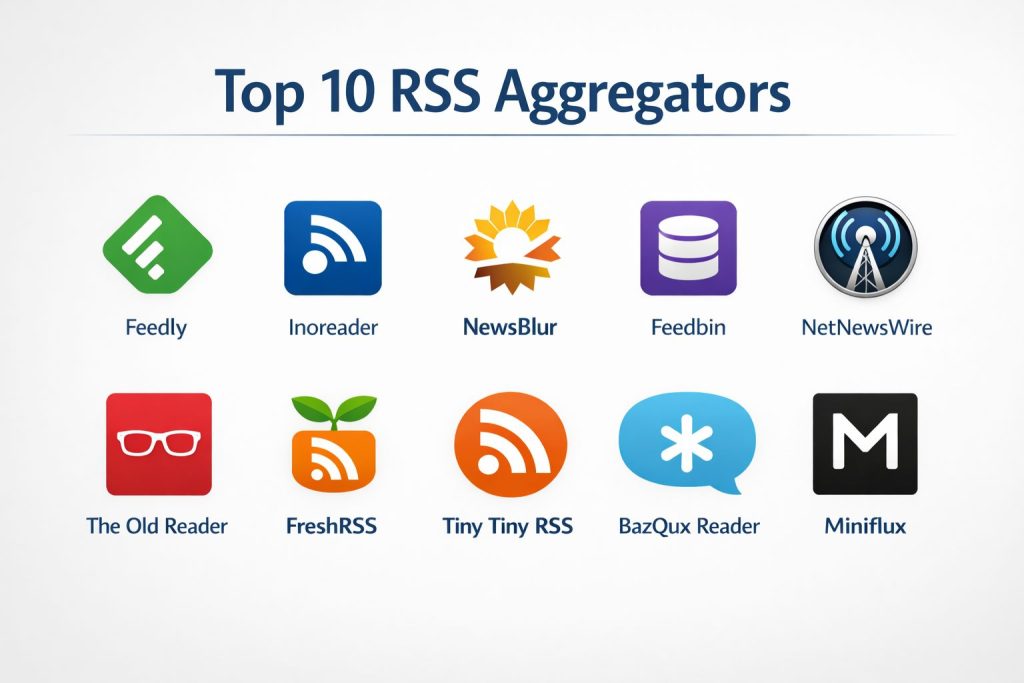
Introduction
An RSS (Really Simple Syndication) aggregator is a specialized digital utility designed to consolidate content from various web-based sources into a single, unified interface. By subscribing to the standardized XML feeds provided by websites, blogs, and news outlets, these tools allow users to bypass the fragmented experience of manual browsing. Instead of visiting dozens of individual domains, an aggregator automatically fetches new updates, presenting them in a structured chronological format. This technology is fundamental for professionals who require high-frequency information monitoring without the interference of third-party advertising or non-linear social media algorithms.
The strategic importance of RSS aggregation in a professional workflow cannot be overstated. In an era of information saturation, these platforms act as sophisticated filters, ensuring that critical industry updates, security advisories, and market trends are captured in real-time. Organizations utilize these tools to create internal intelligence hubs, where curated data feeds can be shared across teams to foster collective knowledge. When choosing an enterprise-grade aggregator, it is essential to evaluate the platform’s capacity for high-volume data handling, the precision of its filtering logic, and its ability to integrate with existing security protocols. A robust solution should offer more than simple reading; it should provide actionable insights through advanced search, archival, and automation capabilities.
Best for: Security researchers, market analysts, software engineers, and corporate communication teams who need to manage vast streams of technical and industry-specific data with high precision.
Not ideal for: Users who prefer discovery-based content suggested by social algorithms or those who do not require a structured, archive-ready record of digital publications.
Key Trends in RSS Aggregators
The integration of artificial intelligence has revolutionized content curation, shifting the focus from simple aggregation to intelligent prioritization. Modern tools now utilize machine learning to observe user reading patterns, automatically highlighting high-value articles while suppressing repetitive or irrelevant “noise.” There is also a significant trend toward “everything-to-RSS” capabilities, where aggregators can now ingest non-standard sources such as newsletters, social media profiles, and even static web pages that do not offer native feeds.
Security and privacy have moved to the forefront of development, particularly for enterprise users who handle sensitive competitive intelligence. We are seeing a rise in self-hosted, open-source alternatives that allow organizations to maintain total control over their data and infrastructure. Furthermore, the move toward “headless” or API-first aggregation is gaining traction, enabling developers to feed structured news data directly into custom applications, dashboards, or automated alerting systems.
How We Selected These Tools
Our selection process for the leading RSS aggregators was governed by technical reliability, feature depth, and cross-platform accessibility. We prioritized platforms that have demonstrated long-term stability in a rapidly changing digital landscape, ensuring that the services can support complex, high-volume feeds. The ability to handle diverse data formats beyond standard RSS, such as Atom and JSON feeds, was a primary requirement for inclusion.
We also scrutinized the administrative capabilities of each tool, specifically looking for robust organizational features like hierarchical folder structures, tagging systems, and advanced search filters. For professional use cases, we evaluated the quality of the developer APIs and the availability of automation rules that can trigger external workflows. Finally, we considered the user experience across various environments, selecting tools that offer seamless synchronization between web, desktop, and mobile interfaces to ensure information is accessible regardless of the device.
1. Feedly
Feedly is widely regarded as the industry standard for professional-grade content aggregation. It has evolved from a simple reader into a sophisticated AI-powered research assistant, particularly suited for teams and enterprise environments. Its primary strength lies in its ability to organize vast amounts of information into actionable “Boards,” which can be shared across an organization for collaborative analysis.
Key Features
The platform features an AI assistant named Leo, which can be trained to summarize articles, find specific topics, and filter out irrelevant content. It provides deep integration with enterprise tools like Slack, Microsoft Teams, and Trello for seamless information sharing. The software also includes a “Power Search” function that can scan millions of sources beyond your direct subscriptions. For security-conscious teams, it offers “Cybersecurity Feeds” specifically tailored to track vulnerabilities and threat intelligence. Additionally, it supports the ingestion of newsletters and Twitter (X) feeds directly into the main reading environment.
Pros
The AI-driven filtering is exceptionally effective at reducing information overload in high-volume environments. It also offers the most polished and intuitive user interface among professional aggregators.
Cons
The most powerful features are locked behind high-tier subscription plans, which can be costly for smaller teams. Some users may find the sheer number of features overwhelming for simple reading tasks.
Platforms and Deployment
Web, iOS, and Android. It is a cloud-based service managed by the provider.
Security and Compliance
Supports Enterprise SSO (Single Sign-On), is GDPR compliant, and utilizes high-level encryption for data in transit and at rest.
Integrations and Ecosystem
Offers a robust API and extensive native integrations with productivity suites, CRM platforms, and automation tools like Zapier and IFTTT.
Support and Community
Provides dedicated enterprise support, extensive documentation, and a large global user community.
2. Inoreader
Inoreader is a high-performance aggregator designed for power users who require absolute control over their information stream. It is particularly known for its advanced automation engine, which allows users to create complex rules for filtering, tagging, and distributing content. It functions more like a professional data pipeline than a traditional news reader.
Key Features
The software offers a powerful rules engine that can perform actions like “if an article title contains X, send a push notification and tag it as urgent.” It features a “Global Search” capability that allows users to search the entire Inoreader database for specific keywords, even if they aren’t subscribed to the source. Users can also subscribe to email newsletters, social media feeds, and podcasts. The “Active Search” feature constantly monitors the web for new mentions of specific terms, delivering them as a live feed. It also provides comprehensive archival tools, allowing for permanent storage of important articles.
Pros
The automation capabilities are unmatched, allowing for the creation of highly customized workflows. It offers excellent value with a very capable free tier and affordable premium options.
Cons
The interface is dense and technical, which can lead to a steeper learning curve for non-technical users. The visual design is more functional than aesthetic.
Platforms and Deployment
Web, iOS, and Android. It is a hosted cloud platform.
Security and Compliance
Utilizes HTTPS for all traffic and offers two-factor authentication. It is fully compliant with modern data protection regulations.
Integrations and Ecosystem
Supports a wide range of third-party integrations and offers a comprehensive API for custom development and data extraction.
Support and Community
Features a responsive support team and an active community forum where users share complex automation rules and tips.
3. NewsBlur
NewsBlur is an open-source-friendly aggregator that emphasizes content intelligence and community features. It is unique for its “Intelligence Trainer” system, which allows users to explicitly teach the software what kind of content they like or dislike by highlighting specific tags, authors, or keywords within the reading view.
Key Features
The intelligence system uses a simple color-coded ranking to highlight preferred stories and hide noisy ones. It offers an “Original Site View” that renders the actual website directly within the reader, preserving the original formatting and interactive elements. For social-minded users, it includes “Blurblogs,” which are personal pages where users can share and comment on articles they find interesting. It also supports real-time updates for many feeds, ensuring information arrives the moment it is published. The software can be self-hosted by users who want absolute control over their reading infrastructure.
Pros
The training system is highly effective and feels more transparent than “black box” AI algorithms. Being open-source provides an extra layer of trust for privacy-focused individuals.
Cons
The web interface can feel somewhat dated compared to modern competitors. Performance can occasionally vary depending on the complexity of the site being rendered in the original view.
Platforms and Deployment
Web, iOS, Android, and self-hosted options.
Security and Compliance
Standard encryption protocols are used, and the self-hosted version allows organizations to implement their own security standards.
Integrations and Ecosystem
Provides a well-documented API and integrates with major read-it-later services and social platforms.
Support and Community
Active GitHub repository and community forums provide strong support, particularly for technical questions and self-hosting.
4. Feedbin
Feedbin is a minimalist, high-speed aggregator that prioritizes a clean reading experience and technical reliability. It has gained a loyal following among users who want a fast, no-nonsense tool that works seamlessly with a variety of third-party mobile applications.
Key Features
The platform offers a distraction-free interface that focuses entirely on the text and imagery of the content. It includes a unique feature that provides users with a private email address for subscribing to newsletters, keeping their main inbox clean. It supports full-text extraction, allowing users to read entire articles even if the original feed only provides a summary. The search functionality is exceptionally fast, covering all subscribed content with near-instant results. It also features a “Share” menu that allows for quick exporting of content to various third-party services.
Pros
It is one of the fastest and most stable platforms available, with a very high uptime record. The focus on privacy is clear, as there is no tracking or data mining of user habits.
Cons
It lacks the advanced AI and automation features found in tools like Feedly or Inoreader. There is no free tier available beyond a trial period.
Platforms and Deployment
Web-based service with excellent support for third-party mobile apps.
Security and Compliance
Strong commitment to user privacy with standard encryption and no third-party data sharing.
Integrations and Ecosystem
Famous for its compatibility with high-quality third-party clients like Reeder and NetNewsWire via its robust API.
Support and Community
Responsive email support and a respected presence in the independent developer community.
5. NetNewsWire
NetNewsWire is a legendary, open-source RSS reader specifically built for the Apple ecosystem. It is designed to feel like a native part of the operating system, offering a fast, clean, and completely free way to manage news feeds without any corporate interference.
Key Features
The software is a native application for macOS and iOS, which means it is exceptionally fast and energy-efficient. It supports direct feed downloading, meaning it doesn’t rely on a middleman server to fetch updates. Users can sync their feeds via iCloud or connect to third-party services like Feedly or Feedbin. It includes a “Reader View” that strips away all clutter from articles for a pure reading experience. The application also supports specific integrations for Reddit and Twitter (X) through specialized extensions.
Pros
It is entirely free and open-source, with no ads or tracking whatsoever. It provides the best “native” feel for users who live entirely within the Apple hardware environment.
Cons
It is exclusively available for Apple devices, making it unsuitable for teams using Windows or Android. It lacks the advanced enterprise-sharing features of cloud-hosted platforms.
Platforms and Deployment
macOS, iOS, and iPadOS only. It is a local installation.
Security and Compliance
Maximum privacy as data is either kept locally or synced via the user’s private iCloud account. No data is sent to the developer.
Integrations and Ecosystem
Integrates with all major RSS cloud services, allowing it to act as a high-quality “front end” for other aggregators.
Support and Community
Strong community support via GitHub and a dedicated user base that contributes to its ongoing development.
6. The Old Reader
The Old Reader was created as a spiritual successor to the discontinued Google Reader, focusing on a classic, straightforward interface and social sharing features. It is ideal for users who want a simple, folder-based organization without modern algorithmic distractions.
Key Features
The interface uses a traditional list-based layout that is immediately familiar to long-time RSS users. It emphasizes social connectivity, allowing users to follow friends and see what they are reading and recommending. It supports standard OPML imports and exports, making it very easy to migrate from other tools. The search function is reliable for finding content within your subscriptions. It also provides browser extensions that make it simple to add new feeds while surfing the web.
Pros
It is incredibly easy to use and requires almost no setup or learning. The social features add a unique discovery element that is more personal than an AI algorithm.
Cons
It lacks advanced power features like complex automation or AI filtering. The mobile experience is primarily handled through third-party apps rather than a robust native client.
Platforms and Deployment
Web-based with support for various third-party mobile applications.
Security and Compliance
Standard web security practices are followed, and the platform is GDPR compliant.
Integrations and Ecosystem
Supports integration with major social networks and works well with several popular third-party RSS apps for mobile devices.
Support and Community
Reliable support via email and a friendly community of users who value the classic RSS experience.
7. FreshRSS
FreshRSS is a powerful, self-hosted aggregator designed for users and organizations that demand absolute privacy and control. It is a server-side application that provides a modern web interface and can handle thousands of feeds with high performance.
Key Features
The software supports multi-user environments, making it suitable for small organizations to host their own shared aggregation service. It includes a comprehensive API that allows it to sync with almost any mobile RSS application. The interface is highly customizable through themes and extensions. It features advanced filtering and tagging options, and the database can be optimized for high-volume storage. Because it is self-hosted, users can configure their own update frequencies and archival policies.
Pros
Provides complete ownership of data with no reliance on a third-party service provider. It is very lightweight and can run on modest server hardware or even a home-based NAS.
Cons
Requires technical knowledge to set up and maintain a server. Users are responsible for their own security updates and backups.
Platforms and Deployment
Self-hosted on any server supporting PHP and a database (Linux, Windows, Docker).
Security and Compliance
Security is determined by the user’s hosting environment; supports 2FA and secure API access.
Integrations and Ecosystem
The built-in Fever and Google Reader APIs ensure compatibility with a vast range of mobile and desktop clients.
Support and Community
Extremely active development community on GitHub with frequent updates and extensive documentation.
8. Tiny Tiny RSS
Tiny Tiny RSS (tt-rss) is a robust, open-source, server-based aggregator that is often cited as the most powerful option for those who want to host their own service. It is highly extensible through a vast library of community-contributed plugins.
Key Features
The platform features a highly customizable, desktop-like web interface with support for keyboard shortcuts. Its plugin system allows for features like full-text extraction, automatic tagging, and integration with third-party services. It supports complex filtering and scoring of articles, allowing users to prioritize content mathematically. The server-side processing ensures that feeds are updated in the background even when the user is not logged in. It also offers a dedicated Android application for seamless mobile access.
Pros
Offers the most granular control of any aggregator on this list. The plugin ecosystem allows for a level of customization that rivaled only by professional-grade hosted tools.
Cons
The setup process is complex and not intended for beginners. The development community can be technically demanding and expects users to have a high level of technical proficiency.
Platforms and Deployment
Self-hosted on a web server (requires PHP and PostgreSQL).
Security and Compliance
Highly secure when configured correctly, supporting SSL, 2FA, and granular user permissions.
Integrations and Ecosystem
Deeply extensible through its API and plugin architecture, allowing for custom integrations with almost any web service.
Support and Community
Support is primarily forum-based, catering to advanced users and developers.
9. BazQux Reader
BazQux Reader is a high-performance, lightweight aggregator that focuses on speed and a “clean” reading experience. It is particularly adept at handling comments from platforms like Reddit and YouTube, presenting them in an easy-to-read threaded format.
Key Features
The software is designed to be blazing fast, even for users with thousands of subscriptions. It provides full-text article views for most sites, even those that only provide a summary in their feed. One of its standout features is the ability to read comments directly within the reader, which is essential for following discussions on technical forums. The interface is minimalist and ad-free, offering several viewing modes to suit different reading styles. It also includes a search function that covers the full text of all articles in your archive.
Pros
The performance is exceptionally smooth, with almost no lag when switching between large feeds. The handling of threaded comments is superior to most other aggregators.
Cons
It is a paid service with no permanent free tier. The feature set is focused purely on reading and lacks the complex automation tools of its larger competitors.
Platforms and Deployment
Web-based with support for various third-party mobile applications.
Security and Compliance
Maintains high standards for user privacy and data security with standard encryption protocols.
Integrations and Ecosystem
Supports several popular mobile clients through its API, ensuring a good experience on the go.
Support and Community
Known for very responsive personal support from the lead developer and a satisfied, loyal user base.
10. Miniflux
Miniflux is a minimalist, opinionated RSS reader designed for speed and simplicity. It is an open-source project that strips away every non-essential feature to provide the fastest possible path from feed to reading.
Key Features
The software is a single binary with no external dependencies, making it incredibly easy to deploy in a self-hosted environment. It features a purely text-based interface that is optimized for readability and speed. There are no social features, no “recommendation” algorithms, and no advertisements. It includes a built-in scraper that can fetch the full content of an article with one click. It also provides a REST API, allowing developers to integrate their unread counts or feed data into other custom dashboards.
Pros
It is the fastest and most lightweight self-hosted option available. It is perfect for users who want a “read-only” environment without any distractions or bloat.
Cons
The extreme minimalism means it lacks many features that users might consider standard, such as a magazine-style layout or built-in sharing tools.
Platforms and Deployment
Self-hosted (Linux, macOS, Windows, Docker). Also available as a hosted service.
Security and Compliance
Strong security focus with a minimal attack surface. Supports 2FA and secure API tokens.
Integrations and Ecosystem
Primarily focused on its own API and PWA (Progressive Web App) rather than an extensive third-party ecosystem.
Support and Community
Maintained by a dedicated developer with a clear vision, supported by a community that values its minimalist philosophy.
Comparison Table
| Tool Name | Best For | Platform(s) Supported | Deployment | Standout Feature | Public Rating |
| 1. Feedly | Teams & AI Research | Web, iOS, Android | Cloud | Leo AI Assistant | 4.7/5 |
| 2. Inoreader | Power User Automation | Web, iOS, Android | Cloud | Advanced Rules Engine | 4.8/5 |
| 3. NewsBlur | Intelligent Training | Web, iOS, Android | Hybrid | Site Training System | 4.5/5 |
| 4. Feedbin | Minimalist Performance | Web, iOS, Android | Cloud | Private Email Ingestion | 4.6/5 |
| 5. NetNewsWire | Apple Ecosystem | Mac, iOS | Local | Native Speed & Privacy | 4.9/5 |
| 6. The Old Reader | Classic Social RSS | Web | Cloud | Social Feed Sharing | 4.2/5 |
| 7. FreshRSS | Self-Hosted Privacy | Linux, Docker | On-Premise | Multi-User Hosting | 4.7/5 |
| 8. Tiny Tiny RSS | Developer Extensibility | Linux, PHP | On-Premise | Plugin Architecture | 4.4/5 |
| 9. BazQux Reader | Fast Comment Reading | Web | Cloud | Threaded Comment View | 4.5/5 |
| 10. Miniflux | Extreme Minimalism | Linux, Docker | Hybrid | Lightweight Binary | 4.6/5 |
Evaluation & Scoring of RSS Aggregators
The scoring below is a comparative model intended to help shortlisting. Each criterion is scored from 1–10, then a weighted total from 0–10 is calculated using the weights listed. These are analyst estimates based on typical fit and common workflow requirements, not public ratings.
Weights:
- Core features – 25%
- Ease of use – 15%
- Integrations & ecosystem – 15%
- Security & compliance – 10%
- Performance & reliability – 10%
- Support & community – 10%
- Price / value – 15%
| Tool Name | Core (25%) | Ease (15%) | Integrations (15%) | Security (10%) | Performance (10%) | Support (10%) | Value (15%) | Weighted Total |
| 1. Feedly | 10 | 9 | 10 | 9 | 9 | 10 | 7 | 9.15 |
| 2. Inoreader | 10 | 6 | 9 | 8 | 9 | 9 | 9 | 8.75 |
| 3. NewsBlur | 8 | 7 | 8 | 8 | 7 | 8 | 8 | 7.75 |
| 4. Feedbin | 7 | 9 | 9 | 9 | 10 | 8 | 7 | 8.15 |
| 5. NetNewsWire | 6 | 10 | 7 | 10 | 10 | 9 | 10 | 8.45 |
| 6. The Old Reader | 6 | 9 | 7 | 7 | 8 | 8 | 8 | 7.45 |
| 7. FreshRSS | 9 | 5 | 8 | 9 | 9 | 9 | 10 | 8.40 |
| 8. Tiny Tiny RSS | 10 | 3 | 10 | 9 | 8 | 7 | 10 | 8.00 |
| 9. BazQux Reader | 7 | 9 | 7 | 8 | 10 | 9 | 8 | 8.05 |
| 10. Miniflux | 6 | 8 | 7 | 9 | 10 | 8 | 9 | 7.95 |
How to interpret the scores:
- Use the weighted total to shortlist candidates, then validate with a pilot.
- A lower score can mean specialization, not weakness.
- Security and compliance scores reflect controllability and governance fit, because certifications are often not publicly stated.
- Actual outcomes vary with assembly size, team skills, templates, and process maturity.
Which RSS Aggregator Tool Is Right for You?
Solo / Freelancer
Individuals seeking to stay updated on a budget should look toward NetNewsWire if they are in the Apple ecosystem or The Old Reader for a simple web experience. These tools provide essential functionality without the complexity or cost of enterprise features.
SMB
Small businesses needing professional discovery and basic team sharing will find Feedly or Inoreader highly effective. These platforms allow a small team to build a shared knowledge base with minimal technical setup, focusing on content rather than infrastructure.
Mid-Market
For growing companies that require more advanced filtering and reliable multi-user support, Inoreader’s automation or a professionally managed FreshRSS instance is ideal. This allows for customized information pipelines that scale with the company’s needs.
Enterprise
Large organizations with strict security requirements and the need for massive data ingestion should opt for Feedly’s Enterprise tier. The inclusion of SSO, dedicated support, and specialized threat intelligence feeds makes it the safest and most powerful choice for corporate use.
Budget vs Premium
Blender-level value can be found in FreshRSS and Tiny Tiny RSS for those willing to self-host. However, if the priority is saving time and having a polished experience, paying for a premium subscription to Feedly or Inoreader is a worthwhile investment.
Feature Depth vs Ease of Use
If you need deep technical control and automation, Inoreader and Tiny Tiny RSS are the clear winners despite their complexity. Conversely, if you want to start reading immediately with zero friction, NetNewsWire and Feedbin offer the best balance.
Integrations & Scalability
Feedly leads the market in native integrations, making it the best choice for teams that live in Slack or Teams. For developers looking to build their own tools, the open APIs of Inoreader, FreshRSS, and Miniflux offer the best scalability.
Security & Compliance Needs
Self-hosting via FreshRSS or Miniflux provides the ultimate security by keeping data behind your own firewall. For hosted solutions, Feedly provides the most comprehensive set of enterprise compliance certifications and access controls.
Frequently Asked Questions (FAQs)
1. Is RSS technology still relevant today?
Yes, it remains the most efficient way to consume web content without algorithmic interference. It is a foundational tool for researchers and professionals who need a reliable, chronological record of updates from specific, trusted sources.
2. Can I use these tools to subscribe to social media?
Many premium aggregators like Inoreader and Feedly offer built-in support for transforming social media profiles into RSS feeds. For self-hosted options, additional plugins or bridge services are often required to achieve this.
3. What is an OPML file?
OPML stands for Outline Processor Markup Language. In the context of RSS, it is a standard file format used to export your entire list of feed subscriptions from one aggregator and import them into another, ensuring you never lose your data.
4. Will using an aggregator slow down my computer?
Cloud-based aggregators have virtually no impact on your local performance. Desktop applications like NetNewsWire are highly optimized and typically use very few system resources, even when managing hundreds of feeds.
5. How do I find the RSS feed of a website?
Most modern sites automatically expose their feeds. You can usually find them by looking for an RSS icon in the footer or by simply pasting the website’s URL into your aggregator’s “Add Feed” search bar.
6. Can I read articles offline?
Many native mobile and desktop applications offer offline reading by caching the content of your feeds. However, purely web-based aggregators generally require an active internet connection to load new articles.
7. Is there a limit to how many feeds I can follow?
Free plans often have a limit (usually between 100 and 150 feeds), while premium and self-hosted versions typically allow for an unlimited number of subscriptions, limited only by your server’s storage.
8. Do RSS aggregators show the full text of articles?
This depends on the publisher. Some only provide a summary, but many modern aggregators include “full-text extraction” tools that can pull the entire article from the webpage for a better reading experience.
9. Can I follow podcasts with an RSS aggregator?
Yes, almost all RSS aggregators support audio feeds. Many even include built-in players that allow you to listen to episodes directly within the application.
10. What is a self-hosted aggregator?
A self-hosted aggregator is software that you install on your own server or computer. This gives you total control over your data, privacy, and how the software is configured, but it requires more technical knowledge to maintain.
Conclusion
The evolution of RSS aggregators from simple list-readers to intelligent information engines reflects the growing need for focused, high-fidelity data in a noisy digital environment. Whether you prioritize the AI-driven insights of a hosted enterprise platform or the absolute privacy of a self-hosted open-source solution, the core value remains the same: reclaiming control over your information intake. By centralizing disparate sources into a single, manageable stream, these tools empower professionals to make faster, better-informed decisions. As we move further into a landscape dominated by opaque algorithms, the transparency and reliability of RSS technology ensure that it remains a critical asset for any serious research or monitoring workflow.