Introduction
Robotics simulation tools let you build a virtual robot, place it in a virtual environment, and test motion, sensing, and behavior before you spend time and money on real hardware. In simple terms, simulation is a safe sandbox where you can verify kinematics, control logic, autonomy, and safety rules without breaking parts or risking people. This matters because robotics teams are shipping faster, robots are becoming more complex, and testing only on real hardware is slow, expensive, and risky. Simulation helps you validate designs early, train policies, tune controllers, rehearse missions, and reproduce edge cases consistently.
Real-world use cases include mobile robot navigation testing, robotic arm path planning and collision checking, sensor simulation for cameras and LiDAR, warehouse and factory cell design, autonomy stack regression testing, and training reinforcement learning policies. When choosing a tool, evaluate physics realism, sensor fidelity, scenario creation speed, support for ROS and common stacks, performance and scalability, determinism and repeatability, integration with CI pipelines, asset library quality, ease of debugging, and total cost of ownership.
Best for: robotics engineers, autonomy teams, research labs, startups, and enterprises building mobile robots, arms, drones, or industrial automation.
Not ideal for: teams that only need basic CAD visualization or very simple motion previews without sensors, autonomy stacks, or physics-heavy testing.
Key Trends in Robotics Simulation Tools
- More photorealistic simulation for vision-based autonomy testing using advanced rendering.
- Stronger focus on sensor realism for cameras, depth sensors, LiDAR, IMU, and GPS-like signals.
- Wider use of synthetic data generation to train perception models and validate edge cases.
- Simulation-first development, where autonomy and controls are tested virtually before hardware.
- Increased demand for deterministic and repeatable runs for regression testing and debugging.
- Faster scenario authoring with reusable environments, assets, and parameterized worlds.
- Better integration patterns with robotics stacks, especially ROS-based workflows.
- Growing need for scalable training and parallel simulation for reinforcement learning.
How We Selected These Tools (Methodology)
- Included tools with strong adoption across research, industry, and robotics education.
- Balanced general-purpose simulators with specialized physics engines and platform simulators.
- Prioritized realism in physics, sensors, and robotics-specific modeling workflows.
- Considered performance and ability to scale for large scenarios and parallel runs.
- Looked for ecosystem strength, documentation quality, and integration friendliness.
- Included both open-source and commercial options to cover different budgets and needs.
- Focused on practical usage patterns for mobile robots, manipulators, drones, and autonomy stacks.
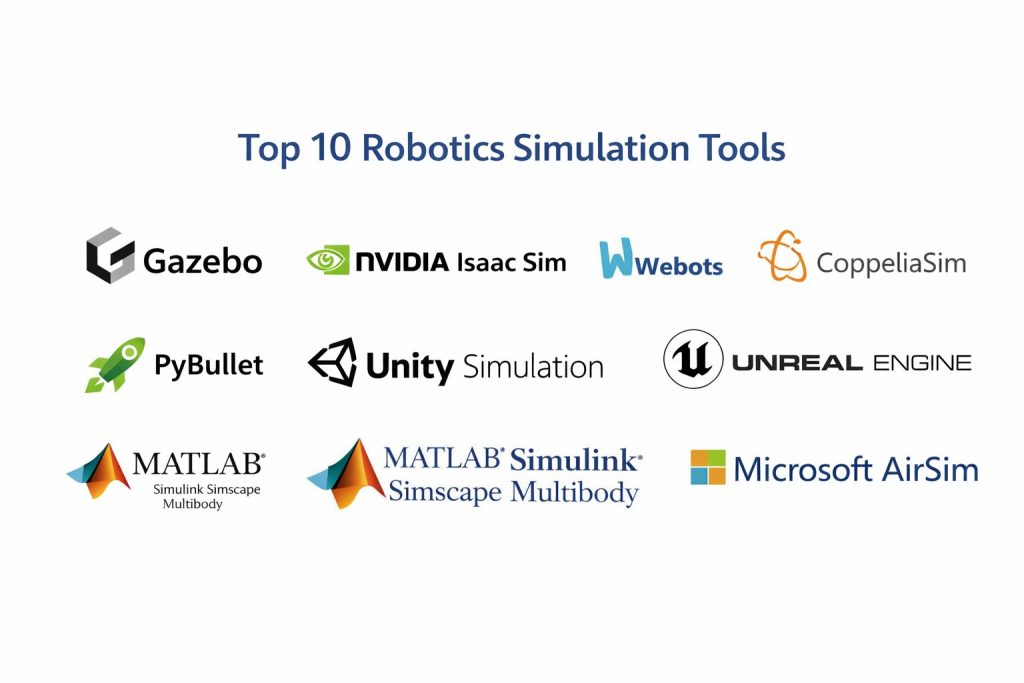
Top 10 Robotics Simulation Tools
1 — Gazebo
A robotics-focused simulator widely used in ROS-based workflows for testing robot models, sensors, and navigation in virtual environments.
Key Features
- Physics-based simulation for common robot types
- Built-in support patterns for sensor simulation
- Strong fit for ROS-centric development workflows
- Scenario setup for robot worlds and environments
- Useful debugging and visualization workflows
Pros
- Strong community adoption in robotics education and ROS ecosystems
- Practical for autonomy regression tests and repeatable scenarios
Cons
- Visual realism depends on setup and can be limited for vision-heavy testing
- Complex scenarios may require extra configuration and tuning
Platforms / Deployment
Windows / macOS / Linux, Self-hosted
Security and Compliance
Not publicly stated
Integrations and Ecosystem
Gazebo fits well into robotics pipelines that rely on standard robotics middleware and common modeling workflows.
- Common robotics stack integration patterns
- Plugin architecture for sensors and robot behaviors
- Strong ecosystem in research and education
Support and Community
Large community, many tutorials, and strong peer support; commercial support varies by vendor.
2 — NVIDIA Isaac Sim
A high-fidelity robotics simulation platform focused on advanced rendering, synthetic data generation, and scalable simulation workflows.
Key Features
- High-quality rendering for vision-based autonomy workflows
- Sensor simulation patterns for perception and robotics testing
- Synthetic data generation for training and validation
- Scalable simulation workflows for repeated testing
- Designed for modern robotics development pipelines
Pros
- Strong for perception-heavy robotics and synthetic data use cases
- Good for large-scale simulation and scenario variation
Cons
- Hardware demands can be high depending on scene complexity
- Learning curve for full platform usage can be significant
Platforms / Deployment
Windows / Linux, Self-hosted
Security and Compliance
Not publicly stated
Integrations and Ecosystem
Isaac Sim is commonly used when teams need high-quality visuals, sensor fidelity, and large-scale scenario testing.
- Ecosystem support for robotics development workflows
- Tools for dataset creation and scenario variation
- Pipeline fit improves with standardized asset management
Support and Community
Growing community and enterprise support options depending on usage and licensing.
3 — Webots
A robotics simulator known for accessibility, robotics-friendly modeling, and a practical balance of realism and ease of use.
Key Features
- Robotics-specific modeling and simulation workflows
- Useful sensor simulation for common robotics use cases
- Strong educational and research usage patterns
- Practical tools for building and testing robot behaviors
- Efficient environment setup for many robot categories
Pros
- Easier onboarding for many robotics teams
- Good balance of capability and usability
Cons
- Extreme photorealism is not the primary focus
- Some advanced workflows may require additional tuning and extensions
Platforms / Deployment
Windows / macOS / Linux, Self-hosted
Security and Compliance
Not publicly stated
Integrations and Ecosystem
Webots is often selected for quick robotics prototyping and stable simulation workflows.
- Robotics middleware integration patterns
- Libraries and examples for faster adoption
- Practical ecosystem for research and education
Support and Community
Good documentation and active community; support depends on distribution and organization needs.
4 — CoppeliaSim
A flexible robotics simulator used for manipulators, mobile robots, and research workflows, known for scripting and broad robotics experimentation.
Key Features
- Strong support for manipulators and mobile robot simulation
- Flexible scripting for behaviors and control logic
- Useful tools for scene composition and testing
- Multiple physics options depending on configuration
- Good for research-style rapid experimentation
Pros
- Very flexible for testing different robot behaviors
- Helpful scripting support for automation and repeatability
Cons
- UI and workflow preferences vary by user
- Realism and performance depend on setup choices
Platforms / Deployment
Windows / macOS / Linux, Self-hosted
Security and Compliance
Not publicly stated
Integrations and Ecosystem
CoppeliaSim is commonly used where rapid iteration and scripted control loops are important.
- Script-driven automation for experiments
- Supports broader robotics research workflows
- Often used as a testbed for algorithms and motion planning
Support and Community
Active user community; vendor support depends on licensing.
5 — MuJoCo
Overview: A physics engine widely used for robotics research and control testing, especially where contact dynamics and stability matter.
Key Features
- Strong physics for contact-rich simulation
- Efficient simulation speed for many control workloads
- Useful for manipulator and locomotion research workflows
- Good for repeatable testing of dynamics and controllers
- Often used in reinforcement learning research pipelines
Pros
- High-quality dynamics modeling for many robotics tasks
- Good performance for iterative experimentation
Cons
- Not focused on photorealistic visuals or environment authoring
- Requires modeling skill to build accurate robot representations
Platforms / Deployment
Windows / macOS / Linux, Self-hosted
Security and Compliance
Not publicly stated
Integrations and Ecosystem
MuJoCo is often chosen for control and learning workflows where physics accuracy and speed are top priorities.
- Common in robotics research and RL environments
- Works well with scripted training pipelines
- Often paired with separate tools for visuals and scenario building
Support and Community
Strong research community; documentation and ecosystem resources are widely available.
6 — PyBullet
A lightweight physics simulation environment used for robotics prototyping, research, and algorithm testing with a strong developer-first feel.
Key Features
- Fast physics simulation for prototyping and testing
- Practical for manipulator and mobile robot experiments
- Script-friendly workflow for automation and batch runs
- Useful for learning, demos, and early-stage validation
- Works well for RL and control testing patterns
Pros
- Easy to start and iterate quickly
- Good for research prototypes and algorithm experimentation
Cons
- Visual realism and sensor fidelity may require extra work
- Large-scale scenario tooling can be limited compared to full platforms
Platforms / Deployment
Windows / macOS / Linux, Self-hosted
Security and Compliance
Not publicly stated
Integrations and Ecosystem
PyBullet is often used in developer-centric workflows where scripting and repeatability matter most.
- Strong fit for Python-driven testing pipelines
- Common usage in RL and control demos
- Often combined with other tools for richer environments
Support and Community
Good community resources, examples, and discussion forums.
7 — Unity Simulation
A simulation approach built around a real-time engine workflow, often used for synthetic data generation and robotics-like environment testing.
Key Features
- Real-time rendering for vision-driven testing
- Flexible environment authoring with asset ecosystems
- Useful for synthetic data creation workflows
- Supports scalable scenario variation patterns
- Strong tooling for interactive scene building
Pros
- Strong for visual simulation and dataset generation
- Good authoring experience and asset availability
Cons
- Robotics-specific physics and sensors often need careful setup
- Best results require strong pipeline discipline and engineering support
Platforms / Deployment
Windows / macOS / Linux, Self-hosted
Security and Compliance
Not publicly stated
Integrations and Ecosystem
Unity-based simulation fits teams that want a flexible world builder and real-time visuals.
- Large asset and plugin ecosystem
- Scriptable workflows for automation
- Works best with a defined robotics simulation framework approach
Support and Community
Very large community; enterprise support options vary.
8 — Unreal Engine
A real-time engine used for high-quality visuals, large environments, and simulation-like workflows where realism and fast iteration matter.
Key Features
- High-quality real-time rendering for visual realism
- Strong environment creation and lighting workflows
- Large asset ecosystem for rapid world building
- Useful for vision-based autonomy testing patterns
- Scales well for large scenes when optimized
Pros
- Excellent for photorealistic scenarios and visual testing
- Strong ecosystem for assets and real-time production
Cons
- Robotics physics and sensor modeling require careful engineering
- Can be heavy for simple control-only simulation use cases
Platforms / Deployment
Windows / macOS / Linux, Self-hosted
Security and Compliance
Not publicly stated
Integrations and Ecosystem
Unreal is often used as a visual simulation layer to create realistic scenes for autonomy testing.
- Large plugin and asset ecosystem
- Scriptable tools for scenario automation
- Works best when paired with a robotics framework or middleware approach
Support and Community
Very strong community and learning content; support tiers vary.
9 — MATLAB Simulink Simscape Multibody
A model-based engineering and simulation environment used for robotics control design, dynamics modeling, and system-level validation.
Key Features
- Model-based workflow for control system design
- Multibody dynamics modeling for robot mechanisms
- Useful for controller tuning and system validation
- Strong analysis tooling for stability and performance
- Good for engineering teams building reliable control pipelines
Pros
- Strong for control design, validation, and engineering workflows
- Excellent analysis tools for complex systems
Cons
- Not primarily designed for photorealistic environment simulation
- Licensing costs can be high for some teams
Platforms / Deployment
Windows / macOS / Linux, Self-hosted
Security and Compliance
Not publicly stated
Integrations and Ecosystem
This toolset fits teams that need rigorous control and system modeling with repeatable results.
- Works well in engineering and analysis pipelines
- Integration patterns depend on tooling and workflow choices
- Strong fit for teams using model-based design approaches
Support and Community
Strong vendor support and extensive documentation; community resources are broad.
10 — Microsoft AirSim
A simulation platform often used for drones and vehicles, built for autonomy testing patterns and controlled scenario experimentation.
Key Features
- Strong fit for drones and vehicle-style simulation workflows
- Useful sensor simulation patterns for autonomy testing
- Practical environment and scenario testing approach
- Good for rapid testing of navigation and control logic
- Supports repeatable experiments for autonomy development
Pros
- Useful for aerial robotics and vehicle autonomy patterns
- Good for scenario-based autonomy testing
Cons
- Robotics scope can be narrower than general-purpose simulators
- Long-term maintenance and ecosystem direction can vary by adoption
Platforms / Deployment
Windows / Linux, Self-hosted
Security and Compliance
Not publicly stated
Integrations and Ecosystem
AirSim is often used when teams want a practical platform for drone and vehicle autonomy experiments.
- Works well in autonomy algorithm testing pipelines
- Scenario repeatability helps regression testing
- Often combined with other tools depending on the robotics stack
Support and Community
Community resources exist; support and activity levels vary.
Comparison Table
| Tool Name | Best For | Platform(s) Supported | Deployment | Standout Feature | Public Rating |
|---|---|---|---|---|---|
| Gazebo | ROS-centric robot simulation | Windows, macOS, Linux | Self-hosted | Robotics-first simulation workflows | N/A |
| NVIDIA Isaac Sim | High-fidelity perception simulation | Windows, Linux | Self-hosted | Visual realism and synthetic data patterns | N/A |
| Webots | Accessible robotics prototyping | Windows, macOS, Linux | Self-hosted | Balanced usability and robotics focus | N/A |
| CoppeliaSim | Flexible robotics experimentation | Windows, macOS, Linux | Self-hosted | Script-driven robotics testing | N/A |
| MuJoCo | Contact-rich physics research | Windows, macOS, Linux | Self-hosted | Fast, high-quality dynamics | N/A |
| PyBullet | Developer-first prototyping | Windows, macOS, Linux | Self-hosted | Easy scripting and iteration | N/A |
| Unity Simulation | Visual simulation and datasets | Windows, macOS, Linux | Self-hosted | Flexible environment authoring | N/A |
| Unreal Engine | Photorealistic scenarios | Windows, macOS, Linux | Self-hosted | High-quality real-time rendering | N/A |
| MATLAB Simulink Simscape Multibody | Model-based control validation | Windows, macOS, Linux | Self-hosted | Control design and multibody modeling | N/A |
| Microsoft AirSim | Drone and vehicle autonomy tests | Windows, Linux | Self-hosted | Autonomy scenario experimentation | N/A |
Evaluation and Scoring of Robotics Simulation Tools
Weights
Core features 25 percent
Ease of use 15 percent
Integrations and ecosystem 15 percent
Security and compliance 10 percent
Performance and reliability 10 percent
Support and community 10 percent
Price and value 15 percent
| Tool Name | Core | Ease | Integrations | Security | Performance | Support | Value | Weighted Total |
|---|---|---|---|---|---|---|---|---|
| Gazebo | 8.5 | 7.5 | 9.0 | 6.0 | 7.5 | 8.5 | 8.5 | 8.02 |
| NVIDIA Isaac Sim | 9.0 | 6.5 | 8.0 | 6.0 | 8.5 | 7.0 | 6.5 | 7.63 |
| Webots | 8.0 | 8.0 | 7.5 | 6.0 | 7.5 | 7.5 | 8.0 | 7.73 |
| CoppeliaSim | 8.0 | 7.5 | 7.5 | 6.0 | 7.5 | 7.0 | 7.5 | 7.53 |
| MuJoCo | 8.5 | 6.5 | 7.0 | 6.0 | 8.5 | 7.5 | 8.5 | 7.78 |
| PyBullet | 7.5 | 8.0 | 7.0 | 5.5 | 7.5 | 7.0 | 9.0 | 7.68 |
| Unity Simulation | 7.5 | 7.0 | 8.5 | 5.5 | 8.0 | 8.0 | 6.5 | 7.35 |
| Unreal Engine | 7.5 | 6.5 | 8.5 | 5.5 | 8.5 | 8.5 | 7.5 | 7.55 |
| MATLAB Simulink Simscape Multibody | 8.5 | 6.5 | 7.5 | 6.5 | 8.0 | 8.0 | 6.0 | 7.43 |
| Microsoft AirSim | 7.5 | 7.0 | 7.5 | 5.5 | 7.5 | 6.5 | 8.0 | 7.30 |
How to interpret the scores
These scores are comparative and designed to help shortlisting, not declare a universal winner. A slightly lower total can still be the best choice if it matches your robot type, team skills, and testing goals. Core features and integrations usually determine long-term pipeline fit, while ease of use impacts onboarding speed and iteration cycles. Performance matters most when you need large worlds or parallel runs for training. Value changes based on licensing and how much of the platform you truly adopt, so validate with a pilot.
Which Robotics Simulation Tool Is Right for You
Solo or Freelancer
If you want a practical robotics-first simulator with strong community learning, Gazebo and Webots are often good starting points. If your work is more research or control focused, PyBullet and MuJoCo can help you iterate quickly with scripting and repeatable experiments. For visual simulation and synthetic data workflows, Unity Simulation can be useful when you already know real-time engines.
SMB
Small teams often need a balance of realism, speed, and manageable setup. Webots and Gazebo work well for prototyping robots and testing autonomy behaviors. If vision is central to your product, NVIDIA Isaac Sim can help, but plan for hardware needs and pipeline setup. CoppeliaSim can also be a strong choice when your team wants flexible scripting and fast experiments.
Mid-Market
At this level, integration and repeatable regression testing become critical. Gazebo is often used when ROS workflows are central and you want consistent scenario testing. NVIDIA Isaac Sim can support perception-driven validation and scalable scenario variation. Unreal Engine or Unity Simulation can help when you want photorealistic environments for vision testing, but budget engineering time for robotics-specific setup.
Enterprise
Enterprise teams typically focus on standardization, reproducibility, and pipeline governance. MATLAB Simulink Simscape Multibody is strong for rigorous control design and validation workflows. For autonomy stacks and scenario regression, Gazebo is practical when the team is ROS-heavy. If vision and synthetic data are major needs, Isaac Sim plus a disciplined asset pipeline can be a strong path, while Unreal Engine can deliver realistic worlds for complex scenario testing.
Budget vs Premium
Budget-focused stacks often combine Gazebo or Webots with PyBullet for fast experiments. Premium setups often use Isaac Sim for perception realism and scaled testing, and MATLAB Simulink Simscape Multibody for engineering-grade control validation. Engines like Unreal or Unity can be premium choices when photorealism is critical for your perception pipeline.
Feature Depth vs Ease of Use
Webots is often easier to adopt for robotics-first simulation. Gazebo can be deeper and more flexible but may require more setup. MuJoCo and PyBullet are efficient for control and learning workflows but need more modeling and coding discipline. Isaac Sim and game engines can deliver strong visuals, but demand more pipeline and environment engineering.
Integrations and Scalability
Gazebo tends to integrate well in robotics middleware workflows and supports repeatable scenario testing. Isaac Sim and real-time engines can scale scenario variation and visual fidelity, especially for training and dataset workflows. For system modeling and control pipelines, MATLAB Simulink Simscape Multibody provides strong engineering integration patterns.
Security and Compliance Needs
Most simulation tools are self-hosted and run on developer workstations or compute nodes, so security often depends on your environment controls, access management, and asset handling. If you have strict compliance requirements, prioritize repeatable builds, controlled plugin usage, access controls around datasets, and least-privilege for project assets. When vendor compliance details are unclear, treat them as not publicly stated and validate through formal procurement channels.
Frequently Asked Questions
1. What is the biggest benefit of robotics simulation
Simulation reduces cost and risk by letting you test control, autonomy, and sensors before hardware is available. It also makes edge cases repeatable, which is hard to do in the real world.
2. Which tool is best for ROS-based robotics teams
Gazebo is often a strong fit when your workflow is centered on ROS-style development patterns. Webots can also work well when you want easier onboarding and structured robotics workflows.
3. Do I need photorealistic simulation for robotics
Not always. If you rely heavily on cameras and deep learning perception, better visuals can help. If your robot relies more on LiDAR, odometry, or control loops, physics and sensor behavior can matter more than realism.
4. How do I validate that a simulator is accurate enough
Run controlled tests comparing simulation outputs to real robot logs for the same motion and environment conditions. Focus on the parts that matter most, such as contact dynamics, sensor noise, and timing.
5. What are common mistakes when using simulation
Teams often trust results without calibrating sensors and dynamics, or they build scenarios that are too clean. Another common mistake is failing to test edge cases like lighting changes, reflections, or friction variation.
6. How should I choose between MuJoCo and PyBullet
MuJoCo is often chosen when you want high-quality dynamics for control and contact-rich tasks. PyBullet is often chosen when you want quick prototyping, scripting, and a lightweight experimentation loop.
7. Can game engines be used for robotics simulation
Yes, especially for vision-heavy robotics where realistic environments matter. However, you usually need additional work to model sensors, physics settings, and robotics middleware integration reliably.
8. How important is determinism in robotics simulation
Very important for regression testing and debugging. Deterministic runs help you reproduce issues and verify that code changes are responsible for improvements or regressions.
9. What is the best approach for training reinforcement learning in simulation
Use parallel simulation runs, vary scenarios to avoid overfitting, and validate the trained policy with realistic noise and disturbances. Then test cautiously on real hardware using staged rollouts.
10. How do I build a practical pilot to pick a simulator
Shortlist two or three tools and test the same robot model, same sensors, and the same scenarios across them. Measure stability, ease of scenario creation, integration effort, and how close behavior matches real-world expectations.
Conclusion
Robotics simulation tools are essential because they let teams design, test, and refine robots safely before real-world deployment. The right choice depends on your robot type, your autonomy stack, your sensing needs, and how much realism you require. Gazebo and Webots are strong for robotics-first testing and practical workflows. MuJoCo and PyBullet are excellent for fast control experiments and learning pipelines where repeatability and speed matter. NVIDIA Isaac Sim, Unity Simulation, and Unreal Engine can be valuable when perception and synthetic data are central, but they require more pipeline discipline and compute planning. MATLAB Simulink Simscape Multibody fits teams that need engineering-grade control validation. A good next step is to shortlist two or three tools, run a small pilot with real robot models and sensor profiles, and confirm integration effort, performance, and repeatability before standardizing.