Introduction
Retail workforce scheduling tools help stores plan shifts, assign staff, control labor costs, and keep the right people on the floor at the right time. These platforms turn sales forecasts, footfall patterns, staffing rules, and employee availability into schedules that are fair, compliant, and practical. They matter because retail teams face high turnover, variable demand, and constant last-minute changes due to absences or store events. Common use cases include weekly shift planning, seasonal ramp-up, multi-store coverage, overtime control, and real-time shift swaps. When evaluating a tool, focus on forecasting accuracy, automation quality, compliance support, ease of manager workflows, employee experience (mobile), integrations with time and payroll, reporting depth, scalability across locations, reliability during peak periods, and how well the system handles exceptions.
Best for: store managers, regional managers, HR and operations teams, and workforce planners managing shift-based retail teams across single or multiple locations.
Not ideal for: small shops with very stable staffing and fixed hours where a simple shared calendar can work, or businesses that do not track labor rules, overtime, or time and attendance.
Key Trends in Retail Workforce Scheduling
- AI-assisted demand forecasting using sales, footfall, weather signals, and promotions (quality varies by tool and data)
- Automation-first scheduling that balances coverage, skills, cost targets, and employee preferences
- Mobile-first employee experience for availability, shift swaps, and time-off requests
- Stronger compliance handling for breaks, overtime, minor labor rules, and local scheduling rules
- Real-time schedule adjustments based on live store conditions and staffing changes
- Skills-based scheduling to ensure coverage for key roles like cashier, customer service, and inventory
- Integrated labor budgeting that ties schedules to daily targets and controllable costs
- Multi-location optimization with cross-store sharing and region-level visibility
- Better analytics for schedule effectiveness, absenteeism, and labor productivity
- Tighter integrations with time tracking, payroll, HR systems, and store operations platforms
How We Selected These Tools (Methodology)
- Looked for widely adopted workforce scheduling products used in retail and shift-based industries
- Prioritized strong scheduling automation, forecasting, and compliance-related rules handling
- Considered employee experience features that reduce manager workload and call-outs
- Evaluated integration readiness for time clocks, payroll, HR, and enterprise systems
- Included options that fit different business sizes from single-store to large enterprise
- Weighed operational reliability for peak trading days and multi-store rollouts
- Considered reporting depth for labor cost control and operational decision-making
- Used comparative scoring to reflect typical retail needs rather than niche edge cases
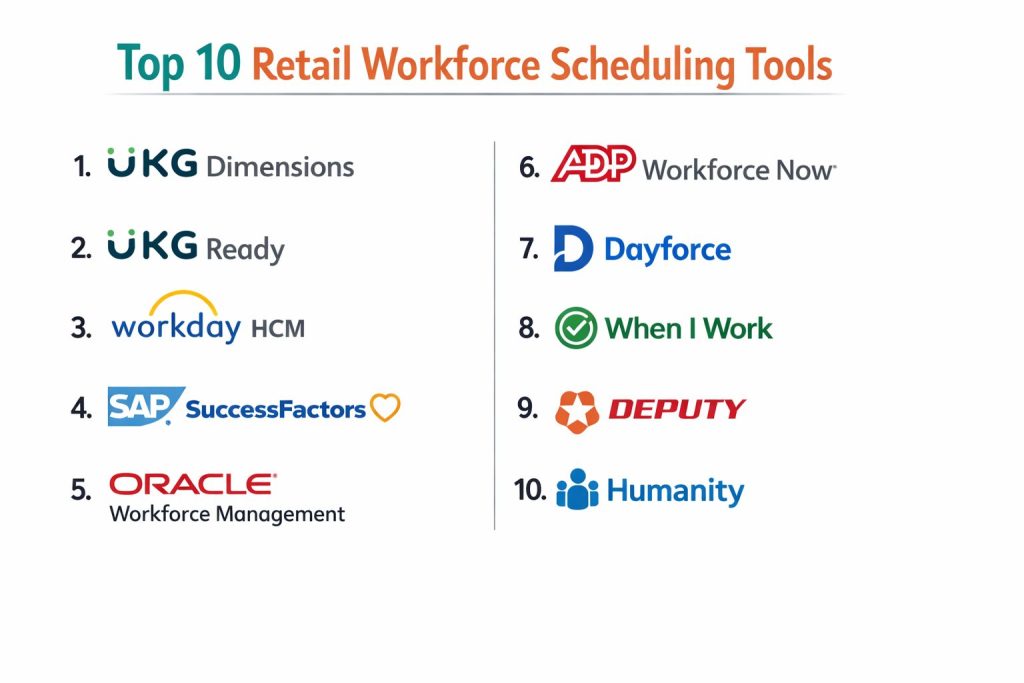
Top 10 Retail Workforce Scheduling Tools
1) UKG Dimensions
A workforce management platform focused on scheduling, time, and labor optimization at scale. Strong fit for retailers needing advanced rules, forecasting, and multi-location governance.
Key Features
- Automated scheduling based on demand, labor targets, and staffing rules
- Coverage planning with skills and role-based requirements
- Time and attendance alignment to reduce schedule vs actual variance
- Compliance-oriented scheduling rules for breaks, overtime, and policies
- Multi-location visibility with centralized controls and templates
- Workforce analytics for labor cost and productivity insights
- Exception handling for absences, swaps, and urgent coverage gaps
Pros
- Strong for enterprise retail scheduling complexity and rules
- Good visibility for regional and corporate workforce teams
Cons
- Setup and configuration can be complex for smaller teams
- Total cost can be higher depending on modules and scale
Platforms / Deployment
- Web / iOS / Android
- Cloud (varies / N/A for deeper hosting details)
Security & Compliance
- SSO/SAML, MFA, encryption, audit logs, RBAC: Not publicly stated
- SOC 2, ISO 27001, GDPR, HIPAA: Not publicly stated
Integrations & Ecosystem
Designed to connect with enterprise HR, payroll, and time ecosystems, often using standard connectors and APIs depending on the environment.
- Payroll and HR integrations: Varies / N/A
- Time device and clock integrations: Varies / N/A
- APIs and extensibility: Varies / Not publicly stated
- Reporting exports to BI tools: Varies / N/A
Support & Community
Enterprise-grade onboarding and support options are common; documentation quality varies by plan and implementation partner.
2) UKG Ready
A workforce platform aimed at mid-sized organizations needing scheduling, time, and HR alignment. Works well for retailers that want a practical balance between capability and manageability.
Key Features
- Shift scheduling with availability, templates, and labor controls
- Employee self-service for shift swaps and time-off requests
- Time tracking alignment to reduce payroll surprises
- Rules-driven scheduling to support policy and compliance needs
- Manager dashboards for coverage gaps and staffing alerts
- Reporting for labor hours, overtime, and attendance patterns
- Mobile experience for store teams and supervisors
Pros
- Strong fit for mid-sized retailers needing scheduling plus HR alignment
- Employee self-service can reduce manager workload
Cons
- Advanced enterprise optimization may be less deep than top-tier WFM suites
- Integrations may require planning depending on payroll/HR landscape
Platforms / Deployment
- Web / iOS / Android
- Cloud (varies / N/A)
Security & Compliance
- SSO/SAML, MFA, encryption, audit logs, RBAC: Not publicly stated
- SOC 2, ISO 27001, GDPR, HIPAA: Not publicly stated
Integrations & Ecosystem
Commonly connects to payroll, HR, and time processes and supports operational reporting workflows.
- Payroll integrations: Varies / N/A
- HR integrations: Varies / N/A
- APIs and automation: Varies / Not publicly stated
- Data export and reporting: Varies / N/A
Support & Community
Support tiers and onboarding vary; typically suitable for mid-market rollouts with guided setup.
3) Workday HCM
A broad enterprise HR platform that can support scheduling through workforce and time-related capabilities depending on the setup. Best for retailers already standardized on the Workday ecosystem.
Key Features
- Centralized workforce data for scheduling and workforce planning alignment
- Time and attendance capabilities (scope depends on configuration)
- Policy-driven workflows for approvals, time-off, and exceptions
- Reporting and analytics for workforce and labor visibility
- Role-based access controls across HR and workforce processes
- Integration-friendly architecture for enterprise systems
- Global workforce management patterns (depends on rollout)
Pros
- Strong enterprise platform alignment when HR and workforce processes must be unified
- Good reporting foundation when data is standardized
Cons
- Scheduling depth depends heavily on modules and implementation choices
- Often heavier to implement compared to scheduling-only tools
Platforms / Deployment
- Web / iOS / Android
- Cloud (varies / N/A)
Security & Compliance
- SSO/SAML, MFA, encryption, audit logs, RBAC: Not publicly stated
- SOC 2, ISO 27001, GDPR, HIPAA: Not publicly stated
Integrations & Ecosystem
Works in enterprise landscapes where integration and data governance are important.
- Payroll integrations: Varies / N/A
- Identity and access integrations: Varies / N/A
- APIs and data connectors: Varies / Not publicly stated
- BI and reporting exports: Varies / N/A
Support & Community
Strong enterprise support model, with structured documentation and partner ecosystems; outcomes depend on implementation quality.
4) SAP SuccessFactors
An enterprise HR suite that can support workforce scheduling needs depending on modules and integrations. Best for organizations already using SAP for HR and enterprise operations.
Key Features
- Workforce and HR data foundation to support labor planning workflows
- Time-related capabilities and approvals (scope depends on setup)
- Role and policy-based controls for workforce operations
- Reporting and analytics for labor and workforce visibility
- Integration options within broader SAP ecosystems
- Global HR workflows and governance patterns
- Configurable processes for enterprise standards
Pros
- Strong for enterprises needing HR standardization and governance
- Works well when SAP is already core to operations
Cons
- Scheduling optimization depth may require additional components
- Implementation can be complex and time-consuming
Platforms / Deployment
- Web / iOS / Android
- Cloud (varies / N/A)
Security & Compliance
- SSO/SAML, MFA, encryption, audit logs, RBAC: Not publicly stated
- SOC 2, ISO 27001, GDPR, HIPAA: Not publicly stated
Integrations & Ecosystem
Integrates well inside SAP landscapes and can connect to external payroll and operational systems depending on architecture.
- SAP ecosystem integrations: Varies / N/A
- Payroll and time systems: Varies / N/A
- APIs and connectors: Varies / Not publicly stated
- Reporting and exports: Varies / N/A
Support & Community
Enterprise support and partner ecosystem are strong; success depends on solution design and rollout governance.
5) Oracle Workforce Management
A workforce management option suited to organizations that use Oracle enterprise systems and want time and labor governance. Best when Oracle is already a core platform.
Key Features
- Workforce scheduling and time alignment patterns (scope depends on setup)
- Rule-driven controls for labor policies and approvals
- Reporting for workforce and labor cost visibility
- Integration patterns with enterprise HR and payroll systems
- Centralized administration for multi-location operations
- Role-based permissions for workforce teams
- Configurable workflows for retail operational needs
Pros
- Useful when Oracle is already central to HR and operations
- Supports governance-heavy enterprise environments
Cons
- Feature depth and UX depend on chosen Oracle components
- Implementation can be heavy for scheduling-only needs
Platforms / Deployment
- Web / iOS / Android
- Cloud (varies / N/A)
Security & Compliance
- SSO/SAML, MFA, encryption, audit logs, RBAC: Not publicly stated
- SOC 2, ISO 27001, GDPR, HIPAA: Not publicly stated
Integrations & Ecosystem
Designed to operate in enterprise ecosystems with structured integration patterns.
- Oracle ecosystem integrations: Varies / N/A
- Payroll and time devices: Varies / N/A
- APIs and extensibility: Varies / Not publicly stated
- Data exports and reporting: Varies / N/A
Support & Community
Enterprise support and partner options exist; usability and success depend on rollout design.
6) ADP Workforce Now
A popular HR and payroll platform that includes scheduling and time-adjacent capabilities depending on configuration. Best for retailers that prioritize payroll alignment and HR workflows.
Key Features
- Scheduling and time-related workflows (scope varies by setup)
- Payroll-centric alignment to reduce time-to-payroll friction
- Employee self-service for availability and requests (varies)
- Manager tools for approvals, time-off, and exceptions
- Reporting on hours, overtime, and attendance patterns
- Role-based access for managers and HR teams
- Multi-location support patterns (depends on configuration)
Pros
- Strong payroll alignment for retailers focused on pay accuracy
- Familiar workflows for HR teams already using ADP
Cons
- Advanced scheduling optimization may be limited vs specialized WFM tools
- Integrations and capabilities depend on selected modules
Platforms / Deployment
- Web / iOS / Android
- Cloud (varies / N/A)
Security & Compliance
- SSO/SAML, MFA, encryption, audit logs, RBAC: Not publicly stated
- SOC 2, ISO 27001, GDPR, HIPAA: Not publicly stated
Integrations & Ecosystem
Often used as the payroll center with connections to time, attendance, and operational tools.
- Payroll and HR ecosystem: Varies / N/A
- Time capture integrations: Varies / N/A
- APIs and connectors: Varies / Not publicly stated
- Reporting exports: Varies / N/A
Support & Community
Support tiers are common; implementation and onboarding quality can vary based on plan and services.
7) Dayforce
A workforce management and HCM platform built for scheduling, time, and labor management. Strong fit for retailers needing real-time labor visibility and rules-based scheduling.
Key Features
- Scheduling with labor controls and coverage planning
- Time and attendance integration for schedule-to-pay alignment
- Rules-driven compliance support for breaks and overtime
- Manager dashboards for exceptions and staffing gaps
- Employee mobile experience for schedules and shift swaps
- Analytics for labor cost, attendance, and productivity signals
- Multi-location support and policy governance
Pros
- Strong scheduling and time alignment for retail operations
- Good for organizations needing rules-based controls at scale
Cons
- Rollouts can require careful configuration and change management
- Best outcomes often require strong data hygiene and policy setup
Platforms / Deployment
- Web / iOS / Android
- Cloud (varies / N/A)
Security & Compliance
- SSO/SAML, MFA, encryption, audit logs, RBAC: Not publicly stated
- SOC 2, ISO 27001, GDPR, HIPAA: Not publicly stated
Integrations & Ecosystem
Often used as a combined scheduling + time platform with integrations to payroll and HR processes where needed.
- Payroll integrations: Varies / N/A
- Time devices and clocks: Varies / N/A
- APIs and connectors: Varies / Not publicly stated
- Exports to reporting tools: Varies / N/A
Support & Community
Enterprise-oriented support model with structured onboarding; the customer community and partner ecosystem vary by region.
8) When I Work
A scheduling tool designed for shift-based teams with a simple manager experience and strong employee mobile workflow. Great for smaller retailers needing scheduling without heavy enterprise complexity.
Key Features
- Quick schedule building with templates and availability rules
- Employee mobile access to schedules, swaps, and messages
- Time tracking options (scope varies by setup)
- Simple labor controls for overtime awareness
- Team communication features to reduce missed shifts
- Multi-location scheduling basics (depends on usage)
- Reporting for hours, attendance patterns, and schedule changes
Pros
- Easy to adopt and fast for managers to use daily
- Strong mobile experience for store teams
Cons
- Advanced forecasting and optimization can be limited
- Larger enterprises may outgrow reporting and governance needs
Platforms / Deployment
- Web / iOS / Android
- Cloud
Security & Compliance
- SSO/SAML, MFA, encryption, audit logs, RBAC: Not publicly stated
- SOC 2, ISO 27001, GDPR, HIPAA: Not publicly stated
Integrations & Ecosystem
Supports common scheduling workflows and can connect to payroll and time processes depending on business needs.
- Payroll connections: Varies / N/A
- Time and attendance workflows: Varies / N/A
- APIs and integrations: Varies / Not publicly stated
- Communication and notifications: Built-in, plus options vary
Support & Community
Generally straightforward documentation and onboarding; support tiers vary by plan.
9) Deputy
A scheduling and workforce management tool popular with shift-based businesses, including retail. Strong fit for teams needing fast scheduling, employee self-service, and practical compliance rules.
Key Features
- Scheduling with templates, availability, and coverage controls
- Shift swaps and open shifts to reduce manager calls
- Labor cost visibility and schedule vs actual tracking (setup dependent)
- Time tracking integration patterns (scope varies)
- Break rules and overtime awareness (rules vary by region and setup)
- Multi-location scheduling for growing retail operations
- Mobile-first employee experience for daily scheduling tasks
Pros
- Good balance of capability and ease for retail managers
- Employee self-service reduces scheduling friction
Cons
- Enterprise governance depth may be less than large WFM suites
- Integrations should be validated for your payroll stack
Platforms / Deployment
- Web / iOS / Android
- Cloud
Security & Compliance
- SSO/SAML, MFA, encryption, audit logs, RBAC: Not publicly stated
- SOC 2, ISO 27001, GDPR, HIPAA: Not publicly stated
Integrations & Ecosystem
Deputy is often used alongside payroll and HR tools and supports integration workflows depending on environment.
- Payroll and HR integrations: Varies / N/A
- Time and attendance workflows: Varies / N/A
- APIs and extensions: Varies / Not publicly stated
- Export and reporting: Varies / N/A
Support & Community
Strong onboarding guidance for SMBs and growing teams; support options vary by plan and region.
10) Humanity
A workforce scheduling tool built for shift-based operations needing schedule automation, employee availability management, and team communication. Suitable for retailers wanting practical scheduling controls and coverage visibility.
Key Features
- Schedule building with templates and role-based assignment
- Availability management and time-off workflows
- Shift swaps and notifications to reduce missed coverage
- Basic labor control visibility for overtime and staffing levels
- Multi-location scheduling patterns for distributed teams
- Reporting for scheduling trends and coverage gaps
- Communication tools for schedule changes and updates
Pros
- Practical scheduling features for shift-based retail teams
- Helps reduce manual coordination through self-service features
Cons
- Advanced forecasting and optimization may be limited for large enterprises
- Some feature depth can depend on plan and configuration
Platforms / Deployment
- Web / iOS / Android
- Cloud
Security & Compliance
- SSO/SAML, MFA, encryption, audit logs, RBAC: Not publicly stated
- SOC 2, ISO 27001, GDPR, HIPAA: Not publicly stated
Integrations & Ecosystem
Humanity typically fits into payroll and time workflows through integrations that vary by environment.
- Payroll connections: Varies / N/A
- Time and attendance workflows: Varies / N/A
- APIs and integrations: Varies / Not publicly stated
- Reporting exports: Varies / N/A
Support & Community
Documentation and onboarding are generally approachable; support levels vary depending on plan and region.
Comparison Table (Top 10)
| Tool Name | Best For | Platform(s) Supported | Deployment | Standout Feature | Public Rating |
|---|---|---|---|---|---|
| UKG Dimensions | Enterprise retail scheduling optimization | Web, iOS, Android | Cloud | Rules-driven automation at scale | N/A |
| UKG Ready | Mid-sized retail scheduling with HR alignment | Web, iOS, Android | Cloud | Balanced scheduling + workforce workflows | N/A |
| Workday HCM | Enterprise HR-centered workforce governance | Web, iOS, Android | Cloud | Unified workforce data foundation | N/A |
| SAP SuccessFactors | SAP-led enterprise HR standardization | Web, iOS, Android | Cloud | Governance and enterprise HR alignment | N/A |
| Oracle Workforce Management | Oracle-based enterprise workforce operations | Web, iOS, Android | Cloud | Enterprise controls and integration patterns | N/A |
| ADP Workforce Now | Payroll-centered scheduling workflows | Web, iOS, Android | Cloud | Payroll alignment and HR workflows | N/A |
| Dayforce | Scheduling plus time alignment for retail | Web, iOS, Android | Cloud | Rules-based scheduling with visibility | N/A |
| When I Work | Simple scheduling for small retail teams | Web, iOS, Android | Cloud | Fast adoption and strong mobile workflow | N/A |
| Deputy | Retail scheduling with self-service controls | Web, iOS, Android | Cloud | Practical shift swaps and coverage control | N/A |
| Humanity | Shift scheduling and coverage visibility | Web, iOS, Android | Cloud | Templates and availability-driven scheduling | N/A |
Evaluation & Scoring of Retail Workforce Scheduling
Weights: Core features 25%, Ease 15%, Integrations 15%, Security 10%, Performance 10%, Support 10%, Value 15%.
| Tool Name | Core (25%) | Ease (15%) | Integrations (15%) | Security (10%) | Performance (10%) | Support (10%) | Value (15%) | Weighted Total |
|---|---|---|---|---|---|---|---|---|
| UKG Dimensions | 9.0 | 7.5 | 8.5 | 6.5 | 8.5 | 8.0 | 6.5 | 7.93 |
| UKG Ready | 8.0 | 8.0 | 7.5 | 6.0 | 8.0 | 7.5 | 7.0 | 7.55 |
| Workday HCM | 8.0 | 7.0 | 8.0 | 7.0 | 8.0 | 8.0 | 6.0 | 7.45 |
| SAP SuccessFactors | 7.5 | 7.0 | 8.0 | 7.0 | 7.5 | 8.0 | 6.0 | 7.28 |
| Oracle Workforce Management | 7.5 | 6.5 | 7.5 | 7.0 | 7.5 | 7.5 | 6.0 | 7.08 |
| ADP Workforce Now | 7.0 | 7.5 | 7.0 | 7.0 | 7.5 | 7.5 | 7.0 | 7.23 |
| Dayforce | 8.5 | 7.5 | 7.5 | 6.5 | 8.0 | 7.5 | 6.5 | 7.65 |
| When I Work | 6.5 | 9.0 | 6.5 | 5.5 | 7.0 | 7.0 | 8.5 | 7.18 |
| Deputy | 7.5 | 8.5 | 7.0 | 6.0 | 7.5 | 7.0 | 8.0 | 7.48 |
| Humanity | 7.0 | 8.0 | 6.5 | 5.5 | 7.0 | 6.5 | 7.5 | 6.98 |
How to interpret the scores:
- Scores compare tools inside this list, not the entire market.
- A higher total suggests strong fit across many retail scenarios, not a universal winner.
- Ease and value may matter more for small teams than maximum feature depth.
- Security scoring is limited because public disclosure varies widely.
- Run a pilot with real store rules, payroll needs, and shift patterns before standardizing.
Which Retail Workforce Scheduling Tool Is Right for You?
Solo / Freelancer
Retail scheduling is rarely a solo-only need, but small owner-operators benefit from simplicity. When I Work and Humanity are typically easier to adopt and keep running daily without heavy setup. Deputy is a good step up if you want more control over swaps, coverage, and mobile self-service.
SMB
Deputy and When I Work are often strong fits for SMB retail because managers can build schedules quickly and employees can self-serve swaps and availability. UKG Ready can be a better fit when you want scheduling to connect tightly to broader workforce processes and you have multiple stores with policy rules.
Mid-Market
Dayforce and UKG Ready are strong choices when you need rules-based scheduling, better labor visibility, and more structured reporting across locations. UKG Dimensions becomes attractive when scheduling complexity and governance increase across regions and you need more advanced optimization.
Enterprise
UKG Dimensions is often a top choice when enterprise retail needs advanced scheduling logic and operational governance. Workday HCM, SAP SuccessFactors, and Oracle Workforce Management become strong candidates when the primary goal is unified HR governance, standardized enterprise processes, and large-scale integration patterns across systems.
Budget vs Premium
When I Work and Humanity usually fit budget-sensitive teams looking for quick value. Deputy can provide a solid premium step with broader scheduling controls. UKG Dimensions and Dayforce generally suit premium enterprise needs where optimization and rules depth justify higher rollout effort.
Feature Depth vs Ease of Use
If managers must schedule fast with minimal training, When I Work and Deputy typically win on daily usability. If you need strong rules, policy logic, and advanced labor optimization, UKG Dimensions and Dayforce are stronger, but require more configuration and change management.
Integrations & Scalability
If payroll and time systems are strict, prioritize integration validation early. ADP Workforce Now can work well in payroll-centered environments. Enterprise stacks using Workday HCM, SAP SuccessFactors, or Oracle Workforce Management should select scheduling capabilities that match existing HR architecture and data governance.
Security & Compliance Needs
If you have strict policy requirements, focus on role-based access, auditability, and administrative controls across locations. Where compliance details are not publicly stated, treat them as unknown and validate through vendor documentation and internal review processes.
Frequently Asked Questions (FAQs)
1. What is the main goal of retail workforce scheduling tools?
The goal is to match staffing to demand while controlling labor cost and supporting fairness. A good tool reduces last-minute chaos and improves coverage during peak hours.
2. Do these tools help with labor cost control?
Yes, many support labor targets, overtime warnings, and schedule vs actual tracking. The effectiveness depends on how well you configure rules and maintain accurate demand signals.
3. Can employees swap shifts using these tools?
Most modern tools support shift swaps, open shifts, and manager approvals. This reduces manager workload and helps fill gaps faster.
4. How long does implementation usually take?
It varies. Simple scheduling tools can be set up quickly, while enterprise platforms may require configuration, integrations, and policy mapping across stores.
5. What data improves scheduling accuracy the most?
Reliable sales patterns, footfall signals, promotion calendars, staffing standards by department, and accurate employee availability. Poor data often leads to poor schedules, even with great tools.
6. How do these tools handle compliance rules?
Many support break rules, overtime controls, and policy constraints. The detail depends on region, configuration, and the tool’s rule engine depth.
7. Do I need time tracking along with scheduling?
Scheduling works best when paired with time tracking, because you can compare planned hours to actual hours. This helps reduce payroll surprises and improves future scheduling decisions.
8. What should I test in a pilot before buying?
Test one full scheduling cycle: build schedules, approve time-off, process swaps, handle absences, and run a payroll or time export. Also test reporting and manager workflows under pressure.
9. Can these tools work for multi-store retailers?
Yes, many support multi-location scheduling, templates, and regional governance. Enterprise needs often require stronger controls and better reporting consistency.
10. How do I choose between a simple tool and an enterprise platform?
Start with your complexity: number of stores, compliance needs, forecasting needs, and integration requirements. If managers struggle daily with changes and overtime, move toward rules-based enterprise tools.
Conclusion
Retail workforce scheduling works best when it reduces manager effort, improves floor coverage, and keeps labor cost predictable without frustrating employees. Tools like When I Work, Deputy, and Humanity often shine for smaller teams because they make scheduling and shift swaps simple and fast. Mid-sized retailers frequently benefit from stronger rules and visibility through UKG Ready or Dayforce, especially when overtime and compliance matter. Enterprise retailers usually need deeper optimization, governance, and multi-location control, where UKG Dimensions can be a better fit, while Workday HCM, SAP SuccessFactors, and Oracle Workforce Management make sense when scheduling must align tightly to an enterprise HR ecosystem. The best next step is to shortlist two or three tools, run a pilot in one store cluster, validate payroll/time integrations, and measure schedule stability, coverage, and manager time saved.