Introduction
Restaurant reservation and table management tools help restaurants control bookings, assign tables, reduce wait times, and improve guest experience from the first contact to seating and turnover. They matter because guest expectations are higher, walk-in traffic is unpredictable, and restaurants need smoother operations without relying on manual logs or phone-only bookings. These tools are used for online reservations, waitlist handling, table rotation, guest preferences, no-show control, and staff coordination. When choosing a tool, evaluate reliability during peak hours, ease of use for hosts, table map flexibility, multi-location support, guest messaging, deposit or no-show policies, integrations with POS and CRM, reporting depth, and how well it supports both reservations and walk-ins.
Best for: cafes, casual dining, fine dining, cloud kitchens with dine-in, multi-location groups, hotels, and venues that need structured booking and seating control.
Not ideal for: very small outlets that rarely take reservations and mostly serve quick walk-ins, where a simple call log or basic booking form might be enough.
Key Trends in Restaurant Reservation & Table Management
- Stronger no-show prevention using deposits, card holds, and configurable rules
- Smarter waitlist management with automated SMS updates and accurate quote times
- Guest profile building to capture preferences, allergies, and visit history
- More “floor-aware” seating with dynamic pacing and server load balancing
- Multi-channel bookings from social profiles, search listings, and direct widgets (setup dependent)
- Better analytics on covers, turn times, peak demand, and marketing attribution
- More integrations with POS, loyalty, and marketing tools for a connected guest journey
- Mobile-first host controls to manage floor flow from tablets and phones
- Increased focus on data privacy and permission-based messaging
- Tools supporting events, experiences, and ticketed dining formats (varies by venue)
How We Selected These Tools (Methodology)
- Included tools with strong adoption across restaurants, hospitality groups, and venues
- Prioritized reservation + table management depth over simple booking forms
- Considered reliability at peak hours and operational workflow fit for host teams
- Evaluated guest experience features such as messaging, confirmations, and preferences
- Looked for flexible floor plans, pacing controls, and waitlist handling
- Considered fit across segments from single-location to multi-location groups
- Weighed ecosystem strength: POS compatibility, marketing links, and partner networks
- Assessed reporting quality for covers, turn time, no-shows, and demand patterns
- Ranked tools comparatively using practical capabilities, not marketing claims
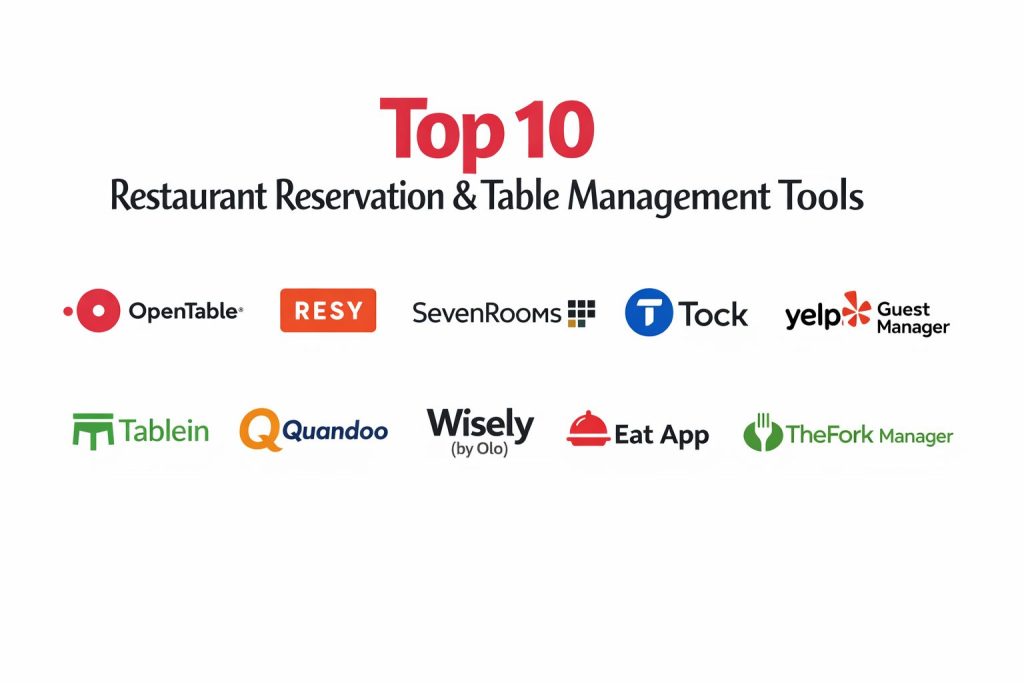
Top 10 Restaurant Reservation & Table Management Tools
1) OpenTable
A widely used reservation platform with strong guest discovery and reservation management. Often chosen by restaurants that value marketplace reach and operational tools together.
Key Features
- Reservation handling with confirmations and reminders
- Table and floor management workflows (setup dependent)
- Guest database features and visit notes (varies)
- Waitlist capabilities (varies by plan)
- Messaging to guests for updates and confirmations (varies)
- Reporting on bookings and operational activity (varies)
- Marketplace visibility for guest acquisition (varies by region)
Pros
- Strong brand reach that can drive new diners
- Mature reservation workflows for busy restaurants
Cons
- Costs can add up depending on plan and usage
- Control over guest relationship may vary by marketplace model
Platforms / Deployment
- Web / iOS / Android (host tools vary)
- Cloud
Security & Compliance
- SSO/SAML, MFA, encryption, audit logs, RBAC: Not publicly stated
- SOC 2, ISO 27001, GDPR, HIPAA: Not publicly stated
Integrations & Ecosystem
OpenTable commonly connects into hospitality workflows through partner integrations and operational exports.
- POS and restaurant systems: Varies / N/A
- Marketing and guest communication tools: Varies / N/A
- Reporting exports and data access: Varies / N/A
- Partner ecosystem and integrations: Varies / N/A
Support & Community
Well-established support channels and onboarding options that vary by plan and region.
2) Resy
A reservation and table management tool known for modern guest experience and strong operational flow. Often used by restaurants focused on high-demand booking and smooth floor pacing.
Key Features
- Reservation management with messaging workflows (setup dependent)
- Table management with floor mapping and pacing controls (varies)
- Waitlist handling and quote-time management (varies)
- Guest profiles and dining notes (varies)
- Configurable rules for bookings and seating (varies)
- Reporting on covers, demand, and seat time (varies)
- Support for experiences and special events (varies)
Pros
- Strong operational workflow for high-traffic restaurants
- Good guest messaging and booking experience
Cons
- Features and pricing can vary by market and plan
- Best value often depends on local diner adoption
Platforms / Deployment
- Web / iOS / Android
- Cloud
Security & Compliance
- SSO/SAML, MFA, encryption, audit logs, RBAC: Not publicly stated
- SOC 2, ISO 27001, GDPR, HIPAA: Not publicly stated
Integrations & Ecosystem
Resy typically fits into hospitality stacks through partner connections and workflow integrations.
- POS and restaurant tech integrations: Varies / N/A
- Marketing and guest CRM workflows: Varies / N/A
- Data exports and reporting links: Varies / N/A
- Partner ecosystem: Varies / N/A
Support & Community
Professional support and onboarding resources that vary by plan; widely used in busy dining markets.
3) SevenRooms
A reservation, waitlist, and guest experience platform focused on direct relationships and guest data. Often selected by venues that want deeper CRM-like control and personalization.
Key Features
- Reservation, waitlist, and seating management tools
- Guest profiles with preferences, tags, and history (setup dependent)
- Messaging workflows for confirmations and updates (varies)
- No-show controls such as deposits and policies (varies)
- Marketing-style segmentation features (varies)
- Reporting for demand, covers, and guest behavior (varies)
- Multi-venue and enterprise-friendly workflows (varies)
Pros
- Strong guest relationship and data depth for personalization
- Good fit for groups and venues focused on repeat guests
Cons
- Setup and configuration may require more effort
- Can be more complex than lighter reservation tools
Platforms / Deployment
- Web / iOS / Android
- Cloud
Security & Compliance
- SSO/SAML, MFA, encryption, audit logs, RBAC: Not publicly stated
- SOC 2, ISO 27001, GDPR, HIPAA: Not publicly stated
Integrations & Ecosystem
SevenRooms often integrates into broader hospitality stacks to unify guest experience and operations.
- POS and payment workflows: Varies / N/A
- Marketing and loyalty tools: Varies / N/A
- Data exports and analytics connections: Varies / N/A
- Multi-location operational integrations: Varies / N/A
Support & Community
Support and onboarding are typically structured for professional operations; exact tiers vary by plan.
4) Tock
A platform known for supporting reservations, prepaid experiences, and ticketed dining models. Often used by venues running tasting menus, events, and high-demand experiences.
Key Features
- Reservation and table management workflows (setup dependent)
- Support for prepaid bookings and ticketed experiences (varies)
- Policies for deposits, cancellations, and no-shows (varies)
- Guest communications and confirmations (varies)
- Event scheduling and experience packages (varies)
- Reporting for covers and revenue patterns (varies)
- Tools designed for premium and curated dining formats (varies)
Pros
- Strong for ticketed dining and experience-based models
- Helps reduce no-shows through prepayment and policies
Cons
- May be unnecessary for standard reservation-only restaurants
- Adoption fit depends on your dining format and market
Platforms / Deployment
- Web / iOS / Android
- Cloud
Security & Compliance
- SSO/SAML, MFA, encryption, audit logs, RBAC: Not publicly stated
- SOC 2, ISO 27001, GDPR, HIPAA: Not publicly stated
Integrations & Ecosystem
Tock commonly integrates into hospitality workflows around payments and event operations.
- Payment and booking workflows: Varies / N/A
- POS and operations: Varies / N/A
- Marketing and guest communication: Varies / N/A
- Data reporting exports: Varies / N/A
Support & Community
Professional support suitable for experience-focused venues; details vary by plan.
5) Yelp Guest Manager
A reservation and waitlist tool built for managing guest flow, often aligned with discovery and local search behavior. Suitable for restaurants that want reservation tools plus visibility patterns.
Key Features
- Reservations and waitlist handling (plan dependent)
- Guest messaging and updates (varies)
- Host tools for managing seating flow (varies)
- Basic floor and table controls (varies)
- Reporting and performance insights (varies)
- Demand handling for peak times (varies)
- Guest discovery alignment through platform presence (varies)
Pros
- Helpful for restaurants that benefit from local discovery traffic
- Strong waitlist and guest update workflows in many setups
Cons
- Capabilities may be tightly aligned to the platform ecosystem
- Some advanced table management needs may require higher tiers or alternatives
Platforms / Deployment
- Web / iOS / Android
- Cloud
Security & Compliance
- SSO/SAML, MFA, encryption, audit logs, RBAC: Not publicly stated
- SOC 2, ISO 27001, GDPR, HIPAA: Not publicly stated
Integrations & Ecosystem
Often used alongside other restaurant tools depending on the operational stack.
- POS and restaurant systems: Varies / N/A
- Guest communication tools: Varies / N/A
- Reporting exports: Varies / N/A
- Partner integrations: Varies / N/A
Support & Community
Support resources are typically structured and tiered; exact availability varies by plan and region.
6) Tablein
A restaurant reservation and CRM-style guest management tool focused on improving repeat business and operational control. Often used by restaurants wanting deeper guest profiles and messaging.
Key Features
- Reservations with confirmations and automated messaging (varies)
- Floor plan and table assignment workflows (setup dependent)
- Guest profiles, visit history, and preference tracking (varies)
- No-show reduction tools and booking rules (varies)
- Campaign-style messaging features (varies)
- Reporting for covers and operational performance (varies)
- Multi-channel booking capture options (varies)
Pros
- Strong guest database features for personalization and retention
- Good operational workflow for reservations and seating
Cons
- Integration depth depends on region and restaurant tech stack
- Some features may require configuration effort to get full value
Platforms / Deployment
- Web / iOS / Android
- Cloud
Security & Compliance
- SSO/SAML, MFA, encryption, audit logs, RBAC: Not publicly stated
- SOC 2, ISO 27001, GDPR, HIPAA: Not publicly stated
Integrations & Ecosystem
Often used with POS and marketing workflows depending on local ecosystem support.
- POS integrations: Varies / N/A
- Guest messaging and CRM patterns: Varies / N/A
- Reporting exports: Varies / N/A
- Booking widgets and channel tools: Varies / N/A
Support & Community
Support and onboarding vary by plan; commonly positioned for hospitality operators and groups.
7) Quandoo
A reservation platform used by restaurants to manage bookings and attract diners through its marketplace model. Suitable for restaurants that want both booking management and discovery exposure.
Key Features
- Online reservations and booking confirmations (varies)
- Table and shift management workflows (varies)
- Guest communications and reminders (varies)
- Marketplace discovery for guest acquisition (varies by region)
- Reporting for reservations and operational activity (varies)
- Basic guest database features (varies)
- Multi-location tools for groups (varies)
Pros
- Can drive additional bookings through marketplace exposure
- Practical reservation workflows for day-to-day operations
Cons
- Value depends on marketplace adoption in your city
- Guest ownership and data depth can vary by model and plan
Platforms / Deployment
- Web / iOS / Android
- Cloud
Security & Compliance
- SSO/SAML, MFA, encryption, audit logs, RBAC: Not publicly stated
- SOC 2, ISO 27001, GDPR, HIPAA: Not publicly stated
Integrations & Ecosystem
Usually connects through standard booking workflows and partner integrations.
- POS and operational integrations: Varies / N/A
- Marketing and messaging: Varies / N/A
- Reporting exports: Varies / N/A
- Partner ecosystem: Varies / N/A
Support & Community
Support and onboarding resources depend on plan and region; common in markets where the platform is active.
8) Wisely (by Olo)
A guest management and reservation-style solution designed for operational efficiency and guest personalization. Often considered by restaurants that want structured guest data and smoother front-of-house flow.
Key Features
- Guest profile and preference management (setup dependent)
- Reservation and waitlist workflows (varies)
- Messaging and guest communication tools (varies)
- Seating and pacing support for hosts (varies)
- Reporting on guest behavior and operational patterns (varies)
- Multi-location guest insights for restaurant groups (varies)
- Integration patterns aligned to broader restaurant tech stacks (varies)
Pros
- Strong guest data focus for personalization and repeat visits
- Useful for multi-location operations needing consistent workflows
Cons
- Fit depends on your existing restaurant tech stack
- Feature availability and packaging can vary by plan
Platforms / Deployment
- Web / iOS / Android
- Cloud
Security & Compliance
- SSO/SAML, MFA, encryption, audit logs, RBAC: Not publicly stated
- SOC 2, ISO 27001, GDPR, HIPAA: Not publicly stated
Integrations & Ecosystem
Often positioned as part of a broader hospitality technology ecosystem.
- POS and ordering ecosystem integrations: Varies / N/A
- Loyalty and guest messaging patterns: Varies / N/A
- Reporting and analytics exports: Varies / N/A
- Multi-location operational integrations: Varies / N/A
Support & Community
Support is typically structured for restaurant operators; details vary by agreement and plan.
9) Eat App
A reservation and table management tool designed for restaurants and hospitality groups, often used where structured floor control and guest messaging are priorities.
Key Features
- Reservation handling with confirmations and reminders (varies)
- Table management with floor map workflows (setup dependent)
- Waitlist management and queue handling (varies)
- Guest notes, preferences, and visit history (varies)
- No-show controls and booking rules (varies)
- Reporting on covers, turn times, and peak demand (varies)
- Multi-location features for groups (varies)
Pros
- Strong operational focus on floor control and guest flow
- Useful for restaurants and groups needing structured processes
Cons
- Integration coverage depends on region and POS ecosystem
- Full value often requires consistent staff adoption and setup
Platforms / Deployment
- Web / iOS / Android
- Cloud
Security & Compliance
- SSO/SAML, MFA, encryption, audit logs, RBAC: Not publicly stated
- SOC 2, ISO 27001, GDPR, HIPAA: Not publicly stated
Integrations & Ecosystem
Often integrates into restaurant tech stacks through POS and partner tools depending on region.
- POS integrations: Varies / N/A
- Guest communication workflows: Varies / N/A
- Data exports and reporting: Varies / N/A
- Partner ecosystem: Varies / N/A
Support & Community
Support resources and onboarding vary by plan; commonly adopted by hospitality operators.
10) TheFork Manager
A reservation management tool aligned with a restaurant marketplace in many regions. Often chosen by restaurants seeking both reservation operations and discovery exposure where the marketplace is strong.
Key Features
- Reservation management and booking confirmations (varies)
- Table and shift management workflows (varies)
- Guest communications and reminders (varies)
- Marketplace-driven diner discovery (varies by region)
- Reporting for bookings and performance insights (varies)
- Basic guest profile handling (varies)
- Multi-location support (varies)
Pros
- Can generate incremental bookings in active markets
- Practical tools for managing everyday reservations
Cons
- Value depends heavily on local marketplace adoption
- Advanced guest data and workflow depth can vary by plan
Platforms / Deployment
- Web / iOS / Android
- Cloud
Security & Compliance
- SSO/SAML, MFA, encryption, audit logs, RBAC: Not publicly stated
- SOC 2, ISO 27001, GDPR, HIPAA: Not publicly stated
Integrations & Ecosystem
Often used as a reservation hub in markets where the platform is strong.
- POS and partner integrations: Varies / N/A
- Marketing and guest messaging: Varies / N/A
- Reporting exports: Varies / N/A
- Marketplace ecosystem: Varies / N/A
Support & Community
Support and onboarding vary by region and plan; commonly used where the marketplace is established.
Comparison Table (Top 10)
| Tool Name | Best For | Platform(s) Supported | Deployment | Standout Feature | Public Rating |
|---|---|---|---|---|---|
| OpenTable | Restaurants wanting reservations plus discovery | Web, iOS, Android | Cloud | Marketplace reach and reservations | N/A |
| Resy | High-demand reservations and floor pacing | Web, iOS, Android | Cloud | Modern guest flow and pacing | N/A |
| SevenRooms | Guest data depth and personalization | Web, iOS, Android | Cloud | CRM-style guest profiles | N/A |
| Tock | Ticketed dining and prepaid experiences | Web, iOS, Android | Cloud | Prepaid bookings and events | N/A |
| Yelp Guest Manager | Waitlist and guest flow with discovery alignment | Web, iOS, Android | Cloud | Waitlist and guest updates | N/A |
| Tablein | Reservation plus retention-focused guest management | Web, iOS, Android | Cloud | Guest profiles and messaging | N/A |
| Quandoo | Reservations plus marketplace acquisition | Web, iOS, Android | Cloud | Marketplace-driven bookings | N/A |
| Wisely (by Olo) | Guest management for multi-location groups | Web, iOS, Android | Cloud | Guest data and operational consistency | N/A |
| Eat App | Structured table management and guest flow | Web, iOS, Android | Cloud | Floor control and waitlist tools | N/A |
| TheFork Manager | Reservations plus marketplace exposure | Web, iOS, Android | Cloud | Marketplace ecosystem | N/A |
Evaluation & Scoring of Restaurant Reservation & Table Management Tools
Weights: Core features 25%, Ease 15%, Integrations 15%, Security 10%, Performance 10%, Support 10%, Value 15%.
| Tool Name | Core (25%) | Ease (15%) | Integrations (15%) | Security (10%) | Performance (10%) | Support (10%) | Value (15%) | Weighted Total (0–10) |
|---|---|---|---|---|---|---|---|---|
| OpenTable | 8.5 | 8.0 | 7.5 | 6.0 | 8.5 | 7.5 | 6.5 | 7.62 |
| Resy | 8.5 | 8.5 | 7.5 | 6.0 | 8.5 | 7.5 | 7.0 | 7.78 |
| SevenRooms | 8.5 | 7.5 | 7.5 | 6.0 | 8.0 | 7.5 | 6.5 | 7.45 |
| Tock | 8.0 | 7.5 | 7.0 | 6.0 | 8.0 | 7.0 | 6.5 | 7.20 |
| Yelp Guest Manager | 7.5 | 8.0 | 7.0 | 6.0 | 8.0 | 7.0 | 7.0 | 7.28 |
| Tablein | 7.5 | 7.5 | 7.0 | 6.0 | 7.5 | 7.0 | 7.0 | 7.20 |
| Quandoo | 7.5 | 7.5 | 7.0 | 6.0 | 7.5 | 7.0 | 7.0 | 7.20 |
| Wisely (by Olo) | 7.5 | 7.5 | 7.5 | 6.0 | 7.5 | 7.0 | 6.5 | 7.18 |
| Eat App | 7.5 | 7.5 | 7.0 | 6.0 | 7.5 | 7.0 | 7.0 | 7.20 |
| TheFork Manager | 7.5 | 7.5 | 7.0 | 6.0 | 7.5 | 7.0 | 6.5 | 7.13 |
How to interpret the scores:
- These scores compare tools within this list only, not the entire market.
- A higher total suggests stronger all-round fit across common restaurant scenarios.
- Ease and value can matter more for single locations with lean staff.
- Integrations matter most when POS and guest messaging must work together smoothly.
- Run a short pilot during peak hours to validate real-world reliability and workflow fit.
Which Tool Is Right for You?
Solo / Freelancer
For consultants or operators running a small venue, prioritize simplicity and quick staff adoption. Tools with strong host workflows and easy setup tend to win over highly complex systems. Choose based on how much reservation volume you truly have and whether you need a full floor map or just a smart waitlist.
SMB
Single-location restaurants usually benefit from a tool that balances reservations, waitlist, and messaging. If no-shows are a serious pain, prioritize configurable rules, deposits, and automated confirmations. If you rely on discovery, marketplace-driven tools can add demand, but you must evaluate total cost and guest relationship control.
Mid-Market
Multi-location groups need consistent floor processes, unified reporting, and stronger guest profiles. Look for features that standardize pacing, reduce host errors, and provide performance dashboards across locations. Integration with POS and CRM-style workflows becomes much more important at this stage.
Enterprise
Large groups and hospitality brands should focus on governance, multi-location controls, and predictable rollout. Look for robust user permissions, centralized configuration, and reporting that supports operations leadership. Also validate integration patterns across your existing tech stack to avoid disconnected guest experiences.
Budget vs Premium
Budget-focused buyers should seek tools that reduce no-shows and increase table turns without complicated setup. Premium-focused buyers typically pay for better guest data, stronger controls, and operational consistency across multiple venues, especially when brand experience is a competitive advantage.
Feature Depth vs Ease of Use
If your host team changes frequently or training time is limited, ease of use is critical. If you run a complex floor with multiple sections, high volume, or experiences, deeper table mapping and pacing controls can pay off quickly.
Integrations & Scalability
If you already use POS, loyalty, or marketing platforms, integrations can remove manual work and reduce mistakes. If integration details are unclear, treat them as variable and test during a pilot with your real workflow.
Security & Compliance Needs
Restaurants generally need strong access control for staff devices, secure guest data handling, and permission-based messaging. Where compliance details are not publicly stated, handle governance through your own operational controls and vendor review.
Frequently Asked Questions (FAQs)
1. What is the biggest benefit of a table management tool?
It reduces chaos at the front desk by organizing bookings, tables, and waitlists in one place. That usually improves guest experience and increases table turnover.
2. How do these tools reduce no-shows?
Many support confirmations, reminders, and policies like deposits or card holds. The effectiveness depends on how clearly the rules are set and enforced.
3. Do I need a floor plan feature?
If you have peak rush hours, multiple sections, or frequent table combinations, a floor plan helps a lot. If you are mostly walk-in and small, it may be optional.
4. Can these tools handle both reservations and walk-ins?
Most can handle both through waitlist and table assignment workflows. The quality of pacing and quote-time accuracy varies by tool and setup.
5. Will it integrate with my POS system?
Integration varies by vendor and region, so treat it as variable until confirmed. Always test the integration flow before fully rolling out.
6. What should I test in a pilot?
Test peak-hour speed, table assignment workflow, messaging reliability, no-show controls, and reporting accuracy. Also test how quickly new staff can learn it.
7. Are deposits and prepaid reservations good for all restaurants?
They work best when demand is high or no-shows are costly. For casual dining, strict policies can sometimes reduce bookings, so use them carefully.
8. How do I train staff quickly on these tools?
Use a simple host checklist, standard seating rules, and short shift-based practice. Pick a tool that matches your real workflow rather than forcing a new process.
9. Can I switch tools later without pain?
Switching is possible but takes planning. Guest history, tags, and preferences may not transfer cleanly, so export what you can and rebuild carefully.
10. What is a practical way to choose between two finalists?
Run both tools for a short period using the same floor and the same policy rules. Choose the one that reduces host mistakes, speeds seating, and improves guest communication.
Conclusion
Restaurant reservation and table management tools are not just about taking bookings online. They are about controlling the flow of guests, reducing no-shows, improving table turns, and giving hosts a reliable system under pressure. The right choice depends on your restaurant size, reservation volume, staffing stability, and whether discovery traffic is important to you. Some tools shine for guest acquisition through marketplaces, while others focus more on direct relationships, guest profiles, and operational consistency. Start by shortlisting two or three tools from this list, configure a realistic floor plan, test peak-hour performance, validate messaging reliability, and confirm any POS or workflow integrations you depend on. Then standardize policies and training so the tool actually improves operations.