Introduction
A restaurant management system is a software platform that helps restaurants run daily operations in one place. It usually covers ordering, billing, table flow, staff coordination, inventory control, customer history, and reporting. Instead of managing separate tools for POS, reservations, kitchen tickets, and stock tracking, a restaurant management system connects these workflows so the team works faster and makes fewer mistakes. It matters because restaurants face tight margins, high customer expectations, rising delivery demand, and constant staffing pressure. A strong system reduces chaos during peak hours, improves service speed, and helps owners understand what is really profitable.
Common use cases include dine-in order and billing, QR ordering, kitchen display coordination, inventory and recipe tracking, staff scheduling, loyalty programs, delivery integration, and multi-branch reporting. When selecting a system, evaluate reliability during rush hours, ease of training, menu and modifier flexibility, payment options, offline capability, reporting depth, inventory accuracy, integrations, support quality, and long-term total cost.
Best for: quick service restaurants, cafés, cloud kitchens, casual dining, fine dining, bars, franchises, and multi-outlet operators.
Not ideal for: very small stalls with only cash sales and no need for reporting, or businesses that only need basic billing without inventory or staff tracking.
Key Trends in Restaurant Management Systems
- Unified operations where POS, inventory, reservations, and loyalty work together without manual syncing
- More QR ordering and contactless payment options to improve table turnaround
- Stronger kitchen automation using kitchen display screens and smart routing to stations
- Better menu engineering insights using item profitability, modifiers, and waste tracking
- More multi-location control for franchises with centralized pricing, permissions, and reporting
- Higher expectations for uptime, offline mode, and performance during peak hours
- Deeper customer profiles and personalized offers driven by purchase history
- Smarter integrations with delivery, accounting, payroll, and marketing systems
- Increased focus on role-based permissions, audit trails, and staff activity tracking
- Subscription models bundling software, payments, hardware, and support into one plan
How We Selected These Tools (Methodology)
- Chosen based on broad adoption across different restaurant formats and sizes
- Evaluated for end-to-end operational coverage, not only billing
- Considered stability, speed, and ability to handle high order volume
- Assessed flexibility for menu design, modifiers, combos, and split billing
- Looked at ecosystem strength for add-ons and integrations
- Considered reporting depth for owners and managers
- Included options suitable for single outlets and multi-location operators
- Considered training effort, usability, and support reputation patterns
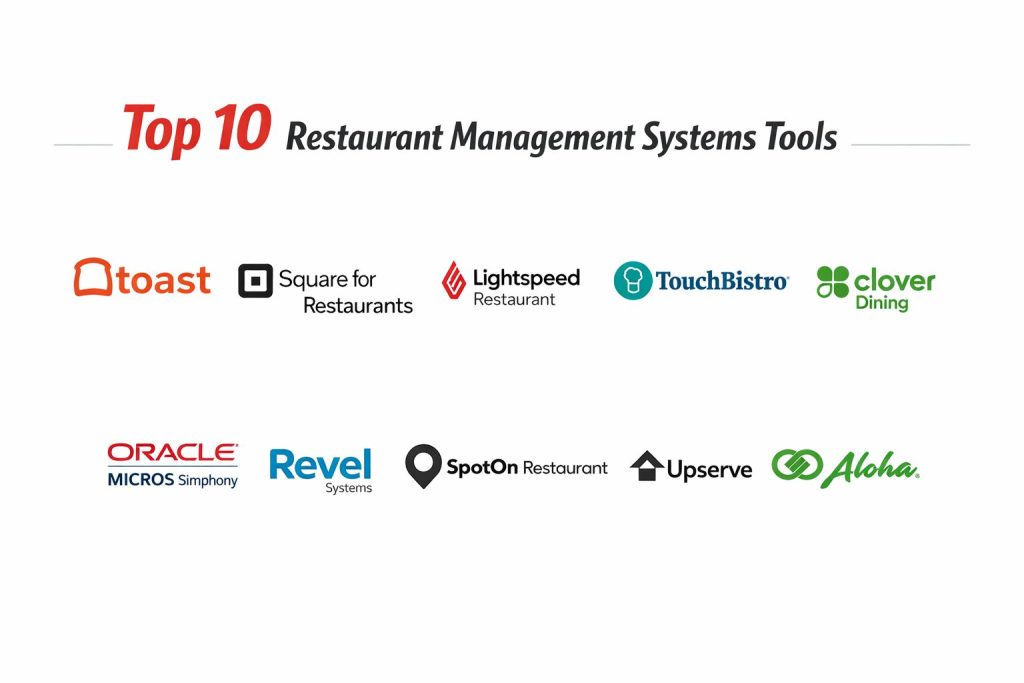
Top 10 Restaurant Management Systems Tools
1 — Toast
A restaurant-focused platform that supports POS, payments, kitchen flow, online ordering, and reporting, designed to handle busy service environments.
Key Features
- Restaurant-optimized POS workflows for dine-in and quick service
- Menu, modifiers, combos, and discount controls
- Kitchen display coordination and order routing
- Online ordering and pickup workflows
- Reporting for sales, labor, and menu performance
- Role-based permissions and staff activity tracking
Pros
- Strong operational fit for many restaurant types
- Good workflow design for busy rush periods
Cons
- Costs can increase as you add modules and terminals
- Setup and configuration require planning for best results
Platforms / Deployment
Varies / N/A, Self-hosted and Hybrid patterns may apply depending on setup
Security and Compliance
Not publicly stated
Integrations and Ecosystem
Toast is usually chosen when restaurants want one platform to unify orders, payments, and operations while still connecting to external tools where needed.
- Payments and finance workflow support
- Add-on modules for ordering and customer engagement
- Common links to accounting and delivery workflows
- Partner ecosystem depends on plan and region
Support and Community
Support tiers vary; training resources and onboarding guidance are commonly used by new teams.
2 — Square for Restaurants
A restaurant-friendly POS and operations platform that supports ordering, payments, menu control, and reporting, often used by small and growing restaurants.
Key Features
- POS with table management and item modifiers
- Fast checkout and flexible payment handling
- Menu creation with categories and options
- Staff permissions and shift tracking
- Sales and performance reporting
- Add-ons for online ordering and loyalty
Pros
- Simple onboarding and staff training
- Good value for smaller restaurants and cafés
Cons
- Advanced enterprise workflows may require extra modules
- Complex multi-location needs may need deeper configuration
Platforms / Deployment
Varies / N/A
Security and Compliance
Not publicly stated
Integrations and Ecosystem
Square often fits businesses that want quick setup plus an ecosystem that expands as they grow.
- Payments and receipts ecosystem
- Add-ons for loyalty and marketing
- Connections to delivery and accounting vary by setup
- Hardware ecosystem depends on local availability
Support and Community
Strong general user community; support levels vary by plan.
3 — Lightspeed Restaurant
A platform designed for restaurants needing detailed menu control, strong reporting, and operations management, often used by multi-site and growing teams.
Key Features
- Menu management with advanced modifier logic
- Table service workflows and split billing support
- Inventory and recipe tracking capabilities
- Reporting dashboards for owners and managers
- Multi-location operations support
- Permission controls and user management
Pros
- Strong reporting and menu insights for managers
- Flexible for different restaurant formats
Cons
- Setup complexity can be higher for advanced features
- Total cost can rise with modules and locations
Platforms / Deployment
Varies / N/A
Security and Compliance
Not publicly stated
Integrations and Ecosystem
Lightspeed often works best when you plan integrations early and standardize operations across outlets.
- Links with accounting and finance workflows
- Ordering and delivery connections vary
- Partner ecosystem depends on region and edition
- Works best with consistent menu and inventory discipline
Support and Community
Support tiers vary; training and onboarding materials depend on plan.
4 — TouchBistro
OA restaurant POS and management platform focused on usability, table service, and operational features that help teams run smoother shifts.
Key Features
- Table and floor plan management
- Menu modifiers and course firing options
- Staff permissions and shift controls
- Reporting for sales and performance
- Ordering workflows for dine-in and takeout
- Add-ons for reservations and online ordering
Pros
- Staff-friendly interface and easier training
- Strong fit for table-service environments
Cons
- Complex integrations may need extra planning
- Feature availability may vary by region and plan
Platforms / Deployment
Varies / N/A
Security and Compliance
Not publicly stated
Integrations and Ecosystem
TouchBistro is often used where service flow matters and managers want practical features without heavy complexity.
- Add-ons for reservations, loyalty, and ordering
- Integration options vary by ecosystem and plan
- Works well with standardized menu structures
- Expansion is smoother with clear operational processes
Support and Community
Support and onboarding vary by subscription level.
5 — Clover Dining
A POS-based platform often used by small restaurants and cafés that want flexible checkout, payment handling, and operational basics.
Key Features
- POS and payments in one workflow
- Menu categories, modifiers, and discounts
- Staff roles and permissions
- Simple reporting and daily summaries
- Hardware options for counters and tables
- Add-on apps for expanded functionality
Pros
- Convenient for quick setup and payment-first operations
- App marketplace offers flexibility
Cons
- Advanced restaurant workflows may require add-ons
- Costs can add up when many apps are needed
Platforms / Deployment
Varies / N/A
Security and Compliance
Not publicly stated
Integrations and Ecosystem
Clover is often chosen when restaurants want a hardware-led setup with optional app expansion.
- App marketplace for add-on features
- Integrations vary widely by chosen apps
- Works best with clear operational scope
- Scaling needs careful standardization
Support and Community
Support depends on provider and plan; community resources vary.
6 — Oracle MICROS Simphony
An enterprise-grade restaurant management platform used by large restaurants, hotels, and multi-location operators needing strong control and scalability.
Key Features
- Complex menu, pricing, and permissions management
- Multi-location reporting and centralized controls
- Advanced service workflows and order routing
- Robust audit and operational control options
- Scalable deployment patterns for large operations
- Integration capabilities for enterprise environments
Pros
- Strong fit for enterprise and complex operations
- Designed for scalability and control
Cons
- Implementation can be heavy and time-consuming
- Cost and training requirements can be high
Platforms / Deployment
Varies / N/A
Security and Compliance
Not publicly stated
Integrations and Ecosystem
Simphony is typically selected when large organizations need governance, consistency, and deep operational control.
- Enterprise integration patterns vary by deployment
- Strong fit with large-scale reporting needs
- Works best with standardized SOPs and roles
- Integration scope usually requires implementation planning
Support and Community
Enterprise support models; onboarding often requires professional implementation.
7 — Revel Systems
A restaurant management platform used by teams that want robust POS operations, reporting, and multi-location oversight.
Key Features
- POS and order management workflows
- Menu configuration with modifiers and pricing rules
- Reporting dashboards for operational insights
- Staff permissions and activity tracking
- Support for multi-outlet operations
- Add-ons for ordering and customer engagement
Pros
- Strong operational management for growing restaurants
- Helpful reporting for managers
Cons
- Setup and training can take effort
- Costs may rise with locations and advanced needs
Platforms / Deployment
Varies / N/A
Security and Compliance
Not publicly stated
Integrations and Ecosystem
Revel is commonly used when restaurants want a structured system with reporting and operational oversight.
- Integrations vary by region and edition
- Works best with standard menu and staff workflows
- Add-ons can extend features over time
- Implementation planning improves success
Support and Community
Support tiers vary; implementation support may be recommended for multi-outlet setups.
8 — SpotOn Restaurant
A restaurant operations platform combining POS workflows with reporting and customer engagement features, often used by growing restaurants.
Key Features
- POS ordering and payment workflows
- Menu controls with modifiers and discounts
- Customer engagement and marketing tools
- Reporting for sales and operational metrics
- Staff permissions and shift controls
- Options for online ordering depending on plan
Pros
- Good mix of POS and customer engagement features
- Useful reporting for day-to-day management
Cons
- Feature depth can vary by plan
- Integration scope depends on ecosystem availability
Platforms / Deployment
Varies / N/A
Security and Compliance
Not publicly stated
Integrations and Ecosystem
SpotOn is often evaluated when restaurants want both operations and customer-focused features in one direction.
- Marketing and loyalty style features
- Integration options vary by region
- Works better with consistent data entry habits
- Add-ons can expand capabilities over time
Support and Community
Support depends on plan; onboarding help varies.
9 — Upserve
A restaurant management solution known for combining POS operations with analytics that help owners understand performance and service patterns.
Key Features
- POS workflows for ordering and billing
- Reporting and analytics for operational insights
- Menu performance tracking and sales trends
- Staff permissions and shift controls
- Customer history and service insights
- Practical tools for improving operations
Pros
- Helpful analytics for owners and managers
- Useful for improving service and menu decisions
Cons
- Availability and product direction may vary
- Fit depends on restaurant type and required modules
Platforms / Deployment
Varies / N/A
Security and Compliance
Not publicly stated
Integrations and Ecosystem
Upserve is commonly considered by teams that want analytics tied closely to day-to-day POS activity.
- Analytics-driven operational workflows
- Integration options vary by environment
- Works best when staff follows consistent process
- Data quality improves insights significantly
Support and Community
Support and documentation vary; adoption success depends on onboarding quality.
10 — NCR Aloha
A widely used restaurant POS platform with strong presence in many established restaurant environments, designed for operational reliability.
Key Features
- POS workflows built for restaurant service speed
- Menu management and pricing control
- Kitchen routing and order flow options
- Reporting for sales and operations
- Staff permissions and activity tracking
- Options for multi-location operations
Pros
- Strong history of use in restaurant environments
- Reliable operational fit for many formats
Cons
- Implementation can be complex depending on setup
- Feature experience can vary by provider and configuration
Platforms / Deployment
Varies / N/A
Security and Compliance
Not publicly stated
Integrations and Ecosystem
NCR Aloha is often selected when restaurants prioritize operational reliability and established POS workflows.
- Integration options depend on provider ecosystem
- Works well with standardized SOPs
- Add-ons may be used for broader operations
- Multi-location support depends on configuration
Support and Community
Support often depends on the reseller or service partner; onboarding quality can vary.
Comparison Table
| Tool Name | Best For | Platform(s) Supported | Deployment | Standout Feature | Public Rating |
|---|---|---|---|---|---|
| Toast | Restaurant-focused all-in-one operations | Varies / N/A | Varies / N/A | Strong workflow fit for service | N/A |
| Square for Restaurants | Small to growing restaurants | Varies / N/A | Varies / N/A | Simple onboarding and payments | N/A |
| Lightspeed Restaurant | Reporting and multi-site growth | Varies / N/A | Varies / N/A | Strong reporting and menu control | N/A |
| TouchBistro | Table service operations | Varies / N/A | Varies / N/A | Floor plan and table flow | N/A |
| Clover Dining | Payment-first small operations | Varies / N/A | Varies / N/A | Hardware plus app ecosystem | N/A |
| Oracle MICROS Simphony | Enterprise and complex governance | Varies / N/A | Varies / N/A | Centralized control at scale | N/A |
| Revel Systems | Growing multi-outlet teams | Varies / N/A | Varies / N/A | Operational reporting and control | N/A |
| SpotOn Restaurant | Operations plus customer tools | Varies / N/A | Varies / N/A | Engagement and reporting mix | N/A |
| Upserve | Analytics-driven operations | Varies / N/A | Varies / N/A | Strong operational analytics | N/A |
| NCR Aloha | Established POS reliability needs | Varies / N/A | Varies / N/A | Proven restaurant POS workflows | N/A |
Evaluation and Scoring of Restaurant Management Systems
Weights
Core features 25 percent
Ease of use 15 percent
Integrations and ecosystem 15 percent
Security and compliance 10 percent
Performance and reliability 10 percent
Support and community 10 percent
Price and value 15 percent
| Tool Name | Core | Ease | Integrations | Security | Performance | Support | Value | Weighted Total |
|---|---|---|---|---|---|---|---|---|
| Toast | 9.0 | 8.0 | 8.5 | 6.0 | 8.5 | 7.5 | 7.0 | 8.08 |
| Square for Restaurants | 8.0 | 8.5 | 7.5 | 6.0 | 8.0 | 7.5 | 8.5 | 7.93 |
| Lightspeed Restaurant | 8.5 | 7.5 | 8.0 | 6.0 | 8.0 | 7.0 | 7.0 | 7.63 |
| TouchBistro | 8.0 | 8.0 | 7.5 | 6.0 | 7.5 | 7.0 | 7.5 | 7.55 |
| Clover Dining | 7.5 | 8.0 | 7.0 | 6.0 | 7.5 | 6.5 | 7.5 | 7.28 |
| Oracle MICROS Simphony | 9.0 | 6.5 | 8.5 | 6.5 | 8.5 | 7.5 | 6.0 | 7.83 |
| Revel Systems | 8.0 | 7.5 | 7.5 | 6.0 | 8.0 | 7.0 | 7.0 | 7.45 |
| SpotOn Restaurant | 7.8 | 7.8 | 7.3 | 6.0 | 7.8 | 6.8 | 7.5 | 7.41 |
| Upserve | 7.8 | 7.6 | 7.2 | 6.0 | 7.6 | 6.8 | 7.2 | 7.28 |
| NCR Aloha | 8.5 | 6.8 | 8.0 | 6.2 | 8.3 | 7.2 | 6.5 | 7.55 |
How to interpret the scores
These scores are comparative and help shortlist options for your specific restaurant type. A lower total can still be the best choice if it matches your workflow and local support quality. Core features and integrations influence long-term fit, while ease of use impacts training and staff adoption. Performance matters most during peak hours, so validate speed and offline behavior in a real environment. Value changes by hardware needs, payment terms, and plan selection, so treat it as a relative indicator.
Which Restaurant Management Systems Tool Is Right for You
Solo or Freelancer
If you run a very small operation or a single outlet with simple needs, prioritize fast setup, easy training, and predictable billing. Square for Restaurants and Clover Dining often fit teams that want quick operations without complex implementation. If your focus is dine-in speed and basic reporting, choose the system that your staff learns fastest.
SMB
For growing restaurants, the goal is to connect service speed with better reporting and control. TouchBistro can work well for table-service flow, while Lightspeed Restaurant may be stronger when reporting and menu control drive decisions. Toast is often considered when you want a more unified operations approach and smoother shift execution.
Mid-Market
Multi-outlet or higher-volume teams need consistent permissions, reliable reporting, and repeatable processes. Toast and Revel Systems can fit teams that want operational oversight and structured workflows. Lightspeed Restaurant also becomes relevant when menu engineering and performance reporting are important for managers across outlets.
Enterprise
Enterprise environments typically prioritize governance, standardized SOPs, and scalable reporting. Oracle MICROS Simphony is often evaluated for complex environments requiring centralized control. NCR Aloha can be considered where established POS reliability and partner ecosystems are already in place and the business wants continuity with strong operational performance.
Budget vs Premium
Budget options often prioritize faster onboarding and predictable costs, but may offer fewer enterprise controls. Premium options focus on scalability, governance, and robust operational workflows. The right choice depends on whether you need deep control across outlets or simple execution in one location.
Feature Depth vs Ease of Use
Some tools offer deeper controls but require training and planning, while others prioritize speed and simplicity. If staff turnover is high, ease of use may deliver better results than advanced features. If you have stable teams and complex menus, feature depth becomes more valuable.
Integrations and Scalability
If you depend on delivery, accounting, payroll, and marketing workflows, prioritize integration maturity and consistent data handling. Multi-location scaling is easier when you standardize menu naming, modifier rules, permissions, and reporting expectations from the start.
Security and Compliance Needs
Security details vary and are often not publicly stated. For practical safety, ensure strong role permissions, audit-style tracking, controlled discounts, and manager approvals. Also prioritize consistent device controls, secure payments handling practices, and disciplined access management for staff accounts.
Frequently Asked Questions
1. What is a restaurant management system
It is software that helps run restaurant operations like ordering, billing, kitchen flow, inventory, staff permissions, and reporting. The goal is to reduce manual work and improve service consistency.
2. How long does setup usually take
Setup time varies based on menu complexity, staff training, and integrations. A simple café can be faster, while multi-location or complex menus need more planning and testing.
3. What are common mistakes during selection
Choosing only based on price, ignoring local support quality, and skipping a real pilot are common mistakes. Another mistake is not standardizing menu structure and permissions before launch.
4. Do I need inventory and recipe tracking
If food cost control matters, inventory tracking is very helpful. Without it, you may lose margin through waste, over-portioning, and poor purchasing decisions.
5. Can these systems handle delivery and online orders
Many can, but the experience depends on modules, provider ecosystem, and workflow setup. It is best to test real order flows from start to finish before going live.
6. What should I check for peak-hour reliability
Test speed of order entry, kitchen routing, payment flow, and offline behavior. Also verify how quickly the system recovers after network issues and how it prevents duplicate orders.
7. How do I train staff quickly
Use role-based training, simple cheat sheets, and practice sessions with real menu scenarios. Focus on common cases like modifiers, refunds, voids, split bills, and kitchen notes.
8. Can I switch systems later
Yes, but switching requires careful planning for menu rebuild, staff retraining, and reporting continuity. Data migration may be limited, so plan how you will preserve key history.
9. What is the best system for multi-location restaurants
Multi-location needs usually require centralized controls, consistent permissions, and consolidated reporting. Tools designed for scale are often better fits, but the best choice depends on local support and implementation quality.
10. How do I choose between payments-first and operations-first tools
Payments-first tools simplify checkout and can be fast to deploy. Operations-first tools focus more on kitchen flow, deeper reporting, and process control. Choose based on what causes the most pain in your daily operations.
Conclusion
A restaurant management system should make service faster, reduce mistakes, and give owners clear visibility into sales, staff performance, and menu profitability. The best choice depends on your restaurant style, order volume, staffing realities, and how disciplined you can be with workflows. Toast and Lightspeed Restaurant often fit teams wanting stronger operational control and reporting, while Square for Restaurants and Clover Dining may suit smaller outlets prioritizing quick setup and easy training. Enterprise-focused operations may lean toward Oracle MICROS Simphony or NCR Aloha for governance and scale. Before deciding, shortlist two or three options, run a live-style pilot with your real menu, test peak-hour performance and offline behavior, confirm support responsiveness, and validate that the system matches your daily process.
I love how clearly these management tools are compared, it makes choosing a winner easy.