Introduction
Research Data Management (RDM) platforms are essential digital infrastructures designed to support the entire lifecycle of scholarly inquiry. These tools allow researchers to organize, store, preserve, and share their primary data, ensuring that scientific findings are transparent, reproducible, and compliant with global funding mandates. As modern research becomes increasingly data-intensive, these platforms provide the necessary framework to handle massive datasets while maintaining the strict “FAIR” principles—making data Findable, Accessible, Interoperable, and Reusable for the global scientific community.
The landscape of research has shifted toward a “Data-First” model where the raw evidence behind a paper is considered as valuable as the publication itself. RDM platforms bridge the gap between active laboratory work and long-term public archiving, offering secure environments for collaboration among international teams. By centralizing documentation, code, and datasets, these tools prevent “data rot” and ensure that institutional knowledge remains accessible long after a specific project has concluded. For universities and private labs, selecting the right platform is a strategic decision that affects everything from grant eligibility to the speed of scientific discovery.
Real-World Use Cases
- Open Science Compliance: Researchers use these platforms to generate “Data Management Plans” (DMPs) required by major grant funders, ensuring that public money leads to publicly accessible results.
- Collaborative Clinical Trials: Medical teams utilize secure RDM environments to share sensitive patient data across multiple hospitals while maintaining strict anonymization and regulatory compliance.
- Version Control for Field Data: Environmental scientists tracking climate changes over decades use these platforms to maintain immutable versions of their datasets, allowing others to verify historical trends.
- Large-Scale Multi-Omics Research: Labs handling massive genetic sequencing files rely on RDM tools with specialized high-capacity storage to manage and process petabytes of biological information.
- Interdisciplinary Data Linking: Social scientists combine survey results with geographical and economic datasets, using the platform’s metadata capabilities to link disparate data types into a cohesive study.
Buyer Evaluation Criteria
- FAIR Data Support: The platform must natively support the creation of persistent identifiers (like DOIs) and standardized metadata to ensure data is globally discoverable.
- Storage and Scalability: Evaluate the platform’s ability to handle the specific data volumes your research generates, from small spreadsheets to multi-terabyte imaging files.
- Security and Data Privacy: For sensitive research, ensure the platform offers encryption, role-based access control, and compliance with standards like GDPR or HIPAA.
- Collaboration Infrastructure: Look for features that allow real-time co-authoring, task management, and easy sharing between internal staff and external partners.
- Interoperability with Analysis Tools: The platform should integrate seamlessly with common research software such as R, Python, Jupyter Notebooks, and specialized ELNs (Electronic Lab Notebooks).
- Metadata Flexibility: Check if the platform allows for custom metadata schemas tailored to specific scientific disciplines (e.g., Darwin Core for biology or DDI for social sciences).
- Long-Term Preservation: Ensure the vendor has a “data survivability” plan or partnerships with permanent archives to keep data accessible for decades.
- Cost and Sustainability: Consider whether the platform is a one-time fee per project, a subscription model, or a free open-source tool supported by a community.
- User Interface and Adoption: A platform is only effective if researchers actually use it; prioritize tools with intuitive drag-and-drop workflows over complex command-line interfaces.
- Institutional Integration: For universities, the ability to link the RDM platform with existing Single Sign-On (SSO) and institutional repositories is critical for administrative oversight.
Key Trends in Research Data Management Platforms
- AI-Automated Metadata Tagging: New platforms are using machine learning to automatically scan datasets and suggest relevant keywords and categories, reducing the manual burden on researchers.
- Decentralized Data Repositories: A shift toward “Data Mesh” architectures allows researchers to keep data in regional clouds while maintaining a centralized searchable index.
- Automated Data Management Plans (DMPs): Platforms now feature “living” DMPs that automatically update as new data is added, ensuring constant compliance with funder requirements.
- Integration of Code and Data: There is a growing trend of merging code repositories (like GitHub) directly into RDM platforms to provide a “computational capsule” of the entire study.
- Enhanced Data Privacy for AI Training: As research data is increasingly used to train AI models, platforms are introducing “Differential Privacy” tools to protect individual identities within large datasets.
- Real-Time Instrumentation Streams: Modern RDM tools can now connect directly to lab hardware, streaming data from microscopes or sensors directly into the managed environment.
- Blockchain for Data Provenance: Some platforms are testing blockchain ledgers to create an unalterable “chain of custody” for sensitive or high-impact research findings.
- Cloud-Neutral Research Environments: Researchers are demanding the ability to move their data and analysis environments between different cloud providers without technical “lock-in.”
How We Selected These Tools (Methodology)
Our selection of the top 10 platforms focuses on tools that balance institutional-grade security with researcher-friendly flexibility. We prioritized platforms that have become industry standards and those that are leading the way in “Open Science” innovation.
- Adoption and Community Trust: We looked at the number of active users and the prestige of the institutions utilizing the platform to ensure long-term stability.
- Compliance with Global Standards: Platforms were evaluated on their support for FAIR data principles and their ability to satisfy major international grant requirements.
- Functional Versatility: We included a mix of “Generalist” repositories for public sharing and “Active” management tools for day-to-day laboratory work.
- Security Framework: Each tool was vetted for its data protection protocols, specifically its handling of sensitive, proprietary, or personal research data.
- Integration Ecosystem: We prioritized platforms that “play well with others,” offering robust APIs and native connections to common analytical and storage tools.
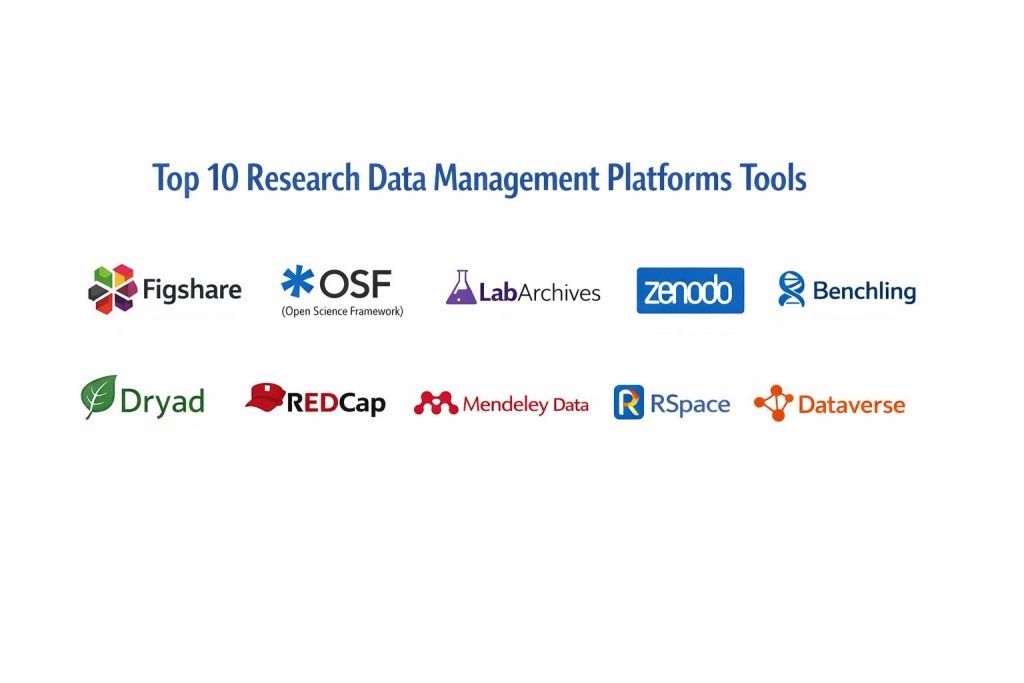
Top 10 Research Data Management Platforms
1. Figshare
Figshare is a leading cloud-based repository where researchers can preserve and share their research outputs, including figures, datasets, and software. It is highly valued for its user-friendly interface and its ability to make any research output citable through the automatic generation of DOIs.
Key Features
- Citable DOIs: Every public upload receives a persistent Digital Object Identifier, allowing researchers to get formal academic credit for their data.
- Visual File Previews: Supports in-browser previews for hundreds of file types, from 3D proteins to specialized code files.
- Open Access and Private Spaces: Users can keep data private during the research phase and toggle to “Open Access” with one click upon publication.
- Impact Metrics: Provides detailed “Altmetrics” showing how many times a dataset has been viewed, downloaded, or cited globally.
- Institutional Dashboards: Offers a specialized version for universities to manage and report on the total research output of their faculty.
- Collaborative Collections: Allows teams to group related datasets, papers, and code into a single “Collection” for easy sharing.
- Cloud Storage Flexibility: Integrates with major storage providers, allowing institutions to use their own local servers or commercial clouds.
Pros
- Extremely intuitive and requires almost no technical training for new researchers.
- Excellent for increasing the visibility and “discoverability” of research through search engine optimization.
- Strong focus on “FAIR” principles with robust, standardized metadata fields.
Cons
- The free version for individual researchers has storage limits that may be too small for “Big Data” projects.
- Customizing metadata schemas beyond the standard fields can be limited in the basic version.
- Primarily designed as a “sharing” repository rather than a “work-in-progress” analytical tool.
Platforms / Deployment
- Web-based SaaS
- Institutional On-premise options
Security & Compliance
- ISO 27001 certified.
- Full GDPR compliance and support for “restricted access” data categories.
Integrations & Ecosystem
Figshare is designed to be the “public face” of research data, connecting deeply with the scholarly publishing world.
- Native integration with major publishers like Springer Nature and Wiley.
- Direct sync with GitHub and GitLab for archiving code.
- Integrates with ORCID to automatically update researcher profiles.
- API support for connecting to institutional CRIS (Current Research Information Systems).
2. OSF (Open Science Framework)
Developed by the Center for Open Science, OSF is a free, open-source project management tool that supports researchers throughout the entire project lifecycle. It is unique in its ability to act as a “connective tissue,” linking various disparate storage and collaboration tools into one unified project view.
Key Features
- Project Versioning: Automatically tracks changes to files and documentation, providing a clear history of how the research evolved.
- Integrated Add-ons: Connects to external tools like Dropbox, Google Drive, and GitHub, allowing users to see all their project files in one place.
- Pre-registrations: Provides templates for researchers to formally “pre-register” their hypotheses and methods before data collection begins.
- Contributor Permissions: Granular control over who can view, edit, or manage specific parts of a research project.
- Persistent Links: Generates stable, unique URLs for every project, component, and file to ensure long-term accessibility.
- Analytics Dashboard: Shows real-time data on project engagement and file downloads from the global research community.
- Template-Based Projects: Allows labs to create standardized project structures that can be duplicated for new experiments.
Pros
- Completely free for researchers, backed by a non-profit mission to promote transparency.
- Highly flexible; it can be used for everything from a simple student project to a massive international collaboration.
- Bridges the gap between “private work” and “public sharing” better than almost any other tool.
Cons
- The user interface can feel slightly cluttered due to the high number of integrations and options.
- Does not offer the same level of active data “curation” or “cleaning” services found in paid platforms.
- Native storage limits are relatively small (5 GB for private projects), requiring users to link external storage for large files.
Platforms / Deployment
- Web-based SaaS
- Open-source (can be self-hosted by institutions)
Security & Compliance
- Tiered access controls for sensitive data.
- Compliant with standard open-science privacy protocols.
Integrations & Ecosystem
OSF is the ultimate “integrator” platform, designed to link the tools researchers already use.
- Deep integrations with Google Drive, Box, Dropbox, and OneDrive.
- Connectivity with Zotero and Mendeley for reference management.
- Direct links to GitHub, GitLab, and Bitbucket for code management.
- Support for Dataverse and Figshare for final data archiving.
3. LabArchives
LabArchives is a leading Electronic Lab Notebook (ELN) and research data management platform used by hundreds of thousands of scientists. It is specifically designed to replace paper notebooks with a secure, searchable, and collaborative digital environment for active laboratory data.
Key Features
- Digital Lab Notebook: A structured environment for recording daily experiments, observations, and results with automatic time-stamping.
- Inventory Management: Tracks lab samples, reagents, and supplies, linking them directly to the experimental data where they were used.
- Scheduler: A built-in calendar system for managing shared lab equipment and resource booking.
- FDA 21 CFR Part 11 Compliance: Provides the “audit trails” and electronic signatures required for regulated and clinical research.
- Widget Integration: Allows users to create custom data entry forms and calculators for standardized data collection.
- Automatic Versioning: Every change is saved and versioned, ensuring that the original “raw” data can never be overwritten or lost.
- Mobile Data Capture: A robust mobile app that allows researchers to take photos and record notes directly at the lab bench.
Pros
- Excellent for maintaining the “Chain of Custody” and intellectual property records for private and commercial labs.
- Highly structured, making it easier for lab managers to oversee the work of multiple students or technicians.
- Strong focus on “Active Data” management, making it the primary tool for daily research operations.
Cons
- Unlike generalist repositories, LabArchives is a paid commercial product, which may be a barrier for some individual researchers.
- Not primarily designed as a “public discovery” platform; it is usually used in conjunction with a repository for final sharing.
- The structure can feel “rigid” for researchers in non-laboratory fields like the humanities or social sciences.
Platforms / Deployment
- Web / iOS / Android
- Cloud-based SaaS (Institutional and Enterprise editions)
Security & Compliance
- SOC 2 Type II compliant.
- HIPAA and FERPA compliant for medical and educational data protection.
Integrations & Ecosystem
LabArchives focuses on the “active” phase of research, connecting with tools used at the bench and in analysis.
- Integration with GraphPad Prism for statistical analysis and graphing.
- Connections to Microsoft Office 365 for seamless document editing.
- API for linking to institutional storage and identity management systems.
- Partnership with data repositories to simplify the transition from “notebook” to “archive.”
4. Zenodo
Zenodo is a general-purpose open-access repository developed under the European OpenAIRE program and operated by CERN. It allows researchers in any subject area to deposit datasets, software, reports, and any other research-related digital artifacts for long-term preservation.
Key Features
- CERN Infrastructure: Hosted on the same high-performance computing infrastructure as the Large Hadron Collider, ensuring extreme reliability.
- No File Size Limit: Capable of hosting massive datasets (up to 50 GB per record by default, with higher limits upon request).
- GitHub Integration: One of the easiest ways to archive a specific version of a software repository and assign it a DOI for citation.
- Community Portals: Allows groups to create their own “branded” areas to curate research related to a specific topic or conference.
- Versioned DOIs: Supports the concept of “all versions” vs. “specific versions,” allowing researchers to update their data without losing citation history.
- Restricted Access Levels: Allows users to share data with specific people or under a “moratorium” until a paper is published.
- Metadata Export: Supports all major scholarly metadata formats, ensuring data is indexed by Google Dataset Search and other engines.
Pros
- Completely free to use, with no hidden fees for large uploads or long-term storage.
- Backed by CERN, providing a high level of confidence in the platform’s longevity and institutional stability.
- The “Gold Standard” for researchers who want to share scientific software and code in a citable way.
Cons
- The user interface is functional and “academic” but lacks the modern polish of commercial tools like Figshare.
- Does not offer “active” management features like task tracking or laboratory notebook functions.
- Curation is minimal; the platform largely relies on the user to provide high-quality metadata.
Platforms / Deployment
- Web-based SaaS
- Open-source (Invenio framework)
Security & Compliance
- Data is stored in CERN’s secure data centers with redundant backups.
- Compliant with European Open Science mandates and GDPR.
Integrations & Ecosystem
Zenodo is a core pillar of the European open science ecosystem and is integrated into many developer workflows.
- Direct “One-Click” archiving from GitHub.
- Integration with the RDM systems of many European universities.
- Connectivity with the B2SHARE and EUDAT research infrastructures.
- Open API for programmatic data deposition from analysis scripts.
5. Benchling
Benchling is a modern, cloud-native R&D platform specifically built for the life sciences. It combines an Electronic Lab Notebook with molecular biology tools and sophisticated data management, making it the “operating system” for biotech and pharma companies.
Key Features
- Molecular Biology Suite: Integrated tools for DNA sequencing, CRISPR guide design, and protein engineering directly inside the notebook.
- Bioprocess Management: Specialized modules for tracking cell line development and fermentation processes.
- Structured Data Tables: Allows researchers to capture data in a standardized format that is immediately ready for AI and machine learning analysis.
- Inventory and Registry: A centralized database for all biological entities (plasmids, strains, antibodies) and where they are physically stored.
- Collaborative Workflows: Real-time commenting and task assignment for complex, multi-stage R&D projects.
- Request Management: Streamlines the process of requesting samples or tests from other departments or core facilities.
- Data Visualization: Built-in tools for creating dashboards that track experiment progress and lab productivity.
Pros
- The most “advanced” tool for modern biology, replacing multiple disconnected software packages with one unified platform.
- Extremely high adoption in the biotech industry, making it a valuable skill for researchers transitioning to the private sector.
- Superior data structuring that ensures lab data is “AI-ready” from the moment it is collected.
Cons
- Very high cost for enterprise and commercial users, although free versions are available for academic individuals.
- Highly specialized for life sciences; it is not suitable for physics, social sciences, or engineering research.
- The platform’s extensive feature set can lead to a steep learning curve for those used to simpler notebooks.
Platforms / Deployment
- Web-based SaaS
Security & Compliance
- SOC 2 Type II and ISO 27001 certified.
- Supports GxP compliance for regulated pharmaceutical development.
Integrations & Ecosystem
Benchling is designed to be the central hub of a biotech “tech stack,” connecting lab hardware and analysis software.
- Direct integration with DNA sequencers and other lab instrumentation.
- Connectivity with Slack and Microsoft Teams for lab communication.
- API for connecting to custom bioinformatics pipelines and data warehouses.
- Integration with BLAST and other common genomic search tools.
6. Dryad
Dryad is a curated, non-profit repository for data underlying scientific and medical publications. It is unique because it employs professional data curators who review every submission to ensure that the data is usable and the metadata is accurate.
Key Features
- Expert Data Curation: A team of specialists checks every dataset for “FAIRness” and completeness before it is published.
- Journal Integration: Seamlessly integrated into the submission workflows of thousands of leading scientific journals.
- Frictionless Data Packages: Automatically packages data with standardized metadata to ensure it can be opened by any analysis software.
- Data Versioning: Allows researchers to easily update datasets in response to peer review or new findings.
- Linkage to Publications: Ensures that the dataset is permanently and bi-directionally linked to the corresponding research paper.
- Public Domain Dedication: Uses the CC0 license by default to maximize the potential for data reuse and scientific progress.
- Private for Review: Provides secure “reviewer links” so that peer reviewers can see the data before it is made public.
Pros
- Higher data quality than uncurated repositories, making the data more valuable for future researchers.
- High level of trust from publishers and funders, often being the “recommended” repository for many top-tier journals.
- Simple, focused mission that prioritizes the long-term usability of data over social features.
Cons
- Requires a “Data Publishing Charge” (DPC) for authors not covered by an institutional membership.
- Only accepts data that is associated with a specific, peer-reviewed publication.
- Less flexible in terms of licensing; the platform is strictly focused on the “Public Domain” (CC0) model.
Platforms / Deployment
- Web-based SaaS
Security & Compliance
- Data is preserved in the CoreTrustSeal-certified Dash infrastructure.
- Compliant with all major open-access mandates.
Integrations & Ecosystem
Dryad is built into the “plumbing” of scholarly communication, focusing on the link between paper and data.
- Integrated with the ScholarOne and Editorial Manager journal submission systems.
- Partnership with Zenodo for archiving the code associated with Dryad datasets.
- Connectivity with ORCID and ROR for institutional and researcher identification.
- API for integration with institutional research management portals.
7. REDCap
REDCap (Research Electronic Data Capture) is a secure web application for building and managing online surveys and databases. It is the global standard for clinical research, used by over 6,000 institutions to manage sensitive human subject data.
Key Features
- Secure Survey Building: Allows researchers to quickly create complex, logic-based surveys for patient enrollment and data collection.
- HIPAA Compliance: Built from the ground up to handle Protected Health Information (PHI) with the highest level of security.
- Offline Data Collection: A mobile app that allows for data entry in the field without an internet connection, syncing once back online.
- Audit Trails: Detailed logging of every single data entry, modification, or view, essential for clinical trial audits.
- Randomization Module: Tools for assigning participants to different study arms in a blinded or double-blinded clinical trial.
- Data Validation: Real-time checking of data as it is entered to prevent errors (e.g., ensuring a date of birth is in the past).
- Automated Export: One-click data export to common statistical packages like SPSS, SAS, Stata, and R.
Pros
- Unmatched in the clinical and medical research fields for security and regulatory compliance.
- Available for free to non-profit organizations that join the REDCap Consortium.
- Extremely powerful “branching logic” that allows for highly customized and intelligent surveys.
Cons
- The user interface is functional but feels significantly older and less “modern” than SaaS tools like Benchling.
- Requires institutional IT support to host and manage the server (it is not a standard “click-and-start” SaaS).
- Primarily focused on tabular/survey data; it is not a general-purpose repository for large files or code.
Platforms / Deployment
- Self-hosted (on institutional servers)
- Mobile App (iOS/Android) for offline capture
Security & Compliance
- Fully HIPAA, 21 CFR Part 11, FISMA, and GDPR compliant.
- Advanced user rights and multi-factor authentication support.
Integrations & Ecosystem
REDCap is a specialized tool that sits at the center of the clinical research workflow.
- Integration with Epic and other Electronic Health Record (EHR) systems via FHIR.
- Connectivity with Twilio for automated SMS survey invitations to patients.
- API for programmatic data extraction and advanced custom dashboards.
- Support for the CDISC clinical data standard.
8. Mendeley Data
Mendeley Data is an open-access repository owned by Elsevier that allows researchers to store, share, and cite their research data. It is integrated into the broader Mendeley ecosystem, making it a natural choice for researchers who already use Mendeley for reference management.
Key Features
- Global Dataset Search: Indexes over 20 million datasets from thousands of repositories, not just those hosted on Mendeley Data.
- Integration with Mendeley Desktop: Allows researchers to move from reading a paper to accessing its underlying data within a single app.
- Private Collaboration Folders: Secure spaces where teams can work on datasets before they are ready for public release.
- DOI Generation: Provides citable DOIs for all published datasets, ensuring they are tracked in the global scholarly record.
- Standardized Metadata: Uses the Schema.org and DataCite standards to ensure data is found by Google and other major search engines.
- Curation Workflows: Supports institutional workflows where data is reviewed by a librarian or data manager before being “published.”
- High File Capacity: Supports large files and offers specialized storage options for institutional partners.
Pros
- Extremely strong “discoverability” through its integration with the Elsevier/ScienceDirect ecosystem.
- Very easy to use for researchers who are already familiar with Mendeley’s reference management software.
- Provides a very clean, modern interface that simplifies the upload and metadata entry process.
Cons
- Owned by a large commercial publisher (Elsevier), which can be a point of concern for researchers who prefer non-profit, community-led infrastructure.
- The “active” management features for lab-bench work are not as deep as Benchling or LabArchives.
- Curation levels are generally lower than Dryad, relying mostly on the researcher’s input.
Platforms / Deployment
- Web-based SaaS
- Integration with Mendeley Desktop (Windows/Mac)
Security & Compliance
- Certified under Elsevier’s enterprise-grade security protocols.
- Compliant with GDPR and major funder open-data mandates.
Integrations & Ecosystem
Mendeley Data is a “social” research tool that connects datasets with the researchers who use them.
- Direct integration with the Mendeley Reference Manager.
- Automatic linkage to papers published in Elsevier journals.
- Connectivity with the Scopus and Web of Science citation indexes.
- API for institutional research reporting and data harvesting.
9. RSpace
RSpace is a “Connected Electronic Lab Notebook” and RDM hub designed specifically for universities and large research organizations. It is unique in its “Hub” approach, acting as a collaborative layer that integrates with institutional storage and various external research tools.
Key Features
- Document-Centric ELN: A flexible, easy-to-use notebook that supports text, images, and embedded files with full versioning.
- Institutional Connectivity: Designed to sit on top of university storage (like Isilon or S3), allowing researchers to manage “Big Data” without moving it.
- Sample Management Integration: Connects seamlessly with various external inventory and sample tracking systems.
- Research Project Export: Allows users to export an entire project (notebooks, data, and metadata) as a “ready-to-archive” package for repositories.
- Flexible Metadata: Supports the association of rich, discipline-specific metadata with any file or notebook entry.
- Multi-Group Collaboration: Specifically designed for “Core Facilities” and large labs where researchers move between different projects and groups.
- Built-in PDF/HTML Export: Makes it easy to share research results with colleagues who do not have an RSpace account.
Pros
- The “Best of both worlds” for institutions: provides a modern ELN for researchers while keeping data on institutional servers for the IT department.
- Highly praised for its responsive support and its commitment to an “open” ecosystem that doesn’t lock users into a proprietary format.
- Excellent for multi-disciplinary teams that need to combine lab work with computational data.
Cons
- Requires an institutional or enterprise subscription to access the full suite of connectivity features.
- The “document” style of the notebook may feel less structured than the “form” style used by Benchling for molecular biology.
- Not a public repository; it must be paired with a tool like Zenodo or Figshare for final public archiving.
Platforms / Deployment
- Cloud-based SaaS
- Institutional On-premise or Private Cloud
Security & Compliance
- SOC 2 Type II compliant.
- Supports 21 CFR Part 11 for electronic signatures and records.
Integrations & Ecosystem
RSpace is built to be a “hub” that connects the bench, the storage, and the archive.
- Native integration with Figshare, Dryad, and Zenodo for data archiving.
- Direct connections to institutional storage (S3, Dropbox, OneDrive, SMB).
- Integration with Microsoft Office Online and Google Docs for collaborative editing.
- Connectivity with specialist tools like protocols.io and various sample managers.
10. Dataverse
Dataverse is an open-source web application to share, preserve, cite, explore, and analyze research data. Originally developed at Harvard University, it is now used by hundreds of institutions worldwide to create their own “Dataverses”—customizable repositories for their research communities.
Key Features
- Institutional Branding: Allows universities to host their own repository that looks and feels like their own brand.
- Data Exploration: Provides built-in tools for “exploring” datasets (like viewing descriptive statistics or charts) without downloading the file.
- Two-Tiered Structure: Organized into “Dataverses” (the containers) and “Datasets” (the actual data and metadata).
- Metadata Customization: Extremely flexible metadata support, with pre-built templates for social sciences, life sciences, and more.
- Guestbook Feature: Allows researchers to see who is downloading their data and for what purpose, which is valuable for tracking research impact.
- OAI-PMH Support: Standardized protocol for “harvesting” metadata, ensuring that data is indexed by global search engines and aggregators.
- Data Citation: Automatically formats citations for datasets in multiple styles, including the persistent DOI.
Pros
- The “Gold Standard” for institutional data repositories, offering total control over data hosting and governance.
- Excellent for the social sciences, as it was built with the specific needs of survey and tabular data in mind.
- Completely open-source and community-driven, with no commercial “vendor lock-in.”
Cons
- Requires significant institutional IT resources to set up, maintain, and secure the hosting environment.
- The user interface can feel “academic” and less “slick” than commercial SaaS competitors.
- Individual researchers cannot usually “sign up” for a private account unless their institution hosts an instance.
Platforms / Deployment
- Self-hosted (Open-source Java application)
- Public instances (like Harvard Dataverse) available for general use
Security & Compliance
- Supports advanced Shibboleth and OAuth authentication.
- Compliant with CoreTrustSeal and other archival preservation standards.
Integrations & Ecosystem
Dataverse is a highly extensible platform with a vast ecosystem of community-built plugins.
- Integration with the OSF (Open Science Framework) for project management.
- Connectivity with the “Data Explorer” for in-browser statistical analysis.
- Support for archiving data from OJS (Open Journal Systems).
- API for integration with R, Python, and other data science environments.
Comparison Table (Top 10)
| Tool Name | Best For | Platform(s) Supported | Deployment | Standout Feature |
| Figshare | Generalist Sharing & Altmetrics | Web | Cloud (SaaS) | In-browser file previews |
| OSF | Lifecycle Project Management | Web | Cloud / Open-Source | Connects disparate storage |
| LabArchives | Active Lab Bench Data | Web, Mobile | Cloud (SaaS) | FDA 21 CFR Part 11 Compliance |
| Zenodo | Software & Big Data Archiving | Web | Cloud (CERN) | Direct GitHub Archiving |
| Benchling | Modern Biotech & Molecular Bio | Web | Cloud (SaaS) | Integrated DNA/CRISPR Tools |
| Dryad | Curated Publication Data | Web | Cloud (SaaS) | Expert Human Data Curation |
| REDCap | Clinical Trials & Patient Data | Web, Mobile | Self-Hosted | HIPAA-compliant surveys |
| Mendeley Data | Discoverability via Elsevier | Web, Desktop | Cloud (SaaS) | Index of 20M+ datasets |
| RSpace | Connected Institutional Hubs | Web | Cloud / On-Prem | Hub-style storage connectivity |
| Dataverse | Institutional Repositories | Web | Self-Hosted | Built-in Data Exploration |
Evaluation & Scoring of Research Data Management Platforms
The scoring below is a comparative model intended to help shortlisting. Each criterion is scored from 1–10, then a weighted total from 0–10 is calculated using the weights listed. These are analyst estimates based on typical fit and common workflow requirements, not public ratings.
Weights:
Price / value – 15%
Core features – 25%
Ease of use – 15%
Integrations & ecosystem – 15%
Security & compliance – 10%
Performance & reliability – 10%
Support & community – 10%
| Tool Name | FAIR Compliance (25%) | Modal Depth (20%) | Integrations (15%) | Collaboration (15%) | Ease of Use (10%) | Long-term Trust (15%) | Weighted Total |
| Figshare | 10 | 9 | 9 | 8 | 10 | 8 | 9.1 |
| OSF | 9 | 9 | 10 | 10 | 8 | 9 | 9.2 |
| LabArchives | 8 | 7 | 8 | 9 | 9 | 9 | 8.2 |
| Zenodo | 10 | 10 | 9 | 7 | 8 | 10 | 9.2 |
| Benchling | 8 | 6 | 9 | 10 | 9 | 9 | 8.4 |
| Dryad | 10 | 8 | 8 | 7 | 9 | 9 | 8.7 |
| REDCap | 8 | 5 | 8 | 8 | 7 | 10 | 7.7 |
| Mendeley Data | 9 | 8 | 9 | 8 | 9 | 8 | 8.5 |
| RSpace | 9 | 8 | 10 | 9 | 9 | 8 | 8.9 |
| Dataverse | 10 | 9 | 8 | 7 | 7 | 10 | 8.7 |
How to interpret the scores:
- Use the weighted total to shortlist candidates, then validate with a pilot.
- A lower score can mean specialization, not weakness.
- Security and compliance scores reflect controllability and governance fit, because certifications are often not publicly stated.
- Actual outcomes vary with assembly size, team skills, templates, and process maturity.
Which Research Data Management Platform Is Right for You?
For the Individual Graduate Student
If you need to quickly organize a project and link your Google Drive and GitHub, OSF is the best choice. It’s free, flexible, and allows you to move from a messy private workspace to a clean public page for your thesis data.
For the Molecular Biology Lab
If your work involves CRISPR, DNA sequencing, or complex bioprocessing, Benchling is the clear winner. It’s the only tool on this list that combines an ELN with the actual molecular design tools used by modern biologists.
For Clinical Trials and Healthcare
When patient privacy is the top priority, REDCap is the industry standard. Its strict audit trails and HIPAA-compliant architecture make it the only safe choice for managing sensitive medical survey data.
For Large University Systems
Universities should look at RSpace if they want to provide a modern “hub” that connects their internal storage to external archives. For hosting a formal, branded institutional repository, Dataverse is the global leader in the open-source community.
For Researchers Focused on “Open Science”
If your goal is maximum visibility and citable impact, Figshare and Zenodo are the best options. Zenodo is particularly strong for archiving software code, while Figshare offers the best visual experience for non-text research outputs.
Frequently Asked Questions (FAQs)
What is the difference between an ELN and an RDM repository?
An ELN (like LabArchives) is used for daily, active data capture in the lab, while an RDM repository (like Zenodo) is used for the final, long-term preservation and public sharing of that data.
Is it safe to store sensitive data in the cloud?
Yes, provided the platform is compliant with standards like HIPAA or GDPR. For extremely sensitive data, platforms like REDCap or Dataverse allow for self-hosting on your institution’s own secure servers.
Can I get a DOI for my software code?
Yes, Zenodo has a direct integration with GitHub that allows you to “snap” a version of your code and assign it a citable DOI automatically.
Do I have to pay to share my data?
It depends on the platform. Zenodo and OSF are completely free, while Dryad and Figshare+ may charge a one-time fee to cover the costs of curation and large-scale storage.
What are the “FAIR” principles?
FAIR stands for Findable, Accessible, Interoperable, and Reusable. RDM platforms help achieve this by providing persistent identifiers (DOIs), rich metadata, and open file formats.
Can I change my data once it has a DOI?
Most repositories allow you to upload new “versions” of a dataset. The DOI will usually resolve to the most recent version, but the history of all previous versions is preserved for transparency.
How much storage do I really need?
A typical research project might only need a few gigabytes, but genomics or high-res imaging projects can easily reach terabytes. Always check a platform’s storage limits and “top-up” costs before starting.
Is Mendeley Data only for Elsevier authors?
No, Mendeley Data is an open repository available to all researchers, regardless of where they choose to publish their final paper.
What happens to my data if a platform goes out of business?
Leading platforms have “data survivability” agreements. For example, Zenodo is backed by CERN’s long-term infrastructure, and others partner with the “Clockss” or “Portico” digital archives.
Can RDM platforms help with my Grant Application?
Yes, many platforms provide templates and tools to help you write the “Data Management Plan” (DMP) required by funders like the NIH, NSF, and the European Commission.
Conclusion
Research Data Management has evolved from a burdensome administrative task into a powerful engine for scientific progress. By choosing the right platform—whether it’s a specialized tool like REDCap for clinical work or a generalist powerhouse like Zenodo for big data—researchers can ensure their work is protected, citable, and ready for the future. The shift toward “Open Science” is now permanent, and these 10 platforms are the essential tools that allow the global research community to build upon each other’s work with confidence and clarity.