Introduction
Remote Monitoring and Management (RMM) software is a category of IT tools designed to help Managed Service Providers (MSPs) and internal IT departments proactively monitor client endpoints, networks, and computers. In the landscape, RMM has evolved from simple alert systems into sophisticated “Unified Management” hubs. These platforms allow IT administrators to execute scripts, deploy patches, and troubleshoot issues remotely without ever needing physical access to the hardware.
As we move deeper, the importance of RMM cannot be overstated. With the permanent shift toward hybrid work and the proliferation of IoT devices in the workspace, IT environments have become increasingly fragmented. RMM tools now leverage AI-driven predictive maintenance to identify hardware failures before they occur and automated remediation to fix common software glitches without human intervention.
Real-World Use Cases:
- Automated Patch Management: Ensuring all remote laptops are updated with the latest security patches.
- Proactive Resource Monitoring: Tracking CPU, RAM, and disk usage to prevent system crashes.
- Remote Background Scripting: Running maintenance tasks without interrupting the end-user’s workflow.
- Inventory Tracking: Maintaining a real-time list of all hardware and software assets across a global organization.
- Security Compliance: Auditing remote systems to ensure encryption and antivirus software are active.
Evaluation Criteria for Buyers:
- Endpoint Coverage: Does it support Windows, macOS, Linux, and mobile devices?
- Automation Capabilities: How robust is the scripting engine and out-of-the-box automation?
- Integration Library: Does it connect with existing PSA (Professional Services Automation) tools?
- Security Infrastructure: Does it offer native MFA and role-based access controls?
- Ease of Deployment: How quickly can the agent be deployed across 1,000+ endpoints?
- Real-time Alerting: Is the notification system customizable to prevent “alert fatigue”?
Mandatory Paragraph
- Best for: Managed Service Providers (MSPs), large enterprise IT teams, and mid-sized companies with a distributed or remote workforce.
- Not ideal for: Very small businesses with only 2–3 local computers or organizations that do not have a dedicated IT administrator to manage the platform.
Key Trends in RMM Tools
- AI-Powered Self-Healing: RMM agents now use local machine learning models to detect and fix common OS errors automatically.
- Zero Trust Integration: Direct parity with Zero Trust Network Access (ZTNA) to ensure only “healthy” monitored devices can access the corporate network.
- Hyper-Automation: The move toward “low-code” automation builders, allowing non-scripters to build complex maintenance workflows.
- Sustainability Metrics: Monitoring the power consumption of remote devices to help companies meet Green IT goals.
- Shift-Left Troubleshooting: Giving end-users self-service portals powered by the RMM backend to resolve simple password or connectivity issues.
- Consolidation of RMM and EDR: The merging of monitoring tools with Endpoint Detection and Response for a single-pane-of-glass security view.
How We Selected These Tools (Methodology)
- Industry Adoption: We focused on tools with high trust ratings within the MSP and IT community.
- Automation Depth: Priority was given to platforms that offer extensive “out-of-the-box” scripts and automation policies.
- Scalability: We evaluated how well the tools perform when managing tens of thousands of endpoints.
- Security Posture: Only tools with a proven track record of internal security audits and robust access controls were included.
- User Interface Modernity: We looked for platforms that have moved away from legacy designs toward intuitive, high-speed web interfaces.
- Ecosystem Compatibility: Selection was based on the ability to integrate with the most popular 2026 PSA and security suites.
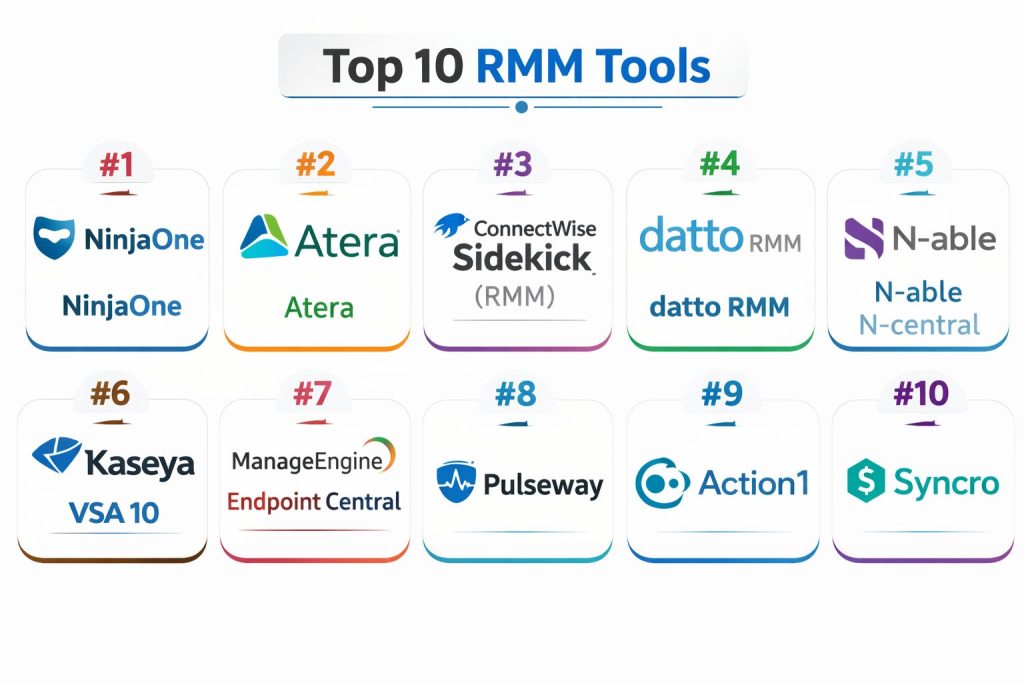
Top 10 RMM Tools
#1 — NinjaOne
A modern, cloud-native RMM platform known for its sleek interface and high-performance agent. It is built for ease of use without sacrificing power.
Key Features
- Native Cloud Architecture: No on-premise servers required; manage devices from any web browser.
- One-Click Scripting: Extensive library of pre-built scripts for common IT tasks.
- Unified Endpoint Management: Manage mobile, laptops, and servers in a single view.
- Advanced Patching: Automated patching for Windows, Mac, and over 100 third-party apps.
- Integrated Backup: Seamlessly add cloud backup to any monitored endpoint.
Pros
- Exceptionally fast and responsive user interface.
- Superior customer support and community feedback loop.
Cons
- Can be more expensive than legacy competitors for smaller fleets.
- Reporting features, while good, are less customizable than some enterprise tools.
Platforms / Deployment
- Web / Windows / macOS / Linux / iOS / Android
- Cloud
Security & Compliance
- SSO/SAML, MFA, RBAC, Encryption
- SOC 2, GDPR
Integrations & Ecosystem
NinjaOne integrates with leading PSA and security platforms to create a centralized IT stack.
- HaloPSA
- ConnectWise
- Autotask
- SentinelOne
Support & Community
Widely regarded as having the best support in the RMM industry, with a very active user community and regular feature updates.
#2 — Atera
An innovative RMM and PSA combo that uses a unique “per-technician” pricing model. It is heavily focused on AI-driven automation for IT teams.
Key Features
- AI IT Copilot: Uses generative AI to write scripts and summarize terminal outputs.
- Integrated PSA: Includes ticketing, billing, and customer management in the same platform.
- Network Discovery: Automatically scans and maps new devices on the network.
- Remote Access: Built-in integration with AnyDesk and Splashtop.
- Smart Alerting: AI-filtered alerts to highlight the most critical issues first.
Pros
- Predictable pricing regardless of how many devices you manage.
- All-in-one suite reduces the need for multiple software subscriptions.
Cons
- The mobile app is less feature-rich than the desktop version.
- Some advanced scripting features have a steeper learning curve.
Platforms / Deployment
- Web / Windows / macOS / iOS / Android
- Cloud
Security & Compliance
- MFA, SSO, Audit Logs
- SOC 2, ISO 27001
Integrations & Ecosystem
Atera connects with major cloud storage and security providers.
- Microsoft Azure
- Bitdefender
- Acronis
- QuickBooks Online
Support & Community
Strong online knowledge base and an active “Atera Community” forum for script sharing.
#3 — ConnectWise Sidekick (RMM)
A titan in the MSP space, providing deep-dive management capabilities for complex enterprise environments and large-scale MSPs.
Key Features
- Intelligent Monitoring: Granular control over thousands of monitors and sensors.
- Expert Scripting: Support for complex PowerShell, Python, and Batch scripting.
- Asio Platform: Built on a modern microservices architecture for high scalability.
- Automated Remediation: Link alerts directly to scripts that resolve the issue automatically.
- Patch Compliance Dashboard: Real-time visual tracking of global patch health.
Pros
- Extremely powerful and customizable for complex workflows.
- Part of the massive ConnectWise ecosystem.
Cons
- Significant learning curve; often requires dedicated training.
- Can feel complex for very small IT teams.
Platforms / Deployment
- Windows / macOS / iOS / Android
- Cloud / Hybrid
Security & Compliance
- MFA, RBAC, SSO, Audit Logs
- Not publicly stated (Enterprise level)
Integrations & Ecosystem
Possesses one of the largest integration marketplaces in the IT world.
- ConnectWise PSA
- BrightGauge
- ITGlue
- Webroot
Support & Community
Extensive professional services, dedicated account managers, and a global user conference (IT Nation).
#4 — Datto RMM
A secure, cloud-based RMM designed specifically for MSPs, focusing on security and seamless integration with the Kaseya ecosystem.
Key Features
- ComStore: A massive marketplace of pre-built scripts and “components.”
- Ransomware Detection: Native monitoring for disk encryption patterns.
- Network Topology Mapping: Visual representation of how all devices are connected.
- HTML5 Remote Control: High-speed remote desktop directly in the browser.
- Policy-Based Management: Apply settings to thousands of devices simultaneously via groups.
Pros
- Strong emphasis on “security-first” features.
- Rapid agent response times across all OS types.
Cons
- Best utilized when paired with other Kaseya products.
- Interface can feel dense with information.
Platforms / Deployment
- Web / Windows / macOS / Linux / iOS / Android
- Cloud
Security & Compliance
- MFA, SSO, IP Whitelisting
- SOC 2
Integrations & Ecosystem
Deeply tied into the Kaseya and Datto ecosystem for a unified MSP experience.
- Autotask PSA
- IT Glue
- Datto Backup
- Graphus
Support & Community
Offers robust technical support and a community-driven script exchange.
#5 — N-able N-central
An enterprise-grade RMM known for its powerful automation and ability to manage massive, complex networks with ease.
Key Features
- Automation Manager: A visual, drag-and-drop tool for building complex workflows without code.
- Deep Asset Discovery: Scans beyond computers to find printers, switches, and UPS units.
- Patch Management for Everything: Support for complex OS and third-party application trees.
- Custom Reporting: Highly granular reports for high-level executive reviews.
- Direct Support for VMware: Native tools for managing virtual environments.
Pros
- Highly scalable for environments with over 20,000 endpoints.
- The Automation Manager is world-class for efficiency.
Cons
- Requires a high level of expertise to configure correctly.
- On-boarding process is more involved than “plug-and-play” rivals.
Platforms / Deployment
- Windows / macOS / Linux
- Cloud / Self-hosted
Security & Compliance
- MFA, RBAC, SSO
- Not publicly stated
Integrations & Ecosystem
Strong focus on high-end security and professional services integrations.
- N-able MSP Manager
- Cove Data Protection
- SentinelOne
- Microsoft 365
Support & Community
Extensive training through the N-able Head Office and a global “N-hanced” community.
#6 — Kaseya VSA 10
A modernized version of a classic RMM, VSA 10 focuses on speed, mobile-first management, and broad device support.
Key Features
- Mobile App Management: Full management capabilities from a smartphone.
- Native Apple Silicon Support: Optimized agents for modern Mac hardware.
- Real-time Performance Monitoring: Per-second data refreshes for critical servers.
- Universal Search: Find any device, user, or setting instantly across the platform.
- Automated Workflows: Trigger actions based on complex Boolean logic.
Pros
- Very fast agent communication and command execution.
- Comprehensive “single-pane” view of the entire IT environment.
Cons
- Legacy users may find the transition to the new UI challenging.
- Pricing can be complex depending on modules selected.
Platforms / Deployment
- Web / Windows / macOS / Linux / iOS / Android
- Cloud / Hybrid
Security & Compliance
- MFA, SSO, 256-bit Encryption
- SOC 2
Integrations & Ecosystem
Fully integrated into the Kaseya IT Complete suite.
- BMS PSA
- IT Glue
- BullPhish ID
- Spanning Backup
Support & Community
Large global presence with 24/7 support and extensive university-style training.
#7 — ManageEngine Endpoint Central
A comprehensive Unified Endpoint Management (UEM) solution that leans heavily into RMM capabilities for enterprise corporations.
Key Features
- OS Deployment: Image and deploy new operating systems remotely.
- Software Metering: Track software usage to optimize license costs.
- Mobile Device Management (MDM): Deep controls for corporate-owned mobile devices.
- Remote Power Management: Wake-on-LAN and scheduled shutdowns to save energy.
- USB Device Control: Secure endpoints by restricting peripheral access.
Pros
- Exceptional for organizations that need both RMM and deep MDM.
- Very affordable entry points for smaller environments.
Cons
- The interface can be cluttered with many sub-menus.
- Initial setup for specialized features (like OS imaging) is complex.
Platforms / Deployment
- Windows / macOS / Linux / iOS / Android / tvOS
- Cloud / Self-hosted
Security & Compliance
- MFA, SSO, RBAC
- HIPAA, GDPR, PCI DSS
Integrations & Ecosystem
Integrates perfectly with the massive ManageEngine and Zoho suites.
- ServiceDesk Plus
- Zoho CRM
- Jira
- ServiceNow
Support & Community
Robust documentation and a high volume of video tutorials and webinars.
#8 — Pulseway
A “mobile-first” RMM platform designed for IT professionals who need to manage systems on the go.
Key Features
- Mobile Command Center: Full terminal and process control from a phone.
- Cloud Backup Integration: Built-in data protection for all monitored endpoints.
- Automated Patching: Simplified patch management engine for OS and apps.
- White-Labeling: Allow MSPs to brand the agent with their own logo.
- User Chat: Direct communication between the technician and the end-user.
Pros
- The best mobile experience in the RMM market.
- Very quick to set up and start monitoring.
Cons
- Lacks some of the “deep-dive” enterprise reporting of N-able or ConnectWise.
- Scripting engine is less powerful than the top-tier competitors.
Platforms / Deployment
- Web / Windows / macOS / Linux / iOS / Android
- Cloud / Self-hosted
Security & Compliance
- MFA, SSO, Audit Logs
- Not publicly stated
Integrations & Ecosystem
Focuses on essential integrations for small-to-mid MSPs.
- Pulseway PSA
- Bitdefender
- Kaspersky
- ITGlue
Support & Community
Strong community and highly responsive technical support via email and chat.
#9 — Action1
A focused, cloud-native RMM that specializes in risk-based patch management and endpoint vulnerability assessment.
Key Features
- Automated Vulnerability Scanning: Identifies missing patches and security holes in real-time.
- Zero-Reboot Patching: Attempts to apply updates without disrupting the user whenever possible.
- Remote Desktop: Built-in proprietary remote access tool.
- Software Inventory: Real-time visibility into all installed applications.
- P2P Patch Distribution: Saves bandwidth by sharing update files across the local network.
Pros
- Free for the first 100 endpoints, making it perfect for small businesses.
- Extremely streamlined and easy to navigate.
Cons
- Lacks the broader “management” features like network mapping or MDM.
- Support for macOS and Linux is less mature than Windows support.
Platforms / Deployment
- Web / Windows (Full) / macOS (Basic)
- Cloud
Security & Compliance
- MFA, SSO, RBAC
- SOC 2
Integrations & Ecosystem
Integrates with popular IT toolsets via API.
- Slack
- Microsoft Teams
- Jira
Support & Community
Focused community with a very transparent development roadmap.
#10 — Syncro
A combined RMM and PSA platform designed specifically for small-to-medium MSPs who want a single tool to run their entire business.
Key Features
- Automated Billing: Automatically turns RMM data into customer invoices.
- Script Library: Community-shared scripts that can be imported with one click.
- Customer Portal: Branded area for clients to view tickets and system health.
- Policy Inheritance: Easily manage settings for different tiers of customers.
- SNMP Monitoring: Basic management for network hardware like routers and switches.
Pros
- Best-in-class pricing for growing MSPs (per-technician).
- Eliminates the “integration friction” between RMM and PSA.
Cons
- Not designed for large enterprise internal IT teams.
- Less granular control over Windows Update policies compared to N-central.
Platforms / Deployment
- Web / Windows / macOS / iOS / Android
- Cloud
Security & Compliance
- MFA, SSO
- Not publicly stated
Integrations & Ecosystem
Strong focus on the MSP business ecosystem.
- QuickBooks / Xero
- Pax8
- Bitdefender
- ScreenConnect
Support & Community
Very active “Syncro Users” group and a helpful support staff.
Comparison Table (Top 10)
| Tool Name | Best For | Platform(s) Supported | Deployment | Standout Feature | Public Rating |
| NinjaOne | Ease of Use | Win, Mac, Linux, Mobile | Cloud | Modern Interface | 4.8 |
| Atera | AI Automation | Win, Mac, Mobile | Cloud | AI IT Copilot | 4.7 |
| ConnectWise | Enterprise Scalability | Win, Mac, Mobile | Hybrid | Asio Platform | 4.5 |
| Datto RMM | Security-First MSPs | Win, Mac, Linux, Mobile | Cloud | Ransomware Detection | 4.6 |
| N-able N-central | Large-Scale Automation | Win, Mac, Linux | Hybrid | Automation Manager | 4.6 |
| Kaseya VSA 10 | High-Speed Management | Win, Mac, Linux, Mobile | Hybrid | Mobile-First UI | 4.4 |
| Endpoint Central | UEM & MDM | Win, Mac, Linux, Mobile | Hybrid | OS Deployment | 4.5 |
| Pulseway | Mobile Technicians | Win, Mac, Linux, Mobile | Hybrid | Mobile App | 4.6 |
| Action1 | Patch Management | Win, Mac | Cloud | Risk-Based Patching | 4.8 |
| Syncro | Small/Mid MSPs | Win, Mac, Mobile | Cloud | RMM + PSA Combo | 4.6 |
Evaluation & Scoring of RMM Tools
| Tool Name | Core (25%) | Ease (15%) | Integrations (15%) | Security (10%) | Performance (10%) | Support (10%) | Value (15%) | Weighted Total |
| NinjaOne | 9 | 10 | 9 | 9 | 10 | 10 | 8 | 9.25 |
| Atera | 8 | 9 | 8 | 8 | 8 | 8 | 10 | 8.45 |
| ConnectWise | 10 | 5 | 10 | 9 | 9 | 8 | 7 | 8.40 |
| Datto RMM | 9 | 8 | 9 | 10 | 9 | 8 | 8 | 8.75 |
| N-able N-central | 10 | 6 | 9 | 9 | 10 | 8 | 8 | 8.75 |
| Kaseya VSA 10 | 9 | 7 | 9 | 8 | 10 | 7 | 8 | 8.35 |
| Endpoint Central | 9 | 7 | 8 | 9 | 8 | 8 | 9 | 8.40 |
| Pulseway | 7 | 9 | 7 | 8 | 8 | 8 | 9 | 7.90 |
| Action1 | 7 | 10 | 7 | 9 | 9 | 8 | 10 | 8.35 |
| Syncro | 8 | 9 | 8 | 8 | 8 | 9 | 10 | 8.55 |
The scoring provided is comparative and based on the tool’s performance within its intended market niche. A high score in “Core” reflects feature richness, while a high “Value” score often indicates a favorable price-to-performance ratio for the target user base.
Which RMM Tool Is Right for You?
Solo / Freelancer
Action1 is a fantastic starting point because it is free for the first 100 endpoints. It allows solo IT pros to provide high-quality patch management without overhead.
SMB
Atera and Syncro are the best choices here. Their “per-technician” or “all-in-one” models allow small businesses to predict their costs as they grow their device count.
Mid-Market
NinjaOne is the gold standard for mid-market IT teams who need speed and a modern interface that doesn’t require months of training.
Enterprise
N-able N-central and ConnectWise are built for the complexity of enterprise environments. They offer the granular control and mass automation required for 10,000+ endpoints.
Budget vs Premium
Pulseway and Syncro are the budget-friendly options that still offer professional results. NinjaOne and Datto RMM are premium services that command a higher price for their superior interfaces and security features.
Feature Depth vs Ease of Use
If you need deep procedural automation, go with N-able. If you want a tool your team can learn in a single afternoon, NinjaOne is the better choice.
Integrations & Scalability
ConnectWise offers the most extensive integration marketplace. ManageEngine Endpoint Central offers the best scalability for companies that also need to manage a large fleet of mobile devices.
Security & Compliance Needs
Datto RMM and NinjaOne have made significant investments in security-first architectures. ManageEngine is ideal for those needing specific compliance certifications like HIPAA.
Frequently Asked Questions (FAQs)
What is the difference between RMM and PSA?
RMM (Remote Monitoring and Management) is the technical tool used to manage devices. PSA (Professional Services Automation) is the business tool used for ticketing, billing, and customer data.
How does RMM pricing usually work?
Most RMMs charge “per endpoint” (per computer), while some modern tools like Atera charge “per technician” with unlimited endpoints.
Can I manage Macs with an RMM?
Yes, most top-tier RMMs like NinjaOne and Kaseya have dedicated Apple agents, though some features may differ from the Windows versions.
Is it safe to have an agent on every computer?
Yes, provided you use a reputable RMM. These agents use encrypted communication and require MFA for any technician to access them.
What happens if the RMM server goes down?
If using a cloud-based RMM, the vendor manages uptime. If the server is down, you temporarily lose the ability to monitor or remote into devices.
Do RMM tools include remote desktop access?
Almost all RMMs either include a proprietary remote desktop tool or integrate natively with services like Splashtop, AnyDesk, or ScreenConnect.
How long does it take to deploy an RMM?
Deployment can be very fast—often just a few hours to set up the dashboard and a few minutes to push the agent out via Group Policy or script.
Can RMM tools deploy software?
Yes, RMMs are designed to push installers (.msi, .exe, .dmg) to thousands of computers at once, often on a scheduled basis.
What is “patch management” in RMM?
It is the process of automatically identifying, downloading, and installing software updates to keep systems secure and functional.
Can RMM monitor network devices like routers?
Most RMMs use SNMP (Simple Network Management Protocol) to monitor the health and traffic of routers, switches, and firewalls.
Conclusion
Selecting an RMM tool requires balancing technical power with ease of use. For those seeking the best overall experience, NinjaOne is the current leader, while N-able and ConnectWise remain the champions for complex, large-scale automation. Atera and Syncro offer the best business value for growing MSPs. We recommend shortlisting two tools that fit your budget and running a 14-day trial to see which agent performs best on your specific hardware.