Introduction
Remote Monitoring and Management (RMM) software is a category of IT tools designed to help Managed Service Providers (MSPs) and internal IT departments maintain, monitor, and secure digital infrastructure from a distance. Unlike simple screen-sharing tools, RMM platforms operate via lightweight “agents” installed on endpoints (servers, laptops, mobile devices, and IoT hardware). These agents report system health, automate routine maintenance, and allow administrators to remediate technical issues without physical access to the machine.+2
RMM tools have transitioned from reactive alert systems to proactive AI orchestration hubs. With the explosion of hybrid work and edge computing, IT environments are more fragmented than ever. Modern RMM platforms now use machine learning to predict hardware failures, automate patch management across diverse operating systems, and integrate deeply with security stacks to provide a “single pane of glass” for both performance and protection.+1
Real-world use cases include:
- Automated Patch Management: Deploying critical security updates to thousands of global machines simultaneously to prevent zero-day exploits.
- Proactive System Health Monitoring: Monitoring CPU, RAM, and disk health to identify failing hardware before it causes downtime.
- Remote Scripting and Task Automation: Running complex PowerShell or Bash scripts across entire device groups to standardize configurations.
- Inventory and Asset Management: Maintaining a real-time hardware and software audit for compliance and lifecycle planning.
- Self-Healing IT Workflows: Setting up “if-this-then-that” triggers where the RMM automatically restarts a crashed service or clears a full cache without human intervention.
Key Evaluation Criteria for Buyers:
- Agent Reliability: The stability and resource footprint of the background agent on end-user machines.
- Automation Breadth: The quality of the “scripting engine” and the availability of pre-built automation policies.
- Security Posture: Integration of MFA, SSO, and localized data encryption to prevent the RMM from becoming a supply-chain attack vector.
- Cross-Platform Support: Capability to manage Windows, macOS, Linux, and mobile devices within one interface.
- Integration Density: How well the tool connects with PSA (Professional Services Automation), Documentation, and Backup tools.
- Scalability: The performance of the dashboard when managing tens of thousands of endpoints.
- Predictive Analytics: The presence of AI features that forecast risks rather than just reporting errors.
Best for: Managed Service Providers (MSPs) looking to scale their client base and mid-to-large enterprise IT teams managing distributed, hybrid workforces.
Not ideal for: Small businesses with fewer than 5-10 devices where the cost and complexity of a full RMM suite outweigh the benefits of manual updates.
Key Trends in Remote Monitoring & Management (RMM) Tools
- AI-Driven Remediation: RMM platforms now feature “Auto-Fix” capabilities where neural networks analyze historical tickets to resolve 40-60% of common IT issues autonomously.
- Hyper-Converged Security: The distinction between RMM and Endpoint Detection and Response (EDR) is vanishing, as tools now integrate real-time threat hunting directly into the management agent.
- Zero Trust Architecture: RMM access is increasingly gated by “Just-in-Time” (JIT) permissions, ensuring that technicians only have administrative rights for the specific duration of a support session.
- Edge and IoT Specialization: Beyond laptops and servers, modern RMMs are expanding to monitor “Smart Office” sensors, industrial controllers, and retail kiosks.
- Cloud-Native “Agentless” Monitoring: For SaaS-heavy environments, RMMs are utilizing API-based monitoring for cloud assets alongside traditional agent-based endpoint management.
- Green IT and Power Orchestration: Advanced power management features that optimize energy consumption across global device fleets to meet corporate sustainability goals.
- Unified Endpoint Management (UEM) Convergence: A single dashboard that manages both “traditional” devices (desktops) and “mobile” devices (phones/tablets) using the same policy logic.
How We Selected These Tools (Methodology)
To select the top 10 RMM tools, we applied a rigorous evaluation framework based on professional IT standards:
- Market Share and Reputation: Analysis of industry mindshare and long-term stability in the MSP and enterprise sectors.
- Automation Sophistication: Evaluation of the platform’s ability to handle complex “low-code” or “no-code” automation workflows.
- Security and Compliance: Prioritization of tools that have undergone external security audits and offer robust native protection features.
- Platform Versatility: Favoring tools that provide equal depth for Windows, macOS, and Linux rather than treating non-Windows systems as an afterthought.
- User Experience (UX): Assessing the speed and intuitiveness of the administrative dashboard, specifically for multi-tenant environments.
- Ecosystem Connectivity: Evaluating the depth of pre-built integrations with popular IT stacks (ConnectWise, IT Glue, Bitdefender, etc.).
- Predictive Innovation: Assessing the vendor’s roadmap and their successful implementation of AI/ML features in recent release cycles.
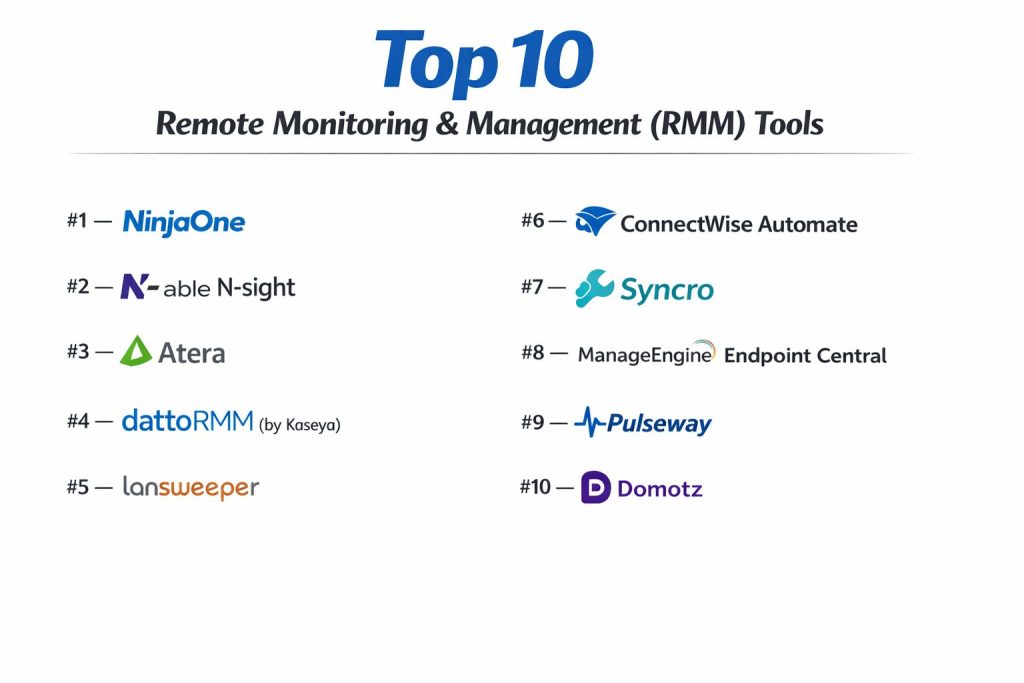
Top 10 Remote Monitoring & Management (RMM) Tools
#1 — NinjaOne
A modern, cloud-native RMM platform known for its industry-leading user interface and exceptional ease of use. It is widely considered the fastest-growing RMM for both MSPs and internal IT teams.
Key Features
- Unified Management: Single-pane-of-glass for endpoints, cloud assets, and virtual machines.
- Automated Patching: Advanced support for 150+ third-party applications alongside OS-level updates.
- One-Click Remote Access: Seamlessly integrated remote desktop tools for instant troubleshooting.
- Scripting Engine: Supports multiple languages with a massive community-driven library of automation scripts.
- Native Backup Integration: Integrated data protection that uses the same agent as the RMM.
- Real-time Inventory: Instant, granular hardware and software tracking that updates within seconds.
Pros
- Modern UX: Widely praised for having the most intuitive and responsive dashboard in the industry.
- Fast Deployment: Can be fully operational in hours rather than weeks.
Cons
- Premium Pricing: Generally sits at a higher price point compared to entry-level competitors.
- Feature Depth: While broad, some “legacy” RMMs offer more niche, granular settings for on-premise server environments.
Platforms / Deployment
- Windows / macOS / Linux / iOS / Android
- Cloud
Security & Compliance
- SSO/SAML, MFA, RBAC, AES-256 Encryption.
- SOC 2 Type II, GDPR compliant.
Integrations & Ecosystem
NinjaOne is designed for open connectivity, featuring a robust API and native “best-of-breed” integrations.
- Ticketing: HaloPSA, ConnectWise, Autotask.
- Security: SentinelOne, Bitdefender, Webroot.
- Documentation: IT Glue, Hudu.
Support & Community
Consistently ranked #1 for customer support. Features a highly active community “Dojo” and free training for all users.
#2 — N-able N-sight
A versatile, easy-to-scale RMM that combines monitoring, remote access, and ticketing into a single dashboard. It is a favorite for small-to-mid-sized MSPs.
Key Features
- NetPath Discovery: Visualizes the network path to identify connectivity issues outside the local network.
- Automated Maintenance: Drag-and-drop automation builder for routine cleanup and optimization.
- Integrated EDR: Built-in threat hunting and automated rollback capabilities.
- Standardized Monitoring: Uses “Service Checks” to monitor specific application states and hardware performance.
- Take Control: A high-performance remote desktop tool optimized for low-bandwidth connections.
- Prescriptive Data Analytics: Provides actionable insights on client infrastructure health and growth opportunities.
Pros
- Modular Pricing: Allows teams to pay for only the features they use (e.g., specific agents or specific security modules).
- Comprehensive Reporting: Excellent out-of-the-box reports for client business reviews.
Cons
- Interface Fragmentation: Some parts of the UI can feel like a legacy transition between older and newer versions.
- Mobile Experience: The mobile administrative app is functional but lacks the depth of the desktop version.
Platforms / Deployment
- Windows / macOS / Linux / Raspberry Pi
- Cloud
Security & Compliance
- MFA, SSO, Fine-grained permissions.
- ISO 27001, SOC 2 (Varies / N/A).
Integrations & Ecosystem
N-able maintains a large ecosystem with deep ties to its own security and backup products.
- N-able MSP Manager (Ticketing).
- Cove Data Protection.
- SentinelOne.
- Microsoft 365.
Support & Community
Features the “N-able University” for technical certification and a robust partner success program.
#3 — Atera
A disruptive RMM platform that uses a unique “per-technician” pricing model. It is heavily focused on AI-powered automation for IT departments and MSPs.
Key Features
- AI IT Copilot: An integrated AI that drafts scripts, summarizes tickets, and suggests solutions.
- Predictive Maintenance: Uses ML to identify hardware trends and alert technicians before failure occurs.
- All-in-One Suite: Includes RMM, PSA, Remote Access, and Billing in a single subscription.
- Network Discovery: Automatically scans and maps all devices on a local area network.
- Shared Script Library: Over 1,000+ community-verified scripts accessible directly from the dashboard.
- Customer Portal: A white-labeled portal for end-users to submit and track tickets.
Pros
- Cost Efficiency: The per-technician model is ideal for teams with a high device-to-technician ratio.
- Simplicity: Minimal configuration required to get a fully functional MSP stack running.
Cons
- Agent Maturity: Some advanced Windows-specific features are not as deep as enterprise-tier competitors.
- Mac/Linux Support: Improving, but historically less feature-rich than its Windows counterpart.
Platforms / Deployment
- Windows / macOS / Linux
- Cloud
Security & Compliance
- 2FA, SSO, IP Whitelisting.
- SOC 2 Type II, GDPR.
Integrations & Ecosystem
Atera provides a streamlined set of integrations focusing on major security and backup vendors.
- Acronis & AnyDesk.
- Bitdefender & Malwarebytes.
- Chocolatey & Homebrew (for patching).
Support & Community
Very active user community and a rapid feature-release cycle based on user feedback.
#4 — Datto RMM (by Kaseya)
A highly scalable, secure cloud RMM designed for MSPs that manage complex, global client environments. It is part of the extensive Kaseya IT Complete ecosystem.
Key Features
- ComStore: A massive library of pre-built, production-ready automation components and monitors.
- Real-time Monitoring: Near-instant alerting and dashboard updates for critical system changes.
- Ransomware Detection: Native monitoring of disk activity to detect and isolate ransomware encryption in progress.
- Network Topology Mapping: Automatic visualization of network infrastructure and dependencies.
- Patch Management: Highly granular control over update windows, reboot policies, and rollback.
- Policy-Based Management: Standardize configurations across thousands of endpoints using hierarchical policies.
Pros
- Security Focus: Known for robust security measures and deep integration with Datto’s backup suite.
- Scalability: Performs exceptionally well in “VL” (Very Large) environments with 10,000+ agents.
Cons
- Acquisition Shifts: Some users have noted changes in support and billing structures post-Kaseya acquisition.
- Complexity: Requires dedicated training to fully master the “ComStore” and component-building logic.
Platforms / Deployment
- Windows / macOS / Linux / iOS / Android
- Cloud
Security & Compliance
- MFA, SSO, SOC 2 Type II.
- HIPAA, GDPR (Varies / Not publicly stated).
Integrations & Ecosystem
Datto RMM is a core pillar of the Kaseya “IT Complete” platform.
- Autotask PSA.
- Datto BCDR (Backup).
- IT Glue (Documentation).
- Graphus (Email Security).
Support & Community
Standard enterprise support tiers; a very large community of long-term professional MSP users.
#5 — Kaseya VSA 10
A modernized, highly automated RMM platform focused on “Technician Efficiency.” VSA 10 provides a unified interface for IT management and security.
Key Features
- One-Click Remediation: Contextual “fix” buttons that appear alongside alerts for common issues.
- Mobile App Management: Robust tools for managing mobile devices alongside traditional computers.
- Software Deployment: Powerful engine for silent, multi-machine software installations and updates.
- Inventory Audit: Detailed hardware/software reporting with historical change tracking.
- Live Connect: A high-speed remote management tool that allows technicians to work “behind the scenes” without disturbing the user.
- Automated Workflows: Native workflow builder that connects the RMM to PSA systems for automatic ticket closure.
Pros
- Speed: The VSA 10 dashboard is significantly faster and more modern than previous iterations.
- Feature Breadth: Offers deep technical controls that cater to high-level system administrators.
Cons
- Learning Curve: High technical entry barrier; requires a dedicated administrator for optimal setup.
- Past Security Perception: While heavily addressed in recent years, the brand still recovers from historical security incidents.
Platforms / Deployment
- Windows / macOS / Linux / iOS / Android
- Cloud / On-premise (Hybrid)
Security & Compliance
- MFA, SSO, RBAC, Encryption.
- SOC 2 Type II, ISO 27001 (Not publicly stated for all versions).
Integrations & Ecosystem
Integrated deeply with the Kaseya portfolio and the “IT Complete” workflow.
- IT Glue.
- BMS (PSA).
- Unitrends (Backup).
- RapidFire Tools.
Support & Community
Extensive documentation and enterprise-level technical account management for large deployments.
#6 — ConnectWise Automate
The “power user’s” RMM. ConnectWise Automate is famous for its extreme depth and customization options, primarily used by large, technical MSPs.
Key Features
- Solution Center: A marketplace of pre-configured “solutions” for specific IT problems.
- Advanced Scripting: Features one of the most powerful and granular scripting engines in the RMM market.
- Agent Health Monitoring: Automatically detects and repairs issues with the RMM agent itself.
- Granular Patching: Detailed control over every Microsoft and third-party update with custom approval chains.
- Remote Commands: Executes terminal commands across thousands of machines simultaneously with real-time feedback.
- Deep Monitoring: Ability to monitor almost any system parameter, including registry keys and event logs.
Pros
- Customization: If you can imagine a workflow, you can likely build it in Automate.
- Ecosystem Integration: Native synergy with the “Asio” platform and ConnectWise PSA.
Cons
- Complexity: Famously difficult to learn; often requires a full-time “Automate Admin” for larger teams.
- System Overhead: The administrative console can be resource-heavy compared to cloud-native competitors.
Platforms / Deployment
- Windows / macOS / Linux
- Cloud / On-premise
Security & Compliance
- SSO, MFA, Audit Logging.
- SOC 2 Type II (Enterprise Cloud).
Integrations & Ecosystem
Part of the massive ConnectWise “Asio” platform.
- ConnectWise PSA (Manage).
- BrightGauge (Reporting).
- ITBoost (Documentation).
- ScreenConnect (Remote Access).
Support & Community
Vast community of “Automate Pros” and extensive consulting ecosystems for hire to optimize the tool.
#7 — Syncro
A combined RMM and PSA platform designed for small and growing MSPs. It emphasizes a simplified, integrated workflow at a flat price.
Key Features
- Integrated PSA: Includes ticketing, billing, and customer management natively in the RMM interface.
- Visual Automation Builder: No-code tool for building monitoring and remediation workflows.
- One-Click Invoicing: Automatically generates bills based on device count or time tracked.
- Customer Communication: Built-in email and chat for direct interaction with clients.
- Asset Management: Real-time tracking of hardware, software, and license expirations.
- Policy Management: Simple, hierarchical policy system for managing client device groups.
Pros
- Unified Pricing: Per-technician billing with no per-device fees makes it extremely affordable as you scale.
- Ease of Use: Very fast to set up and start billing clients.
Cons
- Feature Depth: Lacks the enterprise-level “Critical Path” and depth of tools like Automate or NinjaOne.
- Reporting: Standard reports are functional but less customizable than higher-tier competitors.
Platforms / Deployment
- Windows / macOS
- Cloud
Security & Compliance
- 2FA, SSO (Varies / N/A).
- SOC 2 Type II, GDPR (Not publicly stated).
Integrations & Ecosystem
Focuses on essential integrations for small-to-mid-sized IT shops.
- Bitdefender & Webroot.
- Acronis & Pax8.
- QuickBooks & Xero.
Support & Community
Active user community and responsive support team; popular among “solo-preneur” MSPs.
#8 — ManageEngine Endpoint Central
A Unified Endpoint Management (UEM) tool that bridges the gap between traditional RMM and modern mobile device management (MDM).
Key Features
- Automated Patch Deployment: Support for 850+ third-party applications and cross-OS updates.
- Software Distribution: Packages and deploys software to thousands of endpoints with self-service portals.
- Mobile Device Management: Native support for managing iOS, Android, and Windows mobile devices.
- Remote Troubleshooting: Advanced remote desktop with voice/video chat and file transfer.
- OS Deployment: Tools for imaging and deploying new OS installations remotely.
- USB Device Management: Secure and monitor peripheral access to prevent data leaks.
Pros
- Comprehensive: Replaces multiple tools (MDM, Patching, RMM) in a single platform.
- Enterprise Focused: Excellent for internal IT departments with high compliance requirements.
Cons
- UI Complexity: The interface is feature-dense and can feel “corporate” and non-intuitive.
- Setup Time: Requires significant configuration for complex internal networks.
Platforms / Deployment
- Windows / macOS / Linux / iOS / Android / tvOS
- Cloud / On-premise
Security & Compliance
- MFA, SSO, RBAC.
- ISO 27001, SOC 2, HIPAA, GDPR.
Integrations & Ecosystem
Integrates deeply with the broader Zoho/ManageEngine suite.
- ServiceDesk Plus (Ticketing).
- Desktop Central.
- Zoho CRM.
- Active Directory.
Support & Community
Strong enterprise support model with dedicated implementation consultants.
#9 — Pulseway
A mobile-first RMM designed to let IT technicians manage their entire infrastructure from a smartphone.
Key Features
- Native Mobile App: Possibly the most functional and powerful mobile RMM app on the market.
- Cloud-First Architecture: No on-premise infrastructure required; manages everything via the cloud.
- Remote Desktop: Integrated 4K-ready remote control for ultra-responsive troubleshooting.
- Patch Management: Automated OS and third-party patching with scheduled delivery windows.
- Antivirus Management: Unified management for Kaspersky, Bitdefender, and Webroot.
- White-Labeling: Allows MSPs to put their own branding on the user agent and reports.
Pros
- Technician Mobility: Perfect for “on-the-go” IT professionals who aren’t always at a desk.
- Affordable: Competitive pricing for small-to-mid-sized fleets.
Cons
- Enterprise Scale: Some users find the web dashboard less powerful for managing 10,000+ devices than competitors.
- Automation: While solid, the scripting and automation engine is less technical than Automate or NinjaOne.
Platforms / Deployment
- Windows / macOS / Linux
- Cloud
Security & Compliance
- 2FA, SSO, Audit Logs.
- SOC 2 Type II, GDPR.
Integrations & Ecosystem
Pulseway offers a curated set of integrations for common MSP needs.
- Zendesk & Slack.
- Bitdefender.
- Unitrends (Backup).
- IT Glue.
Support & Community
Friendly community and high-quality onboarding support for new partners.
#10 — Domotz
A network-centric RMM that specializes in monitoring and managing “non-traditional” IP devices and network infrastructure.
Key Features
- Automatic Network Mapping: Visualizes every IP-connected device on a network instantly.
- SNMP Monitoring: Advanced management for switches, firewalls, printers, and UPS systems.
- Configuration Backup: Automatically backs up and monitors changes to network switch configurations.
- Remote Power Management: Direct integration with PDU (Power Distribution Units) to reboot hardware remotely.
- IoT Management: Specialized support for AV systems, retail kiosks, and smart lighting.
- VPN-on-Demand: Secure, temporary tunnel for local device management without a permanent VPN.
Pros
- Network Depth: Far more powerful for managing network hardware than a standard desktop-focused RMM.
- Price: Flat-fee per network makes it highly predictable for MSPs.
Cons
- Desktop Limitations: Not a full replacement for traditional endpoint RMMs (no deep OS patching/scripting).
- Agent Deployment: Requires a “collector” (software or hardware) on each local network.
Platforms / Deployment
- Windows / Linux / Docker / Synology / QNAP
- Cloud / Hybrid
Security & Compliance
- 2FA, SSO, SOC 2.
- GDPR compliant.
Integrations & Ecosystem
Designed to be the “Network Layer” that plugs into other RMM/PSA tools.
- NinjaOne & Syncro.
- Datto & ConnectWise.
- Slack & Microsoft Teams.
Support & Community
Excellent technical support and a community focused on networking and smart infrastructure.
Comparison Table (Top 10)
| Tool Name | Best For | Platform(s) Supported | Deployment | Standout Feature | Public Rating |
| NinjaOne | Modern MSP/Enterprise | Win, Mac, Linux, iOS | Cloud | Industry-Leading UX | 4.8 / 5 |
| N-able N-sight | Small-to-Mid MSPs | Win, Mac, Linux | Cloud | NetPath Discovery | 4.5 / 5 |
| Atera | Cost-Conscious Teams | Win, Mac, Linux | Cloud | AI IT Copilot | 4.6 / 5 |
| Datto RMM | Scalable MSP Security | Win, Mac, Linux, iOS | Cloud | Native Ransomware Detect | 4.4 / 5 |
| Kaseya VSA 10 | High Efficiency IT | Win, Mac, Linux, iOS | Hybrid | VSA 10 Speed/UI | 4.3 / 5 |
| ConnectWise Automate | Technical Power Users | Win, Mac, Linux | Hybrid | Advanced Scripting | 4.1 / 5 |
| Syncro | Solo/Small MSPs | Win, Mac | Cloud | Flat-Fee Pricing | 4.6 / 5 |
| Endpoint Central | Internal IT/UEM | Win, Mac, Linux, iOS | Hybrid | Unified Device Mgmt | 4.5 / 5 |
| Pulseway | Mobile Technicians | Win, Mac, Linux | Cloud | Best Mobile Admin App | 4.7 / 5 |
| Domotz | Network/IoT Monitoring | Win, Linux, SNMP | Cloud | Network Topology Maps | 4.8 / 5 |
Evaluation & Scoring of RMM Tools
The following model evaluates each tool based on its current performance levels and strategic value for IT teams.
| Tool Name | Core (25%) | Ease (15%) | Int. (15%) | Sec. (10%) | Perf. (10%) | Supp. (10%) | Value (15%) | Weighted Total |
| NinjaOne | 9 | 10 | 9 | 10 | 10 | 10 | 7 | 9.25 |
| N-able N-sight | 8 | 8 | 9 | 8 | 8 | 8 | 8 | 8.15 |
| Atera | 7 | 9 | 8 | 8 | 8 | 8 | 10 | 8.20 |
| Datto RMM | 9 | 7 | 10 | 9 | 9 | 8 | 7 | 8.40 |
| Kaseya VSA 10 | 9 | 8 | 9 | 8 | 9 | 7 | 8 | 8.25 |
| ConnectWise | 10 | 4 | 10 | 9 | 8 | 8 | 6 | 7.85 |
| Syncro | 7 | 9 | 8 | 7 | 8 | 8 | 10 | 8.05 |
| Endpoint Central | 10 | 6 | 8 | 10 | 8 | 9 | 9 | 8.55 |
| Pulseway | 8 | 9 | 8 | 8 | 9 | 8 | 8 | 8.25 |
| Domotz | 6 | 9 | 9 | 9 | 10 | 9 | 9 | 8.15 |
How to interpret these scores:
- Weighted Total: A score above 8.5 indicates a premier, market-ready solution for high-demand environments.
- Ease (15%): High scores here mean the platform requires very little training to “get to green.”
- Integrations (15%): A 10/10 score represents a tool that acts as a central hub for the entire IT stack.
Which RMM Tool Is Right for You?
Solo / Freelancer
For an individual IT professional starting out, Atera or Syncro are the logical choices. Their “per-technician” pricing model allows you to manage an unlimited number of devices without increasing your monthly bill, ensuring profitability from your very first client.
SMB
Small-to-medium-sized MSPs should prioritize NinjaOne or N-able N-sight. These tools provide the perfect balance between professional-grade features and ease of use, allowing your team to focus on service delivery rather than tool management.
Mid-Market
Companies with growing IT teams and 500-2,000 endpoints should look toward Pulseway or Datto RMM. These platforms offer the “Goldilocks” level of scalability and mobile management necessary for hybrid workforce support.
Enterprise
Large internal IT departments or massive MSPs should consider ManageEngine Endpoint Central or ConnectWise Automate. These tools provide the deep technical controls, OS imaging, and complex scripting required to manage thousands of machines across globally distributed networks.
Budget vs Premium
- Budget: Atera and Syncro offer the best ROI for those on a tight budget.
- Premium: NinjaOne is the premium choice for teams who value efficiency and high-end support above all else.
Feature Depth vs Ease of Use
- Feature Depth: ConnectWise Automate is the deepest tool but the hardest to use.
- Ease of Use: NinjaOne is widely regarded as the most user-friendly.
Integrations & Scalability
If you are already in the Kaseya or ConnectWise ecosystems, sticking with Datto RMM or ConnectWise Automate will offer the best native data flow between your RMM and PSA.
Security & Compliance Needs
Organizations with high security requirements (e.g., government contractors or healthcare) should prioritize ManageEngine Endpoint Central or NinjaOne due to their robust security certifications and history of rapid response to vulnerabilities.
Frequently Asked Questions (FAQs)
What is the average price of an RMM tool in 2026?
Most RMM tools cost between $1.50 and $4.00 per endpoint, per month. However, tools like Atera and Syncro use a flat-fee model of $99-$150 per technician, per month, regardless of the number of devices.
How do RMM tools differ from remote desktop tools?
A remote desktop tool (like TeamViewer) is for one-to-one screen control. An RMM is for one-to-many management; it allows you to run scripts, update software, and monitor health on thousands of machines without ever seeing the user’s screen.
Can RMM tools monitor Macs as well as Windows?
Yes, most top-tier RMMs offer native macOS agents. However, due to Apple’s security architecture, you often need to integrate the RMM with an MDM (Mobile Device Management) profile for full “zero-touch” capability.
What is the role of AI in RMM software today?
AI is primarily used for “Predictive Analytics” and “Automated Remediation.” It identifies hardware about to fail and automatically runs “self-healing” scripts when it detects a common error, such as a full disk or a crashed print spooler.+1
Are RMM tools a security risk?
RMMs are powerful “keys to the kingdom.” Because they have administrative access to all endpoints, they are high-value targets. Top vendors mitigate this with MFA, mandatory SSO, and frequent independent security audits (SOC 2).
Do I need an on-premise server to run an RMM?
The vast majority of RMMs are “Cloud-Native” (SaaS). While some legacy tools like ConnectWise Automate or Kaseya VSA offer on-premise versions for high-security environments, most teams prefer the low overhead of cloud deployment.
How long does it take to implement a new RMM?
For a cloud-native tool like NinjaOne or Atera, you can be up and running in an afternoon. For complex enterprise tools like ConnectWise Automate, full implementation and “policy tuning” can take 3 to 6 months.
Can an RMM tool help with hardware inventory?
Absolutely. RMM agents report detailed hardware specs (CPU, RAM, Serial Numbers, Disk Health) to a central database, making it easy to generate “Life-Cycle” reports for client budget planning.
What is the difference between RMM and PSA?
RMM (Remote Monitoring & Management) is the tool that touches the machines. PSA (Professional Services Automation) is the tool that touches the business (ticketing, billing, and time tracking). They are often integrated to work together.
Can RMM software deploy new operating systems?
Some tools (like ManageEngine) offer “OS Imaging” natively. For others, it is common to use the RMM to trigger a script that initiates a cloud-based OS refresh or a Windows Autopilot deployment.
Conclusion
Remote Monitoring and Management is defined by proactive visibility. The days of waiting for a user to call with a problem are over; modern RMMs identify and fix issues before the end-user even notices. For most MSPs, NinjaOne or Datto RMM provide the most secure and scalable path forward, while Atera remains the champion for technician-based cost control.
The “best” tool for your organization depends on your technical depth and the diversity of your endpoint fleet. Ensure your chosen tool has the automation power to reduce your “manual touch” time and the security architecture to keep your clients safe.