Introduction
Relational Database Management Systems store data in structured tables and connect them using relationships, so teams can query, join, and report data accurately. They matter because most business-critical workloads still depend on consistent transactions, clear data rules, and predictable performance for systems like finance, billing, inventory, HR, and customer platforms. A strong RDBMS protects data integrity and helps teams scale from a small app to a large enterprise platform without losing control. Common use cases include transactional applications, reporting and analytics, ERP and CRM backends, e-commerce order processing, and data integration hubs. When choosing a platform, evaluate ACID reliability, performance and indexing, high availability options, backup and recovery, replication, security controls, ecosystem tooling, compatibility with your stack, operational complexity, and total cost over time.
Best for: product teams, enterprises, SaaS builders, and IT teams needing reliable transactional data, strong querying, and governance.
Not ideal for: workloads that are purely document-based, key-value caching, or unstructured event streams where a non-relational database may fit better.
Key Trends in Relational Database Management Systems
- Cloud-managed relational databases are becoming the default choice for new production deployments.
- Distributed SQL is growing for global applications needing strong consistency with multi-region resilience.
- More automation is moving into the database layer, including tuning suggestions, indexing insights, and anomaly detection.
- Security expectations are rising, especially for encryption, auditing, fine-grained access control, and policy enforcement.
- High availability is shifting from manual clustering to managed failover and automated replication workflows.
- JSON and semi-structured support inside relational systems is improving, reducing the need for multiple databases.
- Cost visibility and usage-based pricing pressure teams to measure workload efficiency and storage growth carefully.
- Better observability integrations are helping teams correlate database behavior with application performance.
How We Selected These Tools (Methodology)
- Included platforms widely used in production across enterprise, SMB, and developer ecosystems.
- Balanced commercial databases, open-source leaders, and cloud-native relational options.
- Considered reliability, maturity, ecosystem tooling, and long-term operational track record.
- Evaluated performance features such as indexing options, query optimization, and concurrency handling.
- Looked at scalability approaches: vertical scaling, clustering, replication, and distributed designs.
- Considered security capabilities, access control patterns, and audit requirements used by regulated teams.
- Selected tools that cover diverse needs: embedded databases, enterprise OLTP, cloud-managed, and distributed SQL.
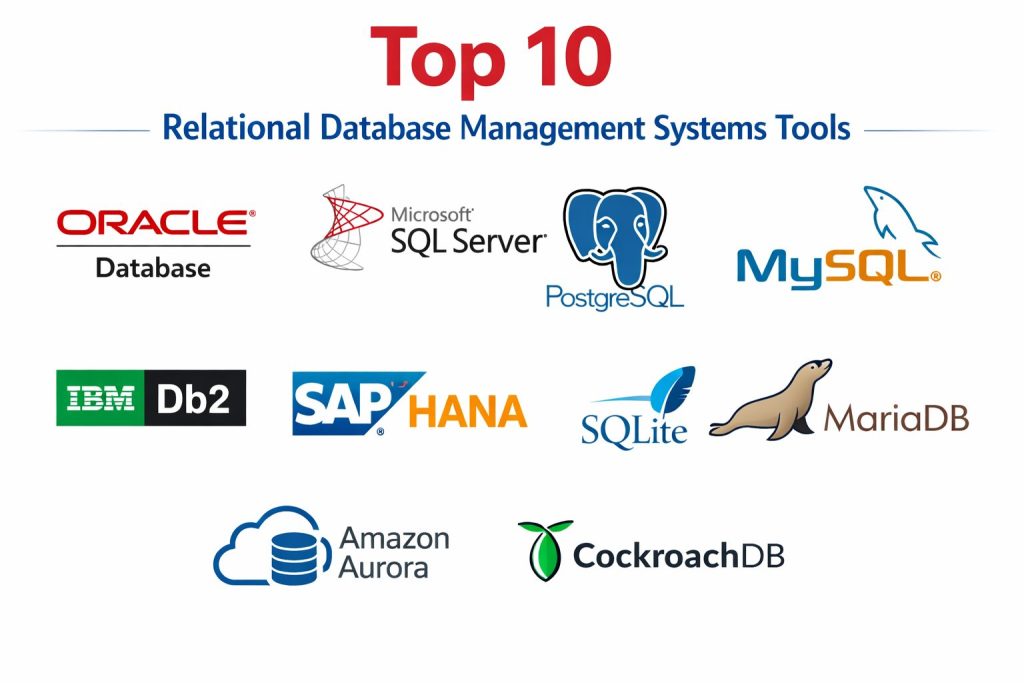
Top 10 Relational Database Management Systems Tools
1 — Oracle Database
A high-end enterprise RDBMS known for strong performance, mature clustering options, and deep tooling for mission-critical workloads.
Key Features
- Advanced query optimizer and indexing options
- Strong high availability and disaster recovery patterns
- Mature partitioning and workload management features
- Rich administration and performance tuning tooling
- Broad enterprise ecosystem and integration support
Pros
- Proven reliability for large-scale transactional systems
- Deep feature set for complex enterprise requirements
Cons
- Higher total cost and licensing complexity
- Requires skilled administration for best outcomes
Platforms / Deployment
Varies / N/A
Security and Compliance
Not publicly stated
Integrations and Ecosystem
Oracle Database is often central in enterprise IT environments and integrates with a large set of application stacks and tooling.
- Strong driver support across languages
- Broad enterprise tooling ecosystem
- Common fit for ERP, finance, and core systems
Support and Community
Strong enterprise support options; community content varies by edition.
2 — Microsoft SQL Server
A widely adopted enterprise RDBMS valued for strong administration experience, rich tooling, and tight integration in Microsoft-centric environments.
Key Features
- Mature query optimizer and indexing capabilities
- Strong built-in management and monitoring tooling
- High availability options and replication patterns
- Strong integration with Microsoft ecosystem tooling
- Reliable transactional performance for OLTP workloads
Pros
- Excellent tooling and admin experience
- Strong fit for Microsoft stack and enterprise environments
Cons
- Licensing cost can be high for certain editions
- Some advanced scaling patterns require careful architecture
Platforms / Deployment
Varies / N/A
Security and Compliance
Not publicly stated
Integrations and Ecosystem
SQL Server fits naturally into Microsoft application and data stacks and supports many integration patterns.
- Strong integration with Microsoft tooling ecosystem
- Broad driver support and connectivity options
- Common fit for BI, reporting, and transactional systems
Support and Community
Strong vendor support and a large user community.
3 — PostgreSQL
A powerful open-source RDBMS known for standards compliance, extensibility, and strong reliability across many production workloads.
Key Features
- Strong SQL support and advanced query capabilities
- Rich indexing options and performance features
- Extensibility through extensions and custom types
- Strong concurrency handling and transaction support
- Mature replication and backup ecosystem
Pros
- Excellent capability-to-cost value for many teams
- Strong community and ecosystem tooling
Cons
- Some enterprise features depend on add-ons or managed services
- Operational excellence requires good DBA discipline
Platforms / Deployment
Varies / N/A
Security and Compliance
Not publicly stated
Integrations and Ecosystem
PostgreSQL integrates widely across modern application stacks and supports many tooling ecosystems.
- Strong driver support across languages
- Large extension ecosystem for specialized needs
- Common fit for SaaS, analytics, and core OLTP systems
Support and Community
Very strong community support; commercial support available via providers.
4 — MySQL
A popular RDBMS used broadly in web applications and business systems, known for simplicity, wide adoption, and a strong ecosystem.
Key Features
- Strong performance for common OLTP workloads
- Mature replication options for scaling reads
- Broad ecosystem tooling and integrations
- Widely supported drivers and connectors
- Practical administration patterns for many teams
Pros
- Easy to find talent and operational knowledge
- Strong ecosystem for web and SaaS backends
Cons
- Some advanced features vary by edition and setup
- Complex scaling can require careful architecture choices
Platforms / Deployment
Varies / N/A
Security and Compliance
Not publicly stated
Integrations and Ecosystem
MySQL is commonly used in web stacks and integrates smoothly with many app frameworks and infrastructure tools.
- Broad framework and language support
- Strong tooling ecosystem
- Common fit for content systems and transactional apps
Support and Community
Very large community; vendor support varies by edition.
5 — MariaDB
A MySQL-compatible RDBMS that emphasizes openness and flexibility, used by teams needing compatibility with additional options and community-driven development.
Key Features
- MySQL compatibility for many workloads
- Flexible storage engines for different use cases
- Replication options for scale and resilience
- Active development and ecosystem support
- Practical performance features for OLTP workloads
Pros
- Familiar experience for teams coming from MySQL
- Flexible options for different workload styles
Cons
- Compatibility differences can appear depending on features used
- Ecosystem alignment may vary across managed offerings
Platforms / Deployment
Varies / N/A
Security and Compliance
Not publicly stated
Integrations and Ecosystem
MariaDB is typically used as a drop-in alternative in many MySQL-style architectures.
- Works well with common connectors
- Fits standard web and business app stacks
- Often used where openness and flexibility matter
Support and Community
Strong community presence; commercial support options vary.
6 — IBM Db2
An enterprise-grade RDBMS designed for performance, reliability, and governance in large organizations, often used for core business systems.
Key Features
- Strong performance and query optimization
- Enterprise high availability and recovery patterns
- Robust administrative and monitoring capabilities
- Strong fit for governed and regulated environments
- Mature integration in large enterprise stacks
Pros
- Reliable enterprise platform for critical workloads
- Strong governance and operational tooling
Cons
- Licensing and operational complexity can be high
- Smaller community compared to open-source leaders
Platforms / Deployment
Varies / N/A
Security and Compliance
Not publicly stated
Integrations and Ecosystem
Db2 often sits in enterprise environments with established integration patterns and governance controls.
- Integrates with enterprise tooling and middleware
- Strong fit for large-scale transactional systems
- Common in regulated and legacy-modern blended stacks
Support and Community
Strong enterprise support; community varies by region and use case.
7 — SAP HANA
An enterprise database platform often used in SAP-centric environments, designed to handle demanding workloads with strong performance characteristics.
Key Features
- High-performance processing designed for enterprise workloads
- Tight integration with SAP application ecosystems
- Strong administration tooling for SAP environments
- Support for transactional and analytical patterns in one platform
- Enterprise-grade availability options
Pros
- Strong fit for SAP-based enterprise landscapes
- Designed for high-performance business workloads
Cons
- Best value typically appears in SAP-first environments
- Cost and operational demands can be significant
Platforms / Deployment
Varies / N/A
Security and Compliance
Not publicly stated
Integrations and Ecosystem
HANA is typically selected when SAP application alignment and deep integration matter most.
- Strong SAP ecosystem alignment
- Enterprise integration patterns for core business systems
- Best fit when SAP workloads are central
Support and Community
Enterprise support is strong; community depends on SAP user base.
8 — SQLite
A lightweight embedded relational database used inside applications, mobile devices, tools, and local workloads where simplicity and portability matter.
Key Features
- Embedded database with minimal operational overhead
- File-based storage suited for local and app-bundled usage
- Reliable SQL querying for lightweight use cases
- Very small footprint and easy deployment
- Strong fit for offline-first or single-user scenarios
Pros
- Extremely easy to deploy and use
- Great for mobile, desktop apps, and embedded tools
Cons
- Not designed for high-concurrency server workloads
- Limited scaling patterns compared to server databases
Platforms / Deployment
Varies / N/A
Security and Compliance
Not publicly stated
Integrations and Ecosystem
SQLite is widely embedded into software and supported by many libraries across platforms.
- Broad language bindings
- Common in mobile and desktop ecosystems
- Strong fit for local caching and small data stores
Support and Community
Large developer footprint and extensive documentation resources.
9 — Amazon Aurora
A cloud-native managed relational database designed for high performance and availability, commonly used when teams want managed operations with relational compatibility.
Key Features
- Managed scaling and high availability patterns
- Compatibility with common relational interfaces
- Automated backup and operational management features
- Strong performance posture for many cloud workloads
- Integration with cloud-native ecosystems
Pros
- Reduces operational load through managed features
- Strong availability patterns for cloud workloads
Cons
- Cloud dependency may not fit all organizations
- Cost can grow with scale and usage patterns
Platforms / Deployment
Varies / N/A
Security and Compliance
Not publicly stated
Integrations and Ecosystem
Aurora fits teams building cloud-first systems with a preference for managed services.
- Strong integration within cloud ecosystems
- Common fit for modern SaaS backends
- Works best with clear cost and performance governance
Support and Community
Support depends on cloud support plan; community knowledge is strong.
10 — CockroachDB
A distributed SQL database designed for resilient, scalable transactional workloads, especially for applications needing strong consistency across regions.
Key Features
- Distributed architecture for horizontal scaling
- Strong consistency for transactional workloads
- Multi-region resilience patterns for global apps
- Automated replication and failover approaches
- SQL interface designed for relational workloads
Pros
- Strong fit for globally distributed transactional applications
- Designed for resilience and scaling without classic sharding pain
Cons
- Requires planning for distributed system trade-offs
- Cost and operational model depend on deployment choice
Platforms / Deployment
Varies / N/A
Security and Compliance
Not publicly stated
Integrations and Ecosystem
CockroachDB is typically chosen when teams need distributed SQL behavior with familiar relational patterns.
- Strong fit for cloud-native application architectures
- Integrations depend on stack and deployment approach
- Works best with careful data modeling and workload testing
Support and Community
Community is active; support tiers vary.
Comparison Table
| Tool Name | Best For | Platform(s) Supported | Deployment | Standout Feature | Public Rating |
|---|---|---|---|---|---|
| Oracle Database | Enterprise mission-critical OLTP | Varies / N/A | Varies / N/A | Deep enterprise feature set | N/A |
| Microsoft SQL Server | Microsoft-centric enterprises | Varies / N/A | Varies / N/A | Strong tooling and admin experience | N/A |
| PostgreSQL | Flexible open-source OLTP | Varies / N/A | Varies / N/A | Extensibility and standards strength | N/A |
| MySQL | Web and SaaS backends | Varies / N/A | Varies / N/A | Broad adoption and ecosystem | N/A |
| MariaDB | MySQL-compatible flexibility | Varies / N/A | Varies / N/A | Storage engine options | N/A |
| IBM Db2 | Governed enterprise workloads | Varies / N/A | Varies / N/A | Enterprise reliability and governance | N/A |
| SAP HANA | SAP-centric enterprise stacks | Varies / N/A | Varies / N/A | High-performance enterprise alignment | N/A |
| SQLite | Embedded and local apps | Varies / N/A | Self-hosted | Lightweight embedded database | N/A |
| Amazon Aurora | Managed cloud relational workloads | Varies / N/A | Cloud | Managed availability and scaling | N/A |
| CockroachDB | Distributed SQL global apps | Varies / N/A | Varies / N/A | Resilient distributed transactions | N/A |
Evaluation and Scoring of Relational Database Management Systems
Weights
Core features 25 percent
Ease of use 15 percent
Integrations and ecosystem 15 percent
Security and compliance 10 percent
Performance and reliability 10 percent
Support and community 10 percent
Price and value 15 percent
| Tool Name | Core | Ease | Integrations | Security | Performance | Support | Value | Weighted Total |
|---|---|---|---|---|---|---|---|---|
| Oracle Database | 9.5 | 7.0 | 9.0 | 7.5 | 9.0 | 8.5 | 5.5 | 8.03 |
| Microsoft SQL Server | 9.0 | 8.0 | 9.0 | 7.5 | 8.5 | 8.5 | 6.0 | 8.05 |
| PostgreSQL | 8.5 | 7.5 | 8.5 | 7.0 | 8.0 | 9.0 | 9.0 | 8.32 |
| MySQL | 8.0 | 8.0 | 8.5 | 6.5 | 7.5 | 8.5 | 8.5 | 7.95 |
| MariaDB | 7.5 | 7.5 | 8.0 | 6.5 | 7.5 | 8.0 | 8.5 | 7.65 |
| IBM Db2 | 8.5 | 7.0 | 8.0 | 7.5 | 8.5 | 8.0 | 6.0 | 7.73 |
| SAP HANA | 8.5 | 6.5 | 7.5 | 7.0 | 9.0 | 7.5 | 5.5 | 7.43 |
| SQLite | 6.5 | 9.0 | 7.0 | 5.5 | 6.5 | 8.0 | 10.0 | 7.28 |
| Amazon Aurora | 8.0 | 8.0 | 8.0 | 7.0 | 8.5 | 7.5 | 6.5 | 7.73 |
| CockroachDB | 8.0 | 6.5 | 7.5 | 7.0 | 8.5 | 7.5 | 6.5 | 7.33 |
How to interpret the scores
These scores compare tools against each other for common selection criteria. A lower score does not mean a tool is weak, it can simply mean it fits a narrower set of workloads. Core and integrations usually matter most for long-term stability and ecosystem fit. Ease of use influences onboarding speed and daily productivity. Value can change based on licensing, cloud consumption, and how efficiently you run the workload. Use these scores to shortlist, then validate with a real pilot using your schema, query patterns, and uptime needs.
Which Relational Database Management System Tool Is Right for You
Solo or Freelancer
If you need something lightweight and easy, SQLite is a practical choice for local apps and prototypes. For real production backends, PostgreSQL is often a strong default because it balances capability and cost well. If you are building a small web app and want broad familiarity, MySQL is also a common pick.
SMB
SMBs typically want reliability, easy hiring, and manageable operations. PostgreSQL and MySQL are safe choices with strong community knowledge. Microsoft SQL Server is a strong option when your business already depends on Microsoft tools and you want a smooth admin experience. If you prefer cloud-managed operations, Amazon Aurora can reduce operational overhead.
Mid-Market
Mid-market teams often care about scaling, availability, and governance without excessive complexity. PostgreSQL remains a solid standard, while Microsoft SQL Server is strong in Microsoft-centric stacks. If your workloads are global and need resilience across regions, CockroachDB becomes worth testing. For SAP-driven businesses, SAP HANA may be strategic.
Enterprise
Enterprise environments often prioritize compliance expectations, high availability, disaster recovery patterns, and vendor support. Oracle Database, Microsoft SQL Server, IBM Db2, and SAP HANA are common enterprise platforms depending on existing ecosystems and contracts. PostgreSQL is also used heavily in enterprises when they want flexibility and stronger cost control with managed operations.
Budget vs Premium
Budget-focused teams often choose PostgreSQL, MySQL, MariaDB, or SQLite depending on scope. Premium choices are typically Oracle Database, SAP HANA, or certain enterprise SQL Server and Db2 configurations. Cloud-managed choices may look cheaper initially but can become expensive without usage controls.
Feature Depth vs Ease of Use
If you want deep enterprise features and mature tooling, Oracle Database and Microsoft SQL Server often stand out. If you want balance and flexibility with broad support, PostgreSQL is a strong middle path. If you want embedded simplicity, SQLite is hard to beat, but it is not designed for heavy multi-user concurrency.
Integrations and Scalability
MySQL, PostgreSQL, and SQL Server integrate broadly across app frameworks and tooling. Amazon Aurora integrates strongly inside cloud ecosystems. CockroachDB is focused on distributed scaling, which can simplify some global scaling problems while introducing distributed trade-offs that require careful testing.
Security and Compliance Needs
For regulated teams, focus on encryption, auditing, access controls, and operational governance. Since many compliance details vary by edition and deployment, validate requirements directly with vendor documentation and your security team. Where details are unclear, treat them as not publicly stated and plan a security review during the pilot.
Frequently Asked Questions
1. What is the main benefit of using an RDBMS
It provides strong data integrity with transactions, clear relationships, and powerful querying. This is critical for systems like billing, orders, and financial records.
2. When should I avoid an RDBMS
If your data is unstructured, rapidly changing, or you need ultra-fast key-value access, a non-relational system may fit better. Some teams also use specialized databases for events and caching.
3. How do I choose between PostgreSQL and MySQL
PostgreSQL is often chosen for advanced SQL features and extensibility. MySQL is often chosen for broad familiarity and common web stack usage. The best choice depends on your query patterns and team skills.
4. What is a common migration mistake
Teams often move data without validating query performance, indexes, and application behavior. Another mistake is not planning rollback steps and not testing production-like loads.
5. How important is backup and recovery testing
It is essential. Many teams have backups but never practice restores. Test restore time, validate data correctness, and document recovery runbooks.
6. What does high availability actually mean for databases
It means the database can survive failures with minimal downtime, usually through replication and automatic failover. You should also plan for region-level failures if your business requires it.
7. Is a cloud-managed database always better
Not always. Managed databases reduce operational work, but can increase cost and create dependency on a provider. Self-managed options can be cheaper if you have strong DBA capability.
8. How do I control database cost over time
Track storage growth, optimize indexes, tune slow queries, and set limits around test environments. Also monitor cloud consumption carefully if you use managed services.
9. What is the role of indexing in RDBMS performance
Indexes speed up reads but can slow down writes and increase storage. The right index strategy depends on your workload, not generic best practices.
10. How do I evaluate a database in a pilot
Use real schema samples, real query patterns, and production-like concurrency. Measure latency, failover behavior, backup restore time, and operational effort during the test.
Conclusion
Relational Database Management Systems remain the backbone for most transactional systems because they deliver consistent data integrity, strong SQL querying, and predictable performance when workloads grow. The right choice depends on your business environment, team capability, and operational model. If you want broad flexibility and strong value, PostgreSQL is often a dependable default for many teams. If you are deeply invested in Microsoft tools, Microsoft SQL Server can reduce operational friction and speed adoption. For enterprise-heavy governance and mission-critical scale, Oracle Database, IBM Db2, or SAP HANA may fit better. If you want managed cloud operations, Amazon Aurora can reduce maintenance work, while CockroachDB can be tested for global resilience needs. Shortlist two or three options, run a pilot with real queries, validate failover and restore, and confirm your security and cost expectations.