Introduction
Recipe management platforms have evolved from simple digital folders into sophisticated kitchen operating systems that synchronize the entire culinary lifecycle. For the modern professional or household manager, these tools serve as a centralized repository for data extraction, allowing users to strip away the clutter of web-based content and isolate the technical core of a recipe. Beyond mere storage, these applications leverage optical character recognition and advanced parsing algorithms to convert unstructured images or text into actionable, scalable data sets. By maintaining a structured database of ingredients and procedures, users can automate meal planning, grocery logistics, and nutritional tracking with a level of precision that manual methods cannot replicate.
The necessity for these tools arises from the sheer volume of digital information and the fragmentation of culinary sources. Whether managing a strict dietary regimen, such as Keto or Veganism, or coordinating large-scale family meal prep, a robust recipe manager eliminates the “information tax” associated with searching for lost links or re-reading long-form blog posts. From an organizational perspective, these apps provide a “single source of truth” for the kitchen, ensuring that modifications to a recipe are preserved across all devices. When evaluating these platforms, buyers should prioritize the reliability of their web-clipping capabilities, the flexibility of their categorization engines, and the security of their cloud-syncing infrastructure.
Best for: Culinary enthusiasts, meal-prep professionals, busy households, and individuals with specific nutritional requirements who need to streamline their shopping and cooking workflows.
Not ideal for: Casual cooks who rarely follow structured recipes, individuals who prefer physical cookbooks exclusively, or those who do not use digital devices within the kitchen environment.
Key Trends in Recipe Management Software
Artificial intelligence is now being integrated into these platforms to provide smart substitutions and automated pantry management, predicting what you need based on previous cooking cycles. We are seeing a major shift toward real-time collaboration, where multiple family members can update a shared grocery list or contribute to a centralized meal calendar simultaneously. The move toward “cooking modes” has also become a standard, featuring voice-controlled navigation and auto-awake screens to prevent device contamination during food preparation.
Cross-platform synchronization has transitioned from a luxury to a baseline requirement, with users demanding seamless transitions between desktop planning and mobile execution in the grocery store. High-fidelity data extraction is also improving, with tools now able to parse complex information from social media videos and handwritten legacy cards via advanced image processing. Finally, there is a growing focus on sustainability, with apps helping users minimize food waste by suggesting recipes based on expiring inventory already present in their digital pantry.
How We Selected These Tools
Our selection process focused on the technical reliability and architectural robustness of each platform’s synchronization and data extraction engines. We prioritized tools that offer a friction-free experience when importing recipes from diverse web sources, as the quality of the “clipper” is often the most critical differentiator. Market longevity and developer activity were also weighed heavily to ensure that the chosen platforms are consistently updated to support the latest operating systems and security protocols.
User interface design was scrutinized to ensure that the “cooking mode” provides high legibility and intuitive navigation in high-pressure kitchen environments. We also evaluated the depth of the integration ecosystem, looking for apps that bridge the gap between recipe storage and grocery fulfillment through direct links to retailers. Privacy and data portability were final key criteria, ensuring that users can export their personal recipe libraries if they choose to migrate platforms.
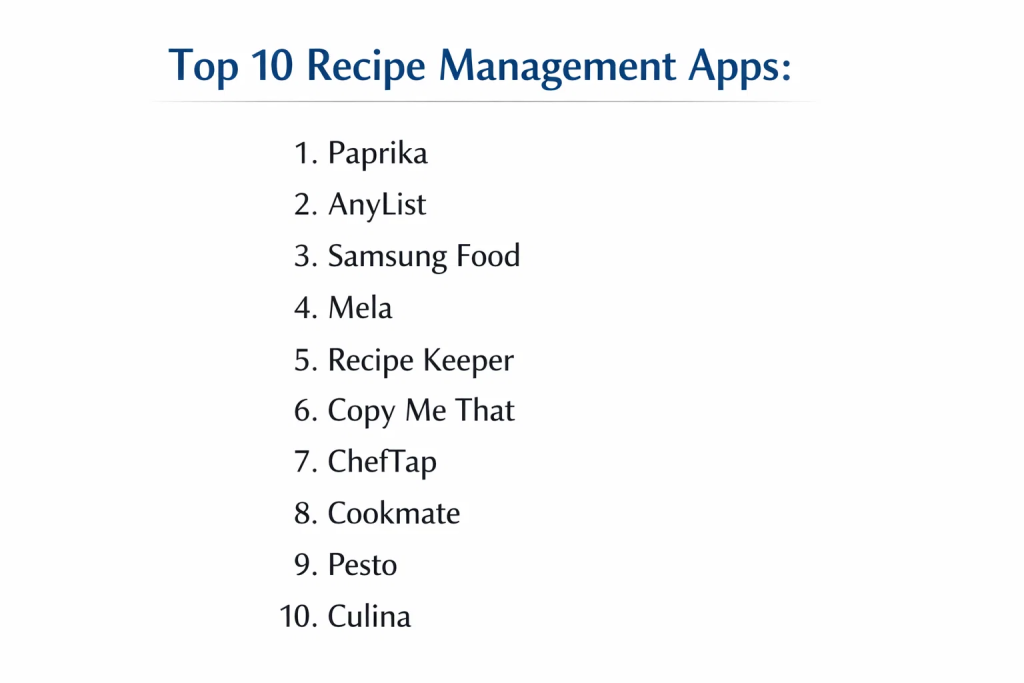
1. Paprika Recipe Manager
Paprika is widely considered the industry standard for those who want a powerful, no-nonsense tool that focuses on pure utility. Its standout feature is a highly reliable web browser that strips away ads and narratives to extract only the recipe content. It offers a comprehensive suite including pantry tracking, meal planning, and an intelligent grocery list that consolidates similar items.
Key Features
The app includes a sophisticated scaling engine that recalculates ingredient quantities for different serving sizes automatically. It features a dedicated “Cook Mode” that prevents the screen from dimming and allows users to cross off ingredients as they go. The built-in pantry manager tracks what you have on hand to prevent duplicate purchases. It also supports multiple timers that can be started directly from the recipe text.
Pros
The software is exceptionally stable and offers a one-time purchase model on most platforms, avoiding the fatigue of monthly subscriptions. Its offline access is highly reliable for areas with poor connectivity.
Cons
Each version (macOS, iOS, Android) must be purchased separately, which can become expensive for users in multi-device households. The interface is utilitarian and lacks the visual flair of some modern competitors.
Platforms and Deployment
Windows, macOS, iOS, and Android. Data is synchronized through its proprietary cloud sync service.
Security and Compliance
Data is encrypted in transit during synchronization, and the developer maintains a strict policy against sharing user data with third parties.
Integrations and Ecosystem
It integrates with native mail and print functions and allows for the import/export of standard recipe files for interoperability with other apps.
Support and Community
Offers a detailed knowledge base and direct email support from a developer with a long-standing reputation for reliability.
2. AnyList
AnyList is a premier choice for those who view recipe management as a subset of broader household organization. While it began as a grocery list app, its recipe functionality is deeply integrated, allowing for one-tap ingredient additions to lists that can be shared with family members in real-time.
Key Features
The platform features a powerful sharing engine where changes to lists or meal plans are instantly reflected across all connected accounts. It allows users to organize recipes into custom collections and add photos to individual items for clarity at the store. The premium version includes a web-clipper that works directly within mobile browsers to import recipes from the web.
Pros
The real-time collaboration is the best in class, making it ideal for partners or roommates. The interface is clean, modern, and very easy to navigate even for non-technical users.
Cons
Many of the most useful features, including the web-clipper and recipe scaling, are locked behind the premium subscription. It lacks some of the advanced cooking-mode features found in specialized recipe managers.
Platforms and Deployment
iOS, Android, macOS, and Web. It uses a centralized cloud infrastructure for synchronization.
Security and Compliance
Supports secure account management and provides options for data deletion upon request, adhering to modern privacy standards.
Integrations and Ecosystem
Integrates with Siri and Alexa for voice-activated list management and has a dedicated Apple Watch app for hands-free shopping.
Support and Community
Provides extensive online documentation and responsive support, with a large user base that shares tips and organizational strategies.
3. Samsung Food (formerly Whisk)
Samsung Food is a data-driven ecosystem that combines recipe saving with social community features and AI-powered health insights. It is designed for the modern, connected kitchen, offering deep integrations with smart appliances and nutritional analysis.
Key Features
The app provides a “Health Score” for recipes and detailed nutritional breakdowns based on the ingredients. It features a community-driven discovery engine where users can join “communities” based on dietary interests or specific chefs. The AI-powered meal planner can generate weekly menus tailored to specific health goals or dietary restrictions.
Pros
The core functionality, including unlimited recipe saving and list management, is available for free. Its integration with smart kitchen appliances provides a glimpse into the future of automated cooking.
Cons
The interface can feel cluttered due to the social media elements and community feeds. Some users may find the data collection requirements to be more extensive than simpler, privacy-focused apps.
Platforms and Deployment
iOS, Android, and Web. It is a cloud-native platform that requires an internet connection for most features.
Security and Compliance
Adheres to standard data encryption protocols and provides transparency regarding the data used for its AI recommendation engine.
Integrations and Ecosystem
Deeply integrated with the Samsung SmartThings ecosystem and various grocery delivery services for direct ingredient ordering.
Support and Community
Offers one of the largest active communities in the space, providing a wealth of user-generated content and peer support.
4. Mela
Mela is a minimalist, Apple-centric recipe manager that prioritizes a clean aesthetic and high-performance scanning. It is designed for users who want a beautiful, distraction-free environment that integrates perfectly with the macOS and iOS ecosystems.
Key Features
Its standout feature is a built-in RSS reader that allows users to subscribe to their favorite cooking blogs and save recipes directly from the feed. It includes a high-accuracy scanner that uses text recognition to digitize recipes from physical books. The app uses the native Reminders app for grocery lists, ensuring deep integration with the Apple ecosystem.
Pros
The design is incredibly elegant and fits perfectly with modern Apple hardware. It is extremely fast and lightweight, with no unnecessary features or social bloat.
Cons
It is strictly limited to the Apple ecosystem, meaning Windows and Android users cannot access the platform. The one-time purchase is separate for Mac and mobile versions.
Platforms and Deployment
macOS, iOS, and iPadOS. Synchronization is handled through iCloud.
Security and Compliance
Leverages Apple’s native security and iCloud encryption, providing a high level of privacy and data security.
Integrations and Ecosystem
Deeply integrated with iCloud, Reminders, and the Safari browser extension for seamless recipe clipping.
Support and Community
Support is provided directly by the developer, who is known for high-quality, iterative updates based on user feedback.
5. Recipe Keeper
Recipe Keeper is a versatile, all-in-one platform known for its excellent OCR capabilities and its ability to create professional-quality digital cookbooks. It is a robust choice for users who want to digitize large collections of handwritten or printed recipes.
Key Features
The app features one of the most accurate scanners in the market, capable of converting photos of recipes into editable text instantly. It allows users to design and print custom cookbooks with table of contents and page numbers. The meal planner supports both weekly and monthly views, providing a broader perspective on household nutrition.
Pros
The ability to generate a printable PDF cookbook is a unique feature that appeals to many traditional cooks. It is available on almost every major platform with a single sync account.
Cons
The user interface, while functional, can feel a bit dated compared to newer minimalist apps. The free version is limited in the number of recipes it can store.
Platforms and Deployment
Windows, macOS, iOS, Android, and Amazon Alexa. It uses a proprietary sync service.
Security and Compliance
Provides standard encryption and allows users to maintain local backups of their data for added security.
Integrations and Ecosystem
Works with Amazon Alexa for hands-free cooking and supports a wide variety of import formats from other recipe apps.
Support and Community
Offers comprehensive online help and direct support, with a loyal user base that appreciates its straightforward approach.
6. Copy Me That
Copy Me That is a lightweight, efficient tool designed for rapid recipe clipping and simple organization. It is ideal for users who primarily find their recipes online and want a fast way to archive them without complex setup.
Key Features
The core strength is its “one-click” clipping button that works on nearly any website, even those with unconventional layouts. It includes a simple meal planner and a grocery list that automatically categorizes items by aisle. The community feature allows users to share their saved recipes and discover what others are cooking.
Pros
It is one of the fastest tools for building a digital library from the web. The free version is quite generous, making it accessible for those on a budget.
Cons
The mobile app interface is less polished than its competitors. It lacks some of the deep technical features like pantry management found in more comprehensive suites.
Platforms and Deployment
Web, iOS, and Android. It is a cloud-based service that synchronizes across all devices.
Security and Compliance
Maintains standard privacy protections and allows users to export their data at any time, ensuring no vendor lock-in.
Integrations and Ecosystem
Relies primarily on its browser extensions for Chrome, Safari, and Firefox to facilitate its rapid clipping functionality.
Support and Community
The community aspect is central to the platform, offering a place for users to interact and share tips.
7. ChefTap
ChefTap is a sophisticated manager known for its ability to handle recipes from any website, not just those that are “supported.” Its focus is on professional-grade organization and automated grocery intelligence.
Key Features
Its “Smart Grocery List” automatically combines like items and sorts them by aisle, regardless of how they were phrased in the original recipe. It can import entire “boards” from Pinterest, making it easy to migrate curated collections. The “Make List” feature allows users to follow multiple recipes on one screen, which is perfect for complex meals.
Pros
The clipping engine is remarkably resilient and can parse recipes from blogs that other apps struggle with. The visual organization of categories is very flexible.
Cons
The Pro version is subscription-based, which may not appeal to those looking for a one-time purchase. The visual design is more functional than aesthetic.
Platforms and Deployment
iOS and Android, with a web-based account for management and syncing.
Security and Compliance
Uses industry-standard payment processing and data encryption, ensuring user information is handled securely.
Integrations and Ecosystem
Integrates with Pinterest and most mobile browsers through the share extension.
Support and Community
Offers priority support for Pro users and a detailed FAQ section to help with common troubleshooting.
8. Cookmate (formerly My CookBook)
Cookmate is a highly customizable recipe organizer that offers significant technical depth for users who like to fine-tune their data. It is particularly strong in its support for importing various digital file formats.
Key Features
The app supports a wide array of file imports, including Meal Master and MasterCook formats, making it a powerful tool for power users. It features an integrated web browser for recipe searching and a voice-controlled cooking assistant. Users can create their own custom categories and subcategories for granular organization.
Pros
It offers a high degree of control over how recipes are stored and displayed. The pricing is very reasonable for the level of functionality provided.
Cons
The interface has a steeper learning curve because of the many customization options. The design can feel a bit technical rather than “homey.”
Platforms and Deployment
Android, iOS, and Web. Cloud synchronization is available through their online service.
Security and Compliance
Provides standard data security measures and allows for frequent backups of the recipe database to local storage.
Integrations and Ecosystem
Supports a broad range of legacy file formats, making it the best choice for those migrating from older desktop software.
Support and Community
Provides active developer support and a well-maintained set of documentation for all features.
9. Pesto
Pesto is a modern, collaborative recipe manager that focuses on simplicity and shared cooking experiences. It is designed for the contemporary kitchen where digital sharing and social interaction are part of the process.
Key Features
The platform features a highly intuitive “Kitchen” view that allows multiple people to see what is currently being cooked. It includes an automated shopping list that updates as items are checked off by anyone in the household. The design focuses on large, clear visuals and minimal text for easy reading while cooking.
Pros
The emphasis on collaboration makes it perfect for families. The setup process is very fast, and the app feels very modern and responsive.
Cons
It is a newer player in the market and may not yet have the deep feature set of long-running apps like Paprika. It is more focused on the “now” rather than building a legacy archive.
Platforms and Deployment
iOS and Android. It is a cloud-enabled platform for real-time syncing.
Security and Compliance
Adheres to current app store security guidelines and focuses on a privacy-first approach for family data.
Integrations and Ecosystem
Integrates well with mobile sharing features to quickly bring in content from social media and websites.
Support and Community
Growing community base with active developer engagement through modern social and support channels.
10. Culina
Culina is a beautifully designed meal planner and recipe manager that targets the “organized household” demographic. It places a heavy emphasis on aesthetic pleasure and efficient weekly planning.
Key Features
The app includes a “Smart Meal Plan Creator” that uses a drag-and-drop interface to build out your week in seconds. It provides automated nutritional tracking and macro breakdowns for all planned meals. The “Master” version offers AI-generated menus based on specific user preferences and dietary goals.
Pros
The design is arguably the most beautiful in the category, making the chore of meal planning feel like a premium experience. Its focus on macro-tracking is excellent for fitness-minded users.
Cons
The most powerful features, including the AI planner, require a premium subscription. It is more focused on planning than on pure recipe archiving.
Platforms and Deployment
Android and iOS. Cloud synchronization is used for its real-time household syncing feature.
Security and Compliance
Uses modern encryption for household data and provides clear controls over what information is shared with third parties.
Integrations and Ecosystem
Connects to external grocery delivery services like Instacart to turn meal plans into delivered groceries.
Support and Community
Offers a polished support experience through their official website and direct in-app channels.
Comparison Table
| Tool Name | Best For | Platform(s) Supported | Deployment | Standout Feature | Public Rating |
| 1. Paprika | Pure Utility/Power | Win, Mac, iOS, Android | Hybrid | Reliable Web Clipper | 4.8/5 |
| 2. AnyList | Household Sharing | iOS, Android, Mac, Web | Cloud | Real-time Collaboration | 4.9/5 |
| 3. Samsung Food | Smart Kitchen/AI | iOS, Android, Web | Cloud | Health Scoring/AI | 4.5/5 |
| 4. Mela | Apple Minimalists | Mac, iOS, iPadOS | iCloud | RSS Recipe Feed | 4.7/5 |
| 5. Recipe Keeper | Digital Cookbooks | Win, Mac, iOS, Android | Hybrid | High-Accuracy OCR | 4.6/5 |
| 6. Copy Me That | Fast Web Clipping | iOS, Android, Web | Cloud | One-Click Clipper | 4.4/5 |
| 7. ChefTap | Multi-Recipe Cooking | iOS, Android, Web | Cloud | Board Importing | 4.5/5 |
| 8. Cookmate | Power User Custom | Android, iOS, Web | Cloud | Legacy File Support | 4.3/5 |
| 9. Pesto | Family Collaboration | iOS, Android | Cloud | Collaborative Kitchen | 4.2/5 |
| 10. Culina | Aesthetic Planning | iOS, Android | Cloud | Drag-and-Drop Planner | 4.4/5 |
Evaluation & Scoring of Recipe Management Software
The scoring below is a comparative model intended to help shortlisting. Each criterion is scored from 1–10, then a weighted total from 0–10 is calculated using the weights listed. These are analyst estimates based on typical fit and common workflow requirements, not public ratings.
Weights:
- Core features – 25%
- Ease of use – 15%
- Integrations & ecosystem – 15%
- Security & compliance – 10%
- Performance & reliability – 10%
- Support & community – 10%
- Price / value – 15%
| Tool Name | Core (25%) | Ease (15%) | Integrations (15%) | Security (10%) | Performance (10%) | Support (10%) | Value (15%) | Weighted Total |
| 1. Paprika | 10 | 8 | 8 | 9 | 10 | 9 | 9 | 9.15 |
| 2. AnyList | 9 | 10 | 9 | 8 | 9 | 9 | 8 | 8.85 |
| 3. Samsung Food | 8 | 7 | 10 | 7 | 8 | 9 | 10 | 8.35 |
| 4. Mela | 9 | 10 | 7 | 10 | 10 | 8 | 9 | 8.95 |
| 5. Recipe Keeper | 9 | 8 | 8 | 8 | 9 | 9 | 9 | 8.65 |
| 6. Copy Me That | 8 | 9 | 7 | 8 | 8 | 8 | 10 | 8.20 |
| 7. ChefTap | 9 | 7 | 8 | 8 | 8 | 8 | 8 | 8.15 |
| 8. Cookmate | 9 | 6 | 9 | 8 | 8 | 8 | 9 | 8.15 |
| 9. Pesto | 7 | 9 | 7 | 8 | 9 | 8 | 8 | 7.90 |
| 10. Culina | 8 | 9 | 9 | 8 | 8 | 8 | 7 | 8.05 |
How to interpret the scores:
- Use the weighted total to shortlist candidates, then validate with a pilot.
- A lower score can mean specialization, not weakness.
- Security and compliance scores reflect controllability and governance fit, because certifications are often not publicly stated.
- Actual outcomes vary with assembly size, team skills, templates, and process maturity.
Which Recipe Management App Is Right for You?
Solo / Independent Cook
For an individual who wants a reliable archive without recurring costs, a tool that offers a one-time purchase and high-performance clipping is best. Focus on apps that offer clean, distraction-free interfaces so you can focus on the culinary task at hand.
The Busy Household
In a multi-person home, real-time collaboration is the most important factor. You need a platform where grocery lists and meal plans are synchronized instantly, allowing different family members to contribute and shop efficiently without duplication.
Fitness & Health Focused
If your cooking is driven by nutritional goals, prioritize apps that offer AI-powered macro-tracking and health scoring. These tools turn your recipe library into a data-driven health asset, making it easier to stick to specific dietary requirements.
The Legacy Archivist
For those with a vast collection of physical recipe cards or books, high-quality OCR technology is non-negotiable. Look for platforms that can digitize handwriting and printed text accurately, saving you hundreds of hours of manual data entry.
Budget vs Premium
Many excellent tools offer a free tier that is sufficient for casual use. However, if you plan to save more than a few dozen recipes or require cloud synchronization across multiple device types, the investment in a premium subscription or one-time license is usually justified by the time saved.
Platform Ecosystem
If you are strictly within the Apple or Android ecosystem, choosing an app optimized for that specific hardware can provide a more seamless experience through native integration. If you move between different operating systems, a cloud-agnostic tool is essential.
Technical Power vs Simple Design
Technical users may prefer apps that allow for custom categorization and legacy file imports. Conversely, if you want to start cooking within minutes of downloading the app, a minimalist design that prioritizes “ease of use” over “customization” will be more satisfying.
Frequently Asked Questions (FAQs)
1. Can these apps import recipes from social media?
Many modern apps can now parse links from platforms like Instagram and TikTok. While the accuracy varies depending on the source layout, high-end managers are increasingly capable of extracting data from video descriptions and captions.
2. Will I lose my recipes if I cancel a subscription?
In most cases, you retain access to your existing recipes, but you may lose the ability to sync across devices or add new recipes. Always check the export options to ensure you can take your data with you.
3. Do these apps work without an internet connection?
Most professional-grade managers store a local copy of your data on your device, allowing you to follow recipes in the kitchen even if your Wi-Fi is unreliable. Cloud sync usually resumes once you are back online.
4. Can I share a single account with my spouse?
Many apps allow for shared accounts or have specific “family plans.” This is often the most cost-effective way to keep everyone in the household on the same page for meal planning and shopping.
5. How accurate is the automatic scaling of ingredients?
The scaling is usually based on mathematical proportions and is very accurate for most ingredients. However, for baking or recipes requiring complex chemical reactions, it is always wise to double-check the scaled measurements.
6. Can I print my digital recipes?
Yes, almost all of these tools offer a “print” function that formats the recipe for paper or PDF, often allowing you to choose between different layout styles or font sizes.
7. Is my personal recipe data private?
Most paid apps prioritize privacy and do not sell your data. However, free apps that focus on “social” features may use your browsing and cooking habits to target advertising, so reading the privacy policy is recommended.
8. Can I add my own original recipes manually?
Every app on this list allows for manual entry. They provide structured fields for ingredients, instructions, and notes, often allowing you to add your own photos of the final dish.
9. What happens if a website where I found a recipe goes down?
A key advantage of a recipe manager is that it saves a “copy” of the recipe in its own database. If the original website disappears, your saved version remains accessible within the app.
10. Do these apps help with grocery budgeting?
Some apps allow you to input prices or integrate with store databases to provide an estimated cost for your meal plan. This can be a powerful tool for controlling household spending.
Conclusion
Transitioning to a dedicated recipe management system is one of the most effective ways to reclaim time and reduce the mental load of household management. By treating culinary information as structured data rather than scattered links, you create a sustainable and scalable kitchen workflow that adapts to your changing dietary and organizational needs. Whether you prioritize the precision of a power-user tool or the aesthetic simplicity of a minimalist interface, the key is to choose a platform that removes friction from the creative process of cooking. In the long term, the value of these tools is measured not just in organized lists, but in the preservation of family traditions and the consistent achievement of health goals.