Introduction
Real-time analytics platforms help organizations collect, process, and analyze data the moment it is created. Instead of waiting for hourly or daily reports, teams can see what is happening right now and act immediately. This matters because customer behavior changes fast, systems produce massive event streams, and businesses need instant decisions for reliability, revenue, and safety. Real-time analytics is used for fraud detection, live customer personalization, operational monitoring, dynamic pricing, and supply chain alerts.
When selecting a platform, evaluate ingestion scale, latency guarantees, query speed, data freshness, ease of building pipelines, connector availability, governance controls, security features, cost predictability, reliability under spikes, and operational complexity. Also check how well it fits your existing data stack, whether your team can run it confidently, and how quickly you can move from prototype to production.
Best for: product teams, data engineering teams, SRE and operations teams, fintech and e-commerce teams, and any organization needing instant insights and automated actions.
Not ideal for: teams with purely offline reporting needs, low data volume, or cases where daily batch dashboards are enough.
Key Trends in Real-time Analytics Platforms
- Faster time-to-insight expectations are pushing sub-second query and low-latency ingestion as table stakes.
- More teams are mixing streaming and batch in one place to avoid duplicated pipelines.
- Real-time analytics is moving closer to customer-facing use cases like personalization and recommendations.
- Columnar engines and vectorized execution are improving performance on high-cardinality data.
- Query acceleration through caching, pre-aggregation, and materialized views is becoming more common.
- Data governance and access control are being enforced earlier in the pipeline, not as an afterthought.
- More organizations are adopting open table formats to reduce vendor lock-in and simplify interoperability.
- Cost control is becoming a primary buying factor as real-time workloads can grow unpredictably.
- Operational simplicity and managed services are preferred as teams struggle with streaming complexity.
How We Selected These Tools (Methodology)
- Included widely recognized engines used for low-latency analytics at scale.
- Balanced real-time specialized engines with broader cloud platforms that support near-real-time patterns.
- Considered ingestion flexibility, query latency, and performance for high-cardinality event data.
- Looked at ecosystem strength, connectors, and the ability to integrate with streaming sources.
- Evaluated fit across different team sizes, from small teams to large enterprises.
- Assessed operational complexity and the likelihood of smooth production adoption.
- Prioritized tools that can support both dashboards and programmatic analytics use cases.
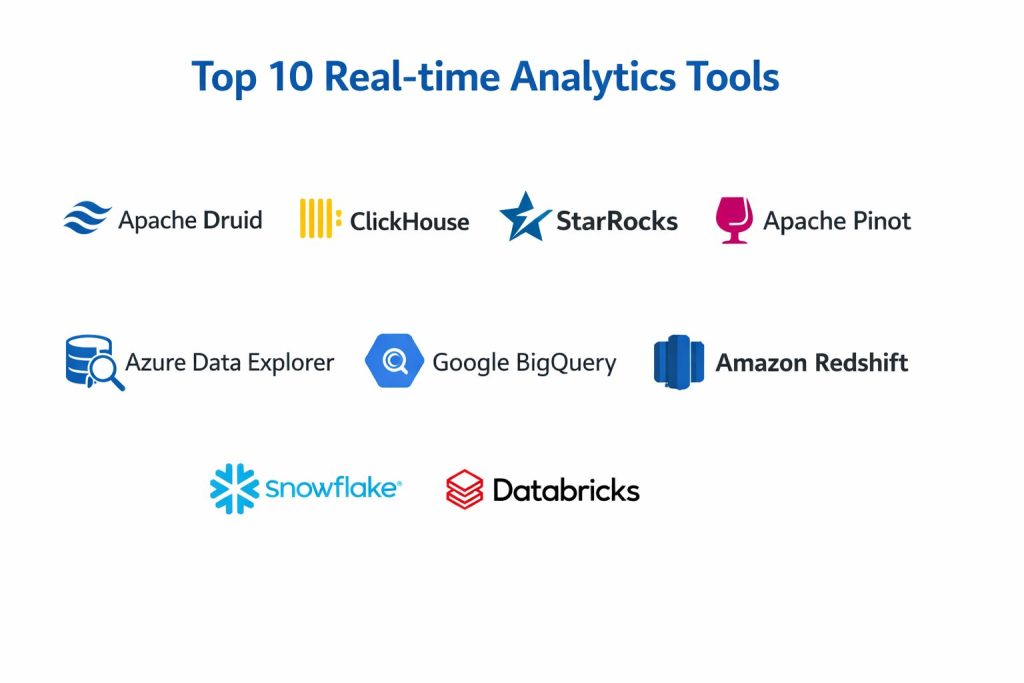
Top 10 Real-time Analytics Platforms
1 — Apache Druid
A real-time analytics database designed for fast queries on event data, commonly used for dashboards, operational analytics, and high concurrency workloads.
Key Features
- Low-latency ingestion for streaming and batch data
- Fast slice-and-dice queries on time-series and event data
- High concurrency handling for many dashboard users
- Rollups and pre-aggregation options to reduce query cost
- Segment-based architecture for scalable performance
Pros
- Strong for interactive dashboards on large event streams
- Good performance for high-cardinality dimensions
Cons
- Requires careful data modeling for best results
- Operational complexity can be non-trivial
Platforms / Deployment
Linux, Self-hosted, Cloud, Hybrid
Security and Compliance
Not publicly stated
Integrations and Ecosystem
Often used with streaming and batch ingestion pipelines and is commonly paired with message queues and orchestration layers.
- Connectors and ingestion integrations vary by deployment
- Works well with event-centric architectures
- Ecosystem strength depends on implementation choices
Support and Community
Strong open-source community; managed support varies by provider.
2 — ClickHouse
A high-performance columnar analytics database known for speed and efficiency, often used for real-time analytics, log analytics, and large-scale aggregations.
Key Features
- Columnar storage optimized for analytics queries
- Strong compression and fast scans on large datasets
- Good performance for high-cardinality analytics
- Flexible ingestion patterns for frequent updates
- Efficient query execution for operational dashboards
Pros
- Excellent performance-to-cost profile in many workloads
- Strong for logs, events, and metrics analytics
Cons
- Requires tuning and discipline for stable performance
- Governance features vary by deployment approach
Platforms / Deployment
Linux, Self-hosted, Cloud, Hybrid
Security and Compliance
Not publicly stated
Integrations and Ecosystem
Often integrated into event pipelines for fast analytics, with multiple ingestion strategies depending on your stack.
- Connects well with streaming ingestion patterns
- Works with many BI and visualization tools through connectors
- Extensibility depends on chosen deployment model
Support and Community
Large community; support tiers vary by vendor or managed provider.
3 — StarRocks
A modern analytics engine designed for fast queries and near-real-time ingestion, often used for customer analytics, dashboards, and interactive reporting.
Key Features
- Fast query performance for interactive analytics
- Near-real-time ingestion capabilities for fresh data
- Support for materialized views to accelerate queries
- Good concurrency handling for shared dashboards
- Flexible architecture for scale-out deployments
Pros
- Strong interactive performance for analytics users
- Helpful acceleration options for common workloads
Cons
- Ecosystem depth can vary by environment
- Operational experience may be limited in some teams
Platforms / Deployment
Linux, Self-hosted, Cloud, Hybrid
Security and Compliance
Not publicly stated
Integrations and Ecosystem
Works best when paired with a clear ingestion strategy and standardized modeling for your key metrics.
- Connectors depend on chosen ingestion tools
- Materialized views support common dashboard patterns
- Integration typically aligns with modern data stacks
Support and Community
Community support varies; commercial offerings may provide stronger support.
4 — Apache Pinot
A real-time OLAP datastore built for low-latency queries on streaming data, often used for user-facing analytics and high-concurrency dashboards.
Key Features
- Real-time ingestion from streaming sources
- Low-latency query engine for event analytics
- Indexing strategies for fast filtering and aggregations
- Designed for high concurrency and interactive use
- Works well for user-facing metrics and analytics
Pros
- Strong low-latency queries on live event streams
- Good fit for high-concurrency analytics use cases
Cons
- Requires careful schema and indexing design
- Operational complexity can be significant
Platforms / Deployment
Linux, Self-hosted, Cloud, Hybrid
Security and Compliance
Not publicly stated
Integrations and Ecosystem
Typically used with streaming pipelines and benefits from disciplined event schema design and indexing rules.
- Strong alignment with event streaming architectures
- Connector and ingestion patterns vary by setup
- Works best with standardized metrics definitions
Support and Community
Active community; enterprise support depends on deployment choices.
5 — Rockset
A real-time analytics service designed for fast ingest and fast queries, often used for powering application analytics and operational dashboards.
Key Features
- Fast ingestion for semi-structured and event data
- Low-latency queries designed for interactive use
- Indexing and optimization aimed at real-time workloads
- Flexible query patterns for application analytics
- Designed to support operational and user-facing analytics
Pros
- Quick time-to-value for real-time analytics use cases
- Strong performance for fresh data queries
Cons
- Vendor-managed approach may limit deep customization
- Pricing predictability can require careful monitoring
Platforms / Deployment
Cloud, Hybrid
Security and Compliance
Not publicly stated
Integrations and Ecosystem
Often used to serve real-time analytics to applications and dashboards with a focus on fast development cycles.
- Integrates with common ingestion sources depending on setup
- API-first usage fits application analytics patterns
- Best results come from clear data freshness goals
Support and Community
Support tiers vary; community presence depends on usage patterns.
6 — Azure Data Explorer
A platform designed for high-scale log and telemetry analytics with fast queries, commonly used for operational analytics and near-real-time monitoring.
Key Features
- High-ingestion throughput for telemetry and logs
- Fast query capabilities for time-based analysis
- Strong support for operational analytics patterns
- Works well for troubleshooting and incident investigations
- Scales to large volumes with efficient storage patterns
Pros
- Very strong for logs, telemetry, and operational analytics
- Good fit for teams already using Microsoft ecosystems
Cons
- Best fit is often tied to Azure-centric environments
- Learning curve exists for query language and modeling
Platforms / Deployment
Cloud, Hybrid
Security and Compliance
Not publicly stated
Integrations and Ecosystem
Works well in Microsoft-focused stacks and is commonly used for telemetry-driven analysis and incident workflows.
- Integrations depend on Azure services in use
- Common fit for monitoring and operational analytics
- Strong for structured log and event processing
Support and Community
Strong enterprise support availability; community knowledge is solid.
7 — Google BigQuery
A cloud data warehouse with strong analytics performance and support for near-real-time ingestion patterns, often used for large-scale analytics and business intelligence.
Key Features
- Scalable query engine for large datasets
- Supports streaming and frequent ingestion patterns
- Strong ecosystem fit for cloud-native analytics
- Good concurrency for shared analytics workloads
- Managed operations reduce infrastructure burden
Pros
- Easy to scale for large analytics workloads
- Strong managed experience for teams avoiding ops overhead
Cons
- Cost control requires careful usage governance
- Real-time performance depends on ingestion and modeling approach
Platforms / Deployment
Cloud
Security and Compliance
Not publicly stated
Integrations and Ecosystem
Often paired with cloud-native pipelines and works well for organizations standardizing on Google cloud services.
- Integration strength depends on your cloud architecture
- Works well for BI and analytics workloads
- Best results require clear cost governance
Support and Community
Strong documentation and enterprise support options; large user base.
8 — Amazon Redshift
A cloud data warehouse commonly used for analytics at scale, supporting near-real-time patterns when paired with streaming ingestion and modeling strategies.
Key Features
- Scalable analytics performance for large datasets
- Integrates well in AWS-centric data ecosystems
- Supports concurrency patterns for BI workloads
- Performance optimization options for common query patterns
- Managed operations reduce infrastructure overhead
Pros
- Good fit for organizations standardized on AWS
- Mature warehouse patterns and operational stability
Cons
- Real-time experience depends on ingestion and workload design
- Cost management needs ongoing governance
Platforms / Deployment
Cloud
Security and Compliance
Not publicly stated
Integrations and Ecosystem
Often used with AWS-native ingestion and orchestration patterns, with real-time behavior shaped by pipeline design.
- Strong alignment with AWS data services
- Works well with BI tooling through connectors
- Best results require disciplined schema and workload management
Support and Community
Strong enterprise support and broad user community.
9 — Snowflake
A cloud data platform known for ease of use and strong governance patterns, often used for analytics and data sharing, with near-real-time capabilities depending on ingestion design.
Key Features
- Managed architecture for analytics workloads
- Strong separation of storage and compute for scaling
- Useful governance controls for broader organizations
- Supports high concurrency with the right setup
- Strong ecosystem alignment for modern data stacks
Pros
- Smooth user experience for many analytics teams
- Strong for governed analytics in larger organizations
Cons
- Cost can rise with high-frequency real-time workloads
- Real-time depends on pipeline strategy and usage patterns
Platforms / Deployment
Cloud
Security and Compliance
Not publicly stated
Integrations and Ecosystem
Often used as the analytics layer in modern stacks and works best with clear ingestion and refresh expectations.
- Integrations vary by data stack choices
- Strong partner ecosystem for analytics workflows
- Best fit improves with governance discipline
Support and Community
Strong vendor support and broad community adoption.
10 — Databricks
A data platform often used for streaming, analytics, and machine learning workflows, supporting near-real-time analytics through unified processing patterns.
Key Features
- Supports streaming and batch patterns in one environment
- Strong for building end-to-end data pipelines
- Useful for advanced analytics and ML-assisted use cases
- Scales for large workloads with managed operations
- Strong ecosystem integration for data engineering teams
Pros
- Great for teams combining streaming with advanced analytics
- Strong platform approach for data engineering and ML together
Cons
- Can feel complex for teams only needing simple dashboards
- Cost and governance require active management
Platforms / Deployment
Cloud, Hybrid
Security and Compliance
Not publicly stated
Integrations and Ecosystem
Often used when teams want a unified place to build pipelines, process streams, and run analytics with consistent governance.
- Fits well in lakehouse-style architectures
- Integrates through connectors depending on chosen stack
- Best results require strong operational and governance habits
Support and Community
Strong enterprise support; community and learning resources are extensive.
Comparison Table
| Tool Name | Best For | Platform(s) Supported | Deployment | Standout Feature | Public Rating |
|---|---|---|---|---|---|
| Apache Druid | Real-time dashboards on event data | Linux | Cloud, Self-hosted, Hybrid | High concurrency real-time analytics | N/A |
| ClickHouse | Fast analytics on large event streams | Linux | Cloud, Self-hosted, Hybrid | High performance columnar queries | N/A |
| StarRocks | Interactive analytics with acceleration | Linux | Cloud, Self-hosted, Hybrid | Materialized view acceleration | N/A |
| Apache Pinot | Low-latency user-facing analytics | Linux | Cloud, Self-hosted, Hybrid | Real-time OLAP on streams | N/A |
| Rockset | Application-focused real-time analytics | Varies | Cloud, Hybrid | Fast ingest and query serving | N/A |
| Azure Data Explorer | Telemetry and log analytics | Varies | Cloud, Hybrid | High-scale operational analytics | N/A |
| Google BigQuery | Scalable managed analytics | Varies | Cloud | Managed scale with broad analytics | N/A |
| Amazon Redshift | Cloud warehouse analytics | Varies | Cloud | Mature warehouse patterns | N/A |
| Snowflake | Governed enterprise analytics | Varies | Cloud | Separation of storage and compute | N/A |
| Databricks | Streaming plus advanced analytics | Varies | Cloud, Hybrid | Unified streaming and analytics | N/A |
Evaluation and Scoring of Real-time Analytics Platforms
Weights
Core features 25 percent
Ease of use 15 percent
Integrations and ecosystem 15 percent
Security and compliance 10 percent
Performance and reliability 10 percent
Support and community 10 percent
Price and value 15 percent
| Tool Name | Core | Ease | Integrations | Security | Performance | Support | Value | Weighted Total |
|---|---|---|---|---|---|---|---|---|
| Apache Druid | 8.8 | 6.8 | 7.8 | 6.0 | 8.5 | 7.5 | 7.5 | 7.72 |
| ClickHouse | 9.0 | 6.7 | 7.8 | 6.0 | 9.0 | 7.5 | 8.5 | 8.08 |
| StarRocks | 8.2 | 7.2 | 7.2 | 6.0 | 8.3 | 7.0 | 8.0 | 7.61 |
| Apache Pinot | 8.6 | 6.4 | 7.6 | 6.0 | 8.7 | 7.2 | 7.6 | 7.72 |
| Rockset | 8.0 | 7.6 | 7.5 | 6.0 | 8.2 | 7.0 | 7.0 | 7.47 |
| Azure Data Explorer | 8.2 | 7.2 | 7.6 | 6.5 | 8.4 | 7.8 | 7.2 | 7.66 |
| Google BigQuery | 8.4 | 7.6 | 8.0 | 6.5 | 8.3 | 7.8 | 6.8 | 7.79 |
| Amazon Redshift | 8.0 | 7.0 | 7.8 | 6.5 | 8.0 | 7.6 | 6.8 | 7.45 |
| Snowflake | 8.4 | 7.8 | 8.2 | 6.8 | 8.2 | 7.8 | 6.5 | 7.79 |
| Databricks | 8.6 | 7.0 | 8.2 | 6.6 | 8.4 | 7.8 | 6.7 | 7.79 |
How to interpret the scores
These scores are comparative and help you shortlist options based on typical platform strengths. A lower total can still be the right choice if it matches your team skills, your data sources, and your operating model. Core and integrations shape long-term fit, while ease impacts how quickly teams become productive. Performance reflects typical behavior under heavy load, but real results depend on tuning and modeling. Value depends on how efficiently your organization controls usage and scale.
Which Real-time Analytics Platform Is Right for You
Solo or Freelancer
If you are building a smaller product or analytics feature, you need simplicity and predictable effort. ClickHouse can be strong when you want performance and control, while a managed platform approach can reduce operational burden if you prefer not to run infrastructure. Pick the tool that matches your ability to manage tuning and operations.
SMB
SMBs often need fast dashboards and clear ROI without hiring a large platform team. Apache Druid and ClickHouse can work well for event analytics, especially if you have disciplined ingestion and schema design. If you want managed operations and broad BI compatibility, cloud warehouse options may be simpler, but cost governance becomes critical.
Mid-Market
Mid-market teams usually have more data sources, more stakeholders, and higher concurrency requirements. Apache Pinot and Druid can be strong for real-time dashboards and user-facing analytics. Databricks becomes attractive when you need streaming plus advanced analytics in one place. Choose based on whether your main need is serving dashboards, powering product analytics, or building broader pipelines.
Enterprise
Enterprises need governance, access control patterns, reliability, and predictable operations at scale. Snowflake, BigQuery, Redshift, and Databricks can be strong choices depending on your existing cloud and skills. For highly interactive real-time dashboards at high concurrency, Druid or Pinot can be added as a serving layer. The best approach is often a layered architecture rather than forcing one tool to do everything.
Budget vs Premium
If budget matters most, focus on engines that offer strong performance efficiency and avoid unnecessary duplication of pipelines. If premium features and managed operations matter most, cloud platforms may reduce operational burden but require strong cost controls and usage governance.
Feature Depth vs Ease of Use
Specialized engines can deliver low latency and fast serving but may require deeper operational expertise. Managed cloud platforms can be easier to adopt but may need governance to keep costs stable. Align your choice with your team’s ability to tune, monitor, and operate real-time systems.
Integrations and Scalability
If your data comes from many streaming sources, prioritize ingestion flexibility and connector availability. If you must scale to many dashboards and concurrent users, prioritize concurrency handling and predictable query latency. Validate ecosystem fit early, especially around your BI tools, streaming stack, and orchestration tools.
Security and Compliance Needs
If you have strict requirements, focus on least-privilege access patterns, role-based access control, audit-friendly operations, and disciplined data governance. Where public details are unclear, treat them as not publicly stated and validate through vendor processes and internal security reviews.
Frequently Asked Questions
1. What is the difference between real-time analytics and batch analytics
Real-time analytics focuses on analyzing data as it arrives, while batch analytics processes data in scheduled intervals. Real-time is used when fast decisions matter, while batch is used when timing is less critical.
2. Do real-time analytics platforms replace data warehouses
Not always. Many organizations use real-time engines for serving and fast dashboards while using a warehouse for broad reporting and governance. A blended approach is common.
3. What data sources work best for real-time analytics
Event streams, logs, clickstream data, telemetry, transactions, and sensor data are common. The best results come from consistent event schemas and predictable data quality.
4. What are common mistakes when adopting real-time analytics
Common mistakes include poor schema design, unclear freshness goals, ignoring cost controls, and skipping operational monitoring. Another mistake is building duplicate pipelines without clear ownership.
5. How do I control costs in real-time analytics
Control costs by defining retention rules, limiting unnecessary high-cardinality dimensions, using pre-aggregation where appropriate, and creating governance around queries and usage patterns.
6. How long does implementation usually take
It depends on data sources and team skills. A basic pilot can be done quickly, but production readiness requires monitoring, alerting, schema standards, and reliability testing.
7. Can real-time analytics support customer personalization
Yes, if latency is low and the platform can reliably ingest and query recent events. You also need clear rules for feature computation, consistency, and fallback behavior.
8. What should I measure during a pilot
Measure ingestion latency, query latency under load, dashboard concurrency behavior, failure recovery, operational effort, and the quality of insights produced. Use real data and real use cases.
9. Is high-cardinality data a problem for real-time analytics
It can be challenging because it increases indexing and memory pressure. The right engine and careful modeling help, but teams should avoid unnecessary cardinality where possible.
10. How do I choose between a specialized engine and a cloud platform
Choose a specialized engine when you need very low latency and high concurrency serving. Choose a cloud platform when you want managed operations and broad analytics, then validate costs and freshness requirements.
Conclusion
Real-time analytics platforms help you move from delayed reporting to immediate insight and action. The best choice depends on your data volume, latency goals, team skills, and how you plan to serve analytics to users. Specialized engines like Apache Druid and Apache Pinot can excel when you need low-latency dashboards and high concurrency on live event streams. High-performance databases like ClickHouse can deliver strong speed and efficiency when tuned well. Cloud platforms like Snowflake, Google BigQuery, Amazon Redshift, Azure Data Explorer, and Databricks can reduce operational burden, but you must manage usage and cost carefully. The smartest next step is to shortlist two or three tools, run a pilot with real workloads, validate ingestion and query latency, then confirm integration and governance fit.