Introduction
RAG tooling helps teams build AI applications that answer questions using your real data, not just what a model “remembers.” In simple terms, it connects a language model to your documents, databases, and knowledge sources, retrieves the most relevant content, and then generates an answer grounded in that retrieved evidence. This matters because teams want accurate, auditable outputs for support, internal search, sales enablement, policy Q and A, and developer productivity. Without strong RAG tooling, apps often fail due to poor retrieval, weak chunking, noisy results, missing citations, and lack of governance. When selecting RAG tooling, evaluate connector coverage, ingestion pipelines, chunking controls, embedding options, hybrid search, reranking, latency, observability, evaluation workflows, security controls, and deployment flexibility.
Best for: product teams, platform teams, data engineers, and AI engineers building grounded chatbots, enterprise search, copilots, and knowledge assistants.
Not ideal for: teams that only need a simple FAQ page, basic keyword search, or low-risk content where occasional hallucinations are acceptable.
Key Trends in RAG (Retrieval-Augmented Generation) Tooling
- Hybrid retrieval is becoming the default, combining vector similarity with keyword and structured filters.
- Reranking is moving from optional to essential for higher answer quality and fewer irrelevant chunks.
- Better ingestion pipelines are winning, including document cleaning, chunking strategies, and metadata design.
- Multi-step retrieval is growing, such as query rewriting, sub-queries, and iterative retrieval for hard questions.
- Evaluation is shifting from ad-hoc checks to repeatable test suites with quality gates before release.
- Observability is expanding to include trace-level evidence, token usage, retrieval hits, and latency breakdowns.
- Security expectations are rising, especially for access controls, auditability, and data residency patterns.
- RAG systems are becoming more “agentic,” where tools trigger retrieval, filtering, and tool calls dynamically.
How We Selected These Tools (Methodology)
- Included widely adopted open ecosystems plus enterprise-grade managed services.
- Balanced orchestration frameworks, indexing libraries, vector databases, and search platforms.
- Prioritized tools that cover core RAG needs: ingestion, retrieval, filtering, reranking, and evaluation hooks.
- Considered performance patterns for scale, including indexing speed and query latency.
- Considered ecosystem maturity, community strength, and availability of production patterns.
- Focused on practical fit across solo builders, SMB, mid-market, and enterprise deployments.
- Included tools that support metadata filtering and governance, which are critical for real deployments.
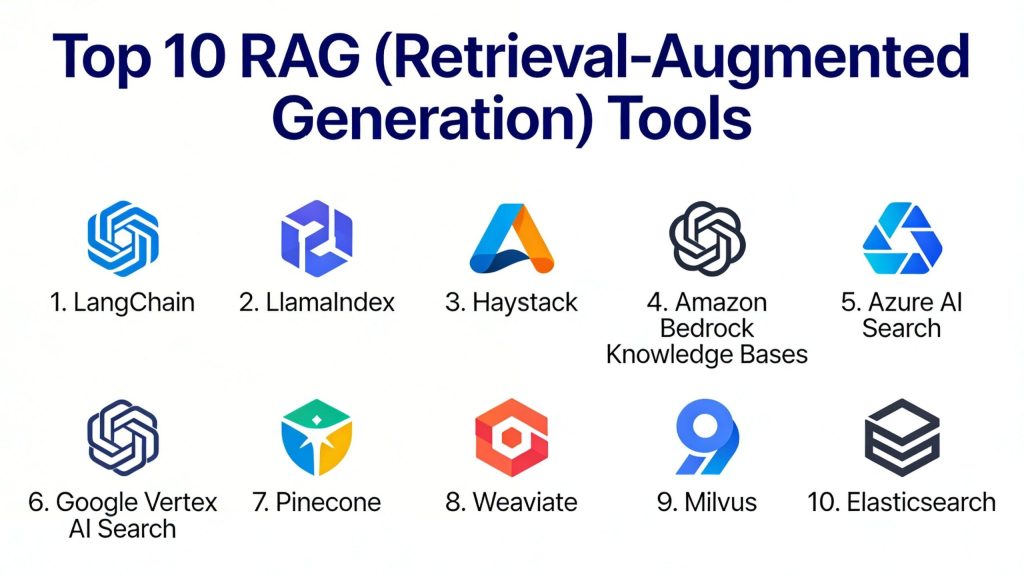
Top 10 RAG (Retrieval-Augmented Generation) Tooling Tools
1 — LangChain
A popular framework for building LLM applications with retrieval pipelines, tool calling, and flexible orchestration patterns for RAG.
Key Features
- Modular components for retrieval, prompts, and orchestration
- Support for many vector stores and search backends
- Query transformations and routing patterns
- Tool calling and agent-friendly abstractions
- Tracing-friendly patterns for pipeline visibility
Pros
- Strong ecosystem and many integrations
- Flexible building blocks for many RAG designs
Cons
- Easy to build quickly but harder to standardize at scale
- Architecture can get complex without conventions
Platforms / Deployment
Varies, Self-hosted
Security and Compliance
Not publicly stated
Integrations and Ecosystem
LangChain is commonly used as a glue layer that connects models, retrievers, tools, and app frameworks.
- Integrations with many vector stores and search engines
- Extensible abstractions for custom retrievers and rerankers
- Works well with typical backend stacks and APIs
Support and Community
Strong community and fast-moving ecosystem; support varies by usage model.
2 — LlamaIndex
A data framework focused on turning enterprise and app data into reliable retrieval pipelines with indexing, connectors, and query workflows.
Key Features
- Document loaders and data connectors for ingestion
- Flexible indexing structures and chunking controls
- Query engines designed for retrieval and synthesis
- Metadata filtering patterns for enterprise needs
- Pipeline composition for multi-step retrieval
Pros
- Strong focus on data-to-retrieval workflows
- Helpful abstractions for building structured RAG systems
Cons
- Requires discipline to standardize ingestion and indexing choices
- Some advanced use cases need custom extension work
Platforms / Deployment
Varies, Self-hosted
Security and Compliance
Not publicly stated
Integrations and Ecosystem
LlamaIndex typically sits between data sources and retrieval layers, helping teams shape data for high-quality retrieval.
- Connectors for common content types and stores
- Works with popular vector databases and search backends
- Extensible indexing and query components
Support and Community
Active community and rapid development; support varies by plan and ecosystem use.
3 — Haystack
An open framework for building search and question answering pipelines, including retrieval, ranking, and generative answering patterns.
Key Features
- Pipeline-based architecture for RAG workflows
- Retriever and ranker components for quality control
- Support for multiple backends and storage options
- Evaluation-friendly structure for repeatable testing
- Practical building blocks for production-style pipelines
Pros
- Clear pipeline model that supports maintainability
- Strong fit for search-like systems and QA workflows
Cons
- Integrations depend on backend choices
- Some teams find it less “plug-and-play” than expected
Platforms / Deployment
Varies, Self-hosted
Security and Compliance
Not publicly stated
Integrations and Ecosystem
Haystack works well when you want explicit pipeline steps and repeatable retrieval behavior.
- Components for retrieval, ranking, and generation
- Works with common search and vector backends
- Encourages testable, structured pipelines
Support and Community
Solid documentation and community; enterprise support varies by providers.
4 — Amazon Bedrock Knowledge Bases
A managed approach to building RAG systems where ingestion, storage, and retrieval workflows are integrated into an AWS-centered setup.
Key Features
- Managed ingestion and retrieval workflows
- Built-in patterns for chunking and embeddings selection
- Integration with AWS-native security and governance patterns
- Scales with AWS infrastructure and operational tooling
- Useful for enterprise teams standardizing on AWS
Pros
- Reduces operational work for teams on AWS
- Easier governance alignment in AWS environments
Cons
- Vendor-centered approach may reduce portability
- Flexibility depends on service capabilities and configuration
Platforms / Deployment
Cloud
Security and Compliance
Not publicly stated
Integrations and Ecosystem
Best for teams already on AWS who want managed retrieval as part of their application stack.
- Works naturally with AWS services and IAM patterns
- Common for enterprise access control needs
- Pairs with AWS observability and ops workflows
Support and Community
Vendor support options exist; community patterns vary by use case.
5 — Azure AI Search
A search platform used for enterprise search, now commonly paired with vector search and retrieval patterns for RAG applications.
Key Features
- Enterprise search features with indexing workflows
- Vector search support and hybrid retrieval patterns
- Strong filtering and structured query capabilities
- Useful for content search and knowledge discovery
- Scales for enterprise search workloads
Pros
- Strong enterprise search capabilities and filtering
- Good fit for hybrid retrieval and structured constraints
Cons
- Best results require careful index design and tuning
- Some advanced workflows need additional orchestration
Platforms / Deployment
Cloud
Security and Compliance
Not publicly stated
Integrations and Ecosystem
Azure AI Search fits well in Microsoft-centered ecosystems and enterprise content workflows.
- Works with app services and enterprise data patterns
- Supports structured filters for access control logic
- Often used as the primary retrieval layer for RAG
Support and Community
Strong enterprise adoption and documentation; support depends on plan.
6 — Google Vertex AI Search
A managed search and retrieval layer used for building enterprise search and retrieval experiences that can feed generative apps.
Key Features
- Managed indexing and retrieval for enterprise content
- Designed for scalable search experiences
- Helpful for teams standardizing on Google Cloud
- Supports structured retrieval use cases
- Operational simplicity compared to self-managed stacks
Pros
- Managed experience reduces operational burden
- Strong fit for Google Cloud environments
Cons
- Portability may be limited compared to self-hosted stacks
- Flexibility depends on service options and configuration
Platforms / Deployment
Cloud
Security and Compliance
Not publicly stated
Integrations and Ecosystem
Vertex AI Search aligns best with Google Cloud-native app patterns and managed search use cases.
- Works with common cloud data patterns
- Often used for enterprise content retrieval layers
- Pairs with broader managed AI platform workflows
Support and Community
Vendor support varies by plan; community patterns vary by adoption.
7 — Pinecone
A managed vector database designed for fast similarity search, commonly used as the retrieval store in RAG applications.
Key Features
- Scalable vector indexing and similarity search
- Low-latency retrieval patterns for production workloads
- Metadata filtering to narrow retrieval to the right scope
- Operational simplicity for teams avoiding self-hosting
- Fit for high-traffic RAG apps and copilots
Pros
- Strong performance and operational simplicity
- Good fit for production-scale vector retrieval
Cons
- Cost can rise with scale and usage patterns
- Some teams prefer open-source control for governance
Platforms / Deployment
Cloud
Security and Compliance
Not publicly stated
Integrations and Ecosystem
Pinecone is commonly used behind orchestration layers and indexing pipelines.
- Works with popular embedding pipelines
- Common integrations through RAG frameworks
- Supports metadata filters for practical constraints
Support and Community
Strong vendor documentation; support tiers vary.
8 — Weaviate
A vector database platform that supports vector search, metadata filtering, and flexible retrieval patterns for RAG pipelines.
Key Features
- Vector search with metadata filtering support
- Flexible schema and indexing patterns
- Useful for hybrid retrieval designs in many stacks
- Community ecosystem with practical examples
- Can be used for different scales and workloads
Pros
- Good balance of features and flexibility
- Strong community presence for vector-first search
Cons
- Operational complexity depends on how it is deployed
- Performance tuning may be needed for large workloads
Platforms / Deployment
Cloud / Self-hosted
Security and Compliance
Not publicly stated
Integrations and Ecosystem
Weaviate commonly connects to ingestion pipelines and orchestration frameworks to provide the retrieval store.
- Works well with indexing and chunking pipelines
- Fits RAG frameworks through common connectors
- Supports filtered retrieval for scoped responses
Support and Community
Active community; support depends on deployment and plan.
9 — Milvus
A popular open-source vector database used for scalable similarity search, often chosen for self-hosted control and large-scale deployments.
Key Features
- High-scale vector indexing and retrieval patterns
- Designed for large collections and fast similarity search
- Good fit for teams needing self-hosted control
- Works with common embedding pipelines
- Supports metadata and partitioning strategies
Pros
- Strong for scale-focused vector workloads
- Good choice for teams needing deployment control
Cons
- Requires operational ownership and expertise
- Tuning and maintenance depend on workload patterns
Platforms / Deployment
Self-hosted
Security and Compliance
Not publicly stated
Integrations and Ecosystem
Milvus is often selected when teams want open control and the ability to align retrieval infrastructure with internal standards.
- Works with popular RAG orchestration tools
- Fits ingestion pipelines and custom chunking systems
- Supports scale-oriented designs with careful planning
Support and Community
Strong open-source community; commercial support varies.
10 — Elasticsearch
A search and analytics platform widely used for keyword search and filtering, increasingly combined with vector search for hybrid RAG retrieval.
Key Features
- Mature full-text search and ranking capabilities
- Strong filtering and structured query features
- Useful for hybrid retrieval approaches
- Scales for large document search workloads
- Strong ecosystem for logging and search use cases
Pros
- Excellent for keyword search and structured filtering
- Strong fit for hybrid search designs
Cons
- Vector-first workflows may need extra tuning
- Requires careful index design and operational ownership
Platforms / Deployment
Cloud / Self-hosted
Security and Compliance
Not publicly stated
Integrations and Ecosystem
Elasticsearch is often used when teams already rely on it for search and want to add vector retrieval for RAG.
- Strong ecosystem and connectors across stacks
- Works well with metadata-heavy retrieval constraints
- Commonly paired with RAG orchestration frameworks
Support and Community
Very strong community and enterprise adoption; support varies by plan.
Comparison Table
| Tool Name | Best For | Platform(s) Supported | Deployment | Standout Feature | Public Rating |
|---|---|---|---|---|---|
| LangChain | RAG orchestration and rapid prototyping | Varies | Self-hosted | Large integration ecosystem | N/A |
| LlamaIndex | Data-to-retrieval pipelines and indexing | Varies | Self-hosted | Strong ingestion and indexing abstractions | N/A |
| Haystack | Structured search and QA pipelines | Varies | Self-hosted | Pipeline-first design for maintainability | N/A |
| Amazon Bedrock Knowledge Bases | Managed RAG on AWS | Varies | Cloud | AWS-aligned managed retrieval | N/A |
| Azure AI Search | Enterprise search with hybrid retrieval | Varies | Cloud | Filtering and search maturity | N/A |
| Google Vertex AI Search | Managed enterprise retrieval on Google Cloud | Varies | Cloud | Operational simplicity for search | N/A |
| Pinecone | Production vector retrieval | Varies | Cloud | Low-latency scalable vector search | N/A |
| Weaviate | Flexible vector retrieval | Varies | Cloud / Self-hosted | Schema-driven vector search | N/A |
| Milvus | Self-hosted scalable vector search | Varies | Self-hosted | Open control at scale | N/A |
| Elasticsearch | Hybrid keyword plus vector retrieval | Varies | Cloud / Self-hosted | Mature search and filtering | N/A |
Evaluation and Scoring of RAG (Retrieval-Augmented Generation) Tooling
Weights
Core features 25 percent
Ease of use 15 percent
Integrations and ecosystem 15 percent
Security and compliance 10 percent
Performance and reliability 10 percent
Support and community 10 percent
Price and value 15 percent
| Tool Name | Core | Ease | Integrations | Security | Performance | Support | Value | Weighted Total |
|---|---|---|---|---|---|---|---|---|
| LangChain | 8.5 | 7.5 | 9.5 | 5.5 | 7.5 | 8.5 | 8.0 | 8.03 |
| LlamaIndex | 8.5 | 7.5 | 8.5 | 5.5 | 7.5 | 8.0 | 8.0 | 7.88 |
| Haystack | 8.0 | 7.0 | 8.0 | 5.5 | 7.5 | 7.5 | 8.0 | 7.53 |
| Amazon Bedrock Knowledge Bases | 8.0 | 7.5 | 8.0 | 6.5 | 8.0 | 7.5 | 7.0 | 7.68 |
| Azure AI Search | 8.5 | 7.0 | 8.0 | 6.5 | 8.0 | 7.5 | 7.0 | 7.78 |
| Google Vertex AI Search | 8.0 | 7.0 | 7.5 | 6.0 | 8.0 | 7.0 | 7.0 | 7.35 |
| Pinecone | 8.0 | 8.0 | 8.5 | 6.0 | 8.5 | 7.5 | 7.0 | 7.85 |
| Weaviate | 8.0 | 7.5 | 8.0 | 5.5 | 8.0 | 7.5 | 7.5 | 7.63 |
| Milvus | 8.0 | 6.5 | 7.5 | 5.5 | 8.5 | 7.0 | 8.0 | 7.50 |
| Elasticsearch | 8.0 | 7.0 | 8.5 | 6.5 | 8.0 | 8.0 | 7.5 | 7.83 |
How to interpret the scores
These scores are comparative and help you shortlist tools based on typical RAG needs. A higher total often indicates broad strength, but the best choice depends on your constraints. Core and performance matter most when accuracy and latency are critical. Integrations matter when you have many data sources and app components. Security scores here are conservative because details can be unclear publicly, so treat them as a prompt for validation. Use the table to pick a short list, then test with your real data and queries.
Which RAG (Retrieval-Augmented Generation) Tooling Tool Is Right for You
Solo or Freelancer
Start with LangChain or LlamaIndex for building quickly, and use a managed vector store like Pinecone if you want less operational work. If you prefer more control and can operate infrastructure, Weaviate or Elasticsearch can be practical. Focus on building a clean ingestion flow and a small evaluation set early.
SMB
SMBs typically need speed plus reliability. LangChain or LlamaIndex works well as the orchestration layer, while Pinecone or Weaviate provides retrieval without heavy ops. If your business already uses Elasticsearch for search, adding hybrid retrieval can be efficient. Prioritize a simple but disciplined approach to chunking and metadata.
Mid-Market
Mid-market teams often need stronger governance, consistency, and repeatable evaluation. Azure AI Search or Amazon Bedrock Knowledge Bases can reduce operational overhead if you are already committed to those clouds. Pair them with a clear orchestration layer and add reranking to improve quality. Keep an eye on latency and cost as traffic grows.
Enterprise
Enterprises should optimize for access control, auditability, and data governance first. Cloud-native options like Amazon Bedrock Knowledge Bases, Azure AI Search, and Google Vertex AI Search can align well with identity and security patterns. For teams requiring full control, Elasticsearch or Milvus can be deployed under internal standards. Build a formal evaluation workflow before scaling usage.
Budget vs Premium
Budget-focused stacks often use open frameworks with self-hosted stores like Milvus or Elasticsearch. Premium stacks often pay for managed services to reduce ops and speed delivery, such as Pinecone or cloud-native retrieval services. Choose based on whether your bottleneck is engineering time or infrastructure cost.
Feature Depth vs Ease of Use
Frameworks provide flexibility but can become complex without conventions. Managed retrieval services can reduce complexity but may limit customization. If your team is strong in platform engineering, self-hosted options can be powerful. If your team is product-driven and delivery-focused, managed tools often win.
Integrations and Scalability
If you have many data sources, prioritize tooling with strong connector patterns and metadata support. LangChain and LlamaIndex are strong connectors at the orchestration layer. Elasticsearch and cloud search platforms are strong for metadata-heavy constraints. Vector databases shine when you need fast similarity search at scale.
Security and Compliance Needs
For strict environments, retrieval must respect identity boundaries and authorization rules. Focus on filtered retrieval, row-level or document-level access patterns, and audit trails around query and retrieval. When public security details are unclear, validate through vendor documentation and internal security review. Treat security as a pipeline-wide requirement, not a single tool checkbox.
Frequently Asked Questions
1. What is the biggest reason RAG systems fail in production
Poor data preparation and weak retrieval quality are the top causes. Bad chunking, missing metadata, and no evaluation set lead to irrelevant retrieval and unreliable answers.
2. Should I use vector search only or hybrid search
Hybrid search is often safer for business content because keywords, filters, and structure matter. Vector search is powerful, but hybrid typically improves precision and reduces wrong context.
3. Do I always need reranking
If accuracy matters, reranking helps a lot by improving which chunks are fed to the model. Many systems see meaningful quality gains when reranking is added carefully.
4. How do I choose chunk size and overlap
There is no universal best setting. Start with a consistent baseline, measure retrieval success, and adjust based on content type, document structure, and question patterns.
5. What data sources work best for RAG
Clean, well-structured documents with stable meaning and clear ownership work best. Content with strong headings, consistent formatting, and good metadata is easier to retrieve reliably.
6. How do I handle access control in RAG
Use filtered retrieval based on user identity and document permissions. Ensure the retrieval layer only returns content the user is allowed to see, then generate answers from that scope.
7. How do I measure RAG quality
Create a small test set of real questions and expected answers, then measure retrieval relevance and answer correctness. Track both retrieval success and final answer quality.
8. Can I switch vector databases later
Yes, but plan for migration. Keep embeddings reproducible, store metadata cleanly, and design your ingestion pipeline so you can rebuild indexes if needed.
9. What is the difference between orchestration tools and vector databases
Orchestration tools manage the pipeline logic and steps, while vector databases store and retrieve embeddings efficiently. Most production systems use both.
10. What is the simplest next step to start
Pick one orchestration framework, one retrieval store, and one small dataset. Build ingestion, run a few tests, add evaluation, then iterate on chunking and reranking.
Conclusion
RAG tooling is about making AI answers grounded, repeatable, and trustworthy for real business use. The right setup depends on your data sources, security needs, team skills, and delivery goals. LangChain and LlamaIndex are strong choices when you need flexible orchestration and fast experimentation, while Haystack offers a more structured pipeline mindset. If you are already committed to a major cloud, managed options like Amazon Bedrock Knowledge Bases, Azure AI Search, and Google Vertex AI Search can reduce operational work and align with existing governance patterns. For retrieval stores, Pinecone is often chosen for managed performance, while Weaviate, Milvus, and Elasticsearch provide different tradeoffs across control, scalability, and hybrid search. The simplest next step is to shortlist two or three options, run a small pilot on your real documents, validate retrieval relevance and latency, then standardize chunking, metadata, and evaluation before scaling.