Introduction
Quote-to-Cash (QTC) platforms represent the critical end-to-end integration of sales, operations, and finance functions within a digital business. This specialized category of software manages the entire lifecycle of a customer transaction, starting from the initial configuration of a quote and extending through contract negotiation, order fulfillment, invoicing, and final revenue recognition. Unlike fragmented systems that separate the CRM from the accounting department, a unified QTC platform creates a “single thread” of data that ensures accuracy and speed across the revenue engine. For high-growth organizations, this technology is the primary driver of “billing integrity,” eliminating the manual errors that often occur when transitioning a deal from a sales representative to the billing team.
In the current global economic climate, the necessity of a sophisticated QTC system is driven by the rise of complex recurring revenue models and consumption-based pricing. As businesses move away from simple one-time sales toward multi-dimensional subscriptions, the manual management of renewals and mid-term contract amendments becomes impossible to scale. A robust QTC platform enables automated proration, real-time revenue leakage detection, and seamless compliance with international accounting standards. When selecting a platform, organizations must evaluate the flexibility of the CPQ (Configure, Price, Quote) engine, the robustness of the contract lifecycle management, the automation depth of the billing system, and the platform’s ability to provide a real-time view of “Total Contract Value” across the enterprise.
Best for: Mid-market to enterprise-level B2B companies, SaaS providers with complex subscription models, and manufacturing firms requiring precise configuration and automated financial reconciliation.
Not ideal for: Simple retail businesses with immediate point-of-sale transactions, or very small businesses with low transaction volumes that can be managed within a basic accounting tool.
Key Trends in Quote-to-Cash Platforms
The integration of Artificial Intelligence has shifted QTC from a reactive record-keeping system to a proactive “revenue intelligence” engine. Modern platforms now use predictive analytics to suggest “optimal price points” during the quoting phase, maximizing the probability of a win while protecting profit margins. We are also seeing a significant move toward “unified commerce” architectures where QTC data is directly linked to supply chain and inventory systems, providing sales teams with real-time visibility into product availability during the negotiation process. This prevents the common friction point of quoting items that are currently on backorder or facing production delays.
Consumption-based and usage-based billing have moved from niche requirements to core features, with QTC platforms now capable of ingesting massive amounts of telemetry data to trigger real-time invoicing. There is also a heightened focus on “Contract Intelligence,” utilizing natural language processing to scan legacy contracts for hidden risks or upcoming renewal opportunities. As global tax regulations become more complex, modern QTC systems are incorporating automated tax calculation engines that adjust in real-time based on the customer’s jurisdiction. Furthermore, the “self-service” trend is allowing B2B buyers to configure their own quotes and execute contracts through digital portals, mirroring the ease of B2C e-commerce experiences.
How We Selected These Tools
Our selection process involved a rigorous assessment of the “revenue lifecycle” coverage provided by each platform, specifically looking for tools that offer a seamless transition between sales and finance. We prioritized platforms that have demonstrated high reliability in managing complex, multi-year contracts and those that offer robust support for global accounting standards like ASC 606 and IFRS 15. A key criterion was the strength of the “native” integration between the CRM and the ERP, as data silos in these areas are the primary cause of revenue leakage.
Scalability was also a major factor; we selected tools that can handle thousands of line items per quote and millions of billing events per month. We scrutinized the depth of the Configure, Price, Quote (CPQ) engines, favoring those that can manage intricate product dependencies and global pricing books. Security and auditability were non-negotiable, with a focus on platforms that provide clear “audit trails” for every change made to a contract or invoice. Finally, we assessed the total cost of ownership and the speed of implementation to ensure the list provides viable options for organizations at different stages of their digital maturity.
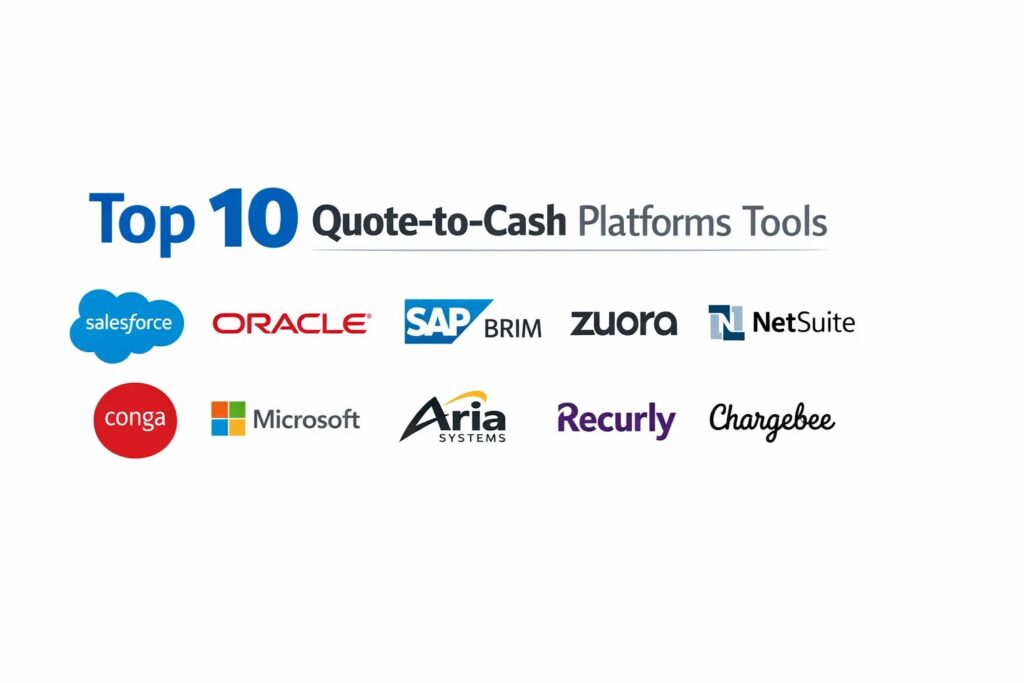
1. Salesforce Revenue Cloud
Salesforce Revenue Cloud is an enterprise-grade solution that unites CPQ, Billing, and B2B Commerce on a single platform. It is designed for organizations that want to eliminate the gap between the sales cycle and the finance department, providing a complete view of the customer relationship from lead to ledger.
Key Features
The platform features a sophisticated CPQ engine that supports complex product configurations and guided selling workflows. It includes an automated billing module that handles recurring subscriptions, usage-based charges, and one-time invoices seamlessly. The “Customer Asset Lifecycle Management” tool provides a real-time view of what the customer has purchased and what is currently active. It features automated revenue recognition that complies with international financial standards. Additionally, it offers a self-service portal where customers can manage their own renewals and add-ons.
Pros
The “single platform” approach eliminates the need for complex integrations between the CRM and the billing engine. It offers unparalleled scalability for global enterprises managing massive contract volumes.
Cons
The implementation process is complex and usually requires a certified consultant. The cost can be prohibitive for smaller organizations with simpler pricing structures.
Platforms and Deployment
Web-based SaaS with full mobile accessibility via the Salesforce app.
Security and Compliance
Adheres to the highest security standards including SOC 2 Type II, GDPR, and HIPAA compliance.
Integrations and Ecosystem
Integrates natively with the entire Salesforce ecosystem and hundreds of third-party ERP systems via the AppExchange.
Support and Community
Offers the “Trailhead” learning platform and a global network of specialized implementation partners.
2. Oracle Revenue Management Cloud
Oracle Revenue Management Cloud is a robust financial solution built for large-scale enterprises with complex revenue recognition needs. It focuses heavily on the “Cash” side of the QTC process, ensuring that every transaction is correctly accounted for according to global regulations.
Key Features
The system features a centralized “Revenue Basis Data Hub” that ingests data from multiple sources for unified accounting. It includes a highly sophisticated revenue recognition engine that automates the allocation of the transaction price across performance obligations. The platform offers “Contract Management” tools that track every amendment and its financial impact. It features real-time reporting on deferred revenue and “contract liability” accounts. It also provides automated “Dual Accounting” capabilities to support multiple reporting standards simultaneously.
Pros
It is widely considered the strongest tool for compliance and complex revenue accounting. It handles massive datasets with the performance reliability expected from an enterprise ERP leader.
Cons
The user interface is more focused on finance professionals and can be less intuitive for sales teams. Integration with non-Oracle CRMs requires significant effort.
Platforms and Deployment
Cloud-native SaaS deployment.
Security and Compliance
Features enterprise-grade security with advanced data residency options and ISO 27001 certification.
Integrations and Ecosystem
Deeply integrated with Oracle Fusion Cloud ERP and Oracle CX (CRM).
Support and Community
Provides dedicated enterprise support and a large network of global consulting firms.
3. SAP Billing and Revenue Innovation Management (BRIM)
SAP BRIM is a high-volume QTC solution specifically designed for companies moving toward “everything-as-a-service” models. It is capable of handling the extreme complexity of usage-based billing in sectors like telecommunications, utilities, and high-tech.
Key Features
The platform features a high-performance “Subscription Order Management” module that handles multi-tier product bundles. It includes a specialized “Convergent Charging” engine that calculates prices for millions of usage events in real-time. The system offers “Convergent Invoicing” to consolidate multiple service charges into a single, clean customer bill. It features a robust dispute management system to handle billing queries efficiently. It also provides deep integration with SAP S/4HANA for real-time financial posting.
Pros
It is the gold standard for high-volume, usage-based transactions. The system is built for extreme scalability, managing billions of billable items annually.
Cons
The setup is very technical and requires a significant investment in specialized SAP consultants. It is often too complex for organizations that only have simple subscription models.
Platforms and Deployment
Available as a cloud-hosted or on-premise hybrid solution.
Security and Compliance
Maintains rigorous security standards and is fully compliant with global “Tax and Statutory” requirements.
Integrations and Ecosystem
Integrates seamlessly within the SAP ecosystem and offers open APIs for third-party connections.
Support and Community
Supported by the massive SAP ecosystem, including the SAP Support Portal and a global developer community.
4. Zuora Revenue & Billing
Zuora is a specialized platform built from the ground up to support the “Subscription Economy.” It offers a flexible and agile environment for managing recurring relationships, making it a favorite for modern SaaS and media companies.
Key Features
The platform features a “Central Sandbox” for testing new pricing models and discount strategies before launch. It includes a robust billing engine that supports over 50 different pricing models, including tiered and volume-based options. The “Zuora Revenue” module automates the entire revenue recognition process, from contract inception to final posting. It features an automated “Dunning” system to manage failed payments and reduce churn. Additionally, it offers specialized reports on subscription metrics like ARR, MRR, and Churn Rate.
Pros
It is highly agile, allowing marketing and sales teams to launch new pricing models in days rather than months. The platform provides excellent visibility into the specific metrics that drive subscription growth.
Cons
As a “best-of-breed” tool, it requires a robust integration with your existing CRM to ensure data consistency. Some users find the configuration of complex rules to be challenging.
Platforms and Deployment
Cloud-native SaaS.
Security and Compliance
PCI Level 1 compliant and SOC 1/SOC 2 certified, with deep support for ASC 606 standards.
Integrations and Ecosystem
Offers pre-built connectors for Salesforce, NetSuite, and Microsoft Dynamics.
Support and Community
Provides a dedicated “Zuora University” and an active user community focused on subscription best practices.
5. NetSuite SuiteBilling
NetSuite SuiteBilling is an integrated part of the NetSuite ERP ecosystem, designed to unify billing and revenue recognition with the core financial records. it is highly effective for mid-market companies that want a “single system” for their entire business operations.
Key Features
The system features a unified “Billing Schedule” that manages one-time, recurring, and project-based charges in one place. It includes automated “Change Order” management, ensuring that mid-term contract adjustments are reflected in the billing and revenue schedules. The platform offers “Revenue Management” tools that automate the complex task of fair value allocation. It features real-time financial dashboards that provide a view of “unbilled receivables” and “deferred revenue.” It also supports multiple currencies and tax jurisdictions natively.
Pros
The biggest advantage is the total lack of integration between the billing engine and the general ledger. It provides a “real-time” view of financial health without the need for data syncing.
Cons
The CPQ capabilities are not as deep as specialized tools like Salesforce CPQ. Users may find the interface to be data-heavy and less optimized for sales productivity.
Platforms and Deployment
Cloud-native SaaS.
Security and Compliance
Adheres to NetSuite’s enterprise security framework, including SOC 1 and SOC 2 compliance.
Integrations and Ecosystem
Part of the broader NetSuite ecosystem, with a wide range of “SuiteApps” for extended functionality.
Support and Community
Offers tiered support plans and access to the “NetSuite User Group” network.
6. Conga Revenue Lifecycle Management
Conga provides a specialized suite of tools that focus on the “Document and Contract” aspect of the QTC process. It is the leading choice for organizations where the legal contract is the primary driver of the billing and revenue relationship.
Key Features
The platform features a powerful “Conga CPQ” engine that is optimized for speed and complex configurations. It includes “Conga CLM” (Contract Lifecycle Management), which automates the creation, negotiation, and execution of legal documents. The system offers “Conga Billing” to translate those executed contracts into accurate invoices. It features AI-driven “Contract Analytics” to identify risk and opportunity within the contract portfolio. Additionally, it provides automated “Grid” views to manage massive amounts of QTC data in an Excel-like interface.
Pros
The integration between the legal contract and the billing engine is the strongest in the market. It excels at managing highly negotiated, complex deals that don’t fit into standard templates.
Cons
Managing the various modules (CPQ, CLM, Billing) can require significant administrative effort. It is a premium product with a price point reflecting its enterprise focus.
Platforms and Deployment
Web-based SaaS, often integrated directly within the Salesforce UI.
Security and Compliance
Fully compliant with global privacy laws and maintains secure document encryption standards.
Integrations and Ecosystem
Deeply integrated with Salesforce and provides an open API for other CRM and ERP connections.
Support and Community
Offers professional services for complex implementations and a robust online knowledge base.
7. Microsoft Dynamics 365 Revenue Management
Microsoft Dynamics 365 offers a comprehensive QTC solution that is tightly integrated with the broader Microsoft 365 and Azure ecosystems. It is a preferred choice for companies looking for a familiar user interface and deep productivity integration.
Key Features
The platform features a “Sales” module that handles quoting and opportunity management with integrated AI insights. It includes “Subscription Billing” capabilities that manage complex recurring billing and deferrals. The system offers “Revenue Recognition” modules that automate compliance with accounting standards. It features “Project Operations” for companies that bundle services with products. Additionally, it provides “Power BI” integration for advanced data visualization of the entire revenue lifecycle.
Pros
The familiarity of the Microsoft interface reduces the training time for new staff. It offers exceptional value for organizations already invested in the Microsoft technology stack.
Cons
Some of the advanced billing features are newer and may not be as mature as those from specialized vendors like Zuora. The configuration can be complex for very large global footprints.
Platforms and Deployment
Cloud-native SaaS on Azure.
Security and Compliance
Leverages the world-class security of the Azure cloud, including ISO 27001 and GDPR compliance.
Integrations and Ecosystem
Seamlessly integrates with Outlook, Excel, Teams, and the entire Power Platform.
Support and Community
Backed by Microsoft’s global support network and a massive ecosystem of certified partners.
8. Aria Systems
Aria Systems is a “best-of-breed” billing and monetization platform designed for large-scale digital transformation projects. It is particularly strong in helping legacy companies launch new digital subscription services quickly.
Key Features
The platform features an “Omni-node” account structure that allows for complex parent-child billing relationships. It includes a powerful “Product Catalog” that manages thousands of SKUs and pricing variations. The system offers “Active Orchestration” to trigger third-party actions (like service provisioning) immediately upon payment. It features a “Revenue Management” suite for automated financial close. It also provides advanced “Dunning” and “Collections” workflows to maximize revenue recovery.
Pros
It is built to handle the “complexity of scale,” making it ideal for large telecommunications or automotive companies. The platform is highly flexible and can be adapted to unique business models.
Cons
As a specialized billing tool, it requires a well-planned integration strategy to connect with your existing CRM and ERP. The interface is highly technical.
Platforms and Deployment
Cloud-native SaaS.
Security and Compliance
PCI Level 1 compliant and SSAE 18 SOC 1/SOC 2 certified.
Integrations and Ecosystem
Offers pre-built adapters for major CRMs and ERPs, with a focus on “enterprise-grade” connectivity.
Support and Community
Provides high-touch customer success management and specialized technical support for complex deployments.
9. Recurly
Recurly is a “subscription-first” billing platform that focuses on maximizing revenue through automated churn management and optimized payment processing. It is widely used by consumer-facing (B2C) and high-growth B2B SaaS companies.
Key Features
The platform features “Revenue Optimization” tools that use machine learning to retry failed transactions at the most successful times. It includes a “Subscription Management” module that handles upgrades, downgrades, and pauses seamlessly. The system offers “Item-based Billing” for companies that sell both subscriptions and one-time products. It features “Revenue Recognition” reports that simplify the end-of-month financial close. Additionally, it provides a “Hosted Payment Pages” feature to ensure secure, PCI-compliant checkout.
Pros
The platform is exceptionally easy to set up and use, making it ideal for teams that want to move fast. Its focus on reducing “involuntary churn” provides an immediate ROI.
Cons
It lacks the deep CPQ and CLM capabilities required by complex enterprise B2B sales cycles. The pricing model includes a percentage of revenue, which can become expensive at scale.
Platforms and Deployment
Cloud-native SaaS.
Security and Compliance
Maintains PCI Level 1 compliance and rigorous data encryption standards.
Integrations and Ecosystem
Integrates well with Salesforce, NetSuite, and popular marketing tools like Mailchimp and HubSpot.
Support and Community
Known for having a very responsive support team and a detailed library of “Subscription Growth” resources.
10. Chargebee
Chargebee is an agile revenue management platform designed for fast-growing startups and mid-market companies. It offers a wide array of tools for managing the entire customer lifecycle, from trial management to automated renewals.
Key Features
The platform features a “Product Catalog 2.0” that allows for rapid experimentation with pricing and packaging. It includes “Chargebee Receivables” for automated collections and credit risk management. The system offers “Revenue Recognition” tools that automate the accounting for complex contract changes. It features a “Customer Portal” where users can manage their own plans and download invoices. Additionally, it provides deep “Subscription Analytics” to track key performance indicators like LTV and CAC.
Pros
The user interface is modern and very intuitive, reducing the burden on finance teams. It offers a “free tier” for startups, allowing them to grow into the platform.
Cons
The platform is less suited for massive industrial enterprises with heavy hardware configuration needs. The advanced features require moving to higher-priced tiers.
Platforms and Deployment
Cloud-native SaaS.
Security and Compliance
SOC 1/SOC 2 compliant and PCI Level 1 certified.
Integrations and Ecosystem
Offers a wide range of native integrations with CRMs, ERPs, and helpdesk software like Zendesk.
Support and Community
Provides an extensive “Knowledge Base” and a dedicated success team for growing businesses.
Comparison Table
| Tool Name | Best For | Platform(s) Supported | Deployment | Standout Feature | Public Rating |
| 1. Salesforce | Enterprise / 360 View | Web, iOS, Android | Cloud-Native | Native CRM Integration | 4.7/5 |
| 2. Oracle | Financial Compliance | Web-Based | Cloud SaaS | Revenue Basis Data Hub | 4.3/5 |
| 3. SAP BRIM | High-Volume / Usage | Web, Hybrid | Cloud/Hybrid | Convergent Charging | 4.4/5 |
| 4. Zuora | Subscription Economy | Web-Based | Cloud SaaS | Pricing Sandbox | 4.5/5 |
| 5. NetSuite | Unified ERP / Mid-Market | Web-Based | Cloud SaaS | Unified Billing Schedule | 4.2/5 |
| 6. Conga | Contract-Driven Sales | Web-Based | Cloud SaaS | CLM/Billing Integration | 4.6/5 |
| 7. Microsoft | MS Ecosystem / SMB | Web-Based | Cloud SaaS | Power BI Integration | 4.5/5 |
| 8. Aria Systems | Digital Transformation | Web-Based | Cloud SaaS | Omni-node Accounts | 4.4/5 |
| 9. Recurly | Churn Optimization | Web-Based | Cloud SaaS | Machine Learning Retries | 4.8/5 |
| 10. Chargebee | Growth / Startups | Web-Based | Cloud SaaS | Pricing Experimentation | 4.7/5 |
Evaluation & Scoring of Quote-to-Cash Platforms
The scoring below is a comparative model intended to help shortlisting. Each criterion is scored from 1–10, then a weighted total from 0–10 is calculated using the weights listed. These are analyst estimates based on typical fit and common workflow requirements, not public ratings.
Weights:
- Core features – 25%
- Ease of use – 15%
- Integrations & ecosystem – 15%
- Security & compliance – 10%
- Performance & reliability – 10%
- Support & community – 10%
- Price / value – 15%
| Tool Name | Core (25%) | Ease (15%) | Integrations (15%) | Security (10%) | Performance (10%) | Support (10%) | Value (15%) | Weighted Total |
| 1. Salesforce | 10 | 3 | 10 | 10 | 9 | 9 | 6 | 8.20 |
| 2. Oracle | 9 | 5 | 8 | 9 | 9 | 8 | 7 | 7.90 |
| 3. SAP BRIM | 10 | 2 | 8 | 9 | 10 | 8 | 6 | 7.85 |
| 4. Zuora | 9 | 7 | 9 | 9 | 9 | 9 | 7 | 8.45 |
| 5. NetSuite | 8 | 6 | 8 | 9 | 8 | 8 | 9 | 7.80 |
| 6. Conga | 9 | 6 | 9 | 8 | 8 | 8 | 7 | 7.95 |
| 7. Microsoft | 8 | 8 | 10 | 9 | 8 | 8 | 8 | 8.40 |
| 8. Aria Systems | 9 | 5 | 7 | 10 | 9 | 8 | 7 | 7.75 |
| 9. Recurly | 7 | 10 | 8 | 8 | 9 | 9 | 9 | 8.40 |
| 10. Chargebee | 8 | 9 | 8 | 8 | 9 | 9 | 8 | 8.45 |
How to interpret the scores:
- Use the weighted total to shortlist candidates, then validate with a pilot.
- A lower score can mean specialization, not weakness.
- Security and compliance scores reflect controllability and governance fit, because certifications are often not publicly stated.
- Actual outcomes vary with assembly size, team skills, templates, and process maturity.
Which Quote-to-Cash Platform Tool Is Right for You?
Solo /Freelancer
For startups where the founder is still the primary salesperson, a tool that is automated and requires zero maintenance is the top priority. You need a platform that handles the “checkout” and “billing” automatically so you can focus on building the product. A tool that offers a “free until you grow” tier is the most strategic choice for this stage.
SMB
Organizations with a small administrative staff should prioritize simplicity and cost. Your goal is to move away from manual invoicing and spreadsheets to ensure that every dollar is accounted for. A platform that offers a clean, user-friendly interface and basic subscription management will significantly reduce your operational overhead.
Mid-Market
As you move into the mid-market, the ability to handle complex pricing and mid-term contract changes becomes vital. You should look for a platform that integrates deeply with your existing ERP to ensure that your financial reports are always accurate. An “all-in-one” solution that combines billing with CRM data is often the most efficient choice here.
Enterprise
For large, global organizations, the QTC platform is a mission-critical piece of infrastructure. You require a system that can handle massive transaction volumes, multiple tax jurisdictions, and rigorous legal compliance. Security, auditability, and the ability to customize workflows to your specific business rules are the non-negotiable requirements for this segment.
Budget vs Premium
If budget is the primary concern, “pay-as-you-go” models provide a professional entry point for zero upfront cost. Premium platforms, however, offer specialized features like automated revenue recognition and advanced CPQ that can save a large organization millions of dollars by eliminating revenue leakage and manual errors.
Feature Depth vs Ease of Use
Highly sophisticated tools offer infinite flexibility but can be difficult for a sales team to adopt. Often, a platform that is slightly less powerful but is “invisible” to the sales team because it works so smoothly is more valuable than a complex system that requires constant administrative intervention.
Integrations & Scalability
Your QTC platform must be the “glue” between your CRM and your ERP. As you grow, the ability to add new product lines or pricing models without re-architecting your entire system is a vital consideration. Look for a platform with a robust API and a proven track record of supporting large-scale digital transformations.
Security & Compliance Needs
In the world of finance, security is a legal requirement. You must ensure that your chosen platform meets all necessary PCI, GDPR, and SOC standards. For global companies, the ability of the platform to handle the complex revenue recognition rules of different countries is a critical factor in maintaining legal and financial compliance.
Frequently Asked Questions (FAQs)
1. What is the difference between CPQ and Quote-to-Cash?
CPQ (Configure, Price, Quote) is a subset of the QTC process. While CPQ focuses on the sales side of the transaction (creating the quote), Quote-to-Cash encompasses the entire lifecycle, including the legal contract, the billing, and the final revenue recognition in the finance department.
2. Why is revenue leakage common without a QTC platform?
Revenue leakage occurs when there are manual hand-offs between sales and finance. Errors in pricing, forgotten renewals, or incorrect invoicing for mid-term contract changes are the primary causes. A QTC platform automates these steps, ensuring that what is quoted is exactly what is billed.
3. Can these platforms handle consumption-based billing?
Yes, modern enterprise QTC platforms are designed to ingest “usage data” from your product and automatically calculate the bill based on pre-defined pricing rules. This is essential for companies that bill by the gigabyte, the hour, or the user.
4. How does QTC help with ASC 606 compliance?
ASC 606 is a global accounting standard for revenue recognition. QTC platforms automate the “performance obligation” tracking and the “transaction price allocation” required by this standard, ensuring that your financial statements are always audit-ready.
5. Is it difficult to integrate a QTC platform with an existing CRM?
Many QTC platforms are built natively on CRM platforms like Salesforce or Dynamics, making the integration seamless. For “best-of-breed” tools, a well-defined API is required to ensure that the “Quote” data flows correctly into the “Cash” system.
6. Do these tools handle global tax calculations?
Most enterprise QTC platforms integrate with tax engines like Avalara or Vertex. This ensures that the correct sales tax or VAT is applied to every invoice based on the customer’s specific location and the type of product sold.
7. Can a QTC platform help reduce customer churn?
Yes, by automating the renewal process and providing “Dunning” workflows for failed payments, these platforms ensure that customers stay active. They also provide insights into which customers are under-utilizing their subscriptions, allowing for proactive outreach.
8. What is “proration” and why is it hard to manage manually?
Proration occurs when a customer adds a new service halfway through a billing cycle. Calculating the exact charge for the remaining days of the month is prone to error. A QTC platform handles this math automatically for every contract amendment.
9. Why do some QTC platforms charge a percentage of revenue?
This “success-based” pricing model allows smaller companies to access enterprise-grade tools with low upfront costs. As the company grows, the fee increases in line with the value the platform provides in managing that revenue.
10. Do these platforms provide training for sales teams?
Most vendors offer extensive “Guided Selling” features within the tool to help sales reps create accurate quotes. They also provide certification programs and video libraries to ensure that both sales and finance teams can use the software effectively.
Conclusion
In the modern enterprise, the Quote-to-Cash platform is the definitive engine of commercial operational excellence. By unifying the disparate worlds of sales, legal, and finance, these systems eliminate the structural friction that historically hampered revenue growth and financial accuracy. Whether you are a specialized SaaS startup or a global industrial conglomerate, the ability to manage the entire transaction lifecycle within a single, auditable framework is no longer a luxury—it is a competitive necessity. Selecting a platform that balances technical depth with ease of adoption will ensure that your organization can scale its revenue operations with confidence and integrity.