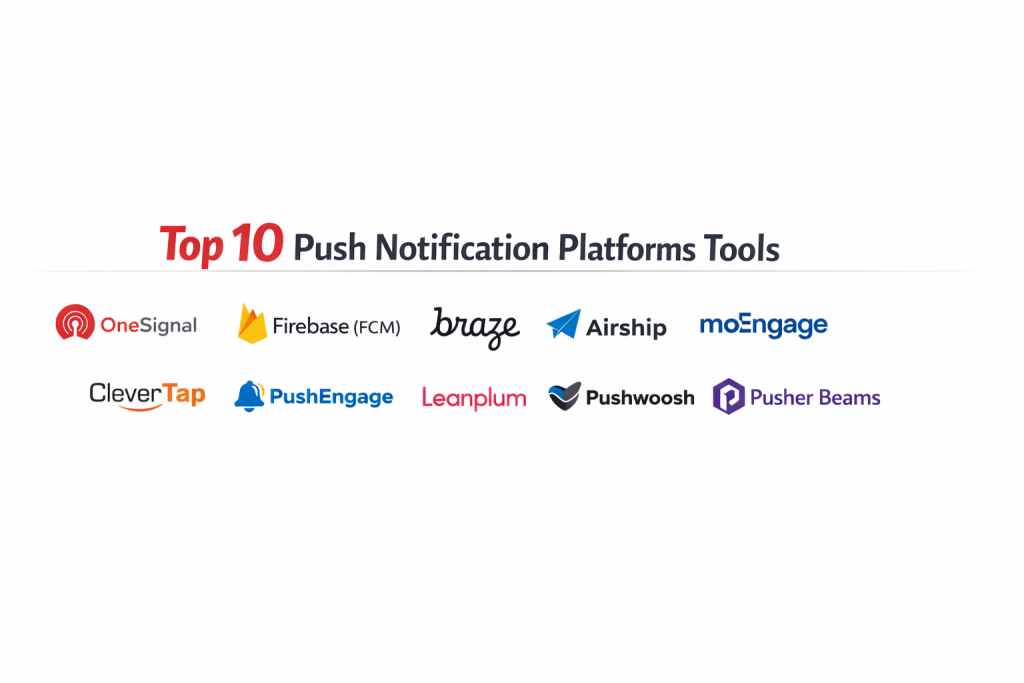
Introduction
Push notification platforms represent a critical infrastructure layer in modern digital communication, enabling organizations to deliver real-time, actionable alerts directly to user devices. These systems bridge the gap between back-end data triggers and front-end user engagement by managing the complex delivery protocols of diverse operating systems. In a landscape where user attention is highly fragmented, these platforms allow businesses to maintain a persistent presence without requiring the application to be actively open. From a technical perspective, these tools handle socket connections, payload encryption, and delivery queuing at massive scales, ensuring that high-priority messages reach millions of global users within milliseconds.
The strategic importance of these platforms lies in their ability to drive retention and conversion through hyper-personalization. Modern architectures integrate these tools with data warehouses and analytics engines to trigger messages based on specific behavioral milestones. Whether it is a transactional alert for a financial service or a promotional nudge for an e-commerce store, the effectiveness of the communication depends on the platform’s reliability and its ability to bypass delivery hurdles on restricted operating systems. When evaluating these solutions, enterprise buyers must assess the robustness of the software development kits, the granularity of the segmentation engine, and the platform’s compliance with global data privacy regulations.
Best for: Mobile application developers, growth marketing teams, e-commerce managers, and enterprise organizations requiring cross-channel communication and high-delivery reliability.
Not ideal for: Purely internal corporate communications within a private network, or static websites that do not require any form of user re-engagement or real-time updates.
Key Trends in Push Notification Platforms
The shift toward AI-driven delivery optimization has fundamentally changed how campaigns are executed, with algorithms now determining the “best time” to send a message based on individual user history. There is a significant move toward “Push Amplification” technology, which helps overcome the delivery challenges often found in customized mobile operating systems by establishing direct persistent connections. Advanced orchestration now allows for “zero-copy” data integration, where platforms read user attributes directly from a company’s cloud data warehouse instead of requiring the storage of redundant data.
Visual journey builders have become the standard, enabling non-technical users to design complex multi-step flows that switch between push, email, and SMS based on user interaction. Real-time analytics have evolved beyond simple open rates to include downstream revenue tracking and churn prediction. Furthermore, there is a growing emphasis on “interactive push,” where users can perform actions—like liking a post or confirming an order—directly within the notification banner without opening the application itself.
How We Selected These Tools
The selection process for these top platforms was based on a rigorous evaluation of technical performance and market reliability. We prioritized tools that demonstrate high uptime and the ability to manage significant traffic spikes during peak events. Market share and developer community support were also key factors, as these indicate the maturity of the platform and the availability of resources for troubleshooting and integration. We examined the depth of the available APIs to ensure that these tools could fit into complex, custom-built tech stacks.
Performance metrics such as delivery latency and successful delivery rates were scrutinized to ensure these platforms meet enterprise-grade standards. We also looked for specialized features like A/B testing, multivariate experimentation, and robust security protocols. The flexibility of the pricing models was considered to ensure there are viable options for both startups and established global enterprises. Finally, we assessed the quality of the user interface to determine how easily a marketing team could operate the platform without constant technical intervention.
1. OneSignal
OneSignal is a widely adopted platform known for its accessibility and comprehensive feature set that covers mobile, web, and email. It is built to handle massive scales, delivering billions of notifications daily, and is particularly popular for its straightforward integration process.
Key Features
The platform offers a robust visual journey builder for automating lifecycle messages. It includes advanced segmentation based on user tags and real-time behavioral data. The software provides automated A/B testing to refine message content and timing. Developers can utilize well-documented SDKs for almost every major framework. Additionally, it features “Confirmed Delivery” tracking to provide deeper insights into actual reach versus sent volume.
Pros
The platform is exceptionally easy to set up, making it a favorite for teams that need to go live quickly. It also offers a very capable free tier for smaller projects.
Cons
Some of the most advanced automation and orchestration features are restricted to the higher enterprise tiers. Support response times can vary depending on the plan level.
Platforms and Deployment
iOS, Android, Web, and various game engines. Deployed as a cloud-based service.
Security and Compliance
Adheres to standard data protection regulations and offers secure API access management.
Integrations and Ecosystem
Integrates seamlessly with top analytics tools, CMS platforms, and e-commerce engines like Shopify.
Support and Community
Offers a massive knowledge base and a very active developer community, with priority support for enterprise users.
2. Firebase Cloud Messaging (FCM)
FCM is a foundational infrastructure tool provided by Google, offering a reliable and cost-effective way to send messages to Android, iOS, and web applications. It serves as the primary delivery gateway for many other third-party notification platforms.
Key Features
It provides a unified API to reach multiple platforms without managing separate server-to-device connections. The tool includes a “Topics” system that allows for easy broadcasting to large groups of interested users. It integrates deeply with the broader cloud ecosystem for advanced tracking and crash reporting. The service supports both notification messages and data messages for background processing. Users can also prioritize messages to ensure critical alerts wake up sleeping devices.
Pros
The core service is completely free, making it the most cost-effective option for developers. It offers unparalleled reliability as it is built directly on global cloud infrastructure.
Cons
It lacks a user-friendly marketing dashboard, requiring significant development work to build custom campaign management tools. It does not natively support complex multi-channel journeys.
Platforms and Deployment
Android, iOS, and Web. Native cloud integration within the Google ecosystem.
Security and Compliance
Uses enterprise-grade IAM policies and encryption for secure message transit.
Integrations and Ecosystem
Part of the larger Firebase suite, integrating perfectly with its analytics and database services.
Support and Community
Extensive documentation is available, though direct support is generally tied to broader cloud service agreements.
3. Braze
Braze is an enterprise-level engagement platform that excels in cross-channel orchestration and high-fidelity personalization. It is designed for large organizations that need to manage complex customer lifecycles across a variety of digital touchpoints.
Key Features
The “Canvas” journey builder allows for the creation of intricate, data-driven workflows. It features a powerful personalization engine that can pull real-time data into messages via Liquid templating. The platform includes sophisticated AI tools for predicting user behavior and optimizing delivery. It supports rich media and interactive notification elements out of the box. High-speed data streaming ensures that external systems are updated instantly as users interact with notifications.
Pros
It offers the most powerful orchestration capabilities in the market, allowing for truly seamless cross-channel experiences. The platform is built for extreme scale and technical flexibility.
Cons
The cost of ownership is high, making it a significant investment for any organization. The sheer depth of the features results in a steeper learning curve for new users.
Platforms and Deployment
iOS, Android, Web, and OTT platforms. Enterprise cloud deployment.
Security and Compliance
Provides SOC 2 Type II compliance and robust data residency options for global brands.
Integrations and Ecosystem
Features a massive library of partner integrations and a highly flexible API for custom data flows.
Support and Community
Provides dedicated account management and professional services for strategic guidance.
4. Airship
Airship is a sophisticated platform focused on mobile app experience and cross-channel journeys. It is frequently used by global brands in travel, retail, and finance to deliver high-stakes transactional and promotional content.
Key Features
The platform features a specialized “App Experience Platform” for managing in-app messages and surveys alongside push. It includes a unique “Zero-Copy” data integration that pulls directly from cloud data warehouses. The software offers advanced geolocation and geofencing tools for location-based alerts. Its predictive AI helps reduce churn by identifying at-risk users before they leave. It also supports specialized formats like digital wallet passes and mobile coupons.
Pros
It is highly regarded for its stability and security, particularly in regulated industries. The platform offers excellent tools for managing the entire mobile user lifecycle.
Cons
The interface can be complex, often requiring specialized training for marketing teams to use effectively. Pricing is generally aimed at mid-market and enterprise budgets.
Platforms and Deployment
iOS, Android, Web, and Mobile Wallet. Global cloud infrastructure.
Security and Compliance
Industry-leading security certifications, making it suitable for banking and medical applications.
Integrations and Ecosystem
Strong ties to enterprise data platforms like Snowflake and major CRM systems.
Support and Community
Offers comprehensive professional support and a structured onboarding process for new clients.
5. MoEngage
MoEngage is an AI-driven platform that balances sophisticated marketing automation with an intuitive user experience. It is particularly strong in the Asian and Middle Eastern markets, offering specialized features for mobile-first economies.
Key Features
Its AI engine, Merlin, automatically optimizes campaigns for the best channel and timing. The platform features “Push Amplification” to ensure high delivery rates on restricted Android devices. It provides a unified view of the customer, combining web and app data for better segmentation. Users can build complex workflows using a drag-and-drop journey orchestrator. It also includes built-in analytics for tracking revenue impact and funnel conversion.
Pros
The platform offers a great balance between advanced AI features and ease of use. It is highly effective at improving delivery rates in regions with diverse mobile hardware.
Cons
The technical setup for some of the more advanced event tracking can be time-consuming. Some users find the sheer amount of data in the dashboard overwhelming at first.
Platforms and Deployment
iOS, Android, and Web. Cloud-based deployment with regional data centers.
Security and Compliance
Features robust data privacy controls and is compliant with major global regulations.
Integrations and Ecosystem
Excellent integration with modern tech stacks, including data warehouses and specialized marketing tools.
Support and Community
Known for highly responsive customer success teams and a growing global community.
6. CleverTap
CleverTap is a powerful retention platform that uses deep behavioral analytics to drive engagement. It is designed for high-growth apps that need to understand user intent to deliver the most relevant messages.
Key Features
The platform features an “Intent Based Segmentation” tool that identifies users based on their likelihood to convert. It includes a high-performance delivery engine designed to minimize latency. The software provides automated RFM (Recency, Frequency, Monetary) analysis for e-commerce brands. Its “RenderMax” technology significantly boosts push notification display rates. Users can also perform sophisticated A/B and multivariate testing on every campaign.
Pros
The integration of deep analytics and messaging in one tool reduces the need for multiple vendors. It is highly scalable, supporting some of the world’s largest consumer apps.
Cons
The pricing can become expensive as the number of monthly active users grows. Mastering the analytics features requires a commitment to learning the platform’s logic.
Platforms and Deployment
iOS, Android, and Web. Managed cloud platform.
Security and Compliance
Maintains high standards for data security and offers flexible data hosting options.
Integrations and Ecosystem
Strong partnerships with attribution providers and data orchestration tools.
Support and Community
Offers extensive technical documentation and proactive account management for larger clients.
7. PushEngage
PushEngage is a specialized web push notification platform designed primarily for e-commerce and content publishers. It focuses on converting website visitors into subscribers and re-engaging them through automated triggers.
Key Features
The tool features automated cart abandonment and browse abandonment sequences. It includes a “Drip Autoresponder” for onboarding new website subscribers. Users can segment audiences based on the specific pages they visit or actions they take. The platform supports multiple websites from a single dashboard. It also features “Triggered Campaigns” that send alerts based on real-time events like price drops or inventory updates.
Pros
It is exceptionally focused and effective for web-only businesses. The setup for e-commerce platforms like Shopify is nearly instantaneous.
Cons
It lacks the native mobile app support found in broader cross-channel platforms. The feature set is narrower than enterprise-grade competitors.
Platforms and Deployment
Web browsers (Desktop and Mobile). Cloud-based service.
Security and Compliance
Standard web security practices are followed to protect subscriber data and privacy.
Integrations and Ecosystem
Deeply integrated with major e-commerce platforms and marketing automation tools.
Support and Community
Provides helpful documentation and active email/chat support for all user levels.
8. Leanplum
Leanplum, now a part of CleverTap, is a specialized platform that focuses on mobile app optimization through A/B testing and personalized messaging. It is a favorite among mobile game developers and consumer brands that prioritize UX experimentation.
Key Features
The platform allows for the A/B testing of entire user experiences, including in-app UI and push content. it features a real-time data engine that triggers messages based on sub-second user actions. The software provides deep insights into how notifications affect long-term retention. It includes tools for managing multi-channel campaigns across push, email, and in-app. Its “Optimal Time” algorithm ensures notifications arrive when users are most active.
Pros
The focus on experimentation makes it perfect for teams that want to data-validate every part of their strategy. It offers very deep integration between the app’s UI and its messaging.
Cons
Since the acquisition, the long-term roadmap is being integrated into the broader CleverTap ecosystem. The platform can be technically demanding to set up for full UX testing.
Platforms and Deployment
iOS and Android. Cloud-based deployment.
Security and Compliance
Maintains enterprise standards for data protection and user privacy.
Integrations and Ecosystem
Strong links to analytics and attribution tools common in the mobile gaming industry.
Support and Community
Supported by a team of mobile engagement experts with a focus on strategic growth.
9. Pushwoosh
Pushwoosh is a versatile omnichannel platform that emphasizes high-speed delivery and cross-platform flexibility. It is designed to work across a wide variety of industries, including gaming, media, and retail.
Key Features
The platform features a “Customer Journey” tool for visual automation across multiple channels. It includes specialized support for localized messaging in different languages. The delivery engine is capable of sending millions of notifications per minute. It offers a wide range of segmentation filters, from geolocation to custom user tags. The software also provides detailed reports on delivery rates, opens, and conversion goals.
Pros
It offers a very competitive price point for the range of features provided. The platform is known for its high delivery speed and technical reliability.
Cons
The user interface can feel a bit dated compared to some of the newer, more modern competitors. Some advanced reporting features require higher-tier plans.
Platforms and Deployment
iOS, Android, Web, and desktop OS. Cloud-based installation.
Security and Compliance
Adheres to GDPR and other international privacy standards for secure data handling.
Integrations and Ecosystem
Offers a good range of plugins for CMS platforms and a solid API for custom builds.
Support and Community
Provides a helpful support team and clear documentation for developers.
10. Pusher Beams
Pusher Beams is a developer-centric service designed to deliver transactional push notifications with minimal latency. It is part of the Pusher ecosystem, known for its high-performance real-time communication tools.
Key Features
The service is built for high reliability and speed, making it ideal for time-sensitive alerts. It includes an “Interests” system for grouping users and delivering targeted broadcasts. The platform provides detailed lifecycle logs for every notification sent. It features lightweight SDKs that minimize the impact on the application’s performance. The API is designed to be integrated into existing back-end workflows with very few lines of code.
Pros
It is one of the most developer-friendly options available, with a focus on simplicity and performance. The reliability of the delivery infrastructure is world-class.
Cons
It lacks the visual campaign management and marketing automation tools found in other platforms. It is primarily a technical delivery tool rather than a full marketing suite.
Platforms and Deployment
iOS, Android, and Web. Cloud-managed infrastructure.
Security and Compliance
Features end-to-end encryption and secure authentication for all API requests.
Integrations and Ecosystem
Integrates perfectly with the rest of the Pusher real-time suite and modern server-side languages.
Support and Community
Offers excellent technical documentation and direct support for developers.
Comparison Table
| Tool Name | Best For | Platform(s) Supported | Deployment | Standout Feature | Public Rating |
| 1. OneSignal | Startups & Growth | iOS, Android, Web | Cloud | Multi-channel Journeys | 4.7/5 |
| 2. Firebase (FCM) | Free Infrastructure | iOS, Android, Web | Cloud | Google Ecosystem Sync | 4.5/5 |
| 3. Braze | Enterprise Scale | iOS, Android, Web | Cloud | Canvas Orchestration | 4.8/5 |
| 4. Airship | High-Stakes Mobile | iOS, Android, Web | Cloud | Zero-Copy Integration | 4.6/5 |
| 5. MoEngage | AI-Driven Retention | iOS, Android, Web | Cloud | Push Amplification | 4.7/5 |
| 6. CleverTap | Behavioral Analytics | iOS, Android, Web | Cloud | Intent Segmentation | 4.6/5 |
| 7. PushEngage | E-commerce Web | Web Only | Cloud | Cart Abandonment Flow | 4.5/5 |
| 8. Leanplum | Mobile A/B Testing | iOS, Android | Cloud | UI/UX Experimentation | 4.4/5 |
| 9. Pushwoosh | High-Speed Delivery | iOS, Android, Web | Cloud | Multi-language Support | 4.3/5 |
| 10. Pusher Beams | Developer API | iOS, Android, Web | Cloud | Transactional Reliability | 4.4/5 |
Evaluation & Scoring of Push Notification Platforms
The scoring below is a comparative model intended to help shortlisting. Each criterion is scored from 1–10, then a weighted total from 0–10 is calculated using the weights listed. These are analyst estimates based on typical fit and common workflow requirements, not public ratings.
Weights:
- Core features – 25%
- Ease of use – 15%
- Integrations & ecosystem – 15%
- Security & compliance – 10%
- Performance & reliability – 10%
- Support & community – 10%
- Price / value – 15%
| Tool Name | Core (25%) | Ease (15%) | Integrations (15%) | Security (10%) | Performance (10%) | Support (10%) | Value (15%) | Weighted Total |
| 1. OneSignal | 9 | 10 | 9 | 8 | 9 | 8 | 10 | 9.05 |
| 2. Firebase (FCM) | 7 | 4 | 10 | 10 | 10 | 7 | 10 | 8.00 |
| 3. Braze | 10 | 5 | 10 | 10 | 10 | 10 | 6 | 8.75 |
| 4. Airship | 10 | 6 | 9 | 10 | 9 | 9 | 7 | 8.50 |
| 5. MoEngage | 9 | 8 | 9 | 9 | 10 | 10 | 8 | 8.95 |
| 6. CleverTap | 9 | 7 | 9 | 9 | 10 | 9 | 7 | 8.40 |
| 7. PushEngage | 7 | 10 | 8 | 8 | 8 | 8 | 9 | 8.15 |
| 8. Leanplum | 8 | 6 | 8 | 9 | 9 | 8 | 7 | 7.75 |
| 9. Pushwoosh | 8 | 8 | 7 | 8 | 9 | 8 | 9 | 8.15 |
| 10. Pusher Beams | 7 | 5 | 9 | 9 | 10 | 8 | 8 | 7.70 |
How to interpret the scores:
- Use the weighted total to shortlist candidates, then validate with a pilot.
- A lower score can mean specialization, not weakness.
- Security and compliance scores reflect controllability and governance fit, because certifications are often not publicly stated.
- Actual outcomes vary with assembly size, team skills, templates, and process maturity.
Which Push Notification Platform Is Right for You?
Solo / Freelancer
For individual developers or small app owners, the priority is usually cost and ease of implementation. A platform that offers a generous free tier and requires minimal backend management allows the creator to focus on building features rather than managing communication infrastructure.
SMB
Small and medium businesses should look for tools that offer automated marketing features out of the box. Since these teams often lack dedicated data scientists, having a platform with built-in templates for common scenarios like welcome series or re-engagement is a major advantage.
Mid-Market
Mid-market organizations benefit most from platforms that offer a balance of sophisticated segmentation and intuitive user interfaces. These companies need tools that can scale as their user base grows without requiring a massive jump in technical complexity or cost.
Enterprise
Enterprise users require deep security, global support, and the ability to integrate with complex internal data systems. For these organizations, the ability to orchestrate journeys across multiple channels while maintaining strict compliance with regional data laws is the deciding factor.
Budget vs Premium
Budget-conscious teams should leverage foundational tools that offer high reliability for zero cost, even if it means more manual work. Premium solutions justify their cost by providing advanced AI, deep personalization, and professional services that can significantly drive up ROI for high-volume apps.
Feature Depth vs Ease of Use
Marketing-led teams should prioritize ease of use and visual journey builders. In contrast, technical teams that need to build custom interactive experiences may prefer developer-first APIs that offer more control over the underlying message payload and delivery logic.
Integrations & Scalability
The long-term value of a platform is often tied to its ecosystem. Choosing a tool that already integrates with your existing CRM and analytics stack prevents data silos and allows for more effective cross-channel marketing strategies as your business scales.
Security & Compliance Needs
Organizations in regulated industries must ensure their chosen platform holds relevant certifications and offers features like data residency and audit logs. In these cases, the platform’s security posture is just as important as its marketing features.
Frequently Asked Questions (FAQs)
1. How do push notifications differ from SMS?
Push notifications are delivered through an app’s connection to an operating system service and are generally free to send, whereas SMS is delivered via cellular networks and usually incurs a per-message cost. Push also allows for more rich media and deep-linking directly into an app.
2. Can I send push notifications without having a mobile app?
Yes, web push notifications allow you to send messages to users’ browsers on both desktop and mobile devices. This is a common strategy for e-commerce sites and publishers to re-engage visitors who haven’t installed a native application.
3. What is the average opt-in rate for push notifications?
Opt-in rates vary significantly by industry and platform. Generally, Android users are automatically opted-in or have higher acceptance rates, while iOS requires an explicit prompt, which often results in lower but more engaged subscriber lists.
4. How can I prevent users from disabling notifications?
The most effective way is to ensure every message is relevant, timely, and valuable. Over-sending or sending generic content is the primary reason users turn off notifications or uninstall apps. Using segmentation to tailor content is critical.
5. What are rich push notifications?
Rich push notifications include media elements like images, videos, GIFs, and interactive buttons. These elements make the notification more engaging and allow users to interact with the brand without ever leaving the lock screen.
6. Does sending too many notifications hurt app retention?
Yes, notification fatigue is a real problem. High-frequency messaging that lacks value leads to high churn rates. Most modern platforms include “frequency capping” tools to prevent an individual user from being overwhelmed by too many alerts.
7. Are push notifications encrypted?
Professional platforms use industry-standard encryption for data in transit. For highly sensitive applications, some services offer additional end-to-end encryption layers to ensure that the content remains private until it reaches the user’s device.
8. Can I personalize notifications for each user?
Most platforms allow you to use “tags” or “attributes” to insert a user’s name, abandoned items, or local weather into the message. Advanced platforms can even dynamically change the content of the message based on real-time API data.
9. How do I track the success of a push campaign?
Success is measured through metrics like click-through rate, delivery rate, and conversion rate. More advanced teams also track “influenced opens,” which measures users who opened the app shortly after receiving a notification but didn’t click the banner itself.
10. What is a “silent” push notification?
A silent push is a background message sent to the app that does not trigger a visual alert. It is used to update the app’s content or state in the background so that the latest information is ready the next time the user opens the application.
Conclusion
Navigating the landscape of push notification platforms requires a strategic focus on how real-time communication fits into your broader digital ecosystem. As the boundary between web and mobile experiences continues to blur, the most successful organizations are those that move beyond simple message broadcasting toward sophisticated, event-driven orchestration. The ideal platform is one that not only ensures high delivery reliability but also empowers your team to experiment with personalization and timing without being hindered by technical debt. By selecting a tool that aligns with your specific industry requirements and technical capabilities, you can transform a simple alert system into a powerful engine for long-term user loyalty and revenue growth. In a world where every notification is a moment of brand interaction, the infrastructure you choose today will define your ability to engage and retain your audience in the future.