Introduction
Platform-as-a-Service (PaaS) represents a pivotal shift in cloud computing, offering a managed environment where developers can build, deploy, and scale applications without the overhead of managing underlying hardware or operating systems. By providing a pre-configured stack of servers, storage, networking, and middleware, PaaS allows technical teams to focus entirely on their source code and business logic. In the professional landscape, this technology acts as an accelerator for digital transformation, enabling organizations to move from conceptual design to production environments with unprecedented speed. The abstraction provided by PaaS models eliminates the friction typically associated with infrastructure provisioning, manual patching, and complex configuration management.
The strategic necessity of PaaS has grown as modern architectures shift toward microservices and containerized delivery. Organizations now require platforms that offer native support for continuous integration and delivery (CI/CD), automated scaling to meet fluctuating traffic, and high-level security abstractions. When selecting a PaaS provider, enterprise architects must evaluate the depth of the integrated ecosystem, the diversity of supported programming runtimes, and the transparency of the cost model. Furthermore, factors such as data sovereignty, regional compliance certifications, and the ease of portability between different cloud environments are critical for long-term operational resilience.
Best for: Rapid application development teams, software startups, enterprise DevOps departments, and organizations looking to modernize legacy applications without rebuilding entire infrastructure stacks.
Not ideal for: Systems requiring highly specialized kernel-level configurations, legacy applications with fixed IP dependencies, or scenarios where direct physical hardware access is a strict requirement.
Key Trends in Platform-as-a-Service (PaaS)
The integration of artificial intelligence into PaaS workflows is a major trend, with platforms now offering automated code suggestions, performance tuning, and predictive scaling. There is a strong movement toward “serverless PaaS,” where the distinction between traditional platforms and function-as-a-service (FaaS) is blurring, allowing for even more granular resource consumption. Multi-cloud and hybrid PaaS solutions are gaining significant traction, enabling businesses to run the same application across different public clouds or private data centers to avoid vendor lock-in and enhance disaster recovery.
Security is also being shifted “left” directly into the platform level, with automated vulnerability scanning and secret management becoming standard features rather than optional add-ons. Developer experience (DX) has become a primary competitive differentiator, with providers investing heavily in command-line interfaces (CLIs), localized development environments, and real-time observability tools. Finally, there is an increased focus on sustainability, with platforms providing metrics on the carbon footprint of hosted applications, allowing enterprises to align their digital operations with environmental goals.
How We Selected These Tools
The selection of these top ten platforms was based on an extensive analysis of market reliability, developer adoption rates, and technical versatility. We prioritized platforms that demonstrate a commitment to open standards while offering robust, proprietary enhancements that simplify the development lifecycle. Global infrastructure footprint was a key factor, ensuring that the selected tools can provide low-latency experiences across different geographic regions. We also examined the breadth of the service marketplace for each platform, looking for high-quality integrations for databases, caching, and monitoring.
Financial stability and the developer ecosystem’s health were also scrutinized to ensure that these platforms offer a viable long-term partnership. We evaluated the quality of official documentation and the availability of community-driven resources, which are essential for troubleshooting and talent onboarding. Performance benchmarks under high-concurrency scenarios were reviewed to confirm that these tools can scale gracefully from small prototypes to global enterprise workloads. Finally, we looked for platforms that provide a clear roadmap for future technologies, ensuring they remain relevant as industry standards evolve.
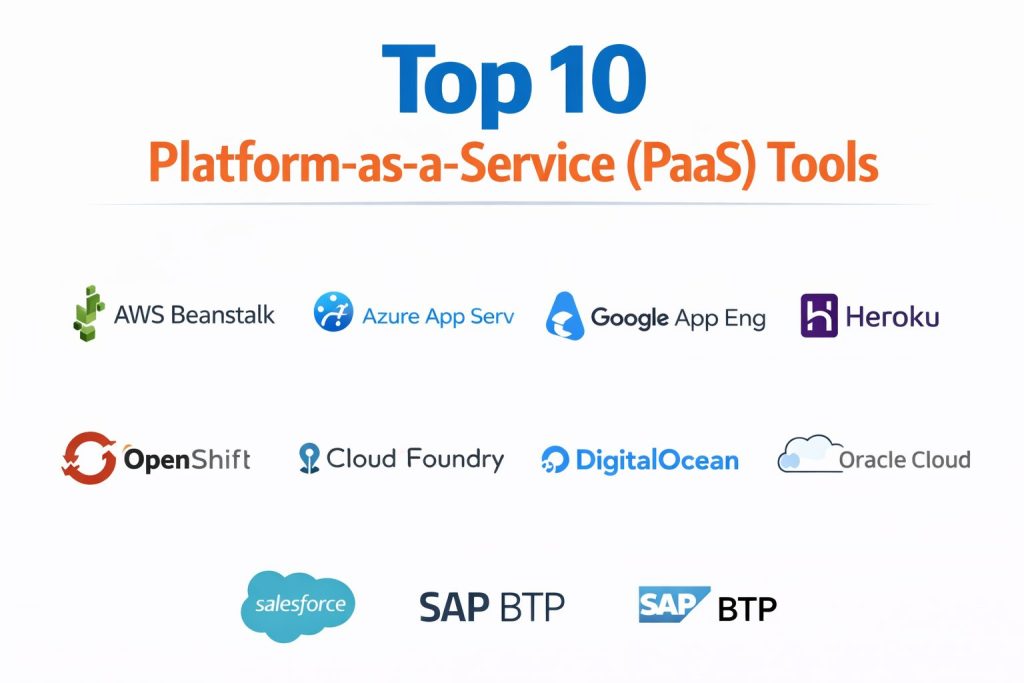
1. AWS Elastic Beanstalk
AWS Elastic Beanstalk is a mature platform that simplifies the deployment of applications on the Amazon Web Services ecosystem. It handles the details of capacity provisioning, load balancing, and auto-scaling while allowing users to maintain full control over the underlying AWS resources. It is particularly effective for teams already invested in the broader AWS catalog, as it integrates seamlessly with services like RDS, S3, and CloudWatch.
Key Features
The platform supports a wide array of languages including Java, .NET, PHP, Node.js, Python, Ruby, and Go, alongside Docker containers. It offers multiple deployment policies such as all-at-once, rolling, and immutable to ensure high availability during updates. Integrated health monitoring provides real-time insights into application performance and resource utilization. The service is highly customizable via configuration files that allow for deep tuning of the environment. Furthermore, it supports managed platform updates, reducing the burden of operating system and runtime patching.
Pros
It provides the easiest entry point into the powerful AWS ecosystem without sacrificing the ability to tweak low-level settings. There is no additional charge for the service itself; users only pay for the underlying resources consumed.
Cons
The interface and configuration options can be overwhelming for beginners. It also lacks some of the modern “scale-to-zero” features found in newer serverless platforms.
Platforms and Deployment
Exclusively on AWS infrastructure with support for various regional data centers.
Security and Compliance
Inherits AWS’s extensive compliance certifications including SOC, ISO, and HIPAA. It supports detailed IAM roles and VPC isolation for secure networking.
Integrations and Ecosystem
Deeply integrated with all AWS services and supports popular CI/CD tools like Jenkins and AWS CodePipeline.
Support and Community
Benefits from the massive AWS community and dedicated enterprise support plans.
2. Microsoft Azure App Service
Azure App Service is a fully managed platform designed for building, deploying, and scaling web apps and APIs. It is uniquely positioned for enterprises that utilize the Microsoft stack but remains highly capable for open-source frameworks. The platform excels in offering a seamless bridge between local development environments and global-scale production clouds.
Key Features
It offers first-class support for .NET and ASP.NET while maintaining robust environments for Java, Node.js, Python, and PHP. The platform includes built-in CI/CD integration with GitHub Actions and Azure DevOps for automated workflows. Developers can use “deployment slots” to test new versions in a production-like environment before swapping them live with zero downtime. It features high-scale security with integrated authentication for various identity providers. Additionally, it supports hybrid cloud scenarios through Azure Arc, allowing the service to run on-premises or in other clouds.
Pros
It is the gold standard for organizations heavily reliant on Visual Studio and the Microsoft ecosystem. The security features are enterprise-grade and highly integrated.
Cons
The pricing structure can become complex and expensive as more specialized features and high-availability tiers are added.
Platforms and Deployment
Primarily Azure, with hybrid options available through Azure Arc and Azure Stack.
Security and Compliance
Strong compliance posture with over 90 global certifications. Includes managed identities to eliminate the need for storing secrets in code.
Integrations and Ecosystem
Seamless integration with Azure SQL, Cosmos DB, and Active Directory. Strong support for GitHub and Visual Studio.
Support and Community
Extensive enterprise support and a large community of professional developers and architects.
3. Google App Engine
Google App Engine is a serverless PaaS that allows developers to host applications on Google’s massive global infrastructure. It is known for its “zero-ops” approach, automatically managing all aspects of the infrastructure so that teams can focus purely on code. The platform is particularly strong in its ability to scale rapidly to handle sudden spikes in web traffic.
Key Features
The platform provides two distinct environments: a sandboxed “Standard” environment for rapid scaling and a “Flexible” environment that uses Docker containers. It supports popular languages like Go, Python, Java, and Node.js. Integrated traffic splitting allows for sophisticated A/B testing and canary deployments. The service includes built-in security features like firewalls and managed SSL certificates. It also offers a generous free tier for developers and small projects to get started without immediate costs.
Pros
The scaling capabilities are among the fastest in the industry, capable of going from zero to thousands of instances in seconds. It requires the least amount of operational maintenance among major providers.
Cons
The Standard environment has specific runtime restrictions that can lead to vendor lock-in. The Flexible environment has longer startup times for new instances.
Platforms and Deployment
Google Cloud Platform infrastructure.
Security and Compliance
Utilizes Google’s highly secure global network and is compliant with major standards like SOC 2 and GDPR.
Integrations and Ecosystem
Excellent integration with Google’s data tools like BigQuery, Cloud Pub/Sub, and Cloud Storage.
Support and Community
Backed by Google Cloud’s documentation and a strong community of data-centric developers.
4. Heroku
Heroku is a pioneer in the PaaS space, famous for its focus on developer experience and simplicity. It uses a container-based model (Dynos) that makes deploying applications as simple as a git push. It remains a top choice for startups and individual developers who need to launch projects quickly with minimal configuration.
Key Features
It supports a wide range of languages including Ruby, Java, Node.js, Python, PHP, and Clojure. The platform features an extensive “Add-ons” marketplace that allows for one-click integration of databases, search engines, and monitoring tools. Its intuitive dashboard and CLI make it easy to manage environments and scale resources manually or automatically. The platform also offers “Review Apps,” which automatically spin up a temporary environment for every pull request. Managed data services like Heroku Postgres provide high availability with minimal configuration.
Pros
It offers the most intuitive and user-friendly experience in the PaaS market, significantly reducing the time to market for new applications.
Cons
Costs can scale rapidly for resource-intensive applications. It offers less flexibility in terms of underlying infrastructure control compared to AWS or Azure.
Platforms and Deployment
Built on top of AWS, managed entirely by the Heroku platform.
Security and Compliance
Provides a secure environment with various compliance levels, though high-security features often require the more expensive Enterprise tiers.
Integrations and Ecosystem
One of the best add-on ecosystems in the world, with hundreds of third-party services available.
Support and Community
Very active community and extensive tutorials, making it easy for new developers to learn.
5. Red Hat OpenShift
Red Hat OpenShift is an enterprise-grade PaaS built on top of Kubernetes and Linux. It provides a consistent platform for developing and running applications across physical, virtual, and cloud infrastructures. It is specifically designed to bring the power of container orchestration to large organizations with strict security and governance requirements.
Key Features
The platform includes a complete set of developer tools, including built-in CI/CD pipelines and an integrated container registry. It offers a unified console for managing both the infrastructure and the application lifecycle. Security is a core focus, with features like mandatory access controls and automated image scanning. It supports a wide variety of frameworks and languages through “Source-to-Image” (S2I) technology. It also enables true hybrid cloud strategies by allowing the same platform to run on AWS, Azure, Google Cloud, or on-premises servers.
Pros
It offers the most robust path to hybrid and multi-cloud operations, providing a consistent experience regardless of the underlying cloud provider.
Cons
It is a highly complex platform that requires specialized knowledge to manage effectively. The licensing costs can be significant for enterprise deployments.
Platforms and Deployment
Multi-cloud support (AWS, Azure, GCP, IBM) and on-premises data centers.
Security and Compliance
Enterprise-hardened security with advanced identity management and compliance automation.
Integrations and Ecosystem
Deeply integrated with the Red Hat and IBM portfolios, as well as the broader Kubernetes ecosystem.
Support and Community
World-class enterprise support from Red Hat and a strong community of Kubernetes and DevOps professionals.
6. Cloud Foundry
Cloud Foundry is an open-source PaaS that provides a highly efficient and automated way to deploy applications. It is often used by large enterprises to build internal platforms that provide a consistent developer experience across multiple infrastructure providers. It focuses on high-level abstractions that make application management simple at a massive scale.
Key Features
The platform uses “Buildpacks” to automatically detect and configure the runtime environment for applications, supporting almost any language. It features a robust management system for horizontal and vertical scaling with zero downtime. The architecture is designed for multi-tenancy, making it ideal for large organizations with many different development teams. It includes integrated services for logging, monitoring, and health management. Its open-source nature ensures that it can be deployed on a variety of infrastructures including VMware, AWS, and Azure.
Pros
It provides a high degree of portability and prevents vendor lock-in by supporting multiple underlying cloud providers. It is highly optimized for microservices architectures.
Cons
Setting up and maintaining a private instance of Cloud Foundry can be technically demanding and resource-intensive for smaller teams.
Platforms and Deployment
Can be deployed on most major public clouds or on-premises using VMware.
Security and Compliance
Offers robust security controls including encrypted communication between components and role-based access for developers.
Integrations and Ecosystem
Supported by a foundation of major technology companies, ensuring a wide range of integrations and professional plugins.
Support and Community
Strong community-led development and professional support available through vendors like SAP and IBM.
7. DigitalOcean App Platform
DigitalOcean App Platform is a modern, developer-centric PaaS that emphasizes simplicity and predictable pricing. It is designed to take the complexity out of deploying and managing apps by allowing developers to point the platform to a GitHub repository and go live in minutes. It is particularly popular among small businesses and independent developers.
Key Features
The platform automatically detects the language and framework of the code, supporting Node.js, Python, Go, PHP, and Ruby. It provides integrated support for static sites, background workers, and web services. Scaling is handled through a simple slider in the dashboard, with options for vertical and horizontal expansion. It includes managed databases that can be easily connected to applications. The service also features automatic SSL encryption and DDoS protection as part of its core offering.
Pros
It offers one of the most transparent and predictable pricing models in the industry, making it easy for teams to manage their budgets.
Cons
It lacks some of the advanced enterprise features and global regions found in the larger cloud providers like AWS or Azure.
Platforms and Deployment
DigitalOcean’s own global network of data centers.
Security and Compliance
Includes essential security features like firewalls and encrypted connections, suitable for most modern web applications.
Integrations and Ecosystem
Strong integration with GitHub and GitLab, as well as other DigitalOcean services like Spaces and Managed Databases.
Support and Community
Famous for its high-quality community tutorials and straightforward documentation.
8. Oracle Cloud Platform
Oracle Cloud Platform offers a suite of integrated services designed to help businesses move and run their enterprise workloads in the cloud. It is particularly strong for organizations that rely on Oracle databases and middleware, providing specialized optimizations that other platforms cannot match.
Key Features
The platform includes autonomous services that use machine learning to self-repair, self-scale, and self-secure. It provides a highly optimized environment for Java development and enterprise-grade mobile app creation. Integrated DevOps tools assist with the entire lifecycle of an application from planning to monitoring. It offers unique capabilities for integrating cloud applications with on-premises legacy systems. The platform also features high-performance compute options specifically tuned for data-intensive workloads.
Pros
It provides the best possible performance and integration for applications built on Oracle’s database and middleware technologies.
Cons
The developer experience and ecosystem are often seen as less vibrant compared to more modern platforms like Heroku or Google App Engine.
Platforms and Deployment
Oracle Cloud Infrastructure with options for “Cloud at Customer” on-premises deployments.
Security and Compliance
Built with a “security-first” architecture, offering deep isolation and a wide range of enterprise compliance certifications.
Integrations and Ecosystem
Deeply integrated with the Oracle enterprise suite and supports various open-source tools.
Support and Community
Focused on enterprise-level support with a strong presence in the corporate IT world.
9. Salesforce Platform
The Salesforce Platform (formerly Lightning Platform) is a specialized PaaS focused on building customer-centric applications that extend the functionality of Salesforce CRM. It allows business users and developers to build apps with low-code tools or traditional coding, making it a powerful choice for internal business processes.
Key Features
It features a high-productivity metadata-driven architecture that allows for rapid app building without managing servers. The platform provides integrated tools for mobile app development, ensuring that apps work perfectly on all devices. It includes sophisticated tools for data modeling, process automation, and real-time analytics. Security is built into every layer, with granular permissions and data encryption. The platform also enables seamless integration with other Salesforce clouds like Sales, Service, and Marketing.
Pros
It is incredibly efficient for building business applications that need to interact with customer data already stored in Salesforce.
Cons
It is highly specialized for the Salesforce ecosystem and is not intended for general-purpose web or game development.
Platforms and Deployment
Managed entirely within the Salesforce cloud infrastructure.
Security and Compliance
Meets the highest standards for enterprise security and data privacy, trusted by thousands of large global corporations.
Integrations and Ecosystem
Features a massive marketplace (AppExchange) and deep integration with hundreds of business software tools.
Support and Community
One of the largest and most enthusiastic communities of business-focused developers and administrators.
10. SAP BTP (Business Technology Platform)
SAP Business Technology Platform is an integrated PaaS that provides a unified environment for application development, data management, and AI. It is designed specifically for organizations that use SAP for their core business operations, allowing them to extend and integrate their systems with cloud-native technologies.
Key Features
The platform includes high-performance in-memory data processing through SAP HANA. It offers specialized tools for building business-ready mobile and web applications with pre-built components. Integrated AI and machine learning capabilities allow for the creation of intelligent business processes. It supports a multi-cloud strategy, allowing the platform to run on AWS, Azure, or Google Cloud. The environment also includes powerful integration tools to connect SAP and non-SAP systems seamlessly.
Pros
It is the essential platform for any enterprise looking to modernize or extend their SAP-based business processes in a cloud environment.
Cons
The complexity and cost can be prohibitive for smaller companies or projects that do not involve SAP software.
Platforms and Deployment
Multi-cloud (AWS, Azure, GCP) and SAP’s own data centers.
Security and Compliance
Highly regulated and secure environment, designed to meet the strict data protection needs of global enterprises.
Integrations and Ecosystem
Unmatched integration with SAP S/4HANA and other SAP business applications.
Support and Community
Extensive enterprise support and a large network of SAP-certified consultants and partners.
Comparison Table
| Tool Name | Best For | Platform(s) Supported | Deployment | Standout Feature | Public Rating |
| 1. AWS Elastic Beanstalk | AWS Ecosystem Users | AWS Infrastructure | Hybrid | Deep AWS Ecosystem Integration | 4.5/5 |
| 2. Azure App Service | Microsoft/Enterprise | Azure, Hybrid | Cloud/Local | Best-in-Class .NET Support | 4.6/5 |
| 3. Google App Engine | High-Scale Web Apps | Google Cloud (GCP) | Cloud | Rapid Scale-to-Zero | 4.7/5 |
| 4. Heroku | Startups/Simplicity | AWS Managed | Cloud | Developer Experience (DX) | 4.8/5 |
| 5. Red Hat OpenShift | Hybrid/Multi-cloud | Multi-cloud, On-prem | Hybrid | Kubernetes-native Orchestration | 4.8/5 |
| 6. Cloud Foundry | Vendor-neutral PaaS | Multi-cloud, On-prem | Hybrid | Open-source Portability | 4.4/5 |
| 7. DigitalOcean App Platform | Small Teams/SMBs | DigitalOcean Cloud | Cloud | Transparent/Predictable Pricing | 4.5/5 |
| 8. Oracle Cloud Platform | Oracle Workloads | Oracle Cloud, On-prem | Hybrid | Autonomous Self-Repairing | 4.2/5 |
| 9. Salesforce Platform | Business/CRM Apps | Salesforce Cloud | Cloud | Low-code/Meta-data Architecture | 4.3/5 |
| 10. SAP BTP | Enterprise SAP Ext. | Multi-cloud, SAP Cloud | Hybrid | In-memory HANA Integration | 4.3/5 |
Evaluation & Scoring of Platform-as-a-Service (PaaS)
The scoring below is a comparative model intended to help shortlisting. Each criterion is scored from 1–10, then a weighted total from 0–10 is calculated using the weights listed. These are analyst estimates based on typical fit and common workflow requirements, not public ratings.
Weights:
- Core features – 25%
- Ease of use – 15%
- Integrations & ecosystem – 15%
- Security & compliance – 10%
- Performance & reliability – 10%
- Support & community – 10%
- Price / value – 15%
| Tool Name | Core (25%) | Ease (15%) | Integrations (15%) | Security (10%) | Performance (10%) | Support (10%) | Value (15%) | Weighted Total |
| 1. AWS Beanstalk | 9 | 6 | 10 | 9 | 8 | 9 | 7 | 8.25 |
| 2. Azure App Serv | 9 | 7 | 10 | 9 | 9 | 9 | 7 | 8.50 |
| 3. Google App Eng | 10 | 8 | 9 | 9 | 10 | 8 | 8 | 8.95 |
| 4. Heroku | 8 | 10 | 9 | 7 | 8 | 9 | 6 | 8.05 |
| 5. OpenShift | 10 | 4 | 9 | 10 | 9 | 10 | 6 | 8.05 |
| 6. Cloud Foundry | 9 | 5 | 8 | 8 | 8 | 8 | 8 | 7.75 |
| 7. DigitalOcean | 7 | 9 | 7 | 7 | 8 | 8 | 10 | 7.95 |
| 8. Oracle Cloud | 8 | 5 | 8 | 9 | 9 | 8 | 7 | 7.60 |
| 9. Salesforce | 7 | 8 | 9 | 9 | 7 | 8 | 6 | 7.45 |
| 10. SAP BTP | 8 | 5 | 10 | 9 | 8 | 8 | 5 | 7.55 |
How to interpret the scores:
- Use the weighted total to shortlist candidates, then validate with a pilot.
- A lower score can mean specialization, not weakness.
- Security and compliance scores reflect controllability and governance fit, because certifications are often not publicly stated.
- Actual outcomes vary with assembly size, team skills, templates, and process maturity.
Which Platform-as-a-Service (PaaS) Tool Is Right for You?
Solo / Freelancer
For independent developers, a platform that minimizes setup time and offers a low-cost entry point is essential. These users should prioritize platforms with excellent documentation and a high degree of automation, allowing them to remain productive without needing an operations team.
SMB
Small and medium-sized businesses benefit from predictable pricing and a curated selection of managed services. A platform that can grow with the company while providing professional-grade security and monitoring features is the most sustainable choice for this segment.
Mid-Market
Organizations in the mid-market require a balance between simplicity and enterprise features. They should look for platforms that offer robust CI/CD integrations and the ability to scale globally, ensuring they can meet increasing demand without rebuilding their infrastructure.
Enterprise
Enterprise users require deep security certifications, hybrid cloud capabilities, and premium support. For these organizations, the primary focus is on governance, compliance, and the ability to integrate with complex legacy systems across multiple regions.
Budget vs Premium
Budget-conscious teams should look toward open-source platforms or those with generous free tiers and transparent billing. Premium platforms, while more expensive, offer autonomous features and specialized hardware optimizations that can be critical for high-stakes applications.
Feature Depth vs Ease of Use
Teams with high technical expertise may prefer deep platforms that offer more control over the environment. Conversely, teams that want to move fast with minimal technical friction will find more value in platforms that prioritize an intuitive user experience.
Integrations & Scalability
Scalability is not just about resources; it’s about how well the platform fits into a broader toolset. A platform that integrates effortlessly with popular databases and third-party APIs will always provide more long-term value than a siloed environment.
Security & Compliance Needs
In highly regulated industries like finance or healthcare, the choice of platform is often driven by compliance. Organizations must ensure that their provider offers the specific certifications required for their industry and geographic location.
Frequently Asked Questions (FAQs)
1. How does PaaS differ from Infrastructure-as-a-Service (IaaS)?
While IaaS provides raw resources like virtual machines and storage, PaaS adds a layer of management on top of that infrastructure. It handles the operating system, runtime, and middleware, allowing developers to focus solely on their application code.
2. Can I use my own custom Docker containers with PaaS?
Most modern PaaS providers now support Docker containers, giving you the flexibility to use custom runtimes while still benefiting from the platform’s managed services like auto-scaling and monitoring.
3. What programming languages do these platforms support?
All major platforms support popular languages like Python, Node.js, Java, and Ruby. Some specialized platforms may have deeper optimizations for specific languages, such as Azure for .NET or SAP BTP for Java.
4. Is it possible to migrate away from a PaaS provider later?
Migration difficulty depends on how many proprietary services you utilize. Using open standards like containerization and standard databases makes portability much easier if you decide to switch providers.
5. How does auto-scaling work in a PaaS environment?
The platform monitors metrics like CPU usage or incoming traffic and automatically adds or removes instances of your application to maintain performance while optimizing costs.
6. Are these platforms secure enough for sensitive data?
Yes, leading PaaS providers invest heavily in security and hold numerous global compliance certifications. They offer features like VPC isolation, data encryption at rest, and integrated identity management.
7. Do I need to manage server updates and patching?
No, one of the primary benefits of PaaS is that the provider handles all underlying security patches and updates for the operating system and runtime environment.
8. Can I host a static website on these platforms?
Many PaaS providers offer specialized tiers for hosting static websites at a very low cost, often including integrated content delivery networks (CDNs) for faster global performance.
9. What is the difference between a public and private PaaS?
A public PaaS is hosted on the provider’s shared cloud infrastructure, while a private PaaS is deployed on an organization’s internal hardware or a dedicated cloud environment for increased control.
10. Do these platforms provide built-in monitoring?
Most platforms include a basic level of integrated logging and monitoring. For more advanced needs, they often provide one-click integrations with professional observability tools like New Relic or Datadog.
Conclusion
The selection of a Platform-as-a-Service (PaaS) solution is a strategic investment that fundamentally alters how your organization delivers digital value. By choosing a platform that aligns with your team’s technical expertise and business goals, you effectively offload the operational complexity that often stifles innovation. Whether you prioritize the rapid prototyping capabilities of developer-first tools or the hardened governance of enterprise ecosystems, the core objective remains the same: accelerating the path from code to customer. In an increasingly competitive landscape, the ability to leverage these managed environments to scale gracefully and secure your assets will be a defining characteristic of successful technical operations. Staying informed about the evolving trends in multi-cloud portability and AI-assisted operations will ensure that your chosen platform continues to serve as a robust foundation for your future growth.