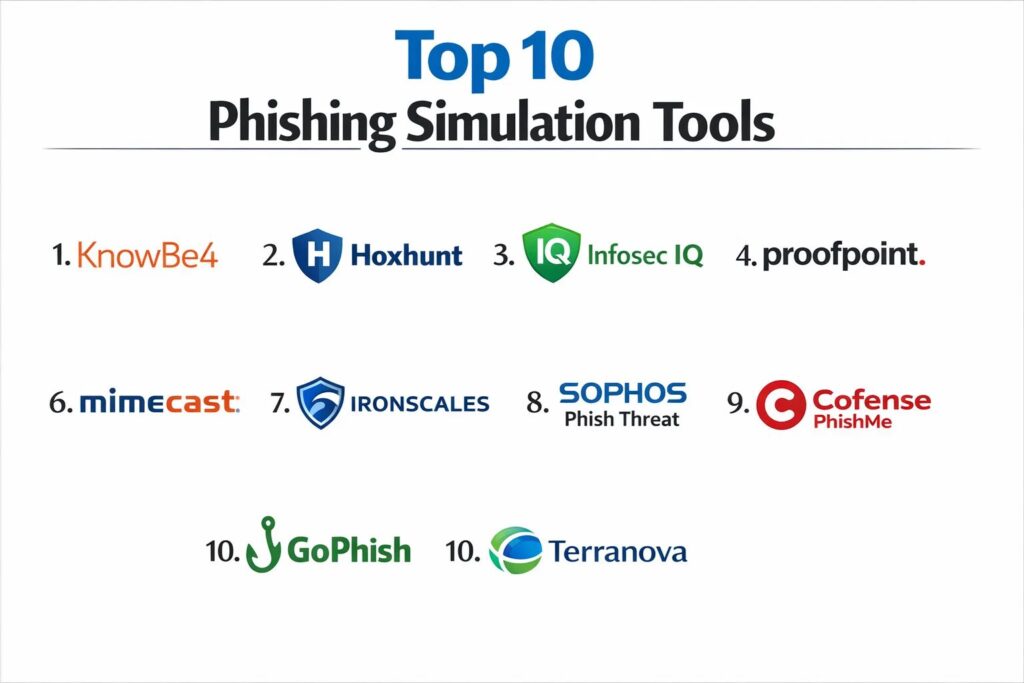
Introduction
Phishing simulation tools have become a fundamental pillar of modern cybersecurity resilience, shifting the focus from purely technical defenses to the human element of risk management. These platforms are designed to execute controlled, non-malicious social engineering attacks against an organization’s employees to measure susceptibility and reinforce defensive behaviors. By mimicking the tactics of real-world adversaries—ranging from generic credential harvesting to sophisticated, AI-driven spear phishing—simulation tools provide empirical data on an organization’s “Phish-Prone Percentage.” This data allows security leaders to move beyond theoretical risk and address specific behavioral vulnerabilities within their workforce through targeted, just-in-time education.
The integration of these tools into the broader Security Operations Center (SOC) workflow has transformed them from simple testing utilities into advanced Human Risk Management (HRM) systems. Modern platforms utilize behavioral science and machine learning to automate campaign delivery, ensuring that training is neither too predictable nor overly punitive. In an era where Generative AI has lowered the barrier for attackers to create perfect, error-free lures, the ability to train employees as “human sensors” is critical. A robust simulation program doesn’t just reduce click rates; it increases the reporting rate, turning every employee into a proactive part of the organization’s threat detection infrastructure.
Best for: Security awareness officers, CISOs, and IT managers who need to quantify human risk, meet regulatory compliance (such as NIS2 or GDPR), and foster a culture of proactive threat reporting.
Not ideal for: Organizations looking for a “one-off” test or those without the administrative capacity to manage the follow-up remedial training, as simulations without education can damage employee trust and morale.
Key Trends in Phishing Simulation Tools
The most significant trend is the rise of Generative AI (GenAI) within simulation engines. Platforms are now using AI to scan an organization’s public digital footprint—news, LinkedIn updates, and corporate blog posts—to create hyper-personalized lures that reflect the current sophistication of real-world attackers. This move away from static, “canned” templates ensures that training remains relevant as adversaries abandon easily spotted red flags like poor grammar and generic greetings. Furthermore, “Omni-channel” simulations are becoming the standard, testing employees across email, SMS (Smishing), voice calls (Vishing), and even collaboration tools like Slack or Microsoft Teams.
Another critical shift is the transition from “Click Rate” to “Mean Time to Report” (MTTR) as the primary success metric. Security teams are increasingly prioritizing how quickly an employee uses the “Phish Alert” button rather than just whether they avoided the link. This reflects a more mature understanding of cybersecurity, where the goal is to build a high-fidelity reporting loop that feeds directly into incident response playbooks. Additionally, there is a growing emphasis on “teachable moments”—immediate, micro-learning modules that trigger the moment a user fails a simulation, providing contextual feedback when the user is most receptive to learning.
How We Selected These Tools
Our selection process focused on tools that demonstrate high operational reliability and technical depth in their simulation engines. We prioritized platforms that offer a high degree of automation, reducing the “administrative drag” typically associated with managing complex, multi-departmental campaigns. Market mindshare was a significant factor, as platforms with larger datasets provide better industry benchmarking, allowing organizations to compare their resilience against peers in sectors like Finance, Healthcare, or Manufacturing.
Technical evaluation criteria included the robustness of the “Report Phishing” integration and the quality of the behavioral analytics provided in the executive dashboards. We also looked for platforms that support localized content and multi-language support, which is essential for global enterprises with diverse workforces. Security and compliance were non-negotiable; we only included providers that adhere to enterprise standards such as SOC 2 and GDPR. Finally, we assessed the creative quality of the training content, favoring platforms that move away from “check-the-box” videos toward engaging, gamified, or story-driven learning experiences.
1. KnowBe4
KnowBe4 is the market leader in the security awareness space, recognized for having the world’s largest library of training content and phishing templates. It provides a comprehensive ecosystem that bridges the gap between simulated social engineering and structured compliance training. The platform’s “AITP” (Artificial Intelligence Driven Agent) automatically selects the most relevant lures for each user based on their past performance and risk profile.
Key Features
The platform includes the “Phish Alert Button” (PAB), which integrates directly into email clients to facilitate one-click reporting. It offers “Smart Groups,” which allow admins to automate training assignments based on specific user behaviors or attributes. The “Virtual Risk Officer” provides a quantified risk score for every individual and department. It also features high-production-value training series, such as “The Inside Man,” to keep users engaged. Detailed benchmarking allows organizations to compare their Phish-Prone Percentage against others in their specific industry.
Pros
The sheer volume of content and templates ensures that simulations never become repetitive or predictable. It offers one of the most mature reporting and analytics engines available for the board level.
Cons
The interface can feel overwhelming for smaller teams due to the density of features and options. Some users report that the legacy UI components feel dated compared to newer, “cloud-native” competitors.
Platforms and Deployment
SaaS-based platform with deep integrations for Microsoft 365 and Google Workspace.
Security and Compliance
SOC 2 Type II compliant, GDPR ready, and FedRAMP authorized for government use.
Integrations and Ecosystem
Extensive API support and native integrations with major SIEM, SOAR, and IAM providers.
Support and Community
Offers a dedicated success manager for enterprise tiers and maintains a massive knowledge base and community forum.
2. Hoxhunt
Hoxhunt differentiates itself by focusing on a gamified, “human-centric” approach to phishing simulations. Instead of using a traditional campaign model, it uses AI to deliver individualized, adaptive simulations that evolve based on each employee’s skill level. It is designed to reward positive behavior, such as reporting, rather than focusing solely on failures.
Key Features
The platform utilizes an AI engine that creates “personalized learning paths,” adjusting the difficulty of simulations in real-time. It features a robust gamification system with points, leaderboards, and badges to drive high engagement rates. The “SOC Integration” automatically filters reported simulations from real threats, reducing the noise for security analysts. It supports localized content in over 40 languages, making it a favorite for global enterprises. The platform also provides “Instant Feedback” to users immediately after they report or click a simulation.
Pros
The gamified approach leads to significantly higher engagement and reporting rates compared to traditional methods. It requires very low administrative overhead due to its fully automated, “zero-touch” engine.
Cons
The gamified elements may not align with the culture of every corporate environment. It is primarily focused on phishing and may require complementary tools for broader compliance training.
Platforms and Deployment
Fully cloud-native SaaS, optimized for modern email environments.
Security and Compliance
Maintains ISO 27001 certification and strictly adheres to global data privacy standards.
Integrations and Ecosystem
Seamlessly integrates with Microsoft 365, Google Workspace, and major incident response platforms.
Support and Community
Provides proactive customer success management and a focus on behavior-change psychology.
3. Infosec IQ
Infosec IQ is known for its technical flexibility and a massive library of over 2,000 training resources. It is part of the broader Infosec Institute, which brings deep pedagogical expertise to its security awareness training. The platform excels at role-based training, allowing organizations to target specific high-risk groups like finance or IT with specialized simulations.
Key Features
The platform features “Choose Your Own Adventure” style training modules that increase user retention. It offers “Automated Remediation,” which automatically assigns follow-up training to any user who fails a simulation. The “PhishSim” tool allows for the creation of highly customized lures, including attachments and data-entry landing pages. It includes a “Dashboards” feature that provides granular views of program progress and user risk. The platform also integrates with the “Infosec Skills” library for more technical security training.
Pros
The flexibility of the campaign builder is ideal for organizations that want granular control over their testing scenarios. It offers excellent value by combining a broad content library with robust simulation tools.
Cons
The platform has less market visibility than KnowBe4, which can be a factor for organizations seeking “household name” vendors for audits. Technical setup can be more involved for advanced integrations.
Platforms and Deployment
Web-based SaaS platform with support for hybrid environments.
Security and Compliance
SOC 2 Type II compliant and aligned with NIST and ISO security awareness standards.
Integrations and Ecosystem
Strong API and directory sync capabilities for Entra ID (Azure AD) and Google Workspace.
Support and Community
Provides extensive documentation and a dedicated client success team for onboarding.
4. Proofpoint Security Awareness
Proofpoint leverages its position as a leading Email Security Gateway (SEG) to provide simulations informed by real-world threat intelligence. Because Proofpoint sees a vast portion of global email traffic, it can turn actual, “in-the-wild” attacks into simulation templates faster than almost any other provider.
Key Features
The platform features “Nexus Threat Intelligence” integration, ensuring simulations reflect active attack patterns. It uses “Teachable Moments” to provide immediate feedback to users who interact with a simulation. The “User Risk Research” data helps identify “Very Attacked People” (VAPs) within an organization. It includes a multi-language library and customizable reporting for executive stakeholders. The platform also integrates with Proofpoint’s “TAP” (Targeted Attack Protection) to provide a unified view of human risk.
Pros
The alignment with real-world threat data makes the simulations exceptionally realistic and timely. It is a natural choice for organizations already utilizing Proofpoint for their email security infrastructure.
Cons
The pricing can be at a premium compared to standalone simulation tools. Some users find the interface less intuitive and more “security-centric” than user-friendly.
Platforms and Deployment
SaaS-based, with the best features unlocked when integrated with Proofpoint’s email gateway.
Security and Compliance
Enterprise-grade security with full compliance for high-regulation industries like Finance and Healthcare.
Integrations and Ecosystem
Deeply integrated within the Proofpoint security ecosystem and supports major cloud email providers.
Support and Community
Offers robust enterprise support and a wealth of threat research and white papers.
5. Cofense PhishMe
Cofense (formerly PhishMe) is a pioneer in the phishing simulation space, with a heavy focus on incident response and threat detection. It is designed to turn employees into an extension of the SOC by prioritizing the “Reporting” aspect of the phishing lifecycle over all else.
Key Features
The platform features “Cofense Reporter,” a highly reliable reporting button that feeds into “Cofense Triage” for automated analysis. It offers a library of simulations based on real threats identified by the Cofense Intelligence team. The “Board-ready” reporting highlights the speed and accuracy of user reporting. It provides “Playbooks” that help security teams respond to real threats reported by users during simulations. The system is built to handle high-volume reporting without overwhelming the security team.
Pros
Excellent for organizations that want to use simulations as a way to improve their actual incident response times. It provides the best “Reporting” workflow in the industry.
Cons
The training content library is not as deep or “entertaining” as competitors like KnowBe4 or NINJIO. It is a more technical tool that may require a dedicated security analyst to manage.
Platforms and Deployment
Cloud-based with support for local and global fulfillment through partner networks.
Security and Compliance
Maintains high-level security attestations and is widely used in defense and government sectors.
Integrations and Ecosystem
Integrates natively with major SIEM and SOAR platforms to automate threat remediation.
Support and Community
Strong focus on professional services and strategic security awareness consulting.
6. Mimecast Awareness Training
Mimecast takes a “content-first” approach, focusing on extremely engaging, short-form video modules featuring recurring characters to fight training fatigue. Like Proofpoint, it integrates its simulations directly with its secure email gateway, providing a unified security posture.
Key Features
The platform is famous for its “humorous” video modules that are designed to be “binge-worthy” for employees. It provides “Risk Scoring” that correlates simulation results with real-world email behavior from the Mimecast gateway. It includes a “one-click” reporting plugin for Outlook and other major clients. The “Engagement” metrics provide insight into how many users are actually watching and enjoying the training. It also offers automated campaign scheduling to maintain a consistent testing cadence.
Pros
The high-quality, engaging video content results in significantly higher completion rates and better knowledge retention. The integration with the Mimecast gateway provides superior visibility into actual risk.
Cons
Organizations not using Mimecast as their email gateway will miss out on the most advanced “Risk Scoring” features. The simulation template library is smaller than specialized competitors.
Platforms and Deployment
Cloud-native platform with easy deployment for Mimecast customers.
Security and Compliance
Complies with global data protection standards and offers robust reporting for audits.
Integrations and Ecosystem
Seamlessly integrates with the Mimecast security stack and major productivity suites.
Support and Community
Provides dedicated account management and a large library of “Best Practice” guides.
7. IRONSCALES
IRONSCALES is a modern, AI-powered email security platform that treats phishing simulation as a dynamic, automated process. It is designed for lean security teams that need to run effective simulations without a high administrative burden.
Key Features
The platform features “GenAI Simulations” that automatically generate unique phishing lures based on trending threats. It uses “Behavioral Targeting” to send simulations to users at the optimal time to test their vigilance. It provides “Auto-remediation” that pulls malicious-looking emails from user inboxes based on simulation failure patterns. The platform includes a “Community-powered” threat feed that shares phishing insights across all IRONSCALES users. It also features a simplified, modern dashboard for tracking campaign success.
Pros
The use of AI for lure generation ensures that content never feels “stale” or “robotic.” It offers one of the fastest deployment times in the industry.
Cons
It offers less manual control over the specifics of a simulation campaign compared to tools like Cofense or KnowBe4. The training modules are more utilitarian and less “episodic.”
Platforms and Deployment
API-based cloud deployment that requires zero MX record changes.
Security and Compliance
Modern security architecture with a focus on data privacy and rapid threat response.
Integrations and Ecosystem
Deeply integrated with Microsoft 365 and Google Workspace via API.
Support and Community
Strong focus on automation and a collaborative “threat-sharing” community.
8. Sophos Phish Threat
Sophos Phish Threat is part of the broader Sophos Central ecosystem, making it an excellent choice for organizations that already use Sophos for endpoint or firewall protection. It focuses on simplicity and “teachable moments” to provide a straightforward training experience.
Key Features
The platform offers over 500 templates that are updated regularly to reflect current threats. It provides “Direct Links” to remedial training the moment a user clicks a phishing link. It syncs directly with the Sophos user list, eliminating the need for manual CSV uploads. The reporting is centralized within the Sophos Central dashboard, providing a “single pane of glass” for all security metrics. It supports multi-language training and simulations for global teams.
Pros
Extremely easy to set up and manage, especially for existing Sophos customers. The “Teachable Moments” are effective at reinforcing learning in the context of a failure.
Cons
The feature set is more basic compared to enterprise-heavy tools like Proofpoint or KnowBe4. It lacks some of the advanced AI-driven personalization found in newer platforms.
Platforms and Deployment
Integrated into the Sophos Central cloud management console.
Security and Compliance
Standard enterprise security compliance as part of the Sophos security suite.
Integrations and Ecosystem
Deep integration with Sophos Endpoint and Email security products.
Support and Community
Benefits from the global Sophos support network and an active user community.
9. GoPhish (Open Source)
GoPhish is a powerful, open-source phishing framework that is widely used by penetration testers and technical security teams. It is a “pure” simulation tool that provides full control over the technical execution of a campaign without the baggage of an LMS or training library.
Key Features
The platform features a clean, web-based interface that makes it easy to create and launch campaigns. It provides full control over every aspect of the email headers, landing page HTML, and tracking pixels. It offers real-time tracking of email opens, link clicks, and data entry. The platform supports a robust API, allowing technical users to automate campaign launches and data export. It is cross-platform and can run on Windows, macOS, and Linux.
Pros
It is completely free to use and provides unparalleled flexibility for custom, highly technical testing scenarios. It is an excellent tool for “Red Team” exercises.
Cons
It does not include any pre-made training modules or a reporting button for users. Setup and maintenance require technical expertise, as there is no official support team.
Platforms and Deployment
Self-hosted software that can be deployed on-premises or in a private cloud.
Security and Compliance
Security depends entirely on the hosting environment and the configuration provided by the user.
Integrations and Ecosystem
Primarily a standalone tool, but its API allows for custom integrations with other security tools.
Support and Community
Relies on a dedicated community of contributors and extensive documentation on GitHub.
10. Terranova Security
Terranova Security, now part of Fortinet, focuses on high-quality content and a science-based approach to behavior change. It is particularly strong in the European market due to its extensive localization and focus on privacy regulations.
Key Features
The platform features the “Phishing Simulation Builder,” which allows for the creation of complex, multi-stage attacks. it offers “Micro-learning” modules that are typically 2-3 minutes long to maximize retention. The content library is available in over 40 languages and is highly culturally adapted. It includes “NIST-aligned” training modules that help organizations meet specific regulatory frameworks. The “Real-time Dashboards” provide deep insights into global progress across different regions and departments.
Pros
The quality and localization of the training content are among the best in the industry. It offers a very high degree of flexibility for creating custom simulation workflows.
Cons
The administrative interface can be complex and may require a dedicated program manager. Integration with non-Fortinet products is not as seamless as some competitors.
Platforms and Deployment
Cloud-based SaaS with flexible deployment options for global workforces.
Security and Compliance
Strong focus on GDPR compliance and international data privacy standards.
Integrations and Ecosystem
Strongest within the Fortinet Security Fabric but supports standard email and directory integrations.
Support and Community
Offers professional services for program design and a robust customer success program.
Comparison Table
| Tool Name | Best For | Platform(s) Supported | Deployment | Standout Feature | Public Rating |
| 1. KnowBe4 | Large Enterprises | Web, Cloud | SaaS | Massive Content Library | 4.7/5 |
| 2. Hoxhunt | Behavior Change | Web, API | Cloud | Gamified Realism | 4.8/5 |
| 3. Infosec IQ | Role-Based Training | Web, API | SaaS | Flexibile Campaign Builder | 4.6/5 |
| 4. Proofpoint | Threat Intel Focus | Cloud Gateway | Hybrid | Real-World Attack Mirroring | 4.5/5 |
| 5. Cofense PhishMe | Incident Response | Cloud, API | SaaS | Human Sensor Workflow | 4.4/5 |
| 6. Mimecast | Engaging Content | Cloud Gateway | SaaS | “Binge-worthy” Training | 4.5/5 |
| 7. IRONSCALES | Lean Security Teams | API-based | Cloud | AI-Generated Lures | 4.6/5 |
| 8. Sophos Phish Threat | Sophos Customers | Sophos Central | Cloud | Simple Teachable Moments | 4.3/5 |
| 9. GoPhish | Red Teams / Testers | Windows, Linux | Self-Hosted | Full Technical Control | 4.5/5 |
| 10. Terranova | Global Localization | Web, API | SaaS | 40+ Language Support | 4.4/5 |
Evaluation & Scoring of Phishing Simulation Tools
The scoring below is a comparative model intended to help shortlisting. Each criterion is scored from 1–10, then a weighted total from 0–10 is calculated using the weights listed. These are analyst estimates based on typical fit and common workflow requirements, not public ratings.
Weights:
- Core features – 25%
- Ease of use – 15%
- Integrations & ecosystem – 15%
- Security & compliance – 10%
- Performance & reliability – 10%
- Support & community – 10%
- Price / value – 15%
| Tool Name | Core (25%) | Ease (15%) | Integrations (15%) | Security (10%) | Performance (10%) | Support (10%) | Value (15%) | Weighted Total |
| 1. KnowBe4 | 10 | 7 | 10 | 9 | 9 | 10 | 8 | 9.00 |
| 2. Hoxhunt | 9 | 10 | 9 | 9 | 10 | 9 | 8 | 9.15 |
| 3. Infosec IQ | 9 | 8 | 9 | 9 | 9 | 9 | 9 | 8.85 |
| 4. Proofpoint | 10 | 6 | 8 | 10 | 9 | 9 | 7 | 8.55 |
| 5. Cofense PhishMe | 9 | 7 | 9 | 9 | 8 | 9 | 7 | 8.20 |
| 6. Mimecast | 8 | 9 | 8 | 9 | 9 | 9 | 8 | 8.50 |
| 7. IRONSCALES | 8 | 10 | 10 | 9 | 9 | 8 | 9 | 8.95 |
| 8. Sophos Phish Threat | 7 | 9 | 7 | 8 | 8 | 8 | 9 | 7.95 |
| 9. GoPhish | 8 | 4 | 5 | 7 | 10 | 3 | 10 | 6.70 |
| 10. Terranova | 9 | 7 | 8 | 9 | 9 | 9 | 8 | 8.45 |
How to interpret the scores:
- Use the weighted total to shortlist candidates, then validate with a pilot.
- A lower score can mean specialization, not weakness.
- Security and compliance scores reflect controllability and governance fit, because certifications are often not publicly stated.
- Actual outcomes vary with assembly size, team skills, templates, and process maturity.
Which Phishing Simulation Tool Is Right for You?
Solo / Freelancer
For organizations with limited IT resources, IRONSCALES or Sophos Phish Threat offer the best “plug-and-play” experience. These tools prioritize ease of deployment and automation, allowing a single admin to maintain a credible simulation program with minimal effort.
Mid-Market
Mid-sized companies that want a balance between engagement and reporting should look at Infosec IQ or Mimecast. These platforms provide high-quality training content that keeps employees interested without requiring the massive infrastructure of a tier-one enterprise solution.
Enterprise
Global organizations with complex compliance needs and diverse workforces are best served by KnowBe4 or Terranova Security. These platforms offer the depth of content, language support, and granular reporting necessary to manage risk across thousands of employees in multiple regions.
Security-First / High-Risk
For industries like Finance or Defense, where the quality of reporting is as important as the avoidance of clicks, Proofpoint and Cofense PhishMe are the logical choices. Their deep integration with threat intelligence and incident response workflows turns simulations into a strategic defense asset.
Technical / Red Teams
If the goal is to conduct highly customized, “black-box” testing or to build a custom awareness platform from scratch, the open-source GoPhish is the gold standard. It provides the technical “skeleton” needed for sophisticated testing without any of the commercial constraints.
Behavior-Driven / Modern Culture
Organizations that want to move away from “gotcha” culture and toward a gamified, positive reinforcement model will find Hoxhunt to be the most innovative and effective choice. It is particularly effective for tech-savvy workforces that respond well to interactive, AI-driven learning.
Frequently Asked Questions (FAQs)
1. Is it legal to send phishing simulations to employees?
Yes, it is legal and often required by compliance frameworks. However, it is essential to have clear internal policies and to communicate with HR and legal departments to ensure that testing is conducted ethically and does not violate privacy laws.
2. How often should we run phishing simulations?
The industry best practice is monthly. Quarterly testing is often too infrequent for behavior change, while weekly testing can lead to “simulation fatigue” where employees become annoyed rather than educated.
3. What is a “good” click rate?
While a 0% click rate is the goal, most mature organizations aim for under 5%. However, a “good” program also prioritizes a high reporting rate (ideally over 30%), as this indicates an active and vigilant workforce.
4. Can these tools simulate Smishing or Vishing?
Many of the top platforms, such as KnowBe4 and Barracuda (PhishLine), offer multi-channel testing that includes SMS (Smishing) and automated voice calls (Vishing) to reflect the multi-vector nature of modern attacks.
5. Do I need to whitelist the simulation tool?
Yes. To ensure simulations are delivered and tracked accurately, you will need to “whitelist” the platform’s IP addresses and domains in your email security gateway (like Mimecast or Proofpoint) and your mail server (like Microsoft 365).
6. What happens if an employee fails a simulation?
The most effective approach is to provide immediate, non-punitive “teachable moments.” This usually involves a short training module that explains what they missed and how to identify similar threats in the future.
7. Can these tools help with compliance audits?
Yes. Most platforms provide detailed, exportable reports that prove to auditors (for ISO 27001, SOC 2, etc.) that the organization is actively managing human risk and conducting regular security awareness training.
8. Are templates customizable?
Almost all commercial platforms allow you to customize templates to include internal branding, names of real executives, or specific company software to make the simulations more realistic for your specific environment.
9. How do these tools protect employee privacy?
Most platforms offer “anonymized” reporting options where admins can see high-level trends without necessarily seeing which specific individual clicked a link, which can be important for organizations with strict labor union or privacy requirements.
10. What is a “Phish Alert Button”?
It is a small add-in for email clients that allows users to report suspicious emails with one click. It is a critical component of any simulation program, as it simplifies the reporting process and provides data on how many users are correctly identifying threats.
Conclusion
The successful implementation of a phishing simulation program marks a critical transition in an organization’s maturity, moving from a reactive security posture to a proactive, behavior-based defense. As the threat landscape is increasingly dominated by AI-generated social engineering and multi-channel “omni-threats,” the reliance on static technical filters is no longer sufficient. The tools highlighted in this guide represent the state-of-the-art in human risk management, offering the automation and intelligence necessary to build a truly resilient workforce. By selecting a partner that aligns with your organizational culture—whether through gamification, deep threat intelligence, or massive content variety—you can transform your employees from your greatest vulnerability into your most effective line of defense. Ultimately, the goal is not to catch people out, but to empower them with the skills and confidence to navigate the digital world safely, protecting both the organization and their own digital identities.