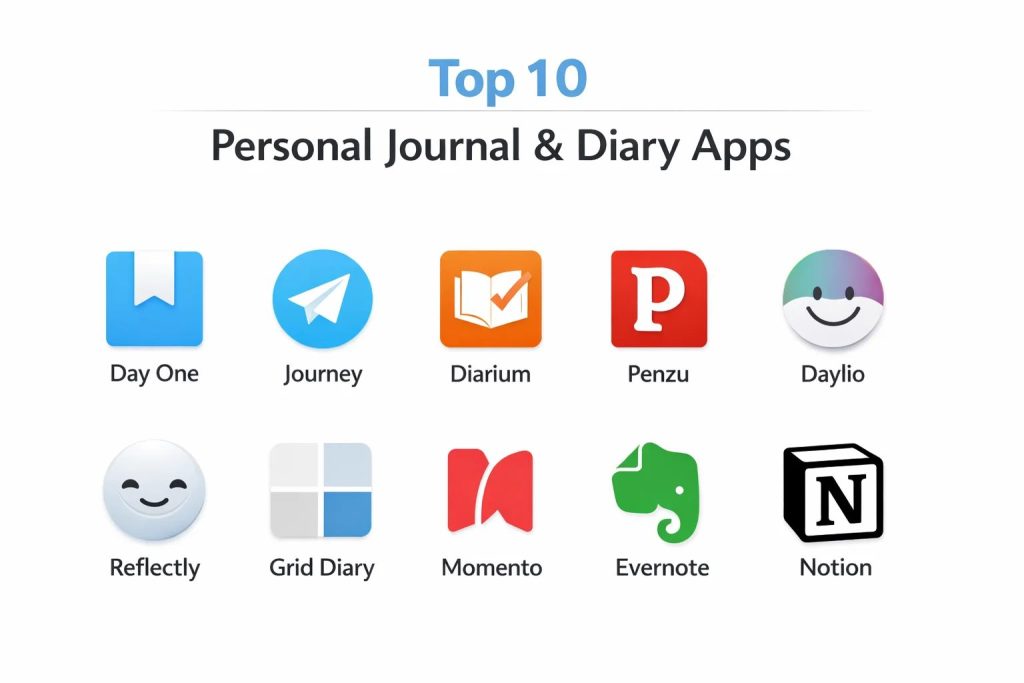
Introduction
In the modern digital landscape, personal journal and diary applications have evolved into sophisticated instruments for mental clarity, emotional regulation, and longitudinal self-reflection. These platforms move beyond simple text entry, utilizing advanced data structures to capture a multi-dimensional record of the human experience. As an extension of our cognitive processes, digital journals provide a secure repository for sensitive intellectual property, private internal monologues, and visual archives. For many professionals, maintaining a disciplined journaling practice is a strategic methodology for managing high-stakes stress and documenting the iterative growth of one’s career and personal philosophy.
The selection of a primary journaling platform is a decision that impacts long-term data portability and privacy. Organizations and individuals must prioritize applications that offer robust encryption standards to protect against unauthorized access while ensuring the longevity of the data stored within. The current market offers a diverse array of solutions, ranging from minimalist, mood-centric micro-diaries to complex, database-driven life dashboards. Evaluating these tools requires a focused look at their synchronization reliability, cross-platform availability, and the specific pedagogical approach they take toward the habit of reflection. Whether one seeks a guided experience with automated prompts or an open-canvas environment, the right tool acts as a silent partner in the journey of self-actualization.
Best for: Mental health practitioners, high-performance executives, creative writers, and individuals seeking a secure, long-term digital archive of their daily lives and emotional trends.
Not ideal for: Public social media broadcasting, collaborative team project management, or users who strictly prefer the tactile experience of physical paper and ink without the need for digital backups.
Key Trends in Personal Journal Apps
A significant shift toward artificial intelligence is redefining the journaling experience, with many platforms now offering intelligent prompts that adapt to the user’s previous entries to encourage deeper introspection. Privacy has moved to the forefront, with end-to-end encryption becoming a standard expectation for any application handling personal reflections. There is also a growing trend toward “contextual awareness,” where apps automatically pull in data such as physical location, weather conditions, and fitness activity to provide a comprehensive snapshot of a specific moment in time.
Cross-platform synchronization has become non-negotiable, as users demand the ability to start an entry on a mobile device and complete it on a desktop environment without friction. Mood tracking and data visualization are increasingly integrated, allowing users to see correlations between their activities and their emotional well-being over weeks or months. Additionally, the rise of “micro-journaling” has made the practice more accessible to those with limited time, focusing on quick, icon-based logging rather than lengthy prose.
How We Selected These Tools
The evaluation of these ten platforms involved a rigorous assessment of data security protocols and user interface stability. We prioritized applications that offer local storage options or verified end-to-end encryption to ensure that the most private of thoughts remain protected. Reliability of synchronization across multiple operating systems was a key performance indicator, as data loss in a personal journal is often considered catastrophic by users.
We also examined the diversity of input methods, favoring tools that support voice-to-text, photographic attachments, and even handwriting recognition. The longevity of the developer and the frequency of software updates were scrutinized to ensure that these tools will remain functional for years to come. Finally, we looked at the balance between feature complexity and ease of use, selecting a range of tools that cater to both the power user and the casual diarist.
1. Day One
Day One is widely considered the gold standard for digital journaling, offering a refined and elegant interface that prioritizes the writing experience. It provides a highly organized structure that allows for multiple journals within a single account, making it easy to separate professional logs from personal reflections.
Key Features
It features a world-class end-to-end encryption system that ensures only the user holds the key to their data. The app supports rich media attachments including high-resolution photos, videos, and audio recordings. It includes an “On This Day” feature that resurfaces past entries to foster a sense of long-term perspective. Users can also utilize a wide range of templates for structured reflections. Automatic metadata such as weather and location is captured with every entry to provide context.
Pros
The aesthetic design is unparalleled, providing a premium feel that encourages daily use. Its sync reliability across the Apple and Android ecosystems is exceptionally high.
Cons
The full feature set requires a recurring subscription, which may be a barrier for some. It lacks a native Windows desktop application, though a web version is available.
Platforms and Deployment
iOS, macOS, Android, and Web.
Security and Compliance
Standard end-to-end encryption (AES-256) is enabled by default for all synced data.
Integrations and Ecosystem
Integrates with system calendars and features a specialized Safari extension for clipping web content.
Support and Community
Offers a robust help center and an active community of long-term users who share journaling strategies.
2. Journey
Journey is a cross-platform powerhouse designed for those who want their diary to be accessible everywhere. It offers a clean, minimalist layout that focuses on the “journey” of life, incorporating a map view to visualize where your entries were created.
Key Features
The software includes a unique “Coach” feature that provides daily prompts and mindfulness programs to guide the user’s writing. It supports synchronization via multiple cloud providers, including Google Drive and OneDrive. Users can export their entire journal to PDF or DOCX formats for physical archiving. The platform includes a mood tracker with detailed charts to visualize emotional trends. It also allows for the integration of fitness data from wearable devices.
Pros
Unmatched platform availability makes it a perfect choice for users who switch between Windows, Mac, and mobile devices regularly. The interface is highly intuitive and easy to navigate.
Cons
The free version is somewhat limited in terms of media attachments. Some users may find the “Coach” prompts to be less personalized than AI-driven alternatives.
Platforms and Deployment
Windows, macOS, Linux, iOS, Android, and Web.
Security and Compliance
Supports passcode and biometric locks with optional cloud-level encryption.
Integrations and Ecosystem
Connects with Google Fit and Apple Health to automatically log physical activity alongside thoughts.
Support and Community
Provides extensive documentation and an active social media presence for user support.
3. Diarium
Diarium is a highly functional, one-time purchase application that appeals to users who prefer a direct connection between their journal and their digital life. It is known for its ability to pull in data from a vast array of external sources automatically.
Key Features
The app automatically integrates social media posts, calendar events, and fitness data into a daily timeline. It offers a highly customizable interface where users can adjust colors, fonts, and layout densities. It supports cloud sync through various personal storage accounts like Dropbox and Nextcloud. Users can attach files, drawings, and even voice memos to any entry. The “On This Day” notifications help maintain a consistent habit of reflection.
Pros
The lack of a subscription model for the Pro version is a significant financial advantage. It offers one of the most comprehensive sets of automatic integrations in the category.
Cons
The interface, while functional, is not as visually polished as some of its competitors. It requires separate purchases for different platforms (e.g., Windows and Android).
Platforms and Deployment
Windows, macOS, iOS, and Android.
Security and Compliance
Relies on the security of the chosen cloud provider for sync; local entries can be password-protected.
Integrations and Ecosystem
Integrates with Facebook, Instagram, Google Calendar, and various fitness trackers.
Support and Community
The developer is highly responsive to user feedback on community forums.
4. Penzu
Penzu positions itself as the most secure journal in the world, catering to users who are hyper-focused on privacy and data protection. It mimics the look of a traditional paper notebook but with industrial-grade digital security.
Key Features
The platform offers double-password protection, allowing users to lock individual journals within a single account. It features a “Time Capsule” function that sends selected entries to the user at a specified future date. The interface allows for deep customization of “notebook” covers and paper types. It includes a rich text editor that supports complex formatting and embedded images. Users can set custom email reminders to ensure they never miss a day of writing.
Pros
The focus on military-grade encryption provides peace of mind for those storing extremely sensitive information. The web-first approach makes it highly accessible from any computer.
Cons
The mobile applications feel slightly dated compared to modern competitors. Many advanced security features are locked behind the paid tier.
Platforms and Deployment
Web, iOS, and Android.
Security and Compliance
Offers 256-bit AES encryption and is designed to meet strict privacy standards.
Integrations and Ecosystem
Primary focus is on standalone security rather than external integrations.
Support and Community
Offers direct email support and an extensive knowledge base for privacy settings.
5. Daylio
Daylio is a unique “micro-diary” that allows users to track their lives without typing a single word. It relies on a system of icons and moods, making it the ideal tool for busy individuals who still want to maintain a record of their habits.
Key Features
Users log their day by selecting a mood icon and picking from a list of customizable activities. The app generates advanced statistics and charts that show how specific activities affect the user’s overall happiness. It includes a goal-setting feature that tracks streaks for new habits. The entries can be supplemented with short text notes and photos if desired. All data is stored locally on the device by default for maximum privacy.
Pros
It has the lowest barrier to entry of any app on this list, requiring only seconds to complete a daily entry. The data visualization tools are exceptionally clear and helpful.
Cons
It is not suited for long-form narrative writing. Those seeking a traditional diary experience will find the icon-based system too limiting.
Platforms and Deployment
iOS and Android.
Security and Compliance
Data is stored locally; cloud backups are managed through the user’s private Google Drive or iCloud.
Integrations and Ecosystem
Offers limited integration with system health apps to sync step counts.
Support and Community
Has a massive following on social media and a very active subreddit for sharing habit-tracking ideas.
6. Reflectly
Reflectly is an AI-powered journal designed to improve mental health through guided reflection. It acts as a digital companion, asking the user questions and providing insights based on their emotional patterns.
Key Features
The AI engine analyzes the tone and content of entries to provide personalized motivation and challenges. It features a beautiful, “zen-like” aesthetic with smooth animations and calming color palettes. Users receive weekly and monthly overviews that highlight their most frequent emotions and triggers. It includes a daily “check-in” process that focuses on gratitude and mindfulness. The app also offers a library of audio stories designed to help with sleep and anxiety.
Pros
The intelligent prompts are excellent for overcoming writer’s block and encouraging deeper thought. It feels more like a wellness tool than a simple notebook.
Cons
The AI insights can sometimes feel repetitive over long periods. It is primarily designed for mobile use, lacking a robust desktop experience.
Platforms and Deployment
iOS and Android.
Security and Compliance
Standard passcode protection and secure cloud storage are included.
Integrations and Ecosystem
Operates as a standalone wellness ecosystem with minimal external links.
Support and Community
Offers a personalized support experience through its AI-driven interface.
7. Grid Diary
Grid Diary utilizes a structured “grid” format to guide the user through different aspects of their life simultaneously. It is inspired by various professional frameworks for self-improvement and holistic growth.
Key Features
The interface is divided into customizable blocks, each representing a different area such as health, career, or relationships. It provides a massive library of reflective prompts that can be assigned to specific grid sections. Users can view their life in different “dimensions,” including weekly, monthly, and yearly summaries. It supports Markdown for text formatting and allows for easy data export. The app also features a “Mandala” layout for a more visual approach to planning.
Pros
It is the best tool for those who want a balanced, 360-degree view of their personal development. The grid format prevents the overwhelm of a blank page.
Cons
Setting up a customized grid can take some initial effort. The structured nature may feel restrictive for those who prefer free-form writing.
Platforms and Deployment
iOS, macOS, and Android.
Security and Compliance
Features sync encryption and local biometric lock options.
Integrations and Ecosystem
Integrates with Apple Health to pull in biometric data directly into the grid.
Support and Community
A dedicated community of productivity enthusiasts provides numerous templates and setup guides.
8. Momento
Momento is a specialized journal for the Apple ecosystem that focuses on “automated storytelling.” It is designed to act as a private social media feed, gathering your digital footprints into a single, searchable timeline.
Key Features
It automatically imports activities from social media platforms, including photos, check-ins, and status updates. The app allows users to group related moments into “Events,” such as a vacation or a wedding. Its search engine is incredibly powerful, allowing users to find memories by person, place, or specific tag. It includes a “Summaries” feature that provides a condensed look at past years. The interface is optimized for high-speed browsing through thousands of entries.
Pros
It requires almost zero manual effort to maintain a highly detailed record of your life. It is the best tool for consolidating a fragmented digital history.
Cons
It is strictly limited to the Apple ecosystem. Its reliance on third-party APIs means that changes in social media platforms can affect its functionality.
Platforms and Deployment
iOS and macOS.
Security and Compliance
Offers local passcode protection and utilizes secure iCloud sync.
Integrations and Ecosystem
Deeply integrated with Instagram, Spotify, YouTube, and various other digital services.
Support and Community
Offers high-quality technical support and a long history of reliability in the Apple community.
9. Evernote (Journaling Mode)
While known as a general note-taking app, Evernote’s powerful organization and search features make it a formidable tool for professional-grade journaling. It is ideal for those who want to keep their diary within their existing productivity ecosystem.
Key Features
The platform allows for the creation of dedicated “Journal” notebooks with deep tagging systems. Its optical character recognition (OCR) makes handwritten scans and photos of physical diaries completely searchable. It includes a “Daily Reflection” template that can be automated to appear every morning. Its cross-platform sync is legendary, handling massive amounts of data without lag. The integrated task manager allows users to turn reflections into actionable items.
Pros
The ability to search through every word—including those in images—is a game-changer for long-term archiving. It integrates perfectly with a professional workflow.
Cons
The interface can feel too “business-like” and cluttered for a personal diary. The pricing for the professional tier is higher than most dedicated journaling apps.
Platforms and Deployment
Windows, macOS, iOS, Android, and Web.
Security and Compliance
Provides two-factor authentication and data encryption at rest.
Integrations and Ecosystem
Connects with nearly every major productivity tool, including Google Calendar and Slack.
Support and Community
Backed by an enterprise-level support structure and a global community of “Evernote Experts.”
10. Notion (Journaling Database)
Notion offers a “build-it-yourself” approach to journaling, allowing users to create complex databases that track every metric imaginable. It is the choice for the power user who wants total control over their data structure.
Key Features
Users can build a custom journal database with properties for mood, weather, habits, and spending. It features multiple views, including calendars, galleries, and timelines. The platform supports a hierarchical structure where journal entries can link to other projects or goals. It allows for the embedding of almost any type of digital content. Its collaboration features are unique, allowing couples or families to maintain shared journals if desired.
Pros
The flexibility is infinite; your journal can be as simple or as complex as you desire. It is a one-stop-shop for personal and professional organization.
Cons
The initial setup can be daunting for those who just want to start writing. It lacks the specialized “journaling feel” and aesthetic of dedicated diary apps.
Platforms and Deployment
Windows, macOS, iOS, Android, and Web.
Security and Compliance
Features enterprise-grade security and permissions management.
Integrations and Ecosystem
A vast marketplace of community-made journal templates is available for instant use.
Support and Community
Boasts one of the most vibrant and creative communities in the tech world, with endless tutorials.
Comparison Table
| Tool Name | Best For | Platform(s) Supported | Deployment | Standout Feature | Public Rating |
| 1. Day One | Premium Writing | iOS, Mac, Android | Hybrid | End-to-End Encryption | 4.8/5 |
| 2. Journey | Cross-Platform | Win, Mac, iOS, Android | Cloud | Journey Coach Prompts | 4.6/5 |
| 3. Diarium | One-time Purchase | Win, Mac, iOS, Android | Local/Cloud | Social Media Auto-sync | 4.7/5 |
| 4. Penzu | Max Security | Web, iOS, Android | Cloud | Double Password Lock | 4.2/5 |
| 5. Daylio | Micro-Journaling | iOS, Android | Local | Icon-based Logging | 4.8/5 |
| 6. Reflectly | Mental Wellness | iOS, Android | Cloud | AI-Driven Insights | 4.5/5 |
| 7. Grid Diary | Structured Growth | iOS, Mac, Android | Cloud | 9-Grid Layout | 4.4/5 |
| 8. Momento | Digital History | iOS, macOS | Local/iCloud | Auto-import from Feeds | 4.3/5 |
| 9. Evernote | Archive Search | Win, Mac, iOS, Android | Hybrid | OCR for Handwriting | 4.4/5 |
| 10. Notion | Custom Systems | Win, Mac, iOS, Android | Cloud | Database Flexibility | 4.7/5 |
Evaluation & Scoring of Personal Journal Apps
The scoring below is a comparative model intended to help shortlisting. Each criterion is scored from 1–10, then a weighted total from 0–10 is calculated using the weights listed. These are analyst estimates based on typical fit and common workflow requirements, not public ratings.
Weights:
- Core features – 25%
- Ease of use – 15%
- Integrations & ecosystem – 15%
- Security & compliance – 10%
- Performance & reliability – 10%
- Support & community – 10%
- Price / value – 15%
| Tool Name | Security (25%) | Ease (15%) | Sync (15%) | Features (10%) | AI/Context (10%) | Export (10%) | UI (15%) | Total |
| 1. Day One | 10 | 8 | 10 | 9 | 7 | 8 | 10 | 9.05 |
| 2. Journey | 8 | 9 | 10 | 8 | 8 | 10 | 8 | 8.65 |
| 3. Diarium | 7 | 8 | 9 | 10 | 8 | 9 | 7 | 8.15 |
| 4. Penzu | 10 | 7 | 7 | 6 | 4 | 7 | 6 | 7.20 |
| 5. Daylio | 9 | 10 | 8 | 7 | 6 | 8 | 10 | 8.55 |
| 6. Reflectly | 8 | 9 | 8 | 7 | 10 | 6 | 10 | 8.40 |
| 7. Grid Diary | 8 | 7 | 9 | 9 | 8 | 8 | 9 | 8.20 |
| 8. Momento | 8 | 9 | 7 | 9 | 9 | 7 | 9 | 8.20 |
| 9. Evernote | 9 | 6 | 10 | 9 | 7 | 9 | 6 | 8.05 |
| 10. Notion | 8 | 5 | 10 | 10 | 8 | 9 | 8 | 8.15 |
How to interpret the scores:
- Use the weighted total to shortlist candidates, then validate with a pilot.
- A lower score can mean specialization, not weakness.
- Security and compliance scores reflect controllability and governance fit, because certifications are often not publicly stated.
- Actual outcomes vary with assembly size, team skills, templates, and process maturity.
Which Personal Journal App Tool Is Right for You?
Solo / Freelancer
For individuals working independently, a tool like Journey or Day One provides the perfect balance of professional reliability and creative freedom. These apps allow you to log your thoughts and project milestones in a secure environment that is accessible across all your devices.
SMB
Small teams or family units looking for shared reflection might lean toward Notion, as its database structure allows for the creation of collaborative journals. However, for most small business owners, using a dedicated app like Daylio can provide the habit-tracking data needed to maintain peak performance without a massive time investment.
Mid-Market
Mid-market organizations focused on employee wellness may encourage the use of tools like Reflectly or Day One. These platforms offer the level of polish and privacy that professionals expect, helping to foster a culture of mindfulness and continuous self-improvement.
Enterprise
At the enterprise level, where data security and compliance are the ultimate priorities, Penzu or Evernote are often the preferred choices. These platforms offer the administrative controls and encryption standards required to protect sensitive intellectual property that may be contained within a journal.
Budget vs Premium
Those on a tight budget will find immense value in the free versions of Daylio or the community-driven templates of Notion. However, for a lifelong archive, the premium subscription of Day One or the one-time purchase of Diarium is a worthwhile investment in the quality of the experience.
Feature Depth vs Ease of Use
If you want deep analytics and complex structures, Grid Diary and Notion are the clear winners. If your goal is simply to record your thoughts as quickly as possible, Daylio and Reflectly offer the most friction-free entry methods.
Integrations & Scalability
Diarium and Momento lead the pack for users who want their journal to automatically collect data from the digital world. These apps scale with your digital life, becoming more valuable the more social media and health services you connect to them.
Security & Compliance Needs
For anyone storing highly confidential reflections, Day One’s end-to-end encryption or Penzu’s double-password protection are the only logical options. These tools ensure that even if the developer’s servers are compromised, your words remain unreadable.
Frequently Asked Questions (FAQs)
1. Is digital journaling as effective as paper journaling?
Digital journaling offers unique benefits such as full-text search, multi-media attachments, and automated data logging that paper cannot provide. While the tactile experience differs, the psychological benefits of self-reflection remain consistent across both formats.
2. Can I export my data if I want to switch apps?
Most high-quality apps allow you to export your entries in standard formats like PDF, JSON, or TXT. It is essential to choose an app with robust export options to ensure your memories are never “locked” into a single platform.
3. Are my entries truly private?
Privacy varies by app. Tools that offer end-to-end encryption mean that only you have the key. Apps that store data locally on your device are also highly private, provided you use the built-in passcode or biometric locks.
4. How much time do I need to spend journaling daily?
Consistency is more important than duration. With micro-journaling apps like Daylio, you can finish in under a minute. Even with long-form writing, just ten minutes a day can yield significant mental health and organizational benefits.
5. Can I include photos and videos in my digital diary?
Yes, most modern apps support a wide range of media. This allows your journal to double as a private photo album, providing a richer context for your written memories than text alone ever could.
6. Do these apps work without an internet connection?
The majority of these applications allow for offline writing, syncing your entries once you reconnect to a network. This makes them ideal for travel or for writing in areas with limited connectivity.
7. Is it possible to search through my past entries?
This is one of the primary advantages of digital journaling. Most apps feature a global search bar that allows you to find specific words, dates, or even moods across years of entries in a fraction of a second.
8. Can I use these apps on multiple devices?
Yes, apps like Journey and Day One are designed to stay in sync across your phone, tablet, and computer. This ensures you can record a thought the moment it occurs, regardless of which device is in your hand.
9. Will journaling help with my professional career?
Absolutely. Many top executives use journaling to document their decision-making processes, track their career goals, and manage the stress of a high-performance environment, leading to better long-term outcomes.
10. What happens if I forget to journal for a few days?
Most apps include customizable reminders to help you stay on track. However, the best approach is to simply pick up where you left off without guilt; the goal of a journal is to serve you, not to be an extra chore.
Conclusion
In conclusion, the transition from analog to digital journaling represents a significant leap forward in how we document and analyze our lives. By selecting a platform that aligns with your specific needs—whether it be the AI-guided prompts of a wellness app or the industrial-grade security of a professional archive—you are investing in a tool that will grow more valuable over time. The true power of a digital diary lies not just in the recording of events, but in the ability to search, analyze, and revisit those moments with a level of clarity that memory alone cannot provide. As technology continues to integrate more deeply with our daily routines, these applications will remain essential for anyone committed to a lifetime of personal growth and self-discovery.